

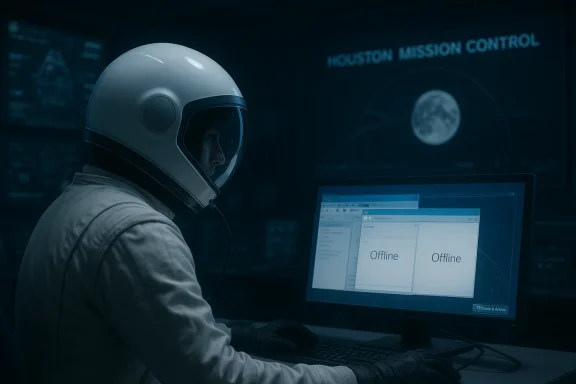
Even astronauts can end up chasing a glitch that sounds more like a help-desk ticket than a lunar rehearsal. During the live Artemis II feed, Commander Reid Wiseman reportedly told Mission Control in Houston that he could see “two Microsoft Outlooks” and that neither one was working, prompting NASA to remote in and sort out the issue. The moment landed as comic gold online, but it also underscored something more serious: NASA’s crewed deep-space missions still rely on familiar commercial software for day-to-day operations, even when the mission hardware itself is anything but ordinary. The joke writes itself, yet the underlying story is about how modern spaceflight blends hard real-time systems, consumer-style productivity tools, and an operational culture that has to make all of it work together.
Artemis II is not a routine flight, and that is exactly why small software hiccups become public fascination. NASA has been targeting April 2026 for the first crewed Artemis mission, a lunar fly-around that will send four astronauts aboard Orion on a roughly 10-day trip around the Moon and back. The agency has spent months moving the mission through integrated testing, rollout planning, and launch-readiness work, while also managing delays tied to the Space Launch System and its supporting infrastructure.
That broader context matters because Artemis II has become a symbol of NASA’s attempt to modernize human spaceflight without pretending the fundamentals have changed. The spacecraft, rocket, and safety systems are built for extreme environments, but the crew’s workflow still depends on software that helps them communicate, track schedules, and coordinate mission tasks. NASA’s public materials make clear that the mission uses mission-control infrastructure in Houston, while Orion and the launch team continue to rely on a blend of specialized aerospace systems and commercially familiar tools.
The Outlook anecdote is funny precisely because it sounds so normal. Microsoft Outlook is the sort of application millions of people use every day, and Microsoft’s own support guidance frames offline mode, cached data, and connection status as standard productivity concerns rather than exotic edge cases. In other words, the fact that astronauts are using Outlook is not the anomaly; the anomaly is that the same everyday software experience now exists inside a mission architecture that must tolerate radiation, latency, and the occasional deeply unglamorous bug.
There is also a long-running spaceflight tradition behind this. NASA has increasingly incorporated commercial off-the-shelf software and hardware where it makes operational sense, reserving bespoke engineering for the systems that truly demand it. That approach reduces training burden and gives crews recognizable interfaces, but it also means astronauts can occasionally encounter the same class of issues office workers do—multiple windows, stale sessions, offline states, or an app that simply stops behaving as expected.
It also tapped into a very modern audience expectation: if a machine can go to the Moon, it should probably be able to run email without drama. That instinct ignores how many layers sit between the crew and a functioning inbox, but it is an understandable reaction. The clip made spaceflight feel both futuristic and recognizably human.
That matters because the problem was not described as a catastrophic failure. It was an operational inconvenience inside an already constrained environment, and those are exactly the kind of issues that mission teams are trained to solve without escalating unnecessarily. In spaceflight, small problems can become big ones if they block coordination or distract crews, so a quiet remote session from Houston is a sensible response rather than a punchline.
The phrase “two Outlooks” is the sort of detail that makes IT professionals wince because it suggests a user-interface state problem, a launch issue, or a session-management oddity. It could mean two windows, two processes, or two instances exposed through a virtualized environment, but the public reporting does not establish which. What is clear is that the astronauts were not looking at a spacecraft fault in the traditional sense; they were troubleshooting software behavior on a computer used for mission life. That distinction is essential.
The important part is not the brand name but the workflow. Mission-control support for crew software is built around quick triage, remote remediation, and restoring expected behavior with minimal disruption. The fact that this was handled live only made the moment more visible.
That is a pragmatic design choice. Astronauts do not spend every moment manipulating thrusters or checking telemetry; they also need calendars, messages, shared documents, and other administrative tools. A familiar interface lowers cognitive load, especially in a high-stress environment where the crew must focus on mission objectives, experiment plans, and procedural timelines. Familiar software is not just convenient; it can be an operational aid.
The flip side is that familiar software brings familiar failure modes. Microsoft’s own support guidance makes clear that Outlook can operate offline, cache data, and present different status states depending on account type and connectivity. Those are mundane details on Earth, but in orbit they become mission-aware behaviors that have to be understood and explained carefully. The software is not failing because it is “in space”; it is behaving according to rules that still apply in space.
That separation is a strength because it keeps the mission flexible. It also reflects a broader trend in aerospace: use specialized engineering where required, and adopt mature commercial software where the risk-benefit tradeoff is favorable. The result is a stack that looks surprisingly like an enterprise IT environment, just with better views.
That help arrived quickly enough for the narrative to move from bug report to resolution. Roughly an hour later, the astronauts were told Outlook had been opened and was showing as offline, which NASA characterized as expected behavior. That is a useful reminder that “not working” and “offline” are not always the same thing, especially in software whose design assumes intermittent connectivity and synchronized data.
In operational terms, this is a low-drama success story. A crew noticed a problem, reported it clearly, and got support without the issue escalating into a distraction. For a public audience, that reads like comedy; for a flight director, it reads like a healthy system. The joke is only possible because the procedure worked.
That is especially important in Artemis, where the public scrutiny is intense and every small hiccup can become social-media theater. NASA’s support model protects the mission from that noise by keeping troubleshooting inside a disciplined chain of command.
This is worth mentioning because it shows the breadth of “normal” problems in spaceflight. A lunar mission is not just rockets and trajectories; it is also environmental control, waste handling, communications, and human comfort. The systems that make a spacecraft habitable are as important as the systems that make it fly, even if they receive far less public attention.
There is a tendency to romanticize space travel as pure science fiction, but the day-to-day reality is closer to a highly constrained expedition with a lot of plumbing, power management, and routine support software. In that sense, the toilet and Outlook stories belong to the same category. They are reminders that deep-space exploration still depends on very ordinary engineering disciplines executed at extraordinary reliability.
That is why these small glitches become surprisingly revealing. They show that NASA’s operational model depends on resilience, redundancy, and support infrastructure rather than perfection.
This also says something about trust. Institutions adopt mainstream software when the software is mature, manageable, and already familiar to the users. Astronauts, like airline pilots and factory operators, benefit from tools they do not have to learn from scratch in stressful conditions. The software ecosystem becomes part of the mission’s human-in-the-loop design.
At the same time, the episode shows how little room there is for ambiguity in space operations. On Earth, if Outlook seems odd, you reboot, reopen, or call IT. In orbit, every such step has to be weighed against time, distraction, and the possibility that a minor user-interface quirk masks something more consequential. That is why mission-control support remains so central.
For IT departments, Artemis II is almost a case study in the value of standardization. Familiar software can help people move faster, but only if support teams know exactly what the software is expected to do when the network is degraded or the environment is unusual.
The joke also works because it is so specific. “Two Outlooks” is not a generic tech problem; it is an office problem translated into a lunar setting. That specificity gives the story cultural staying power, much the same way earlier space-age quirks became part of the public memory of Apollo, Shuttle, and ISS eras.
But there is a serious layer beneath the meme. Public fascination with software glitches can occasionally obscure the sophistication of the system that handled them. The fact that the incident was visible and recoverable demonstrates mission maturity, not fragility. In a well-run crewed program, small failures are expected and managed, which is exactly what happened here.
The downside is that humor can flatten complexity. The challenge for NASA is to preserve the public’s delight without letting the joke define the mission.
Just as importantly, the incident provides an opportunity to explain Artemis to the public in a way that is more concrete than launch-countdown graphics or polished mission branding. If a story about Outlook in space gets more people asking how Orion works, that is a win for public engagement. The mission can use that attention to reinforce the realities of modern exploration. That is not trivial; it is outreach value.
There is also the broader concern that high-profile missions can normalize dependence on tools whose reliability assumptions were built for Earth, not space. Even if the software is only supporting crew administration, its failure modes still matter. That is why the agency’s support model, testing culture, and offline procedures deserve as much attention as the software brand names themselves. Systems engineering wins in the background, or not at all.
What happens next will be less about Outlook itself and more about the program’s ability to keep the mission stable, explainable, and publicly legible. If the crew continues to surface small issues and Houston continues to resolve them calmly, that will actually strengthen confidence in the Artemis model. A mission that can handle a toilet fault and an email client hiccup without drama is a mission that looks prepared for the much harder problems ahead.
Source: Tom's Hardware Artemis II astronaut finds two Outlook instances running on computers, call on Houston to fix Microsoft anomaly — puzzled caller describes ‘two Outlooks, and neither one of those are working’
 Background
Artemis II is not a routine flight, and that is exactly why small software hiccups become public fascination. NASA has been targeting April 2026 for the first crewed Artemis mission, a lunar fly-around that will send four astronauts aboard Orion on a roughly 10-day trip around the Moon and back. The agency has spent months moving the mission through integrated testing, rollout planning, and launch-readiness work, while also managing delays tied to the Space Launch System and its supporting infrastructure.That broader context matters because Artemis II has become a symbol of NASA’s attempt to modernize human spaceflight without pretending the fundamentals have changed. The spacecraft, rocket, and safety systems are built for extreme environments, but the crew’s workflow still depends on software that helps them communicate, track schedules, and coordinate mission tasks. NASA’s public materials make clear that the mission uses mission-control infrastructure in Houston, while Orion and the launch team continue to rely on a blend of specialized aerospace systems and commercially familiar tools.
The Outlook anecdote is funny precisely because it sounds so normal. Microsoft Outlook is the sort of application millions of people use every day, and Microsoft’s own support guidance frames offline mode, cached data, and connection status as standard productivity concerns rather than exotic edge cases. In other words, the fact that astronauts are using Outlook is not the anomaly; the anomaly is that the same everyday software experience now exists inside a mission architecture that must tolerate radiation, latency, and the occasional deeply unglamorous bug.
There is also a long-running spaceflight tradition behind this. NASA has increasingly incorporated commercial off-the-shelf software and hardware where it makes operational sense, reserving bespoke engineering for the systems that truly demand it. That approach reduces training burden and gives crews recognizable interfaces, but it also means astronauts can occasionally encounter the same class of issues office workers do—multiple windows, stale sessions, offline states, or an app that simply stops behaving as expected.
Why this moment resonated
The clip spread because it collapsed two worlds into one sentence: deep-space exploration and desktop productivity. That contrast is inherently memorable, and the humor comes from the ordinariness of the problem, not the scale of the mission. A lunar voyage should feel remote, yet the issue sounded like something a corporate IT department would hear on a Monday morning.It also tapped into a very modern audience expectation: if a machine can go to the Moon, it should probably be able to run email without drama. That instinct ignores how many layers sit between the crew and a functioning inbox, but it is an understandable reaction. The clip made spaceflight feel both futuristic and recognizably human.
The Outlook Incident
The central quote from the stream is simple, but it carries a lot of weight. Wiseman reportedly told Mission Control that he saw two Microsoft Outlooks and that neither one was working, then asked Houston to remote in and take a look. NASA later indicated that Outlook was brought back online, although it would remain offline in the expected sense of not being connected in the usual way.That matters because the problem was not described as a catastrophic failure. It was an operational inconvenience inside an already constrained environment, and those are exactly the kind of issues that mission teams are trained to solve without escalating unnecessarily. In spaceflight, small problems can become big ones if they block coordination or distract crews, so a quiet remote session from Houston is a sensible response rather than a punchline.
The phrase “two Outlooks” is the sort of detail that makes IT professionals wince because it suggests a user-interface state problem, a launch issue, or a session-management oddity. It could mean two windows, two processes, or two instances exposed through a virtualized environment, but the public reporting does not establish which. What is clear is that the astronauts were not looking at a spacecraft fault in the traditional sense; they were troubleshooting software behavior on a computer used for mission life. That distinction is essential.
What the quote likely means
The exact technical cause has not been publicly documented, so any deeper explanation should be treated as informed inference rather than fact. The most plausible possibilities include a duplicated launch state, a hung client, or a remote desktop environment presenting multiple Outlook sessions in a confusing way. In a mission context, that kind of ambiguity is normal: users describe what they see, and controllers then translate that observation into a fix.The important part is not the brand name but the workflow. Mission-control support for crew software is built around quick triage, remote remediation, and restoring expected behavior with minimal disruption. The fact that this was handled live only made the moment more visible.
- The issue was visible enough to be noticed on the live stream.
- The crew asked Houston for help rather than improvising extensively.
- NASA appears to have treated it as a support problem, not a mission-stopper.
- The episode became public because Artemis II was already being streamed continuously.
- The punchline came from the mismatch between a Moon mission and a desktop app.
Why Outlook Is on a Spacecraft at All
Many readers understandably assume that a lunar spacecraft should only run custom flight software. In reality, commercial off-the-shelf tools often sit alongside the mission-critical systems because they solve ordinary coordination problems better than bespoke software would. NASA’s own materials on Orion and Artemis reference commercial components in communications and mission support, and the agency has long relied on mixed ecosystems rather than a single monolithic stack.That is a pragmatic design choice. Astronauts do not spend every moment manipulating thrusters or checking telemetry; they also need calendars, messages, shared documents, and other administrative tools. A familiar interface lowers cognitive load, especially in a high-stress environment where the crew must focus on mission objectives, experiment plans, and procedural timelines. Familiar software is not just convenient; it can be an operational aid.
The flip side is that familiar software brings familiar failure modes. Microsoft’s own support guidance makes clear that Outlook can operate offline, cache data, and present different status states depending on account type and connectivity. Those are mundane details on Earth, but in orbit they become mission-aware behaviors that have to be understood and explained carefully. The software is not failing because it is “in space”; it is behaving according to rules that still apply in space.
COTS versus bespoke systems
The distinction between COTS and flight-critical software is easy to miss if you only see the headline. Orion’s primary vehicle systems are not running a consumer office suite to control propulsion, and no one serious is suggesting they do. Rather, Outlook and related tools live in the support layer, where they can help the crew plan, communicate, and coordinate without touching the safety architecture.That separation is a strength because it keeps the mission flexible. It also reflects a broader trend in aerospace: use specialized engineering where required, and adopt mature commercial software where the risk-benefit tradeoff is favorable. The result is a stack that looks surprisingly like an enterprise IT environment, just with better views.
- Mission-critical systems are isolated from productivity software.
- COTS tools reduce training friction.
- Familiar interfaces support crew efficiency.
- The tradeoff is inheriting ordinary software quirks.
- Support teams must be ready to debug both space hardware and desktop behavior.
Mission Control’s Role in the Fix
NASA’s mission-control culture is built around the idea that there is always someone on the ground who can help, even when the crew is millions of miles from home in operational terms. In this case, Houston was asked to remote in and take a look, which is exactly what you would expect in a tightly managed crewed mission. The point of mission control is not only to monitor but to assist, interpret, and stabilize.That help arrived quickly enough for the narrative to move from bug report to resolution. Roughly an hour later, the astronauts were told Outlook had been opened and was showing as offline, which NASA characterized as expected behavior. That is a useful reminder that “not working” and “offline” are not always the same thing, especially in software whose design assumes intermittent connectivity and synchronized data.
In operational terms, this is a low-drama success story. A crew noticed a problem, reported it clearly, and got support without the issue escalating into a distraction. For a public audience, that reads like comedy; for a flight director, it reads like a healthy system. The joke is only possible because the procedure worked.
Human factors matter
Astronauts are not expected to be software engineers, and they should not have to be. Good mission design assumes that even highly trained crews will encounter the occasional interface issue, duplicate window, or uncertain status indicator. When that happens, the ability to call Mission Control and get a calm, informed response is part of the safety net.That is especially important in Artemis, where the public scrutiny is intense and every small hiccup can become social-media theater. NASA’s support model protects the mission from that noise by keeping troubleshooting inside a disciplined chain of command.
- Clear reporting prevents confusion.
- Remote assistance reduces the need for risky improvisation.
- Offline states can look like failures to non-specialists.
- Mission-control support is part of the architecture, not an afterthought.
- Fast response keeps minor bugs from becoming major distractions.
The Toilet Story Adds Useful Perspective
The Outlook episode was not the only amusing systems issue noted by viewers of the live stream. Reports also described a toilet fault light and a brief mechanical jam involving the urine extraction fan, which one astronaut reportedly cleared. NASA has since indicated that the toilet is back online, turning what could have been a troublesome equipment issue into another example of the crew and ground teams working through the basics.This is worth mentioning because it shows the breadth of “normal” problems in spaceflight. A lunar mission is not just rockets and trajectories; it is also environmental control, waste handling, communications, and human comfort. The systems that make a spacecraft habitable are as important as the systems that make it fly, even if they receive far less public attention.
There is a tendency to romanticize space travel as pure science fiction, but the day-to-day reality is closer to a highly constrained expedition with a lot of plumbing, power management, and routine support software. In that sense, the toilet and Outlook stories belong to the same category. They are reminders that deep-space exploration still depends on very ordinary engineering disciplines executed at extraordinary reliability.
Why these stories matter together
When a spacecraft’s email client and toilet both need attention, the public gets a better picture of what crewed exploration actually demands. Spaceflight is not only about dramatic launch imagery; it is also about keeping a small, sealed environment functional for days at a time. The less glamorous systems are often the ones that determine whether a crew can stay focused.That is why these small glitches become surprisingly revealing. They show that NASA’s operational model depends on resilience, redundancy, and support infrastructure rather than perfection.
- Environmental systems and productivity tools can fail in the same mission.
- Crew comfort is an operational issue, not a luxury.
- Simple fixes can preserve mission momentum.
- Public perception often focuses on the absurd instead of the architecture.
- The mundane is part of the mission’s success criteria.
Consumer Software in a Deep-Space Context
The presence of Microsoft software in Artemis II is a reminder that consumer and enterprise software increasingly overlap in mission-critical environments. Outlook, Windows, and related tools are not deployed on the spacecraft to fly it, but to help people function around it. That distinction is easy to miss, yet it is the difference between an interface that supports the mission and one that could endanger it.This also says something about trust. Institutions adopt mainstream software when the software is mature, manageable, and already familiar to the users. Astronauts, like airline pilots and factory operators, benefit from tools they do not have to learn from scratch in stressful conditions. The software ecosystem becomes part of the mission’s human-in-the-loop design.
At the same time, the episode shows how little room there is for ambiguity in space operations. On Earth, if Outlook seems odd, you reboot, reopen, or call IT. In orbit, every such step has to be weighed against time, distraction, and the possibility that a minor user-interface quirk masks something more consequential. That is why mission-control support remains so central.
Enterprise lessons from Artemis
The story has a strange but useful enterprise takeaway: even the most advanced organizations still depend on boring tools that must work reliably. A fancy mission profile does not eliminate the need for good account management, clear offline behavior, and robust support processes. If anything, it raises the stakes.For IT departments, Artemis II is almost a case study in the value of standardization. Familiar software can help people move faster, but only if support teams know exactly what the software is expected to do when the network is degraded or the environment is unusual.
- Standard tools improve user comfort.
- Supportability matters as much as feature depth.
- Offline behavior must be well understood.
- Training is easier when interfaces are familiar.
- Reliability, not novelty, is the real mission requirement.
What the Public Reaction Reveals
The internet naturally latched onto the absurdity of astronauts saying, in effect, “Houston, we have two Outlooks.” That reaction is understandable, but it also reveals how deeply software has permeated modern life. We no longer see email clients as mundane utilities; we see them as part of the basic texture of work, so finding one in space feels bizarre in a way that would have been impossible a generation ago.The joke also works because it is so specific. “Two Outlooks” is not a generic tech problem; it is an office problem translated into a lunar setting. That specificity gives the story cultural staying power, much the same way earlier space-age quirks became part of the public memory of Apollo, Shuttle, and ISS eras.
But there is a serious layer beneath the meme. Public fascination with software glitches can occasionally obscure the sophistication of the system that handled them. The fact that the incident was visible and recoverable demonstrates mission maturity, not fragility. In a well-run crewed program, small failures are expected and managed, which is exactly what happened here.
Why humor helps
Humor makes spaceflight feel accessible. A perfect mission can seem untouchable; a mission where someone complains about Outlook suddenly feels human. That humanization matters because it reminds the public that exploration is carried out by people juggling practical realities, not by flawless machines.The downside is that humor can flatten complexity. The challenge for NASA is to preserve the public’s delight without letting the joke define the mission.
- Humor increases public engagement.
- Relatable glitches make missions feel human.
- Memes can obscure technical seriousness.
- Accessibility can boost interest in Artemis.
- A minor issue can become a cultural touchstone.
Strengths and Opportunities
The Artemis II Outlook moment is unlikely to matter technically, but it does highlight several strengths in NASA’s approach to crewed exploration. The mission team appears capable of handling everyday software problems in real time, and that operational maturity is a positive signal. It also shows the value of using familiar tools that crews already understand, even in an environment as demanding as a lunar fly-around.Just as importantly, the incident provides an opportunity to explain Artemis to the public in a way that is more concrete than launch-countdown graphics or polished mission branding. If a story about Outlook in space gets more people asking how Orion works, that is a win for public engagement. The mission can use that attention to reinforce the realities of modern exploration. That is not trivial; it is outreach value.
- Demonstrates effective mission-control support.
- Reinforces the usefulness of familiar productivity tools.
- Shows the resilience of the crew-ground troubleshooting process.
- Creates a rare public-relations moment that is memorable and approachable.
- Highlights how COTS software can support rather than hinder operations.
- Gives NASA a human-interest story that broadens Artemis awareness.
- Confirms that routine glitches are manageable in a disciplined flight environment.
Risks and Concerns
The main risk is not that Outlook existed on the spacecraft; it is that the public may misunderstand the role of such software and assume the wrong thing about mission safety. A desktop app glitch is not a spacecraft systems failure, but casual readers can easily blur that line. NASA and its partners need to keep emphasizing the separation between convenience software and flight-critical systems.There is also the broader concern that high-profile missions can normalize dependence on tools whose reliability assumptions were built for Earth, not space. Even if the software is only supporting crew administration, its failure modes still matter. That is why the agency’s support model, testing culture, and offline procedures deserve as much attention as the software brand names themselves. Systems engineering wins in the background, or not at all.
- Public confusion about mission-critical vs. support software.
- Potential overreliance on consumer-style interfaces in extreme environments.
- Risk of mundane bugs becoming distracting during time-sensitive operations.
- Misinterpretation of offline status as a deeper malfunction.
- The possibility that repeated small issues erode confidence if not clearly explained.
- Operational complexity increases when multiple software layers must be supported simultaneously.
- The joke factor can overshadow real engineering discipline.
Looking Ahead
Artemis II is still, first and foremost, a rehearsal for the Moon missions that will follow. NASA has continued to target April 2026 launch opportunities while moving the rocket and crew through final preparations, and the public live stream will likely keep producing these small, unexpected moments. The challenge for NASA is to maintain operational focus while managing a media environment that now notices everything, including software windows.What happens next will be less about Outlook itself and more about the program’s ability to keep the mission stable, explainable, and publicly legible. If the crew continues to surface small issues and Houston continues to resolve them calmly, that will actually strengthen confidence in the Artemis model. A mission that can handle a toilet fault and an email client hiccup without drama is a mission that looks prepared for the much harder problems ahead.
- Watch whether NASA keeps framing these moments as normal support events rather than anomalies.
- Look for continued rollout and launch-readiness milestones in April 2026.
- Pay attention to how often COTS and familiar productivity tools appear in Artemis operations.
- Monitor whether the public narrative shifts from “funny glitch” to “proof of mission maturity.”
- Expect more live-stream moments that reveal the human side of deep-space preparation.
Source: Tom's Hardware Artemis II astronaut finds two Outlook instances running on computers, call on Houston to fix Microsoft anomaly — puzzled caller describes ‘two Outlooks, and neither one of those are working’
Last edited:
