

The Server Side’s freshly surfaced AZ-104 practice question set is exactly the kind of focused, scenario‑first material that can sharpen a candidate’s judgment—provided it’s used as a laboratory aid rather than a shortcut to a badge. The collection frames questions as micro case studies, pairs each item with remediation guidance, and explicitly prioritizes Microsoft Learn and hands‑on labs over rote memorization, a posture that aligns with Microsoft’s role‑based testing philosophy and community best practice.
Microsoft’s AZ-104 exam, Microsoft Certified: Azure Administrator Associate, tests whether a candidate can implement, manage, and monitor an organization’s Azure environment—covering identities, storage, compute, networking, governance, and observability. The official skills outline is the authoritative map of what the exam measures and was updated as part of Microsoft’s periodic revisions to keep objectives aligned to real‑world admin tasks. Third‑party writeups like The Server Side’s AZ‑104 Q&A are useful only when they mirror that official map and encourage practical verification. The Server Side collection does this: its questions are scenario oriented, its answers explain operational tradeoffs, and its recommended study cadence transforms missed practice items into short, repeatable labs. That makes the material a powerful complement to Microsoft Learn rather than a substitute for it.
Weeks 1–2 — Foundations and mapping
Key, verifiable takeaways for candidates:
Azure certification should never be only a checkbox. A responsible path to AZ‑104 competency combines the official skills outline, repeated hands‑on practice in a sandbox, well‑chosen timed simulations, and a disciplined remediation loop that produces demonstrable artifacts. The Server Side’s AZ‑104 Q&A is a compact, ethics‑first tool that—when used as recommended—accelerates that path and produces professionals who can both pass the exam and do the work the badge claims they can.
Source: The Server Side AZ-104 Practice Tests on Azure Administrator Exam Topics
 Background
Microsoft’s AZ-104 exam, Microsoft Certified: Azure Administrator Associate, tests whether a candidate can implement, manage, and monitor an organization’s Azure environment—covering identities, storage, compute, networking, governance, and observability. The official skills outline is the authoritative map of what the exam measures and was updated as part of Microsoft’s periodic revisions to keep objectives aligned to real‑world admin tasks. Third‑party writeups like The Server Side’s AZ‑104 Q&A are useful only when they mirror that official map and encourage practical verification. The Server Side collection does this: its questions are scenario oriented, its answers explain operational tradeoffs, and its recommended study cadence transforms missed practice items into short, repeatable labs. That makes the material a powerful complement to Microsoft Learn rather than a substitute for it.Overview of the Server Side AZ‑104 material
What the package contains
- Scenario‑first Q&A that demand service selection, operational trade‑offs, and an understanding of SDK/CLI nuances rather than pure trivia.
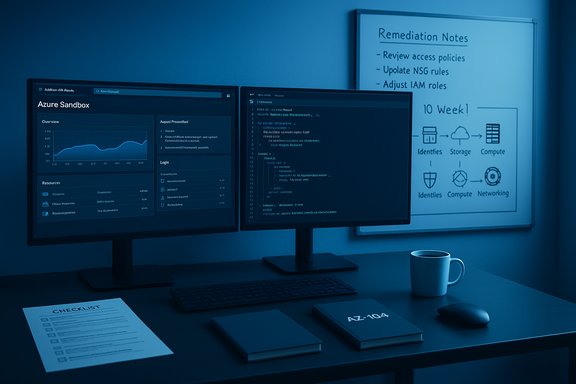
- Per‑question remediation notes and a suggested ten‑week hands‑on study cadence that maps Microsoft Learn modules to labs and timed practice tests.
- Practical clarifications on common confusions (e.g., when to use managed identities vs. service principals, Event Grid vs. Service Bus vs. Event Hubs, Computer Vision Read vs. Document Intelligence).
The pedagogical spine: remediation + artifactization
The Server Side strongly recommends converting every incorrect practice question into:- A short reproducible lab in a sandbox subscription.
- A 200–500 word remediation note that explains why the answer is correct, the failure modes, and the relevant Azure documentation.
- A compact GitHub artifact or README that demonstrates the studied pattern.
Verifying the important exam facts (what you must know before you study)
Any responsible study plan starts by verifying the exam’s formal parameters against Microsoft’s published pages. Two independent references confirm the high‑level facts you need to plan study time and pacing:- Microsoft Learn’s AZ‑104 study guide and skills‑measured page is the canonical source for domain weights, exam updates, and the official change log. It lists the exam’s audience profile, skills measured, and provides an explicit change log for revisions.
- Independent exam‑prep resources (training sites and community guides) corroborate Microsoft’s published structure—typical question counts (roughly 40–60), the common question types (multiple‑choice, drag‑and‑drop, case studies, and performance‑based items), and the usual exam duration window candidates should plan for. These independent sources align with Microsoft’s published passing score of 700 (on the 1–1000 scale).
- Passing score: 700/1000 (Microsoft’s published standard for role exams).
- Question styles: scenario/case studies, multiple‑choice, drag‑and‑drop, hot area, and performance‑based simulations are common; practice tests should mimic that mix.
- Domain weights (examples as published and usable for time allocation): Manage identities and governance; implement and manage storage; deploy and manage compute; configure virtual networking; monitor and maintain resources. Microsoft’s skills page and The Server Side both emphasize mapping study time to these weights.
What The Server Side gets right: strengths that matter for real‑world skill
1) Scenario orientation mirrors real job tasks
Certification exams are role‑based; they reward the ability to choose the right primitive for a job. The Server Side’s micro case studies ask candidates to weigh latency, cost, ordering, durability, and operational complexity—exactly the dimensions you'll face in production. This approach trains practical judgment, not trivia recall.2) Actionable remediation converts mistakes into muscle memory
Turning each missed question into a reproducible lab and a short remediation note converts ephemeral exam success into durable capability. This is precisely the study behavior employers value: evidence of hands‑on work and clear explanations of trade‑offs.3) Clear ethical stance
The Server Side warns loudly about exam dumps and “verbatim” banks—explaining the legal and career risks of relying on leaked content. That caution is not academic: Microsoft’s candidate agreement and proctoring policies can lead to retroactive revocation if exam integrity is breached. The guide’s ethical clarity protects candidates’ careers.4) Practical checklists and vendor selection criteria
A concise vendor‑selection checklist (original content, update cadence, detailed explanations, no verbatim claims) helps candidates choose practice tests that are pedagogically useful. This shifts selection from marketing claims to verifiable editorial practices.Points of caution and measurable risks
Staleness risk: cloud is fast; static PDFs are not safe
Azure services, CLI flags, and SDK classes change frequently. The Server Side repeatedly advises re‑verifying command syntax, SDK class names, and UI paths against Microsoft docs and a live sandbox. Treat third‑party Q&A as a hypothesis to test, not an immutable fact.Vendor marketing claims are often unverifiable
Statements like “98% first‑try pass rate” or “verbatim exam questions included” are marketing, not measurable facts. Unless a vendor publishes an auditable methodology or independent audit, treat such percentages as unverified and ethically suspicious. The Server Side flags these claims and suggests avoiding vendors that promise verbatim items.Over‑reliance on simulation
High‑quality simulators are indispensable for pacing and test format familiarity, but they cannot replace repeated hands‑on operations in a live subscription. Use simulators to diagnose weak areas; use labs to fix them. The Server Side’s ten‑week plan focuses on doing, documenting, and demonstrating tasks in an Azure sandbox for precisely this reason.Representative technical claims from the Q&A — verified and annotated
The Server Side includes many concise technical claims. Selected claims are verified below against Microsoft documentation and independent references so candidates can trust and test rather than memorize.- Claim: Use the Speech SDK’s SpeechRecognizer class for real‑time continuous transcription because it supports intermediate and final event callbacks.
- Verification: Microsoft’s Speech SDK docs document continuous recognition using SpeechRecognizer, including events like Recognizing and Recognized and guidance on continuous recognition scenarios. This is an operationally testable claim in the official SDK docs.
- Claim: Azure OpenAI calls require a resource endpoint, an API key (or a managed identity token), and a deployment identifier; you target a deployed resource by name rather than an OpenAI model ID.
- Verification: Azure’s OpenAI/AI Foundry REST reference requires a deployment‑id parameter and an api‑key header; Azure’s tooling and integration docs also emphasize that Azure OpenAI uses deployment names rather than the generic OpenAI model IDs. This is consistent across official docs and reputable integration guides.
- Claim: For photographic OCR use Computer Vision Read; for structured invoices and forms use Document Intelligence (Form Recognizer).
- Verification: Microsoft product docs and architectural guidance separate general OCR/Read for free‑form photographic text and the Form Recognizer service (Document Intelligence) for layout, key‑value extraction, and structured documents. Practice both in a lab to see differences in accuracy and output shape. This recommendation aligns with product guidance.
A practical, ethics‑first ten‑week plan (refined and ready to execute)
Below is a distilled study cadence adapted from The Server Side’s recommendations and aligned to Microsoft Learn’s domain weights. Each week maps to a short artifact you can show recruiters.Weeks 1–2 — Foundations and mapping
- Map the official AZ‑104 skills outline to Microsoft Learn modules and a personal lab checklist. Confirm you can create subscriptions, resource groups, and role assignments in your sandbox.
- Artifact: A single README that maps skills to Learn modules and lab playbooks.
- Labs: Entra (Azure AD) user/group lifecycle, RBAC at subscription/resource group/resource scope, Key Vault + managed identities, storage account scenarios (blob vs file, SAS tokens).
- Artifact: GitHub repo with scripts (CLI/PowerShell/Bicep) and a remediation note for each failed practice question.
- Labs: Deploy VMs, configure managed disks/scale sets, App Service basics, VNet, subnet, NSG, peering, and a simple VPN (P2S or S2S).
- Artifact: Small IaC project (Bicep/ARM/Terraform) that deploys a VM with backup and monitoring.
- Labs: Application Insights, Log Analytics, alerts/action groups, Recovery Services vault backup and Site Recovery failover testing.
- Artifact: A runbook documenting a failover drill and the monitoring playbook.
- Use reputable timed practice tests (vendors that publish update logs and editorial methodology) under exam timing. Convert every incorrect item into a remediation ticket and run the corresponding lab.
- Final artifact: Two‑page demo pack (README with links to 2–3 repos) you can discuss in interviews.
How to choose practice tests responsibly
Use this checklist from The Server Side (refined):- The vendor declares content is original and aligned to Microsoft’s skills outline.
- Each question includes a clear explanation tied back to Microsoft Learn or official docs.
- The vendor publishes an update cadence and change log.
- The provider does not promise verbatim exam reproduction or guaranteed pass rates.
- Prefer official practice assessments (Microsoft’s free practice assessment and MeasureUp for paid, vetted practice) as conservative anchors.
Final analysis and practical verdict
The Server Side AZ‑104 Q&A collection is a high‑value study aid when used the way it was designed: as a set of hypotheses to test in a sandbox, an index of commonly confused design choices, and a generator of remediation labs and demonstrable artifacts. It is not a quick pass ticket, and the authors explicitly disavow that use. That ethical posture—and the emphasis on hands‑on verification—makes the material a responsible complement to Microsoft Learn, not a replacement for it.Key, verifiable takeaways for candidates:
- Anchor your study plan to Microsoft Learn’s official AZ‑104 skills outline and change log. This is the authoritative source for what the exam measures.
- Use The Server Side’s scenario Q&A to practice decision making, but always validate claims against Microsoft docs and quick sandbox labs.
- Avoid dumps, verbatim banks, and marketing claims of guaranteed pass rates; they’re ethically risky and often stale or incorrect. The Server Side outlines the practical consequences of misuse.
- Convert every wrong answer into a documented remediation lab and a small artifact you can present to interviewers. That pattern converts exam prep into career currency.
Azure certification should never be only a checkbox. A responsible path to AZ‑104 competency combines the official skills outline, repeated hands‑on practice in a sandbox, well‑chosen timed simulations, and a disciplined remediation loop that produces demonstrable artifacts. The Server Side’s AZ‑104 Q&A is a compact, ethics‑first tool that—when used as recommended—accelerates that path and produces professionals who can both pass the exam and do the work the badge claims they can.
Source: The Server Side AZ-104 Practice Tests on Azure Administrator Exam Topics
