

Microsoft’s Azure Local brings the Azure management plane to customer-owned hardware, promising cloud-like APIs and services in your data center — but it’s not a substitute for the public cloud’s scale and elasticity. This article explains what Azure Local delivers, what it intentionally does not, and how to evaluate it for real-world use, drawing on vendor guidance, Microsoft documentation and practitioner experience, plus the practical advice from PQR experts referenced in the Techzine Global coverage.
Azure Local is the evolution of Microsoft’s Azure Stack HCI family: the product was renamed and repositioned so customers can run a subset of Azure services and cloud-consistent APIs on validated, on-premises hardware while using Azure management tools. Microsoft made the rebrand and roadmap changes public late in 2024 and has updated documentation to reflect the consolidated “Azure Local” branding and capabilities. The core idea is simple: treat your on-premises servers as Azure-managed resources. That creates a consistent operational model across locations where data must remain local, where latency is critical, or where full public-cloud migration isn’t possible for regulatory, technical, or organizational reasons. The platform explicitly targets scenarios that need sovereignty, disconnected or intermittently connected operation, or deterministic latency — not the deep elasticity and global services catalog of Azure public regions.
(Quoted PQR and Techzine observations and practical advice are summarized and contextualized above as part of the comparative analysis. Readers should confirm specific SKU validation, region availability, and partner support commitments with Microsoft and the chosen hardware vendor before procurement.
Source: Techzine Global What Microsoft Azure Local can and cannot do
 Background / Overview
Azure Local is the evolution of Microsoft’s Azure Stack HCI family: the product was renamed and repositioned so customers can run a subset of Azure services and cloud-consistent APIs on validated, on-premises hardware while using Azure management tools. Microsoft made the rebrand and roadmap changes public late in 2024 and has updated documentation to reflect the consolidated “Azure Local” branding and capabilities. The core idea is simple: treat your on-premises servers as Azure-managed resources. That creates a consistent operational model across locations where data must remain local, where latency is critical, or where full public-cloud migration isn’t possible for regulatory, technical, or organizational reasons. The platform explicitly targets scenarios that need sovereignty, disconnected or intermittently connected operation, or deterministic latency — not the deep elasticity and global services catalog of Azure public regions. What Azure Local is
The promise in one line
Azure Local is Microsoft’s on‑premises Azure control plane: Azure APIs, management, selected services and lifecycle tooling that run on validated partner hardware you own. You keep data local while managing resources via the Azure Portal and Azure Arc, or locally with Windows Admin Center.Platform components — the tech at a glance
- Hyper‑V + clustering + S2D: At its core Azure Local runs a Hyper‑V based OS and Storage Spaces Direct (S2D) model for local VMs and HCI. This is familiar to many Windows Server and Azure Stack HCI customers.
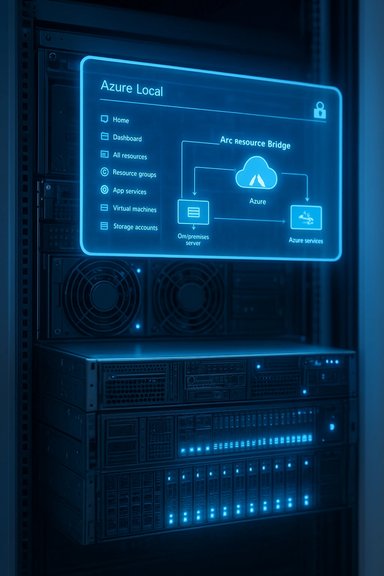
- Azure Arc + Arc Resource Bridge: Arc projects on‑prem resources into the Azure control plane; the Arc Resource Bridge (ARB) lets you create and manage VMs on an Azure Local instance from the Azure Portal. The bridge appliance is the key to portal‑driven provisioning and unified inventory.
- Azure Portal management / Windows Admin Center: You can manage Azure Local from the Azure Portal (centralized) or use Windows Admin Center for deep, node-level operations — Windows Admin Center can also run as an Azure‑integrated extension to manage clusters without inbound firewall rules.
- AKS (Kubernetes) included: Azure Kubernetes Service (AKS) is delivered for on‑prem clusters (AKS enabled by Arc) so containerized applications share the same developer/ops experience as cloud AKS. Microsoft documents AKS inclusion and lifecycle updates for Azure Local.
- Monitoring and security: Azure Monitor (Insights for Azure Local / VM Insights), Log Analytics and Microsoft Defender for Cloud are supported — you can centralize telemetry and security posture across cloud and Azure Local instances. These integrations are optional and must be enabled/configured.
Hardware and purchasing model
- Validated hardware: Azure Local runs on validated server and appliance models from OEM partners (Dell, HPE, Lenovo, and others). Vendors pre‑validate firmware, drivers and the overall stack for specific configurations.
- Pricing and licensing: Azure Local is sold as Azure software billed on a per‑physical‑core host service fee, with optional Windows Server guest licensing choices (Windows Server subscription or Azure Hybrid Benefit). The pricing model is host‑centric, not per‑VM usage.
What Azure Local is not
Not a public cloud region in your rack
Azure Local gives you many cloud‑style operational benefits, but it does not turn your data center into the public Azure. There are important differences:- Not every Azure service is available: Azure Local supports a subset of Azure platform services. Full marketplace parity, global scale services, some PaaS offerings and immediate on‑demand capacity elasticity remain exclusive to Azure public regions. Plan for feature differences and validate service parity for critical workloads.
- No instantaneous infinite elasticity: You must provision hardware capacity. Azure Local removes the public cloud’s immediate scale‑up by replacing it with vendor‑validated scale‑out and procurement realities. “Cloud bursting” to public Azure is not automatic.
- Not a managed Microsoft region: Certain Azure Stack Hub configurations are closer to an “Azure region in your data center” story — they were designed to operate fully disconnected and host PaaS workloads that look like full Azure services. Azure Local is designed around management parity and hybrid governance, but behavior and available services can differ from Azure Stack Hub and the public cloud. Confirm the precise service set for your SKU.
Use cases where Azure Local excels
- Data sovereignty / regulatory isolation: Keep full control of data and processing within defined physical boundaries while using Azure governance and tooling. This is the primary value proposition where legal or procurement rules require local custody.
- Disconnected or intermittently connected operations: Manufacturing floors, ships, remote installations and tactical deployments where connectivity is either limited or intentionally severed. Azure Local supports disconnected modes and offline control planes (some features are preview or region‑gated).
- Low‑latency local AI and inference: Running inference close to sensors or users avoids round‑trip latency and egress costs. Microsoft and partners now validate server‑class GPUs (e.g., NVIDIA Blackwell‑class SKUs) for on‑prem inference in Azure Local designs.
- Lift‑and‑shift for VMware exit or consolidation: Azure Migrate supports copying VMware VMs to Azure Local (preview/GA depending on timeline), making replatforming possible without wholesale application rewrites. This is a practical route for customers rethinking VMware licensing or consolidating on a Microsoft stack.
- Private productivity (Microsoft 365 Local): Microsoft announced Microsoft 365 Local to run core productivity workloads in a managed, on‑premises mode under Azure Local for scenarios that require private productivity infrastructure.
Technical realities and operational controls
Enabling centralized management is deliberate
While Azure Local can be managed from the Azure Portal, that connectivity must be set up — many organizations choose a deliberate separation between public cloud and local environments. Tools such as the Arc Resource Bridge are the mechanism by which on‑prem VMs and appliances are represented in Azure; deploying and upgrading the bridge requires careful planning.Monitoring and lifecycle updates
Azure Monitor and insights for Azure Local exist, but you must enable and configure them. The platform also includes Azure Update Manager and lifecycle tooling; validated hardware solutions typically demand you keep the solution within supported update bundles. Microsoft surfaces update notifications in the portal and supplies update packages — but operational responsibility for sequencing and applying updates often rests with the customer or their partner.Support windows and version requirements — what to watch
Microsoft’s hybrid artifacts sometimes require staying on fairly recent builds. For example, Arc and Arc Resource Bridge guidance warns that appliances should be upgraded within specific windows (appliance versions and recommended upgrade cadence are documented) and in some Arc scenarios you should be within the most recent releases or risk recovery operations. Partners and integrators commonly require customers to remain close to supported versions to qualify for support. Treat statements that a customer must “remain within six months of the most recent updates” as part of vendor/partner support policies rather than a single universal Microsoft contract term — always confirm with your partner or Microsoft rep.Pricing, procurement and partner roles
Per‑core host billing
Azure Local is billed on a per‑physical‑core host fee. Microsoft documents the host service fee model and the options to use Azure Hybrid Benefit or purchase Windows Server subscriptions that alter guest licensing economics. The billing is host‑centric and recurring; it’s not a per‑VM consumption model like many public cloud services.Validated hardware and partner packaging
Microsoft publishes a catalog of validated Azure Local solutions; OEMs (Dell, HPE, Lenovo, plus specialist partners) bill and support integrated stacks. Vendors may offer fully validated full‑stack private cloud bundles — for example, Dell positions Dell Private Cloud + PowerStore as a single‑vendor Azure Local validated offering to simplify procurement and lifecycle operations. Those vendor packages can reduce lift during deployment but also amplify vendor coupling.Hidden TCO items to model
- Ongoing hardware lifecycle, power/cooling and on‑site maintenance costs.
- Partner-managed support premiums (single‑vendor covers more than the software subscription).
- Training and staff reskilling for hybrid operations and hardware lifecycle management.
- GPU and specialized hardware procurement lead times and refresh cycles.
Independent assessments repeatedly warn that a careful 3–5 year TCO model is required to avoid surprise costs.
Strengths: where Azure Local really delivers
- Consistent tooling across cloud and local: For organizations heavily invested in Azure tooling, Azure Local reduces context switching for operators and developers by offering the same APIs, portal, and governance primitives.
- Sovereignty-ready and offline scenarios: Azure Local supports disconnected operations and local-only control planes suitable for high‑assurance and regulated environments. That capability addresses use cases that public cloud cannot satisfy alone.
- On‑prem AI acceleration: Validated server GPUs and integrated lifecycles make realistic, on‑site inference practicable for regulated AI use cases.
- Migration pathways from VMware: Azure Migrate’s support (preview/GA) for migrating VMware VMs into Azure Local reduces friction for customers who want to exit or reduce VMware dependence without a full rewrite.
Risks, caveats and realistic trade‑offs
- Operational complexity is shifted, not eliminated: Azure Local reduces some tooling fragmentation but introduces hardware lifecycle, firmware, and site‑level responsibilities. For distributed estates, patch orchestration, physical maintenance and supply‑chain delays are real burdens.
- Feature parity is not guaranteed: Not every Azure capability or AKS feature will be identical on Azure Local; GPU counts, SAN compatibility, and AKS features can vary by validated SKU and release. Always request explicit compatibility matrices from vendors and Microsoft for production workloads.
- Procurement and lead times for GPUs: High‑end server GPUs (Blackwell family, etc. have procurement constraints and may create long lead times; count this into project schedules.
- Vendor coupling and exit strategy: Full‑stack vendor offers (single‑vendor Dell bundles, for example) simplify operations but increase contractual coupling. Negotiate portability, snapshot export formats, metadata preservation and explicit exit terms as part of procurement.
- Security and automation surface area: Arc agents and fleet automation mean more distributed agents and signals to secure. Zero‑trust, short‑lived credentials, RBAC and audit trails must be part of any Azure Local deployment plan.
Practical adoption checklist — an operational playbook
- Inventory and classify applications by data gravity, latency, compliance needs, and modernizability. Use that to determine candidate workloads for Azure Local vs. public Azure.
- Pilot a representative site (1–3 hosts) and validate: performance (IOPS/latency), update processes, Arc resource bridge registration, and monitoring pipelines. Don’t skip a full update cycle in the pilot.
- Validate hardware and SKU compatibility: get the vendor’s validated hardware matrix for the exact server, NIC, storage and GPU SKUs you will use. Require written SLAs on validated firmware and driver combinations.
- Confirm support/upgrade windows: clarify partner and Microsoft support requirements on staying current with updates (and any consequences if you fall behind). Where the Arc Resource Bridge or other appliances are involved, follow Microsoft’s guidance on upgrade cadence and recovery paths.
- Design monitoring and security baselines early: enable Azure Monitor Insights, Defender for Cloud and centralized Log Analytics where permitted, and test secret caching / offline Key Vault patterns for disconnected sites.
- Negotiate procurement terms that include exit portability, DRR demo/witness windows (if data reduction guarantees apply), and explicit telemetry/telemetry access policies.
Cross‑checking the claims: what vendors say vs. Microsoft documentation
PQR’s Techzine summary frames Azure Local as “the cloud in your data center,” highlighting benefits such as Azure Portal management, Arc integration and an easier migration path from VMware; those descriptions align broadly with Microsoft’s public documentation on the product rename, Arc Resource Bridge behavior, AKS inclusion, monitoring and pricing. However, the nuance matters: Azure Local is a managed‑software approach on customer infrastructure, not a complete public Azure replacement. The Techzine/PQR points about partner validation, lifecycle responsibilities and the transitional migration approach are consistent with Microsoft’s guidance and other industry coverage — but the exact commercial and support terms always depend on the partner packaging and the Azure Local release/region you pick. Microsoft Learn confirms the rename from Azure Stack HCI to Azure Local and describes where existing APIs and tooling remain unchanged, while also making it clear that naming and some terms are updated. Azure Migrate documentation shows a supported migration path from VMware to Azure Local (preview at the time of documentation snapshots), and Arc Resource Bridge docs show the mechanics of making on‑prem VMs manageable from Azure portal. Together these sources corroborate the core claims — but regional availability, preview/GA status and partner support boundaries should be verified for any production plan.Final assessment — who should buy Azure Local, and when
Azure Local is a practical and pragmatic option for organizations that:- Must keep data and processing in‑house for legal or regulatory reasons, and want Azure governance and developer consistency.
- Need deterministic, low‑latency processing (AI inference, real‑time analytics) close to sensors or end users.
- Want a documented migration path from VMware or consolidated on‑prem estates while retaining Azure‑native management.
- Teams that rely on instantaneous, global elasticity and broad marketplace services as a core requirement.
- Organizations unwilling to accept hardware lifecycle, regional procurement and on‑site operational responsibilities.
Conclusion
Azure Local is an important step in Microsoft’s hybrid strategy: it brings Azure management, AKS, monitoring and selected platform services to validated on‑prem hardware while preserving data locality and supporting disconnected scenarios. For enterprises with sovereignty, latency or regulatory constraints — and for those planning a careful migration away from VMware — Azure Local can simplify governance and modernize operations by letting teams use familiar Azure tooling on their own hardware. That said, Azure Local is not a drop‑in replacement for public Azure. It trades the public cloud’s elastic scale and breadth of services for local control, vendor‑validated hardware stacks and operational responsibilities. Successful adoption depends on disciplined piloting, explicit procurement terms (validated SKUs, support windows, exit clauses), and a hands‑on operational plan for lifecycle, security and monitoring. Treat Azure Local as an operational and contractual choice as much as a technical one — the benefits are real, but they come with predictable engineering and procurement trade‑offs.(Quoted PQR and Techzine observations and practical advice are summarized and contextualized above as part of the comparative analysis. Readers should confirm specific SKU validation, region availability, and partner support commitments with Microsoft and the chosen hardware vendor before procurement.
Source: Techzine Global What Microsoft Azure Local can and cannot do
