

Microsoft’s Azure Virtual Desktop and Windows 365 Cloud PC have become the center of a renewed argument over end-user computing in 2026, as managed service providers and enterprise IT teams move more Windows workspaces from physical PCs into cloud-hosted environments. The claim is not that laptops disappear tomorrow. It is that the managed desktop, as a discipline built around imaging, shipping, patching, recovering, and retiring individual machines, is losing its authority as the default operating model for business computing.
That distinction matters. The old EUC estate was a fleet of devices with users attached; the new one is a fleet of identities, sessions, policies, applications, and data flows that may or may not terminate on a corporate laptop. The winners in this shift will not be the organizations that merely virtualize Windows, but the ones that understand that cloud desktops turn the endpoint into the least interesting part of the workplace.
Corporate IT has spent two decades trying to escape the gravity of the physical PC. The industry tried thin clients, terminal services, application virtualization, golden images, mobile device management, browser-based SaaS, and zero-trust access. Each wave promised to make the endpoint simpler. Each wave also left behind enough legacy applications, local dependencies, performance complaints, and budget politics to keep the Windows laptop firmly in the middle of the workflow.
The pandemic did not invent virtual desktops, but it did expose the fragility of a desktop management model that assumed people, hardware, networks, and helpdesks were all in predictable places. Once the office became a scheduling option rather than a computing requirement, the old PC lifecycle looked less like discipline and more like inertia. A laptop left in an airport lounge was no longer just a procurement problem; it was a data governance problem, an access control problem, and a business continuity problem.
That is why the renewed push around Azure Virtual Desktop and Windows 365 is different from the VDI enthusiasm of the 2010s. Earlier virtual desktop projects were often specialist deployments for call centers, contractors, offshore teams, regulated workloads, or users with stubborn legacy applications. The current pitch is broader: make Windows itself a cloud-delivered workspace, then treat physical hardware as an access device.
That vision is attractive because it attacks the ugliest part of desktop support. Imaging devices, managing local software drift, dealing with VPN breakage, chasing missing patches, and recovering data from dead machines are all symptoms of the same assumption: that the user’s working environment belongs primarily to the device. Cloud PC and AVD models invert that relationship. The device becomes a window into the workspace, not the container for it.
But that inversion also raises the bar. A badly run virtual desktop estate is not magically modern; it is just a remote performance complaint with a subscription attached. The managed desktop is not being replaced by a simpler world. It is being replaced by one where orchestration, observability, licensing, identity, and cost discipline matter more than ever.
Azure Virtual Desktop is the more flexible and more technical of the pair. It lets organizations build pooled or personal desktop environments on Azure infrastructure, including multi-session Windows 10 and Windows 11 Enterprise scenarios that can spread the cost of a virtual machine across multiple users. For IT teams that understand Azure networking, storage, profile management, image maintenance, and autoscaling, AVD can be tuned aggressively around workload patterns.
Windows 365 is the tidier product. It packages the virtual desktop as a per-user Cloud PC with fixed configurations, predictable monthly pricing, and integration into the Microsoft endpoint management tools that many administrators already use for physical PCs. The point is not maximum architectural flexibility. The point is familiarity: assign a license, provision a Cloud PC, manage it through the same conceptual model as other Windows endpoints.
That split gives Microsoft a useful answer to two different buyers. The infrastructure-minded team can use AVD to squeeze efficiency out of pooled capacity and variable demand. The endpoint-minded team can use Windows 365 to give users persistent personal desktops without building a full VDI engineering practice. In practice, many organizations will end up using both, because not every worker has the same rhythm or the same tolerance for change.
Microsoft’s strategic trick is that both paths lead deeper into the same ecosystem. AVD consumes Azure resources and rewards Azure fluency. Windows 365 simplifies delivery but still depends on Microsoft identity, management, and connectivity components. Either way, the center of gravity moves away from the refresh cycle of the PC vendor and toward the policy, licensing, and telemetry fabric of Microsoft’s cloud.
That is why the claim that Microsoft has become a benchmark in desktop as a service should not be read only as a market-share boast. It is a structural observation. If a company is already standardized on Microsoft 365, Entra ID, Intune, Defender, Teams, SharePoint, OneDrive, and Windows 11, then Microsoft’s DaaS portfolio does not arrive as a foreign architecture. It arrives as the next logical extension of the stack.
Windows 365 is appealing because finance departments can understand it. A Cloud PC has a configuration and a monthly cost. A user receives a persistent machine. Support teams can reason about it much like a physical laptop, except the hardware lives in Microsoft’s cloud rather than in a backpack or under a desk. That makes it easier to budget, easier to explain, and easier to map to named employees.
AVD is appealing because infrastructure can be shaped around actual usage. A pooled host environment can expand during the morning logon surge and contract when the workforce signs off. A specialized application can be delivered to a class of users without giving each one a permanently running personal machine. A seasonal business can design capacity around peaks and troughs rather than buying enough endpoint horsepower for the worst day of the year.
The trap is assuming one model is intrinsically cheaper. Windows 365 can be wasteful if users are assigned oversized Cloud PCs that sit underused. AVD can be wasteful if pooled hosts are left running, storage is poorly managed, images sprawl, or administrators lack the time and tooling to tune the environment. Cloud economics are not merciful simply because the hardware is elsewhere.
This is where the managed services story becomes more interesting than the product comparison. The old MSP made money keeping endpoints alive. The new MSP has to justify itself by making the workspace estate observable, right-sized, secure, and continuously optimized. That is a harder value proposition to fake.
In a virtual workspace, the symptom may still appear on the user’s screen, but the cause can be almost anywhere. A laggy Teams call might involve the local endpoint, the user’s home broadband, the corporate network path, the Azure region, the virtual machine size, multimedia redirection, profile storage, conditional access policy, or a Microsoft service issue. The helpdesk cannot survive on instinct and remote-control tools alone.
That is why orchestration and observability platforms have become central to the cloud desktop conversation. Products such as Nerdio aim to reduce the operational burden of AVD and Windows 365 by automating common management tasks, assisting with autoscale behavior, and helping administrators tune capacity and cost. ControlUp and similar digital employee experience platforms focus on visibility: performance metrics, session health, endpoint telemetry, and the ability to isolate where a bad user experience is actually being generated.
This tooling layer is not decorative. It is the difference between a virtual desktop program that looks good in a board slide and one that survives Monday morning. Moving the desktop into Azure does not eliminate operations; it changes the nature of operations from hands-on device care to continuous systems management.
There is a cultural shift here as well. Traditional desktop teams were often treated as logistics and support functions. Cloud workspace teams sit closer to infrastructure, security, identity, networking, and business continuity. Their work is less visible when everything is functioning, but the blast radius of poor design is larger. When the virtual workspace platform stumbles, it is not one laptop that becomes unusable. It can be an entire role, department, branch, or region.
That is real progress. It aligns well with zero-trust thinking, where identity, device posture, conditional access, session controls, and least privilege matter more than the old perimeter. It also helps with contractors, temporary staff, regulated workflows, and bring-your-own-device scenarios where the business may not want to manage or trust the underlying hardware.
But cloud desktops do not make endpoint security irrelevant. The endpoint still captures keystrokes, displays sensitive information, handles authentication prompts, and may be compromised by malware or credential theft. A virtual desktop can reduce data residency on the device, but it cannot make an untrusted device trustworthy by magic. The client remains part of the chain.
The risks also move upward. Identity becomes the crown jewel. Misconfigured conditional access, weak multifactor authentication practices, excessive permissions, poorly governed admin roles, and sloppy image management can all undermine the theoretical security gains of desktop virtualization. Centralization is a security advantage only when the center is well defended.
There is also the resilience question. A physical laptop can limp along during some service disruptions. A cloud desktop depends on connectivity, identity services, regional availability, and the health of the remote display protocol path. For many organizations that trade-off is acceptable, even desirable. But it must be designed consciously, not discovered during an outage.
The argument is especially compelling for task workers, contact-center agents, contractors, and employees whose workloads are predictable. A browser-capable device with a good display, keyboard, and network connection may be enough if the real Windows environment is hosted elsewhere. For some users, the local machine becomes little more than a secure launchpad.
But hardware savings should not be treated as free money. Cloud compute, storage, licensing, networking, monitoring, support tooling, and specialist skills all have costs. A company that saves on laptops but fails to manage Azure consumption may simply move waste from procurement to the monthly cloud bill. That can be worse, because cloud waste compounds quietly and shows up after the fact.
The more credible business case is operational rather than purely financial. Faster onboarding, cleaner offboarding, easier disaster recovery, reduced endpoint data exposure, and more consistent application delivery can matter more than shaving a few dollars off device procurement. The value is not merely that the laptop gets cheaper. It is that the workspace becomes less dependent on where the laptop is, what condition it is in, and how quickly logistics can move it around.
This is where the argument becomes strategic. A company that can provision a secure workspace for a new employee in minutes has a different operating tempo from one waiting on hardware supply, shipping, imaging, and local configuration. A company that can disable access at the identity layer has a different risk posture from one hoping a former employee returns a device on time. A company that can scale virtual desktops for a project team has a different relationship to growth than one that treats every new worker as a procurement event.
That requires architectural judgment. A persistent Cloud PC may be right for a knowledge worker who needs a stable personal environment. A pooled AVD desktop may be right for a shift-based workforce. RemoteApp may be enough for a legacy line-of-business application. A physical workstation may still be necessary for edge cases involving specialized peripherals, offline work, high-end graphics, local development, or operational technology.
The new MSP also needs financial judgment. Azure infrastructure can be tuned, paused, resized, reserved, or wasted. Windows 365 is predictable, but predictable oversizing is still oversizing. The best providers will bring telemetry to the conversation rather than selling a migration and walking away. They will ask what users actually do, when they do it, how much performance they need, and which experience problems are worth paying to eliminate.
The security role changes too. The provider must understand endpoint posture, identity hardening, conditional access, privileged access, profile management, data loss prevention, and incident response in a world where the desktop is no longer a single object. The old perimeter may have dissolved, but governance has not. It has become more granular and less tolerant of hand-waving.
This is why the “don’t go it alone” message from vendors and partners is partly self-serving and partly true. Yes, every platform ecosystem wants to create a services market around itself. But it is also true that a poorly designed cloud desktop deployment can become a mess of costs, latency, user frustration, and half-understood dependencies. The organizations most likely to succeed are those that treat virtual workspace design as an ongoing operating model, not a one-time migration project.
Performance perception is brutal because users compare the virtual desktop not to the average physical endpoint, but to the best local experience they remember. Mouse latency, video stutter, delayed typing, slow profile load, printer weirdness, authentication loops, and Teams audio problems are not minor blemishes. They are the lived experience of computing.
That makes network quality and endpoint context critical. A virtual workspace can perform beautifully in an office with managed connectivity and poorly over a congested home Wi-Fi network. It can run well from a modern thin client and badly from an old personal laptop with browser extensions, background malware, and unstable drivers. The cloud provider may be healthy while the user still has a miserable experience.
This is where digital experience monitoring earns its keep. IT needs to see the session, the Cloud PC or host, the client device, and the connection path. Without that visibility, support devolves into blame arbitration: Azure says it is fine, the network team says it is fine, the endpoint team says it is fine, and the user is still staring at a frozen desktop. The virtual workspace demands instrumentation because intuition does not scale.
The best deployments will also be honest about user segmentation. Not everyone needs the same thing. Some employees value persistent personalization. Some need raw compute only during bursts. Some need low latency above all else. Some need the simplest possible locked-down workspace. Treating the entire workforce as one virtual desktop persona is the cloud version of buying everyone the same laptop and pretending that makes it standardization.
That distinction explains why dedicated Windows 365 access devices and thin-client-like endpoints keep reappearing in the market. They are not nostalgia for the terminal era. They are an attempt to strip the endpoint down to what the cloud workspace actually needs: secure boot, reliable connectivity, good display support, manageable firmware, and a clean path into the user’s hosted environment.
For administrators, this could simplify parts of the estate. A lower-maintenance endpoint with fewer local applications and less local data is easier to secure and replace. If a device fails, the user’s workspace does not die with it. If a user changes location, the workspace follows. If a company wants to support contractors without issuing full corporate laptops, a controlled virtual desktop can be a pragmatic compromise.
But the commodity endpoint still needs governance. Firmware updates, device compliance, browser security, local authentication, peripheral redirection, and network configuration do not vanish. The endpoint becomes simpler in purpose, not irrelevant in practice. The industry has learned this lesson before: every supposedly dumb client eventually becomes smart enough to need managing.
The real shift is psychological. For decades, the corporate laptop was a symbol of employee enablement. It arrived with a logo, an asset tag, an image, and a sense that the company had issued a complete working environment. In a cloud workspace model, the issued device may be less important than the assigned identity and policy. The badge moves from the chassis to the session.
That is precisely why it matters. Windows is becoming less a product installed on a PC and more a managed experience delivered through multiple substrates: local hardware, virtual machines, Cloud PCs, streamed apps, and specialized devices. The familiar desktop shell remains, but the economic and administrative model underneath it is changing.
For sysadmins, the center of skill moves accordingly. Group Policy knowledge still matters in many environments, but it now sits alongside Intune policy design, Entra ID governance, Azure networking, FSLogix profile behavior, image pipelines, monitoring tools, and cost management. The desktop admin who understands only local Windows will be boxed in. The one who understands the user workspace end to end will become more valuable.
For security teams, the prize is tighter control over data and access. For finance teams, the promise is more transparent consumption and potentially lower hardware churn. For users, the ideal outcome is boring: their desktop appears quickly, performs well, follows them around, and does not require them to understand the machinery behind it.
That last point is easy to underestimate. The best enterprise technology disappears into routine. The cloud workspace will not win because users are excited about DaaS. It will win where it makes computing feel less contingent on a particular machine, shipment, office, VPN, or support queue.
That means measuring before migrating. Which users actually need local compute? Which applications are latency-sensitive? Which teams work in shifts? Which devices are merely expensive launchers for SaaS apps? Which roles create data risk when files land on endpoints? Which support tickets would disappear if the workspace were centrally managed — and which new tickets would appear because the network path is now critical?
It also means piloting with discipline. A successful executive demo proves very little. A successful month across different user personas, home networks, office sites, peripherals, application sets, and support scenarios proves more. Cloud desktop projects fail less often because the technology cannot work and more often because the organization underestimates the diversity of real work.
The economics should be tested just as hard as the user experience. AVD can be highly efficient, but only if scaling and right-sizing are implemented well. Windows 365 can make budgeting easier, but only if assigned configurations match actual need. Monitoring and automation tools can pay for themselves, but only if the organization uses them to change behavior rather than decorate dashboards.
The old desktop refresh cycle had a certain dull clarity: buy machines, image machines, ship machines, support machines, retire machines. The cloud workspace replaces that with a living system. It can be more secure, more flexible, and more efficient. It can also be more opaque if no one owns the full path from identity to endpoint to user experience.
That distinction matters. The old EUC estate was a fleet of devices with users attached; the new one is a fleet of identities, sessions, policies, applications, and data flows that may or may not terminate on a corporate laptop. The winners in this shift will not be the organizations that merely virtualize Windows, but the ones that understand that cloud desktops turn the endpoint into the least interesting part of the workplace.
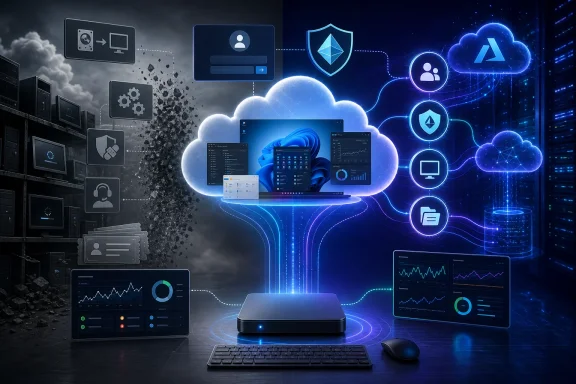 The Desktop Has Been Dying for Years, But the Operating Model Lived On
Corporate IT has spent two decades trying to escape the gravity of the physical PC. The industry tried thin clients, terminal services, application virtualization, golden images, mobile device management, browser-based SaaS, and zero-trust access. Each wave promised to make the endpoint simpler. Each wave also left behind enough legacy applications, local dependencies, performance complaints, and budget politics to keep the Windows laptop firmly in the middle of the workflow.The pandemic did not invent virtual desktops, but it did expose the fragility of a desktop management model that assumed people, hardware, networks, and helpdesks were all in predictable places. Once the office became a scheduling option rather than a computing requirement, the old PC lifecycle looked less like discipline and more like inertia. A laptop left in an airport lounge was no longer just a procurement problem; it was a data governance problem, an access control problem, and a business continuity problem.
That is why the renewed push around Azure Virtual Desktop and Windows 365 is different from the VDI enthusiasm of the 2010s. Earlier virtual desktop projects were often specialist deployments for call centers, contractors, offshore teams, regulated workloads, or users with stubborn legacy applications. The current pitch is broader: make Windows itself a cloud-delivered workspace, then treat physical hardware as an access device.
That vision is attractive because it attacks the ugliest part of desktop support. Imaging devices, managing local software drift, dealing with VPN breakage, chasing missing patches, and recovering data from dead machines are all symptoms of the same assumption: that the user’s working environment belongs primarily to the device. Cloud PC and AVD models invert that relationship. The device becomes a window into the workspace, not the container for it.
But that inversion also raises the bar. A badly run virtual desktop estate is not magically modern; it is just a remote performance complaint with a subscription attached. The managed desktop is not being replaced by a simpler world. It is being replaced by one where orchestration, observability, licensing, identity, and cost discipline matter more than ever.
Microsoft Has Turned Virtual Windows Into a Platform Bet
Microsoft’s advantage in this market is not just that it owns Windows. It owns the management plane around Windows, the productivity suite most business users live in, the identity layer through Entra ID, the endpoint policy machinery through Intune, and the cloud infrastructure through Azure. Azure Virtual Desktop and Windows 365 are not isolated products; they are two different expressions of Microsoft’s larger ambition to make Windows a service endpoint.Azure Virtual Desktop is the more flexible and more technical of the pair. It lets organizations build pooled or personal desktop environments on Azure infrastructure, including multi-session Windows 10 and Windows 11 Enterprise scenarios that can spread the cost of a virtual machine across multiple users. For IT teams that understand Azure networking, storage, profile management, image maintenance, and autoscaling, AVD can be tuned aggressively around workload patterns.
Windows 365 is the tidier product. It packages the virtual desktop as a per-user Cloud PC with fixed configurations, predictable monthly pricing, and integration into the Microsoft endpoint management tools that many administrators already use for physical PCs. The point is not maximum architectural flexibility. The point is familiarity: assign a license, provision a Cloud PC, manage it through the same conceptual model as other Windows endpoints.
That split gives Microsoft a useful answer to two different buyers. The infrastructure-minded team can use AVD to squeeze efficiency out of pooled capacity and variable demand. The endpoint-minded team can use Windows 365 to give users persistent personal desktops without building a full VDI engineering practice. In practice, many organizations will end up using both, because not every worker has the same rhythm or the same tolerance for change.
Microsoft’s strategic trick is that both paths lead deeper into the same ecosystem. AVD consumes Azure resources and rewards Azure fluency. Windows 365 simplifies delivery but still depends on Microsoft identity, management, and connectivity components. Either way, the center of gravity moves away from the refresh cycle of the PC vendor and toward the policy, licensing, and telemetry fabric of Microsoft’s cloud.
That is why the claim that Microsoft has become a benchmark in desktop as a service should not be read only as a market-share boast. It is a structural observation. If a company is already standardized on Microsoft 365, Entra ID, Intune, Defender, Teams, SharePoint, OneDrive, and Windows 11, then Microsoft’s DaaS portfolio does not arrive as a foreign architecture. It arrives as the next logical extension of the stack.
Predictability and Flexibility Are Not the Same Thing
The most useful distinction between Windows 365 and Azure Virtual Desktop is not “simple versus complex,” even if that is often how the sales conversation begins. It is predictability versus elasticity. Those are different virtues, and confusing them is where many cloud desktop strategies become expensive.Windows 365 is appealing because finance departments can understand it. A Cloud PC has a configuration and a monthly cost. A user receives a persistent machine. Support teams can reason about it much like a physical laptop, except the hardware lives in Microsoft’s cloud rather than in a backpack or under a desk. That makes it easier to budget, easier to explain, and easier to map to named employees.
AVD is appealing because infrastructure can be shaped around actual usage. A pooled host environment can expand during the morning logon surge and contract when the workforce signs off. A specialized application can be delivered to a class of users without giving each one a permanently running personal machine. A seasonal business can design capacity around peaks and troughs rather than buying enough endpoint horsepower for the worst day of the year.
The trap is assuming one model is intrinsically cheaper. Windows 365 can be wasteful if users are assigned oversized Cloud PCs that sit underused. AVD can be wasteful if pooled hosts are left running, storage is poorly managed, images sprawl, or administrators lack the time and tooling to tune the environment. Cloud economics are not merciful simply because the hardware is elsewhere.
This is where the managed services story becomes more interesting than the product comparison. The old MSP made money keeping endpoints alive. The new MSP has to justify itself by making the workspace estate observable, right-sized, secure, and continuously optimized. That is a harder value proposition to fake.
The New Helpdesk Ticket Starts Somewhere Else
In the physical desktop world, troubleshooting often began with the machine. Is the laptop patched? Is the disk full? Is the VPN connected? Is the Wi-Fi working? Is the user’s profile corrupt? There were network and identity dependencies, of course, but the device was the natural starting point because that was where the operating environment lived.In a virtual workspace, the symptom may still appear on the user’s screen, but the cause can be almost anywhere. A laggy Teams call might involve the local endpoint, the user’s home broadband, the corporate network path, the Azure region, the virtual machine size, multimedia redirection, profile storage, conditional access policy, or a Microsoft service issue. The helpdesk cannot survive on instinct and remote-control tools alone.
That is why orchestration and observability platforms have become central to the cloud desktop conversation. Products such as Nerdio aim to reduce the operational burden of AVD and Windows 365 by automating common management tasks, assisting with autoscale behavior, and helping administrators tune capacity and cost. ControlUp and similar digital employee experience platforms focus on visibility: performance metrics, session health, endpoint telemetry, and the ability to isolate where a bad user experience is actually being generated.
This tooling layer is not decorative. It is the difference between a virtual desktop program that looks good in a board slide and one that survives Monday morning. Moving the desktop into Azure does not eliminate operations; it changes the nature of operations from hands-on device care to continuous systems management.
There is a cultural shift here as well. Traditional desktop teams were often treated as logistics and support functions. Cloud workspace teams sit closer to infrastructure, security, identity, networking, and business continuity. Their work is less visible when everything is functioning, but the blast radius of poor design is larger. When the virtual workspace platform stumbles, it is not one laptop that becomes unusable. It can be an entire role, department, branch, or region.
Security Improves When Data Leaves the Endpoint, But Risk Does Not Vanish
The strongest security argument for virtual desktops is also the easiest to oversell. If applications and data run in a controlled cloud workspace, the physical endpoint holds less sensitive information. A lost laptop becomes less catastrophic if the employee’s actual working environment is accessed through identity controls and no business data is stored locally. Offboarding becomes cleaner when access is revoked centrally rather than depending on retrieving, wiping, and reimaging a machine.That is real progress. It aligns well with zero-trust thinking, where identity, device posture, conditional access, session controls, and least privilege matter more than the old perimeter. It also helps with contractors, temporary staff, regulated workflows, and bring-your-own-device scenarios where the business may not want to manage or trust the underlying hardware.
But cloud desktops do not make endpoint security irrelevant. The endpoint still captures keystrokes, displays sensitive information, handles authentication prompts, and may be compromised by malware or credential theft. A virtual desktop can reduce data residency on the device, but it cannot make an untrusted device trustworthy by magic. The client remains part of the chain.
The risks also move upward. Identity becomes the crown jewel. Misconfigured conditional access, weak multifactor authentication practices, excessive permissions, poorly governed admin roles, and sloppy image management can all undermine the theoretical security gains of desktop virtualization. Centralization is a security advantage only when the center is well defended.
There is also the resilience question. A physical laptop can limp along during some service disruptions. A cloud desktop depends on connectivity, identity services, regional availability, and the health of the remote display protocol path. For many organizations that trade-off is acceptable, even desirable. But it must be designed consciously, not discovered during an outage.
Hardware Savings Are Real, But They Are Not the Whole Business Case
One of the most seductive promises of virtual workspaces is the ability to stretch hardware lifecycles. If the heavy compute runs in the cloud, a user may not need a premium laptop every three or four years. Older PCs, lower-spec devices, thin clients, or dedicated Cloud PC terminals can remain viable for longer. That can reduce capital expenditure and simplify logistics.The argument is especially compelling for task workers, contact-center agents, contractors, and employees whose workloads are predictable. A browser-capable device with a good display, keyboard, and network connection may be enough if the real Windows environment is hosted elsewhere. For some users, the local machine becomes little more than a secure launchpad.
But hardware savings should not be treated as free money. Cloud compute, storage, licensing, networking, monitoring, support tooling, and specialist skills all have costs. A company that saves on laptops but fails to manage Azure consumption may simply move waste from procurement to the monthly cloud bill. That can be worse, because cloud waste compounds quietly and shows up after the fact.
The more credible business case is operational rather than purely financial. Faster onboarding, cleaner offboarding, easier disaster recovery, reduced endpoint data exposure, and more consistent application delivery can matter more than shaving a few dollars off device procurement. The value is not merely that the laptop gets cheaper. It is that the workspace becomes less dependent on where the laptop is, what condition it is in, and how quickly logistics can move it around.
This is where the argument becomes strategic. A company that can provision a secure workspace for a new employee in minutes has a different operating tempo from one waiting on hardware supply, shipping, imaging, and local configuration. A company that can disable access at the identity layer has a different risk posture from one hoping a former employee returns a device on time. A company that can scale virtual desktops for a project team has a different relationship to growth than one that treats every new worker as a procurement event.
The MSP Job Is Moving From Touch Labor to Judgment
The managed services provider does not disappear in this model. If anything, the role becomes more important — but less forgiving. Customers no longer need an MSP simply to patch machines and track serial numbers. They need help deciding which workloads belong in Windows 365, which belong in AVD, which should stay local, and which should be retired or delivered as SaaS instead.That requires architectural judgment. A persistent Cloud PC may be right for a knowledge worker who needs a stable personal environment. A pooled AVD desktop may be right for a shift-based workforce. RemoteApp may be enough for a legacy line-of-business application. A physical workstation may still be necessary for edge cases involving specialized peripherals, offline work, high-end graphics, local development, or operational technology.
The new MSP also needs financial judgment. Azure infrastructure can be tuned, paused, resized, reserved, or wasted. Windows 365 is predictable, but predictable oversizing is still oversizing. The best providers will bring telemetry to the conversation rather than selling a migration and walking away. They will ask what users actually do, when they do it, how much performance they need, and which experience problems are worth paying to eliminate.
The security role changes too. The provider must understand endpoint posture, identity hardening, conditional access, privileged access, profile management, data loss prevention, and incident response in a world where the desktop is no longer a single object. The old perimeter may have dissolved, but governance has not. It has become more granular and less tolerant of hand-waving.
This is why the “don’t go it alone” message from vendors and partners is partly self-serving and partly true. Yes, every platform ecosystem wants to create a services market around itself. But it is also true that a poorly designed cloud desktop deployment can become a mess of costs, latency, user frustration, and half-understood dependencies. The organizations most likely to succeed are those that treat virtual workspace design as an ongoing operating model, not a one-time migration project.
Users Will Judge the Cloud Desktop by Its Worst Five Minutes
For all the architecture talk, the success of virtual workspaces is decided by user tolerance. If the desktop feels slow, unpredictable, or fragile, employees will not praise the elegance of centralized management. They will blame IT, find workarounds, and ask for a “real” laptop.Performance perception is brutal because users compare the virtual desktop not to the average physical endpoint, but to the best local experience they remember. Mouse latency, video stutter, delayed typing, slow profile load, printer weirdness, authentication loops, and Teams audio problems are not minor blemishes. They are the lived experience of computing.
That makes network quality and endpoint context critical. A virtual workspace can perform beautifully in an office with managed connectivity and poorly over a congested home Wi-Fi network. It can run well from a modern thin client and badly from an old personal laptop with browser extensions, background malware, and unstable drivers. The cloud provider may be healthy while the user still has a miserable experience.
This is where digital experience monitoring earns its keep. IT needs to see the session, the Cloud PC or host, the client device, and the connection path. Without that visibility, support devolves into blame arbitration: Azure says it is fine, the network team says it is fine, the endpoint team says it is fine, and the user is still staring at a frozen desktop. The virtual workspace demands instrumentation because intuition does not scale.
The best deployments will also be honest about user segmentation. Not everyone needs the same thing. Some employees value persistent personalization. Some need raw compute only during bursts. Some need low latency above all else. Some need the simplest possible locked-down workspace. Treating the entire workforce as one virtual desktop persona is the cloud version of buying everyone the same laptop and pretending that makes it standardization.
The Endpoint Is Becoming a Commodity, Not a Footnote
It would be a mistake to declare the PC dead. The PC remains the dominant work device for many roles, and Windows remains deeply embedded in enterprise workflows. What is dying is the assumption that the corporate desktop must be physically embodied in the device a worker carries.That distinction explains why dedicated Windows 365 access devices and thin-client-like endpoints keep reappearing in the market. They are not nostalgia for the terminal era. They are an attempt to strip the endpoint down to what the cloud workspace actually needs: secure boot, reliable connectivity, good display support, manageable firmware, and a clean path into the user’s hosted environment.
For administrators, this could simplify parts of the estate. A lower-maintenance endpoint with fewer local applications and less local data is easier to secure and replace. If a device fails, the user’s workspace does not die with it. If a user changes location, the workspace follows. If a company wants to support contractors without issuing full corporate laptops, a controlled virtual desktop can be a pragmatic compromise.
But the commodity endpoint still needs governance. Firmware updates, device compliance, browser security, local authentication, peripheral redirection, and network configuration do not vanish. The endpoint becomes simpler in purpose, not irrelevant in practice. The industry has learned this lesson before: every supposedly dumb client eventually becomes smart enough to need managing.
The real shift is psychological. For decades, the corporate laptop was a symbol of employee enablement. It arrived with a logo, an asset tag, an image, and a sense that the company had issued a complete working environment. In a cloud workspace model, the issued device may be less important than the assigned identity and policy. The badge moves from the chassis to the session.
Windows Enthusiasts Should Watch the Admin Plane, Not the Wallpaper
For Windows enthusiasts, the cloud desktop story can feel oddly unsatisfying. It is not about a Start menu change, a kernel improvement, or a flashy consumer feature. It is about where Windows runs, who controls it, how it is paid for, and how much of the user experience is mediated by services beyond the local machine.That is precisely why it matters. Windows is becoming less a product installed on a PC and more a managed experience delivered through multiple substrates: local hardware, virtual machines, Cloud PCs, streamed apps, and specialized devices. The familiar desktop shell remains, but the economic and administrative model underneath it is changing.
For sysadmins, the center of skill moves accordingly. Group Policy knowledge still matters in many environments, but it now sits alongside Intune policy design, Entra ID governance, Azure networking, FSLogix profile behavior, image pipelines, monitoring tools, and cost management. The desktop admin who understands only local Windows will be boxed in. The one who understands the user workspace end to end will become more valuable.
For security teams, the prize is tighter control over data and access. For finance teams, the promise is more transparent consumption and potentially lower hardware churn. For users, the ideal outcome is boring: their desktop appears quickly, performs well, follows them around, and does not require them to understand the machinery behind it.
That last point is easy to underestimate. The best enterprise technology disappears into routine. The cloud workspace will not win because users are excited about DaaS. It will win where it makes computing feel less contingent on a particular machine, shipment, office, VPN, or support queue.
The Cloud Workspace Era Will Reward the Teams That Measure Before They Migrate
The strongest version of the optimized virtual workspace argument is not “replace every desktop with a Cloud PC.” That is vendor logic, not operational logic. The better argument is that organizations should stop treating the physical endpoint as the default container for every user’s work and start designing workspace delivery around usage, risk, cost, and experience.That means measuring before migrating. Which users actually need local compute? Which applications are latency-sensitive? Which teams work in shifts? Which devices are merely expensive launchers for SaaS apps? Which roles create data risk when files land on endpoints? Which support tickets would disappear if the workspace were centrally managed — and which new tickets would appear because the network path is now critical?
It also means piloting with discipline. A successful executive demo proves very little. A successful month across different user personas, home networks, office sites, peripherals, application sets, and support scenarios proves more. Cloud desktop projects fail less often because the technology cannot work and more often because the organization underestimates the diversity of real work.
The economics should be tested just as hard as the user experience. AVD can be highly efficient, but only if scaling and right-sizing are implemented well. Windows 365 can make budgeting easier, but only if assigned configurations match actual need. Monitoring and automation tools can pay for themselves, but only if the organization uses them to change behavior rather than decorate dashboards.
The old desktop refresh cycle had a certain dull clarity: buy machines, image machines, ship machines, support machines, retire machines. The cloud workspace replaces that with a living system. It can be more secure, more flexible, and more efficient. It can also be more opaque if no one owns the full path from identity to endpoint to user experience.
The New Desktop Contract Is Written in Identity, Latency, and Spend
The practical lesson from the shift to AVD and Windows 365 is that desktop modernization is no longer mainly a hardware decision. It is a contract between user experience, security posture, and financial control.- Organizations should choose Windows 365 when predictability, persistence, and management familiarity matter more than maximum infrastructure flexibility.
- Organizations should choose Azure Virtual Desktop when pooled capacity, workload variability, and fine-grained Azure control can be operationally justified.
- MSPs need orchestration and observability capabilities because virtual desktops create distributed failure modes that traditional endpoint support cannot diagnose quickly.
- Hardware savings are valuable, but the larger gains come from faster onboarding, cleaner offboarding, reduced endpoint data exposure, and more adaptable workspace delivery.
- Security improves when data is centralized and access is identity-driven, but endpoint trust, conditional access, and administrative governance remain decisive.
- User experience will determine adoption, because a theoretically elegant cloud desktop that feels slow for five minutes will be judged as a failed desktop.
References
- Primary source: ITWeb
Published: 2026-06-23T09:06:11.884405
The managed desktop is dead – long live the optimised virtual workspace | ITWeb
The workspace is no longer a place you go to utilise physical computing assets but rather an end-user computing experience that can be delivered securely to wherever you happen to be. www.itweb.co.za
- Official source: learn.microsoft.com
Prerequisites for Azure Virtual Desktop - Azure Virtual Desktop | Microsoft Learn
Find what prerequisites you need to complete to successfully connect your users to their Windows desktops and applications.learn.microsoft.com - Related coverage: controlup.com
Azure Virtual Desktop Monitoring Made Easy with ControlUp - ControlUp
Managing virtual desktop infrastructure in Azure can be challenging, particularly regarding monitoring and analyzing performance metrics. With so manywww.controlup.com
- Related coverage: windowscentral.com
Windows 365 Cloud PCs expand to 58 countries via Dell and ASUS | Windows Central
With Dell and ASUS launching dedicated hardware in 58 countries, Microsoft is finally scaling its Cloud PC experiment into a full-fledged product category.www.windowscentral.com - Related coverage: getnerdio.com
White Paper Why MSPs should move to Microsoft Azure Virtual Desktop from Citrix 1
PDF documentgetnerdio.com
