

Arctera’s latest maintenance refresh, Backup Exec 25.1, arrives as a focused, practical upgrade that treats identity protection, Microsoft 365 resilience and ransomware-hardened storage as first-class concerns — not optional extras. The release tightens integration between identity and data recovery, extends platform and cloud targets, and folds new malware-scanning and role-based controls into the product’s core. In hands-on testing reported by industry reviewers, deployment was quick and routine restores — including Instant VM Recovery — were carried out in minutes, while new Entra ID tenant backup and SharePoint Subscription Edition support plug gaps that attackers and auditors have been exploiting for years. These are substantive steps toward a modern, hybrid backup strategy for SMBs and small enterprise environments.
Arctera Backup Exec 25.1 is not a flashy reinvention — it is a careful, operationally minded release that aligns backup, identity and cyber‑resilience controls into a single workflow. That alignment is the product’s strongest selling point: by treating identity and data as part of the same recoverable estate, Backup Exec reduces the post‑incident friction that too often turns a successful restore into a partial victory. For SMBs and lean IT teams seeking predictable licensing, broad platform coverage and built‑in ransomware defences, BE 25.1 is worth a careful proof‑of‑concept; for larger organisations, its new features matter but will require planning around scan overhead and CASO deployment design.
Source: IT Pro Arctera Backup Exec 25.1 review: A smart business data protection solution with no hidden costs
 Background
Arctera’s product focus and corporate context
Arctera was created as a stand-alone data management and protection company after being spun out from Veritas’ enterprise protection assets; the spin completed late in 2024 and the company has since been positioned to accelerate focused product engineering across three portfolios, including Backup Exec. The vendor’s trajectory continued in 2025 with an acquisition agreement to join Cloud Software Group — a move that will see Arctera operate as a separate business unit within a familiar enterprise software portfolio. Those corporate shifts matter because Backup Exec’s recent momentum follows the establishment of a dedicated engineering team and renewed investment in cloud and identity-oriented features.Why this release matters now
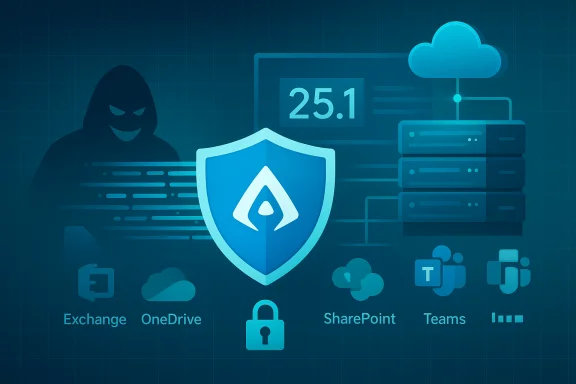
Backup stacks can no longer treat identity as an afterthought. Ransomware and identity‑led takeover scenarios often require admins to recover access rights and app registrations before data restores become useful. Backup Exec 25.1 explicitly incorporates identity protection via Microsoft Entra ID and tightens Microsoft 365 coverage (Exchange, OneDrive, SharePoint, Teams — including private channels) while also broadening cloud and immutable storage options. That combination addresses a practical, real-world recovery gap: being able to restore both the data and the access controls that let users reach it.Quick overview of what’s new in Backup Exec 25.1
- Microsoft Entra ID tenant backup and restore — full capture of users, groups, enterprise apps and their relationships so identity configuration can be restored quickly.
- Faster, consolidated Microsoft 365 backups — improved performance for Exchange, OneDrive, SharePoint and Teams; better consolidation strategies for large tenants.
- SharePoint Server Subscription Edition support — backup and granular recovery technology (GRT) support for the Subscription Edition build.
- Role-based access control (RBAC) improvements — including a dedicated Restore Administrator role to segregate restore duties from full administrative privileges.
- Malware scanning enhancements — the built-in scanner now supports Microsoft Defender and Symantec Protection Engine (SPE) as selectable engines for pre‑restore and ad‑hoc scans.
- Expanded cloud and immutable targets — OVHcloud WORM/S3 object‑lock support plus new cloud-region options for mainstream providers.
- Operational and usability improvements — a Recommendation tool for Microsoft 365 deployments, automatic self‑protect media server job creation at install, and CAS/MBES job delegation enhancements for larger distributed installations.
Deployment and initial setup — simple, fast, repeatable
Ease of installation and first-run protection
Backup Exec 25.1 continues the product’s long-standing strength: quick, predictable deployments on Windows Server. Administrative console and widget-based dashboards provide rapid visibility out of the box, and the product now automatically configures a self‑protect media server backup job during installation to capture catalogue files, the database, encryption keys and job logs — a practical default that reduces a major operational blind spot. Vendors rarely create an automated self‑protect baseline for customers; Backup Exec’s choice here reduces manual steps and speeds disaster recovery readiness.Microsoft 365 tenant onboarding
Adding M365 tenants is streamlined via the console’s backup and restore panel: administrators add a tenant, follow the generated link and device code flow, and are offered immediate granular service selection (Exchange, OneDrive, SharePoint, Teams and Entra ID). A new Recommendation tool scans environments and suggests optimal job layouts; in larger tenants that guidance reduces guesswork and lowers the likelihood of over‑ or under‑provisioning backup set and schedule parameters. These improvements target the common “how to back up my entire M365 tenant” friction that still slows many SMB rollouts.Virtualization host and VM protection
- VMware protection remains agentless by declaring vCenter hosts and credentials inside the console.
- Hyper‑V offers a push‑deploy agent model to enable agentless VM backup or deeper guest-level capabilities when you install agents inside VMs for GRT and application‑consistent snapshots.
- Forever‑incremental VM strategy: a single full backup followed by partials to reduce storage and network load while maintaining rapid recovery points.
Multi‑streaming and parallel virtual disk backups are supported, and Instant VM Recovery remains practical for urgent RTOs. These mechanisms preserve administrative flexibility across hypervisor ecosystems.
Microsoft 365 and identity protection: closing the gap
Built-in Entra ID backup — why this is significant
Backup Exec 25.1 treats identity objects as first‑class backup elements: users, groups, enterprise applications and relationships are captured and recoverable. That means after a credential compromise or tenant-wide configuration change — for example, a malicious permission modification or deletion spree — an admin can restore Entra ID objects and their relationships, allowing restored data to be accessible immediately rather than being stranded behind invalid access controls. It’s a decisive usability and resilience improvement for organizations that rely on Azure AD/Entra for authentication.Expanded Microsoft 365 coverage
- Teams private channels: previously a weak point for eDiscovery and restore; private channel artifacts can now be included in backups and restored.
- Exchange PST export option: Exchange Online items can be restored into .pst files — useful for legal holds, offline review, or exporting mailboxes as part of recovery workflows.
- SharePoint Subscription Edition: granular recovery support enables item‑level restores within the subscription model, improving compliance workflows.
Malware detection and ransomware readiness
Dual‑engine scanning: Defender and SPE
Backup Exec’s malware‑scan workflow can use either Microsoft Windows Defender or Symantec Protection Engine (SPE). Scans run against mounted backup images and can be invoked ad‑hoc or as part of restore operations. That capability supports a “verify‑then‑restore” posture: before moving backed‑up VMs or files back into production, the product can check for residual malware and flag suspect images to avoid reinfecting live systems. The SPE option is useful for organizations with an existing Symantec licensing footprint or where Defender is restricted.Performance trade-offs
Malware scans are CPU‑intensive and can add significant time to restore flows. In lab and field testing, defenders observed that full VM scans could take tens of minutes (tests reported in product reviews ranged from roughly 30–40 minutes for larger VMs). Administrators should plan scan windows outside peak restore periods, enable throttling where supported and document acceptable delay vs. assurance trade‑offs for business stakeholders. The product documentation also recommends running one malware scan job at a time and adjusting scan thread and throttle settings to avoid overwhelming the media server.Role‑based access and delegation — better division of duties
Backup Exec 25.1 adds an enhanced RBAC model that works in CAS/MBES (Central Admin Server and Managed Backup Exec Server) deployments and introduces a Restore Administrator role. This role lets organizations segment responsibilities: backup operators can own backup creation and cataloging, while a separate restore admin can perform restores without holding full administrator privileges. For regulated environments or MSPs managing customer tenants, this is an essential control that reduces blast radius from compromised admin accounts. The product also supports CAS‑level delegation of Microsoft 365 jobs to MBES servers to balance load in distributed estates.Recoverability in practice: fast, granular, and flexible
Instant VM Recovery and GRT
Instant VM Recovery remains one of Backup Exec’s most valuable operational features: a protected VM can be booted from backup to bring services online while a permanent repair completes. Granular Recovery Technology (GRT) supports item‑level restores inside application workloads — SQL, Exchange, SharePoint and file systems — meaning administrators avoid full‑VM restores when a single mailbox, database, or file is needed. In tests, restoration of a SQL Server VM to a new VMware host completed within a minute for the IP‑mounted instant restore step, illustrating how the product reduces RTOs for critical services.Self‑protect and catalog resiliency
Automatic creation of a self‑protect media server backup job during install ensures catalog, database and encryption keys are included in the very first backup policy. That accelerates the ability to bootstrap a rebuild of the backup server itself after hardware loss, an often‑overlooked recovery step. The documentation and vendor guidance emphasize catalog integrity and encryption key retention as crucial to recovery fidelity.Platform and cloud reach
- Windows Server 2025: Backup Exec lists compatibility with Windows Server 2025 for both the media server and backup agents, keeping pace with Microsoft server OS lifecycles for customers planning upgrades.
- OVHcloud S3 object lock / WORM: immutable object support through OVHcloud S3 object lock adds a vendor option for immutable, tamper‑resistant storage in addition to the major hyperscalers.
- New cloud regions: the release notes list added region support for Amazon, Google and select other cloud providers to give customers more choice in storage placement.
Licensing, packaging and cost transparency
Arctera’s BE Simple Core Pack subscription options are presented as straightforward: customers can choose instance‑based metering (per compute instance: physical server, VM or grouped MS365 users) or capacity metering (TB‑based). Instance metering is often attractive to SMBs because it maps cleanly to physical or virtual server counts, while capacity metering can work best for large M365 or high‑data environments. The vendor also publishes Simple Add‑On packs for incremental expansion. These simplified offerings are designed to avoid hidden options that historically complicated Backup Exec deployments. Caveat: public reseller prices — including the one example published by industry reviewers that showed a one‑year, five‑instance licence starting in the low hundreds of pounds through a reseller — are indicative only and should be validated with authorised resellers or directly through Arctera. Licensing and channel promotions vary by region and time; procurement teams should request formal quotes and confirm maintenance/upgrade inclusions before committing. (Pricing examples reported in third‑party reviews should be treated as market samples rather than universal pricing.Strengths — why Backup Exec 25.1 is a credible choice for SMBs
- Unified identity + data protection: built‑in Entra ID protection closes a practical recovery gap that many vendors still treat as an add‑on. Restoring identity objects as part of a recovery plan materially shortens time‑to-business‑access after compromise.
- Broad platform coverage: agentless VMware, Hyper‑V, Windows Server 2025 support, SharePoint Subscription Edition and multiple cloud targets enable consistent policies across hybrid architectures.
- Ransomware-oriented features: immutable cloud/WORM support, anomaly detection in job runs, and pre‑restore malware scanning provide layered detection and prevention steps that reduce the chance of restoring infected data.
- Operational simplicity: default self‑protect jobs, a Recommendation tool for M365, and straightforward licensing options reduce operational friction — a major plus for lean IT teams.
Risks and limitations — what to watch closely
- Malware scan resource usage and restore latency
- Malware scanning on large VMs is CPU‑heavy and can extend restore timelines significantly. Organizations with tight RTOs must balance detection assurance against acceptable recovery windows and consider staging restores into isolated “clean rooms” for scanning. The product docs specifically caution administrators to limit concurrent scan jobs and tune engine settings to manage media‑server load.
- Restore verification vs. operational speed
- Thorough “verify‑then‑restore” workflows reduce reinfection risk but add time. Documented test runs and tabletop exercises are necessary to define acceptable trade‑offs and ensure SLAs are realistic when malware scanning is enabled. This is a people‑and‑process challenge as much as a product selection one.
- Cloud and reseller price variance
- Channel pricing differs widely across geography and period. Relying on a single reseller quote without formal procurement validation risks cost surprises; customers should validate TCO for both software licences and cloud egress/retention costs. Market examples in press or reseller listings should be used only as initial benchmarks.
- Operational scale and CASO planning
- In larger CAS/MBES deployments, careful planning for delegation, catalog placement and RBAC synchronization is required. The CAS/MBES feature set adds flexibility but must be configured correctly to avoid management overhead. The readme and admin guides contain prescriptive guidance for CAS upgrades and role synchronization — follow those carefully during rollouts.
Practical recommendations for Windows and hybrid IT teams
- Inventory and prioritise:
- Map critical VMs, M365 containers and identity objects that must be recoverable. Use the Recommendation tool to validate backup topology and capacity assumptions.
- Design a verified restore plan:
- Define RTO/RPO per workload, include “verify‑then‑restore” malware checks for high‑risk systems, and document clean‑room restore procedures for sensitive recoveries. Use self‑protect backups to guarantee catalog and key survivability.
- Tune malware scanning:
- Enable Defender or SPE depending on your environment; throttle threads and schedule scans outside prime restore windows. Run restore drills to gauge scan overhead under realistic conditions.
- Validate licensing and TCO:
- Engage authorized resellers for formal quotations. Reconcile instance‑vs‑capacity metering against projected cloud storage and egress costs, and request contract language that clarifies support and upgrade paths.
- Apply least privilege for backup operations:
- Use the Restore Administrator role and RBAC to limit privileges, audit restore actions and maintain a blameless change log for compliance needs. Test CAS/MBES synchronization flows in non‑production before broad rollouts.
Verdict — who should evaluate Backup Exec 25.1 now
Backup Exec 25.1 is a strong, pragmatic candidate for small and medium businesses, MSPs and distributed enterprises that need a single product to protect physical servers, virtual environments and Microsoft 365 tenants — and who value identity recovery as part of the core solution. Its out‑of‑the‑box self‑protect behaviour, Entra ID integration, GRT coverage for SharePoint Subscription Edition and selectable malware engines make it particularly attractive for organizations that require fast, auditable recoveries without stitching together multiple point products. For teams with very aggressive RTOs or those operating at extreme scale, it’s important to validate restore‑time behaviour (especially when malware scanning is enabled) and to run thorough CAS/MBES testing. Pricing should be validated through formal procurement channels to avoid regional or reseller variance.Arctera Backup Exec 25.1 is not a flashy reinvention — it is a careful, operationally minded release that aligns backup, identity and cyber‑resilience controls into a single workflow. That alignment is the product’s strongest selling point: by treating identity and data as part of the same recoverable estate, Backup Exec reduces the post‑incident friction that too often turns a successful restore into a partial victory. For SMBs and lean IT teams seeking predictable licensing, broad platform coverage and built‑in ransomware defences, BE 25.1 is worth a careful proof‑of‑concept; for larger organisations, its new features matter but will require planning around scan overhead and CASO deployment design.
Source: IT Pro Arctera Backup Exec 25.1 review: A smart business data protection solution with no hidden costs
