

Bazzite’s arrival on the PC gaming scene has prompted a surprising reaction: for some users, including writers who previously treated Windows as the unquestioned gaming baseline, this Fedora‑based, SteamOS‑inspired distribution is good enough — and in some cases noticeably better — to make them seriously reconsider how often they boot Windows.
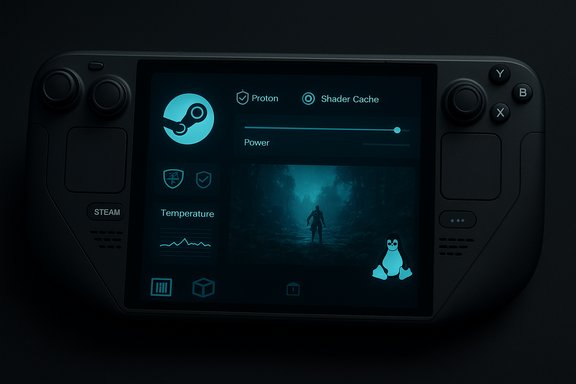
Bazzite is a community-driven Linux image built on a Fedora foundation with a clear, gaming-first posture: Steam Gaming Mode, Proton helpers, tuned Mesa and kernel builds, and a lightweight, console-style UI that favors immediate play. The distribution aims to reduce background noise, expose direct power/TDP controls, and ship a containerized approach that keeps gaming utilities isolated and predictable. These design choices are central to the claims that Bazzite can deliver smoother frame pacing and faster resume behavior on handheld and thermally constrained hardware.
The broader conversation gained momentum when community testers installed Bazzite on modern Windows-first handhelds and flagship devices, reporting consistent improvements in shader-heavy titles and quicker suspend/resume behavior compared with factory Windows images. Those hands-on tests — while not formal lab benchmarks — have been replicated by multiple creators and community writeups and form the empirical core of the “better without Windows” headline.
This change matters for several user classes:
However, that doesn’t mean Windows is obsolete. Windows still delivers unmatched compatibility, convenience, and vendor‑driven support for anti‑cheat and proprietary utilities. The sensible, low‑risk path for most users is a pragmatic middle ground: experiment with Bazzite, keep Windows available for titles and tasks that require it, and make platform decisions based on the specific games and tools that matter to you. In other words: Bazzite can shrink Windows’ role on the desktop — but it’s not yet a universal replacement.
Bold choices and careful planning will decide whether Bazzite becomes a curiosity on a spare SSD or a permanent rebalancing of the platform mix in your setup.
Source: XDA I installed Bazzite on my PC, and it has me reconsidering Windows
 Background
Bazzite is a community-driven Linux image built on a Fedora foundation with a clear, gaming-first posture: Steam Gaming Mode, Proton helpers, tuned Mesa and kernel builds, and a lightweight, console-style UI that favors immediate play. The distribution aims to reduce background noise, expose direct power/TDP controls, and ship a containerized approach that keeps gaming utilities isolated and predictable. These design choices are central to the claims that Bazzite can deliver smoother frame pacing and faster resume behavior on handheld and thermally constrained hardware.The broader conversation gained momentum when community testers installed Bazzite on modern Windows-first handhelds and flagship devices, reporting consistent improvements in shader-heavy titles and quicker suspend/resume behavior compared with factory Windows images. Those hands-on tests — while not formal lab benchmarks — have been replicated by multiple creators and community writeups and form the empirical core of the “better without Windows” headline.
Why Bazzite feels different: the technical pillars
Bazzite’s performance and usability claims rest on three practical technical vectors that matter especially on handheld and mid‑range systems.1. Lean OS surface and lighter compositor
A SteamOS‑style image intentionally removes many of the background services and OEM helper apps present on a typical Windows installation. That reduced software surface lowers scheduler noise and I/O interruptions, which can translate into steadier frame times and fewer micro‑stutters on hardware where every watt and CPU cycle matters. Multiple community reports and tests emphasize that trimming background tasks yields a more predictable runtime for games.2. Proton + Mesa + shader cache handling
Valve’s Proton compatibility layer plus the open‑source Mesa driver stack are a fundamental part of Linux gaming today. Bazzite bundles tuned Mesa and Proton helpers and, in several real‑world scenes, the combination reduces runtime shader‑compile stalls that on Windows can produce visible hitching. The result is often improved 1% lows and perceived smoothness even when average FPS numbers are close between OSes. Multiple hands‑on tests report that shader handling is a major explanatory factor behind Bazzite’s smoother pacing in shader‑heavy titles.3. Direct power/thermal controls and tuned kernel builds
Bazzite exposes TDP and frequency controls and ships with kernel and scheduler patches tuned for handheld workflows. This allows for more consistent sustained clocks and fan behavior than OEM utility layers that abstract or hide low‑level governor settings. Tests on devices with constrained thermal envelopes show that steadier clocks and explicit governor control contribute meaningfully to a smoother gaming experience.What the community tests actually showed
Multiple independent hands‑on comparisons focused on shader‑heavy single‑player titles and identical power‑limit runs. Representative results that were widely reported include:- Kingdom Come: Deliverance II — performance mode (≈17 W): reported increases from ~47 FPS on Windows to ~62 FPS on Bazzite in one community test (an uplift of roughly 30%).
- Hogwarts Legacy — 17 W mode: reported gains of ~24% in a comparable scene.
Strengths: where Bazzite shines
Bazzite is not a fringe curiosity; it offers practical benefits that matter to a specific kind of user.- Cleaner, more consistent gaming sessions. Users report fewer shader‑compile hitches and tighter 1% low behavior, which improves the subjective smoothness of play even when average FPS is similar.
- Immediate Steam compatibility. Proton, Steam, and compatibility helpers like Lutris and Bottles are integrated or easy to add, so many Steam libraries launch with minimal configuration.
- Predictable update and rollback flow. The Fedora Atomic/immutable base and container‑focused approach reduce configuration drift and make system updates less disruptive than the often‑interruptive Windows update cycle. That creates a calmer, more controllable maintenance rhythm.
- Better out‑of‑box handheld behavior. On devices like certain modern handhelds, community installs of Bazzite have produced faster resume from suspend and perceptibly snappier UIs.
Where Bazzite still comes up short
Bazzite reduces the need for Windows on many machines, but it is not a universal replacement for most users. The limitations are practical and immediate.- Anti‑cheat and multiplayer compatibility. Several modern anti‑cheat solutions and kernel‑mode protection systems are Windows‑centric or enforced by vendors that do not provide Linux variants. Some multiplayer titles won’t run at all or require complex workarounds, so competitive and anti‑cheat‑protected games remain a major blocker.
- Xbox Game Pass and vendor clients. The native Game Pass PC client and certain vendor utilities are Windows‑only. Cloud streaming via browser is an option, but it does not replace the convenience or features of the native desktop app. For players who rely on Game Pass day‑one access, Bazzite can’t fully substitute Windows today.
- GPU vendor differences. AMD GPUs currently benefit from a more mature open driver stack (Mesa) and often a smoother experience on Linux. NVIDIA support has improved but can still be more fragile, particularly when relying on beta open‑source kernel modules or proprietary drivers patched to work with a newer kernel. The GPU you own matters more than the OS in some cases.
- Vendor integrations and utilities. Capture tools, proprietary configuration apps, and certain Windows-only utilities used for testing, content creation, or device configuration may not have Linux equivalents. For workflows that require reproducing Windows-specific behavior, the real platform remains necessary.
Installation, migrations, and practical steps
For readers considering a trial of Bazzite, the hands‑on community consensus and practical checklists converge on cautious experimentation. The following is a compact, pragmatic plan:- Back up Windows: create a full disk image and export critical data.
- Try Bazzite from an external SSD or USB first; validate the games and controllers you care about before touching internal partitions.
- Prefer dual‑boot if you rely on Game Pass, anti‑cheat multiplayer, or Windows‑only utilities; make Windows the default and use Bazzite for dedicated gaming sessions.
- Prepare for Secure Boot and MOK handling: enroll keys or follow distro docs to avoid boot failures after firmware updates.
- Test one title at a time and document exact Proton/Mesa/kernel versions — that makes troubleshooting and regression easier.
Risks, warranties, and long‑term considerations
Swapping your factory image for a community Linux build has consequences beyond immediate usability.- Warranty and OEM support: Installing a third‑party OS can complicate warranty claims and support interactions. Vendors and service desks typically expect factory images during troubleshooting; you should be prepared to reimage to restore full support.
- Configuration fragility: Enthusiast images, by their nature, sometimes require manual steps for Secure Boot keys, kernel patches, or device‑specific quirks. Casual users who expect “install and forget” behavior may find the required troubleshooting burdensome.
- Ecosystem drift: Anti‑cheat and launcher compatibility is dynamic. A title that works today could be blocked by a vendor update tomorrow (or vice versa), so maintaining parity with Windows expectations requires continuous monitoring of compatibility trackers and community reports.
How Bazzite rebalances the platform mix: real user implications
For people who, like the original XDA and Pocket‑lint writers summarized in community threads, divide labor across macOS (daily productivity), Windows (gaming and Windows‑specific tasks), and Linux (specialized setups), Bazzite changes the question from “Can I replace Windows?” to “How often do I need Windows?” The distro quietly reframes the Windows machine from an all-purpose workstation to a focused gaming appliance, reducing friction and noise while retaining the option to flip back when necessary.This change matters for several user classes:
- Tinkerers and handheld owners who prioritize single‑player smoothness and low stutter will find Bazzite an efficient, playable option.
- Content creators and testers who need Windows‑specific capture tools or vendor utilities will still keep Windows in their toolkit — Bazzite lowers usage frequency but doesn’t eliminate the need.
- Gamers who depend on Game Pass or anti‑cheat protected multiplayer will remain Windows‑centric for primary play. Dual‑boot is the pragmatic compromise.
Recommendations for WindowsForum readers
- If your priority is the smoothest single‑player and handheld experience with the willingness to tinker: test Bazzite on an external drive, document every step, and consider dual‑boot when satisfied.
- If you rely on Game Pass, professional Windows utilities, or competitive multiplayer, keep Windows as your primary OS and use Bazzite as a secondary environment for experimental or dedicated play.
- For builders considering a new Linux‑first gaming box: prefer AMD GPUs today for smoother out‑of‑the‑box driver experience on Linux, and expect to track Mesa/kernel updates. NVIDIA users should plan for additional driver nuance and occasional manual tweaks.
- Create a full disk image and recovery media.
- Validate your top 5 games in a live/USB environment.
- Keep Windows as a boot option until you confirm parity for your must‑have titles and tools.
What to watch next (caveats and open questions)
A few important caveats should temper early enthusiasm:- Many Bazzite performance gains are scene and power band dependent; they are strongest in mid‑TDP handheld ranges and in shader‑heavy workloads. Don’t extrapolate a 30% uplift as universal across all titles or devices.
- Vendor and anti‑cheat support evolve. Keep tabs on ProtonDB, gaming compatibility trackers, and Bazzite project notes for changing compatibility status.
- Some marketing claims around device‑level features (for example, vendor‑quoted NPU TOPS figures or “AI features coming soon”) should be treated cautiously until vendor software integrates those features and independent tests validate concrete user benefits. These hardware‑spec numbers often come from vendor marketing and require verification in practical scenarios.
Conclusion
Bazzite is not merely a technical experiment; it’s a compelling demonstration that intentional OS design — a lean, gaming‑first image with tuned drivers, robust Proton support, and a containerized approach — can materially alter the day‑to‑day gaming experience on modern hardware. For users whose primary PC tasks live elsewhere (macOS, cloud apps) and whose PC is essentially a gaming device, Bazzite is strong evidence that Windows no longer has an exclusive claim to “best practical gaming OS” for all scenarios.However, that doesn’t mean Windows is obsolete. Windows still delivers unmatched compatibility, convenience, and vendor‑driven support for anti‑cheat and proprietary utilities. The sensible, low‑risk path for most users is a pragmatic middle ground: experiment with Bazzite, keep Windows available for titles and tasks that require it, and make platform decisions based on the specific games and tools that matter to you. In other words: Bazzite can shrink Windows’ role on the desktop — but it’s not yet a universal replacement.
Bold choices and careful planning will decide whether Bazzite becomes a curiosity on a spare SSD or a permanent rebalancing of the platform mix in your setup.
Source: XDA I installed Bazzite on my PC, and it has me reconsidering Windows
