

Fourteen years after Microsoft first shipped the Resilient File System (ReFS) with Windows Server 2012, the long-standing barrier that kept ReFS off system/boot volumes has finally been removed: Windows Server now supports booting from ReFS volumes. This change completes a slow, cautious evolution for ReFS — from a server‑side, data‑store‑only technology to a filesystem that can host the operating system itself — and it has big implications for storage architects, virtualization platforms, backup vendors, and anyone who runs Windows Server at scale. ([learn.microsoft.cosoft.com/en-us/windows/win32/w8cookbook/resilient-file-system--refs-)
When ReFS debuted with Windows Server 2012 it was designed with one clear goal: maximize data availability and integrity for large server workloads. ReFS introduced several architectural departures from NTFS — metadata checksums, integrity streams, copy‑on‑write transactional updates, block cloning and sparse VDL for fast virtual disk operations, and a design optimized for very large volumes and files. Those features made ReFS attractive for hosting VM images, large data sets, and storage‑spaces‑backed pools where automated repair and resiliency are essential. Microsoft’s own documentation lays out these design goals and capabilities.
But there were tradeoffs. To preserve compatibility and stability, Microsoft intentionally left certain NTFS-era features out of ReFS (for example, file compression, EFS-based file‑level encryption and some legacy NTFS metadata features), and the platform was never designed initially to host Windows’ system components like the pagefile, boot loader, or some early‑startup drivers. As a result, Windows historically required an NTFS partition for the OS/boot volume while using ReFS for data volumes. The net result for administrators was a dual‑filesystem world: NTFS for system volumes, ReFS for data and VM storage.
That separation made sense in 2012 and continued to make sense for many years: booting from NTFS avoided unknowns in early boot stages, ensured existing tooling and recovery paths worked, and limited the surface area for hard‑to‑debug failures. But it was also a limitation — one that prevented certain end‑to‑end ReFS scenarios that administrators had wanted for over a decade. Today’s change removes that limitation in a controlled, documented way.
Important nuance: “boot support” is not an unconditional blanket endorsement for every environment. Microsoft’s rollout is staged and restricted to supported Windows Server SKUs and builds, and there are documented caveats, interop notes, and known issues administrators must consider before adopting ReFS as a system volume in production. Multiple vendor notes and knowledgebase articles — especially from backup and virtualization vendors — emphasize careful testing and patching.
But for large, heterogeneous estates that depend on older agents, OEM imaging tools, or specialized NTFS features, ReFS boot should be adopted cautiously and deliberately. The safe path is: inventory, pilot, vendor validation, test full recovery flows, and staged rollout.
If you’re responsible for server design, start by validating your key vendors (backup, monitoring, management, OEM) support ReFS system volumes, update your recovery media to a supported WinPE/WinRE that recognizes ReFS, and run recovery drills. For many organizations, the right answer will be to plan for ReFS adoption over quarters, not days.
The filesystem landscape has shifted — ReFS is now capable of hosting Windows Server in production in supported configurations — but the broader ecosystem and operational practices will determine whether your environment benefits from that capability today or later.
This change closes a long chapter in the ReFS story: a technology conceived to protect data and scale to petabytes has finally reached parity with NTFS in one of the most consequential roles — the system volume. But maturity isn’t a single line item; it’s earned through vendor support, operational experience, and careful testing. Treat this as an invitation to evaluate and plan, not as a mandate to flip your servers to ReFS overnight.
Source: Neowin After 14 years, Windows Server finally gets ReFS boot support
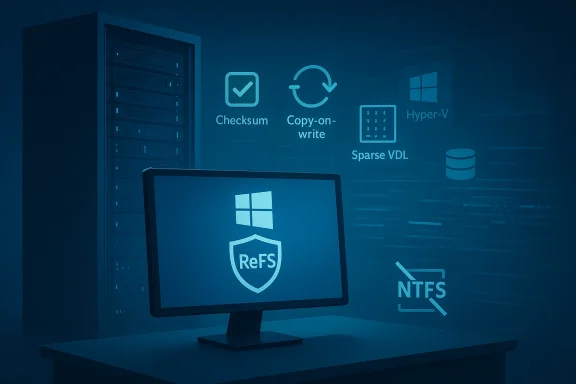 Background: why ReFS mattered — and why it couldn't be the system volume
When ReFS debuted with Windows Server 2012 it was designed with one clear goal: maximize data availability and integrity for large server workloads. ReFS introduced several architectural departures from NTFS — metadata checksums, integrity streams, copy‑on‑write transactional updates, block cloning and sparse VDL for fast virtual disk operations, and a design optimized for very large volumes and files. Those features made ReFS attractive for hosting VM images, large data sets, and storage‑spaces‑backed pools where automated repair and resiliency are essential. Microsoft’s own documentation lays out these design goals and capabilities.But there were tradeoffs. To preserve compatibility and stability, Microsoft intentionally left certain NTFS-era features out of ReFS (for example, file compression, EFS-based file‑level encryption and some legacy NTFS metadata features), and the platform was never designed initially to host Windows’ system components like the pagefile, boot loader, or some early‑startup drivers. As a result, Windows historically required an NTFS partition for the OS/boot volume while using ReFS for data volumes. The net result for administrators was a dual‑filesystem world: NTFS for system volumes, ReFS for data and VM storage.
That separation made sense in 2012 and continued to make sense for many years: booting from NTFS avoided unknowns in early boot stages, ensured existing tooling and recovery paths worked, and limited the surface area for hard‑to‑debug failures. But it was also a limitation — one that prevented certain end‑to‑end ReFS scenarios that administrators had wanted for over a decade. Today’s change removes that limitation in a controlled, documented way.
What changed: ReFS as a bootable filesystem — the practical facts
The core announcement is straightforward: supported Windows Server editions and builds can now use ReFS-formatted system volumes and boot the operating system directly from them. That includes the ability to:- Create and format a system/boot volume as ReFS during installation or image deployment on supported Windows Server builds.
- Use BitLocker encryption with ReFS‑formatted system volumes where Microsoft indicates compatibility (specific guidance varies by build and edition).
- Run Windows Server workloads (including Hyper‑V and Storage Spaces) with the OS on an ReFS system volume in supported configurations.
Important nuance: “boot support” is not an unconditional blanket endorsement for every environment. Microsoft’s rollout is staged and restricted to supported Windows Server SKUs and builds, and there are documented caveats, interop notes, and known issues administrators must consider before adopting ReFS as a system volume in production. Multiple vendor notes and knowledgebase articles — especially from backup and virtualization vendors — emphasize careful testing and patching.
Why this matters: benefits for certain workloads
Putting ReFS on the system volume unlocks practical benefits in several key scenarios:- Faster VM density and cloning workflows: ReFS’s block cloning and sparse VDL features accelerate VHD(X) operations, which benefits hosts that manage large numbers of virtual disks. When the OS drive itself can be ReFS, certain host‑local image operations become simpler and potentially faster.
- Resiliency and quicker recovery: ReFS’s integrity metadata and localized salvage behavior can reduce downtime caused by corruption, and when combined with Storage Spaces the system gains automatic correction capabilities that previously applied mostly to data volumes. For some high‑availability host designs this provides a tighter resilience story.
- Uniform storage policy: Running both OS and data under the same filesystem simplifies policy and reduces edge cases for imaging and deployment pipelines — particularly where infrastructure as code and automated provisioning are used.
What administrators must verify before adopting ReFS‑boot systems
This is not a “flip the switch and migrate” moment. Treat ReFS‑boot as a major platform change that requires planning, testing, and vendor coordination. At a minimum, follow this checklist:- Verify supported OS build and edition
- Confirm your Windows Server build and SKU explicitly list ReFS boot as supported in the Microsoft release notes for that build. Don’t assume every Server build supports it.
- Confirm backup and recovery vendor support
- Many backup agents and agents that interact with low‑level volume components have assumptions about NTFS. Some vendors explicitly warn that backing up a ReFS boot volume can cause issues and are still testing or patching their agents. Validate vendor support and test disaster recovery scenarios.
- Test BitLocker and pre‑boot scenarios
- If you intend to use BitLocker, validate that encryption, recovery key recovery, and pre‑boot authentication operate cleanly on ReFS boot volumes in your specific firmware and HSM configuration.
- Validate imaging, deployment, and driver behavior
- Ensure your unattended install images, driver injection process, and firmware (UEFI/Secure Boot) configurations operate with ReFS system volumes; some OEM tools may assume NTFS for recovery partitions and tooling.
- Run full‑stack recovery drills
- Boot‑time is where things break most catastrophically. Conduct at least two full recovery drills (restore image → boot → validate services) using your standard runbook and automation pipelines.
- Monitor telemetry and memory/IO footprints
- ReFS historically had higher memory usage in certain cases; monitor host telemetry and apply recommended OS updates and hotfixes before production migration.
Interoperability and vendor ecosystem: the real constraints
ReFS’s ecosystem has long been smaller than NTFS’s. Many third‑party tools, agent software, and older OS utilities still assume NTFS. Vendors have been updating their codebase, but the pace varies:- Backup vendors: Several established backup vendors already support ReFS for repositories (because ReFS’s block cloning and sparse handling is attractive for repositories), but historically some backup agents did not support backing up ReFS system volumes or warned about BSOD risk when trying. The vendor guidance emphasizes testing and applying vendor patches that explicitly add support for ReFS boot volumes.
- Disk utilities and recovery tools: Low‑level tools that operate in early boot or recovery environments may need updates to handle ReFS. Ensure your rescue media and troubleshooting toolchain are updated.
- Cloud and virtualization: Microsoft’s Azure and Hyper‑V engineering has long worked with ReFS in storage contexts; some specialized Azure scenarios previously allowed ReFS booting in controlled confidential VM environments. Expect cloud vendors to formalize their support and guidance quickly, but verify for your provider.
Risks and known issues to watch
The move to permit ReFS boot does not erase the filesystem’s previous limitations or past bugs. Key risks include:- Backup/agent incompatibility: As noted above, some backup agents may crash or cause BSODs when interacting with a ReFS boot volume until vendors ship updates and customers apply them. This is an immediate, practical risk for disaster recovery.
- Memory/IO pressure: ReFS’s internal metadata structures and integrity features can consume more kernel memory in some workloads; there have been historical regressions and fixes across server releases. Ensure you install recommended OS updates addressing ReFS memory usage regressions before broad deployment.
- Feature gaps: ReFS still lacks some NTFS-era features (file‑level compression, some extended attributes, historically certain dedupe behaviors) and this can matter for niche applications and third‑party apps that rely on those behaviors. Evaluate application compatibility carefully.
- Recovery toolchain maturity: Early boot and recovery environments must be able to mount ReFS; older WinRE or custom PE images may not. Update your rescue media before converting system volumes.
Migration strategies and pilot plan (recommended)
If your organization wants to adopt ReFS for system volumes, treat it like a platform upgrade:- Phase 0 — research and inventory
- Catalog server models, backup/agent versions, firmware, BitLocker usage, and OEM tooling. Identify candidate SKU/build pairs that Microsoft explicitly documents as supporting ReFS boot.
- Phase 1 — lab pilot
- Build a non‑production pilot with identical drivers and agents. Convert the image pipeline to produce a ReFS boot image and validate install/upgrade flows and driver injection. Test imaging, BitLocker, and restoration. Run full system recovery drills.
- Phase 2 — pre‑production validation
- Run the pilot image for extended periods under load, including patch cycles, backup jobs, snapshots, and real‑world operational tasks. Coordinate with backup vendors and firmware/OEM partners to log issues.
- Phase 3 — staged rollout
- Start with hosts that present the least risk: read‑heavy storage hosts, test hosts, and non‑critical infrastructure. Expand only after sustained stability.
- Phase 4 — broad migration (only after multiple successful rollouts)
- Maintain rollback images and updated runbooks. Keep a conservative change window and extended monitoring for the first months.
What this means for virtualized and cloud scenarios
ReFS has been a favorite for virtual disk stores and virtualization hosts because block cloning and fast VHD(X) operations accelerate provisioning and snapshot operations. Allowing the OS to live on ReFS closes some architectural gaps for hypervisor hosts and makes certain patterns (like host‑local image disk immutability or direct host‑level cloning) easier. Cloud providers and hypervisor vendors are likely to adopt or announce explicit support quickly, but each will have its own compatibility caveats. Historically, Azure and other platforms have worked with ReFS in limited scenarios; expect formal guidance from cloud vendors in their documentation and release notes.How Microsoft frames the change (and what to expect next)
Microsoft’s public ReFS documentation and platform guidance emphasize that ReFS was always intended for resiliency‑centred workloads and that the company has updated tooling gradually to increase scenarios where ReFS is viable. The bootability milestone reflects that maturity but also that Microsoft is doing this in a measured, build‑by‑build fashion. Administrators should expect ongoing updates: hotfixes addressing early regressions, vendor compatibility matrices being updated, and new guidance for mixed NTFS/ReFS environments. Keep watch on Windows Server release notes and the Windows Release Health dashboards for the exact list of supported builds and known issues.Final take: who should care — and how to act
ReFS boot support is a meaningful platform milestone with real benefits for server workloads that prioritize data integrity, quick VM provisioning, and robust storage resiliency. For organizations that already use ReFS for data or VM repos and that have modern, well‑supported backup and agent stacks, this change can simplify operations and remove awkward NTFS+ReFS hybrid workflows.But for large, heterogeneous estates that depend on older agents, OEM imaging tools, or specialized NTFS features, ReFS boot should be adopted cautiously and deliberately. The safe path is: inventory, pilot, vendor validation, test full recovery flows, and staged rollout.
If you’re responsible for server design, start by validating your key vendors (backup, monitoring, management, OEM) support ReFS system volumes, update your recovery media to a supported WinPE/WinRE that recognizes ReFS, and run recovery drills. For many organizations, the right answer will be to plan for ReFS adoption over quarters, not days.
The filesystem landscape has shifted — ReFS is now capable of hosting Windows Server in production in supported configurations — but the broader ecosystem and operational practices will determine whether your environment benefits from that capability today or later.
This change closes a long chapter in the ReFS story: a technology conceived to protect data and scale to petabytes has finally reached parity with NTFS in one of the most consequential roles — the system volume. But maturity isn’t a single line item; it’s earned through vendor support, operational experience, and careful testing. Treat this as an invitation to evaluate and plan, not as a mandate to flip your servers to ReFS overnight.
Source: Neowin After 14 years, Windows Server finally gets ReFS boot support

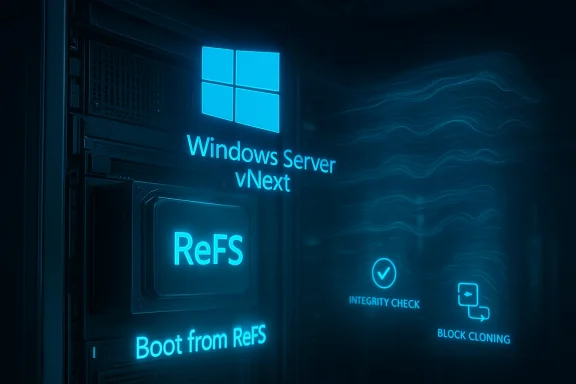
 partition as ReFS and boots the OS from that volume.