Microsoft Project Online is scheduled to retire on September 30, 2026, and BrightWork used June 17 to announce a new BrightWork 365 release aimed at PMO teams that want to keep project and portfolio management inside Microsoft 365. The announcement is vendor news, but the timing is the real story. Microsoft’s retirement clock has turned what might have been a routine product update into a buying-cycle trigger for organizations that built governance, reporting, and executive visibility around Project Web App. BrightWork is betting that the scramble will not be won by the lightest task board, but by the platform that makes the fewest enemies in an already Microsoft-heavy enterprise.
For years, Project Online occupied an odd but important place in the Microsoft 365 estate. It was not simply “Microsoft Project in a browser,” and it was not merely a checklist app. It gave portfolio managers, resource planners, PMOs, and project leads a central place to manage schedules, approvals, timesheets, portfolio views, and Project Web App workflows in a way that many organizations quietly embedded into their operating rhythm.
That quiet embedding is why retirement dates matter. A desktop app can be replaced one user at a time; a PPM environment usually cannot. It touches intake, governance, reporting, executive dashboards, financial oversight, resource planning, document libraries, permissions, and in some cases years of organizational habit.
BrightWork’s announcement lands precisely in that discomfort zone. The company is not trying to convince users that Microsoft’s ecosystem is the wrong place to manage projects. It is arguing the opposite: that the safest post-Project Online path may be to stay inside Microsoft 365, but move the work onto newer layers such as Power Platform, Dataverse, SharePoint, Teams, Power BI, and Microsoft 365 security.
That positioning matters because Project Online’s retirement does not automatically mean every PMO should jump to a standalone work-management SaaS product. It means every PMO has to decide whether its project management problem is mostly about scheduling, mostly about collaboration, or mostly about organizational control. BrightWork is plainly pitching to the third camp.
Project Online sits squarely in that second market. Microsoft has been repositioning project work around the modern Planner experience and its premium capabilities, while legacy Project Online customers face the practical issue of what happens to Project Web App sites, reporting models, integrations, and historical data. On paper, that sounds like a migration. In practice, it is often a process redesign wearing a migration badge.
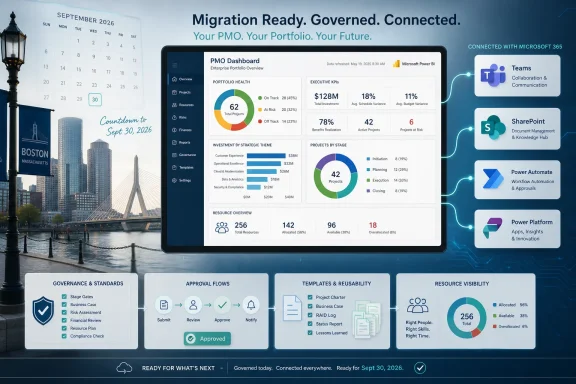
BrightWork 365’s release is framed around that redesign. The company says the product supports project request management, standardized templates, program and portfolio dashboards, Power BI reporting, Teams collaboration, SharePoint document management, automated approvals, and executive visibility. That is a long list, but it reveals the target buyer: not the individual project manager who wants a nicer Gantt chart, but the PMO leader who is accountable for consistency across departments.
The vendor’s argument is also commercially astute. If customers are already paying for Microsoft 365 and have invested in Teams, SharePoint, Power BI, Power Apps, Power Automate, and identity controls, the appeal of staying in that environment is obvious. The question is whether that familiarity reduces risk or simply moves the complexity into a different layer of the Microsoft stack.
A PMO often cares less about whether an individual task card is elegant and more about whether every project request is captured, scored, approved, assigned, governed, reported, and escalated in the same way. That is where consumerized task tools can become awkward. They excel at local team visibility, but they do not always solve portfolio-level discipline.
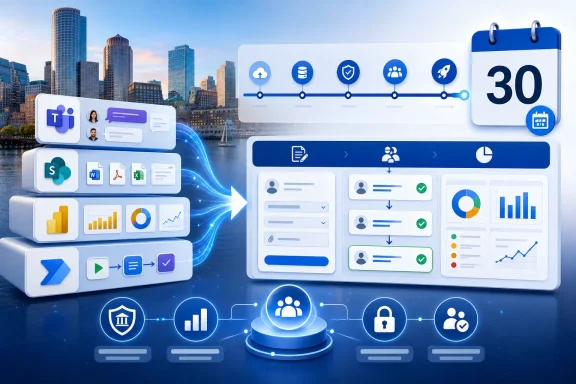
BrightWork’s answer is to lean into Microsoft 365 as the control plane. Project requests can be routed through workflows. Documents can remain in SharePoint. Conversations can happen in Teams. Reports can be built in Power BI. Permissions can ride Microsoft 365 identity and security boundaries. For IT departments, that is a cleaner story than adding another standalone collaboration island.
But the same architecture creates a different kind of dependency. A solution built across Power Apps, Power Automate, Dataverse, SharePoint, Teams, and Power BI is only as healthy as the organization’s governance of those services. If the tenant is already sprawling, if Power Platform environments are poorly controlled, or if SharePoint information architecture is a graveyard of abandoned sites, “built on Microsoft 365” is not automatically a virtue. It is an invitation to confront the state of the Microsoft 365 estate.
The hard part is rarely exporting a list of projects. It is deciding which fields still matter, which reports executives actually use, which approval workflows were formal policy and which were accidental habit, and which project templates reflect good governance versus fossilized bureaucracy. Project Online environments that have been running for years may contain technical debt as real as any custom line-of-business application.
BrightWork is wise to frame the moment as an opportunity to review how projects are requested, approved, managed, reported on, and delivered. That is marketing language, but it is also sound advice. A PMO that treats the retirement as a like-for-like replacement exercise may preserve the worst parts of its old system while losing the institutional memory that made it usable.
The more mature response is to inventory the work. Which Project Web App sites are active? Which portfolios still matter? Which Power BI dashboards depend on Project Online data? Which integrations feed finance, HR, resource management, or compliance processes? Which executives expect a monthly portfolio pack that nobody has documented because “Mary has always done it”?
Those questions are uncomfortable because they turn a software retirement into an organizational mirror. But they are also where the money is. A replacement platform that cannot support intake, governance, reporting, collaboration, adoption, and scale is not a PPM replacement. It is a project tracker with a larger invoice.
That matters because project management systems often fail at adoption, not capability. A PMO can design a beautiful governance model and still lose if project managers avoid updating the system, team members ignore task assignments, or executives distrust the dashboards. The best tool is not the one with the most features; it is the one that receives enough current data to be useful.
BrightWork 365’s emphasis on out-of-the-box templates plus configurability is therefore central to the pitch. Templates give organizations a starting point. Configurability lets them avoid the trap of pretending every department manages work the same way. Expert-led implementation services, also highlighted in the announcement, are part of the same argument: PMO transformation is not a download-and-go exercise.
Still, familiarity can be overrated. Many users “know” Teams only as a chat client, not as a structured project collaboration hub. Many organizations have Power BI dashboards that are impressive in demos and neglected in operations. Many SharePoint sites become document dumping grounds without metadata discipline. BrightWork’s challenge is to turn Microsoft 365 familiarity into repeatable project behavior rather than assuming the tenant will do that work on its own.
But Power Platform also has a governance story that enterprise IT cannot ignore. Licensing can be nuanced. Environment strategy matters. Connector policies matter. Data loss prevention policies matter. Citizen development can be empowering until every department builds its own semi-critical workflow and nobody knows who owns it.
For PMO teams, this is not an abstract concern. Project portfolio data can include budgets, staffing, strategic initiatives, vendor plans, risk registers, and executive priorities. The closer a PPM system gets to the center of decision-making, the less tolerance there is for casual governance. A migration from Project Online to a Power Platform-backed system should involve the tenant admins, security teams, records managers, and reporting owners, not just the PMO.
That is where BrightWork’s Microsoft 365-native posture could work in its favor. If the solution respects existing permissions, uses familiar collaboration surfaces, and integrates with standard reporting and workflow tools, IT may prefer it to a platform that exports sensitive project data into a separate SaaS environment. But “inside Microsoft 365” should not be read as “automatically governed.” It still needs design.
This is why Project Online’s retirement is more consequential than its market visibility suggests. In many organizations, Project Online became the place where PMO assumptions lived. Some of those assumptions were explicit: approval stages, enterprise custom fields, project templates, reporting structures. Others were implicit: who gets to initiate work, which risks are tolerated, how optimistic schedules become official, and how much variance executives will accept before intervening.
A replacement platform can expose those assumptions. That is healthy, but it can also trigger political friction. Departments that enjoyed local autonomy may resist standardized request intake. Executives who wanted better dashboards may discover that better dashboards require project managers to enter better data. Resource managers may discover that “capacity planning” means admitting there is not enough capacity.
BrightWork’s release is therefore competing not only with other software products, but with organizational inertia. The company can offer templates, dashboards, and workflows. Customers still have to decide whether they want the discipline those features imply.
For organizations with heterogeneous technology estates, heavy external collaboration, or a desire to decouple project management from Microsoft licensing and tenant governance, a separate SaaS platform may be the better choice. Some teams may prefer purpose-built roadmapping, agile planning, dependency mapping, portfolio investment planning, or resource forecasting capabilities from vendors whose entire business is work management. Others may already have company-wide adoption of tools like Jira, Asana, Monday.com, Smartsheet, Planview, or ServiceNow Strategic Portfolio Management.
The trade-off is integration debt. Every standalone platform has to answer how it works with identity, documents, Teams meetings, email, Power BI, data retention, eDiscovery, and security reviews. A best-of-breed tool can be superior and still fail if users live elsewhere all day. Conversely, a Microsoft-native tool can be less glamorous and still win because it fits the operating environment.
That is the core decision Project Online customers face. They are not merely choosing software. They are choosing whether project governance should be embedded in Microsoft 365 or managed as a separate enterprise application. BrightWork is explicitly arguing for the former.
Microsoft’s modern direction is centered around Planner and premium project capabilities, which may be perfectly adequate for many teams. But Project Online customers with mature PMO processes often have more elaborate needs than task assignment and schedule views. They may require portfolio intake, governance stages, custom reporting models, resource management practices, and executive dashboards that were shaped around Project Web App.
That gap is where partners like BrightWork see opportunity. The company does not have to beat Microsoft at basic task planning. It has to convince customers that Microsoft’s native direction may need an enterprise PMO layer, especially for organizations that want to preserve or improve portfolio governance while still using Microsoft 365.
This is a familiar Microsoft ecosystem pattern. Microsoft provides a broad platform; partners package domain-specific experiences on top. The risk for customers is vendor dependency. The benefit is getting a more opinionated solution than the raw platform provides. For PMO teams with limited appetite to build and maintain their own Power Platform application suite, that may be a practical compromise.
Project Online customers may already have reporting habits built around portfolio status, milestones, risks, resource allocations, and financial indicators. Moving those reports is not just a matter of changing data sources. Metrics may need to be redefined. Fields may need to be cleaned. Status categories may need to be standardized. Historical comparisons may become awkward if the new model does not map to the old one.
Power BI is a strong reporting layer, but it does not solve semantic confusion. If one department uses “at risk” to mean a schedule slip and another uses it to mean budget exposure, the dashboard is only displaying disagreement in a prettier format. If project managers update status weekly but resource managers update capacity monthly, portfolio views may produce false precision.
The best migration projects treat reporting as an early design issue, not a final polish step. Executives should decide which decisions the reports are supposed to support. PMOs should define the minimum data required to support those decisions. Project teams should not be asked to feed a reporting machine that nobody uses.
BrightWork’s announcement speaks directly to executive visibility, and that is smart. But visibility is not a feature that can be switched on. It is an agreement among people, process, and data. A tool can enforce parts of that agreement; it cannot create trust by itself.
BrightWork appears aware of that danger, which is why its announcement stresses ready-to-use templates, configurability, expert-led implementation, and user adoption. Those are not peripheral services. They are the difference between a platform and a failed rollout.
The adoption challenge is sharper because Project Online retirement creates a deadline. Deadlines can focus attention, but they can also produce rushed decisions. A PMO that waits too long may be forced into a minimal migration that preserves access but misses the chance to rationalize governance. A PMO that moves too aggressively may impose a new process before stakeholders have agreed on what the old process got wrong.
The practical path is to pilot with real projects, not demonstration data. Start with a department that has enough complexity to test governance but enough goodwill to tolerate change. Validate intake, approvals, templates, dashboards, document handling, Teams collaboration, and reporting cadence. Then expand with lessons learned rather than declaring a tenant-wide transformation because the vendor demo looked coherent.
For WindowsForum’s IT pro audience, the security question is not whether Microsoft 365 is secure in the abstract. It is whether the proposed implementation respects the organization’s actual controls. Are permissions inherited cleanly or customized into chaos? Are external collaborators handled appropriately? Are Power Platform connectors governed? Are retention policies applied? Are audit logs meaningful? Are Power BI reports exposing more than their viewers should see?
A Microsoft-native solution may simplify some of this because identity, sharing, and compliance can align with tenant controls. But it may also make overexposure easier if project work sprawls across Teams, SharePoint sites, and dashboards without a clear information architecture. The phrase single pane of glass has caused enough damage in enterprise software; PMOs should instead ask for clear boundaries and auditable access.
BrightWork’s advantage, if executed well, is that it can meet IT where IT already lives. That does not eliminate a security review. It makes the review more intelligible.
By mid-June 2026, the runway is already tight. A serious organization still needs to inventory its Project Online footprint, choose a direction, negotiate licensing or contracts, design the target process, migrate or archive data, rebuild reports, train users, and validate that ongoing projects will not lose operational visibility during the transition. That is a lot to squeeze into a single quarter, especially when vacations, fiscal calendars, and competing IT priorities intervene.
This is why vendors are making noise now. BrightWork is not merely announcing a release; it is trying to become part of urgent procurement conversations before customers lock into Microsoft-native tooling, competing SaaS platforms, or internal Power Platform builds. The retirement date gives every vendor a reason to call. PMOs need a reasoned selection process, not a panic response.
The best teams will separate deadline work from modernization work. They will decide what must be preserved before retirement, what should be redesigned during migration, and what can wait until after the new platform is stable. Trying to solve every PMO problem before September 30 risks solving none of them well.
But it is not a magic answer. The move from Project Online to BrightWork 365, Microsoft Planner Premium, a competing PPM suite, or an internal Power Platform build will force PMOs to confront the same underlying questions. What is the standard process? Who owns portfolio data? Which reports drive decisions? How are approvals enforced? How much customization is useful before it becomes another legacy system waiting to happen?
The strongest case for BrightWork 365 is not that it replaces every Project Online feature line by line. The stronger case is that it offers a structured Microsoft 365-native path for organizations that see the retirement as a chance to clean up how projects flow through the business. That is a more ambitious promise, and therefore a harder one to deliver.
 The Project Online Deadline Turns a Niche Release Into a Platform Decision
For years, Project Online occupied an odd but important place in the Microsoft 365 estate. It was not simply “Microsoft Project in a browser,” and it was not merely a checklist app. It gave portfolio managers, resource planners, PMOs, and project leads a central place to manage schedules, approvals, timesheets, portfolio views, and Project Web App workflows in a way that many organizations quietly embedded into their operating rhythm.That quiet embedding is why retirement dates matter. A desktop app can be replaced one user at a time; a PPM environment usually cannot. It touches intake, governance, reporting, executive dashboards, financial oversight, resource planning, document libraries, permissions, and in some cases years of organizational habit.
BrightWork’s announcement lands precisely in that discomfort zone. The company is not trying to convince users that Microsoft’s ecosystem is the wrong place to manage projects. It is arguing the opposite: that the safest post-Project Online path may be to stay inside Microsoft 365, but move the work onto newer layers such as Power Platform, Dataverse, SharePoint, Teams, Power BI, and Microsoft 365 security.
That positioning matters because Project Online’s retirement does not automatically mean every PMO should jump to a standalone work-management SaaS product. It means every PMO has to decide whether its project management problem is mostly about scheduling, mostly about collaboration, or mostly about organizational control. BrightWork is plainly pitching to the third camp.
Microsoft Retires a Service, and the Ecosystem Starts Selling Continuity
Microsoft’s cloud retirements tend to create two markets at once. The first is the official replacement path, where Microsoft nudges customers toward newer services and licensing constructs. The second is the partner market, where vendors offer continuity for the messy middle: the workflows, reports, permissions, templates, and executive expectations that rarely map cleanly from one Microsoft product generation to the next.Project Online sits squarely in that second market. Microsoft has been repositioning project work around the modern Planner experience and its premium capabilities, while legacy Project Online customers face the practical issue of what happens to Project Web App sites, reporting models, integrations, and historical data. On paper, that sounds like a migration. In practice, it is often a process redesign wearing a migration badge.
BrightWork 365’s release is framed around that redesign. The company says the product supports project request management, standardized templates, program and portfolio dashboards, Power BI reporting, Teams collaboration, SharePoint document management, automated approvals, and executive visibility. That is a long list, but it reveals the target buyer: not the individual project manager who wants a nicer Gantt chart, but the PMO leader who is accountable for consistency across departments.
The vendor’s argument is also commercially astute. If customers are already paying for Microsoft 365 and have invested in Teams, SharePoint, Power BI, Power Apps, Power Automate, and identity controls, the appeal of staying in that environment is obvious. The question is whether that familiarity reduces risk or simply moves the complexity into a different layer of the Microsoft stack.
BrightWork’s Pitch Is Less About Tasks Than Governance
The most telling line in BrightWork’s announcement is the insistence that organizations should “look beyond simple task management.” That phrase does a lot of work. It draws a bright line between mainstream work-management tools and the needs of PMOs that exist because large organizations do not trust projects to manage themselves.A PMO often cares less about whether an individual task card is elegant and more about whether every project request is captured, scored, approved, assigned, governed, reported, and escalated in the same way. That is where consumerized task tools can become awkward. They excel at local team visibility, but they do not always solve portfolio-level discipline.
BrightWork’s answer is to lean into Microsoft 365 as the control plane. Project requests can be routed through workflows. Documents can remain in SharePoint. Conversations can happen in Teams. Reports can be built in Power BI. Permissions can ride Microsoft 365 identity and security boundaries. For IT departments, that is a cleaner story than adding another standalone collaboration island.
But the same architecture creates a different kind of dependency. A solution built across Power Apps, Power Automate, Dataverse, SharePoint, Teams, and Power BI is only as healthy as the organization’s governance of those services. If the tenant is already sprawling, if Power Platform environments are poorly controlled, or if SharePoint information architecture is a graveyard of abandoned sites, “built on Microsoft 365” is not automatically a virtue. It is an invitation to confront the state of the Microsoft 365 estate.
The Easy Migration Story Is the One PMOs Should Distrust
No vendor wants to sell a migration as painful. Customers do not want to hear it either. Yet the retirement of Project Online is exactly the kind of event where easy migration language can obscure the real work.The hard part is rarely exporting a list of projects. It is deciding which fields still matter, which reports executives actually use, which approval workflows were formal policy and which were accidental habit, and which project templates reflect good governance versus fossilized bureaucracy. Project Online environments that have been running for years may contain technical debt as real as any custom line-of-business application.
BrightWork is wise to frame the moment as an opportunity to review how projects are requested, approved, managed, reported on, and delivered. That is marketing language, but it is also sound advice. A PMO that treats the retirement as a like-for-like replacement exercise may preserve the worst parts of its old system while losing the institutional memory that made it usable.
The more mature response is to inventory the work. Which Project Web App sites are active? Which portfolios still matter? Which Power BI dashboards depend on Project Online data? Which integrations feed finance, HR, resource management, or compliance processes? Which executives expect a monthly portfolio pack that nobody has documented because “Mary has always done it”?
Those questions are uncomfortable because they turn a software retirement into an organizational mirror. But they are also where the money is. A replacement platform that cannot support intake, governance, reporting, collaboration, adoption, and scale is not a PPM replacement. It is a project tracker with a larger invoice.
Microsoft 365 Familiarity Is a Feature, Not a Migration Plan
BrightWork’s strongest argument is familiarity. Most enterprises already live in Microsoft 365 all day. Users know Teams, SharePoint links arrive in email, Power BI reports show up in executive decks, and Entra ID permissions shape who sees what. A PPM tool that lives inside that world has a lower cultural barrier than one that asks users to adopt an entirely separate workspace.That matters because project management systems often fail at adoption, not capability. A PMO can design a beautiful governance model and still lose if project managers avoid updating the system, team members ignore task assignments, or executives distrust the dashboards. The best tool is not the one with the most features; it is the one that receives enough current data to be useful.
BrightWork 365’s emphasis on out-of-the-box templates plus configurability is therefore central to the pitch. Templates give organizations a starting point. Configurability lets them avoid the trap of pretending every department manages work the same way. Expert-led implementation services, also highlighted in the announcement, are part of the same argument: PMO transformation is not a download-and-go exercise.
Still, familiarity can be overrated. Many users “know” Teams only as a chat client, not as a structured project collaboration hub. Many organizations have Power BI dashboards that are impressive in demos and neglected in operations. Many SharePoint sites become document dumping grounds without metadata discipline. BrightWork’s challenge is to turn Microsoft 365 familiarity into repeatable project behavior rather than assuming the tenant will do that work on its own.
The Power Platform Bet Cuts Both Ways
Building on Power Platform is a sensible move for a Microsoft-aligned PPM product. Power Apps gives vendors and customers a way to shape business applications without starting from scratch. Power Automate supports approval flows and process automation. Dataverse offers a more structured data foundation than improvised SharePoint lists. Power BI provides reporting muscle. Together, they form the obvious substrate for a modern Microsoft 365-native project management product.But Power Platform also has a governance story that enterprise IT cannot ignore. Licensing can be nuanced. Environment strategy matters. Connector policies matter. Data loss prevention policies matter. Citizen development can be empowering until every department builds its own semi-critical workflow and nobody knows who owns it.
For PMO teams, this is not an abstract concern. Project portfolio data can include budgets, staffing, strategic initiatives, vendor plans, risk registers, and executive priorities. The closer a PPM system gets to the center of decision-making, the less tolerance there is for casual governance. A migration from Project Online to a Power Platform-backed system should involve the tenant admins, security teams, records managers, and reporting owners, not just the PMO.
That is where BrightWork’s Microsoft 365-native posture could work in its favor. If the solution respects existing permissions, uses familiar collaboration surfaces, and integrates with standard reporting and workflow tools, IT may prefer it to a platform that exports sensitive project data into a separate SaaS environment. But “inside Microsoft 365” should not be read as “automatically governed.” It still needs design.
The PMO Is Really Buying an Operating Model
The phrase “project and portfolio management solution” often makes buyers think in modules: intake, scheduling, dashboards, risks, issues, resources, documents, approvals. Those modules matter, but they are not the full purchase. A PMO is buying an operating model: how work enters the organization, how it gets prioritized, how progress is measured, how exceptions are escalated, and how leadership decides what to fund or stop.This is why Project Online’s retirement is more consequential than its market visibility suggests. In many organizations, Project Online became the place where PMO assumptions lived. Some of those assumptions were explicit: approval stages, enterprise custom fields, project templates, reporting structures. Others were implicit: who gets to initiate work, which risks are tolerated, how optimistic schedules become official, and how much variance executives will accept before intervening.
A replacement platform can expose those assumptions. That is healthy, but it can also trigger political friction. Departments that enjoyed local autonomy may resist standardized request intake. Executives who wanted better dashboards may discover that better dashboards require project managers to enter better data. Resource managers may discover that “capacity planning” means admitting there is not enough capacity.
BrightWork’s release is therefore competing not only with other software products, but with organizational inertia. The company can offer templates, dashboards, and workflows. Customers still have to decide whether they want the discipline those features imply.
The Standalone SaaS Alternative Still Has a Case
It would be too easy to treat Microsoft 365-native PPM as the obvious answer for every Project Online customer. It is not. Standalone project and work-management platforms exist because they often move faster, provide cleaner user experiences, and specialize in cross-functional collaboration beyond Microsoft boundaries.For organizations with heterogeneous technology estates, heavy external collaboration, or a desire to decouple project management from Microsoft licensing and tenant governance, a separate SaaS platform may be the better choice. Some teams may prefer purpose-built roadmapping, agile planning, dependency mapping, portfolio investment planning, or resource forecasting capabilities from vendors whose entire business is work management. Others may already have company-wide adoption of tools like Jira, Asana, Monday.com, Smartsheet, Planview, or ServiceNow Strategic Portfolio Management.
The trade-off is integration debt. Every standalone platform has to answer how it works with identity, documents, Teams meetings, email, Power BI, data retention, eDiscovery, and security reviews. A best-of-breed tool can be superior and still fail if users live elsewhere all day. Conversely, a Microsoft-native tool can be less glamorous and still win because it fits the operating environment.
That is the core decision Project Online customers face. They are not merely choosing software. They are choosing whether project governance should be embedded in Microsoft 365 or managed as a separate enterprise application. BrightWork is explicitly arguing for the former.
Microsoft’s Own Path Is Not a One-for-One Replacement
Microsoft’s project management branding has not always been easy to follow. Project Online, Project for the web, Planner, Planner Premium, Project desktop clients, Project Plan subscriptions, and Project Web App have coexisted in ways that make sense to licensing specialists and confuse nearly everyone else. The retirement of Project Online does not magically simplify that history for customers.Microsoft’s modern direction is centered around Planner and premium project capabilities, which may be perfectly adequate for many teams. But Project Online customers with mature PMO processes often have more elaborate needs than task assignment and schedule views. They may require portfolio intake, governance stages, custom reporting models, resource management practices, and executive dashboards that were shaped around Project Web App.
That gap is where partners like BrightWork see opportunity. The company does not have to beat Microsoft at basic task planning. It has to convince customers that Microsoft’s native direction may need an enterprise PMO layer, especially for organizations that want to preserve or improve portfolio governance while still using Microsoft 365.
This is a familiar Microsoft ecosystem pattern. Microsoft provides a broad platform; partners package domain-specific experiences on top. The risk for customers is vendor dependency. The benefit is getting a more opinionated solution than the raw platform provides. For PMO teams with limited appetite to build and maintain their own Power Platform application suite, that may be a practical compromise.
Reporting Is Where Migration Promises Meet Reality
Every project system claims to improve visibility. The test is whether visibility survives contact with messy data. BrightWork’s Power BI emphasis is important because executives often judge PPM tools by the reports they receive, not by the forms project managers fill out.Project Online customers may already have reporting habits built around portfolio status, milestones, risks, resource allocations, and financial indicators. Moving those reports is not just a matter of changing data sources. Metrics may need to be redefined. Fields may need to be cleaned. Status categories may need to be standardized. Historical comparisons may become awkward if the new model does not map to the old one.
Power BI is a strong reporting layer, but it does not solve semantic confusion. If one department uses “at risk” to mean a schedule slip and another uses it to mean budget exposure, the dashboard is only displaying disagreement in a prettier format. If project managers update status weekly but resource managers update capacity monthly, portfolio views may produce false precision.
The best migration projects treat reporting as an early design issue, not a final polish step. Executives should decide which decisions the reports are supposed to support. PMOs should define the minimum data required to support those decisions. Project teams should not be asked to feed a reporting machine that nobody uses.
BrightWork’s announcement speaks directly to executive visibility, and that is smart. But visibility is not a feature that can be switched on. It is an agreement among people, process, and data. A tool can enforce parts of that agreement; it cannot create trust by itself.
Adoption Will Decide Whether This Is Modernization or Shelfware
The history of enterprise project management is littered with systems that were technically deployed and socially rejected. Project managers kept their own spreadsheets. Team members ignored assignments. Executives demanded custom reports outside the system. The PMO became a compliance office chasing updates instead of a strategic function improving delivery.BrightWork appears aware of that danger, which is why its announcement stresses ready-to-use templates, configurability, expert-led implementation, and user adoption. Those are not peripheral services. They are the difference between a platform and a failed rollout.
The adoption challenge is sharper because Project Online retirement creates a deadline. Deadlines can focus attention, but they can also produce rushed decisions. A PMO that waits too long may be forced into a minimal migration that preserves access but misses the chance to rationalize governance. A PMO that moves too aggressively may impose a new process before stakeholders have agreed on what the old process got wrong.
The practical path is to pilot with real projects, not demonstration data. Start with a department that has enough complexity to test governance but enough goodwill to tolerate change. Validate intake, approvals, templates, dashboards, document handling, Teams collaboration, and reporting cadence. Then expand with lessons learned rather than declaring a tenant-wide transformation because the vendor demo looked coherent.
Security and Compliance Are Quietly Part of the Sales Pitch
BrightWork’s announcement mentions Microsoft 365 security and permissions, and that should not be dismissed as boilerplate. Project portfolio systems contain sensitive material. They can reveal which initiatives are strategic, which products are delayed, where budgets are constrained, which vendors are under pressure, and which departments are overloaded.For WindowsForum’s IT pro audience, the security question is not whether Microsoft 365 is secure in the abstract. It is whether the proposed implementation respects the organization’s actual controls. Are permissions inherited cleanly or customized into chaos? Are external collaborators handled appropriately? Are Power Platform connectors governed? Are retention policies applied? Are audit logs meaningful? Are Power BI reports exposing more than their viewers should see?
A Microsoft-native solution may simplify some of this because identity, sharing, and compliance can align with tenant controls. But it may also make overexposure easier if project work sprawls across Teams, SharePoint sites, and dashboards without a clear information architecture. The phrase single pane of glass has caused enough damage in enterprise software; PMOs should instead ask for clear boundaries and auditable access.
BrightWork’s advantage, if executed well, is that it can meet IT where IT already lives. That does not eliminate a security review. It makes the review more intelligible.
The Clock Is Shorter Than It Looks
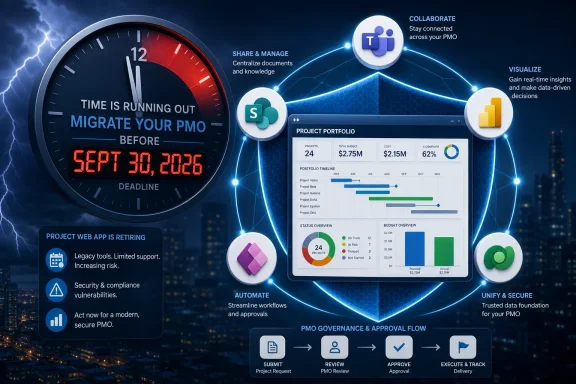
September 30, 2026 may sound far enough away for organizations that are not currently staring at a migration plan. It is not. Large PMO systems do not move on calendar time; they move on budget cycles, procurement timelines, stakeholder workshops, security reviews, pilot phases, training plans, report validation, and change-management windows.By mid-June 2026, the runway is already tight. A serious organization still needs to inventory its Project Online footprint, choose a direction, negotiate licensing or contracts, design the target process, migrate or archive data, rebuild reports, train users, and validate that ongoing projects will not lose operational visibility during the transition. That is a lot to squeeze into a single quarter, especially when vacations, fiscal calendars, and competing IT priorities intervene.
This is why vendors are making noise now. BrightWork is not merely announcing a release; it is trying to become part of urgent procurement conversations before customers lock into Microsoft-native tooling, competing SaaS platforms, or internal Power Platform builds. The retirement date gives every vendor a reason to call. PMOs need a reasoned selection process, not a panic response.
The best teams will separate deadline work from modernization work. They will decide what must be preserved before retirement, what should be redesigned during migration, and what can wait until after the new platform is stable. Trying to solve every PMO problem before September 30 risks solving none of them well.
BrightWork’s Microsoft 365 Wager Leaves PMOs With Fewer Excuses
BrightWork’s latest release is best understood as a wager that PMO teams do not want another island. They want project intake, governance, collaboration, documents, reporting, and executive visibility in the Microsoft environment their users already inhabit. That is a credible bet, especially for organizations whose IT and compliance teams prefer to extend Microsoft 365 rather than approve another standalone platform.But it is not a magic answer. The move from Project Online to BrightWork 365, Microsoft Planner Premium, a competing PPM suite, or an internal Power Platform build will force PMOs to confront the same underlying questions. What is the standard process? Who owns portfolio data? Which reports drive decisions? How are approvals enforced? How much customization is useful before it becomes another legacy system waiting to happen?
The strongest case for BrightWork 365 is not that it replaces every Project Online feature line by line. The stronger case is that it offers a structured Microsoft 365-native path for organizations that see the retirement as a chance to clean up how projects flow through the business. That is a more ambitious promise, and therefore a harder one to deliver.
The September Deadline Rewards PMOs That Start With the Mess
The organizations most likely to handle Project Online’s retirement well will be the ones that begin with their actual environment rather than a vendor comparison spreadsheet. BrightWork’s release gives Microsoft 365-centered PMOs another credible option, but the decision still has to be grounded in operational reality.- Organizations should confirm which Project Online sites, reports, integrations, and active projects must be preserved before the September 30, 2026 retirement date.
- PMO leaders should treat the migration as a governance redesign, not merely a tool replacement.
- Microsoft 365-native options such as BrightWork 365 may reduce adoption and security friction for tenants already standardized on Teams, SharePoint, Power BI, and Power Platform.
- Standalone PPM and work-management platforms may still be better for organizations that need deeper specialization, broader cross-platform collaboration, or less dependence on Microsoft 365.
- Reporting should be designed around executive decisions and portfolio control, not around recreating every old Project Online field.
- IT, security, compliance, and records stakeholders should be involved early because project portfolio data is often more sensitive than it appears.
References
- Primary source: GlobeNewswire
Published: Wed, 17 Jun 2026 19:30:00 GMT
BrightWork Announces Latest BrightWork 365 Release to
The Microsoft 365-based project and portfolio management solution helps organizations improve project governance, reporting, collaboration, and portfolio...www.globenewswire.com - Official source: learn.microsoft.com
Project Online - Microsoft Lifecycle | Microsoft Learn
Project Online follows the Modern-Online Policy.learn.microsoft.com - Official source: techcommunity.microsoft.com
Microsoft Project Online is retiring: What you need to know | Microsoft Community Hub
After more than a decade of supporting project managers and teams around the world, Project Online will officially retire on September 30, 2026. We know... techcommunity.microsoft.com
- Related coverage: onplana.com
Project Online Migration: Complete Guide [2026] | Onplana
Project Online retires September 30, 2026. Step-by-step migration guide covering timeline, options, costs, pitfalls, and validation. Honest, vendor-neutral. www.onplana.com
- Related coverage: tempo.io
Microsoft Project Online in Retirement: Alternatives & Guide | Tempo
Microsoft Project Online is retiring in 2026. Explore the transition timeline, risks of staying, and enterprise-grade migration options for PMOs.www.tempo.io - Official source: directionsonmicrosoft.com
Project Online to Shut Down Sept. 30, 2026 - Directions on Microsoft
The Project Online service will shut down in Sept. 2026 and remove access to all customer data in the service. Customers should immediately start migrating to an alternative. Consider both stability and licensing when choosing an alternative. Seek any migration help as soon as possible...www.directionsonmicrosoft.com
- Related coverage: o365cloudexperts.com
Microsoft Project Online Retirement: What It Means and What Comes Next
Microsoft has officially announced that Project Online will retire on September 30, 2026. In addition, the sale of new Project Online-only plans will end on October 1, 2025. This marks a significant shift for organizations that depend on Microsoft project management tools. While Microsoft...www.o365cloudexperts.com - Related coverage: integent.com
Project Online Retirement Migration Options Explained - Integent
Explore Project Online retirement migration options before the deadline to ensure continuity and minimize operational risks. integent.com
- Related coverage: avepoint.com
Microsoft Project Online Retirement 2026: AvePoint Cloud Backup Impact | AvePoint
Learn how Microsoft Project Online retirement affects AvePoint Cloud Backup customers, including backup changes, restore limitations, and export guidance.www.avepoint.com - Related coverage: theprojectgroup.com
Project Online Retirement: How to Migrate Without Disruption
Project Online retirement is coming sooner than expected. Here’s what you can do now — 3 options for your next steps. Learn more here!www.theprojectgroup.com - Related coverage: geschaeftskunden.telekom.de
Project Online Retirement: Fristen, Alternativen & Empfehlungen | Telekom Geschäftskunden
Microsoft stellt Project Online zum 30. September 2026 ein. Erfahren Sie alle wichtigen Termine, Auswirkungen, Alternativen und konkrete Handlungsempfehlungen für Unternehmen.geschaeftskunden.telekom.de - Related coverage: techassoc.com
- Related coverage: projectinsight.com
- Related coverage: ppmworks.com