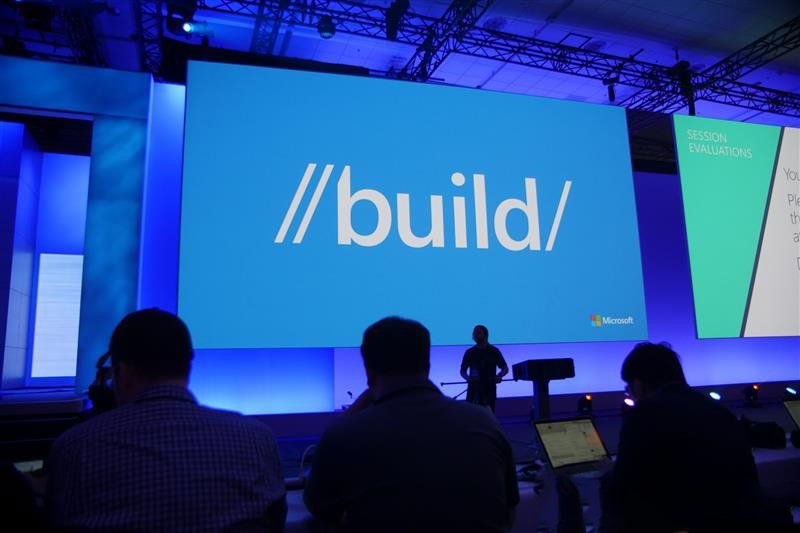
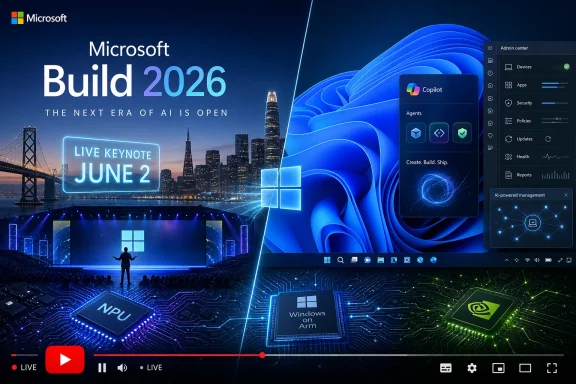
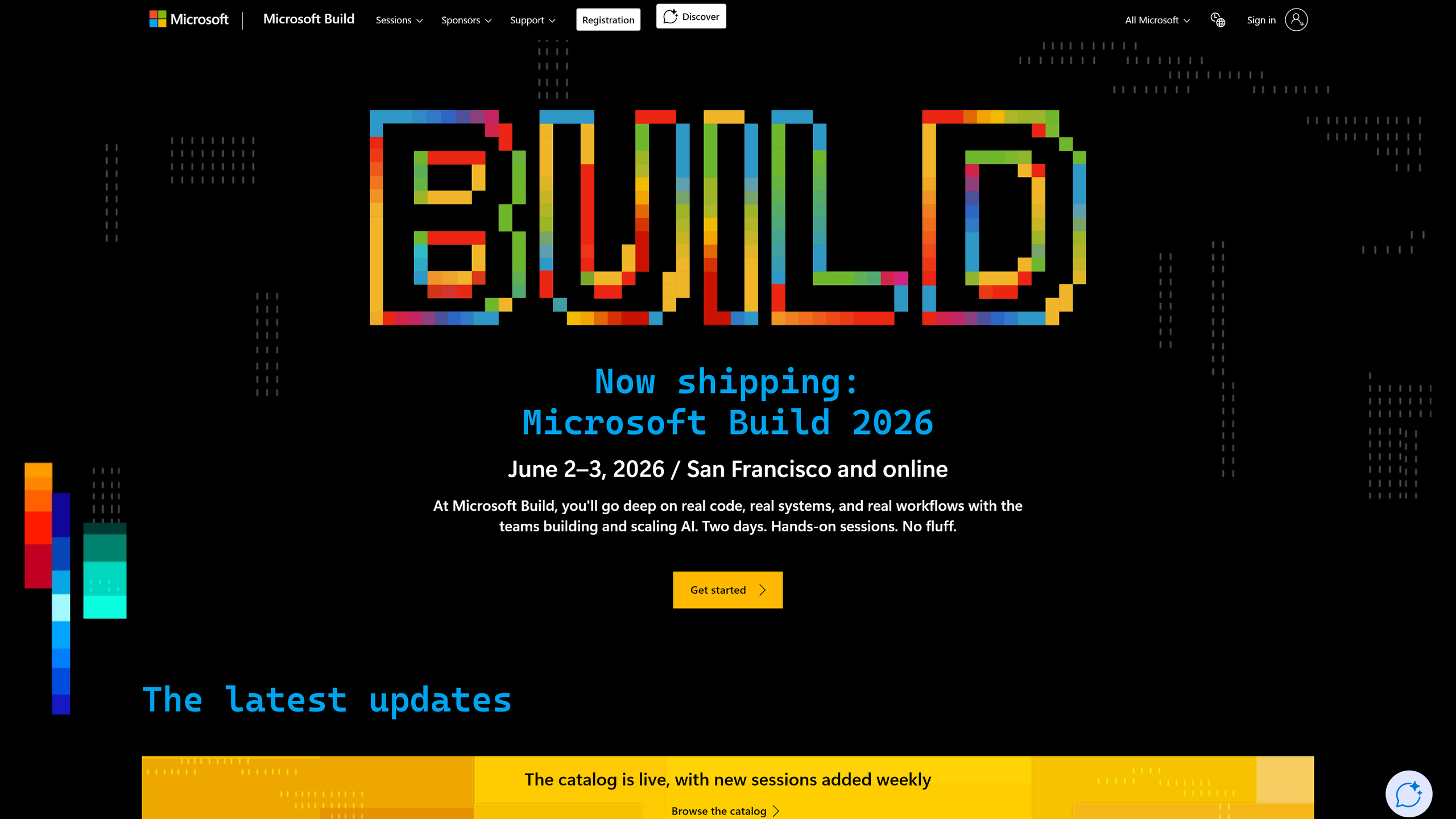
Microsoft Build 2026 is scheduled for June 2–3 at Fort Mason Center in San Francisco, moving Microsoft’s flagship developer conference away from its recent Seattle pattern and into a smaller, AI-focused format aimed at roughly 2,500 in-person attendees plus a free online audience. That venue change is not cosmetic. It says Microsoft now sees Build less as a Windows state-of-the-union and more as a deal room, lab bench, and recruiting ground for the AI developer economy. Sixteen years after Build began as the coming-out party for Windows 8, the conference has become a map of Microsoft’s corporate identity crisis — and its reinvention.

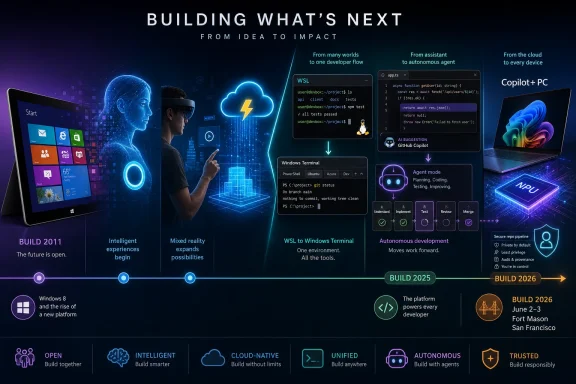
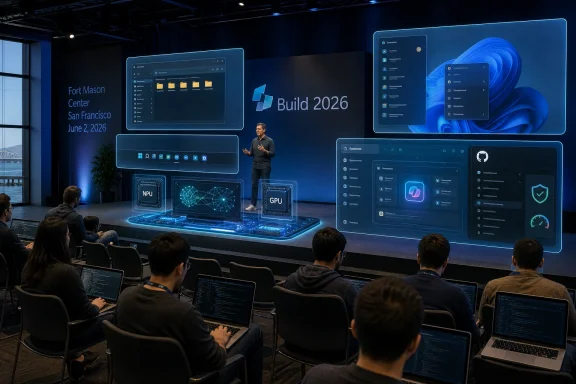
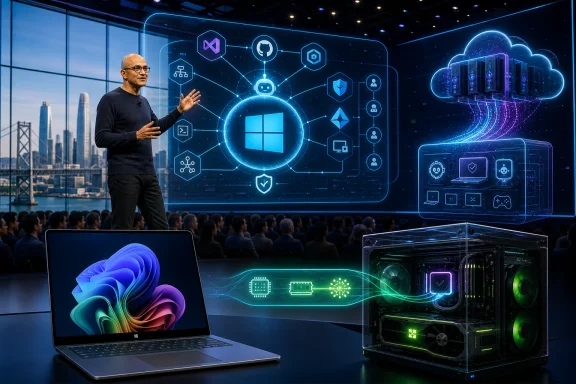
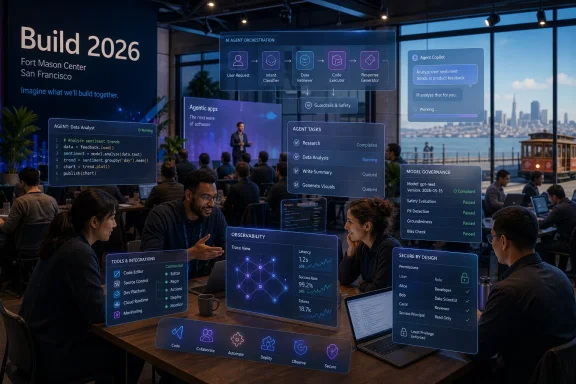
Tech conference scene with a Build 2026 presentation and holographic AI agent dashboard.Build Began as a Windows Conference and Slowly Stopped Being One​

The first Microsoft Build in 2011 was, in the most literal sense, a Windows event. The company gathered developers in Anaheim, handed them Samsung tablets, and asked them to believe in Windows 8, Metro, touch-first apps, and a new software model that was supposed to carry Microsoft into the post-PC age. It was an ambitious pitch, but also a defensive one: Apple had the iPad, Google had Android, and Microsoft needed developers to treat Windows tablets as the next frontier rather than a late answer to someone else’s revolution.
That debut established the Build formula. Microsoft would use the event to preview platform shifts before customers felt them, give developers early tools, and wrap the whole exercise in a story about where computing was going. In 2011, that story was tiled interfaces, app stores, and one operating system that could stretch from desktop PCs to touch devices.
The problem was not that Microsoft lacked conviction. The problem was that the market did not move in the direction Microsoft wanted quickly enough, and Windows 8 asked too much of too many people at once. Build 2012 and Build 2013 therefore became exercises in refinement and repair: Windows 8 apps, Windows Phone 8, Azure, and then Windows 8.1, which tried to soften the shock of the new without admitting the old had won.
Looking back, those early years are valuable because they show Build in its purest Windows-era form. The operating system was still the center of gravity, Azure was important but not yet defining, and developer loyalty was measured by whether Microsoft could convince people to build for its client platforms. The keynote stage was a mirror of the company’s hierarchy: Windows first, everything else orbiting around it.

Nadella Turned Build Into a Public Strategy Memo​

Satya Nadella’s first Build as CEO in 2014 mattered because it changed the premise of the conference. His “mobile-first, cloud-first” framing was awkwardly phrased but strategically blunt: Microsoft could no longer behave as though Windows ownership guaranteed relevance. Developers were building for iOS, Android, Linux, and the web, and Microsoft needed to meet them there.
Build 2014 carried the old and new Microsoft side by side. Windows Phone 8.1 and Cortana still represented the company’s hope that it could compete directly in mobile platforms. But the open-sourcing of Roslyn, the .NET compiler platform, pointed toward a different future, one in which Microsoft would court developers by lowering walls rather than raising them.
The move was symbolic, but symbols matter in developer relations. Microsoft had spent years being treated with suspicion by open-source communities, and Build became one of the places where the company tried to perform its cultural conversion in public. Azure SQL expansion and a redesigned Azure portal were not just product updates; they were signs that Microsoft’s center was shifting from boxed software to services.
The following year made the transition harder to miss. Build 2015 introduced Microsoft Edge, Universal Windows Platform, HoloLens demos, and Windows 10 developer previews. But the announcement that aged best was Visual Studio Code, a free cross-platform editor for Windows, macOS, and Linux. It was not the loudest thing on stage, yet it may have been the clearest expression of Nadella-era Microsoft: go where developers already are, then become indispensable.

Visual Studio Code Was the Quiet Earthquake​

Visual Studio Code’s Build 2015 debut looks almost modest in hindsight. It was a code editor, not an operating system; a developer tool, not a hardware category; a free download, not a revenue engine by itself. But VS Code became one of Microsoft’s most consequential developer products because it reached beyond the Windows faithful.
That mattered because the developer world had changed. Web developers were already living in cross-platform tooling. Cloud developers were deploying to Linux. Startups were not waiting for Microsoft’s permission to define modern development workflows. By making VS Code lightweight, extensible, and available everywhere, Microsoft inserted itself into daily developer habits without demanding a platform conversion.
Build is often remembered for its big theatrical moments, but its real importance lies in announcements that compound quietly. VS Code did not require the industry to buy into a grand Windows vision. It simply became useful enough to become normal. That is a more durable form of influence than keynote applause.
The same pattern would repeat with GitHub after Microsoft’s acquisition, and later with Copilot. The winning move was not to drag developers back to Redmond’s preferred stack. It was to occupy the tools, repositories, editors, and cloud services that define the developer’s working day.

Linux on Windows Marked Microsoft’s Most Unthinkable Surrender​

Build 2016 produced one of those announcements that would have sounded absurd a decade earlier: Bash on Windows. The Windows Subsystem for Linux allowed developers to run Linux command-line tools on Windows without dual-booting or maintaining a separate virtual machine. It was practical, popular, and ideologically explosive.
For years, Windows and Linux had been treated as rival civilizations. Developers who needed Linux tools often treated Windows as a compromise environment, suitable for Office and corporate desktops but less comfortable for modern server-side work. WSL acknowledged reality: if Microsoft wanted Windows to remain viable as a developer workstation, it had to bring Linux workflows closer rather than pretend they did not matter.
The 2016 conference also featured Microsoft’s “Conversation as a Platform” push, the Bot Framework, and Xamarin becoming free for Visual Studio users. Some of that aged better than the rest. The bot wave of that era promised more than it delivered, but Xamarin and WSL fit the broader strategy of reducing friction for developers who needed to ship across platforms.
WSL 2 in 2019 completed the argument by moving from a translation layer to a real Linux kernel. Alongside Windows Terminal, it gave Microsoft a credible answer to developers who had long preferred Unix-like environments. The deeper point was not that Windows had become Linux. It was that Microsoft finally understood Windows had to coexist with Linux as a first-class development reality.

Azure Became the Conference’s Real Operating System​

As Windows lost its monopoly on Microsoft’s imagination, Azure became Build’s connective tissue. The shift did not happen in one dramatic moment. It happened through repeated announcements: storage and compute updates, Azure SQL expansion, Service Fabric, Azure Functions, Cosmos DB, Azure Arc, Container Apps, and the broader data platform.
By Build 2017, the conference had moved to Seattle and Microsoft was speaking more fluently about globally distributed cloud infrastructure than about client operating systems. Azure Cosmos DB’s launch captured the new posture. Microsoft was not merely selling hosting; it was selling managed abstractions for developers building systems that had to span regions, data models, and availability demands.
This was the period when Build stopped being easy to summarize for ordinary PC users. The most important announcements were often infrastructure services, developer APIs, database changes, and deployment tools. That made the conference less glamorous but more strategically important. Microsoft was training developers to think of Azure as the layer underneath everything else.
The cloud also changed Build’s audience. Windows developers still mattered, but so did enterprise architects, DevOps teams, data engineers, open-source maintainers, and startup founders. Build became less about writing apps for Microsoft platforms and more about writing software with Microsoft somewhere in the stack.

The Pandemic Forced Build to Prove It Was More Than a Convention Hall​

Build 2020 could have been a lost year. Instead, the pandemic forced Microsoft to turn the conference into a free digital event, and that move exposed both the strengths and limits of the old in-person model. Suddenly the audience was not constrained by airfare, hotels, or a badge allocation. The conference became more accessible, even as it lost the hallway conversations that make developer events valuable.
The announcements were substantial. Project Reunion, later renamed the Windows App SDK, tried to unify the fractured world of Win32 and UWP development. Windows Terminal reached 1.0, WSL 2 shipped with the Windows 10 May 2020 Update, and winget entered public preview. For Windows enthusiasts, this was a strangely practical Build: less spectacle, more repair work.
That repair work mattered because Windows development had become messy. Microsoft’s attempts to create a clean modern app platform had left developers navigating overlapping models, partial migrations, and shifting guidance. The Windows App SDK was an admission that the future would not be won by pretending Win32 would disappear.
Build 2021 remained virtual and teased what would become Windows 11. Nadella’s hint about a major Windows update showed that the client OS still had narrative power. But even then, the conference’s center of mass was developer velocity, Teams extensibility, Power Platform, Azure Arc, and the Visual Studio roadmap. Windows was important again, but no longer alone.

The AI Era Did Not Start With ChatGPT on Stage​

The common shorthand says Microsoft’s AI era began when Copilot branding swallowed the product line. Build’s timeline tells a subtler story. Build 2022’s Azure OpenAI Service announcement was the infrastructure move that made the later Copilot explosion possible.
That is the announcement in the modern Build timeline that deserves more weight than it often receives. It put OpenAI’s models behind Azure’s enterprise wrapper, giving Microsoft a way to sell generative AI to organizations that cared about identity, compliance, data handling, and procurement. The product story that followed — Copilot in Microsoft 365, Windows, Edge, GitHub, and security tools — depended on that commercial plumbing.
Build 2022 also introduced Azure Container Apps and Project Volterra, showing that Microsoft was thinking about cloud-native development and ARM-native Windows development at the same time. But Azure OpenAI was the hinge. It turned AI from a research-adjacent capability into something Microsoft could package, meter, govern, and sell.
That distinction matters because it separates demo culture from platform strategy. A model demo can impress a keynote audience. A managed enterprise service can change budgets, architecture diagrams, and roadmaps. Build 2022 was where the second version became visible.

Copilot Turned Build Into a Single-Theme Conference​

Build 2023 was the year Microsoft stopped treating AI as one track among many and made it the organizing principle for nearly everything. Copilot appeared across Windows 11, Microsoft 365, Edge, and GitHub, while the Microsoft-OpenAI partnership became central to the company’s developer pitch. Bing’s role in ChatGPT and plugin distribution through Microsoft channels tied the consumer, developer, and cloud stories together.
The coherence was impressive, but also risky. Microsoft had spent years building Build as a multi-platform developer conference: Windows, Azure, GitHub, Visual Studio, Teams, Power Platform, databases, security, and devices. The Copilot era threatened to flatten all of that into a single message: add AI to everything.
Build 2024 doubled down with Copilot+ PCs, GPT-4o on Azure AI, Team Copilot, Phi-3 models, and GitHub Copilot updates. Copilot+ PCs were especially revealing because they moved the AI pitch back onto the Windows hardware roadmap. After years of cloud-first messaging, Microsoft was again asking users and developers to care about the capabilities of the local PC — this time measured in neural processing performance rather than CPU clock speed or touch support.
The launch also showed how difficult the AI PC message would be. Developers needed APIs, users needed trust, OEMs needed differentiation, and enterprises needed governance. The Copilot+ label promised a new class of Windows machine, but the value of that class depended on software experiences that were still emerging.

Agents Are Microsoft’s New Platform Bet​

Build 2025 pushed the narrative from assistants to agents. More than 50 AI-related announcements framed the conference around systems that could reason, act, write code, analyze information, and perform work with less direct prompting. GitHub Copilot’s coding agent drew attention because it moved Copilot from suggestion engine toward autonomous software maintenance.
That transition is larger than a feature upgrade. Autocomplete helps a developer type faster. An agent that opens pull requests changes workflow, review culture, accountability, and the definition of junior development work. It also raises uncomfortable questions about trust, security, licensing, and who owns the mistakes made by semi-autonomous tools.
Microsoft 365 Copilot’s Researcher and Analyst agents pointed the same idea at office work. The pitch was not simply that AI could summarize email or draft text. It was that AI could become a role-like participant in professional workflows, taking on bounded tasks that previously belonged to analysts, assistants, or operations staff.
The open-sourcing of most of WSL at Build 2025 was a reminder that Microsoft still knows how to earn developer goodwill through conventional means. But the gravitational pull was obvious. Build had become the place where Microsoft explains how much work it thinks AI agents can absorb — and where developers decide whether to believe it.

San Francisco Is Not Just a Venue Change​

That brings us to Build 2026, and the move back to San Francisco. Microsoft has held Build in California before, but the 2026 relocation carries a different meaning than the Moscone years. San Francisco is now shorthand for the AI startup ecosystem, model labs, venture capital, agent frameworks, and the unsettled developer culture forming around generative systems.
Fort Mason Center is also a smaller, more intimate venue than the large convention spaces associated with past Build events. The reported cap of roughly 2,500 in-person attendees suggests Microsoft is trading scale for density. That is a telling choice for a company that can stream to the world but still wants selected developers, partners, and engineers in the same rooms.
The official framing around real code, real systems, and hands-on AI workflows reinforces the point. Build 2026 is being positioned less as a broadcast spectacle and more as a working session for people building with AI. The online audience will still get the keynote theater, but the in-person value proposition is proximity: product engineers, live systems, and other developers who are wrestling with the same uncertain stack.
This is Microsoft adapting to the fact that AI developer platforms are not settled. In the Windows 8 era, Microsoft could hand attendees tablets and say, “Build for this.” In the AI agent era, the company has to say something more complicated: build with these models, these tools, these governance layers, these IDE integrations, these cloud services, and these still-evolving assumptions about what software is.

The Paid Timeline Still Reveals a Real Story​

The TechRadar Pro timeline arrives as part of a paid partnership with Microsoft, and readers should treat that context seriously. Vendor-funded editorial packages tend to emphasize continuity, momentum, and strategic clarity. They are less likely to dwell on failed bets, abandoned frameworks, product confusion, or the gap between keynote demos and production deployments.
Still, the chronology is useful because Microsoft’s developer history is unusually visible through Build. Windows 8, Cortana, UWP, HoloLens, bots, WSL, Windows Terminal, Azure OpenAI, Copilot, Copilot+ PCs, and agents all appeared in or around this conference series. Some became foundations. Some became cautionary tales. All of them show what Microsoft wanted developers to believe at a given moment.
That is why the timeline should not be read as a victory lap. It is better understood as a sediment core. Each year preserves a layer of Microsoft’s assumptions about the future: touch-first Windows, mobile parity, cloud-first services, open-source reconciliation, Linux coexistence, remote collaboration, low-code fusion, AI copilots, and now agentic work.
The most interesting thing is how often Microsoft had to revise its story without abandoning the conference as the place to tell it. Build survived Windows 8’s backlash, Windows Phone’s collapse, the pandemic, the move to cloud, and the AI pivot because its real product was never any single SDK. Its real product was developer permission.

Windows Users Still Have Skin in This Game​

For WindowsForum readers, the temptation is to see Build as increasingly distant from everyday Windows use. Azure services, model catalogs, agent frameworks, and GitHub workflows can feel remote from the practical concerns of installing updates, managing drivers, configuring devices, and keeping PCs stable. But Build’s announcements have a way of reaching the desktop eventually.
WSL is the cleanest example. What began as a developer feature became one of the reasons Windows remains credible for technical users who might otherwise prefer Linux or macOS. Windows Terminal and winget followed the same path: developer-oriented tools that improved the platform’s everyday power-user experience.
Copilot+ PCs may follow that route, though the outcome is not guaranteed. If on-device AI produces genuinely useful local features, better developer APIs, and privacy-preserving workflows, then Build 2024’s hardware turn will look prescient. If it produces branding confusion and uneven experiences gated by new silicon, it will feel more like another attempt to manufacture a PC upgrade cycle.
Administrators should watch Build for a different reason. Microsoft’s developer announcements often foreshadow management burdens. New app models, identity integrations, agent permissions, local AI runtimes, and cloud-connected developer tools all create policy questions. The keynote tells you what Microsoft wants developers to adopt; the sessions often hint at what IT will have to govern later.

The Next Build Is Really About Trust​

Microsoft’s AI problem in 2026 is not whether it can produce announcements. It can. The harder problem is trust: trust that agents will behave within boundaries, trust that Copilot features will respect organizational data, trust that Windows AI features will not outrun user consent, and trust that developers can build on Microsoft’s AI stack without being trapped by fast-changing abstractions.
That is why Build 2026’s smaller format may be smart. AI development is not just a matter of publishing APIs. Developers need to understand failure modes, cost controls, model selection, evaluation, grounding, permissions, observability, and deployment patterns. Those topics are difficult to communicate through a keynote alone.
The move also reflects the competitive pressure around Microsoft. OpenAI, Google, Anthropic, Amazon, Meta, Apple, and a wide field of startups are all trying to define parts of the AI development stack. Microsoft’s advantage is not that it has every best model or every best interface. Its advantage is integration: GitHub, VS Code, Azure, Windows, Microsoft 365, Entra, Teams, and enterprise sales all under one roof.
But integration cuts both ways. Developers like convenience until it becomes lock-in. Administrators like centralization until it becomes blast radius. Windows users like new capabilities until they feel imposed. Build 2026 will therefore need to do more than announce the next Copilot feature. It will need to make Microsoft’s AI platform feel buildable, governable, and worth betting on.
Sixteen Years of Build Compress Into One San Francisco Test​

The most concrete lessons from Build’s history are not nostalgic; they are operational. Microsoft has used this conference to reset developer expectations before, and the 2026 edition looks like another reset point.
  • Build began in 2011 as a Windows 8 developer launchpad, but its center of gravity has steadily moved toward Azure, GitHub, open-source tooling, and AI.
  • The announcements that aged best were often practical developer tools, including Visual Studio Code, WSL, Windows Terminal, winget, and Azure OpenAI Service.
  • Microsoft’s biggest Build-era reversals came when it stopped forcing developers into Windows-only assumptions and started meeting them across Linux, macOS, cloud, and open-source workflows.
  • The Copilot era has made Build more coherent but also more dependent on Microsoft proving that AI features can become reliable production systems.
  • Build 2026’s smaller San Francisco format suggests Microsoft wants deeper engagement with AI builders rather than merely a larger keynote audience.
  • Windows users and IT administrators should watch Build because developer platform shifts often become tomorrow’s desktop features, management policies, and security concerns.
Microsoft Build’s first 16 years trace a company learning, sometimes painfully, that developer loyalty cannot be commanded by operating-system dominance alone. The 2026 conference will test the next version of that lesson: whether Microsoft can turn its enormous AI distribution advantage into a platform developers trust enough to build on, administrators can govern without dread, and Windows users can experience as progress rather than intrusion.

References​

  1. Primary source: TechRadar
    Published: Tue, 19 May 2026 09:36:25 GMT
  2. Related coverage: nvidia.com
  3. Official source: developer.microsoft.com
  4. Related coverage: redhat.com
  5. Related coverage: reworked.co
  6. Related coverage: windowscentral.com
 

TechRadar’s retrospective on ten Microsoft Build launches traces how products introduced between Build 2011 and Build 2025 moved from keynote demos into Windows, Azure, GitHub, mixed reality, or the corporate graveyard, while Build 2026 is scheduled for June 2–3 at Fort Mason Center in San Francisco. The list is useful because it treats Build not as a parade of announcements, but as a record of Microsoft’s shifting center of gravity. Windows once dominated the show; now AI agents, cloud services, and developer workflows do. The lesson is not that Microsoft always guesses right, but that Build is where the company makes its bets visible before the market has voted.

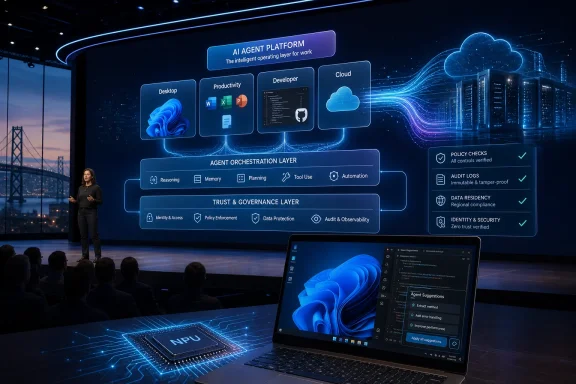
Futuristic Microsoft Build infographic showing AI developer tools from IDE to cloud and devices.Build Is Microsoft’s Public Draft of the Future​

Microsoft Build has always had a strange dual identity. It is a developer conference, yes, but it is also a corporate weather vane: a place where Microsoft tells programmers which assumptions it wants them to make about the next several years of computing.
That makes TechRadar’s list more revealing than a simple “where are they now?” roundup. Windows 8, Cortana, HoloLens, Azure Functions, WSL, Windows Terminal, GitHub Copilot, Windows Copilot, Copilot+ PCs, and GitHub Copilot’s coding agent do not belong to one neat product category. They are artifacts from different Microsoft eras.
The early entries came from a company trying to defend Windows as the center of personal computing. The middle entries came from a company learning that developers wanted Linux tools, cloud primitives, and open-source workflows more than they wanted another Windows-only platform sermon. The latest entries come from a company trying to turn AI from a feature into a substrate.
Seen that way, Build is less a launchpad than a ledger. It records Microsoft’s ambitions, its corrections, and the sometimes brutal gap between a keynote promise and a product people actually want to use.

Windows 8 Was the Original Sin and the Necessary Shock​

The first Build in 2011 was not subtle. Microsoft brought developers to Anaheim, handed attendees Samsung tablets running a Windows 8 developer preview, and made the Metro interface the center of the company’s story. The message was unmistakable: Windows would become a touch-first platform, and developers needed to follow.
The problem was not that Microsoft misunderstood the importance of tablets. The iPad had already changed user expectations, and Windows could not remain frozen in the desktop metaphor forever. The problem was that Microsoft tried to solve its tablet problem by imposing a tablet answer on desktop users who had not asked for one.
Windows 8 became a lesson in the danger of confusing architectural ambition with user consent. The Start button disappeared, the Start screen took over, and the Windows Store arrived without the app gravity needed to justify the disruption. For developers, Microsoft was asking for new apps on a new model; for users, it was asking for patience.
Windows 8.1 softened the blow, and Windows 10 eventually became the apology. But it would be wrong to treat Windows 8 only as a failure. Its technical work, app packaging ideas, and push toward a more modern Windows platform did not vanish; they were absorbed into later versions under a less confrontational interface.
That pattern recurs throughout Build history. Microsoft often announces the future too early, ships it too aggressively, then later reincorporates the useful pieces after the branding has cooled.

Cortana Proved That Personality Cannot Save a Weak Platform​

Cortana’s Build 2014 debut had the kind of cultural polish Microsoft rarely achieves. Naming a digital assistant after the Halo AI gave Windows Phone loyalists something to rally around, and the demo placed Microsoft squarely in the race against Siri and Google Now. For a moment, it looked like Microsoft had found a way to make its ecosystem feel less corporate.
But assistants are only as strong as the platforms beneath them. Cortana began on Windows Phone 8.1, and Windows Phone was already losing the developer and consumer battle. By the time Cortana reached Windows 10, Amazon had seized the smart-speaker imagination with Alexa, Google controlled Android distribution, and Apple had Siri embedded across its hardware base.
Microsoft tried to reposition Cortana as a productivity assistant rather than a general-purpose consumer companion. That was rational, but it also revealed the retreat. A digital assistant that cannot follow the user across phone, home, car, and workplace is not really an assistant; it is a feature with a microphone.
The shutdown of the standalone Cortana app in Windows in 2023 and the end of remaining integrations by 2024 completed the arc. Cortana did not fail because Microsoft lacked AI research or brand recognition. It failed because Microsoft did not control the mobile and ambient hardware territory where assistants became habits.
Copilot now occupies the Windows assistant slot, but Cortana’s ghost still matters. It reminds Microsoft that a name, a voice, and a prominent taskbar position do not create daily utility. The assistant must be present where work happens, and it must do more than decorate search.

HoloLens Showed Microsoft Could Still Dazzle, Then Could Not Scale the Magic​

HoloLens at Build 2015 was one of the rare modern Microsoft demos that felt genuinely futuristic. Developers did not merely watch a video; they saw holographic panels, spatial interfaces, and mixed-reality scenarios that suggested Windows might escape the rectangle. The response was strong because the ambition was clear.
The device that followed was real, expensive, and technically impressive. The 2016 developer edition cost $3,000, and HoloLens 2 improved the ergonomics, hand tracking, and field of view. For medicine, industrial training, remote assistance, and manufacturing, Microsoft could make a serious enterprise case.
What never arrived was the broad developer market implied by the early theatrics. HoloLens did not become the next Windows platform. It became a specialized tool for organizations with budgets, controlled environments, and workflows where hands-free spatial overlays had obvious value.
That narrowing was not shameful, but it was revealing. Microsoft is often strongest when selling to enterprises that can absorb cost and complexity. It is weaker when it needs consumers and independent developers to invent a market around a new form factor.
The reported winding down of HoloLens hardware development made the original Build excitement look overextended. The idea of mixed reality did not die, and Microsoft’s work in spatial computing influenced later industry thinking. But HoloLens became another example of a Build launch where the demo was easier than the ecosystem.

Azure Functions Was the Quiet Launch That Actually Became Infrastructure​

Azure Functions did not have Cortana’s personality or HoloLens’ stage magic. It entered public preview at Build 2016 as Microsoft’s answer to serverless computing: event-driven code without server management, with billing tied to actual execution. It was a developer plumbing announcement, and that is precisely why it aged well.
Serverless was not a gimmick in search of a market. Developers already wanted to wire together cloud events, APIs, queues, and scheduled tasks without provisioning full application stacks. AWS Lambda had shown the demand; Microsoft needed Azure to feel equally natural for that model.
Azure Functions reached general availability quickly and became part of the cloud fabric. Its success was not about winning a keynote, but about becoming a default option in architectures that most users never see. In enterprise computing, that is often the more durable victory.
The service also shows how Build changed as Azure gained weight inside Microsoft. The most important developer announcements were no longer always things users could click on in Windows. They were services that made Azure stickier, lowered operational friction, and gave developers reasons to keep workloads inside Microsoft’s cloud.
Now that Azure Functions can sit inside AI-heavy workflows, including agent triggers and integrations with Microsoft’s AI platform, the 2016 announcement looks less like a standalone product than a foundation stone. The best Build launches are not always the loudest. Sometimes they are the ones that become boring enough to depend on.

WSL Was Microsoft Admitting Developers Had Already Voted​

The Windows Subsystem for Linux, announced at Build 2016, was one of the most strategically honest products Microsoft has shipped in the modern era. For years, developers had treated Windows as a compromise environment. If they wanted Unix-like tooling, package managers, shell workflows, and production-like development setups, macOS and Linux often felt more natural.
WSL did not pretend otherwise. It conceded the point and then tried to make Windows good enough for the workflows developers were already choosing. That concession was more powerful than another attempt to persuade developers that Windows-native tooling should be enough.
The original WSL used a compatibility layer. WSL 2, announced at Build 2019, moved to a real Linux kernel running in a lightweight virtualized environment. That shift mattered because it favored fidelity over purity. Microsoft was no longer trying to simulate Linux just enough to keep developers inside Windows; it was giving them Linux because that was what they needed.
The later decision to decouple WSL updates from the Windows codebase made the product feel less trapped by operating-system release cycles. The open-sourcing of WSL at Build 2025 completed a symbolic arc that began with developer skepticism in 2016. A company once famous for hostility to Linux had made Linux-on-Windows a first-class developer tool.
For WindowsForum readers, WSL may be the single most important Build product on TechRadar’s list. It changed Windows not by adding a flashy consumer feature, but by making the OS less defensive. It let Windows become a better host for other ecosystems, which is a very different kind of platform confidence.

Windows Terminal Fixed the Front Door Developers Used Every Day​

Windows Terminal, announced at Build 2019, was smaller than WSL but emotionally connected to the same shift. Command Prompt, PowerShell, and WSL all existed, but the user experience around them felt fragmented and stale. Developers noticed because terminals are not occasional tools; they are daily workspaces.
The new Windows Terminal brought tabs, GPU-accelerated rendering, modern text handling, customization, and a single home for multiple shells. It did not ask developers to change their entire stack. It simply removed a source of friction that had made Windows feel behind.
That kind of improvement is easy to underrate from the outside. No CIO buys Windows because the terminal has tabs. But developers form opinions through repeated contact with small tools, and those opinions shape platform preference over time.
Windows Terminal’s first stable release arrived at Build 2020, and it later became the default terminal experience in Windows 11. That path is notable because it represents Microsoft at its best: open-source development, fast iteration through the Store, and a product that solves a practical complaint without grandiose reinvention.
In the long view, Windows Terminal and WSL belong together. One gave Windows the Linux environment developers wanted; the other gave those workflows a modern front end. Neither restored Windows’ old monopoly over developers, but both made Windows harder to dismiss.

GitHub Copilot Turned Build Into an AI Labor Negotiation​

GitHub Copilot’s general availability announcement at Build 2022 now looks like the beginning of Microsoft’s AI era, even if the company did not yet have the full Copilot branding machine in motion. Built with OpenAI and surfaced inside editors developers already used, Copilot avoided the usual platform adoption trap. It did not ask developers to move; it moved into their workflow.
That was the genius of the product. Earlier Build launches often required developers to bet on Microsoft’s preferred future: Metro apps, Windows Phone, HoloLens, or a new app model. Copilot asked a simpler question: would you like your editor to autocomplete more than syntax?
The answer, for many, was yes. Subscription growth was fast, and studies suggesting large productivity gains gave Microsoft a clean enterprise sales narrative. Even developers who disliked the hype had to acknowledge that AI-assisted coding had crossed from novelty into working tool.
But Copilot also changed the politics of developer platforms. Once a tool suggests code, summarizes pull requests, reviews changes, and proposes fixes, it is no longer just a convenience. It becomes part of the labor process, part of the security surface, and part of the debate over authorship, licensing, quality, and skill.
That is why Copilot is more consequential than Cortana, even though both are branded as assistants. Cortana tried to create a conversational layer over general computing. Copilot embedded itself inside a high-value professional task and started eating outward from there.

Windows Copilot Was a Sidebar in Search of a Job​

Windows Copilot’s Build 2023 announcement made strategic sense and product sense only up to a point. If AI assistants were becoming central to Microsoft 365, Edge, Bing, GitHub, and Azure, Windows could hardly sit outside the story. Putting a chatbot in the operating system was the obvious keynote move.
The harder question was what Windows Copilot was uniquely supposed to do. A sidebar assistant can answer questions, summarize content, adjust settings, and launch actions, but those capabilities overlap with browser chat, Office assistants, and web-based AI tools. The risk was that Copilot in Windows would feel less like the brain of the PC and more like another surface for the same cloud service.
Microsoft’s subsequent branding consolidation under the broader Microsoft Copilot name made the original Windows Copilot identity feel transitional. That may be fine. Build often produces names that later get folded into bigger strategies. But it also shows that the Windows team has not yet fully solved the interface problem for AI on the PC.
The OS-level assistant should theoretically have enormous advantages. It can see local context, understand device state, manage settings, coordinate apps, and use hardware capabilities. Yet privacy expectations, security boundaries, and user trust make that far harder than placing a chat box in a browser.
Windows Copilot is therefore still more promise than proof. It represents Microsoft’s desire to make AI native to Windows, but the everyday experience has not yet matched the strategic importance assigned to it.

Copilot+ PCs Made the AI Bet Physical​

The Copilot+ PC announcement around Build 2024 was Microsoft’s attempt to turn AI from software branding into hardware taxonomy. The requirement for an NPU capable of at least 40 TOPS gave the category a measurable threshold, and the first Surface devices made the pitch concrete. This was not just “a PC that can run Copilot”; it was supposed to be a new class of Windows machine.
The logic was sound. If AI features are always cloud-dependent, then the PC becomes a thin client for someone else’s model. On-device AI promises lower latency, better privacy options, offline capability, and differentiation for new hardware. For OEMs and chipmakers, it also creates a reason to sell the next refresh cycle.
But Copilot+ PCs immediately ran into the problem that has haunted Windows platform shifts for decades: the feature story must justify the hardware story. Live captions, image generation, and local AI effects are useful, but they are not yet equivalent to the leap from HDDs to SSDs or from low-resolution displays to Retina-class panels.
Recall sharpened that tension. As a searchable timeline of PC activity, it was exactly the kind of feature that could demonstrate why local AI mattered. It was also exactly the kind of feature that triggered privacy and security alarm bells when users imagined sensitive data being captured, indexed, and retrieved.
Microsoft’s delay and later tightening of Recall was the right move, but it exposed the central dilemma of AI PCs. The most powerful local AI features require deep context, and deep context is where trust becomes the product. Copilot+ PCs will succeed only if Microsoft proves that usefulness and restraint can coexist.

The Coding Agent Is Microsoft’s Most Aggressive Build Bet Since Windows 8​

GitHub Copilot’s autonomous coding agent, announced at Build 2025, is not just an upgrade to autocomplete. It marks a shift from AI that helps while a developer types to AI that accepts a task, changes files, runs tests, fixes errors, and opens a draft pull request. That is a different relationship between developer and tool.
Microsoft and GitHub are careful to frame the agent as auditable and bounded. Actions are logged, developers review the work, and repository protections remain in place. That language is not incidental. It is a response to the obvious fear that autonomous code generation could become a fast way to introduce insecure, unreviewed, or simply mediocre changes at scale.
The comparison Satya Nadella reportedly drew to earlier platform shifts is ambitious, but not absurd. If coding agents become normal, software development workflows will reorganize around task delegation, review, testing, and orchestration. The developer’s job would not disappear, but the center of effort could move.
That said, agentic coding is also where AI hype most risks colliding with production reality. Enterprise codebases are messy. Tests are incomplete. Requirements are ambiguous. Security rules vary. Build pipelines fail for reasons no model can infer from a prompt alone.
The coding agent’s importance is therefore not that it can replace developers. It is that Microsoft wants GitHub to become the place where AI labor is assigned, observed, constrained, and merged. That is a platform play of the highest order.

Build 2026 Arrives With Less Room and a Bigger AI Burden​

Build 2026 is scheduled for June 2 and 3 at Fort Mason Center in San Francisco, a notable move from the Seattle-centered rhythm that defined recent years. The smaller in-person capacity gives the event a more curated feel, even as online streaming keeps the keynote spectacle broad. The physical conference may be compact, but the strategic expectations are not.
The agenda points toward developer tools, cloud and data, model training, agents, apps, and the expanding Copilot ecosystem. That is exactly where Microsoft wants attention. The company has spent the last several years turning AI from a research partnership into a product architecture that touches Windows, Azure, GitHub, Microsoft 365, Edge, and Surface-class hardware.
The challenge for Build 2026 is that the easy AI announcements are mostly gone. Microsoft has already shown chat, code completion, agents, local NPUs, AI PCs, and Copilot branding across nearly everything. The next phase needs evidence that these pieces compose into durable workflows rather than parallel demos.
For developers, the practical questions will matter more than the adjectives. Can agents be governed? Can Copilot features be customized to internal code and policy without unacceptable leakage or cost? Can local AI on Windows justify hardware refreshes? Can Azure AI tooling avoid becoming a maze of overlapping services?
Microsoft’s advantage is distribution. It owns Windows, GitHub, Visual Studio, Azure, Office, and a vast enterprise channel. Its risk is that distribution can push features into view before they are good enough to earn trust.

The Pattern Is Clearer Than the Product Names​

TechRadar’s selection works because the ten products do not merely show what Microsoft launched. They show how the company learns in public. Windows 8 overreached, Cortana lost its platform, HoloLens narrowed, Azure Functions endured, WSL conceded reality, Windows Terminal repaired trust, Copilot expanded, and AI agents now test the limits of delegation.
The pattern is not random. Microsoft’s durable Build successes tend to share a trait: they reduce friction in workflows developers already have. Azure Functions fit cloud architecture. WSL fit Linux-based development. Windows Terminal fit daily command-line work. GitHub Copilot fit the editor.
The weaker or more troubled launches asked the market to reorganize around Microsoft’s preferred interface or device category. Windows 8 asked desktop users to accept a tablet-first shell. Cortana asked users to adopt an assistant without a winning mobile platform. HoloLens asked developers to imagine a market that hardware could not yet scale.
This distinction should shape how Windows enthusiasts read Build 2026. The question is not whether Microsoft can produce impressive AI demos. It can. The question is whether those demos remove real friction or merely relocate complexity under a Copilot label.

The Build Scorecard Favors Tools Over Theater​

The history of Build rewards a skeptical but not cynical reading. Microsoft has shipped failures from that stage, but it has also shipped tools that materially changed how developers use Windows and Azure. The best way to judge the next keynote is to ask which announcements will still make sense after the branding changes.
A few concrete lessons stand out:
  • Products that meet developers inside existing workflows have aged better than products that ask developers to invent new markets from scratch.
  • Windows succeeds as a developer platform when it becomes more permeable, not when it insists on being the only world that matters.
  • AI features on the PC will need trust, local control, and clear utility before hardware labels become more than marketing.
  • GitHub Copilot’s move from assistant to agent is the most consequential current Microsoft developer bet because it changes workflow ownership, not just code completion.
  • Build 2026 will be judged less by how many Copilot announcements appear and more by whether Microsoft can make agents governable, auditable, and useful in real organizations.
Microsoft has spent fifteen years using Build to rehearse the future in front of the people expected to construct it. Sometimes the rehearsal becomes the show; sometimes the set is torn down and reused elsewhere. As Build 2026 approaches, the smart read is neither blind enthusiasm nor reflexive dismissal, but attention to where Microsoft is no longer merely announcing products and is instead trying to redefine the work developers, administrators, and Windows users perform every day.

References​

  1. Primary source: TechRadar
    Published: Wed, 27 May 2026 07:11:52 GMT
  2. Related coverage: techcrunch.com
  3. Related coverage: androidauthority.com
  4. Related coverage: thurrott.com
  5. Related coverage: arstechnica.com
  6. Official source: news.microsoft.com
 

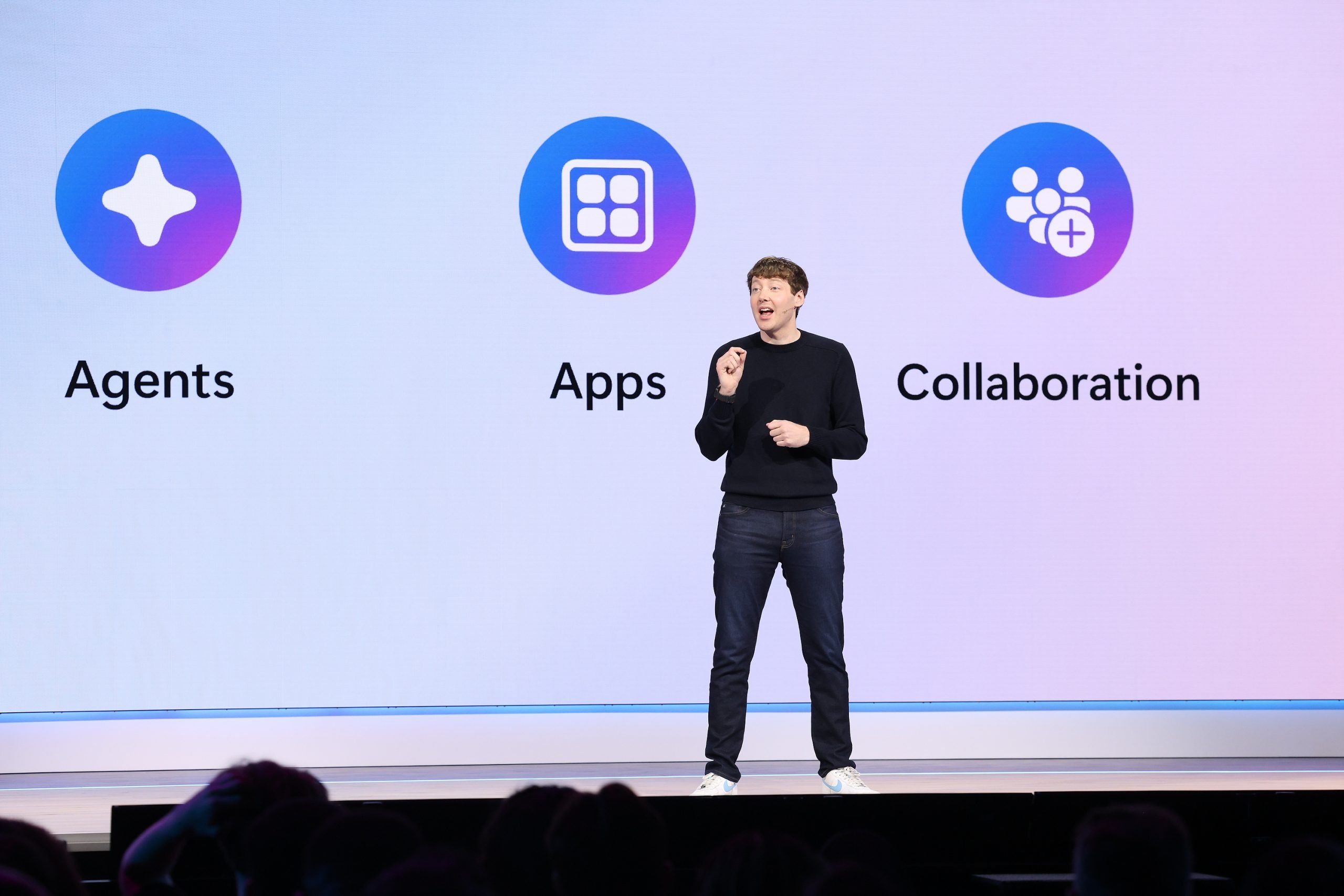
Microsoft is expected to use Build 2026, opening June 2 at Fort Mason Center in San Francisco, to preview new AI models, a Copilot “super app,” local Windows AI work, and developer-focused Windows 11 improvements aimed at rebuilding confidence in its platform. The venue is smaller, but the stakes are larger than the room. Microsoft is no longer merely pitching tools; it is trying to convince developers that Windows, GitHub, Copilot, and its AI stack still belong at the center of their work. That is a harder sell than any keynote demo.

Tech conference keynote with a speaker and glowing “Build 2026” screens over an audience of developers.Microsoft Comes to Build With a Trust Deficit, Not Just a Product Roadmap​

Build has always been part conference, part state-of-the-union address. In the old Professional Developers Conference era, Microsoft used the stage to tell developers where Windows was going and why they should follow. In the Azure era, Build became the place where Microsoft argued that its cloud was not an escape from Windows but the next layer of the platform.
This year’s reported agenda lands differently. The story is not simply that Microsoft has more AI models, more Copilot surfaces, and more Windows features to show. The story is that Microsoft has to persuade a skeptical developer base that the company can still execute coherently across the stack it already owns.
That skepticism did not appear overnight. Windows 11 has spent years accumulating small irritations: inconsistent UI behavior, slow context menus, File Explorer complaints, advertising-like prompts, Copilot placement churn, and uneven update quality. GitHub, meanwhile, has become both more central to Microsoft’s developer strategy and more exposed to criticism when outages, security incidents, or leadership departures shake confidence.
Microsoft’s problem is therefore not a lack of ambition. If anything, ambition has been the easy part. The harder question is whether the company can translate its AI-first strategy into products that feel faster, calmer, more reliable, and less like every surface has been drafted into a monetization experiment.

The Developer Pitch Starts With Windows Getting Out of the Way​

The most interesting reported Windows announcement is not the flashiest one. A “developer optimized experience” for Windows 11 sounds modest next to new reasoning models and Copilot agents, but it may be the most politically important part of the show. Developers have been asking Microsoft for a cleaner Windows environment for years: fewer distractions, fewer consumer defaults, more predictable tooling, and less time spent undoing decisions made for a mass-market PC buyer.
If Microsoft really delivers a Windows setup that arrives with developer tools, scripts, and a distraction-free baseline, it would be acknowledging something the company has often resisted saying plainly: the default Windows experience is not the best experience for every serious user. That matters because developers do not merely use operating systems. They judge them, script them, recommend them, image them, and complain about them loudly when they get in the way.
The phrase “developer optimized” could still collapse into branding if Microsoft is not careful. A few preinstalled tools and a new wallpaper do not make an operating system better for development. What developers want is a machine that can be provisioned quickly, patched predictably, kept quiet during focused work, and tuned without spelunking through a dozen competing settings panels.
There is also a larger competitive backdrop. macOS has won mindshare among many developers not because Apple caters lovingly to every enterprise scenario, but because a new Mac can often become a useful dev machine quickly. Linux wins trust because it is scriptable, transparent, and less eager to interrupt. Windows, for all its compatibility advantages, has too often felt like the operating system that must be disciplined before it can be productive.
A real developer mode for Windows 11 could be Microsoft’s attempt to stop treating power users as an edge case. That would be a welcome reversal. But the proof will be in whether the experience is durable after the keynote ends: whether it survives updates, supports enterprise deployment, and avoids becoming another half-integrated Windows initiative.

The Windows Repair Job Is Bigger Than Performance​

Microsoft’s recent public messaging around Windows quality has emphasized performance, reliability, and craft. Those are the right nouns. They are also the nouns companies reach for when users have started to doubt the basics.
The reported Build focus on rewritten parts of Windows 11 fits into that wider rehabilitation campaign. If Microsoft can speed up File Explorer, reduce UI lag, improve taskbar behavior, and make everyday actions feel less brittle, it will have done more for Windows than any AI sidebar could do. For most users, the emotional experience of an operating system is not formed by its most advanced feature. It is formed by the hundred tiny interactions that either feel instant or feel inexplicably sticky.
That is why “fix Windows 11” is not a single engineering project. It is a product philosophy problem. Windows has accumulated layers of legacy compatibility, modern UI frameworks, web-powered shells, cloud account prompts, background services, widgets, notifications, and AI entry points. The result can be powerful, but it can also feel as if multiple Microsofts are competing for the same square inch of glass.
Developers and IT pros see this more sharply than casual users because they live in the seams. They notice when a settings page points to an old Control Panel surface. They notice when a context menu hides the command they actually need. They notice when a feature appears in Insider builds, disappears, returns under a new name, and then ships in a form that seems designed more for telemetry than taste.
Microsoft can talk about AI as the future of Windows, but the immediate demand from many Windows loyalists is more basic: make the operating system feel intentional again. If Build shows that Microsoft understands that, the conference will matter beyond its demos.

Local AI Is the Sensible Counterweight to Cloud Copilot​

The expected emphasis on local models running on Windows is more than a developer convenience. It is a strategic correction. For two years, much of the AI industry has behaved as though every useful prompt should leave the machine, run through a vast cloud inference stack, and return with a subscription-shaped shadow behind it.
That model has obvious limits. Cloud inference costs money, latency matters, privacy constraints are real, and enterprise customers are not always comfortable sending sensitive workflow context to a remote model. Local AI does not solve all of those problems, but it changes the trade-off. If Windows can expose local compute in a clean, developer-friendly way, AI features become something applications can build into the client, not merely something they call from a distant API.
This is where new silicon matters. Qualcomm’s continued work on Windows on Arm, Nvidia’s RTX-based local AI push, and the broader Copilot+ PC effort all point toward a Windows ecosystem in which NPUs and GPUs are no longer optional curiosities. They become part of the platform contract. Developers need to know what hardware capabilities they can count on, how to target them, and how Windows will arbitrate between local and cloud execution.
That arbitration is crucial. A good local AI strategy cannot be a chaos market of vendor SDKs, incompatible runtimes, and mysterious performance cliffs. Windows has a role to play as the layer that makes local models discoverable, deployable, permissioned, and manageable. Microsoft has spent decades abstracting hardware differences for developers. The AI era asks it to do that again, but this time for accelerators, model formats, privacy boundaries, and cost.
There is a risk, however, that local AI becomes another feature Microsoft markets before it standardizes. Developers do not need five ways to run a small model badly. They need one or two credible paths that work across real hardware and survive the next platform reorg.

Microsoft’s Own Models Signal a More Independent AI Strategy​

The reported unveiling of Microsoft AI’s MAI-Thinking-1 reasoning model would be symbolically significant even if it does not immediately reshape the market. Microsoft’s AI story has been inseparable from OpenAI, but the company has been steadily building a more independent model portfolio. A first-party reasoning model would be another sign that Microsoft wants its own AI identity, not merely privileged access to someone else’s.
That does not mean Microsoft is walking away from OpenAI. The partnership remains deeply embedded in Azure, Copilot, and Microsoft’s market positioning. But platform companies dislike dependency at the core of their future. If reasoning models become essential for enterprise agents, software development, planning, and automation, Microsoft will want models it can tune, govern, price, and roadmap on its own terms.
The reported detail that MAI-Thinking-1 was not created through distillation from another model is also notable. Distillation has become a common way to produce smaller or cheaper models by training them on outputs from more capable systems. If Microsoft is emphasizing that it avoided that route, it is likely trying to send a message about provenance, enterprise trust, and technical legitimacy.
Enterprise buyers will care less about model bragging rights than about control. They will ask whether the model can be deployed within their compliance boundaries, whether its reasoning behavior is auditable enough for sensitive workflows, and whether Microsoft can explain how it performs on tasks that matter to business users rather than leaderboard spectators. A reasoning model aimed at enterprise use has to be boring in the right ways: predictable, governable, supportable, and integrated.
The expected image models, including MAI-Image-2.5 and a faster Flash variant, fit the same pattern. Microsoft wants a house brand for AI capability across modalities. The question is whether that house brand becomes a coherent developer platform or just another shelf of model names inside an already crowded catalog.

The Copilot Super App Could Simplify a Mess Microsoft Created​

A Copilot “super app” is both an obvious idea and an admission of sprawl. Microsoft has attached the Copilot name to Windows, Microsoft 365, Edge, GitHub, security tools, business apps, and consumer experiences. The brand is everywhere, which is another way of saying the product boundaries are blurry.
A unified Copilot interface could help. Users should not need to understand Microsoft’s org chart to know which assistant can summarize a document, search a tenant, inspect code, schedule a meeting, or change a Windows setting. A single front door could make Copilot feel less like a set of disconnected demos and more like a working layer across Microsoft’s ecosystem.
But super apps are easy to overpromise. The term implies a central place where many workflows converge, yet Microsoft’s customer base is not a single market. A consumer using Copilot to plan travel, a developer asking GitHub Copilot to refactor code, and a compliance officer querying enterprise data are not just different personas. They involve different permissions, risk models, data sources, and failure costs.
That is why the reported timing matters. If the app is still being built and is not expected in preview until later in the summer, Build may offer more vision than product. Microsoft can show a mockup, hint at agents, and frame Copilot as the connective tissue across Windows and work. But developers and admins will want details: extension points, identity controls, logging, tenant boundaries, data retention, and whether the app respects existing management policies.
There is also a human factor. Many users are already fatigued by AI surfaces that appear before they are useful. A Copilot super app will succeed only if it reduces noise. If it becomes a launcher for every Microsoft assistant, it will merely consolidate confusion.

GitHub Is the Platform Microsoft Cannot Afford to Squander​

For developers, GitHub may matter more than Windows. That would have sounded strange in the old PDC era, but it is plainly true now. GitHub is where code lives, where open-source projects coordinate, where issues are tracked, where CI pipelines run, and where GitHub Copilot has become one of Microsoft’s most visible AI products.
That makes GitHub’s trust problem especially dangerous. Developers tolerate a lot from platforms when the platform feels reliable and independent enough to serve their interests. They become far less forgiving when they suspect the platform is being bent too aggressively toward a parent company’s strategic agenda, or when operational issues raise doubts about resilience.
Microsoft deserves credit for not smothering GitHub immediately after the acquisition. For several years, GitHub retained enough identity to reassure many skeptics. But the more GitHub becomes intertwined with Copilot, Azure, enterprise sales, and Microsoft’s AI ambitions, the harder it becomes to preserve that sense of independence.
Build cannot fix GitHub’s trust issues in one keynote. Nor should Microsoft pretend it can. What it can do is show respect for the seriousness of the problem: clearer reliability commitments, more transparent security practices, better communication around incidents, and product improvements that serve developers rather than merely funneling them into higher-margin AI subscriptions.
If Microsoft ignores GitHub’s credibility problem while asking developers to embrace another wave of AI tooling, it will look tone-deaf. Developers do not want to hear that AI will transform their workflows if the platform hosting those workflows feels unstable or strategically captured. Trust is infrastructure, too.

Windows on Arm Is No Longer a Side Quest​

The reported Qualcomm presence and Nvidia’s renewed interest in Windows on Arm point to another important Build subplot. For years, Windows on Arm was an asterisk: technically interesting, commercially constrained, and haunted by memories of Surface RT. The Copilot+ PC generation changed the conversation, but it did not end the work.
Microsoft now has to manage a more complex silicon ecosystem. Qualcomm wants Windows on Arm to become a mainstream laptop platform. Nvidia sees an opening for AI-heavy local compute and potentially Arm-based Windows machines that lean on its GPU strengths. AMD and Intel remain foundational to the Windows PC market. Microsoft’s job is to keep all of them invested without letting fragmentation become the developer’s problem.
That is a familiar role for Windows, but the stakes have changed. In the x86 era, Microsoft’s abstraction layer was mature and the performance expectations were well understood. In the AI PC era, developers must think about NPUs, GPUs, memory bandwidth, model acceleration, battery life, and runtime compatibility. If Microsoft cannot provide a stable target, developers will either stick to the cloud or optimize for narrower ecosystems.
Windows on Arm also has to prove that compatibility is not merely “good enough for light users.” Developers need toolchains, virtualization, containers, drivers, debugging workflows, and native performance. IT departments need deployment and management parity. Consumers need the old Windows promise: the apps they expect should simply run.
The Build message will likely be optimistic, as keynotes tend to be. The real test will come after the conference, when developers try to build and ship software that uses local AI across Snapdragon laptops, future Nvidia systems, and traditional x86 PCs without creating a support matrix from hell.

The Smaller Room Makes the Stakes Feel Larger​

The move to Fort Mason Center gives this Build a different texture. A smaller, more intimate conference can be read as a practical event decision, but it also reflects the moment. Microsoft does not need to fill a giant hall to prove it is important. It needs to convince the people in the room that the platform is worth building on.
That distinction matters. In the 2010s, Microsoft had to persuade developers that it had survived the mobile platform shift and could compete in cloud. In the 2020s, it has to persuade developers that its AI platform is not just a distribution strategy for Copilot. The company must show that it understands developers as builders, not just as customers to be routed through subscription funnels.
This is where Microsoft’s messaging often strains. The company can speak fluently about productivity, agents, copilots, and transformation, but developers listen for different signals. They want to know whether APIs will be stable, whether pricing will be sane, whether tools will work offline or locally when needed, whether the platform owner will compete with them, and whether yesterday’s strategic priority will be abandoned tomorrow.
Build is therefore a credibility exercise. Every AI announcement will be filtered through the same question: does this make the developer’s work better, or does it make Microsoft’s story tidier? Those are not always the same thing.

The Demos Need to Survive Contact With Admin Reality​

For WindowsForum’s core audience, the most important Build announcements are rarely the ones that generate the cleanest keynote clips. Sysadmins and IT pros live after the applause, when preview features meet policy, compliance, update rings, user training, procurement cycles, and help desk tickets.
A developer-optimized Windows experience sounds promising, but admins will ask whether it can be deployed through Intune, configured through policy, audited, rolled back, and supported across hardware fleets. Local AI sounds efficient, but security teams will ask how models are obtained, where prompts are stored, whether sensitive data is exposed, and how inference workloads are monitored. A Copilot super app sounds convenient, but enterprise architects will ask which data boundaries it crosses and how permissions are enforced.
Microsoft has been here before. Windows features often arrive first as consumer-visible experiences, then acquire management controls later after enterprises complain. That sequence is increasingly untenable. AI features are not like a new Start menu layout. They can touch data, identity, workflows, and decision-making in ways that make governance a day-one requirement.
If Microsoft wants developers and IT pros back onside, it should treat manageability as part of the product, not as an enterprise appendix. The best Build announcements would be the ones that show Microsoft has internalized that lesson.

The Real Build Story Is Whether Microsoft Can Make AI Feel Like Platform Work Again​

The AI boom has encouraged every major tech company to speak in abstractions. Agents will do work. Models will reason. Assistants will orchestrate. Workflows will transform. The language is grand, but developers eventually need boring specifics: SDKs, runtimes, permissions, latency, cost, documentation, debugging, and deployment.
Microsoft is better positioned than most companies to turn AI from spectacle into platform work. It owns Windows, Azure, Visual Studio, GitHub, Microsoft 365, Teams, Edge, and a sprawling enterprise identity and management stack. If any company can make AI feel like a coherent layer across development, productivity, and device computing, Microsoft can.
The danger is that the same breadth becomes the source of confusion. Copilot can mean too many things. Windows can serve too many masters. GitHub can become too strategically important to feel neutral. Azure can make every local AI story sound like a prelude to cloud consumption. Microsoft’s opportunity and its problem are the same: it has the whole stack.
That is why Build 2026 matters. It is not just another AI showcase. It is a referendum on whether Microsoft can impose clarity on its own abundance.

The Build 2026 Scorecard Is Already Taking Shape​

If Microsoft wants this week’s announcements to land, it needs to win on practicality rather than spectacle. The company has enough AI theater. What it needs now is evidence that the platform is becoming more coherent, more respectful of developer time, and more accountable to the people who run Windows and GitHub in the real world.
  • Microsoft needs its developer-focused Windows experience to be more than a preset; it must be deployable, scriptable, quiet, and resilient across updates.
  • Windows 11 performance work will matter most if users feel improvements in daily surfaces such as File Explorer, context menus, search, windowing, and app launch behavior.
  • Local AI on Windows will succeed only if Microsoft gives developers a stable way to target NPUs and GPUs without forcing them into vendor-specific fragmentation.
  • Microsoft’s in-house AI models will be judged less by branding than by whether they offer enterprise control, predictable behavior, and credible integration.
  • A Copilot super app can reduce confusion only if it respects permissions, separates consumer and enterprise contexts, and avoids becoming a junk drawer for every assistant.
  • GitHub trust cannot be repaired with a keynote, but Microsoft can start by treating reliability, security, and developer confidence as first-order platform features.
The Build keynote will almost certainly give Microsoft a chance to look ambitious again. The harder and more important task is making Microsoft look dependable. For Windows users, developers, and administrators, the future being pitched in San Francisco will be worth believing in only if it makes the present less noisy, less fragile, and less burdened by Microsoft’s own strategic restlessness. AI may be the banner over Build 2026, but the real product Microsoft has to ship is trust.

References​

  1. Primary source: The Verge
    Published: Mon, 01 Jun 2026 14:39:03 GMT
  2. Related coverage: techradar.com
  3. Related coverage: windowscentral.com
  4. Related coverage: tomsguide.com
  5. Official source: build.microsoft.com
  6. Related coverage: notebookcheck.net
  1. Official source: developer.microsoft.com
  2. Related coverage: nvidia.com
  3. Related coverage: notebookcheck.com
  4. Related coverage: pcworld.com
  5. Related coverage: conferank.com
  6. Related coverage: endorlabs.com
  7. Related coverage: reworked.co
  8. Related coverage: conferencegrid.com
  9. Related coverage: windowslatest.com
  10. Related coverage: uncrownedaddiction.com
  11. Related coverage: tomshardware.com
  12. Official source: microsoft.com
  13. Official source: cdn-dynmedia-1.microsoft.com
 

Microsoft Build 2026 begins June 2 at Fort Mason Center in San Francisco, with Microsoft expected to use the two-day developer conference to preview Windows, Copilot, AI agents, Azure tooling, and the next stage of Arm-based PC hardware. The event matters because Microsoft is no longer merely adding AI features to Windows; it is trying to redefine what a Windows PC is for. That makes this Build less a product showcase than a test of whether developers, administrators, and users are ready to accept AI as the operating system’s organizing principle.

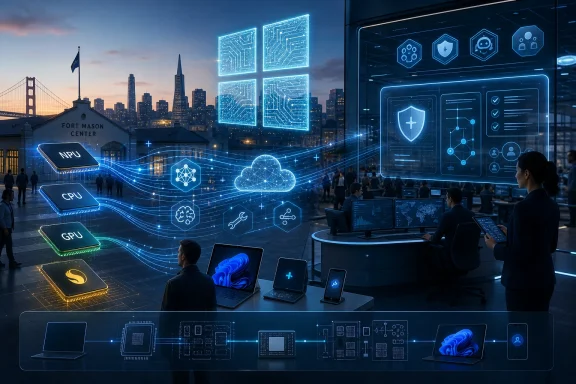
Futuristic tech conference shows glowing circuit icons, cloud data lines, and staff using computers in a cityscape.Build Returns to San Francisco With Windows at an Inflection Point​

Build has always been Microsoft’s most revealing conference because it speaks less to consumers than to the people who make Microsoft platforms useful. The company can run splashier Surface events and carefully staged Windows demos, but Build is where the scaffolding appears: APIs, SDKs, developer sessions, policy language, deployment assumptions, and the hints that tell IT departments what kind of future they are being asked to fund.
This year’s setting sharpens the symbolism. Microsoft is bringing Build to San Francisco at a moment when the gravitational center of the software industry has shifted toward AI infrastructure, agents, and model orchestration. The Windows story is still there, but it is increasingly wrapped inside a larger claim: the PC is now an endpoint for distributed intelligence, not just a local machine running local apps.
That is a profound change for Windows users. For decades, the operating system’s pitch was compatibility, manageability, and reach. Now Microsoft is trying to add another requirement: a Windows machine should be able to run, broker, and personalize AI workloads across silicon, cloud services, and application surfaces.
The danger is that this new pitch can sound like a vendor roadmap in search of user consent. Build 2026 is Microsoft’s opportunity to show that AI on Windows is not merely a branding layer over Copilot buttons, subscriptions, and silicon refresh cycles.

The Windows Story Is Now an AI Platform Story​

The most important Windows announcements at Build 2026 may not look like traditional Windows announcements. A new API for local models, a session on hybrid inference, a tweak to app packaging, or a better developer story for NPUs could matter more than a Start menu redesign. That is the uncomfortable but necessary reality of the current Windows era.
Microsoft has spent the last two years pushing Copilot+ PCs as the hardware expression of its AI strategy. The basic proposition is straightforward: if a PC has a sufficiently capable neural processing unit, Windows can offload certain AI tasks locally instead of sending everything to the cloud. That allows features such as semantic search, image generation, translation, and contextual actions to feel faster, more private, and less dependent on round trips to Azure.
But the platform question is harder than the marketing question. It is one thing to say that a Copilot+ PC can run AI features locally. It is another to convince developers that Windows offers a coherent, durable target for AI apps across Qualcomm, AMD, Intel, and potentially Nvidia-backed systems.
That is where Build matters. Microsoft needs to show that Windows AI development is not a maze of hardware-specific capabilities, preview-only features, and moving product names. Developers need abstractions they can trust. Enterprises need policies they can enforce. Users need features that justify the hardware churn.
If Microsoft gets this right, Windows becomes the place where local AI and cloud AI meet without the user having to think too much about it. If Microsoft gets it wrong, Copilot+ becomes another sticker on a laptop lid — technically meaningful, commercially useful, but culturally hollow.

Copilot Has to Become Infrastructure, Not Furniture​

The Copilot brand has been stretched across nearly every corner of Microsoft’s business. There is Copilot in Windows, Copilot in Microsoft 365, GitHub Copilot, Security Copilot, Copilot Studio, and a growing set of agentic workflows that promise to automate work rather than merely answer questions. The brand is now so broad that its biggest risk is vagueness.
At Build 2026, Microsoft’s job is to make Copilot feel less like an assistant that appears wherever there is spare interface space and more like a programmable layer developers can build against. That means fewer demos of chat boxes and more evidence of durable integration: actions, permissions, audit trails, app context, identity boundaries, and enterprise controls.
The PCMag Australia preview correctly points to Copilot as one of the likely centers of gravity for this year’s event. But the real story is not whether Microsoft announces another Copilot feature. The real story is whether Microsoft can make Copilot boring in the right way — reliable, governable, composable, and predictable enough that IT teams stop treating it as a novelty and start treating it as infrastructure.
That is a higher bar than keynote applause. A consumer can tolerate a clever Copilot feature that works most of the time. A sysadmin cannot tolerate an agent that takes unexplained action across sensitive data. A developer cannot build a serious workflow on top of APIs that feel like they are being reorganized every quarter.
For Windows, this matters because the operating system is where trust failures become visceral. A hallucinated answer in a browser tab is irritating. An overreaching AI feature embedded in the desktop, file system, clipboard, screenshot pipeline, or app launcher feels like a different class of intrusion.

Arm Is No Longer a Side Quest for Windows​

Fresh Arm-based hardware is another expected theme, and for good reason. Windows on Arm has gone from perennial curiosity to strategic necessity. The first wave of Copilot+ PCs made Qualcomm’s Snapdragon X chips the face of Microsoft’s AI PC push, and that forced the Windows ecosystem to confront a question it had avoided for years: can Windows be excellent on architectures other than x86?
The answer in 2026 is no longer a simple yes or no. Windows on Arm is vastly more credible than it was in the Windows RT days, and the app compatibility story has improved considerably. But credibility is not the same as inevitability. Many professional workflows still depend on drivers, plug-ins, virtualization tools, VPN clients, security agents, and niche utilities that do not always behave equally across architectures.
That is why Build is the right venue for the Arm conversation. Consumers see battery life and thin hardware. Developers and IT departments see toolchains, emulation, deployment rings, device management, and support tickets. Microsoft has to satisfy both audiences.
If Nvidia-powered Windows on Arm systems appear in or around the Build/Computex window, the stakes rise again. Nvidia would bring not only brand power but a very different AI compute narrative to Windows laptops. A Windows Arm ecosystem that includes Qualcomm for efficiency and Nvidia for AI horsepower would be far more interesting than a single-supplier experiment.
But it would also be more complicated. Microsoft would need to ensure that Windows AI APIs scale across NPUs, GPUs, and CPUs without developers having to hand-tune for every silicon vendor. The company’s historical advantage has been abstraction. Its current challenge is to preserve that advantage in a hardware market fragmenting around AI acceleration.

The Windows 10 Aftermath Still Haunts the Upgrade Pitch​

Build 2026 arrives after the formal end of Windows 10 support in October 2025, and that timing matters. Microsoft is no longer trying to persuade users to move from Windows 10 before a deadline. It is trying to persuade the remaining holdouts that the next PC they buy should be a Windows 11 AI PC rather than a cheaper conventional machine, a Mac, a Chromebook, or simply nothing at all.
That is a harder sale than Microsoft sometimes admits. Windows 10 had a long life and an enormous installed base. Many users did not experience it as obsolete. They experienced it as familiar, stable, and good enough — which is precisely the kind of operating system people resist replacing.
The AI PC push gives Microsoft a new answer to the old upgrade problem. Instead of saying that users should upgrade because the support clock ran out, Microsoft can say they should upgrade because the next class of software will require newer hardware. That may be true in some cases, but it is also convenient.
This is where administrators become skeptical. Enterprises do not refresh fleets because a keynote says the future has arrived. They refresh fleets when the security model, application requirements, lifecycle economics, and user benefits outweigh the disruption. AI features can help make that case, but only if they are more than optional interface tricks.
Microsoft’s challenge is to avoid making AI feel like the new TPM 2.0 — a technical threshold that may be defensible on paper but becomes a symbol of forced obsolescence in practice. If Copilot+ features become truly useful, the hardware requirement will look reasonable. If they remain uneven, the requirement will look like a sales funnel.

Developers Need Proof That Agents Are More Than Another Abstraction Layer​

The broader Build 2026 agenda is expected to lean heavily into agents. That is not surprising; the entire software industry is trying to move from chatbots that respond to prompts to agents that plan, call tools, manipulate data, and complete tasks. Microsoft is unusually well positioned here because it owns Windows, Azure, GitHub, Visual Studio, Microsoft 365, Entra identity, and a large enterprise customer base.
That integration is powerful. It is also dangerous. The more Microsoft connects agents across the stack, the more it must prove that permissions, observability, and accountability are first-class design concerns rather than afterthoughts.
For developers, agentic AI changes the shape of application design. Instead of building a static interface around a fixed set of actions, developers may increasingly expose capabilities that an agent can discover and orchestrate. That requires new contracts between apps, operating systems, cloud services, and identity providers.
Windows could become an important local agent runtime if Microsoft gives developers the tools to expose app actions safely. Imagine a Windows app that can advertise its capabilities to an agent, accept structured commands, return verifiable results, and respect enterprise data-loss rules. That is far more significant than a floating assistant panel.
But this future depends on boring engineering. Agents need logging. They need consent boundaries. They need revocation. They need failure modes that are visible to users and administrators. They need to know when they are allowed to act and when they are only allowed to suggest.
Microsoft’s Build messaging will likely emphasize productivity. The more important question is whether the company can make agentic productivity administrable.

Security and Privacy Are the Tax on Ambient AI​

No discussion of Windows AI can escape the shadow of Recall. Microsoft’s original pitch for a PC that could remember what users had seen on screen collided with immediate privacy and security concerns. The company changed course, delayed broad rollout, and tightened the design, but the episode remains instructive.
Recall was not controversial because users hate convenience. It was controversial because the feature touched the most sensitive layer of personal computing: the visual record of what someone does on a machine. Screenshots can contain passwords, medical information, financial records, private messages, source code, legal documents, and everything else that passes across a desktop.
That is the central tension of ambient AI. The more context an assistant has, the more useful it can be. The more context it has, the more dangerous it becomes if controls fail.
Build 2026 gives Microsoft a chance to show that it has absorbed this lesson. Privacy cannot be a paragraph at the end of the keynote. Security cannot be a toggle shown after the demo. For Windows AI to work at enterprise scale, Microsoft must treat local processing, encryption, data boundaries, and administrative policy as product features in their own right.
This is especially true as AI moves from passive assistance to active agency. A system that summarizes your screen is one kind of risk. A system that can click, file, send, schedule, delete, purchase, or deploy is another. The former raises privacy concerns; the latter raises operational and legal concerns.
Microsoft has a strong enterprise security story when it chooses to lead with it. Build 2026 needs that version of Microsoft, not just the version that wants every workflow to become a Copilot demo.

The Hardware Partners Are Now Part of the Windows Roadmap​

One reason this year’s Build is worth watching is that Microsoft’s Windows roadmap is increasingly inseparable from its hardware partners. AMD, Intel, Qualcomm, Nvidia, and OEMs are no longer merely supplying chips and chassis for a finished OS. They are helping define what Windows features can exist.
That is a subtle but important inversion. In the classic Windows model, the operating system set broad requirements and hardware vendors competed inside them. In the AI PC model, the capabilities of NPUs, GPUs, memory bandwidth, battery envelopes, and driver stacks directly shape the feature roadmap.
This makes the ecosystem more dynamic, but also harder to explain. A user buying a Windows 11 laptop in 2026 may have to understand not only processor class and RAM, but whether the machine qualifies for current and future Copilot+ features. An administrator may need to distinguish between an AI PC that satisfies baseline requirements and one that can run heavier local models effectively.
Microsoft will likely try to simplify this through branding. But branding can only carry so much weight. If two machines both claim AI credentials while delivering meaningfully different local AI experiences, buyers will eventually notice.
The company’s best move is to be explicit. Tell users which features require which hardware. Tell developers how to target capabilities gracefully. Tell enterprises how long today’s Copilot+ machines should be expected to remain first-class AI PCs. The worst outcome would be an AI hardware ladder that changes faster than organizations can amortize devices.

Build Is Becoming Microsoft’s AI Systems Conference​

The PCMag Australia framing treats Build as the place to learn about the future of Windows, and that remains true. But the future of Windows is now embedded in a larger systems story that includes Azure, GitHub, Microsoft Foundry, local models, agents, and the hardware acceleration layer underneath them.
That makes Build less like the old developer conference for app makers and more like an AI systems conference with Windows as one of the endpoints. The important announcements may involve model deployment, observability, orchestration, and developer workflows rather than traditional desktop features.
For some Windows enthusiasts, that can feel alienating. There is still an appetite for visible OS polish: better Settings migration, fewer legacy control panels, more consistent UI, cleaner update behavior, faster File Explorer, and less promotional clutter. Microsoft should not mistake AI ambition for permission to neglect the basics.
In fact, the basics matter more now. If Microsoft wants users to trust Windows with more context and more automation, the operating system itself must feel more disciplined. A platform that nags, advertises, or changes defaults too aggressively will struggle to win consent for deeper AI integration.
The irony is that Microsoft’s AI future may depend on old-fashioned Windows craftsmanship. Reliability, performance, compatibility, accessibility, and manageability are not legacy concerns. They are the foundation that determines whether users will tolerate another layer of intelligence on top.

The Real Build 2026 Test Is Whether Microsoft Can Connect the Dots​

The easy prediction is that Build 2026 will be full of AI. The harder question is whether the announcements will add up to a coherent Windows strategy. Microsoft has many strong pieces: Copilot, Azure, GitHub, Windows on Arm, Copilot+ PCs, enterprise identity, developer tooling, and a vast partner ecosystem. The company’s problem is not lack of ambition; it is integration without exhaustion.
Users are tired of features that feel imposed. Administrators are tired of roadmap volatility. Developers are tired of betting on frameworks that may be renamed, repositioned, or replaced. Microsoft needs to show not only what is new, but what is stable.
The best version of Build 2026 would make Windows AI feel less like a campaign and more like a platform. That means clear APIs, sensible hardware requirements, privacy-first defaults, strong enterprise controls, and examples that solve real problems instead of merely proving that a model can be wired into another interface.
The weakest version would be a parade of demos where agents complete carefully staged tasks while the hard questions are pushed into documentation. That would generate headlines, but it would not settle the anxieties of the people who actually deploy and support Windows at scale.
Microsoft does not need to announce Windows 12 to make this Build consequential. It only needs to show the shape of the next Windows era clearly enough that developers and IT teams can plan around it.

The San Francisco Signal Windows Watchers Should Not Miss​

The practical reading of Build 2026 is less glamorous than the keynote version, but more useful. The event is likely to reveal where Microsoft believes Windows development, deployment, and hardware purchasing are headed over the next several years.
  • Microsoft is expected to make AI agents, Copilot, and local Windows AI development central to the Build 2026 story.
  • Copilot+ PCs remain the key hardware category to watch because they define which Windows features can run locally and which machines qualify for Microsoft’s AI roadmap.
  • Windows on Arm is moving from experiment to strategic pillar, but app compatibility, drivers, and enterprise support still determine whether it works outside ideal demos.
  • Developers should pay close attention to Windows AI APIs, local model tooling, and any promises Microsoft makes about cross-silicon compatibility.
  • Administrators should look past keynote demos and evaluate policy controls, auditability, privacy defaults, and lifecycle commitments.
  • Users should expect Microsoft to frame the next PC upgrade not merely around Windows 11, but around whether the hardware is ready for AI features that may become increasingly central to the platform.
Build 2026 is not just another stop on Microsoft’s annual conference circuit; it is a checkpoint for a company trying to turn Windows from a familiar desktop operating system into the client layer of an AI platform. The opportunity is real, especially if local AI makes PCs more capable, private, and responsive. The risk is just as real: if Microsoft lets hype outrun trust, the AI PC could become the next feature users are told they want before they understand why. The next two days in San Francisco will not settle the future of Windows, but they should tell us whether Microsoft has learned how to argue for it.

References​

  1. Primary source: PCMag Australia
    Published: Mon, 01 Jun 2026 18:44:47 GMT
  2. Related coverage: techradar.com
  3. Related coverage: tomshardware.com
  4. Related coverage: notebookcheck.net
  5. Related coverage: tomsguide.com
  6. Related coverage: notebookcheck.org
  1. Related coverage: notebookcheck.com
  2. Related coverage: windowscentral.com
  3. Related coverage: windowsreport.com
  4. Related coverage: lensmor.com
  5. Related coverage: chatforest.com
  6. Related coverage: pcworld.com
  7. Related coverage: notebookcheck.info
  8. Related coverage: dickerdata.com.au
  9. Official source: build.microsoft.com
  10. Official source: support.microsoft.com
  11. Official source: learn.microsoft.com
  12. Official source: microsoft.com
  13. Related coverage: pureinfotech.com
  14. Related coverage: computing.co.uk
  15. Related coverage: as.com
  16. Related coverage: cincodias.elpais.com
  17. Related coverage: bankofbaker.com
  18. Related coverage: accountservicing.com
 

Microsoft Build 2026 begins Tuesday, June 2, 2026, at 12:30 p.m. Eastern / 9:30 a.m. Pacific with a Satya Nadella keynote streamed online, while Microsoft runs the two-day developer conference from San Francisco and online through June 3. The simple answer is that viewers can watch through Microsoft’s Build site and YouTube, with live coverage from major tech outlets. The more interesting answer is that this year’s Build is less a software conference than a public reset of Microsoft’s AI-era Windows strategy. After a year of Copilot saturation, enterprise pushback, and fresh Arm PC intrigue, Build 2026 is where Microsoft has to prove that “AI PC” means more than another button on the taskbar.

Microsoft Build 2026 AI keynote banner with Windows-on-Arm and Copilot UI over a futuristic cityscape.Build Returns as Microsoft’s AI Pitch Gets Harder to Sell​

Build has always been Microsoft’s developer state-of-the-union address, but the 2026 edition arrives with unusual tension. The company is still plainly committed to an AI-first future, yet the reception to that future has become more complicated than the launch decks suggested. Developers want capabilities, admins want control, and everyday Windows users want to know whether the operating system is being improved or merely decorated.
That is why the “how to watch” details matter less than the timing. The keynote lands at the intersection of three Microsoft stories: the next phase of Copilot, the future of Windows on Arm, and the company’s attempt to persuade developers that AI agents are now a platform rather than a demo category. If Build is supposed to be Microsoft’s most optimistic event, Build 2026 is optimism under cross-examination.
Microsoft’s framing is still familiar. The company wants developers to build for what it calls the era of AI, and it wants enterprises to see Copilot and agent tooling as the next abstraction layer above apps, files, meetings, and data. But the old Build formula—announce APIs, show a slick demo, promise productivity—has to work harder when the audience has spent the past year dealing with confusing licensing, changing Copilot placements, and Windows features that sometimes feel like marketing surfaces in search of workflows.
That gives this year’s keynote a sharper edge. Nadella does not merely need to announce new tools; he needs to make Microsoft’s AI strategy feel coherent again.

The Livestream Is the Easy Part​

For viewers, the mechanics are straightforward. Microsoft Build 2026 runs June 2 and June 3, with the opening keynote scheduled for midday Eastern time and mid-morning Pacific time. Microsoft is offering the event online, and the keynote is expected to be available via livestream, including YouTube distribution and Microsoft’s own event pages.
That puts the keynote squarely in the workday for U.S. viewers, early evening for much of Europe, and overnight or early morning for parts of Asia-Pacific. The timing also overlaps a busy hardware week, with Computex activity in Taipei feeding speculation about new silicon, new PC reference designs, and new developer targets. In other words, this is not just a Microsoft show; it is a Microsoft show surrounded by PC industry signaling.
Engadget and other tech publications are expected to liveblog the keynote, which is useful because Build keynotes can be dense in the way only developer conferences can be. A single segment may jump from Azure infrastructure to GitHub tooling to Windows APIs to Copilot extensibility in the space of a few minutes. A liveblog is often the better way to track what actually shipped, what was previewed, and what was merely positioned as inevitable.
Microsoft’s own blog will almost certainly be the official record for announcements. That matters because Build demos routinely blur the line between “available today,” “private preview,” “public preview,” and “coming later this year.” Anyone planning around announcements should wait for the official posts and docs before assuming that a keynote feature is deployable in production.

Microsoft Is Trying to Turn Copilot From Feature Sprawl Into Platform Gravity​

The central Build 2026 question is not whether Microsoft will talk about AI. It is whether Microsoft can make its AI story feel less scattered.
Over the past few years, Copilot has become Microsoft’s answer to almost every product question. Windows has Copilot. Microsoft 365 has Copilot. GitHub has Copilot. Security, Power Platform, Dynamics, Azure, Edge, and Teams all have Copilot-shaped stories. The branding achieved what Microsoft wanted at first: it gave the company a single banner under which to ship generative AI everywhere.
But ubiquity created its own problem. When everything is Copilot, users start asking what Copilot actually is. Is it a chat window? A paid enterprise add-on? A web assistant? A taskbar surface? A developer pair programmer? A collection of agents? A licensing line item? The answer has increasingly been “yes,” which is not the same as clarity.
That is why Build 2026 is likely to lean hard into platformization. Microsoft’s best version of the story is not that Copilot is one assistant in many places, but that Copilot is the interface layer for models, organizational data, workflow automation, and third-party extensions. In that telling, the buttons are incidental. The platform is the point.
The challenge is that users and admins experienced the buttons first. Microsoft pushed Copilot entry points into Windows and apps before many organizations had sorted out governance, licensing, data boundaries, or business cases. The result was predictable: some users saw helpful features, some saw clutter, and IT departments saw another thing they had to explain, restrict, monitor, or remove.
Build gives Microsoft a chance to recast that sprawl as an early phase. The question is whether developers and admins will buy the rewrite.

The Windows 11 Backlash Has Changed the Room​

Windows 11 has not failed, but it has become a more contested product than Microsoft would like. Hardware requirements, UI changes, account nudges, ads, defaults, telemetry concerns, and Copilot integration have all contributed to a sense among power users that Windows is increasingly being managed for Microsoft’s strategic goals rather than the user’s immediate convenience.
That sentiment matters at Build because developers are often Windows’ most influential critics. They may not represent the average PC user, but they shape the software ecosystem, advise organizations, and influence procurement conversations. When developers complain that Windows is noisier, more intrusive, or less predictable, those complaints travel.
Microsoft appears to understand some of this. Recent reporting and product changes point to a selective retreat from the most gratuitous Copilot placements, including the removal or renaming of certain AI-branded entry points in built-in apps. Enterprise admins have also gained more control over removing the Copilot app on managed devices under certain conditions.
That does not mean Microsoft is abandoning AI in Windows. Far from it. The company’s direction appears to be toward deeper integration in fewer, more defensible places: search, task switching, app launching, Microsoft 365 context, and developer workflows. If Microsoft can make Copilot feel like a capability that appears when it is useful rather than a mascot that follows users around the OS, the backlash may soften.
But that is a product discipline problem, not a keynote problem. Build can announce the new direction. Windows users will judge it later, one update at a time.

The AI PC Needs Developers More Than It Needs Stickers​

The phrase “AI PC” has spent the last couple of years doing too much work. It can mean a laptop with a neural processing unit. It can mean a device certified for certain Copilot+ features. It can mean a premium Windows machine with local inference capabilities. It can also mean, less charitably, a normal PC sold during an AI upgrade cycle.
Build 2026 is where Microsoft has to make the category more concrete for developers. Hardware only matters if software uses it. Local AI only matters if applications can rely on it. NPUs only matter if developers understand what workloads should run locally, which APIs are stable, and how performance, privacy, battery life, and fallback behavior are supposed to work across a fragmented PC market.
That is harder than it sounds. Windows developers already live in a world of different CPU architectures, GPU vendors, driver stacks, enterprise policies, store rules, and deployment models. Adding local AI acceleration can either become a powerful new baseline or another matrix of “works on this device, not on that one.”
Microsoft’s incentive is to simplify the story. It wants developers to think of Windows as the best client platform for AI applications, not merely because Windows has market share, but because it can orchestrate cloud models, local models, enterprise data, identity, security policy, and specialized silicon. That is a strong pitch if the abstractions hold.
If they do not, the AI PC risks becoming another premium feature tier that most developers ignore until the installed base becomes unavoidable. Build is Microsoft’s attempt to shorten that waiting period.

Nvidia’s Shadow Makes This Build Feel Like a Hardware Event​

The biggest pre-Build intrigue is not a Windows 12 rumor. It is the coordinated “new era of PC” messaging from Microsoft and Nvidia, tied to Computex timing and widely interpreted as a sign that Nvidia-powered Windows PCs are finally moving from rumor to launch track. Reports have pointed to Nvidia Arm chips and early systems from PC makers, with the announcements split across Computex and Build.
If that happens, it would be a major moment for Windows on Arm. Qualcomm has carried the modern Windows-on-Arm push through Snapdragon X-series systems, and Microsoft’s own Surface devices helped legitimize the category. Nvidia entering the client PC CPU market would change the competitive map immediately because Nvidia brings not only silicon credibility but developer gravity from CUDA, AI frameworks, and GPU-accelerated computing.
That does not automatically make Nvidia a Windows-on-Arm savior. The PC market is littered with ambitious platform transitions that underestimated drivers, app compatibility, thermals, pricing, battery life, OEM politics, and enterprise conservatism. A great chip can still struggle if the surrounding ecosystem is uneven.
But the symbolism would be powerful. For years, Nvidia has dominated the AI accelerator conversation in the data center while Windows PCs remained mostly a client endpoint in the AI story. A serious Nvidia Windows PC platform would make the client part of that story feel more strategically connected to the rest of the stack.
For Microsoft, that would be useful. It could position Windows not simply as the place where users access AI services, but as the operating system where AI workloads span local silicon, cloud infrastructure, developer tools, and enterprise governance.

Windows on Arm Is No Longer a Science Project, but It Is Not Yet a Default​

The Windows-on-Arm story has improved significantly, but it remains unfinished. The Snapdragon X generation made Arm PCs feel credible in a way earlier Windows Arm devices often did not. Battery life, responsiveness, and fanless or thin-and-light designs finally made the category attractive to normal buyers rather than only patient enthusiasts.
Still, credibility is not dominance. Enterprise buyers move slowly, especially when device fleets depend on legacy apps, VPN clients, security agents, hardware peripherals, and line-of-business software that may not behave perfectly under emulation. Developers may like the idea of Arm-native performance, but they need toolchains, dependencies, and test hardware to make support routine.
That is why a possible Nvidia entry matters beyond the logo. A second major silicon vendor would make Windows on Arm look less like a Qualcomm-Microsoft project and more like a real platform transition. It would also increase pressure on software vendors to take Arm64 Windows seriously.
Microsoft has a delicate job here. It cannot overpromise another “this changes everything” PC era without inviting comparisons to past Windows RT and early Windows-on-Arm disappointments. But it also cannot underplay the shift, because developers need confidence that Arm Windows is worth targeting.
The winning message is probably not that x86 is going away. It is that Windows developers should assume a heterogeneous future: x86, Arm, CPU, GPU, NPU, cloud inference, local inference, and hybrid workloads. Build is the place where Microsoft must turn that complexity into something programmable.

Satya Nadella’s Keynote Has to Sell Discipline, Not Just Ambition​

Nadella is very good at the broad strategic keynote. He can connect developer tools, cloud infrastructure, productivity software, and economic transformation into a single narrative better than almost any executive in the industry. That skill has served Microsoft well during the AI boom.
But Build 2026 calls for a slightly different performance. Microsoft does not need to convince the audience that AI is important. Developers already know. Enterprises already know. Investors certainly know. The harder sell is that Microsoft’s version of AI is manageable, valuable, and technically durable.
That means the strongest keynote would be one that emphasizes discipline. Fewer vague agent demos. More concrete workflows. Fewer “imagine a future” segments. More shipping timelines, admin controls, pricing clarity, and developer primitives. Less Copilot as magic. More Copilot as infrastructure.
The same applies to Windows. Microsoft can excite enthusiasts with new hardware and AI PC capabilities, but it should also speak to the administrators who have to deploy these machines and the developers who have to support them. The practical questions are not glamorous: What happens offline? What data leaves the device? Which policies govern local models? How do apps discover NPU capabilities? What is the fallback path on unsupported hardware?
Those answers rarely make the sizzle reel. But they are what determine whether Build announcements become products people use or features people disable.

GitHub and Azure Are the Real Developer Battlefield​

For all the attention on Windows, the developer center of gravity at Build is likely to sit with GitHub and Azure. GitHub Copilot remains one of Microsoft’s clearest AI success stories because it lives directly inside developer workflow. It does not ask users to change jobs; it helps with the job they are already doing.
That makes GitHub an important contrast to Windows Copilot. In an IDE, AI assistance has a narrower job, clearer context, and a user base already accustomed to tooling that suggests, completes, refactors, and checks work. In the Windows shell, the assistant has to justify itself across a much broader set of tasks and a much less forgiving audience.
Expect Microsoft to push agentic development, code review automation, app modernization, cloud deployment, and security remediation. Those are areas where the AI pitch is easier to understand because the pain is already measurable. If an agent can reduce toil in migration, testing, documentation, or vulnerability triage, developers and managers will listen.
Azure, meanwhile, remains the business engine behind much of the AI narrative. Microsoft needs developers to build AI applications on Azure infrastructure, use its model catalog, adopt its security and identity layers, and treat Microsoft as the enterprise-friendly route to AI deployment. Build is not just about inspiring developers; it is about channeling them into Microsoft’s cloud.
The OpenAI partnership changes add another wrinkle. Microsoft remains deeply tied to OpenAI, but the relationship has become more complex and less easily described as exclusive destiny. That may actually help Microsoft’s enterprise pitch if it can present Azure and Copilot as model-flexible platforms rather than products dependent on a single lab’s roadmap.

Enterprise IT Will Listen for Control​

The most important Build audience may be the one least impressed by the keynote theatrics: enterprise IT.
For sysadmins, the AI era has arrived as a governance problem. Users want access to new tools. Executives want productivity gains. Vendors want adoption metrics. Security teams want to know where data goes. Legal departments want retention and compliance answers. Finance wants to understand why the AI line item keeps growing.
Microsoft’s enterprise advantage is that it already owns much of the identity, productivity, endpoint management, and security surface area in large organizations. That gives it a credible argument that AI should be deployed inside Microsoft’s governed ecosystem rather than through a patchwork of consumer tools and shadow IT. But it also raises the stakes because mistakes inside Microsoft’s ecosystem land directly on the desks of admins.
The Copilot licensing and placement changes earlier this year are a case study. Pulling some Copilot Chat access back from core Office apps for certain enterprise users may make commercial sense and clarify product tiers, but it also creates user confusion. One day the assistant is in Word; another day it is somewhere else unless the organization pays for a different license. That is exactly the kind of change IT departments must translate into help-desk scripts.
Build 2026 can help if Microsoft speaks plainly about product boundaries. Which Copilot experiences are free, which are paid, which are governed by Microsoft 365 Copilot licensing, and which are Windows features? If the answer requires a matrix, Microsoft should at least provide a good one.

The Best Build Announcements Will Be Boring in the Right Ways​

The tech press will naturally chase the flashiest Build announcements: new hardware, new Copilot features, new agents, new demos, maybe a surprise from Nvidia. That is how event coverage works. But the announcements that matter most may be the boring ones.
A stable SDK can matter more than a keynote demo. A clear admin policy can matter more than a new animation. A predictable licensing rule can matter more than a branded assistant. A documented local AI API can matter more than a staged example of a PC summarizing a meeting.
Microsoft has sometimes struggled with this distinction in the Windows 11 era. The company knows how to ship highly visible features, but Windows’ most loyal users often judge the OS by the invisible ones: reliability, responsiveness, control, compatibility, and the absence of surprises. The AI era does not repeal those expectations.
If anything, it intensifies them. AI features are probabilistic, resource-hungry, data-sensitive, and difficult to explain when they fail. That makes trust the platform layer beneath the platform layer. If users do not trust the operating system, they will not trust the assistant embedded in it.
That is why Build 2026 should be read less as a launch event and more as a trust exercise. Microsoft is asking developers and enterprises to build on a moving AI stack. In return, it needs to show that the stack is not moving randomly.

The Practical Viewer’s Guide to Microsoft’s June 2 Reset​

For WindowsForum readers, the watch plan is simple: tune in for the keynote, but keep a skeptical tab open for the docs, blogs, and session catalog. The keynote will tell us what Microsoft wants the story to be. The supporting materials will tell us what the story actually is.
  • Microsoft Build 2026 starts on June 2, 2026, with the opening keynote scheduled for 12:30 p.m. Eastern and 9:30 a.m. Pacific.
  • The event runs June 2 through June 3 from San Francisco and online, with developer sessions, demos, and labs following the keynote.
  • Viewers should expect Microsoft to focus heavily on AI tools, Copilot, agents, Azure, GitHub, and Windows developer capabilities.
  • Windows users should watch for whether Microsoft explains how Copilot will become more useful and less intrusive after months of criticism.
  • Hardware watchers should pay close attention to Nvidia and Windows-on-Arm signals, especially anything tied to the “new era of PC” messaging around Computex.
  • IT pros should wait for official documentation before treating any keynote feature as deployable, licensed, or manageable in production.
The open question is whether Microsoft can make Build 2026 feel like a turning point rather than another lap around the AI hype cycle. The company has the developer tools, the cloud, the operating system, the productivity suite, and the silicon partners to make a persuasive case. What it needs now is restraint: fewer scattered Copilot surfaces, clearer platform promises, and a Windows strategy that treats user trust as a prerequisite rather than a postscript. If Microsoft gets that right, the keynote will be more than something to watch on June 2; it will be the start of a more credible AI PC era.

References​

  1. Primary source: Dataconomy
    Published: 2026-06-01T14:10:37.913525
  2. Related coverage: windowscentral.com
  3. Related coverage: tomshardware.com
  4. Related coverage: techradar.com
  5. Related coverage: tomsguide.com
  6. Related coverage: axios.com
  1. Official source: build.microsoft.com
  2. Official source: news.microsoft.com
  3. Related coverage: nvidia.com
  4. Related coverage: engadget.com
  5. Related coverage: notebookcheck.com
  6. Official source: github.com
  7. Related coverage: pcgameshardware.de
  8. Official source: openai.com
  9. Related coverage: techcrunch.com
  10. Official source: blogs.microsoft.com
  11. Related coverage: bleepingcomputer.com
  12. Related coverage: vaasblock.com
  13. Related coverage: gadgets360.com
  14. Related coverage: digitaltrends.com
  15. Related coverage: technewsday.com
  16. Related coverage: crn.com
  17. Related coverage: pcgamer.com
  18. Official source: pulse.microsoft.com
 

Microsoft opened Build 2026 in San Francisco on June 2 with a free livestreamed keynote led by Satya Nadella, using the developer conference to push Windows, Surface, Azure, GitHub, and security tooling toward local and cloud-based AI agents. The event is not merely another stop on the annual AI roadshow. Microsoft is trying to convince developers that Windows can become the control plane for agentic computing, not just the place where browser tabs, terminals, and cloud dashboards happen to meet. That is a bigger bet than a keynote schedule, and a riskier one.

Tech presenter gestures beside a gaming PC and laptop while a cloud network dashboard glows on a large screen.Microsoft Turns Build Into a Referendum on the AI PC​

Build used to be the place where Microsoft explained what it wanted developers to do next. In 2026, it is also where Microsoft is explaining what it thinks the PC is for. The familiar framing is still there: sessions, demos, GitHub integrations, Visual Studio updates, Azure tooling, and the usual choreography of executives describing opportunity. But the center of gravity has moved from “write apps for Windows” to “build systems that let agents act on Windows.”
That shift matters because Microsoft has spent the last several years trying to keep the PC relevant in a computing world increasingly organized around cloud services and mobile devices. Copilot+ PCs were the consumer-friendly opening move. Build 2026 is the developer-facing escalation: local models, hardware with huge unified memory pools, execution containers, agent governance, and a new class of Windows machines meant to make AI workloads feel native rather than bolted on.
The timing is deliberate. Google I/O has already made its case for AI woven through search, Android, and developer tools. Apple’s WWDC is looming with its own platform argument. Microsoft’s advantage is not that it owns the most beloved consumer device. It is that Windows still sits on the desks of developers, IT departments, enterprises, and edge workflows where “AI agent” stops being a demo and starts becoming a governance problem.
That is why the watch guides from consumer tech outlets were more than logistics. Yes, the keynote streamed free online, and yes, in-person Build tickets were sold out. But the real signal was that Microsoft wanted a broad audience to see a developer conference that increasingly looks like an operating-system reset.

The Livestream Was the Smallest Part of the Story​

The immediate service journalism around Build 2026 answered the basic question: when to tune in, where to watch, and what to expect. The keynote began at 12:30 p.m. Eastern, 9:30 a.m. Pacific, on June 2, with the conference running through June 3. Virtual registration was free, and Microsoft also carried the keynote through its public video channels.
That matters in a practical sense because Build is no longer only for the people wearing badges in a convention center. If Microsoft wants developers to adopt agent frameworks, local model workflows, and new security assumptions, it needs the hobbyist with a Windows laptop, the enterprise architect with a compliance checklist, and the startup engineer watching between deploys. Streaming Build is not generosity; it is distribution.
The Verge framed the pre-keynote expectation correctly: Build 2026 was always going to be AI-heavy. The session catalog, keynote language, and pre-event announcements all pointed in the same direction. Microsoft was not teeing up a nostalgic Windows feature parade. It was preparing to argue that developers should build for an AI stack spanning Windows, GitHub, Visual Studio, Azure, Surface hardware, and managed enterprise controls.
There was also a hardware wrinkle hanging over the day. Microsoft had already announced the Surface Laptop Ultra, a new high-end Surface powered by Nvidia’s RTX Spark silicon, with a promise of more detail around the broader Windows AI platform. In other words, Build was not just about software APIs. It was about whether Microsoft can make the Windows PC feel like serious AI infrastructure again.

Surface Laptop Ultra Is a Flagship, but Also a Message​

The Surface Laptop Ultra is easy to reduce to specs, because the specs are the point Microsoft wants people to notice. The machine is built with Nvidia, uses RTX Spark silicon, supports up to 128GB of unified memory, includes CUDA support, and is pitched as capable of running large local models. Microsoft also describes it as the most powerful Surface Laptop it has built, with a 15-inch mini-LED PixelSense Ultra touchscreen and a port selection that reads like a small apology to creators: HDMI, USB-C, USB-A, SD card, and headphone jack.
The more important detail is not any one port or benchmark claim. It is that Microsoft is using Surface again as a reference design for what it wants the Windows ecosystem to become. Surface began life as a way to prod OEMs into taking tablets, hinges, pens, and premium Windows hardware seriously. Surface Laptop Ultra plays a similar role for local AI: here is the shape of the machine Microsoft thinks developers and creators will need if agents, local inference, and large-context workflows become normal.
That is a bold claim, and it deserves skepticism. Microsoft’s Surface line has not always translated prestige into market-shaping dominance, and Windows on Arm has spent years being “almost there” for mainstream users. The RTX Spark push complicates the old Arm-versus-x86 story by bringing Nvidia’s GPU ecosystem and CUDA gravity into the Windows client conversation. But developers do not buy a platform promise just because the hardware looks expensive and the demo runs smoothly.
The Surface Laptop Ultra is therefore less a mass-market product than a thesis in aluminum. Microsoft is saying the next serious Windows PC should be able to run meaningful AI work locally, not merely call a cloud endpoint. Whether that idea reaches normal buyers will depend on price, battery life, thermals, software compatibility, driver maturity, and whether the AI workloads people actually use justify the machine Microsoft is building.

The Dev Box Shows Microsoft Knows Cloud AI Has a Cost Problem​

The more interesting Build hardware may be the Surface RTX Spark Dev Box, because it addresses a pain point developers already understand. Cloud AI experimentation can be powerful, fast, and economically treacherous. Token meters, GPU queues, data residency concerns, and unpredictable usage spikes are not abstract annoyances; they shape what teams are willing to prototype and what enterprises are willing to approve.
Microsoft’s answer is a local developer box powered by Nvidia RTX Spark silicon, paired with 128GB of unified memory and positioned for model optimization, fine-tuning, and large inference workloads. The pitch is not that every workload should leave the cloud. The pitch is that developers need a tier between laptop tinkering and cloud-bill roulette.
That tier is strategically important. If Microsoft can make Windows a practical environment for local model work, it gets to compete for the developer’s inner loop again. The inner loop is where tools become habits. If your model tests, agent experiments, terminal workflows, and Copilot-assisted debugging all happen locally on Windows before scaling to Azure or GitHub-hosted infrastructure, Microsoft has rebuilt a path from desktop convenience to cloud consumption.
There is a familiar Microsoft move here: bring the thing that threatens the platform inside the platform. Linux threatened Windows development, so Microsoft embraced WSL. Cloud tools threatened the desktop IDE, so Visual Studio and VS Code became deeply connected to GitHub and Azure. AI agents now threaten to make the local operating system feel like a thin shell around remote services. Build 2026 is Microsoft’s attempt to make the OS matter again by giving agents a place to run, a security model to live inside, and hardware that can plausibly do the work.

Windows Becomes the Runtime Microsoft Can Govern​

The most consequential Build announcements are not the shiny machines. They are the security and runtime pieces underneath them. Microsoft’s Windows developer messaging emphasizes Microsoft Execution Containers, native integration with Agent 365, Intune policies for agent runtime execution, and protections spanning Defender, Entra, Intune, and Purview. That language may sound like enterprise soup, but it is the part that decides whether AI agents remain lab toys or become deployable software.
Agents are dangerous in a way ordinary chatbots are not. A chatbot can hallucinate. An agent can hallucinate and then click, copy, delete, submit, install, exfiltrate, or spend. That changes the operating-system burden. Windows cannot simply expose more automation hooks and hope administrators sort it out. If agents are going to interact with files, applications, credentials, browsers, and corporate data, the platform needs isolation, observability, permissions, and policy.
Microsoft knows this because its customers are the people who will be blamed when an agent does something expensive or stupid. A consumer may shrug at a bad AI summary. A regulated enterprise cannot shrug at an autonomous workflow that mishandles sensitive data. Build 2026’s security announcements are therefore not just defensive packaging; they are part of the product. Microsoft is selling the idea that AI agents can be made manageable because they can be made governable through the Microsoft stack.
That is also where Windows has leverage over rivals. The open web can move quickly. Startups can build clever agents. Linux can host serious models. But Microsoft can connect identity, endpoint management, data protection, security telemetry, developer tooling, and the client OS into one administrative story. Whether customers love that consolidation is another matter. But for IT departments already standardized on Microsoft 365, Entra, Intune, Defender, and Windows, the pitch is obvious: you may not want agents everywhere, but if they are coming, you want policy before chaos.

The Developer Pitch Is Moving From Copilot as Assistant to Copilot as Coworker​

Visual Studio’s Build roadmap points to a broader shift in Microsoft’s developer tools. GitHub Copilot in Visual Studio is moving beyond completions and chat toward agents that participate in debugging, profiling, and testing. That sounds incremental until you think about what it means for the daily rhythm of software development.
The original Copilot bargain was simple: autocomplete, but smarter. Then came chat, summaries, explanations, and code generation. The next step is more intrusive and potentially more valuable: an agent that looks at runtime behavior, reasons about performance bottlenecks, proposes tests, helps resolve merge conflicts, and acts across the toolchain. Microsoft’s phrase is not “replace the developer”; it is “participate in the work.”
That phrasing is politically careful, but technically meaningful. Developers do not need another floating chat window that requires them to manually paste logs, explain context, and adjudicate every step. They need tools that understand the project, the debugger, the profiler, the terminal, the test runner, and the repo history. If Copilot becomes useful because it is embedded in those workflows, Microsoft’s IDEs and GitHub become much harder to dislodge.
There is a downside. The more agents act inside professional tools, the more developers will need to understand their failure modes. A bad autocomplete is visible. A bad autonomous refactor can be subtle. An agent that creates tests may encode the wrong assumptions. An agent that “fixes” performance may optimize the wrong path. Microsoft’s challenge is not only to make agents powerful; it is to make their actions reviewable, reversible, and boring enough for professional use.

Windows 365 for Agents Makes the Cloud PC a Robot Workbench​

One of the more revealing Build announcements is Windows 365 for Agents becoming generally available within Agent 365. The idea is straightforward: give AI agents Cloud PCs where they can execute multi-step workflows across software, including opening apps, navigating interfaces, entering inputs, and processing data. In practice, that turns the Cloud PC from a remote desktop for humans into a controlled workspace for software that behaves somewhat like a human operator.
This is both clever and unsettling. It is clever because many enterprise workflows still live inside applications that were never designed for modern APIs. If an agent can use an interface the way an employee does, it can automate across legacy software without waiting for every vendor to expose clean endpoints. That is why “computer-using agents” keep attracting attention: the world is full of business processes trapped behind screens.
It is unsettling because UI-driving automation has always been brittle. Anyone who has maintained RPA scripts knows the pain of a button moving, a dialog changing, a timeout appearing, or a permission prompt breaking the flow. AI may make that automation more flexible, but flexibility is not the same as reliability. The enterprise question will be whether agents can fail safely when the interface surprises them.
Microsoft’s advantage is that it can wrap these Cloud PCs in identity, policy, logging, and governance. That does not eliminate risk, but it creates a structure administrators understand. If a company is going to let an agent operate across applications, it may prefer that agent to live in a managed Windows environment rather than on an unmanaged browser session, a developer’s workstation, or a black-box SaaS service.

The Nvidia Alliance Is Microsoft’s Answer to the MacBook Pro Problem​

For years, Apple has had the cleanest story in high-end developer laptops: custom silicon, strong battery life, high performance, tight integration, and a platform that feels coherent. Windows vendors have offered more variety and often more peak performance, but the ecosystem has been messier. Microsoft and Nvidia are now trying to write a new Windows answer: unified memory, local AI compute, CUDA, Arm efficiency, and Windows as an agent-capable platform.
That is why the Surface Laptop Ultra matters even if relatively few people buy it. It is a signal to Dell, HP, Lenovo, Asus, MSI, and the rest of the Windows hardware world that the premium PC fight is moving beyond CPU benchmarks and thin bezels. The new status symbol is local AI capability: how large a model you can run, how quickly you can iterate, how much memory the GPU can address, and whether your machine can work without constantly phoning a cloud service.
The Nvidia piece is especially important because CUDA remains one of the most powerful moats in developer computing. If Windows on next-generation Nvidia client silicon gives AI developers a credible local environment, Microsoft gets to borrow some of Nvidia’s ecosystem gravity. That does not automatically solve Windows on Arm compatibility, nor does it guarantee thermals that match the marketing. But it gives Microsoft a more plausible high-end story than “trust us, this year’s Windows laptop is different.”
There is also a competitive irony here. Microsoft spent years pushing cloud-first AI services while the PC looked increasingly like an endpoint for subscriptions. Now it is arguing that serious AI work needs capable local machines again. That is not a contradiction so much as an adjustment to the economics and politics of AI. Cloud AI remains essential, but if every experiment, agent action, and model iteration has a marginal cost, developers will look for local capacity wherever they can get it.

The Store and Security Changes Are the Quiet Enterprise Hooks​

Build 2026 also includes less glamorous updates that may matter more to administrators than keynote hardware. Microsoft is trying to make the Microsoft Store a more credible distribution channel for organizations, with faster onboarding, Entra ID support, quicker certification, analytics, and subscription insights. For developers, that is a business channel. For IT, it is another attempt to make Windows app distribution less fragmented.
The Store has long suffered from a credibility gap. Windows users install apps from websites, package managers, enterprise portals, GitHub releases, winget, and line-of-business deployment systems. Microsoft can improve the Store, but it cannot simply decree it into becoming the only front door. Still, in a world of AI-enabled apps and agent components, trusted distribution becomes more important. If users are going to install software that can invoke local models or coordinate autonomous actions, provenance matters.
The platform security announcements point in the same direction. Microsoft is talking about stronger defaults, reduced legacy risk, post-quantum cryptography work, movement away from NTLM exposure, tighter driver trust, Smart App Control expansion, and App Control for Business. These are not the announcements that generate viral clips, but they shape whether Windows can be trusted as the substrate for more autonomous software.
That phrase, trusted substrate, is the hidden ambition of Build 2026. Microsoft does not just want Windows to run AI apps. It wants Windows to be the place where organizations decide which agents may run, what they may access, what they may execute, and how their behavior is observed. In enterprise computing, control is a feature. Microsoft is turning that old truth into its AI platform argument.

The Risk Is That Microsoft Builds the Plumbing Before the House​

There is a reasonable counterargument to all this: Microsoft is racing to industrialize a category whose everyday value remains uneven. “Agentic AI” is the industry’s favorite phrase, but many current agents are impressive in demos and fragile in practice. They still struggle with long-horizon reliability, ambiguous instructions, changing interfaces, and the gap between plausible output and correct output.
That matters because Microsoft’s Build 2026 pitch assumes developers will want to build, run, secure, distribute, and manage agents across Windows and cloud environments. Some will. Many already are. But the broader developer population may be more cautious. They have lived through enough platform waves to know that infrastructure often arrives before sustainable demand.
The AI PC faces a similar adoption problem. Local inference is genuinely useful for privacy, latency, offline use, cost control, and certain developer workflows. But most ordinary users still do not know which AI tasks require an NPU, a GPU, unified memory, or a cloud model. If Microsoft cannot make the benefits legible, the “AI PC” risks becoming another sticker on a laptop box.
Enterprise IT will be even more demanding. Administrators do not need poetic descriptions of “world makers.” They need lifecycle support, patch reliability, audit trails, procurement clarity, compatibility matrices, and a way to explain why an expensive new class of device belongs in the budget. Microsoft can win that argument, but not with aspiration alone. It will need boring proof.

Build 2026 Draws a New Line Around the Windows Ecosystem​

The most concrete lesson from Build 2026 is that Microsoft is no longer treating AI as a feature sprinkled across existing products. It is treating AI agents as a reason to reorganize Windows hardware, developer tools, cloud PCs, identity, security, and app distribution around a new operating model.
  • Microsoft opened Build 2026 on June 2 in San Francisco with a free livestreamed keynote led by Satya Nadella and a clear emphasis on AI developers.
  • Surface Laptop Ultra and Surface RTX Spark Dev Box are Microsoft’s reference designs for local AI workloads on high-end Windows hardware.
  • Windows 365 for Agents turns the Cloud PC concept into managed infrastructure for computer-using agents.
  • Visual Studio and GitHub Copilot are moving from chat-style assistance toward agents embedded in debugging, profiling, testing, and workflow automation.
  • Microsoft’s security and management pitch is central to the strategy because autonomous agents require policy, containment, identity, and observability.
  • The biggest open question is whether developers and enterprises will find enough reliable agent use cases to justify the hardware, tooling, and governance Microsoft is assembling.
The deeper takeaway is that Microsoft is trying to make Windows relevant to the AI era by making it accountable for AI’s messiest edges. Cloud models may provide the intelligence, and Nvidia may provide much of the compute glamour, but Microsoft wants the operating environment, the developer loop, and the enterprise policy layer. If Build 2026 is remembered as more than another AI keynote, it will be because it marked the moment Microsoft stopped presenting the PC as a client of AI services and started presenting it as a place where AI work should actually live.

References​

  1. Primary source: The Verge
    Published: Tue, 02 Jun 2026 11:00:00 GMT
  2. Independent coverage: PCMag
    Published: Tue, 02 Jun 2026 19:55:20 GMT
  3. Independent coverage: Mashable
    Published: Tue, 02 Jun 2026 19:11:53 GMT
  4. Independent coverage: 富途牛牛
    Published: Tue, 02 Jun 2026 12:20:26 GMT
  5. Independent coverage: The News International
    Published: Tue, 02 Jun 2026 12:13:00 GMT
  6. Independent coverage: Latest news from Azerbaijan
    Published: Tue, 02 Jun 2026 11:11:49 GMT
  1. Related coverage: tomshardware.com
  2. Related coverage: axios.com
  3. Related coverage: windowscentral.com
  4. Official source: microsoft.com
  5. Related coverage: techspot.com
  6. Official source: blogs.windows.com
  7. Related coverage: notebookcheck.net
  8. Related coverage: business-standard.com
  9. Official source: opensource.microsoft.com
  10. Related coverage: notebookcheck.com
  11. Official source: devblogs.microsoft.com
  12. Related coverage: nvidia.com
  13. Related coverage: omni.se
  14. Related coverage: elpais.com
  15. Related coverage: techriver.com
  16. Related coverage: its.fsu.edu
 

Microsoft opened Build 2026 in San Francisco on June 2 with an AI-heavy agenda spanning in-house models, Windows agent capabilities, GitHub Copilot, Azure infrastructure, and a broader Copilot platform strategy aimed at developers and enterprise buyers. The headline is not simply that Microsoft has more AI features to show. It is that Microsoft is trying to turn its sprawling AI portfolio into a programmable operating layer for work, software development, and cloud consumption. For Windows users and IT departments, that makes Build less a developer conference than a preview of the next management problem.

A conference presentation shows an AI agent platform diagram with trust and governance layers on a large screen.Microsoft Is Trying to Make AI Feel Inevitable, Not Optional​

Build has always been Microsoft’s most revealing event because it is where the company shows developers what it wants them to build for. Consumer launch events sell devices, Office announcements sell productivity, and earnings calls sell momentum. Build sells the platform thesis.
This year, that thesis is blunt: Microsoft wants AI agents to become native participants in the Microsoft stack. Windows is no longer being pitched merely as the place where users run apps, and Azure is no longer merely where companies rent compute. The company is trying to make the case that Windows, Microsoft 365, GitHub, and Azure together form the natural habitat for agents that can reason, write code, search enterprise data, and act inside policy boundaries.
That is why the GuruFocus framing is useful but incomplete. Investors are right to watch Build for signals about Azure demand and Copilot adoption, because Microsoft’s AI story is inseparable from cloud growth and recurring software revenue. But the more important audience may be the developers and administrators who have to decide whether Microsoft’s AI layer is becoming infrastructure or just another expensive add-on.
The difference matters. A feature can be ignored. Infrastructure has to be governed.

The Copilot Story Has Outgrown the Chatbot Box​

Microsoft’s Copilot brand has spent the last few years becoming both ubiquitous and confusing. There is Copilot in Windows, Copilot in Microsoft 365, GitHub Copilot, Security Copilot, Copilot Studio, Copilot in Edge, Copilot in Teams, and a growing catalog of agents that may or may not feel like the same product to the person using them. That sprawl was tolerable when Copilot was mostly a branded assistant. It becomes harder to defend when Microsoft wants customers to build workflows around it.
The reported “super app” concept points to Microsoft’s obvious problem: Copilot cannot become the front door to AI work if users experience it as a collection of scattered panels and subscription entitlements. A single surface could help, especially if it gives users one place to find chats, agents, files, workflows, meeting context, and enterprise data. But it also risks repeating an old Microsoft habit: solving fragmentation by creating a larger container for the fragmentation.
The real test is not whether Microsoft can produce a sleeker Copilot shell. The test is whether Copilot becomes coherent across contexts without becoming overbearing. A Copilot that understands the difference between personal productivity, enterprise governance, developer autonomy, and admin control could become genuinely useful. A Copilot that simply follows users everywhere will feel less like an assistant and more like a mandatory overlay.
That distinction is especially sharp on Windows. Microsoft has already learned that users react badly when AI entry points appear to be bolted onto familiar tools without obvious value. The company’s recent moves to tune or remove some Copilot surfaces suggest it understands the backlash. Build now has to show that the next wave is more disciplined.

Windows Is Being Recast as an Agent Platform​

For Windows enthusiasts, the Build message is both exciting and unsettling. Microsoft is positioning Windows as a platform where AI agents can run locally, interact with apps, use system capabilities, and offload work to cloud resources when needed. That is a bigger claim than adding a chatbot to the taskbar.
The Windows angle matters because local AI changes the trust equation. If more inference happens on the device, users and enterprises may get lower latency, better privacy characteristics, and offline functionality. But local AI also creates a new class of platform dependencies: model storage, GPU and NPU support, update channels, permission models, and admin controls that have to be understandable before they can be trusted.
This is where Copilot+ PCs, NPUs, and Windows developer tooling begin to connect. Microsoft does not just want developers to write apps that call cloud models. It wants them to build apps that can use local models, vector indexes, semantic search, and cloud AI together. That vision is technically plausible, and it fits the direction of the hardware market. It also risks splitting Windows experiences across tiers of silicon capability, driver maturity, and enterprise policy.
The old Windows compatibility promise was that software generally worked across a huge range of PCs. The AI-era version of that promise is more complicated. A feature may work in the cloud, run locally on a new NPU, degrade on an older CPU, or require a particular GPU path. Microsoft can call that flexibility. Admins may call it another matrix to test.

In-House Models Are About Leverage as Much as Innovation​

The mention of Microsoft’s in-house AI models is not a side note. It is one of the most strategically important parts of the Build story.
For years, Microsoft’s AI surge has been linked to its partnership with OpenAI. That partnership gave Microsoft a major early advantage: premium models, a compelling enterprise story, and a way to differentiate Azure from other cloud platforms. But dependence on an outside model provider carries strategic limits, even when the partnership is deep. Costs, product timing, safety policy, latency, and roadmap control all become shared concerns.
In-house models give Microsoft leverage. They do not have to replace every frontier model to matter. A Microsoft-built coding model, small language model, speech model, or domain-tuned enterprise model can reduce costs, improve integration, and let Microsoft optimize for its own products. The company can still offer multiple model choices through Azure and Microsoft Foundry while using its own models where tight integration matters most.
That is the platform play hiding in the model announcements. Microsoft wants to be both the model marketplace and a model maker. It wants developers to bring models to Azure, choose models through Microsoft tools, run some models locally on Windows, and use Copilot as the interface layer above them. If that works, Microsoft captures value even when the “best” model changes.
But this also raises a credibility challenge. Developers are pragmatic. They will ask whether Microsoft’s models are actually better for the job, cheaper at scale, easier to govern, or merely more convenient inside Microsoft products. Enterprises will ask who is responsible when model behavior affects business processes. The AI market is moving too quickly for brand gravity alone to settle those questions.

GitHub Copilot Is the Sharp End of the Spear​

GitHub Copilot remains Microsoft’s clearest AI success story because it solves a specific problem for a specific audience. Developers understand what it is for. It helps write, explain, refactor, and navigate code. It has measurable daily utility in a way that some broader Copilot experiences still struggle to demonstrate.
That makes GitHub Copilot the natural place for Microsoft to push deeper agentic workflows. Coding agents can be evaluated more concretely than general office agents: did the test pass, did the build complete, did the pull request improve, did the command run safely, did the code introduce a vulnerability? The development environment gives Microsoft a feedback loop that general workplace productivity often lacks.
But the more agentic Copilot becomes, the more governance matters. A coding assistant that suggests a function is one thing. An agent that runs commands, modifies a repository, delegates tasks, or coordinates subagents is another. The productivity upside is real, but so is the risk of dependency confusion, insecure code generation, accidental data exposure, or simply expensive automation doing the wrong thing at scale.
For IT leaders, GitHub Copilot is the preview of the broader enterprise AI problem. The first phase was licensing. The second phase is policy. The third phase will be auditability: proving what an agent did, why it did it, which data it accessed, which model it used, and who approved the workflow.

Azure Is the Meter Behind the Magic​

The investor focus on Azure AI demand is not just financial shorthand. It is the economic engine underneath Microsoft’s AI roadmap.
Every ambitious Copilot feature implies compute. Every enterprise agent that searches documents, reasons over business data, calls tools, or generates code has a cost profile. Every developer who builds on Microsoft’s AI stack potentially drives Azure consumption through model hosting, vector databases, orchestration, monitoring, storage, security services, and integration layers. Build is where Microsoft turns product demos into future cloud workloads.
This is why Microsoft’s AI story is so powerful on Wall Street. The company is not selling a single AI product. It is selling AI as a multiplier across Windows, Microsoft 365, Dynamics, GitHub, Security, Power Platform, and Azure. If customers adopt Copilot deeply, the revenue shows up in multiple places: subscriptions, consumption, premium licenses, developer services, and infrastructure demand.
The danger is that customers are beginning to scrutinize AI return on investment more aggressively. Early enthusiasm can justify pilots. It cannot indefinitely justify broad deployment if users do not change habits or if the tools remain inconsistent. Microsoft must show that Copilot is not only impressive in a keynote but durable in a budget review.
That pressure may explain the emphasis on developers. If Microsoft can persuade developers to build AI-native workflows on its stack, adoption becomes less dependent on Microsoft guessing every use case. The ecosystem starts doing the work. But ecosystems grow when developers trust the platform’s economics and stability, not just its ambition.

Enterprise IT Will Judge the Admin Surface, Not the Demo​

The most important Build announcements for sysadmins are often the least glamorous. Admin controls, identity integration, data boundaries, logging, deployment options, model selection, update policies, and compliance hooks determine whether AI tools can move from pilot to production.
Microsoft has an advantage here because it already owns so much of the enterprise control plane. Entra ID, Intune, Defender, Purview, Microsoft 365 admin center, Azure policy, and GitHub enterprise controls give the company a governance foundation that smaller AI vendors cannot easily match. If Microsoft can make agents manageable through familiar tools, it has a serious distribution edge.
But familiarity cuts both ways. Admins also remember Teams sprawl, OneDrive sync headaches, Windows feature churn, licensing complexity, and Microsoft’s habit of renaming products just as organizations finish documenting them. AI magnifies those frustrations because the consequences are less predictable. A bad UI change annoys users. A poorly governed agent can touch data, trigger workflows, or generate output that someone mistakes for verified truth.
The enterprise question is therefore not “Will Microsoft add controls?” It will. The question is whether the controls arrive before the defaults create risk. IT departments have seen too many features appear in tenants before policy guidance, training material, and audit expectations are fully settled.

Windows Users Are Right to Be Wary of Ambient AI​

There is a consumer version of this story too, and it should not be dismissed as mere resistance to change. Windows users have watched Microsoft experiment with ads, recommendations, web integrations, account nudges, widgets, Edge prompts, and Copilot surfaces across the operating system. Many users now assume that any new Microsoft feature will have to prove it is not another intrusion.
AI makes that trust deficit more acute. A local semantic index may be useful, but users will ask what is indexed and where it goes. A taskbar assistant may be convenient, but users will ask whether it can be removed. A built-in model may enable offline features, but users will ask why it consumes disk space and whether it updates silently. These are not fringe concerns. They are the basic questions of ownership on a personal computer.
Microsoft’s best argument is that Windows can make AI practical rather than performative. If AI helps find settings, summarize local documents with permission, improve accessibility, accelerate creative workflows, or automate repetitive tasks without leaking context, many users will accept it. If it feels like a subscription funnel with a keyboard shortcut, they will not.
The company’s challenge is to remember that Windows is not just a distribution channel. It is the environment where people do their work, manage their files, play games, develop software, and maintain a sense of control over their machines. AI that respects that environment can become part of Windows. AI that treats Windows as real estate will keep provoking backlash.

Developers Need Less Theater and More Contract​

The developer audience at Build is unusually good at detecting vapor. A polished agent demo can impress, but developers ultimately look for APIs, SDKs, pricing, documentation, debugging tools, latency characteristics, and failure behavior. They want to know what is real now, what is in preview, what is region-limited, and what will break when a model version changes.
That is where Microsoft has to turn ambition into a contract. If Windows is an AI platform, developers need stable ways to call local models, request permissions, declare capabilities, handle fallback paths, and respect enterprise policy. If Azure is the orchestration layer, developers need transparent costs and portable patterns. If Copilot is becoming an extensible front end, developers need to know how their agents appear, how they are trusted, and how they are removed.
The opportunity is large because Microsoft can meet developers where they already are. Visual Studio Code, GitHub, Windows Terminal, WSL, Azure, and Microsoft Store distribution form a powerful route into the developer workflow. The risk is that Microsoft buries that advantage under product sprawl.
The best version of Build 2026 is not a parade of AI nouns. It is a tightening of the stack. Developers do not need another abstract promise that agents will transform work. They need to know which pieces they can build with on Monday morning.

The AI Roadmap Is Also a Licensing Roadmap​

Microsoft’s AI strategy cannot be separated from licensing, even if keynotes prefer not to linger there. Copilot adoption is not just a technical decision; it is a purchasing decision layered on top of Microsoft 365 plans, GitHub subscriptions, Azure usage, security products, and sometimes premium connectors or add-ons.
That complexity matters because AI value is unevenly distributed. A developer who uses GitHub Copilot every hour may justify the cost quickly. A sales team that gets better CRM summaries may see measurable gains. A general office worker who occasionally asks for a document summary may not. Microsoft’s job is to package AI so broadly that organizations feel they are modernizing, but specifically enough that departments can defend the spend.
This is where the “super app” idea could either help or hurt. A unified Copilot experience might make value more visible by showing users what Copilot can do across their work. It might also make licensing gaps more obvious when a user clicks into a capability their organization has not purchased. Microsoft has a long history of turning product integration into licensing puzzles.
Enterprise buyers will tolerate complexity if the productivity gains are clear. They will push back if AI becomes another bundle where the most useful features sit behind shifting plan boundaries. Build can generate excitement, but procurement will ask colder questions.

Microsoft’s Strongest Argument Is Integration, and Its Weakest Is Restraint​

No company is better positioned than Microsoft to integrate AI into the daily flow of enterprise computing. It owns the operating system, the productivity suite, the identity layer, the developer platform, the collaboration tools, the security stack, and one of the world’s largest clouds. That combination is formidable.
It is also why restraint matters. Microsoft does not need to force AI into every corner of the interface to win. Its advantage is not that it can place a Copilot button everywhere. Its advantage is that it can connect context responsibly across tools that businesses already use.
The difference between those approaches will define the next phase of Windows and Microsoft 365. Integration makes hard things easier. Saturation makes familiar things noisier. If Microsoft confuses the two, it will turn AI fatigue into a platform risk.
Build 2026 appears to show a company that understands the scale of the opportunity. Whether it understands the limits of user patience is the unresolved question.

The Build 2026 Signal WindowsForum Readers Should Not Miss​

The practical readout from Build is not that every announced feature should be deployed immediately. It is that Microsoft’s AI roadmap is becoming inseparable from platform planning, hardware refresh cycles, cloud budgeting, and endpoint governance. WindowsForum readers should treat this as a roadmap moment, not a keynote moment.
  • Microsoft is positioning Windows as a place where AI agents and local models run, not merely as a client for cloud chatbots.
  • Copilot’s next challenge is coherence, because scattered AI entry points weaken Microsoft’s case that it can become a daily work hub.
  • In-house Microsoft models are strategically important because they give the company more control over cost, integration, performance, and product timing.
  • GitHub Copilot remains the most concrete proof point for Microsoft’s AI strategy, but more autonomous coding agents will require stronger audit and policy controls.
  • Azure demand is the financial center of the story, because every successful Copilot and agent workflow can become another cloud workload.
  • Enterprise adoption will depend less on keynote demos than on administration, licensing clarity, data governance, and user trust.
Microsoft’s Build message is that AI is becoming the connective tissue across Windows, Office, GitHub, and Azure; the next year will show whether that tissue strengthens the platform or makes it harder to move. For users, the best outcome is AI that appears when it is useful and disappears when it is not. For administrators, it is AI that can be governed before it is activated at scale. For Microsoft, the prize is enormous: turning Copilot from a branded assistant into the operating layer of modern work. The hard part begins after the keynote, when every demo becomes a setting, every agent becomes a policy question, and every promise has to survive contact with real Windows machines.

References​

  1. Primary source: GuruFocus
    Published: 2026-06-02T16:39:10.833936
  2. Related coverage: windowscentral.com
  3. Official source: build.microsoft.com
  4. Official source: news.microsoft.com
  5. Official source: blogs.windows.com
  6. Related coverage: redmondmag.com
  1. Related coverage: enterprisedna.co
  2. Related coverage: tomsguide.com
  3. Related coverage: que.es
  4. Related coverage: windowsforum.com
  5. Related coverage: guiasexpert.com
  6. Related coverage: abit.ee
  7. Related coverage: business-standard.com
  8. Related coverage: techtimes.com
  9. Official source: cdn-dynmedia-1.microsoft.com
 

Back
Top