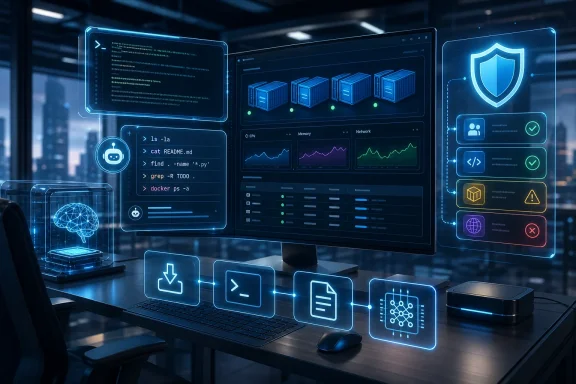
Microsoft used Build 2026 on June 2 to pitch Windows 11 as a developer-first AI workstation platform, announcing WinGet-powered developer configurations, WSL and Terminal upgrades, local AI models, agent containment features, and new NVIDIA RTX Spark hardware including Surface RTX Spark Dev Box. The message was not subtle: Windows is no longer content to be merely the place where apps run. Microsoft wants it to be the place where agents are built, constrained, debugged, accelerated, and eventually trusted. That is a much bigger promise than a faster Terminal or a cleaner setup script, and it arrives at a moment when Windows 11 badly needs developers to believe the platform is being sharpened rather than stuffed.
For years, Windows developer strategy has had a split personality. Microsoft has courted Linux developers with WSL, cloud developers with Azure, open-source developers with GitHub, and traditional Windows developers with WinUI, the Windows App SDK, and Visual Studio. The result has been powerful but messy: a platform that can do almost anything, provided the user is willing to spend the first afternoon installing package managers, shells, runtimes, SDKs, credential helpers, container tools, and extensions.
Build 2026 is Microsoft’s attempt to turn that sprawl into a coherent opening move. The new Windows Developer Configuration, powered by WinGet, is now generally available and is meant to give developers a one-command path to a tuned Windows 11 environment. Microsoft’s own framing is “distraction-free,” but the more important word is repeatable. A setup that installs WSL, PowerShell 7, Git, GitHub CLI, Visual Studio Code, Python, and related developer settings is not glamorous, but it answers a real complaint: Windows remains capable, yet too often starts as a scavenger hunt.
That matters because developer trust is built in the boring places. A platform wins not only by shipping spectacular demos, but by reducing the number of little paper cuts between a fresh machine and a productive build. If Microsoft can make Windows feel less like a consumer OS reluctantly hosting developer tools and more like a deliberate workstation environment, it will have done something meaningful.
The Xbox Mode comparison that has circulated around this announcement is imperfect but revealing. Xbox Mode is about suppressing desktop complexity so games can run with fewer distractions. Windows Developer Configuration is the same instinct applied to work: hide the setup churn, expose the tools, and let the machine behave as if development is a first-class use case rather than an afterthought.
Instead of treating Copilot as a floating chatbot pasted onto the side of every application, Microsoft is putting it near the most consequential developer interface on the system. The command line is where developers install dependencies, inspect logs, run tests, start containers, invoke build tools, and break things with frightening efficiency. If an AI assistant is going to be useful rather than ornamental, it needs to live close to that context.
This is also where the risk sharpens. A helpful agent that can explain a command is one thing; an agent that can execute, modify, or chain commands is another. Microsoft’s pitch therefore cannot stop at convenience. It has to persuade sysadmins and security teams that agentic development on Windows will be bounded, observable, and manageable.
That is why the Microsoft Execution Containers SDK is strategically more important than its dry name suggests. The point is to let developers declare what resources an agent can access, including files and network capabilities. In plain English, Microsoft is trying to build a permission model for computer-using agents before those agents become just another ungoverned automation layer inside enterprise environments.
The problem is that Windows history gives administrators plenty of reasons to be skeptical. Scripting, macros, PowerShell, remote management, browser extensions, and supply-chain tooling have all delivered productivity and attack surface in the same package. Build 2026’s agent story is strongest when it acknowledges that duality. The more Microsoft talks about containment, identity, Defender, Entra, Intune, and Purview, the more credible the pitch becomes.
The coming support for Linux containers through familiar APIs and command-line interfaces is a practical win. It narrows the gap between what developers do on a local Windows laptop and what they deploy into Linux-heavy cloud infrastructure. That gap has been one of Windows’ longest-running developer weaknesses: the desktop is convenient, the production target is often Linux, and the translation layer can get ugly.
Microsoft is also adding native support for Coreutils, bringing more than 75 familiar Linux command-line tools directly into Windows. That sounds small until you remember how often developer friction is caused by missing assumptions. A shell script, tutorial, build instruction, or troubleshooting command that assumes common Unix utilities can fail in ways that feel absurdly out of date on a modern workstation.
The strategic concession is obvious. Microsoft is no longer trying to make developers choose between Windows and Linux culture. It is trying to make Windows the place where those cultures can coexist with fewer compromises. That is not ideological purity, but it is good platform strategy.
Still, there is a line Microsoft has to walk. If Windows becomes compelling mainly because it can impersonate enough of Linux, native Windows development risks becoming the neglected middle child. That is why the company’s emphasis on WinApp CLI, Windows Developer Skills, and native app creation matters. The long-term health of Windows depends not only on hosting Linux workflows, but on making Windows-native apps feel worth building again.
Aion 1.0 Instruct and Aion 1.0 Plan are the names to watch. The first is positioned as a smaller, efficient local model for everyday text intelligence such as summarization, rewriting, intent detection, and accessibility scenarios. The second is aimed at local agentic reasoning and tool use. Microsoft says developers can begin experimenting with Aion 1.0 Instruct in Edge Insider channels, with broader availability and open weights coming in stages.
The important shift is not that Microsoft has another model family. Everyone has model families now. The important shift is that Microsoft is trying to make Windows itself a distribution and execution layer for AI capabilities, with Windows AI APIs expanding across NPUs, CPUs, and GPUs.
That expansion matters for the installed base. The first wave of Copilot+ PC messaging over-indexed on NPUs, which made sense for battery-efficient AI features but left many capable machines outside the neat marketing box. By widening support to CPUs and discrete GPUs for selected AI APIs, Microsoft is tacitly admitting that developer adoption depends on reach. Developers will not build features for a tiny subset of premium laptops if they can avoid it.
There is also a cost argument here that should not be dismissed. Cloud AI is flexible, but it can be expensive and unpredictable at scale. Local inference does not magically solve every problem, especially for frontier-class models, but it gives developers and enterprises another knob to turn. Privacy, latency, offline operation, and budget predictability all become stronger arguments when the platform makes local execution routine rather than exotic.
That distinction matters. For decades, the Windows PC has been the general-purpose endpoint: office work, development, gaming, content creation, browsing, and line-of-business apps. The RTX Spark pitch is narrower and more ambitious. It says a Windows machine can be where developers fine-tune, optimize, run, and test serious AI workloads without reflexively reaching for cloud infrastructure.
The unified memory story is especially important for local AI. Large models are constrained not only by raw compute, but by memory capacity and how efficiently that memory can be shared. Microsoft says it has adjusted how Windows supports high-memory unified systems, including smarter limits on GPU-accessible memory and improvements to page handling in shared memory regions. Those are not consumer-facing talking points, but they are exactly the sort of plumbing that determines whether ambitious demos survive contact with real workloads.
The broader RTX Spark ecosystem is also meant to blunt a familiar Windows on Arm objection: app compatibility. Microsoft says Prism, its x86 emulator for Windows on Arm, has been tuned for RTX Spark, building on previous AVX and AVX2 work. At the same time, Microsoft and NVIDIA are pointing to native Arm support across creative tools, AI developer workloads, anti-cheat systems, and major applications.
That is a lot to prove in the field. Windows on Arm has had moments of promise before, only to be dragged back by driver gaps, emulation edge cases, missing utilities, VPN clients, plug-ins, and weird enterprise dependencies. But the difference this time is that AI workloads may give high-end Arm Windows hardware a reason to exist beyond battery life. If developers buy these machines because they run local models well, app compatibility becomes not just a consumer convenience, but a platform requirement.
That is the right problem to target. The nightmare version of agentic computing is not a chatbot giving bad advice; it is an automated actor with ambiguous permissions, poor logging, broad file access, and enough integration to make mistakes at machine speed. An enterprise cannot manage that with vibes. It needs policy, identity, auditability, and revocation.
Microsoft’s advantage is that it already owns much of the enterprise management plane. Defender, Entra, Intune, and Purview are not exciting brand names to developers, but they are the vocabulary of organizations that must prove control. If Agent 365 and MXC can make agents manageable through the same channels administrators already use, Microsoft has a plausible path into regulated environments.
The catch is that trust will depend on defaults. If containment is optional, confusing, or mostly left to developers, the security story weakens. If agents can be packaged and distributed in ways that users do not understand, the platform may recreate old Windows malware dynamics with a more charming interface.
Build 2026 suggests Microsoft understands the issue, but understanding is not implementation. The next year will be about whether these primitives become everyday practice or remain conference architecture. Security features that require heroic configuration tend to protect only heroic organizations.
The frustration has not been that Windows 11 lacks features. If anything, the criticism is that it has too many visible ambitions layered over uneven fundamentals. Ads, prompts, webby surfaces, Copilot intrusions, sluggish shell experiences, inconsistent dark mode behavior, and half-modernized UI corners have made Windows 11 feel less polished than it should on modern hardware.
Microsoft’s developer pitch therefore depends on a parallel act of repair. A one-command dev setup is useful, but it will not compensate for a shell that feels slow. Local AI APIs are impressive, but they will not charm developers if Windows keeps interrupting the flow with consumer upsells. A powerful RTX Spark workstation is exciting, but the operating system underneath still has to feel disciplined.
The encouraging sign is that Microsoft appears to be connecting platform ambition with platform hygiene. Moving core experiences toward WinUI 3, improving responsiveness, investing in WSL, and tuning Windows for new memory architectures are all parts of the same argument: the OS must feel worthy of the workloads it wants to host.
That is a high bar. Windows has to serve gamers, enterprise fleets, students, developers, creators, regulated industries, and casual users on wildly varied hardware. But that complexity is also why quality matters. The more Microsoft asks Windows to become the center of AI development, the less tolerance users will have for basic rough edges.
That is a more realistic fight. Modern developers choose platforms based on tooling gravity: where repositories live, where CI/CD connects, where containers run, where credentials work, where logs are readable, where assistants have context, where hardware acceleration is available, and where setup can be reproduced. The operating system is still important, but its importance is now mediated through workflows.
Windows Developer Configuration, Intelligent Terminal, WSL containers, Coreutils, local AI APIs, and RTX Spark hardware all point at the same target. Microsoft wants Windows to be the most convenient front end for hybrid development: local and cloud, Windows and Linux, CPU and GPU and NPU, human and agent. That is a coherent thesis.
It is also defensive. macOS remains culturally strong among developers, especially in web, mobile, and creative circles. Linux remains the default mental model for servers, containers, and open-source infrastructure. Windows has scale, compatibility, gaming, enterprise manageability, and now a serious local AI hardware story. Build 2026 is Microsoft’s attempt to turn those advantages into a developer identity again.
The risk is that Microsoft tries to be everything to everyone and ends up with another layer cake. The best version of this strategy makes Windows feel integrated. The worst version gives users ten more branded surfaces, five more preview features, and a new class of agents to babysit.
The concrete takeaways are less flashy than the keynote language, but they are more important for people who actually run and maintain Windows machines.
 Microsoft Tries to Make Windows Feel Like a Workbench Again
For years, Windows developer strategy has had a split personality. Microsoft has courted Linux developers with WSL, cloud developers with Azure, open-source developers with GitHub, and traditional Windows developers with WinUI, the Windows App SDK, and Visual Studio. The result has been powerful but messy: a platform that can do almost anything, provided the user is willing to spend the first afternoon installing package managers, shells, runtimes, SDKs, credential helpers, container tools, and extensions.Build 2026 is Microsoft’s attempt to turn that sprawl into a coherent opening move. The new Windows Developer Configuration, powered by WinGet, is now generally available and is meant to give developers a one-command path to a tuned Windows 11 environment. Microsoft’s own framing is “distraction-free,” but the more important word is repeatable. A setup that installs WSL, PowerShell 7, Git, GitHub CLI, Visual Studio Code, Python, and related developer settings is not glamorous, but it answers a real complaint: Windows remains capable, yet too often starts as a scavenger hunt.
That matters because developer trust is built in the boring places. A platform wins not only by shipping spectacular demos, but by reducing the number of little paper cuts between a fresh machine and a productive build. If Microsoft can make Windows feel less like a consumer OS reluctantly hosting developer tools and more like a deliberate workstation environment, it will have done something meaningful.
The Xbox Mode comparison that has circulated around this announcement is imperfect but revealing. Xbox Mode is about suppressing desktop complexity so games can run with fewer distractions. Windows Developer Configuration is the same instinct applied to work: hide the setup churn, expose the tools, and let the machine behave as if development is a first-class use case rather than an afterthought.
The Command Line Becomes Microsoft’s AI Front Door
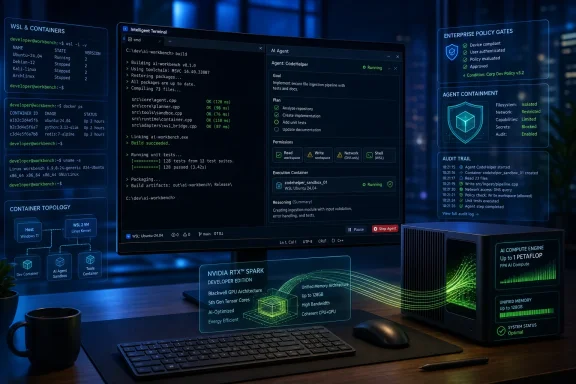
The most interesting Build 2026 Windows news may not be a model or a device, but the place Microsoft is putting the agent: the terminal. The experimental Intelligent Terminal mode splits the screen between a conventional command-line pane and an AI agent task pane. That design choice says a lot about how Microsoft thinks developers will actually use AI.Instead of treating Copilot as a floating chatbot pasted onto the side of every application, Microsoft is putting it near the most consequential developer interface on the system. The command line is where developers install dependencies, inspect logs, run tests, start containers, invoke build tools, and break things with frightening efficiency. If an AI assistant is going to be useful rather than ornamental, it needs to live close to that context.
This is also where the risk sharpens. A helpful agent that can explain a command is one thing; an agent that can execute, modify, or chain commands is another. Microsoft’s pitch therefore cannot stop at convenience. It has to persuade sysadmins and security teams that agentic development on Windows will be bounded, observable, and manageable.
That is why the Microsoft Execution Containers SDK is strategically more important than its dry name suggests. The point is to let developers declare what resources an agent can access, including files and network capabilities. In plain English, Microsoft is trying to build a permission model for computer-using agents before those agents become just another ungoverned automation layer inside enterprise environments.
The problem is that Windows history gives administrators plenty of reasons to be skeptical. Scripting, macros, PowerShell, remote management, browser extensions, and supply-chain tooling have all delivered productivity and attack surface in the same package. Build 2026’s agent story is strongest when it acknowledges that duality. The more Microsoft talks about containment, identity, Defender, Entra, Intune, and Purview, the more credible the pitch becomes.
WSL’s Victory Is That Microsoft No Longer Pretends Linux Is Somewhere Else
The Windows Subsystem for Linux has become one of Microsoft’s most successful acts of developer diplomacy. It did not convince Linux developers that Windows was secretly Linux; it convinced many of them that Windows could host a serious Linux-adjacent workflow without forcing a dual-boot compromise. Build 2026 continues that strategy by pushing WSL closer to the container and cloud-native workflows developers already expect.The coming support for Linux containers through familiar APIs and command-line interfaces is a practical win. It narrows the gap between what developers do on a local Windows laptop and what they deploy into Linux-heavy cloud infrastructure. That gap has been one of Windows’ longest-running developer weaknesses: the desktop is convenient, the production target is often Linux, and the translation layer can get ugly.
Microsoft is also adding native support for Coreutils, bringing more than 75 familiar Linux command-line tools directly into Windows. That sounds small until you remember how often developer friction is caused by missing assumptions. A shell script, tutorial, build instruction, or troubleshooting command that assumes common Unix utilities can fail in ways that feel absurdly out of date on a modern workstation.
The strategic concession is obvious. Microsoft is no longer trying to make developers choose between Windows and Linux culture. It is trying to make Windows the place where those cultures can coexist with fewer compromises. That is not ideological purity, but it is good platform strategy.
Still, there is a line Microsoft has to walk. If Windows becomes compelling mainly because it can impersonate enough of Linux, native Windows development risks becoming the neglected middle child. That is why the company’s emphasis on WinApp CLI, Windows Developer Skills, and native app creation matters. The long-term health of Windows depends not only on hosting Linux workflows, but on making Windows-native apps feel worth building again.
Local AI Is the New Developer Lock-In
Microsoft’s on-device AI announcements are wrapped in the language of freedom: unmetered intelligence, local execution, reduced cloud dependency, and no per-token meter ticking away during experimentation. Underneath that is a classic platform move. If Windows can make local AI development easier, cheaper, and better integrated than rival environments, it gives developers a reason to optimize for Windows again.Aion 1.0 Instruct and Aion 1.0 Plan are the names to watch. The first is positioned as a smaller, efficient local model for everyday text intelligence such as summarization, rewriting, intent detection, and accessibility scenarios. The second is aimed at local agentic reasoning and tool use. Microsoft says developers can begin experimenting with Aion 1.0 Instruct in Edge Insider channels, with broader availability and open weights coming in stages.
The important shift is not that Microsoft has another model family. Everyone has model families now. The important shift is that Microsoft is trying to make Windows itself a distribution and execution layer for AI capabilities, with Windows AI APIs expanding across NPUs, CPUs, and GPUs.
That expansion matters for the installed base. The first wave of Copilot+ PC messaging over-indexed on NPUs, which made sense for battery-efficient AI features but left many capable machines outside the neat marketing box. By widening support to CPUs and discrete GPUs for selected AI APIs, Microsoft is tacitly admitting that developer adoption depends on reach. Developers will not build features for a tiny subset of premium laptops if they can avoid it.
There is also a cost argument here that should not be dismissed. Cloud AI is flexible, but it can be expensive and unpredictable at scale. Local inference does not magically solve every problem, especially for frontier-class models, but it gives developers and enterprises another knob to turn. Privacy, latency, offline operation, and budget predictability all become stronger arguments when the platform makes local execution routine rather than exotic.
RTX Spark Turns the PC Into a Small AI Lab
The hardware side of Build 2026 gives Microsoft’s Windows AI pitch a physical form. Surface RTX Spark Dev Box is expected later this year in the United States and is pitched as a purpose-built developer machine with NVIDIA RTX Spark silicon, up to 1 petaflop of AI compute, and 128GB of unified memory shared across CPU and GPU. Microsoft is not selling this as a normal desktop. It is selling it as a local AI lab.That distinction matters. For decades, the Windows PC has been the general-purpose endpoint: office work, development, gaming, content creation, browsing, and line-of-business apps. The RTX Spark pitch is narrower and more ambitious. It says a Windows machine can be where developers fine-tune, optimize, run, and test serious AI workloads without reflexively reaching for cloud infrastructure.
The unified memory story is especially important for local AI. Large models are constrained not only by raw compute, but by memory capacity and how efficiently that memory can be shared. Microsoft says it has adjusted how Windows supports high-memory unified systems, including smarter limits on GPU-accessible memory and improvements to page handling in shared memory regions. Those are not consumer-facing talking points, but they are exactly the sort of plumbing that determines whether ambitious demos survive contact with real workloads.
The broader RTX Spark ecosystem is also meant to blunt a familiar Windows on Arm objection: app compatibility. Microsoft says Prism, its x86 emulator for Windows on Arm, has been tuned for RTX Spark, building on previous AVX and AVX2 work. At the same time, Microsoft and NVIDIA are pointing to native Arm support across creative tools, AI developer workloads, anti-cheat systems, and major applications.
That is a lot to prove in the field. Windows on Arm has had moments of promise before, only to be dragged back by driver gaps, emulation edge cases, missing utilities, VPN clients, plug-ins, and weird enterprise dependencies. But the difference this time is that AI workloads may give high-end Arm Windows hardware a reason to exist beyond battery life. If developers buy these machines because they run local models well, app compatibility becomes not just a consumer convenience, but a platform requirement.
Agent Security Is Where the Demo Meets the Admin Console
Microsoft’s agent containment work is the part of Build 2026 that enterprise IT should read twice. The company is not merely saying developers can build smarter agents. It is saying Windows will provide OS-enforced identity, containment, and manageability for agents that interact with files, applications, networks, and enterprise workflows.That is the right problem to target. The nightmare version of agentic computing is not a chatbot giving bad advice; it is an automated actor with ambiguous permissions, poor logging, broad file access, and enough integration to make mistakes at machine speed. An enterprise cannot manage that with vibes. It needs policy, identity, auditability, and revocation.
Microsoft’s advantage is that it already owns much of the enterprise management plane. Defender, Entra, Intune, and Purview are not exciting brand names to developers, but they are the vocabulary of organizations that must prove control. If Agent 365 and MXC can make agents manageable through the same channels administrators already use, Microsoft has a plausible path into regulated environments.
The catch is that trust will depend on defaults. If containment is optional, confusing, or mostly left to developers, the security story weakens. If agents can be packaged and distributed in ways that users do not understand, the platform may recreate old Windows malware dynamics with a more charming interface.
Build 2026 suggests Microsoft understands the issue, but understanding is not implementation. The next year will be about whether these primitives become everyday practice or remain conference architecture. Security features that require heroic configuration tend to protect only heroic organizations.
Windows Quality Is No Longer a Side Quest
Build is a developer conference, but Microsoft’s Windows 11 quality message hangs over the entire event. The company has been talking this year about performance, reliability, craft, WinUI 3 improvements, WSL responsiveness, File Explorer work, Start menu changes, and even more control over taskbar placement. That context matters because developers are also users, and many of them have been among Windows 11’s harshest critics.The frustration has not been that Windows 11 lacks features. If anything, the criticism is that it has too many visible ambitions layered over uneven fundamentals. Ads, prompts, webby surfaces, Copilot intrusions, sluggish shell experiences, inconsistent dark mode behavior, and half-modernized UI corners have made Windows 11 feel less polished than it should on modern hardware.
Microsoft’s developer pitch therefore depends on a parallel act of repair. A one-command dev setup is useful, but it will not compensate for a shell that feels slow. Local AI APIs are impressive, but they will not charm developers if Windows keeps interrupting the flow with consumer upsells. A powerful RTX Spark workstation is exciting, but the operating system underneath still has to feel disciplined.
The encouraging sign is that Microsoft appears to be connecting platform ambition with platform hygiene. Moving core experiences toward WinUI 3, improving responsiveness, investing in WSL, and tuning Windows for new memory architectures are all parts of the same argument: the OS must feel worthy of the workloads it wants to host.
That is a high bar. Windows has to serve gamers, enterprise fleets, students, developers, creators, regulated industries, and casual users on wildly varied hardware. But that complexity is also why quality matters. The more Microsoft asks Windows to become the center of AI development, the less tolerance users will have for basic rough edges.
The Storefront Is Less Important Than the Starting Line
One of the most striking things about Build 2026 is how little the classic app-store narrative matters. Microsoft is not primarily trying to lure developers with a marketplace cut or a shiny consumer distribution story. It is trying to win the first hour of a developer’s day.That is a more realistic fight. Modern developers choose platforms based on tooling gravity: where repositories live, where CI/CD connects, where containers run, where credentials work, where logs are readable, where assistants have context, where hardware acceleration is available, and where setup can be reproduced. The operating system is still important, but its importance is now mediated through workflows.
Windows Developer Configuration, Intelligent Terminal, WSL containers, Coreutils, local AI APIs, and RTX Spark hardware all point at the same target. Microsoft wants Windows to be the most convenient front end for hybrid development: local and cloud, Windows and Linux, CPU and GPU and NPU, human and agent. That is a coherent thesis.
It is also defensive. macOS remains culturally strong among developers, especially in web, mobile, and creative circles. Linux remains the default mental model for servers, containers, and open-source infrastructure. Windows has scale, compatibility, gaming, enterprise manageability, and now a serious local AI hardware story. Build 2026 is Microsoft’s attempt to turn those advantages into a developer identity again.
The risk is that Microsoft tries to be everything to everyone and ends up with another layer cake. The best version of this strategy makes Windows feel integrated. The worst version gives users ten more branded surfaces, five more preview features, and a new class of agents to babysit.
The Build 2026 Windows Pitch Comes Down to Control
Microsoft’s most persuasive thread at Build 2026 is not AI by itself. It is control: control over setup, control over local compute, control over agent permissions, control over cloud costs, control over Linux interoperability, and control over the workstation as a serious development environment. That is a better message than simply saying Windows has Copilot everywhere.The concrete takeaways are less flashy than the keynote language, but they are more important for people who actually run and maintain Windows machines.
- Windows Developer Configuration is now generally available and gives developers a WinGet-powered way to stand up a tuned Windows 11 environment with common tools and settings.
- The experimental Intelligent Terminal puts an AI agent beside the command line, which could make Copilot more useful but also raises the stakes for permissions and auditability.
- WSL is moving closer to cloud-native workflows with Linux container support planned in preview and Coreutils now available natively in Windows.
- Microsoft’s Aion models and expanded Windows AI APIs show that the company wants local AI to work across more hardware than just the narrowest NPU-first slice of Copilot+ PCs.
- Surface RTX Spark Dev Box and DGX Station for Windows make clear that Microsoft and NVIDIA see Windows as a serious local AI development platform, not merely a client for cloud models.
- The enterprise success of Windows agents will depend less on demo quality than on whether MXC, Agent 365, Defender, Entra, Intune, and Purview make agent behavior governable by default.
References
- Primary source: PCMag UK
Published: Tue, 02 Jun 2026 19:08:59 GMT
Microsoft Build 2026: We're Covering All of Microsoft's Demos and Announcements Live
We're attending Microsoft's annual Build Conference in person, covering all the Windows announcements, demos, and surprises. AI is sure to be a huge focus, and we might get some more details on the latest Surface hardware. Stay tuned for all the Build news as it happens.uk.pcmag.com - Independent coverage: thurrott.com
Published: Tue, 02 Jun 2026 17:26:17 GMT
Build 2026: Microsoft Optimizes Windows 11 for Developers - Thurrott.com
Microsoft has been pushing Windows 11 for developers for years, but it's making its best push yet at Build 2026, with several new enhancements on the way.www.thurrott.com - Related coverage: techradar.com
10 products that launched at Microsoft Build — and what happened to them | TechRadar
From Windows 8 to Copilot, here’s everything that was born at Buildwww.techradar.com - Related coverage: windowscentral.com
How to watch Microsoft Build 2026: Windows 11, NVIDIA RTX Spark, AI agents, and more | Windows Central
Build isn't just some boring developer conference. It showcases the future of Windows and computing.www.windowscentral.com - Related coverage: tomsguide.com
Microsoft Build 2026 preview — all the big announcements to expect | Tom's Guide
Microsoft Build 2026 should be a showcase for the company's latest and upcoming AI efforts. Here are some of the big announcements we expect to see.www.tomsguide.com - Official source: developer.microsoft.com
GDC 2026: Windows Game Development with Visual Studio 2026 & GitHub Copilot
From improvements in runtime performance to updated Windows tools, here are some ways to make everyday development work more efficient.developer.microsoft.com
- Related coverage: tomshardware.com
Microsoft promises major improvements to Windows 11 performance, reliability, and updates — lower RAM usage, fewer Copilot interactions, and enhanced File Explorer incoming | Tom's Hardware
It only took four years to get the taskbar working properly.www.tomshardware.com - Related coverage: windowslatest.com
Microsoft commits to native UI for Windows 11 as users push back against web app slop
Windows 11 is finally ditching web apps. Microsoft is doubling down on WinUI 3 to deliver a faster, fully native, and highly responsive OS. www.windowslatest.com
- Official source: blogs.windows.com
Build 2026: Furthering Windows as the trusted platform for development
Build is one of our favorite moments each year - a chance to connect with the global developer community and share what we’ve been building. Over the past year, we have connected with many developers pushing the boundaries of what’s possible onblogs.windows.com - Related coverage: techspot.com
Microsoft is rethinking Windows 11 after months of complaints | TechSpot
The effort is being led by Windows chief Pavan Davuluri, who has publicly acknowledged the extent of user frustration with Windows 11. In a recent company blog...www.techspot.com - Related coverage: pcworld.com
Microsoft’s faster, less annoying Windows 11 is coming into focus | PCWorld
Microsoft is starting to roll out its promised changes to make Windows 11 cleaner, calmer, faster, and more productive.www.pcworld.com