

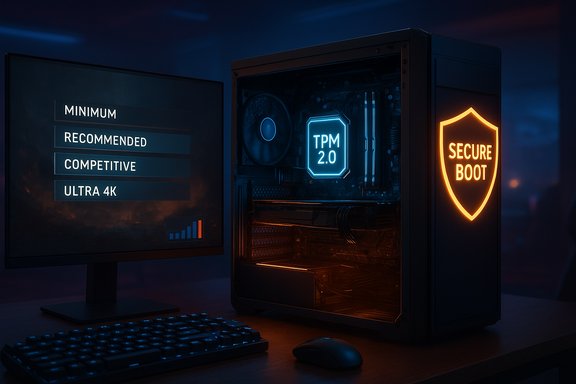
Call of Duty: Black Ops 7 lands with clear, tiered PC system requirements — and a notable security caveat that will matter to many Windows desktop players: the publisher has published Minimum, Recommended, and Competitive/Ultra 4K hardware targets, requires TPM 2.0 and UEFI Secure Boot for RICOCHET anti‑cheat to operate, and sets an unusually large SSD install headline (around 115–116 GB) that may expand with day‑one patches.
Beenox (in cooperation with Treyarch and Activision) built the PC client with a PC‑first emphasis: extensive graphics controls, vendor upscaling and frame‑generation support, and an integrated benchmark to help players tune settings. The official guidance is split into three practical tiers — Minimum (get in and play), Recommended (comfortable 60 FPS on high settings), and Competitive / Ultra 4K (high refresh or native 4K targets). Activision also lists specific driver builds to avoid early regressions and enforces firmware attestations (TPM 2.0 + Secure Boot) as prerequisites to play. This article condenses the published specs, verifies key claims against the publisher’s support documentation and independent coverage, analyzes what the numbers mean for actual play, and lays out upgrade and troubleshooting guidance aimed at Windows PC players preparing for launch. Where official documentation and press reports disagree (notably the SSD headline), those differences are flagged and explained.
Practical planning advice:
For most players the practical path is straightforward: confirm firmware readiness, use an SSD (NVMe if possible), install the vendor drivers Activision recommends, and use the in‑game benchmark to tune settings. Competitive players and Ultra purists should budget for modern GPUs and high‑refresh/4K‑class hardware or plan to rely on upscaling/frame‑generation to meet extreme framerate goals.
If unresolved or edge‑case problems appear during preloads or at launch, Activision’s support documentation and the vendor driver release notes are the authoritative next steps; expect iterative driver and game patches in the launch window as the ecosystem settles.
Conclusion: Black Ops 7 is engineered to scale across a wide range of Windows hardware while hardening the platform against persistent cheating. The numbers themselves are reasonable for a modern AAA shooter, but the enforced firmware checks and large SSD footprint are the practical barriers most players should address before launch.
Source: Shacknews Call of Duty: Black Ops 7 PC system requirements - minimum and recommended specs
 Background / Overview
Beenox (in cooperation with Treyarch and Activision) built the PC client with a PC‑first emphasis: extensive graphics controls, vendor upscaling and frame‑generation support, and an integrated benchmark to help players tune settings. The official guidance is split into three practical tiers — Minimum (get in and play), Recommended (comfortable 60 FPS on high settings), and Competitive / Ultra 4K (high refresh or native 4K targets). Activision also lists specific driver builds to avoid early regressions and enforces firmware attestations (TPM 2.0 + Secure Boot) as prerequisites to play. This article condenses the published specs, verifies key claims against the publisher’s support documentation and independent coverage, analyzes what the numbers mean for actual play, and lays out upgrade and troubleshooting guidance aimed at Windows PC players preparing for launch. Where official documentation and press reports disagree (notably the SSD headline), those differences are flagged and explained.The official PC requirements — at a glance
Below is a distilled, reader‑friendly presentation of Activision’s published PC tiers as they appeared in the publisher’s support guidance and mirrored across major outlets.- Minimum (Playable)
- OS: Windows 10 64‑bit (latest update)
- CPU: AMD Ryzen 5 1400 or Intel Core i5‑6600
- RAM: 8 GB
- GPU: AMD Radeon RX 470 or NVIDIA GeForce GTX 970 / GTX 1060 or Intel Arc A580
- VRAM: 3 GB
- Storage: SSD with ~115–116 GB available at launch
- Recommended (Comfortable / ~60 FPS)
- OS: Windows 11 64‑bit (latest update)
- CPU: AMD Ryzen 5 1600X or Intel Core i7‑6700K
- RAM: 12 GB
- GPU: AMD Radeon RX 6600 XT or NVIDIA GeForce RTX 3060 or Intel Arc B580
- VRAM: 8 GB
- Storage: SSD with ~115–116 GB available at launch
- Competitive / Ultra 4K (High‑end)
- OS: Windows 11 64‑bit (latest update)
- CPU: AMD Ryzen 5 5600X or Intel Core i7‑10700K
- RAM: 16 GB
- GPU: AMD Radeon RX 9070 XT or NVIDIA GeForce RTX 4080 / RTX 5070 class
- VRAM: 16 GB
- Storage: SSD with ~115–116 GB available at launch
What the tiers actually mean for players
Minimum: “You can play” — practical expectations
The Minimum tier is explicitly designed to be the absolute entry point. Expect roughly 1080p gameplay with many visual features dialed back:- Target: playable experience (often ~30 FPS on low settings in CPU/GPU‑bound scenarios).
- When this tier is sufficient: older mid‑range rigs, casual players, or anyone who values access over fidelity.
- Caveats: even if your CPU/GPU match these numbers, firmware checks (TPM 2.0 + Secure Boot) are required to launch online play, so hardware age alone isn’t the only gating factor.
Recommended: the sweet spot for most players
The Recommended tier targets a comfortable 60 FPS in many scenarios with high settings:- Target: 1080p/1440p at 60 FPS depending on settings and scene complexity.
- Practical rigs: upper mid‑range GPUs such as RTX 3060 / RX 6600 XT coupled with a 6‑core CPU provide the best value for steady 60 FPS.
- Expectation management: “60 FPS with all options set to high” is described by the studio as typical but not guaranteed during extremely busy moments or large multiplayer spawns.
Competitive / Ultra 4K: for high refresh and native 4K
This tier is for players with high‑refresh monitors or native 4K ambitions:- Target: native 4K/60 or 1440p/144+ high‑refresh gameplay.
- Hardware envelope: flagship or near‑flagship GPUs offering 16 GB of VRAM and modern CPUs for consistent frame‑time smoothing.
- Real‑world note: upscalers and frame‑generation tools (DLSS/FSR/XeSS) are expected to be heavily used by players chasing extreme frame rates; native 4K at Ultra still demands significant GPU horsepower.
Storage and the 115 vs 116 GB discrepancy
Activision and reporting outlets list the launch install at roughly 115–116 GB on SSD. Some storefronts or support pages show 115 GB while others list 116 GB; the one‑gigabyte difference is inconsequential for performance but important in practice because installers and platform stores can be strict about required free space.Practical planning advice:
- Free up significantly more than the headline figure during preload/patching — plan for at least 150–200 GB free temporarily to avoid installation failures.
- Use an NVMe SSD where possible: streaming performance and texture load times improve significantly versus SATA drives, especially for Recommended/Ultra targets.
Anti‑cheat, TPM 2.0, and Secure Boot — what’s enforced and why it matters
One of the most consequential platform changes is that RICOCHET anti‑cheat will require TPM 2.0 and UEFI Secure Boot to play on PC. Activision’s support documentation explicitly lists these firmware‑level requirements and the company has been testing attestation enforcement in prior seasons before full launch. Independent outlets and hardware press have widely reported and analysed the change. Why Activision enforces firmware attestation:- TPM 2.0 provides a hardware root of trust that supports measured‑boot attestation; anti‑cheat can verify that the system booted into an expected firmware state.
- UEFI Secure Boot prevents unsigned or tampered early‑boot components, making persistent bootkits and certain kernel cheats harder to deploy.
- Compatibility impact: older motherboards without TPM 2.0 or those using legacy MBR boot setups may be locked out until firmware/hardware is updated.
- Handhelds and Linux/Proton users: devices that cannot or do not expose Secure Boot/TPM correctly to Windows may be incompatible for online play.
- Troubleshooting complexity: enabling TPM/Secure Boot may require BIOS/UEFI updates and making non‑trivial disk/boot changes for some users.
- Press Windows + R → type tpm.msc → check TPM Specification Version.
- Press Windows + R → type msinfo32 → check BIOS Mode (should show UEFI) and Secure Boot State (On).
Drivers: what Activision recommends and why you should follow it
Activision published specific driver recommendations at launch to reduce day‑one regressions and ensure vendor features work correctly:- AMD: 25.9.2 (or the listed launch build)
- NVIDIA: 581.42 (or the listed launch build)
- Intel: 32.0.101.8132 (or the listed launch build)
Performance tuning and real‑world benchmarking advice
Beenox provides an in‑game Benchmark Tool and exposes more than 800 configuration options — a welcome relief for players who want granular control. Use these tools to find the right balance:- Start with the Recommended preset for your tier and run the built‑in benchmark to measure average and 1% lows.
- If you’re GPU‑bound, enable a vendor upscaler (DLSS / FSR / XeSS) or lower render resolution before touching texture quality — VRAM and render resolution are the heaviest GPU burdens.
- For CPU‑bound scenarios (large maps, many players), prioritize a faster single‑threaded CPU or reduce draw distance/physics complexity.
- If you chase competitive high‑refresh targets, pair a high‑refresh monitor with Nvidia/AMD low‑latency options (Reflex / Anti‑Lag) and ensure fast RAM and a modern CPU to reduce frame‑time spikes.
Upgrade checklist: where to spend money first
- SSD (NVMe recommended): reduces stutters and load times more than modest CPU/GPU upgrades in many streaming‑heavy scenes.
- GPU: for visual fidelity and framerate gains; target the Recommended GPU (RTX 3060 / RX 6600 XT) for 60 FPS, higher for 4K/competitive.
- RAM: move to 12–16 GB (12 GB is listed for Recommended but 16 GB is the safer baseline for modern multiplayer/streaming).
- CPU: important for high refresh or server‑heavy maps; a recent 6‑core or better CPU reduces 1% lows in large matches.
- Firmware/motherboard: ensure TPM 2.0 module or firmware support and UEFI Secure Boot; update BIOS/UEFI as required.
Troubleshooting common day‑one problems
- Game won’t launch / RICOCHET refuses to initialize
- Confirm TPM 2.0 presence via tpm.msc and Secure Boot = On via msinfo32. If missing, update BIOS/UEFI or check motherboard documentation.
- Installer errors due to insufficient space
- Free at least 150–200 GB temporarily and ensure the SSD is formatted and healthy.
- Graphical glitches or low performance
- Install the recommended vendor driver listed by Activision first; then test with the in‑game benchmark. If problems persist, roll drivers forward/back to versions known to be stable for your GPU model.
- Conflicts with other kernel‑level anti‑cheat software
- Temporarily uninstall or disable conflicting kernel anti‑cheat drivers per vendor guidance, reboot, and try again. Kernel drivers are a common source of instability on day one.
Strengths, risks, and what to expect in the weeks after launch
Strengths:- Clear, tiered guidance makes it straightforward to map a PC to a target experience.
- Robust PC feature set (deep customization, benchmark, vendor upscalers/frame gen) gives players tools to optimize across a wide hardware range.
- Anti‑cheat commitment aims to reduce persistent and kernel‑level cheats by moving attestation into the boot chain, which should improve long‑term matchmaking fairness.
- Increased setup friction for older systems or non‑standard installations (legacy MBR, some Linux/Proton setups, and older motherboards without TPM/UEFI support).
- Day‑one instability: new game + kernel anti‑cheat + vendor upscalers can create driver and crash issues; expect driver updates and small game patches in the first week.
- Cost for Ultra experiences: native 4K/Ultra without aggressive upscaling will require flagship GPU investment.
Quick, safe pre‑launch checklist (one page)
- Confirm Windows is updated (Windows 10/11 latest cumulative update).
- Check TPM: Windows + R → tpm.msc → TPM Specification Version = 2.0.
- Check Secure Boot: Windows + R → msinfo32 → Secure Boot State = On, BIOS Mode = UEFI.
- Free at least 150–200 GB on an SSD (NVMe preferred).
- Install the vendor driver version recommended by Activision as a first step.
- Run the in‑game benchmark and save a stable settings profile for your GPU/monitor target.
- If on older hardware, verify motherboard vendor guidance for enabling TPM/UEFI and plan BIOS updates during non‑peak hours.
- Back up important data before performing firmware/BIOS updates or converting disks (MBR→GPT) if needed.
Final verdict
Call of Duty: Black Ops 7’s PC requirements strike an intentional balance: the Minimum and Recommended tiers keep the game accessible to a broad PC audience, while Competitive/Ultra defines a clear envelope for high‑end native experiences. The most consequential change is procedural rather than numerical: firmware‑level anti‑cheat enforcement (TPM 2.0 + Secure Boot) raises the technical floor and will shape who can play on day one without firmware updates or BIOS changes.For most players the practical path is straightforward: confirm firmware readiness, use an SSD (NVMe if possible), install the vendor drivers Activision recommends, and use the in‑game benchmark to tune settings. Competitive players and Ultra purists should budget for modern GPUs and high‑refresh/4K‑class hardware or plan to rely on upscaling/frame‑generation to meet extreme framerate goals.
If unresolved or edge‑case problems appear during preloads or at launch, Activision’s support documentation and the vendor driver release notes are the authoritative next steps; expect iterative driver and game patches in the launch window as the ecosystem settles.
Conclusion: Black Ops 7 is engineered to scale across a wide range of Windows hardware while hardening the platform against persistent cheating. The numbers themselves are reasonable for a modern AAA shooter, but the enforced firmware checks and large SSD footprint are the practical barriers most players should address before launch.
Source: Shacknews Call of Duty: Black Ops 7 PC system requirements - minimum and recommended specs
