

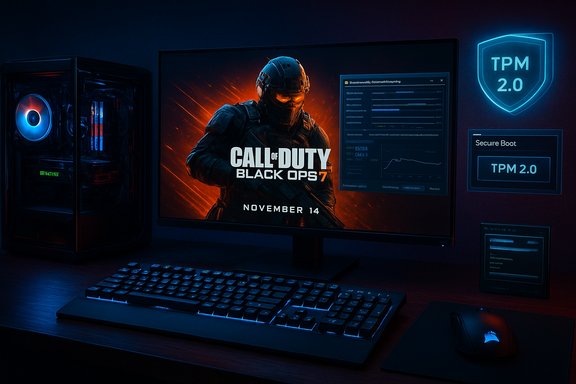
Call of Duty: Black Ops 7 arrives on PC with a clear, tightly choreographed rollout — a November 14 global launch (midnight local time) and a timed pre‑load window beginning November 10 at 9:00 AM PT — and the PC build is packed with granular graphics options, modern upscaling, and a strict anti‑cheat posture that will require TPM 2.0 and UEFI Secure Boot on day one.
Beenox (in partnership with Treyarch) built the PC client to be a “tailormade” experience for Windows players, offering hundreds of configuration options, a built‑in benchmark tool, and support for modern upscaling/frame‑generation technologies such as AMD FSR 4. The official PC blog outlines three supported tiers of hardware targeting Minimum, Recommended (60 FPS), and Competitive / Ultra 4K, and specifies a 116 GB SSD requirement at launch. At the same time, Activision and the RICOCHET anti‑cheat team have moved enforcement into the firmware/boot chain: the game will require TPM 2.0 and UEFI Secure Boot enabled for the beta and the full launch. This is not a beta‑only advisory — the publisher’s documentation and platform pages make it explicit that compliant hardware/firmware settings are a prerequisite to play Black Ops 7 on PC. These three technical and logistical pillars — expansive PC options, enforced hardware attestation, and a fixed preload/launch cadence — shape the player experience and the community conversation going into the launch.
For players, the practical consequence is straightforward: if you want to play Black Ops 7 on PC at launch, verify TPM 2.0 and Secure Boot now, back up data, and preload on November 10. For the broader PC ecosystem, this launch is a bellwether — expect more big titles to require platform‑level integrity checks going forward, and expect the debate between security, privacy, and accessibility to remain central to how PC gaming evolves.
The next week will show how smoothly the enforcement, the preloads, and the first‑day server capacity hold up under load. For now, plan ahead, prepare your system, and keep an eye on official channels for any late breaking fixes or guidance.
Source: Call of Duty https://www.callofduty.com/blog/202...pc-trailer-specs-preloading-handheld-systems/
 Background / Overview
Beenox (in partnership with Treyarch) built the PC client to be a “tailormade” experience for Windows players, offering hundreds of configuration options, a built‑in benchmark tool, and support for modern upscaling/frame‑generation technologies such as AMD FSR 4. The official PC blog outlines three supported tiers of hardware targeting Minimum, Recommended (60 FPS), and Competitive / Ultra 4K, and specifies a 116 GB SSD requirement at launch. At the same time, Activision and the RICOCHET anti‑cheat team have moved enforcement into the firmware/boot chain: the game will require TPM 2.0 and UEFI Secure Boot enabled for the beta and the full launch. This is not a beta‑only advisory — the publisher’s documentation and platform pages make it explicit that compliant hardware/firmware settings are a prerequisite to play Black Ops 7 on PC. These three technical and logistical pillars — expansive PC options, enforced hardware attestation, and a fixed preload/launch cadence — shape the player experience and the community conversation going into the launch.Engineered for PC: what Beenox built and why it matters
Black Ops 7’s PC feature set emphasizes choice, tuning, and performance scaling. The launch messaging highlights:- Deep configuration: more than 800 adjustable options covering graphics, input, HUD, and accessibility, enabling broad hardware fit and personal preference tuning.
- Upscaling & frame generation: native support for AMD FSR 4 and other frame‑generation/upscaling technologies to boost frame rates and visual fidelity across generations of GPUs.
- Benchmarking: an in‑game Call of Duty PC Benchmark Tool to help players measure and tune settings for their hardware.
- Peripherals & ecosystem: enhanced sub‑frame mouse polling for input precision and RGB integration for certain Corsair devices.
Official PC system requirements and recommended drivers
The publisher published concrete tiered specifications. These are the headline items players should plan around:- Storage: SSD with 116 GB available at launch.
- Minimum: Windows 10 (latest), Ryzen 5 1400 / i5‑6600, 8 GB RAM, RX 470 / GTX 970 or Intel Arc A580 (3 GB VRAM).
- Recommended (60 FPS): Windows 11 (latest), Ryzen 5 1600X / i7‑6700K, 12 GB RAM, RX 6600 XT / RTX 3060 or Arc B580 (8 GB VRAM).
- Competitive / Ultra 4K: Windows 11, Ryzen 5 5600X / i7‑10700K, 16 GB RAM, RX 9070 XT or RTX 4080 / RTX 5070 class GPUs (16 GB VRAM).
- Recommended drivers at launch: AMD 25.9.2; NVIDIA 581.42; Intel 32.0.101.8132.
Preloading and launch schedule — practical implications
- Preload window: preloading begins November 10 at 9:00 AM PT (regional times vary) and includes Campaign, Multiplayer, and Zombies assets. The game becomes playable on November 14 at midnight local time.
- Why preload matters: day‑one patches for large live‑service shooters are common; preloading reduces morning‑of download queues and helps avoid entitlement errors created by overtaxed distribution systems. Steam/Battle.net players should check their platform unlock times (midnight local vs. global rollouts differ by store).
TPM 2.0 + Secure Boot: what’s required and what it really means
Activision’s support documentation and multiple independent outlets confirm a firm stance: for Black Ops 7’s beta and launch, PC players must have TPM 2.0 and UEFI Secure Boot enabled. This is an enforcement change in how RICOCHET anti‑cheat validates machine integrity before connecting to multiplayer systems. What the checks verify (high level):- Secure Boot (UEFI): ensures only properly signed early‑boot components are loaded, making it harder for bootkits and unsigned kernel drivers (a common cheat vector) to persist.
- TPM 2.0: supplies a hardware root of trust for measured boot attestation; anti‑cheat can request cryptographic evidence that a system booted into an expected, untampered state.
Practical checks and the common pitfalls
- Run tpm.msc to confirm TPM presence and version.
- Run msinfo32 and check that BIOS Boot Mode = UEFI and Secure Boot = On.
- If your system uses MBR (Legacy) disk layout, enabling Secure Boot usually requires converting the system drive to GPT (mbr2gpt) — a process that must be performed carefully and with BitLocker suspended or recovery keys at hand. Missteps here cause boot failures and BitLocker prompts.
- Dual‑boot Linux / Proton setups: Secure Boot complicates unsigned kernel modules and third‑party device drivers. Without signed shims or developer accommodations, many Proton/SteamOS configurations will be blocked. PCGamesN and other outlets expect an Unsupported rating for Steam Deck unless Valve or developers ship signed compatibility layers.
- Handheld PCs: Modern Windows handhelds that ship with Secure Boot/TPM support will typically be compliant, but some handhelds (and earlier devices) may need firmware updates or vendor patches.
Privacy & telemetry — the limits and concerns
Activision and RICOCHET state TPM attestation checks the boot chain and does not read or transmit user files. However, TPM‑backed attestation and telemetry collection raise legitimate privacy questions about what is measured and how attestation data is handled. Independent outlets urge clearer transparency and third‑party auditability to build public trust. If a player is uncomfortable enabling TPM/Secure Boot, the practical effect may be exclusion from the PC multiplayer ecosystem for this title.Handhelds, Steam Deck, and the new Xbox Ally devices
Beenox states Black Ops 7 “ships fully tuned” for supported Windows handhelds, explicitly naming the ROG Xbox Ally and ROG Xbox Ally X as supported devices where UI scaling and control mappings have been optimized for smaller displays. The Call of Duty blog highlights improved legibility, scaled menus, and native control support for these handhelds. Independent context:- Microsoft and ASUS announced the ROG Xbox Ally family as a hardware/software collaboration that brings a more console‑like Xbox library experience to Windows handhelds; both the base Ally and Ally X emphasize 120 Hz panels and tailored Xbox UI features. That partnership specifically positions the Ally line as an ideal platform for day‑one AAA titles that support Windows handhelds.
- ASUS and Xbox updates now surface compatibility indicators inside the Xbox app and Armoury Crate, which helps players see which titles are handheld‑friendly. Windows Central reports those compatibility indicators are rolling out — an important step for quickly spotting which games are optimized for on‑the‑go play.
Day‑one ownership, Game Pass, and distribution dynamics
Black Ops 7 arrives Day‑One on Xbox Game Pass for eligible tiers, which dramatically affects how many players access the game at launch. That distribution model reduces purchase friction for subscribers but also creates tension between subscription access and permanent ownership (pre‑orders/Vault editions). The publisher clarifies in the blog and platform pages that Vault/paid editions include permanent collectibles and season content, while Game Pass grants access only while the title remains covered by the subscription agreement. Operationally, the combination of heavy preloads, anti‑cheat checks, and Game Pass day‑one availability increases the complexity of launch logistics. Players should expect large concurrent downloads and the usual early patches; preloading is the practical defense against launch‑day congestion.Strengths — what Black Ops 7 gets right
- Technical depth for PC players: extensive graphics and input tuning, upscaling/frame generation support, and a dedicated benchmark show a serious PC focus. These tools help get a range of systems playable quickly.
- Broad feature slate: co‑op Campaign, a large multiplayer map pool (reported 18 maps at launch across core and larger formats), and an ambitious Zombies offering aim to please competitive and cooperative audiences alike.
- Anti‑cheat modernization: shifting anti‑cheat checks earlier in the boot chain raises the technical bar for kernel‑level exploits and persistent cheat techniques; it’s a pragmatic, defensible engineering choice for a live competitive ecosystem.
- Handheld optimizations: explicit tuning for Ally devices and a handheld‑friendly UI demonstrate an awareness of the growing portable Windows market.
Risks and trade‑offs — what players need to watch
- Accessibility & exclusion: enforcing TPM 2.0 and Secure Boot will lock out a subset of players with older hardware, custom MBR installs, or certain dual‑boot setups. That creates a real barrier to entry and potential community backlash if support flows are not well managed.
- Linux/Steam Deck compatibility: unless vendor or developer accommodations appear quickly, players on Proton/SteamOS will likely be blocked at launch, extinguishing a growing handheld/portable player segment.
- Firmware and BitLocker pitfalls: converting MBR→GPT or toggling Secure Boot without a proper BitLocker recovery key can trigger recovery screens or data access issues; community guides and platform support pages emphasize cautious, backup‑first procedures.
- Perception of telemetry: even with assurances that attestation does not access files, the use of hardware attestation invites questions about what data is collected. Absent transparent telemetry governance or independent audits, trust will remain limited.
- Launch stability risk: day‑one large multiplatform launches with a subscription tier and heavy anti‑cheat checks increase the chance of entitlement/entitlement‑related errors or overloaded matchmaking servers. Preloading and robust platform QA reduce but do not eliminate this risk.
Practical checklist: how to be ready for launch
- Backup all important files and save BitLocker recovery keys to an external location (cloud or USB).
- Confirm TPM and Secure Boot:
- Press Windows + R → type tpm.msc → verify TPM 2.0 and “The TPM is ready for use.”
- Run msinfo32 → verify BIOS Boot Mode: UEFI and Secure Boot State: On.
- If using BitLocker, suspend it before any MBR→GPT conversion or UEFI changes. Keep your recovery key handy.
- Update your UEFI/BIOS and GPU drivers to the recommended versions where possible (AMD 25.9.2, NVIDIA 581.42, Intel 32.0.101.8132 at launch).
- Free up at least 150–200 GB temporarily to accommodate downloads, patches, and potential install overhead; final installed size reported as ~116 GB on SSD.
- Preload on November 10 (9:00 AM PT) and verify platform unlock time for your region.
- If you own a handheld (ROG Xbox Ally/Ally X), install the latest firmware and check the Xbox app’s compatibility indicators to confirm a polished experience.
Final assessment: launch posture and what it signals
Black Ops 7’s PC presentation demonstrates a clear investment in a modern, scalable PC experience — meaningful options, advanced upscaling, and performance tools. Those choices should deliver a polished result for players who meet the technical prerequisites. However, the launch also formalizes a new industry pattern: anti‑cheat moving into hardware‑anchored attestation. That increases fairness and raises the difficulty for cheat authors, but it also creates friction that will exclude a subset of legitimate players on launch day.For players, the practical consequence is straightforward: if you want to play Black Ops 7 on PC at launch, verify TPM 2.0 and Secure Boot now, back up data, and preload on November 10. For the broader PC ecosystem, this launch is a bellwether — expect more big titles to require platform‑level integrity checks going forward, and expect the debate between security, privacy, and accessibility to remain central to how PC gaming evolves.
The next week will show how smoothly the enforcement, the preloads, and the first‑day server capacity hold up under load. For now, plan ahead, prepare your system, and keep an eye on official channels for any late breaking fixes or guidance.
Source: Call of Duty https://www.callofduty.com/blog/202...pc-trailer-specs-preloading-handheld-systems/
