

Activision’s pre-launch notes for Call of Duty: Black Ops 7 confirm a tightly choreographed digital rollout: timed preloads, platform‑specific unlock windows, and a clear three‑tier PC hardware roadmap that ranges from modest entry‑level support to a demanding Competitive / Ultra 4K target. The headline: PC players must plan for a large SSD install, firmware checks tied to RICOCHET anti‑cheat, and driver guidance for day‑one stability — and handheld Windows devices are explicitly supported with tuned UI and performance options.
Black Ops 7 launches across consoles and PC with a multi‑store rollout that includes Steam, Battle.net, and a native Windows client. Activision and the studio network (Beenox with support from Treyarch/partner teams) published platform notes that explain preload timing, store unlocks, and a tiered PC spec sheet intended to cover everyone from casual laptop owners to competitive 4K enthusiasts. The publisher’s messaging frames the PC build as “engineered for PC” — deep graphic controls, vendor upscaling and frame‑generation support, and explicit driver recommendations to minimize day‑one regressions.
This article pulls together the official pre‑load schedule and the PC system requirements the publisher published, cross‑checks the numbers where they diverge in public reporting, analyzes practical impacts for Windows players, and flags the most likely pain points on launch day.
However, the anti‑cheat firmware enforcement and the sheer storage size are the primary sources of launch friction and the most likely reasons players will face day‑one issues. Careful preparation — driver updates, firmware checks, and early preloads — will minimize those headaches. For players who follow the checklist above and budget for potential upgrades (SSD + GPU + RAM), Black Ops 7 should deliver a modern, well‑tuned PC experience on day one.
Source: Final Weapon Call of Duty: Black Ops 7 Pre-Load Times and PC Recommended Specs Revealed
 Background
Black Ops 7 launches across consoles and PC with a multi‑store rollout that includes Steam, Battle.net, and a native Windows client. Activision and the studio network (Beenox with support from Treyarch/partner teams) published platform notes that explain preload timing, store unlocks, and a tiered PC spec sheet intended to cover everyone from casual laptop owners to competitive 4K enthusiasts. The publisher’s messaging frames the PC build as “engineered for PC” — deep graphic controls, vendor upscaling and frame‑generation support, and explicit driver recommendations to minimize day‑one regressions.This article pulls together the official pre‑load schedule and the PC system requirements the publisher published, cross‑checks the numbers where they diverge in public reporting, analyzes practical impacts for Windows players, and flags the most likely pain points on launch day.
Pre‑load windows and regional unlocks
When you can start pre‑loading
Digital pre‑loads for Black Ops 7 open ahead of the full launch to help reduce day‑one queues and to let players download large assets in advance. According to the publisher’s notes, Steam pre‑loads will begin at 9:00 AM PDT (12:00 PM EDT) for many regions, with other platforms following a similar schedule. Console and PC storefront unlock times vary by locale and platform: certain PlayStation and Xbox storefronts will show earlier playable windows on November 13 for specific time zones, while Battle.net and Steam open play access at the publisher’s stated regional times (Steam pre‑load at 9:00 AM PDT is the most commonly quoted starting point).Regional rollout nuances
Platform stores treat unlock timing differently: some operate by local midnight for each time zone, others by coordinated universal times that result in earlier or later local access. Activision’s rollout messaging emphasizes that exact playable times “vary depending on the region you live in,” and the publisher posted a graphic with the localized unlock times for all supported territories. For players: check the store page for your platform (Steam, Battle.net, PlayStation Store, Xbox Store) for the exact local unlock moment and plan your preload accordingly.Practical preload advice
- Begin the preload as soon as it becomes available if your connection is slow or you have a data cap.
- Allocate temporary free space significantly above the headline install size during the preload; the publisher warns day‑one patches may require additional room.
- Expect DRM/anti‑cheat driver installations and possible reboots during first launch; install early to surface issues in advance of peak hours.
The PC system requirements — what was published
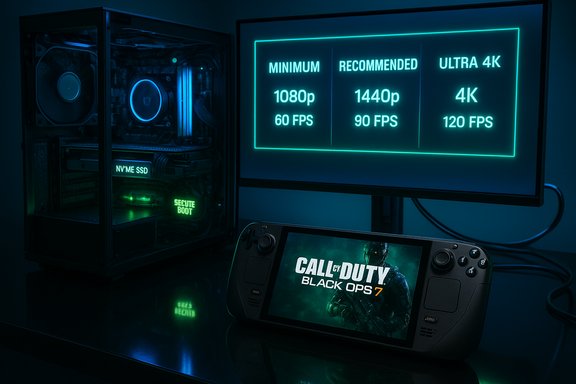
Activision published a tiered table of PC requirements that breaks supported hardware into Minimum, Recommended, and Competitive / Ultra 4K tiers. These tiers are practical performance envelopes rather than hard technical gates — but there are several explicit platform checks that do function as launch blockers (see the anti‑cheat section below). The publisher’s recommended driver builds are included in the notes to reduce day‑one regressions.Minimum (Playable)
- OS: Windows 10 64‑bit (latest update)
- CPU: AMD Ryzen 5 1400 or Intel Core i5‑6600
- RAM: 8 GB
- GPU: AMD Radeon RX 470 or NVIDIA GeForce GTX 970 / GTX 1060 or Intel Arc A580
- Video Memory: 3 GB
- Storage: SSD with ~115–116 GB available at launch (publisher pages list 115 GB in some places and 116 GB in others; see Storage note below)
- Other: DirectX 12, broadband internet, and platform/firmware checks required for anti‑cheat.
Recommended (Comfortable / ~60 FPS)
- OS: Windows 11 64‑bit (latest update)
- CPU: AMD Ryzen 5 1600X or Intel Core i7‑6700K
- RAM: 12 GB
- GPU: AMD Radeon RX 6600 XT or NVIDIA GeForce RTX 3060 or Intel Arc B580
- Video Memory: 8 GB
- Storage: SSD with ~115–116 GB available at launch.
Competitive / Ultra 4K (High‑end)
- OS: Windows 11 64‑bit (latest update)
- CPU: AMD Ryzen 5 5600X or Intel Core i7‑10700K
- RAM: 16 GB
- GPU: AMD Radeon RX 9070 XT or NVIDIA GeForce RTX 4080 / RTX 5070‑class
- Video Memory: 16 GB
- Storage: SSD with ~115–116 GB available at launch
- Recommended drivers at launch: AMD 25.9.2; NVIDIA 581.42; Intel 32.0.101.8132.
Storage headline: 115 vs 116 GB — a small but important discrepancy
Multiple reporting outlets and Activision’s store notes publish a large SSD requirement (the number appears in the range of 115–116 GB). The difference of a single gigabyte is inconsequential from a performance perspective, but it matters practically: some platform stores and third‑party reports list 115 GB, others 116 GB. Regardless of the exact byte count, the clear takeaway is that Black Ops 7 is a large install and requires an SSD to meet streaming and load‑time expectations. Players should plan for at least 150–200 GB of temporary free space during preloading and day‑one patching to avoid installer failures or disk‑space errors.Anti‑cheat enforcement — TPM 2.0 and Secure Boot
One of the most consequential platform changes for PC players is the anti‑cheat posture: RICOCHET (Activision’s anti‑cheat) will require certain firmware attestation checks at launch. Specifically, publisher notes and multiple reports indicate the game enforces TPM 2.0 and UEFI Secure Boot as part of the anti‑cheat readiness checks. This is not merely advisory: systems lacking TPM 2.0 or with Secure Boot disabled may be unable to connect to multiplayer services until the requirements are met.What those checks do
- Secure Boot (UEFI): Ensures only signed early‑boot components run, which prevents unsigned bootkits or tampered boot loaders from injecting cheats.
- TPM 2.0: Provides a hardware root of trust and enables measured boot attestations; the anti‑cheat can request cryptographic evidence that the system booted into an expected, untampered state.
Practical implications
- Older motherboards or non‑UEFI/MBR installations may require a firmware update or a disk conversion to enable Secure Boot and TPM.
- Dual‑boot, Linux‑first, and custom boot configurations can be impacted; some Steam Deck, Proton, and Linux players will not be able to run the Windows build under the enforced anti‑cheat checks unless a compatible Windows environment with TPM/Secure Boot is used.
- Administrators of multi‑user machines and virtualized environments should expect additional setup steps; virtualization features that interfere with firmware attestation may need adjustment or disabling.
Handheld and ultrawide support
Activision’s Steam notes and the publisher’s PC messaging call out native, tuned support for Windows handhelds, including the ASUS ROG Ally and ROG Ally X. The build includes UI legibility improvements, scaled screens for smaller displays, and runtime optimizations intended to deliver smooth performance without sacrificing image quality. Beenox’s team explicitly committed to handheld support and quality improvements so owners of Windows gaming handhelds can drop in and play with native control mappings. This formal handheld commitment positions Black Ops 7 as a prominent AAA title tuned for the growing Windows handheld market.What the tiers mean in real play — a practical translation
Minimum tier (what to expect)
Expect functional 1080p play on low settings. Modern streaming and texture loads are reduced aggressively at this tier, and players may need to accept:- Lower view distances and simplified lighting.
- Significantly reduced texture quality to match the 3 GB VRAM floor listed for older cards.
- A hard platform requirement: you must still meet the firmware/anti‑cheat checks even if GPU/CPU meet the minimum.
Recommended tier (a comfortable sweet spot)
Designed for a stable 60 FPS experience on sensible settings, this tier is the practical target for most players who want good visuals without flagship hardware. Use of vendor upscalers (FSR, XeSS, or DLSS equivalents if available) at balanced/quality modes will help hit the 60 FPS target while preserving fidelity.Competitive / Ultra 4K (what it costs)
This tier targets native 4K or competitive high‑refresh play on modern, high‑VRAM GPUs. Achieving these targets requires top‑end silicon and benefits strongly from frame‑generation/upscalers when chasing very high frame rates. Expect to pair a 16 GB VRAM GPU with a strong multicore CPU and fast NVMe storage to minimize hitching.Driver guidance and day‑one stability
Activision published recommended driver builds intended to reduce regressions at launch:- AMD: 25.9.2
- NVIDIA: 581.42
- Intel: 32.0.101.8132
Performance tuning and upgrade priorities
If you’re planning a targeted upgrade before launch, prioritize in this order for maximum impact:- NVMe SSD (or at least a fast SATA SSD) — reduces streaming hitching and load times; the game requires an SSD. Reserve extra headroom beyond the headline install size.
- GPU with adequate VRAM — for 1080p with quality upscaling, an 8 GB card can be sufficient; for 1440p+/4K, target 10–16 GB VRAM class parts.
- CPU cores/threads — modern builds use multicore workloads; for high refresh maps and heavy physics, a stronger multi‑core CPU reduces frame time spikes.
- System RAM — move to 16 GB minimum if you’re at 8 GB; 16–32 GB is advisable for comfortable multitasking, streaming, and Ultra targets.
- Start with the publisher’s Recommended settings for your tier and use the in‑game benchmark to measure baseline FPS.
- Enable vendor upscalers (on supported hardware) at Balanced/Quality settings before reducing native resolution or texture pools.
- Lower shadows, ambient occlusion, and post‑processing before dropping texture quality if VRAM is the limiting factor.
- Keep drivers and Windows updated, and ensure Secure Boot/TPM are configured if you plan to play multiplayer.
Risks, caveats, and unresolved areas
- Anti‑cheat friction: Requiring TPM 2.0 and Secure Boot narrows supported machines and increases helpdesk load; older motherboards or custom installs are the most at risk. This enforcement is the primary compatibility risk for PC players.
- Large storage footprint: The SSD requirement and temporary headroom needs (for patches) mean players on small SSDs must free significant space or move other content. Expect ongoing maintenance if you have multiple large titles.
- Driver timing: Vendor driver timing versus publisher hotfixes can create day‑one regressions; if you rely on specific capture or overlay software, be cautious about immediately updating drivers until known‑good builds are confirmed by the publisher or community testing.
- Handheld experience variability: While Beenox tuned UI and scaling for handhelds, thermals and sustained performance will depend on each handheld’s thermal envelope; battery life and throttling can reduce frame rates compared with desktop results.
- Unverifiable or shifting details: Small discrepancies exist across published notes (e.g., 115 GB vs 116 GB install size and localized unlock times). These are likely editorial differences or platform rounding; confirm your store page for the final numbers to be safe. Where exact times are critical for planning, rely on the platform storefront clock rather than secondary reports.
Day‑one checklist (quick reference)
- Ensure Windows 10/11 is updated to the latest cumulative update.
- Verify TPM 2.0 and Secure Boot are enabled (tpm.msc and msinfo32 are quick checks).
- Reserve at least 150–200 GB of free space temporarily while preloading and patching.
- Install publisher‑recommended GPU drivers or the latest WHQL builds after checking for publisher notes.
- Begin the preload at the listed start time for your region and store to avoid peak download congestion.
Conclusion
Call of Duty: Black Ops 7 arrives with clear, tiered PC guidance and a focused platform rollout plan. The technical story is straightforward: expect a large SSD install, enforced firmware checks tied to anti‑cheat, and three practical performance tiers that map to widely available mid‑range hardware up to cutting‑edge 4K rigs. Beenox’s PC‑first engineering choices — deep customization, vendor upscaling/frame‑generation support, and explicit handheld optimizations — are strengths that should broaden the game’s reach across devices.However, the anti‑cheat firmware enforcement and the sheer storage size are the primary sources of launch friction and the most likely reasons players will face day‑one issues. Careful preparation — driver updates, firmware checks, and early preloads — will minimize those headaches. For players who follow the checklist above and budget for potential upgrades (SSD + GPU + RAM), Black Ops 7 should deliver a modern, well‑tuned PC experience on day one.
Source: Final Weapon Call of Duty: Black Ops 7 Pre-Load Times and PC Recommended Specs Revealed
