

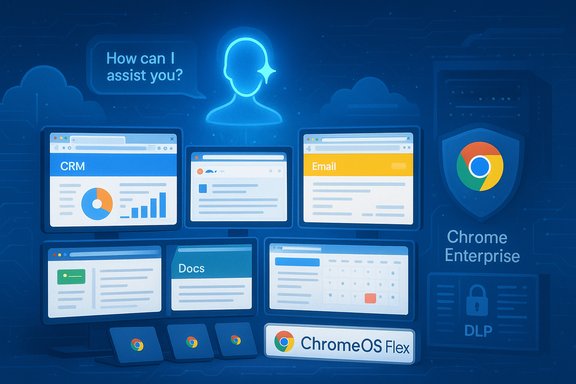
Google has quietly removed one of the largest practical objections to moving entire fleets off Windows: the need to keep a handful of Windows-only business applications running on legacy hardware. With the relaunch of Cameyo as Cameyo by Google, enterprises can stream Windows and Linux desktop apps into the Chrome browser (or install them as Progressive Web Apps), secure them under Chrome Enterprise controls, and layer Google’s Gemini AI across modern and legacy apps alike — all while repurposing older Windows 10 machines with ChromeOS or ChromeOS Flex. This is a strategic, pragmatic play: reduce endpoint cost and complexity, deliver a unified app surface for users, and give IT teams a single management and security context instead of split Windows/Chrome tooling.
Source: PCMag UK Google Just Made ChromeOS an Even More Effective Windows Replacement
 Background / Overview
How we got here
Google acquired Cameyo in mid‑2024, bringing to Mountain View a company that had already built Virtual App Delivery (VAD) technology capable of running Windows applications inside a browser window and publishing them as PWAs. That acquisition laid the groundwork for tighter ChromeOS integration and the eventual relaunch of the product under Google’s banner. In November 2025 Google announced the general availability of “Cameyo by Google,” positioning it as a first‑class component of Chrome Enterprise and an accelerant for organizations looking to modernize desktop fleets and move toward web‑first productivity. Google’s product posts and the company blog emphasize three themes: simplify migration from traditional VDI, secure legacy apps inside the enterprise browser, and bring Gemini AI assistance to those apps via Gemini in Chrome.What problem this solves
Many organizations are stuck in hybrid stacks: most modern workloads are web or SaaS, but business‑critical custom Windows apps (ERP clients, specialized CAD/CAM, older Excel macro systems) keep devices tethered to Windows. Virtual desktops (VDI/DaaS) are a common answer but are complex and expensive to operate. Cameyo’s VAD approach streams only the app, not the entire desktop, and publishes it as a web‑accessible app — effectively closing the “app gap” that prevents large‑scale ChromeOS adoption.What Cameyo by Google actually does
Virtual App Delivery (VAD) — not VDI
Cameyo uses Virtual App Delivery to render and stream the UI of a Windows or Linux app into Chrome, treating that UI as a web app. From the user’s point of view the app opens in its own window, appears on the Launcher and Shelf like a native app, and can access permitted files or cloud storage. Unlike classic VDI, you don’t stream an entire desktop session — you stream the single application instance — and you avoid many of the management pieces VDI requires (delivery controllers, imaging stacks, heavy backend licensing, and large persistent sessions). Key technical behaviors:- Apps are streamed into Chrome and can be installed as PWAs, giving them a native‑like presence.
- The VAD service can run Windows or Linux applications hosted in the cloud or in an enterprise datacenter.
- Session management, load balancing, and failover are managed by the VAD platform rather than the customer’s VDI tooling.
Integration surfaces
- ChromeOS (retail Chromebooks and Chromebook Plus)
- ChromeOS Flex (convert existing Windows or Mac machines to ChromeOS Flex)
- Chrome browser on macOS, Windows, iOS and Android for cross‑platform access to PWAs and browser‑hosted virtual apps
- Google Workspace and Chrome Enterprise management consoles for unified policy and DLP controls.
Gemini AI and legacy apps — what “AI for old apps” looks like
One of the most attention‑grabbing bits of Google’s pitch is that Gemini in Chrome can now operate across legacy applications streamed through Cameyo. Practically, that means:- Gemini can see the content presented in a streamed app window and provide contextual assistance (summaries, extraction of values, question‑answering tied to app content).
- Gemini’s contextual awareness can extend across multiple tabs and apps, letting it synthesize information across a Workspace document, a web CRM, and a legacy client streamed via Cameyo.
- Enterprise controls are applied so AI usage is governed by Workspace policies and Chrome Enterprise protections.
Security and enterprise controls
Unified security under Chrome Enterprise
Google’s pitch is simple: once a legacy app runs inside Chrome (managed by Chrome Enterprise Premium), it falls under the same security policies as web apps — URL filtering, Advanced Protection, granular DLP (block copy/paste, printing), and centralized telemetry. Cameyo itself advertises a zero‑trust architecture for app delivery that isolates apps from the device and the network to reduce lateral attack surface. Google has also announced a one‑click integration with Google SecOps to feed browser intelligence and risky activity into security operations workflows.What’s verifiable and what to be cautious about
- Google and Cameyo claim ChromeOS is the only OS with no reported ransomware attacks; this is a high-level marketing point built on ChromeOS architecture and small incident surface, but absolute security guarantees are impossible and should be treated cautiously. Validate claims against your threat models and compliance needs.
- The zero‑trust story is credible in principle — isolating apps in cloud‑hosted containers removes many local persistence vectors — but effective deployment still requires correct policy configuration, network segregation, and endpoint hygiene. Don’t treat VAD as a substitute for layered security.
Economics: TCO, migration speed, and the VDI comparison
Cost claims
Cameyo and partner materials cite an ESG Economic Validation study that models a 54% reduction in total cost of ownership versus traditional virtual desktops, driven by reduced hardware costs, licensing savings, and lower operational overhead. The figures are prominently used in vendor materials and have been repeated by partners. Independent verification would require reviewing the ESG model and assumptions; organizations should test the math against their own licensing and infrastructure contracts.Speed of migration
Google claims IT teams can publish a first app within hours and be fully deployed in days — a major improvement over the weeks‑or‑months rollouts associated with classic VDI stacks. That claim is plausible for straightforward, non‑GPU apps where application dependencies are minimal and backend services are accessible; it’s less applicable where apps depend on specialized drivers, local device hardware, or GPU acceleration. Pilot and validation are still required.Compared to Citrix/VDI/DaaS
Traditional VDI/DaaS platforms provide complete desktop parity but at higher infrastructure complexity and license cost: license servers, VDAs, delivery controllers, image management, and persistent session overhead. Cameyo’s VAD reduces the scope of what needs to be delivered and managed, but it doesn’t replicate every VDI capability (e.g., fine‑grained GPU passthrough, some high‑end peripheral support). For many frontline and knowledge workers, the app‑only model is sufficient and dramatically cheaper.Practical considerations and deployment risks
Application compatibility and limits
- Supported: standard Windows desktop apps, many ERP clients, Office desktop versions, mainstream engineering apps that don’t require direct access to discrete GPUs.
- Challenging or unsupported: workloads that require local GPUs for rendering or compute, applications with deep kernel‑level drivers, device‑tied dongles and custom USB hardware, and workflows that depend on local Windows-only services.
- Test everything: print workflows, COM/OLE integrations, local device access (scanners, measurement devices), and macros that interact with local file systems.
ChromeOS Flex: repurposing old Windows machines
One attractive idea is repurposing aging Windows 10 devices with ChromeOS Flex and then using Cameyo to run legacy apps — extending usable life and avoiding hardware refresh. Flex lacks some native Chromebook hardware features (Google Play Store on Flex is usually absent, and device‑level security chips aren’t present on generic hardware), so treat Flex as a repurpose and cost‑saving strategy rather than a full equivalence to factory Chromebooks. Pilot heavily on Flex machines.Data governance and AI privacy
Applying Gemini to legacy app UIs raises data governance questions: what app content is sent to cloud models, what is cached locally, and how does DLP control the flow of sensitive data into AI prompts? Google’s enterprise controls will be central here — but organizations with strict regulatory requirements (healthcare, finance, government) should validate AI data flows and consider on‑premises or model‑limiting configurations.Operational readiness
- Inventory and dependency mapping: identify which apps truly must remain Windows native and which can be virtualized.
- Pilot groups: start with non‑critical teams that have simpler app portfolios.
- Peripherals and printers: test drivers and printing behavior across the VAD layer.
- Disaster recovery and SLAs: validate failover, session persistence, and what recovery looks like for streamed app data.
Deployment checklist (practical steps)
- Inventory apps and rank by migration complexity (simple web‑like clients → complex hardware‑tied apps).
- Pilot 2–3 representative apps on Cameyo with a small user group and validate UX, latency, and peripheral behavior.
- Validate Gemini assistance on streamed UIs in a controlled setting to check for data leakage and to tune DLP policies.
- Test ChromeOS Flex conversions on a subset of older PCs; confirm drivers, audio, and wired networking.
- Integrate with Chrome Enterprise and SecOps; configure logging and alerting for risky actions.
- Build a rollback plan and backups for any critical production data before broad rollout.
Who should consider Cameyo by Google — and who shouldn’t
Good candidates:- Organizations with a majority of web‑native workflows but a handful of critical legacy apps.
- Enterprises under cost pressure that want to reduce VDI overhead and hardware refresh cycles.
- Education and frontline deployments where normalized device fleets and low management overhead are priorities.
- Teams relying on heavy GPU compute (3D rendering, local ML training) or specialized hardware that requires local drivers.
- Organizations with strict regulatory demands on where AI processing happens, until AI data flow controls are fully validated.
- Environments that need full Windows desktop parity for every user — VDI or Wintel endpoints may still be necessary.
Critical analysis — strengths, blind spots, and recommendations
Strengths
- Realistic bridge: Cameyo by Google recognizes that enterprises aren’t going to re‑engineer every legacy app overnight. Offering VAD lowers the migration friction and gives IT a single pane for both web and legacy apps.
- Cost & speed: The model reduces infrastructure and license bloat and promises much faster time‑to‑value than entrenched VDI migrations. Vendor materials and analyst summaries support substantial TCO benefits (ESG study).
- AI productivity: Bringing Gemini to legacy UIs is a pragmatic productivity lever; if controlled properly, it turns dusty apps into interactive sources of value rather than migration blockers.
Risks and blind spots
- Overpromising parity: Not all Windows features translate perfectly to streamed PWAs. Printer drivers, specialized hardware, and GPU acceleration are common friction points.
- Data governance with AI: The convenience of applying Gemini to app UIs adds an attack surface and compliance complexity. Enterprises must verify how prompts and app screenshots are routed and stored.
- Vendor dependency and lock‑in: Moving apps onto a cloud VAD platform introduces a new dependency. Evaluate contract terms, exportability of app configurations, and exit strategies.
- Flex limitations: Converting older hardware to ChromeOS Flex is cost‑effective but comes with reduced hardware‑rooted security and missing Play Store/Android compatibility on many Flex installs. Treat Flex as a repurposing tool, not a full Chromebook replacement.
Recommendations for IT leaders
- Start with a narrow, measurable pilot: choose 3 apps that represent high value with low hardware dependency.
- Insist on measurable KPIs: user satisfaction, app latency, license reductions, and support ticket reduction over 90 days.
- Test AI usage scenarios against compliance policies before rolling out Gemini‑assisted features broadly.
- Build an exit plan that documents how to move apps and data if you change vendors or need to fall back to VDI.
Conclusion
Cameyo by Google is one of the clearest tactical plays in recent years to turn ChromeOS from “mostly web” into a credible enterprise desktop replacement for many classes of users. It removes a stubborn blocker — the need to keep legacy Windows apps accessible — and couples that capability with Chrome Enterprise security controls and Gemini AI assistance. For organizations that are largely web‑first but held back by a few legacy dependencies, this is an appealing, lower‑cost path off the endless Windows upgrade treadmill. However, the promise is not universal: the approach is best treated as a targeted strategy, not a blanket replacement for every Windows workload. Real‑world deployment still requires careful app‑by‑app analysis, pilot testing, and governance work — especially around AI usage and sensitive data. When executed with discipline, Cameyo by Google can be a powerful lever to simplify endpoint management, reduce costs, and modernize productivity — but it does not magically erase the technical realities of specialized hardware, GPU workloads, or strict regulatory constraints. Organizations that test thoroughly, measure results, and treat AI governance as a first‑class problem will get the most value from this new option.Source: PCMag UK Google Just Made ChromeOS an Even More Effective Windows Replacement
