

India’s Computer Emergency Response Team has warned Google Chrome users to install the latest browser update after flagging multiple high-severity vulnerabilities that could let a remote attacker compromise systems through a specially crafted web request on Windows, macOS, and Linux. The warning is not remarkable because Chrome has bugs; every browser does. It is remarkable because the modern browser has become the operating system inside the operating system, and Chrome’s latest security cycle shows how much risk now lives in the tab most people leave open all day. For Windows users and administrators, the message is simple: browser patching is no longer a housekeeping chore, it is frontline endpoint defense.
The old mental model of browser security was tidy. The operating system was the fortress, the browser was an application, and malicious websites were annoyances to be contained by pop-up blockers, Safe Browsing warnings, and a healthy distrust of downloads. That model is now obsolete.
Chrome is where users authenticate to banks, cloud dashboards, Microsoft 365, Google Workspace, VPN portals, HR systems, password managers, developer consoles, and admin panels. On a Windows PC, the browser is often the most privileged unprivileged application in daily use: not running as SYSTEM, not formally part of the OS kernel, but sitting at the intersection of identity, files, cameras, microphones, credentials, extensions, and corporate SaaS.
That is why a government advisory about Chrome matters even when it sounds generic. Out-of-bounds writes, use-after-free flaws, heap buffer overflows, type confusion, integer overflows, and uninitialized memory issues are not abstract bug-class bingo. They are the vocabulary of memory corruption, and memory corruption is still one of the most reliable routes from “user visited a page” to “attacker gained code execution.”
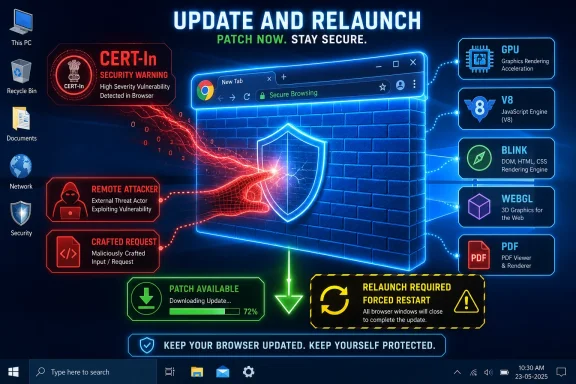
The Times Now report quotes the agency warning that vulnerabilities span GPU, ANGLE, V8, Skia, Blink, WebGL, WebRTC, WebCodecs, WebAudio, PDFium, Media, Network, Extensions, Accessibility, UI, Storage, Input, Navigation, Printing, USB, and other Chrome subsystems. That list reads less like a browser component inventory and more like a map of modern computing itself. Graphics, JavaScript, PDFs, media playback, device access, networking, extensions, printing, storage, and accessibility are all part of today’s web surface.
The practical lesson is uncomfortable: there is no single “dangerous” corner of the browser anymore. The whole thing is a programmable attack surface.
Google’s Chrome 149 stable release, promoted on June 2, 2026, is an especially striking backdrop. Google’s own release channel notes say Chrome 149 reached stable for Windows, macOS, and Linux and included 429 security fixes. Reporting from security outlets and PCWorld characterized it as a record-scale Chrome security release, with dozens of severe issues among the hundreds of patched flaws.
Even if the CERT-In advisory and the Chrome 149 release are not always described with the same framing in consumer media, the direction of travel is obvious. Chrome’s security update cadence is carrying more weight, not less. The browser’s codebase is massive, its feature set keeps expanding, and each added capability creates fresh places where untrusted web content meets complex native code.
The result is a strange contradiction. Chrome is more hardened than the browsers of the 2000s by almost every technical measure: sandboxing, site isolation, fuzzing, exploit mitigations, rapid updates, and bug bounties have all raised the bar. Yet Chrome is also asked to do far more than those older browsers ever did, and the reward for bypassing its defenses is correspondingly higher.
That is the security treadmill in its purest form. Better engineering reduces old classes of failure, while product ambition and web-platform complexity keep generating new ones.
That distinction matters. Enterprises have spent years hardening Windows against obvious executable delivery: SmartScreen warnings, application control, EDR agents, email attachment scanning, macro restrictions, and least-privilege user accounts. Those controls help, but they do not eliminate browser exploitation as a path into the endpoint.
A malicious page can target a rendering engine flaw. A malicious video can tickle a media decoder bug. A hostile PDF can exercise PDFium. A crafted WebRTC interaction can touch real-time communications code. A WebGL or GPU path can push complex graphics stacks that sit close to hardware acceleration. The web page is no longer a document; it is a bundle of executable behaviors mediated by a browser that must parse, render, decode, isolate, accelerate, and synchronize all of it at speed.
Modern Chrome is designed to contain this chaos. The sandbox is there precisely because Google assumes renderer bugs will exist. Site isolation exists because web boundaries are security boundaries. The browser process is more protected than the old free-for-all architectures of early web history.
But “contained” is not the same as “irrelevant.” Many serious browser exploit chains combine multiple flaws: one bug to gain code execution in a renderer, another to escape the sandbox, and sometimes a third to elevate privileges or persist. Government advisories tend to compress that complexity into a few lines, which can make them sound bland. The operational reality is anything but bland.
For home users, the risk is more personal but no less real. Browser compromise can expose session cookies, saved passwords, webmail, cloud files, financial accounts, and social media. The user may think of Chrome as a window onto the internet; attackers think of it as a vault of active sessions.
For IT departments, the Windows angle is sharper. A compromised browser may not immediately mean domain compromise, but it can provide the foothold needed for credential theft, token replay, lateral movement, or reconnaissance. If the browser is used to access admin consoles, remote management portals, cloud tenants, or developer infrastructure, the endpoint becomes a bridge into systems that were never supposed to trust a random website.
The rise of identity-based attacks has made browser security even more central. A stolen token can matter more than a stolen password. A hijacked session can bypass the user-facing part of MFA. A malicious extension with the wrong permissions can become a durable surveillance tool. Patch management cannot solve all of those problems, but unpatched browser flaws make the attacker’s job much easier.
This is why “update Chrome” should not be dismissed as consumer advice. It is a control objective.
That creates a patch synchronization problem. Google may fix a flaw in Chrome, but downstream projects have to ingest Chromium updates, test them, ship them, and persuade users or administrators to restart. The more severe the vulnerability, the more that delay matters.
Microsoft has generally become fast at shipping Edge updates when Chromium security fixes land, but administrators still need to verify deployment rather than assume it. A managed Windows estate that patches Chrome but leaves Edge stale has only solved part of the problem. The same applies to niche Chromium browsers used by developers, privacy-conscious users, or departments that installed them years ago and forgot they existed.
Electron complicates the story further. Collaboration tools, developer apps, chat clients, note-taking tools, and internal utilities may bundle Chromium versions that lag behind the browser. A Chrome advisory does not automatically mean every Electron application is exploitable, but it should prompt security teams to ask a broader question: where else does this vulnerable web engine exist?
That is the uncomfortable legacy of the web platform’s success. Chromium became infrastructure. Infrastructure needs inventory.
Publishing full technical details immediately would help defenders understand risk, but it would also help attackers build exploits while millions of systems remain unpatched. Google’s compromise is to disclose CVE identifiers, severity, affected components, researcher credits, and broad bug classes while holding back deeper details until the patch has propagated.
That creates a temporary information gap. Government advisories and media reports often fill it with generic wording: “remote attacker,” “specially crafted request,” “execute arbitrary code,” “obtain sensitive information,” and “cause denial of service.” These phrases are accurate but unsatisfying, especially for IT pros trying to prioritize competing risks.
The answer is not to ignore the advisory because it lacks proof-of-concept detail. In browser security, waiting for exploit code before patching is a losing strategy. By the time exploit details are public, attackers have often had enough time to reverse-engineer the patch or adapt known techniques.
A Chrome security update is itself evidence. The vendor has fixed real flaws in code that processes hostile input from the open internet. That is enough to justify rapid deployment.
And yet the weak point remains painfully human: the browser must restart. Users keep dozens of tabs open as a memory palace of unfinished work. Developers run local sessions they do not want to interrupt. Office workers treat browser windows as project dashboards. Executives ignore relaunch prompts because meetings are starting in two minutes.
The update may be downloaded, but the vulnerable code can remain running until Chrome restarts. For high-risk vulnerabilities, that delay is not a minor detail. It is the difference between “patched on disk” and “protected in memory.”
Enterprises should treat browser restarts as a managed behavior, not a polite suggestion. Chrome policies can notify users, set relaunch windows, and eventually force restarts after an update. Those controls can be annoying if configured clumsily, but the alternative is pretending that security patches apply themselves while users carry the same browser process across days of browsing.
Home users have a simpler job. Open Chrome’s About page, let it check for updates, and relaunch. Then check any other Chromium-based browser installed on the machine. The browser that is not your default can still be a risk if it is installed, used occasionally, or invoked by another application.
These bugs are not unique to Chrome. They are the long tail of C and C++ systems programming, especially in performance-sensitive software that must parse hostile input at internet scale. Browsers are unusually exposed because they are designed to accept arbitrary content from arbitrary parties and transform it into interactive experiences.
Chrome’s enormous fuzzing and sanitizer investments find many of these flaws before attackers do. Google’s bug bounty program incentivizes outside researchers to report issues responsibly. The company’s multi-process architecture limits damage when a renderer bug fires.
Still, the persistence of these bug classes shows why memory safety has become a strategic issue across the industry. Microsoft, Google, Mozilla, and others have all spent years exploring safer languages, hardened allocators, sandbox boundaries, and incremental rewrites. But replacing mature, performance-critical browser components is not like swapping a library in a small app. The web depends on decades of compatibility, and compatibility is where beautiful security ideas go to negotiate.
That does not excuse the bugs. It explains why they keep appearing.
That ambiguity is dangerous. Chrome’s rapid release model means security updates can land outside the traditional monthly patch cycle. A team that waits for the next broad maintenance window may be accepting unnecessary exposure, especially if a flaw is known to be exploited in the wild or has an obvious exploitation path.
A mature browser patch program should answer several basic questions without scrambling. Which browsers are installed across managed Windows endpoints? Which versions are currently running, not merely installed? How quickly do updates reach 90 or 95 percent of devices? How are restarts enforced? What is the exception process for kiosks, lab machines, virtual desktops, and servers with browser components installed? Who verifies that Edge, Chrome, and other Chromium derivatives are all current?
These are not glamorous controls, but they are the difference between policy and posture. Security teams cannot defend what they cannot measure, and browser version drift is easy to miss in sprawling fleets.
There is also a communications problem. Users tune out vague warnings. “Restart Chrome for security updates” becomes wallpaper. Administrators may get better results by being more specific: a government agency and Google have flagged serious browser flaws; the browser must restart by a defined time; unsaved web work should be saved now. Precision beats nagging.
Google has spent years tightening the extension ecosystem, including the controversial move toward Manifest V3. But no policy model changes the core truth: extensions turn the browser into a platform for third-party code running beside sensitive activity.
For consumers, the advice is brutally simple. Remove extensions you do not use. Avoid installing extensions from unknown publishers. Be suspicious of extensions that ask for access to every site. Do not assume a high install count guarantees safety.
For enterprises, extension governance should be part of browser security baseline management. Allow lists, block lists, permission reviews, and telemetry are not overkill when the browser is the front door to corporate identity. An otherwise patched Chrome installation with a risky extension ecosystem is still a soft target.
This is where Chrome security becomes less about a single update and more about browser hygiene. Patching closes known holes in the engine. Extension control reduces the number of actors allowed to run code inside the user’s most sensitive workspace.
But dismissing the warning because the headline is dramatic would be a mistake. Browser vulnerabilities are unusually time-sensitive because exploitation can scale quickly. A malicious ad, compromised website, phishing link, or targeted lure can put exploit code in front of victims without requiring software installation. The attacker’s distribution channel is the web itself.
There is also a difference between panic and urgency. Panic says everything is compromised. Urgency says the risk is real, the fix is available, and delay is the unnecessary part. This Chrome advisory falls into the second category.
The right reaction is not to unplug systems or ban browsers. It is to update, restart, verify, and inventory. That may sound boring, but boring controls are often what separate a near miss from an incident report.
Windows administrators learned long ago to respect Patch Tuesday. The modern equivalent is more continuous and less tidy. Chrome stable-channel updates, Edge updates, emergency out-of-band releases, driver fixes, firmware patches, and SaaS-side mitigations now form a rolling security calendar that does not wait for the second Tuesday of the month.
That rolling model demands automation. Manual patching does not scale. Neither does hoping users click relaunch. Managed update policies, endpoint telemetry, vulnerability management integration, and clear restart enforcement are now table stakes.
For enthusiasts, the lesson is simpler but still important. Keeping Windows patched while ignoring the browser is like locking the front door and leaving the garage open. The browser is not an accessory to the PC anymore. It is where the PC meets the hostile internet.
 The Browser Patch Has Become the Security Perimeter
The old mental model of browser security was tidy. The operating system was the fortress, the browser was an application, and malicious websites were annoyances to be contained by pop-up blockers, Safe Browsing warnings, and a healthy distrust of downloads. That model is now obsolete.Chrome is where users authenticate to banks, cloud dashboards, Microsoft 365, Google Workspace, VPN portals, HR systems, password managers, developer consoles, and admin panels. On a Windows PC, the browser is often the most privileged unprivileged application in daily use: not running as SYSTEM, not formally part of the OS kernel, but sitting at the intersection of identity, files, cameras, microphones, credentials, extensions, and corporate SaaS.
That is why a government advisory about Chrome matters even when it sounds generic. Out-of-bounds writes, use-after-free flaws, heap buffer overflows, type confusion, integer overflows, and uninitialized memory issues are not abstract bug-class bingo. They are the vocabulary of memory corruption, and memory corruption is still one of the most reliable routes from “user visited a page” to “attacker gained code execution.”
The Times Now report quotes the agency warning that vulnerabilities span GPU, ANGLE, V8, Skia, Blink, WebGL, WebRTC, WebCodecs, WebAudio, PDFium, Media, Network, Extensions, Accessibility, UI, Storage, Input, Navigation, Printing, USB, and other Chrome subsystems. That list reads less like a browser component inventory and more like a map of modern computing itself. Graphics, JavaScript, PDFs, media playback, device access, networking, extensions, printing, storage, and accessibility are all part of today’s web surface.
The practical lesson is uncomfortable: there is no single “dangerous” corner of the browser anymore. The whole thing is a programmable attack surface.
CERT-In’s Warning Lands in a Heavy Chrome Security Season
India’s CERT-In is not alone in treating Chrome updates as urgent. Security teams around the world routinely echo Google’s stable-channel releases because Chrome’s install base is vast and its vulnerabilities often affect Chromium-based browsers beyond Google’s own product. When Chrome ships a large security update, the blast radius stretches into Edge, Brave, Vivaldi, Opera, Electron apps, embedded webviews, and enterprise workflows that assume browser isolation will hold.Google’s Chrome 149 stable release, promoted on June 2, 2026, is an especially striking backdrop. Google’s own release channel notes say Chrome 149 reached stable for Windows, macOS, and Linux and included 429 security fixes. Reporting from security outlets and PCWorld characterized it as a record-scale Chrome security release, with dozens of severe issues among the hundreds of patched flaws.
Even if the CERT-In advisory and the Chrome 149 release are not always described with the same framing in consumer media, the direction of travel is obvious. Chrome’s security update cadence is carrying more weight, not less. The browser’s codebase is massive, its feature set keeps expanding, and each added capability creates fresh places where untrusted web content meets complex native code.
The result is a strange contradiction. Chrome is more hardened than the browsers of the 2000s by almost every technical measure: sandboxing, site isolation, fuzzing, exploit mitigations, rapid updates, and bug bounties have all raised the bar. Yet Chrome is also asked to do far more than those older browsers ever did, and the reward for bypassing its defenses is correspondingly higher.
That is the security treadmill in its purest form. Better engineering reduces old classes of failure, while product ambition and web-platform complexity keep generating new ones.
“Just Visit a Page” Is Still the Scariest Attack Sentence
The phrase that should get administrators’ attention is not “critical vulnerability” or “high severity.” It is the familiar advisory wording that a remote attacker could exploit the flaws by convincing a victim to open a specially crafted web request or page. In plain English: the user may not need to download and run an executable.That distinction matters. Enterprises have spent years hardening Windows against obvious executable delivery: SmartScreen warnings, application control, EDR agents, email attachment scanning, macro restrictions, and least-privilege user accounts. Those controls help, but they do not eliminate browser exploitation as a path into the endpoint.
A malicious page can target a rendering engine flaw. A malicious video can tickle a media decoder bug. A hostile PDF can exercise PDFium. A crafted WebRTC interaction can touch real-time communications code. A WebGL or GPU path can push complex graphics stacks that sit close to hardware acceleration. The web page is no longer a document; it is a bundle of executable behaviors mediated by a browser that must parse, render, decode, isolate, accelerate, and synchronize all of it at speed.
Modern Chrome is designed to contain this chaos. The sandbox is there precisely because Google assumes renderer bugs will exist. Site isolation exists because web boundaries are security boundaries. The browser process is more protected than the old free-for-all architectures of early web history.
But “contained” is not the same as “irrelevant.” Many serious browser exploit chains combine multiple flaws: one bug to gain code execution in a renderer, another to escape the sandbox, and sometimes a third to elevate privileges or persist. Government advisories tend to compress that complexity into a few lines, which can make them sound bland. The operational reality is anything but bland.
Windows Users Are Not the Only Target, But They Are the Biggest Prize
CERT-In’s alert applies across Chrome platforms, but Windows remains the most attractive desktop target because of its sheer enterprise footprint. Attackers follow users, data, and administrative access. On many networks, that means Windows laptops running Chrome or Edge, joined to identity providers, synchronized with password stores, and used to approve MFA prompts.For home users, the risk is more personal but no less real. Browser compromise can expose session cookies, saved passwords, webmail, cloud files, financial accounts, and social media. The user may think of Chrome as a window onto the internet; attackers think of it as a vault of active sessions.
For IT departments, the Windows angle is sharper. A compromised browser may not immediately mean domain compromise, but it can provide the foothold needed for credential theft, token replay, lateral movement, or reconnaissance. If the browser is used to access admin consoles, remote management portals, cloud tenants, or developer infrastructure, the endpoint becomes a bridge into systems that were never supposed to trust a random website.
The rise of identity-based attacks has made browser security even more central. A stolen token can matter more than a stolen password. A hijacked session can bypass the user-facing part of MFA. A malicious extension with the wrong permissions can become a durable surveillance tool. Patch management cannot solve all of those problems, but unpatched browser flaws make the attacker’s job much easier.
This is why “update Chrome” should not be dismissed as consumer advice. It is a control objective.
The Chromium Ecosystem Turns One Patch Into Many Deadlines
Chrome’s market share gives Google’s security releases obvious importance, but Chromium’s reach is broader than Chrome branding. Microsoft Edge is Chromium-based. So are several alternative browsers popular with power users. Electron, CEF, and other embedded Chromium frameworks put browser engines inside desktop applications that users may not even think of as browsers.That creates a patch synchronization problem. Google may fix a flaw in Chrome, but downstream projects have to ingest Chromium updates, test them, ship them, and persuade users or administrators to restart. The more severe the vulnerability, the more that delay matters.
Microsoft has generally become fast at shipping Edge updates when Chromium security fixes land, but administrators still need to verify deployment rather than assume it. A managed Windows estate that patches Chrome but leaves Edge stale has only solved part of the problem. The same applies to niche Chromium browsers used by developers, privacy-conscious users, or departments that installed them years ago and forgot they existed.
Electron complicates the story further. Collaboration tools, developer apps, chat clients, note-taking tools, and internal utilities may bundle Chromium versions that lag behind the browser. A Chrome advisory does not automatically mean every Electron application is exploitable, but it should prompt security teams to ask a broader question: where else does this vulnerable web engine exist?
That is the uncomfortable legacy of the web platform’s success. Chromium became infrastructure. Infrastructure needs inventory.
Google’s Secrecy Is Annoying, Necessary, and Easy to Misread
One recurring frustration with Chrome security releases is that Google often restricts bug details until most users have updated. To non-specialists, that can look evasive. To attackers and defenders, it is standard operating procedure.Publishing full technical details immediately would help defenders understand risk, but it would also help attackers build exploits while millions of systems remain unpatched. Google’s compromise is to disclose CVE identifiers, severity, affected components, researcher credits, and broad bug classes while holding back deeper details until the patch has propagated.
That creates a temporary information gap. Government advisories and media reports often fill it with generic wording: “remote attacker,” “specially crafted request,” “execute arbitrary code,” “obtain sensitive information,” and “cause denial of service.” These phrases are accurate but unsatisfying, especially for IT pros trying to prioritize competing risks.
The answer is not to ignore the advisory because it lacks proof-of-concept detail. In browser security, waiting for exploit code before patching is a losing strategy. By the time exploit details are public, attackers have often had enough time to reverse-engineer the patch or adapt known techniques.
A Chrome security update is itself evidence. The vendor has fixed real flaws in code that processes hostile input from the open internet. That is enough to justify rapid deployment.
The Update Button Is Easy; the Restart Is the Hard Part
Chrome’s auto-update system is one of the better consumer security mechanisms in modern computing. In unmanaged environments, it silently downloads updates, stages them, and prompts users to relaunch. Compared with the patching model of older desktop software, it is a triumph.And yet the weak point remains painfully human: the browser must restart. Users keep dozens of tabs open as a memory palace of unfinished work. Developers run local sessions they do not want to interrupt. Office workers treat browser windows as project dashboards. Executives ignore relaunch prompts because meetings are starting in two minutes.
The update may be downloaded, but the vulnerable code can remain running until Chrome restarts. For high-risk vulnerabilities, that delay is not a minor detail. It is the difference between “patched on disk” and “protected in memory.”
Enterprises should treat browser restarts as a managed behavior, not a polite suggestion. Chrome policies can notify users, set relaunch windows, and eventually force restarts after an update. Those controls can be annoying if configured clumsily, but the alternative is pretending that security patches apply themselves while users carry the same browser process across days of browsing.
Home users have a simpler job. Open Chrome’s About page, let it check for updates, and relaunch. Then check any other Chromium-based browser installed on the machine. The browser that is not your default can still be a risk if it is installed, used occasionally, or invoked by another application.
The Bug Classes Tell a Story About Complexity
The vulnerability classes in the CERT-In warning are worth unpacking because they point to recurring stress points in browser engineering. Out-of-bounds writes and reads occur when code accesses memory outside the intended buffer. Use-after-free bugs happen when software continues to use memory after it has been released. Heap buffer overflows corrupt adjacent memory. Type confusion makes software treat one kind of object as another. Integer overflows can turn valid arithmetic into dangerous allocation mistakes. Uninitialized memory can expose data or create unpredictable behavior.These bugs are not unique to Chrome. They are the long tail of C and C++ systems programming, especially in performance-sensitive software that must parse hostile input at internet scale. Browsers are unusually exposed because they are designed to accept arbitrary content from arbitrary parties and transform it into interactive experiences.
Chrome’s enormous fuzzing and sanitizer investments find many of these flaws before attackers do. Google’s bug bounty program incentivizes outside researchers to report issues responsibly. The company’s multi-process architecture limits damage when a renderer bug fires.
Still, the persistence of these bug classes shows why memory safety has become a strategic issue across the industry. Microsoft, Google, Mozilla, and others have all spent years exploring safer languages, hardened allocators, sandbox boundaries, and incremental rewrites. But replacing mature, performance-critical browser components is not like swapping a library in a small app. The web depends on decades of compatibility, and compatibility is where beautiful security ideas go to negotiate.
That does not excuse the bugs. It explains why they keep appearing.
Enterprise IT Needs Browser Patch SLAs, Not Browser Patch Vibes
Most organizations already patch operating systems on a schedule. The question is whether they patch browsers with the same discipline. Too often, browser updates sit somewhere between desktop engineering, security operations, and user self-service. Everyone assumes someone else has it covered.That ambiguity is dangerous. Chrome’s rapid release model means security updates can land outside the traditional monthly patch cycle. A team that waits for the next broad maintenance window may be accepting unnecessary exposure, especially if a flaw is known to be exploited in the wild or has an obvious exploitation path.
A mature browser patch program should answer several basic questions without scrambling. Which browsers are installed across managed Windows endpoints? Which versions are currently running, not merely installed? How quickly do updates reach 90 or 95 percent of devices? How are restarts enforced? What is the exception process for kiosks, lab machines, virtual desktops, and servers with browser components installed? Who verifies that Edge, Chrome, and other Chromium derivatives are all current?
These are not glamorous controls, but they are the difference between policy and posture. Security teams cannot defend what they cannot measure, and browser version drift is easy to miss in sprawling fleets.
There is also a communications problem. Users tune out vague warnings. “Restart Chrome for security updates” becomes wallpaper. Administrators may get better results by being more specific: a government agency and Google have flagged serious browser flaws; the browser must restart by a defined time; unsaved web work should be saved now. Precision beats nagging.
Extensions Remain the Browser’s Quiet Supply Chain
The CERT-In warning includes Chrome’s Extensions subsystem among the affected areas, and that should draw attention even if the headline risk is memory corruption. Extensions are one of the browser’s most powerful and underappreciated security variables. They can read pages, modify traffic, inject scripts, capture credentials, and interact with sensitive workflows depending on permissions.Google has spent years tightening the extension ecosystem, including the controversial move toward Manifest V3. But no policy model changes the core truth: extensions turn the browser into a platform for third-party code running beside sensitive activity.
For consumers, the advice is brutally simple. Remove extensions you do not use. Avoid installing extensions from unknown publishers. Be suspicious of extensions that ask for access to every site. Do not assume a high install count guarantees safety.
For enterprises, extension governance should be part of browser security baseline management. Allow lists, block lists, permission reviews, and telemetry are not overkill when the browser is the front door to corporate identity. An otherwise patched Chrome installation with a risky extension ecosystem is still a soft target.
This is where Chrome security becomes less about a single update and more about browser hygiene. Patching closes known holes in the engine. Extension control reduces the number of actors allowed to run code inside the user’s most sensitive workspace.
The Media Headline Is Alarmist, but the Alarm Is Justified
Consumer technology headlines about government warnings often lean into panic. “Update immediately” is a familiar formula, and readers could be forgiven for feeling fatigue. Chrome has had urgent updates before. Chrome will have urgent updates again. The internet has not collapsed.But dismissing the warning because the headline is dramatic would be a mistake. Browser vulnerabilities are unusually time-sensitive because exploitation can scale quickly. A malicious ad, compromised website, phishing link, or targeted lure can put exploit code in front of victims without requiring software installation. The attacker’s distribution channel is the web itself.
There is also a difference between panic and urgency. Panic says everything is compromised. Urgency says the risk is real, the fix is available, and delay is the unnecessary part. This Chrome advisory falls into the second category.
The right reaction is not to unplug systems or ban browsers. It is to update, restart, verify, and inventory. That may sound boring, but boring controls are often what separate a near miss from an incident report.
The Useful Lesson Is Smaller Than the Headline and Bigger Than Chrome
This advisory is about Google Chrome, but the broader lesson applies to every modern endpoint. The applications users live in deserve the same patch seriousness as the operating system beneath them. Browsers, collaboration tools, PDF readers, password managers, VPN clients, and remote support agents all sit close to sensitive data and untrusted input.Windows administrators learned long ago to respect Patch Tuesday. The modern equivalent is more continuous and less tidy. Chrome stable-channel updates, Edge updates, emergency out-of-band releases, driver fixes, firmware patches, and SaaS-side mitigations now form a rolling security calendar that does not wait for the second Tuesday of the month.
That rolling model demands automation. Manual patching does not scale. Neither does hoping users click relaunch. Managed update policies, endpoint telemetry, vulnerability management integration, and clear restart enforcement are now table stakes.
For enthusiasts, the lesson is simpler but still important. Keeping Windows patched while ignoring the browser is like locking the front door and leaving the garage open. The browser is not an accessory to the PC anymore. It is where the PC meets the hostile internet.
Chrome’s Warning Light Is Flashing for the Whole Desktop
The concrete steps are not complicated, which is precisely why there is little excuse for skipping them. The complexity is in the ecosystem; the user action is mundane.- Users should update Chrome through the browser’s About page and relaunch it so the new version is actually running.
- Administrators should verify deployed Chrome versions across Windows, macOS, and Linux fleets rather than assuming auto-update has completed.
- Organizations using Microsoft Edge or other Chromium-based browsers should check those products separately because Chrome’s patch does not automatically update every Chromium derivative.
- Security teams should treat browser restart enforcement as part of patch management, not as a user preference.
- Extension inventories should be reviewed because a patched browser with excessive third-party extension permissions still carries avoidable risk.
- Legacy machines, kiosks, VDI images, and rarely used secondary browsers should be included in update checks because attackers do not care which browser is the default.
References
- Primary source: Times Now
Published: 2026-06-09T09:22:06.856517
Govt Warns Google Chrome Users Of Critical Security Risk: Update Browser Immediately | Times Now
CERT-In has issued a serious warning regarding vulnerabilities in Google Chrome for desktop users on Windows, Mac, and Linux. , Technology & Science, Times Nowwww.timesnownews.com - Related coverage: pcworld.com
Chrome 147 patch fixes 60 security flaws, including 2 critical ones | PCWorld
The latest update for Google Chrome patches 60 security vulnerabilities, including 2 critical buffer overflows in WebML.www.pcworld.com - Related coverage: techrepublic.com
Google Alerts Users to Serious Chrome Bugs With Takeover Risk
Google released a Chrome security update patching three high-severity vulnerabilities, including memory flaws that could enable remote attacks.www.techrepublic.com
- Related coverage: gadgets360.com
CERT-In Warns Chrome, Edge Users of ‘High’ Risk Vulnerabilities on Windows, macOS, and Linux | Technology News
The Indian Computer Emergency Response Team (CERT-In) has issued an advisory regarding multiple vulnerabilities affecting two popular Chromium-based web browsers — Google Chrome and Microsoft Edge.www.gadgets360.com - Related coverage: livemint.com
CERT-In warns macOS and Chrome users of serious security risk: How to stay safe online | Mint
India’s cyber security agency CERT-In has warned macOS and Google Chrome users about serious vulnerabilities that could lead to data theft or system compromise. Users are advised to install the latest Apple and Google updates immediately to stay protected. www.livemint.com
- Related coverage: securityweek.com
Chrome 149 Patches 429 Vulnerabilities - SecurityWeek
Chrome 149 was released with patches for 429 vulnerabilities, including over 100 critical and high-severity bugs.www.securityweek.com
- Related coverage: ndtv.com
Government Issues High-Severity Alert For Google Chrome Users
The government has issued a high-severity cybersecurity warning for users of the popular Google Chrome browser, urging immediate action to protect devices from serious security threats.www.ndtv.com - Related coverage: moneycontrol.com
Google Chrome's security flaw is compromising your sensitive data, passwords and banking details: Government issues warning and wants you to follow these steps
CERT-In has issued a high-severity warning for Google Chrome users, saying security flaws could expose passwords, banking details, and sensitive data. Users are advised to immediately update the browser and avoid suspicious websites.www.moneycontrol.com - Related coverage: newsbytesapp.com
Update now! CERT-In flags critical vulnerability in Google Chrome
The Indian government's cybersecurity agency, CERT-In, has issued a high-severity alert for Google Chrome users due to a major vulnerability that could allow remote code execution.www.newsbytesapp.com - Related coverage: tomsguide.com
Google has patched a critical Chrome zero-day flaw — update your browser immediately | Tom's Guide
Google has issued a patch for Chrome to fix a zero-day exploit, and users should update their browsers as soon as possible.www.tomsguide.com - Related coverage: techradar.com
Google patches worrying Chrome zero-day flaw being exploited in the wild - here's how to stay safe | TechRadar
A bug in Google Chrome V8 allowed for arbitrary code executionwww.techradar.com - Related coverage: itpro.com
Flaw in Chrome’s Gemini Live gave attackers access to user cameras and microphones | IT Pro
A high-severity vulnerability in Google’s Gemini Live in-browser AI assistant created significant privacy and security risks for Chrome users.www.itpro.com - Related coverage: androidcentral.com
The June 2025 Android update offers crucial security tweaks for Pixel users —and two huge new features | Android Central
The patch includes fixes for biometrics and cellular issues.www.androidcentral.com - Related coverage: developer.chrome.com
Chrome 149 | Release notes | Chrome for Developers
CSS gap decorations, path() and shape() in shape-outside, disconnect WebSockets on bfcache entry, and more. developer.chrome.com
- Related coverage: icts.nagoya-u.ac.jp
- Related coverage: pcwelt.de
Update auf Chrome 149 schließt über 400 Browser-Lücken – auch Vivaldi ist abgesichert - PC-WELT
Das Update auf die neuen Hauptversion Chrome 149 beseitigt so viele Sicherheitslücken wie noch nie. Auch für Android gibt es ein Update auf Chrome 149.www.pcwelt.de - Official source: services.google.com
