

Short answer
- Microsoft lists CVE‑2026‑0905 in its Security Update Guide because the bug is an upstream Chromium (OSS) vulnerability that Microsoft Edge (Chromium‑based) consumes. The SUG entry tells Edge customers whether/when Microsoft has ingested the Chromium fix and shipped an Edge build that is no longer vulnerable.
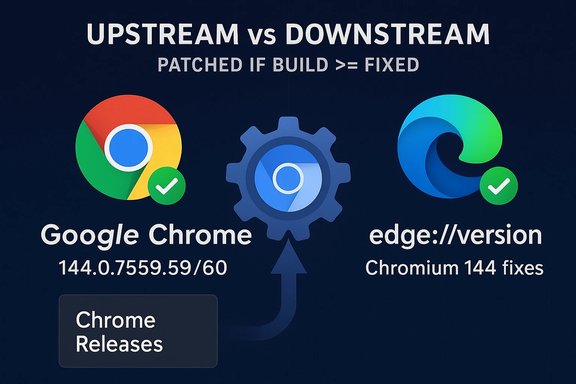
- To check whether your browser is patched you need to read the browser’s version string (and the underlying Chromium build), then compare that against the fixed Chromium/Chrome build (Chrome 144.0.7559.59/60 contains the Chromium 144 fixes that include CVE‑2026‑0905). If your browser’s build is equal or newer than the fixed build, it’s not vulnerable.
1) Microsoft Edge (desktop — easiest)
- Open Edge and go to Settings and more (…) → Help and feedback → About Microsoft Edge, or type edge://settings/help in the address bar. That page shows the full Edge version and will also check for updates. You can also open edge://version to see the full build string and the underlying Chromium revision. If the About page shows “An update is available” click Download and install and then Restart.
- In Chrome’s address bar enter chrome://version (or chrome://settings/help). chrome://version shows the exact Chrome/Chromium build string (for example 144.0.7559.59). Use that full string when comparing to the fixed build.
- Edge (Windows, per‑user install): read the registry key HKCU:\Software\Microsoft\Edge\BLBeacon\version (PowerShell example: Get-ItemPropertyValue -Path 'HKCU:\SOFTWARE\Microsoft\Edge\BLBeacon' -Name "version"). Or read the msedge.exe file version in Program Files. These are commonly used in inventory scripts.
- Open the app, go to Settings → About (Chrome/Edge mobile show the app version). Mobile builds don’t always show the Chromium backend revision in the UI; use vendor release notes to map mobile versions to upstream Chromium fixes.
- Upstream (Chrome/Chromium): Google’s Chrome release notes / Chrome Releases indicate which Chrome build contains the fix (for CVE‑2026‑0905 Chrome 144.0.7559.59/60). Use the chrome://version readout to confirm your Chrome is at or above that build.
- Downstream (Microsoft Edge): Microsoft documents when Edge “incorporates the latest security updates of the Chromium project” in its Edge security release notes and in the Microsoft Security Update Guide entry for the CVE. To confirm Edge is no longer vulnerable, either:
1) Check the SUG CVE page for CVE‑2026‑0905 (Microsoft’s entry indicates the downstream status), or
2) Check the Microsoft Edge release notes / Edge Stable channel release that states it incorporated the Chromium 144 fixes. If your local edge://version string is the same or newer than the Edge build that ingested Chromium 144, Edge is patched.
- Open edge://version (or chrome://version). Copy the full version string.
- If you use Chrome: make sure it’s 144.0.7559.59/60 or newer (that Chrome 144 build contains the fix for CVE‑2026‑0905).
- If you use Edge: open the About page (edge://settings/help). If Edge is up to date and Microsoft’s release notes / SUG show that Edge build includes Chromium 144 fixes, you’re patched. If not, update Edge or ask your IT team to deploy the update.
- Managed fleets: query your management system (Intune, WSUS, SCCM, Jamf, etc. for the installed Edge/Chrome build strings and compare them to the patched build referenced in Google’s release notes and Microsoft’s SUG/Edge release notes. For Chrome enterprise reporting you can also use Google’s VersionHistory API.
- Chromium is upstream open‑source code. Microsoft Edge is a downstream consumer that integrates Chromium code into a product that has additional features, testing, and packaging. When Google fixes a Chromium bug and it receives a CVE, Microsoft still must ingest, test, and ship that change in Edge. The Security Update Guide entries record that ingestion/shipping status so Edge customers can know whether their Edge build contains the upstream fix (and therefore is no longer vulnerable). In other words the SUG entry is a downstream status/communication for Edge customers — not evidence that Microsoft authored the bug.
- look up the exact minimum Edge build that Microsoft says ingested the Chromium 144.0.7559.59 fix for CVE‑2026‑0905 (I'll search Microsoft Edge Stable channel release notes / SUG for the January 2026 ingestion entry), or
- give step‑by‑step PowerShell / SCCM queries you can run to inventory Edge/Chrome builds across a fleet.
Source: MSRC Security Update Guide - Microsoft Security Response Center
