

Enterprises and home labs alike face a deceptively simple-sounding decision: which hypervisor will reliably run the workloads you care about, at the scale you need, without breaking the bank or compromising security. This feature unpacks the practical tradeoffs—performance, availability, management, cost, and cloud compatibility—that separate the hypervisor contenders and provides an operational decision framework you can apply to pick the right platform for each workload class.
Virtualization has matured into a foundational technology for modern IT, powering everything from developer desktops to multi‑tenant cloud infrastructure. At its core is the hypervisor: the software layer that creates and manages virtual machines (VMs). While the basic concept is straightforward, the differences between hypervisors matter a great deal for production reliability, operational cost, and future flexibility.
Two broad families of hypervisors dominate the conversation:
Success depends less on picking “the one” hypervisor and more on running realistic PoCs, validating vendor claims with representative workloads, planning operational runbooks, and building a governance model for security and licensing. Treat vendor marketing numbers as the starting point, not the decision. Validate everything that will materially affect uptime, cost, or compliance in your environment before full scale adoption.
Appendix — Selected resources and notes used to verify claims
Source: BizTech Magazine How to Choose the Best Hypervisor for Your Workload
 Background
Virtualization has matured into a foundational technology for modern IT, powering everything from developer desktops to multi‑tenant cloud infrastructure. At its core is the hypervisor: the software layer that creates and manages virtual machines (VMs). While the basic concept is straightforward, the differences between hypervisors matter a great deal for production reliability, operational cost, and future flexibility.Two broad families of hypervisors dominate the conversation:
- Type 1 (bare‑metal) hypervisors, which run directly on hardware and deliver the strongest isolation and performance; and
- Type 2 hypervisors, which run on top of a host OS and offer usability and cross‑platform convenience at the expense of some overhead.
Overview: What matters when choosing a hypervisor
Not all workloads are created equal. A good decision model separates the workload attributes that drive hypervisor selection:- Availability requirements — RPO/RTO targets, tolerance for planned maintenance downtime, and regulatory uptime SLAs.
- Performance profile — CPU versus I/O sensitivity, latency sensitivity (e.g., trading systems, real‑time analytics), and GPU acceleration needs.
- Isolation and security — Multi‑tenant isolation, compliance boundaries, and attack surface considerations.
- Scale and management — Number of hosts, desired consolidation ratio, and available management tools for automation and lifecycle operations.
- Cost and licensing — Up‑front and ongoing licensing, support contracts, and expected hardware refresh cycles.
- Cloud and hybrid integration — Need for consistent operational models across on‑premises and public cloud.
- Ecosystem and tooling — Backup, monitoring, backup/DR orchestration, and third‑party integrations (storage arrays, SDN, GPU stacks).
The leading hypervisor options and where they fit
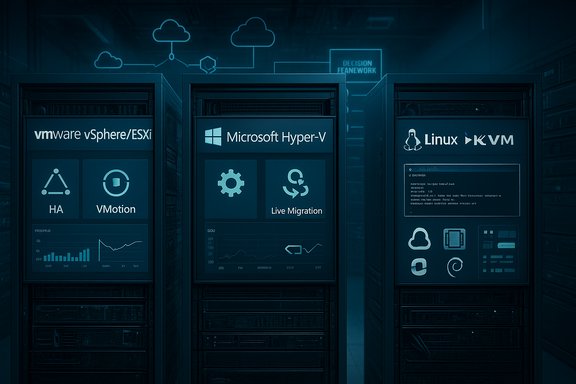
VMware vSphere / ESXi — Built to scale for mission‑critical applications
- Strengths:
- Mature enterprise feature set: high availability, advanced resource management, vMotion/live migration, and robust disaster recovery add‑ons.
- Ecosystem breadth: extensive partner integrations for storage, networking, backup, and ecosystem tooling.
- Hybrid cloud story: consistent operational model across some cloud providers and VMware‑managed hybrid services.
- Typical fit:
- Large enterprises running critical applications that require proven high‑availability, non‑stop operations, and well‑tested maintenance workflows. IT teams choosing vSphere are often prioritizing consolidation density and resilient architectures.
- Cautions:
- Licensing and cost: recent market developments have reshaped VMware licensing and pricing for some customers; verify current licensing terms and available editions before deciding. Where cost is a gating factor, ensure the TCO includes support, required modules, and any cloud connect features. Some community reports suggest the previously free ESXi tiers have narrowed, creating a stronger cost case sensitivity for smaller shops. Treat license claims as time‑sensitive and validate with vendor channels.
Microsoft Hyper‑V — The natural choice for Windows shops
- Strengths:
- Tight integration with Windows Server and Windows ecosystem: included with Windows Server editions and provides consistent tooling through System Center and Windows Admin Center.
- Live Migration and clustering: supports maintenance workflows and host draining without downtime when combined with Windows Server Failover Clustering.
- Cost advantage in Windows environments: inclusion with Windows Server editions and license bundling for Windows Server guests can reduce complexity and cost in Microsoft‑centric estates.
- Typical fit:
- Midsized organizations or enterprises that run predominantly Microsoft workloads and want a single vendor stack for compute, storage, identity, and management.
- Cautions:
- Platform lock‑in: deep Windows integration is a benefit if you’re Windows‑centric, but expands migration or multi‑OS complexity if you need large Linux fleets.
- Feature differences between client and server editions: Hyper‑V in Windows 11 is suitable for lightweight labs and desktops but lacks server‑grade clustering and replication capabilities available on Windows Server. Confirm edition‑specific feature availability.
KVM and Red Hat Virtualization / Proxmox — Open‑source and cost‑flexible options
- Strengths:
- Excellent resource efficiency: KVM‑based platforms tend to provide strong performance and efficient resource utilization, making them attractive for high‑density deployments.
- Open ecosystem: flexible tooling, integration with cloud stacks and container ecosystems, and strong community support.
- Cost model: Proxmox and other KVM derivatives offer low‑cost or open licensing models that appeal to labs, SMBs, and cost‑conscious enterprises.
- Typical fit:
- Organizations with Linux expertise, teams that want to avoid vendor lock‑in, and environments where TCO is tightly constrained.
- Cautions:
- Management overhead: while powerful, open‑source stacks require more internal operational skill and a willingness to accept community‑driven support models or to purchase commercial support subscriptions.
Citrix Hypervisor (Xen), Nutanix AHV, and other specialized platforms
- Strengths:
- Citrix Hypervisor (formerly XenServer) is strong for GPU passthrough and heavy compute loads; Nutanix AHV provides integrated hyperconverged infrastructure with single‑pane management.
- These platforms often excel in specialized workloads such as VDI, GPU‑accelerated ML and graphics, or hyperconverged deployments where turnkey support matters.
- Cautions:
- Vendor specialization may create lock‑in or require vendor‑specific training for staff. Always include driver, firmware, and vendor interoperability testing in PoCs.
Type‑2 hypervisors for desktops and labs — VMware Workstation, VirtualBox, Parallels
- Use cases:
- Development, test labs, and single‑host experiments where convenience and cross‑platform compatibility are primary concerns. VirtualBox and VMware Workstation remain excellent for those use cases due to ease of use and broad OS support.
Key technical tradeoffs explained
Performance and consolidation ratio
Bare‑metal hypervisors give you the best chance of high consolidation ratios without sacrificing performance. Advanced resource management (CPU scheduling, NUMA awareness, vCPU sizing) matters for databases and latency‑sensitive services. VMware and KVM variants often lead on fine‑grained controls for performance isolation; Hyper‑V performs strongly in Windows‑optimized workloads due to kernel integration. Benchmarks are workload‑dependent; the right approach is to run your representative workload under realistic VM configurations in a PoC.High availability and DR
If downtime is not an option, the hypervisor’s HA story is paramount: built‑in clustering, synchronous or asynchronous replication, and granular failover orchestration. VMware’s mature HA and DR tooling is frequently the deciding factor for mission‑critical applications, while Hyper‑V combined with Windows Server clustering offers a compelling alternative for Microsoft stacks. KVM ecosystems have robust replication options through third‑party tooling and integrated storage replication in some distributions. The operational complexity of the DR plan is as important as feature lists—runbook automation and tested failovers matter.Security and isolation
Hypervisor choice impacts the attack surface and compliance posture. VMs provide a separate kernel boundary and stronger hardware‑backed isolation versus containers. However, a hypervisor with slow patch cycles or a weak management plane can increase risk. Modern guidance stresses frequent host patching, firmware updates, and strong role‑based access control on management interfaces. For multi‑tenant environments, favor platforms with strong revenue‑grade isolation and a well‑documented security hardening guide.GPU acceleration, SR‑IOV, and passthrough
GPU‑heavy workloads require vendor‑validated stacks. Some hypervisors offer mature vendor drivers and GPU partitioning; others rely on passthrough which complicates live migration. VDI, ML training, and rendering farms need explicit testing for GPU drivers, reset behavior, and IOMMU grouping. Citrix Hypervisor and VMware are often chosen for VDI scenarios; KVM/proxmox solutions provide flexible passthrough options for labs and edge deployments. Validate vendor support matrices and test multi‑host designs carefully.Practical evaluation checklist (PoC → Pilot → Scale)
- Assess: Inventory candidate workloads, record current provisioning steps, and capture baseline metrics (CPU, IOPS, latency).
- Build a PoC: Deploy two identical hosts and run representative workloads end‑to‑end. Measure not only throughput but human time to operate.
- Validate security: Apply Secured‑core or equivalent features, test encryption, and integrate key management (HSM or cloud KMS).
- Test availability: Simulate host failures, live migration under load, and full DR workflows. Time to failover is as important as success.
- Measure TCO: Include licensing, support, training, automation tooling, and hardware refresh models. Run sensitivity for different discount and reserved pricing models if cloud migration is in scope.
- Pilot: Run a pilot fleet for several months and collect operational metrics: mean time to repair, human operation time, and incident frequency. Use these to model full‑scale TCO and risk.
Decision flow: Which hypervisor for each workload class
1. Mission‑critical databases and transactional systems
- Recommended: VMware vSphere/ESXi or KVM with vendor‑validated storage.
- Why: Proven HA, tight resource controls, mature enterprise ecosystems. Confirm licensing and runbench tests.
2. Windows server farms, RDS/VDI in Microsoft environments
- Recommended: Microsoft Hyper‑V (Windows Server Datacenter for large scale).
- Why: License bundling, strong integration with Active Directory and Windows tooling, live migration with clustering. Verify feature parity across Server editions.
3. Mixed OS fleets and cloud‑native workloads
- Recommended: KVM / Proxmox / Red Hat Virtualization or cloud instances.
- Why: Strong Linux support, efficient resource utilization, and tight integration into OpenStack/Kubernetes flows.
4. GPU‑accelerated workloads (AI/ML, VDI)
- Recommended: Platforms with validated GPU stacks (Citrix, VMware, some KVM setups) and vendor support for partitioning/passthrough.
- Why: GPU drivers and host reset behavior are implementation details that vary widely—vendor validation avoids surprises.
5. Edge, small branch, and lab environments
- Recommended: Proxmox, VMware ESXi (free tiers if available), Hyper‑V, or VMware Workstation / VirtualBox for single‑host labs.
- Why: Cost and ease of management dominate; open solutions offer flexibility while VMware and Hyper‑V offer familiar tooling to admins. Always validate whether the free or community tiers meet your support and lifecycle needs.
Operational best practices and governance
- Patch hosts and firmware regularly, but schedule maintenance windows and test updates in non‑production clones first.
- Harden management planes: separate management networks, enable RBAC, and use MFA for management consoles.
- Runbook everything: documented, automated runbooks for patching, migration, and disaster recovery reduce human error and speed recovery.
- Capacity planning: build for realistic density targets and test collocation effects (e.g., noisy neighbor CPU/IO contention).
- Licensing governance: centralize license management and perform audits as part of procurement to avoid surprise costs. Note that licensing terms can change rapidly; treat vendor pricing and “free tier” claims as time‑sensitive and verify them in procurement.
Risks, caveats, and unverifiable claims
- Vendor marketing percentages (“up to X% performance improvement”) are often conditional on exact configurations. Treat such claims as directional and verify with your workloads. Independent reproduction is essential.
- Licensing and free‑tier availability can shift quickly following corporate acquisitions or strategy changes. Recent changes in the hypervisor market suggest verifying current license terms before committing—especially for ESXi and similar commercial products. Confirm with vendor contracts and current product SKU sheets.
- Benchmarks published by third parties or vendors may not reflect your workload mix. Always run representative workloads under production‑like conditions to make procurement decisions.
Quick operational playbook (30‑90 day rollout)
- Weeks 1–2 — Foundations:
- Build a lab with two identical hosts, install candidate hypervisors, and provision baseline VMs.
- Capture initial metrics for CPU, memory, and I/O under normal load.
- Weeks 3–6 — PoC:
- Run representative application workloads. Measure latency, throughput, consolidation ratios, and migration behavior.
- Validate backup/restore and DR procedures. Test role separation and RBAC.
- Weeks 7–10 — Pilot:
- Run a small fleet in production conditions with monitoring and incident response workflows enabled.
- Collect operational metrics: MTTR, deployment time, and human hours to manage daily ops.
- Weeks 11–12 — Scale decision:
- Analyze pilot metrics, finalize procurement, and create a multi‑month rollout plan with staged cutovers.
Conclusion
Choosing the right hypervisor is a pragmatic, workload‑driven exercise, not a loyalty test. For mission‑critical enterprise workloads, VMware vSphere/ESXi remains a leading choice because of its mature HA, recovery, and management capabilities; for Windows‑first environments, Microsoft Hyper‑V delivers integration and licensing advantages; and for cost‑sensitive or Linux‑centric environments, KVM‑based platforms and Proxmox offer excellent performance and flexibility.Success depends less on picking “the one” hypervisor and more on running realistic PoCs, validating vendor claims with representative workloads, planning operational runbooks, and building a governance model for security and licensing. Treat vendor marketing numbers as the starting point, not the decision. Validate everything that will materially affect uptime, cost, or compliance in your environment before full scale adoption.
Appendix — Selected resources and notes used to verify claims
- Industry coverage and hypervisor comparisons on enterprise priorities and vendor strengths.
- Practical notes on Hyper‑V integration and feature availability across Windows editions.
- PoC and operational playbook guidance emphasizing pilot validation, measurement of human operational costs, and lifecycle testing.
Source: BizTech Magazine How to Choose the Best Hypervisor for Your Workload
