

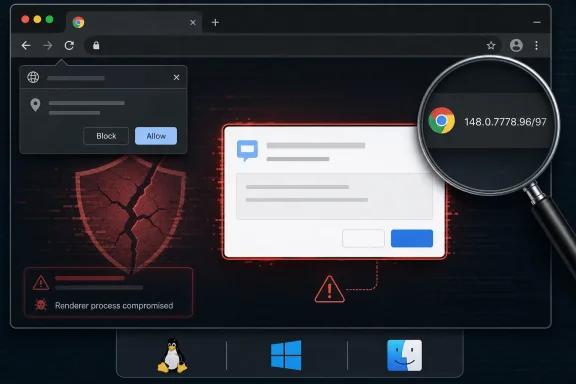
A Low-Severity Bug Still Belongs in the Patch Queue
CVE-2026-7998 lands with an almost self-effacing description: “insufficient validation of untrusted input in Dialog.” In the hierarchy of browser nightmares, that sounds tame beside use-after-free bugs, type confusion in JavaScript engines, or sandbox escapes with confirmed exploitation in the wild. Chromium itself rates the issue as low severity, and the CISA ADP score of 5.4 places it in medium territory only when measured through the more generic CVSS lens.
That difference is not an error so much as a reminder that severity systems answer different questions. Chromium’s rating reflects how useful the bug is inside Chrome’s own threat model. CVSS tries to express reachability, user interaction, and security impact in a broader framework that can be compared across products. A UI spoofing flaw that requires prior renderer compromise is not a front-door intrusion, but it can still matter once an attacker is already in the hallway.
The phrase that should catch an administrator’s eye is not “Low.” It is “who had compromised the renderer process.” Chromium’s renderer is where hostile web content is expected to run under heavy constraint. If an attacker has reached the point of renderer compromise, the browser’s layered defenses are already under stress, and any additional bug that lets the attacker lie convincingly to the user interface becomes part of the next move.
This is why the right response is not alarmism but discipline. CVE-2026-7998 does not appear to be advertised as actively exploited, and the public bug details are restricted. But it shipped in the same Chrome 148 stable update that fixed a much larger batch of vulnerabilities, including critical issues reported separately. In enterprise patching terms, the update package matters more than the individual drama of one CVE.
Dialog Boxes Are Part of the Browser’s Security Boundary, Even When They Look Boring
Browsers do not secure users only with cryptography, memory safety, and sandboxing. They also secure users through claims made by the interface: this page is asking for permission, this prompt belongs to the browser, this origin is what it says it is, this file came from there, this tab is in this state. When that language becomes ambiguous, the user becomes part of the attack surface.
Dialog handling is especially sensitive because it sits at the intersection of web content and browser chrome. A dialog may look mundane, but it can carry meaning about identity, permission, origin, downloads, authentication, or system-level intent. If untrusted input can influence that surface without sufficient validation, an attacker may be able to create a misleading experience that nudges the user toward the wrong decision.
That does not mean CVE-2026-7998 lets a web page magically become a password-stealing system dialog. The published description is narrower and conditional. It says a remote attacker with renderer compromise could perform UI spoofing via a crafted HTML page. The important detail is the composition: crafted content, compromised renderer, insufficient validation, spoofed interface.
For Windows users, this should sound familiar. Decades of malware have taught users to distrust fake antivirus pop-ups, browser-lock scams, and imitation sign-in screens. Modern browser UI spoofing is subtler because the attack may attempt to abuse trusted browser behaviors rather than simply draw a bad copy of a dialog in HTML. That is why Chrome’s own internal validation paths are important: the browser must be more trustworthy than the page it is rendering.
The Renderer Compromise Requirement Narrows the Door, but It Does Not Close It
The most comforting part of the CVE description is also the most easily misunderstood. Requiring renderer compromise means CVE-2026-7998 is not described as a one-click remote code execution vulnerability by itself. The attacker needs another foothold first, or at least a condition that places malicious code in a privileged enough renderer state to abuse the dialog weakness.
But exploit chains are built out of exactly this kind of dependency. One bug gets code execution or logic control in a constrained context. Another bug weakens the boundary between the web page and browser UI. A third bug escapes a sandbox, steals data, or persuades the user to approve something they would otherwise reject. Seen alone, each issue may look limited; seen together, they become an attack path.
That is why “requires prior compromise” should lower panic, not priority. If a Chrome release fixes more than a hundred security issues, defenders should assume attackers are reading the same release notes and looking for useful combinations. The public rarely sees the full bug detail until most users are updated, which is sensible for ecosystem safety but inconvenient for risk teams trying to model exposure.
The realistic enterprise stance is therefore conservative. If managed Chrome or Chromium-based browser versions are below the fixed build, they should be updated through the normal urgent-browser-update process. Not every CVE in a large Chrome release deserves a war room. But the browser does not give defenders the luxury of patching only the spectacular bugs while leaving the “small” ones in place.
The CPE Entry Is Awkward Because Chromium Is an Ecosystem, Not a Product
The NVD configuration for this CVE names Google Chrome versions up to, but excluding, 148.0.7778.96, with Windows, Linux, and macOS listed as operating-system platforms. That is enough to describe the directly affected Chrome builds, but it is not enough to capture the messy reality of Chromium consumption. Edge, Brave, Vivaldi, Opera, Electron applications, embedded WebView stacks, and vendor-maintained Chromium forks all live at varying distances from Google’s release train.
This is where the user’s “Are we missing a CPE here?” instinct is understandable. If the vulnerable code is in Chromium’s Dialog component, then downstream products that include the affected code may also need to ingest the fix. But CPEs are not a perfect map of shared source code. They are product identifiers used for vulnerability matching, and they often lag behind the real dependency graph that security teams care about.
Microsoft’s MSRC page for CVE-2026-7998 points to the issue because Chromium vulnerabilities are relevant to Microsoft Edge when Edge consumes affected Chromium code. That does not automatically mean every NVD Chrome CPE should list Edge in the same configuration. Microsoft typically tracks Edge security updates through its own Security Update Guide and Edge release notes, and the affected build numbers are not always identical to Chrome’s even when the underlying Chromium fix is the same.
For vulnerability scanners, this distinction is painful. A scanner that keys only on the Chrome CPE may correctly flag Chrome and miss Edge. A scanner that broadly maps every Chromium CVE to every Chromium-based browser may overstate exposure if a vendor has already patched, backported, disabled, or never shipped the vulnerable path. The better operational model is to track vendor-specific browser versions while understanding that Chromium CVEs are ecosystem signals.
Edge Administrators Should Watch the Chromium Train, Not Just Patch Tuesday
Microsoft Edge has trained Windows administrators to think in two overlapping calendars. There is Patch Tuesday, with its familiar monthly rhythm and cumulative Windows updates. Then there is Chromium, which moves on Google’s browser cadence and sometimes forces out-of-band urgency when browser bugs are exploited or high-risk fixes land.
CVE-2026-7998 belongs to the second calendar. It is not a Windows kernel flaw, not a classic Office vulnerability, and not something that waits politely for the operating system’s monthly servicing ritual. If Edge is affected through Chromium, the fix arrives through Edge’s own update mechanism, enterprise deployment channels, or managed browser update controls.
That matters in environments where Edge auto-update has been disabled, delayed, or routed through controlled distribution rings. Many organizations do this for compatibility reasons, and not without cause. Browser updates can affect line-of-business apps, authentication flows, extensions, kiosk configurations, and WebView2-dependent applications. But the cost of slowing browser updates is that the organization takes ownership of a rapidly changing threat surface.
The safest compromise is not blind automatic updating everywhere, nor is it indefinite deferral. It is staged velocity: fast canary groups, short validation windows, clear rollback procedures, and version compliance reporting. Browser patching is now closer to endpoint detection than old-fashioned desktop maintenance. If you cannot answer which Chrome and Edge builds are running in your fleet, you do not really know your exposure.
UI Spoofing Is a Social Engineering Bug Wearing a Browser Badge
Security teams tend to privilege bugs that produce clean technical outcomes: code execution, privilege escalation, information disclosure, denial of service. UI spoofing is messier because it attacks the user’s perception. It may not steal data directly; it may instead make the victim believe that a prompt, permission request, dialog, or origin indicator means something it does not.
That ambiguity makes UI spoofing easy to underestimate. If a malicious page can create confusion at the exact moment a user is making a trust decision, the browser’s beautiful internal architecture may not save the session. The user is not choosing based on a formal security model. They are choosing based on what the screen appears to say.
CVE-2026-7998 also illustrates why browser makers have spent years moving sensitive controls out of page-controlled space. Permission prompts, download warnings, password manager UI, payment dialogs, and sign-in surfaces increasingly live in browser-managed areas designed to resist mimicry. Attackers respond by looking for inconsistencies, edge cases, timing issues, and validation mistakes that blur the boundary again.
The irony is that successful UI spoofing often looks unsophisticated after the fact. A fake dialog, a misleading overlay, a confusing origin display, or a prompt in an unexpected place can seem obvious in a screenshot. But attacks do not unfold as screenshots in a calm incident review. They unfold in seconds, on crowded desktops, during login flows, under deadline pressure, and often against users trained to click through interruptions.
The Chrome 148 Release Is the Real Security Event
The narrow CVE is useful for tracking, but the Chrome 148 release is the more important story. Google’s stable-channel update moved desktop Chrome to 148.0.7778.96 on Linux and 148.0.7778.96/97 on Windows and macOS. Reporting around the release indicates that it fixed well over a hundred vulnerabilities, including critical flaws separate from CVE-2026-7998.
That scale changes the calculus. When a browser release carries a large bundle of security fixes, administrators should avoid debating each low-severity CVE in isolation unless they have a very specific reason. The browser is a single exposed application that processes hostile content all day. Its update state should be treated as a high-signal indicator of endpoint hygiene.
The other reason to move promptly is disclosure timing. Public CVE descriptions usually give defenders just enough information to identify affected products and fixed versions, not enough to safely reproduce or deeply inspect the bug. That asymmetry is deliberate: details may remain restricted until a broad share of users has updated. Attackers, however, can diff patches, study commits, and infer vulnerable patterns.
This is especially true for Chromium because its development model is open, fast, and heavily scrutinized. Once a stable update ships, the race begins between defenders applying the patch and attackers learning from it. A low-severity label may slow the attackers’ interest, but it does not eliminate it, particularly if the bug can improve another exploit.
The NVD Timing Shows the Machinery Working, Not Failing
The CVE timeline is short and fairly typical. Chrome submitted the CVE on May 6, 2026. CISA ADP added a CVSS 3.1 vector the same day. NVD performed initial analysis on May 7, adding a CPE configuration, reference types, and its own placeholder weakness classification while also preserving Chrome’s CWE-20 mapping.
That choreography can look messy to readers who expect a vulnerability page to be a single authoritative truth. In practice, a modern CVE record is assembled by multiple parties with different roles. The assigning CNA describes the vulnerability. NVD enriches the record for search, scoring, and platform matching. CISA ADP may add scoring or analysis. Vendors publish release notes and advisories in their own formats.
The result is sometimes contradictory in tone. Chrome says “Low.” CISA’s CVSS vector yields “Medium.” NVD has no final NIST score yet. The weakness enumeration includes both “insufficient information” from NVD and “improper input validation” from Chrome. None of that means the record is useless. It means the record is alive.
For practitioners, the lesson is to separate operational certainty from analytical completeness. We know the fixed Chrome version. We know the broad class of flaw. We know the attack requires renderer compromise and user interaction. We know the issue is tied to UI spoofing through crafted HTML. That is enough to patch and communicate risk, even if the final enrichment details continue to settle.
Windows Shops Need to Inventory the Browser Layer They Forgot They Had
On Windows, browser exposure is rarely just “Chrome installed or not.” A typical enterprise may have Edge as the default browser, Chrome for developer or cross-browser testing, WebView2 Runtime supporting desktop applications, Electron apps bundling their own Chromium engines, and legacy Chromium-based software that nobody remembers approving. The CVE database does not automatically turn that sprawl into a clean asset list.
CVE-2026-7998 is a prompt to look at that sprawl with fresh eyes. If a managed endpoint has Chrome below 148.0.7778.96, the remediation path is straightforward. If it has Edge, the question becomes whether Microsoft has shipped and the endpoint has received the corresponding Chromium security update. If it has embedded Chromium in third-party applications, the answer depends on those vendors.
The hardest cases are not the mainstream browsers. Google and Microsoft have mature release channels, public advisories, and enterprise controls. The harder cases are applications that bundle Chromium but update slowly, silently, or not at all. Those apps may not be affected by this particular Dialog path, but the general risk is real: a browser engine embedded in a desktop app is still a browser engine.
Sysadmins should resist the temptation to treat this as vulnerability-scanner trivia. A scanner finding a Chrome CPE below the fixed version is useful. A scanner failing to mention Edge or embedded Chromium is not proof of safety. The right question is broader: where does untrusted web content execute in this environment, and who is responsible for updating that code?
The Practical Risk Is User Trust, Not Just Browser Integrity
The security impact listed for CVE-2026-7998 includes limited confidentiality impact and limited availability impact, with no integrity impact in the CISA vector. That may sound counterintuitive for UI spoofing, because spoofing is all about deception. But CVSS impact categories do not always capture the downstream consequences of a user being persuaded to take a harmful action.
A spoofed UI can become a bridge from technical compromise to human compromise. It may help an attacker obtain credentials, convince a user to approve a permission, obscure the true origin of content, or make a malicious workflow appear normal. The browser may not be directly modifying protected data, but the user’s next click might.
This is why defenders should pair patching with user-interface skepticism training that is specific rather than generic. “Don’t click suspicious things” is not enough. Users need to understand that browser prompts, sign-in windows, download messages, and permission requests should be evaluated in context. If a prompt appears unexpectedly, if the origin is unclear, or if a page appears to be steering the user through a sensitive action, that is a reason to stop.
Still, training is the backstop, not the fix. Users cannot be expected to reliably distinguish authentic browser UI from a sophisticated spoof under pressure. The browser vendor has to remove the ambiguity, and that is what this patch is for. The user’s job is to benefit from the patch by running it.
The Version Number Is the Control, Not the Advisory Bookmark
For home users, the remediation path is intentionally boring: open Chrome’s About page and let the browser update. On Windows and macOS, the fixed Chrome desktop versions are 148.0.7778.96 or 148.0.7778.97, depending on platform and channel details; on Linux, the fixed version is 148.0.7778.96. Restarting the browser matters because many updates are not fully active until relaunch.
For enterprise teams, the version number should flow into reporting. Managed browser policies, endpoint management dashboards, software inventory tools, and vulnerability scanners should converge on the same answer: which machines are below the fixed version, which are pending restart, which are blocked by policy, and which are outside the normal management plane. A browser that downloaded an update but has not restarted is not the same as a browser that is actually protected.
The Edge side requires the same discipline, but through Microsoft’s release channels. If MSRC lists a Chromium CVE as relevant, administrators should verify the Edge stable or extended stable build that incorporates the fix and confirm deployment rather than assuming Windows Update handled it. Edge is integrated into Windows, but its Chromium security cadence is its own operational stream.
This is where many organizations still stumble. They have mature processes for monthly OS patches and immature processes for always-on applications that update continuously. Browsers, collaboration clients, VPN clients, password managers, and developer tools now carry some of the most exposed code on the endpoint. Waiting for the monthly maintenance window can turn a routine browser fix into unnecessary exposure.
The Small Dialog Bug Tells Administrators Exactly Where to Look
CVE-2026-7998 will not be remembered as the defining Chrome vulnerability of 2026. It is too conditional, too low-profile, and too overshadowed by the larger Chrome 148 security bundle. Its value is as a diagnostic: it shows whether an organization understands browser risk as an ecosystem problem or merely reacts to scary CVSS scores.
The concrete work is straightforward, but it requires follow-through:
- Google Chrome installations should be updated to 148.0.7778.96 or later, with Windows and macOS fleets accepting 148.0.7778.96/97 as the fixed stable desktop line.
- Microsoft Edge administrators should track Microsoft’s corresponding Chromium security update rather than assuming the Chrome CPE fully describes Edge exposure.
- Vulnerability teams should treat the current NVD CPE data as useful for Chrome detection but incomplete as a map of every Chromium-derived product.
- Security teams should communicate the issue as a UI spoofing risk that requires prior renderer compromise, not as a standalone remote takeover bug.
- Endpoint owners should verify browser restart compliance because a downloaded browser update does not necessarily mean the running process is fixed.
- Asset inventories should include embedded Chromium and WebView-based applications where untrusted content can be rendered outside the main browser.
The important point is not that every Dialog bug deserves emergency theater. It is that every browser security train deserves an operational muscle memory. Chrome 148 gives administrators a clean test of that muscle: find the exposed builds, update them, restart them, and do not let the low-severity label become a permission slip for drift.
The next browser exploit chain will not care whether its components looked impressive in isolation. It will care whether enough endpoints were left one build behind, whether users could still be misled by a trusted-looking prompt, and whether defenders understood that Chromium is now infrastructure. CVE-2026-7998 is a small fix in a large release, but small fixes are how the browser’s trust boundary is kept from fraying one dialog at a time.
References
- Security Update Guide - Microsoft Security Response Center NVD / Chromium