

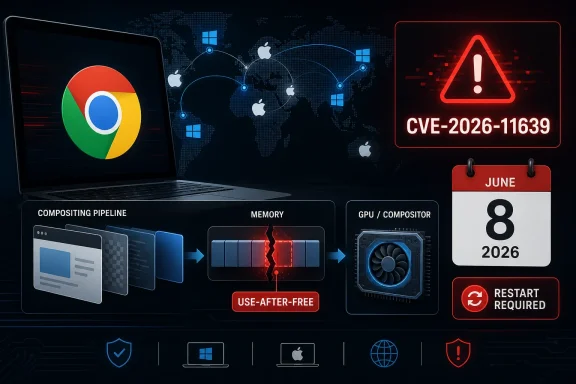
Google patched CVE-2026-11639 on June 8, 2026, in Chrome 149.0.7827.103 for Mac, fixing a critical use-after-free flaw in Chromium’s Compositing component that could let a remote attacker execute code through a crafted HTML page. The bug is narrow in platform labeling but broad in practical consequence, because Chromium’s rendering pipeline sits at the boundary between ordinary browsing and the hostile web. For WindowsForum readers, the headline is not “Mac only, move along.” It is that Chrome’s latest stable update again shows how browser memory safety remains one of the most important client-security battlegrounds in enterprise and personal computing.
The National Vulnerability Database entry for CVE-2026-11639 describes a vulnerability in Google Chrome on Mac before version 149.0.7827.103. Google’s own stable-channel bulletin lists the same flaw as a critical use-after-free in Compositing, one of 74 security fixes bundled into the June 8 desktop release. That makes this less a one-off curiosity than a tile in a much larger mosaic: modern browsers are vast native-code platforms that happen to render web pages.
The “Mac” qualifier matters, but it should not lull Windows administrators into ignoring the release. Chrome’s desktop update shipped across Windows, macOS, and Linux at roughly the same time, and the surrounding advisory includes dozens of other high and critical issues affecting the same browser family. In mixed fleets, version discipline matters more than platform tribalism.
The practical attacker model is familiar. A user lands on, or is redirected to, a malicious page; the page exercises a browser bug; and the browser’s renderer, GPU, compositor, or JavaScript engine becomes the first step in a larger exploit chain. Whether that chain ends in sandbox escape, data theft, credential access, or only a crash depends on details Google is intentionally not publishing yet.
That restraint is normal. Browser vendors routinely restrict bug details until enough users have updated, because proof-of-concept-quality information can turn a fixed bug into a weapon against lagging systems. The uncomfortable truth is that patch latency has become part of the exploit surface.
A compositor decides how pieces of a page are assembled and painted to the screen. It may handle scrolling, transforms, videos, canvas content, accelerated layers, and other effects that make the web feel fluid rather than static. The browser has to do all of this while treating the page itself as adversarial input.
That is the paradox of the modern web platform. Users expect desktop-class rendering, hardware acceleration, high frame rates, smooth animation, and cross-platform consistency, while security teams expect the same code to survive deliberately malformed content from anywhere on the internet. The browser is no longer a document viewer; it is a privileged interpreter for hostile applications.
Use-after-free bugs are particularly nasty in that environment. They occur when software continues to use memory after it has been released, creating a chance that an attacker can influence what now lives at that memory location. In the worst cases, that can turn a logic error into controlled code execution.
CVE-2026-11639 is not described publicly with exploit detail, and that is important. We should not pretend to know the shape of the trigger, the reliability of exploitation, or whether it was paired with a sandbox escape. But the classification alone explains why Google marked it critical: memory lifetime errors in browser components exposed to crafted web content are not theoretical risks.
CVSS tries to describe exploitability and impact in a standardized way. The listed vector requires network access, no privileges, user interaction, high attack complexity, unchanged scope, and high impact to confidentiality, integrity, and availability. That is a reasonable machine-readable summary, but it does not fully capture browser reality.
A browser exploit often starts with user interaction because the user has to open a page. In real life, that barrier can be very low. Phishing, malvertising, compromised legitimate sites, poisoned search results, and messaging links all reduce “user interaction” to something attackers routinely obtain.
High attack complexity also deserves context. A vulnerability can be difficult to exploit reliably and still be worth urgent patching, especially in Chrome. Skilled exploit developers, commercial spyware vendors, and advanced intrusion teams have repeatedly shown that browser exploitation remains worth the engineering effort. Difficulty is a speed bump, not a wall.
The operational conclusion is simple: do not let the 7.5 score soften the response. For endpoint administrators, the meaningful signal is that Google shipped a stable-channel security update and tagged this bug critical. In a browser, that is enough.
That matters because administrators rarely patch a single CVE in Chrome. They patch a channel version. The question is not whether CVE-2026-11639 alone is being exploited today; the question is whether the browser build in front of users is behind a release that closes a stack of serious memory-corruption defects.
Chrome’s stable release model is designed to make that answer boring. The browser updates frequently, silently in many consumer environments, and relatively predictably in managed enterprise environments. But the same model also creates a blind spot: many organizations only notice Chrome when an actively exploited zero-day gets headlines.
The June 8 update is a reminder that the quiet fixes matter too. A critical bug that is not known to be exploited today can become valuable tomorrow once patches, diffs, and advisories give researchers and attackers a map. Patch adoption is therefore not just remediation; it is a race against post-disclosure analysis.
For Windows shops, the related Windows version numbers are also relevant. Google listed Chrome 149.0.7827.102/.103 for Windows and Mac and 149.0.7827.102 for Linux. If your asset inventory only flags the Mac-specific CVE text, you may miss the broader release that your Windows fleet still needs.
For CVE-2026-11639, NVD’s initial analysis added a configuration tying Google Chrome versions up to, but excluding, 149.0.7827.103 with Apple macOS. That matches the description’s platform wording. But Chrome’s release itself is cross-platform, and the surrounding advisory includes many other CVEs in the same desktop update.
This is where scanner output can become both too narrow and too noisy. A Mac-specific CPE may correctly represent this CVE while still failing to tell a Windows administrator the more useful story: the same Chrome release train patched a large batch of memory-safety issues, and Windows endpoints should be checked against the fixed stable version as well. Conversely, a scanner that blindly applies every Chrome CVE to every platform may produce false positives that teams learn to ignore.
The answer is not to distrust vulnerability databases. It is to treat them as one input, not the whole truth. For browser patching, the authoritative operational question is usually: what Chrome build is installed, what channel is it on, and has it reached the vendor’s fixed release for that platform?
That distinction is especially important in mixed operating system environments. A Windows-heavy company with a small macOS design team may not have the same patch automation across both populations. If Mac Chrome is managed by a different tool, or worse, left to user-driven updating, a Mac-scoped critical CVE can fall between organizational cracks.
That is not a sign that the defenses are useless. It is a sign that the browser is among the hardest pieces of software on a modern endpoint to secure. It parses countless formats, executes JavaScript and WebAssembly, talks to GPUs and media stacks, integrates with passwords and payments, supports extensions, and must remain fast enough that users do not switch away.
Use-after-free remains one of the classic C and C++ failure modes. The industry’s move toward memory-safe languages has real momentum, but browsers cannot simply be rewritten overnight. Chromium is an enormous codebase with deep dependencies, platform-specific paths, and years of performance engineering baked into native code.
The security question, then, is not whether memory corruption disappears next year. It will not. The question is whether vendors can continue narrowing the window between bug discovery, patch release, and fleet deployment while gradually reducing the amount of code where these classes of defects can exist.
For administrators, this is why browser management deserves the same seriousness as operating system patching. Chrome, Edge, and other Chromium-based browsers are not accessories. They are internet-facing application runtimes installed on nearly every endpoint.
The responsible stance is neither panic nor complacency. When a Chromium security issue lands, Edge administrators should check Microsoft’s release notes and enterprise update channels rather than assuming Chrome’s version string directly answers the Edge question. The underlying lesson, however, is the same: Chromium security updates can quickly become Windows endpoint security updates.
This is one reason enterprise browser diversity is more complicated than it appears. Running Chrome and Edge side by side may be necessary for compatibility or user preference, but it doubles the inventory and policy surface. If both are installed, both need update enforcement, extension governance, and version reporting.
The same applies to Electron apps and embedded browser components, though the mapping is less direct. Many desktop applications carry Chromium-derived rendering engines inside them, and they do not always update on Chrome’s schedule. A patched browser does not necessarily mean every Chromium-derived surface on the endpoint is patched.
That ecosystem sprawl is not an argument against Chromium. It is an argument against treating the browser as a monolith. Chromium’s success made it infrastructure, and infrastructure requires boring, repeatable maintenance.
That gap is measurable, manageable, and often neglected. Chrome can show pending updates, enterprise policies can control relaunch notifications, and administrators can enforce restart deadlines. But those controls require deliberate configuration and user communication.
The June 8 release is a good test case for whether an organization’s browser patch program is real or aspirational. If security can answer which Chrome versions are installed across Windows and macOS within hours, the program is mature. If the answer requires waiting for a weekly scanner cycle, it is not.
Browser updates also collide with business culture. Developers resist forced restarts because they preserve sessions. Executives resist interruptions because they are executives. Help desks fear ticket spikes. Attackers benefit from all of this human friction.
The fix is not to become reckless with user disruption. It is to set expectations before the emergency. A browser with a critical memory-corruption fix should have a short restart window, clear messaging, and reporting that shows compliance by device and platform.
The bigger lesson is to stop postponing browser restarts indefinitely. Many people assume Chrome updates itself, and mostly it does. But an update that has downloaded and not restarted is still a locked door with the key sitting on the table.
Users should also remember that exploit delivery does not require visiting obviously shady sites. Compromised ad networks, hacked legitimate pages, malicious redirects, and targeted links can all put hostile HTML in front of a browser. “I don’t browse dangerous sites” is not a security control.
Extensions deserve a mention too, even though CVE-2026-11639 is not described as an extension bug. A hardened browser with a messy extension ecosystem is still a messy endpoint. Remove extensions you do not use, prefer well-known publishers, and avoid granting broad site access casually.
There is also no public statement in Google’s bulletin that CVE-2026-11639 itself is exploited in the wild. The exploit-in-the-wild note in the same bulletin applies to CVE-2026-11645, the V8 issue. That distinction matters, because conflating the two produces bad reporting and worse prioritization.
Still, defenders should not overcorrect. A critical browser memory-corruption bug does not need confirmed exploitation to justify urgency. The browser is too exposed, the exploit market is too mature, and the patch is too available for delay to be rational.
This is where security communications should be precise but firm. Do not tell users that CVE-2026-11639 is known to be actively exploited unless that changes. Do tell them that it enables possible arbitrary code execution via crafted HTML on vulnerable Mac Chrome versions and that the fixed Chrome release closes a large set of serious browser flaws.
Good security messaging avoids both hysteria and anesthesia. The goal is not to make every Chrome update feel like a five-alarm fire. The goal is to make the rare critical browser update move quickly without requiring drama.
A mature response should be boring. Identify affected Chrome installations, prioritize macOS systems below 149.0.7827.103, confirm Windows and Linux Chrome builds are on the June 8 stable update or newer, and watch for lagging devices. Then document exceptions, force relaunch where policy allows, and verify again.
The interesting part is what happens after the dashboard turns green. Teams should ask why any endpoint lagged behind. Was it offline? Was Chrome unmanaged? Was the user blocking relaunch? Was macOS outside the same endpoint-management path as Windows? Was the scanner waiting on CPE enrichment rather than version evidence?
That after-action work is where organizations improve. Every browser CVE is an opportunity to reduce the delay before the next one. The exploit economy counts on that delay being long.
 A Mac-Tagged Chrome Bug Still Belongs on Every Admin’s Radar
The National Vulnerability Database entry for CVE-2026-11639 describes a vulnerability in Google Chrome on Mac before version 149.0.7827.103. Google’s own stable-channel bulletin lists the same flaw as a critical use-after-free in Compositing, one of 74 security fixes bundled into the June 8 desktop release. That makes this less a one-off curiosity than a tile in a much larger mosaic: modern browsers are vast native-code platforms that happen to render web pages.The “Mac” qualifier matters, but it should not lull Windows administrators into ignoring the release. Chrome’s desktop update shipped across Windows, macOS, and Linux at roughly the same time, and the surrounding advisory includes dozens of other high and critical issues affecting the same browser family. In mixed fleets, version discipline matters more than platform tribalism.
The practical attacker model is familiar. A user lands on, or is redirected to, a malicious page; the page exercises a browser bug; and the browser’s renderer, GPU, compositor, or JavaScript engine becomes the first step in a larger exploit chain. Whether that chain ends in sandbox escape, data theft, credential access, or only a crash depends on details Google is intentionally not publishing yet.
That restraint is normal. Browser vendors routinely restrict bug details until enough users have updated, because proof-of-concept-quality information can turn a fixed bug into a weapon against lagging systems. The uncomfortable truth is that patch latency has become part of the exploit surface.
The Compositor Is Not Just Graphics Plumbing
To a casual user, “Compositing” sounds like display housekeeping: layers, windows, effects, animations, frames. To a browser engineer, it is one of the places where untrusted web content meets GPU acceleration, platform APIs, scheduling complexity, and high-performance memory management. That combination is powerful, and it is exactly why bugs in this area are so sensitive.A compositor decides how pieces of a page are assembled and painted to the screen. It may handle scrolling, transforms, videos, canvas content, accelerated layers, and other effects that make the web feel fluid rather than static. The browser has to do all of this while treating the page itself as adversarial input.
That is the paradox of the modern web platform. Users expect desktop-class rendering, hardware acceleration, high frame rates, smooth animation, and cross-platform consistency, while security teams expect the same code to survive deliberately malformed content from anywhere on the internet. The browser is no longer a document viewer; it is a privileged interpreter for hostile applications.
Use-after-free bugs are particularly nasty in that environment. They occur when software continues to use memory after it has been released, creating a chance that an attacker can influence what now lives at that memory location. In the worst cases, that can turn a logic error into controlled code execution.
CVE-2026-11639 is not described publicly with exploit detail, and that is important. We should not pretend to know the shape of the trigger, the reliability of exploitation, or whether it was paired with a sandbox escape. But the classification alone explains why Google marked it critical: memory lifetime errors in browser components exposed to crafted web content are not theoretical risks.
The CVSS Score Undersells the Operational Urgency
CISA’s ADP enrichment gives CVE-2026-11639 a CVSS 3.1 base score of 7.5, which lands in “high” territory rather than the more alarming “critical” band. Google’s Chromium severity, however, labels the bug critical. That split is not a contradiction so much as a reminder that scoring systems and vendor severity systems answer different questions.CVSS tries to describe exploitability and impact in a standardized way. The listed vector requires network access, no privileges, user interaction, high attack complexity, unchanged scope, and high impact to confidentiality, integrity, and availability. That is a reasonable machine-readable summary, but it does not fully capture browser reality.
A browser exploit often starts with user interaction because the user has to open a page. In real life, that barrier can be very low. Phishing, malvertising, compromised legitimate sites, poisoned search results, and messaging links all reduce “user interaction” to something attackers routinely obtain.
High attack complexity also deserves context. A vulnerability can be difficult to exploit reliably and still be worth urgent patching, especially in Chrome. Skilled exploit developers, commercial spyware vendors, and advanced intrusion teams have repeatedly shown that browser exploitation remains worth the engineering effort. Difficulty is a speed bump, not a wall.
The operational conclusion is simple: do not let the 7.5 score soften the response. For endpoint administrators, the meaningful signal is that Google shipped a stable-channel security update and tagged this bug critical. In a browser, that is enough.
The June 8 Update Was a Security Train, Not a Single Patch
CVE-2026-11639 arrived inside a substantial Chrome desktop update. Google’s bulletin says the release contains 74 security fixes, and the public list includes a long run of critical use-after-free bugs across components such as Ozone, File Input, Aura, TabStrip, Bluetooth, Gamepad, Autofill, Views, Printing, and Compositing. One nearby issue, CVE-2026-11645 in V8, was separately noted by Google as having an exploit in the wild.That matters because administrators rarely patch a single CVE in Chrome. They patch a channel version. The question is not whether CVE-2026-11639 alone is being exploited today; the question is whether the browser build in front of users is behind a release that closes a stack of serious memory-corruption defects.
Chrome’s stable release model is designed to make that answer boring. The browser updates frequently, silently in many consumer environments, and relatively predictably in managed enterprise environments. But the same model also creates a blind spot: many organizations only notice Chrome when an actively exploited zero-day gets headlines.
The June 8 update is a reminder that the quiet fixes matter too. A critical bug that is not known to be exploited today can become valuable tomorrow once patches, diffs, and advisories give researchers and attackers a map. Patch adoption is therefore not just remediation; it is a race against post-disclosure analysis.
For Windows shops, the related Windows version numbers are also relevant. Google listed Chrome 149.0.7827.102/.103 for Windows and Mac and 149.0.7827.102 for Linux. If your asset inventory only flags the Mac-specific CVE text, you may miss the broader release that your Windows fleet still needs.
“Mac Prior to 149.0.7827.103” Is a CPE Problem and a Fleet Problem
The user-supplied NVD text includes a familiar line: “Are we missing a CPE here?” That is not just database housekeeping. CPE mappings drive vulnerability scanners, dashboards, tickets, compliance reports, and executive heat maps. If the affected-software configuration is incomplete or awkwardly expressed, the operational view can become misleading.For CVE-2026-11639, NVD’s initial analysis added a configuration tying Google Chrome versions up to, but excluding, 149.0.7827.103 with Apple macOS. That matches the description’s platform wording. But Chrome’s release itself is cross-platform, and the surrounding advisory includes many other CVEs in the same desktop update.
This is where scanner output can become both too narrow and too noisy. A Mac-specific CPE may correctly represent this CVE while still failing to tell a Windows administrator the more useful story: the same Chrome release train patched a large batch of memory-safety issues, and Windows endpoints should be checked against the fixed stable version as well. Conversely, a scanner that blindly applies every Chrome CVE to every platform may produce false positives that teams learn to ignore.
The answer is not to distrust vulnerability databases. It is to treat them as one input, not the whole truth. For browser patching, the authoritative operational question is usually: what Chrome build is installed, what channel is it on, and has it reached the vendor’s fixed release for that platform?
That distinction is especially important in mixed operating system environments. A Windows-heavy company with a small macOS design team may not have the same patch automation across both populations. If Mac Chrome is managed by a different tool, or worse, left to user-driven updating, a Mac-scoped critical CVE can fall between organizational cracks.
Memory Safety Keeps Haunting the Browser Wars
Chrome has invested heavily in exploit mitigations, fuzzing, sandboxing, site isolation, and safer coding practices. The June 8 bulletin itself nods to sanitizers and fuzzing tools that catch many bugs before they reach stable builds. Yet here we are again, staring at a use-after-free in a performance-sensitive part of the browser.That is not a sign that the defenses are useless. It is a sign that the browser is among the hardest pieces of software on a modern endpoint to secure. It parses countless formats, executes JavaScript and WebAssembly, talks to GPUs and media stacks, integrates with passwords and payments, supports extensions, and must remain fast enough that users do not switch away.
Use-after-free remains one of the classic C and C++ failure modes. The industry’s move toward memory-safe languages has real momentum, but browsers cannot simply be rewritten overnight. Chromium is an enormous codebase with deep dependencies, platform-specific paths, and years of performance engineering baked into native code.
The security question, then, is not whether memory corruption disappears next year. It will not. The question is whether vendors can continue narrowing the window between bug discovery, patch release, and fleet deployment while gradually reducing the amount of code where these classes of defects can exist.
For administrators, this is why browser management deserves the same seriousness as operating system patching. Chrome, Edge, and other Chromium-based browsers are not accessories. They are internet-facing application runtimes installed on nearly every endpoint.
Edge Inherits the Chromium Tempo, Even When the CVE Says Chrome
WindowsForum readers naturally ask the Microsoft Edge question. Edge is Chromium-based, but not every Chrome CVE maps instantly or identically to Edge exposure. Microsoft has its own release pipeline, branding, feature flags, and patch cadence, even when the underlying Chromium code is shared.The responsible stance is neither panic nor complacency. When a Chromium security issue lands, Edge administrators should check Microsoft’s release notes and enterprise update channels rather than assuming Chrome’s version string directly answers the Edge question. The underlying lesson, however, is the same: Chromium security updates can quickly become Windows endpoint security updates.
This is one reason enterprise browser diversity is more complicated than it appears. Running Chrome and Edge side by side may be necessary for compatibility or user preference, but it doubles the inventory and policy surface. If both are installed, both need update enforcement, extension governance, and version reporting.
The same applies to Electron apps and embedded browser components, though the mapping is less direct. Many desktop applications carry Chromium-derived rendering engines inside them, and they do not always update on Chrome’s schedule. A patched browser does not necessarily mean every Chromium-derived surface on the endpoint is patched.
That ecosystem sprawl is not an argument against Chromium. It is an argument against treating the browser as a monolith. Chromium’s success made it infrastructure, and infrastructure requires boring, repeatable maintenance.
The Enterprise Risk Is the Gap Between Release and Restart
Chrome’s update mechanism is excellent at downloading fixes. It is less magical at forcing users to restart the browser at the right moment, especially when users keep dozens of tabs alive for weeks. In many organizations, the vulnerable period is not the time between Google’s fix and download; it is the time between download and relaunch.That gap is measurable, manageable, and often neglected. Chrome can show pending updates, enterprise policies can control relaunch notifications, and administrators can enforce restart deadlines. But those controls require deliberate configuration and user communication.
The June 8 release is a good test case for whether an organization’s browser patch program is real or aspirational. If security can answer which Chrome versions are installed across Windows and macOS within hours, the program is mature. If the answer requires waiting for a weekly scanner cycle, it is not.
Browser updates also collide with business culture. Developers resist forced restarts because they preserve sessions. Executives resist interruptions because they are executives. Help desks fear ticket spikes. Attackers benefit from all of this human friction.
The fix is not to become reckless with user disruption. It is to set expectations before the emergency. A browser with a critical memory-corruption fix should have a short restart window, clear messaging, and reporting that shows compliance by device and platform.
Personal Users Should Treat This as a Two-Minute Drill
For home users, the guidance is less bureaucratic. Open Chrome’s About page, let it check for updates, and restart the browser. On macOS, make sure the reported version is 149.0.7827.103 or newer for this specific CVE. On Windows, the June 8 stable update listed 149.0.7827.102/.103, so the practical goal is to be on the current stable build rather than an older 149.0.7827.x release.The bigger lesson is to stop postponing browser restarts indefinitely. Many people assume Chrome updates itself, and mostly it does. But an update that has downloaded and not restarted is still a locked door with the key sitting on the table.
Users should also remember that exploit delivery does not require visiting obviously shady sites. Compromised ad networks, hacked legitimate pages, malicious redirects, and targeted links can all put hostile HTML in front of a browser. “I don’t browse dangerous sites” is not a security control.
Extensions deserve a mention too, even though CVE-2026-11639 is not described as an extension bug. A hardened browser with a messy extension ecosystem is still a messy endpoint. Remove extensions you do not use, prefer well-known publishers, and avoid granting broad site access casually.
Security Teams Should Read the Silence Correctly
Google’s public issue link for CVE-2026-11639 is restricted, which is unsurprising. The company says in its release notes that bug details and links may remain restricted until most users have updated. That silence is not evidence that the bug is minor; it is evidence that the disclosure process is working as designed.There is also no public statement in Google’s bulletin that CVE-2026-11639 itself is exploited in the wild. The exploit-in-the-wild note in the same bulletin applies to CVE-2026-11645, the V8 issue. That distinction matters, because conflating the two produces bad reporting and worse prioritization.
Still, defenders should not overcorrect. A critical browser memory-corruption bug does not need confirmed exploitation to justify urgency. The browser is too exposed, the exploit market is too mature, and the patch is too available for delay to be rational.
This is where security communications should be precise but firm. Do not tell users that CVE-2026-11639 is known to be actively exploited unless that changes. Do tell them that it enables possible arbitrary code execution via crafted HTML on vulnerable Mac Chrome versions and that the fixed Chrome release closes a large set of serious browser flaws.
Good security messaging avoids both hysteria and anesthesia. The goal is not to make every Chrome update feel like a five-alarm fire. The goal is to make the rare critical browser update move quickly without requiring drama.
The Real Patch Is the Process You Can Prove
CVE-2026-11639 is a useful audit prompt. It lets organizations test whether browser patching, asset inventory, platform ownership, scanner interpretation, and user restart enforcement are actually aligned. The vulnerability may be Mac-scoped in its description, but the process questions apply to every Windows-heavy environment that also runs Chrome.A mature response should be boring. Identify affected Chrome installations, prioritize macOS systems below 149.0.7827.103, confirm Windows and Linux Chrome builds are on the June 8 stable update or newer, and watch for lagging devices. Then document exceptions, force relaunch where policy allows, and verify again.
The interesting part is what happens after the dashboard turns green. Teams should ask why any endpoint lagged behind. Was it offline? Was Chrome unmanaged? Was the user blocking relaunch? Was macOS outside the same endpoint-management path as Windows? Was the scanner waiting on CPE enrichment rather than version evidence?
That after-action work is where organizations improve. Every browser CVE is an opportunity to reduce the delay before the next one. The exploit economy counts on that delay being long.
The June Chrome Update Leaves a Short Checklist Behind
This episode is not just about one compositor bug. It is about the difference between knowing a CVE exists and knowing whether your users are still exposed. For WindowsForum readers, the concrete work is version verification, restart enforcement, and skepticism toward overly narrow dashboard interpretations.- Confirm that Mac systems running Chrome have updated to 149.0.7827.103 or a later stable version.
- Confirm that Windows Chrome installations are on the June 8 stable build line, listed by Google as 149.0.7827.102/.103, or newer.
- Treat CVE-2026-11639 as critical for patching purposes even though the available CVSS enrichment lists a 7.5 high score.
- Do not claim known exploitation of CVE-2026-11639 unless new vendor or government reporting says so; Google’s exploit-in-the-wild note in the same release applies to CVE-2026-11645.
- Review scanner CPE mappings against actual installed browser versions, especially in mixed Windows and macOS fleets.
- Enforce browser relaunch deadlines for critical security updates, because downloaded patches do not protect a still-running old process.
References
- Primary source: NVD / Chromium
Published: 2026-06-15T19:13:45-07:00
NVD - CVE-2026-11639
 nvd.nist.gov
- Security advisory: MSRC
Published: 2026-06-15T19:13:45-07:00
Original feed URL
Security Update Guide - Microsoft Security Response Center
 msrc.microsoft.com
- Related coverage: radar.offseq.com
CVE-2026-11639: Use after free in Google Chrome - Live Threat Intelligence - Threat Radar | OffSeq.com
Detailed information about CVE-2026-11639: Use after free in Google Chrome affecting Google Chrome. Get real-time updates, technical details, and mitigation strradar.offseq.com
