
That “free PC upgrade” story is real in one sense and overstated in another: Google is not handing Windows users a magic one-click replacement for Windows 11, but it is offering a practical escape hatch for older PCs that can no longer stay on Microsoft’s supported path. The pitch matters because Windows 10 reached end of support on October 14, 2025, and Microsoft now tells users that unsupported devices should either move to Windows 11, enroll in Extended Security Updates, or be replaced with a new PC. Google’s ChromeOS Flex is positioned as the low-cost alternative for the machines that are otherwise stranded.
The current scramble around aging Windows hardware did not begin overnight. It is the culmination of a multi-year transition in which Microsoft tightened the Windows 11 hardware bar and left many otherwise functional PCs behind. For a lot of consumers, the practical problem is simple: the machine still works, but it cannot satisfy the official requirements for the next version of Windows. Microsoft’s own guidance now reflects that reality by directing incompatible systems toward a new device or the Windows 10 ESU program rather than a standard upgrade.
That support cutoff is the core of the story. As of October 14, 2025, Windows 10 no longer receives security updates, feature updates, or technical support from Microsoft. The company has been explicit that unsupported PCs remain operational but become more exposed to viruses and malware over time, which is exactly the sort of pressure point that sends users looking for alternatives.
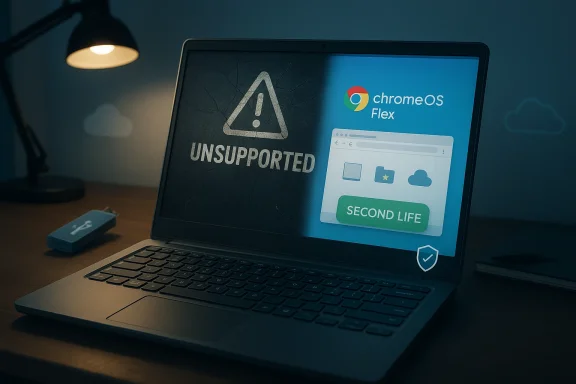
Google’s answer is ChromeOS Flex, a lightweight operating system designed to breathe new life into Windows, Mac, and Linux PCs. Google says the platform is meant to run on aging hardware, simplify the user experience, and improve security with features such as sandboxing and automatic encryption. In other words, it aims to transform a machine that no longer fits Microsoft’s roadmap into something closer to a Chromebook.
The appeal is obvious, especially for households, schools, and small businesses with fleets of serviceable laptops that do not justify a fresh Windows 11 purchase. But the trade-off is also obvious: ChromeOS Flex is not Windows, and it is not designed to preserve the full desktop software ecosystem users may rely on. Google’s own documentation emphasizes that installation erases existing data and that some features differ from ChromeOS on purpose-built Chromebooks.
This is why the “free upgrade” framing is emotionally effective but technically imprecise. It is free in the sense that the OS itself does not require a new PC purchase, but it is not frictionless, and it is not universal. Users still have to create a USB installer, boot the machine manually, and accept that the result is a repurposed device rather than a Windows replacement in the full sense.
For everyday users, that means the machine becomes more like a Chromebook: fast boot, web apps, and a narrow attack surface. Google highlights built-in protections such as automatic encryption, sandboxing, and verified startup behavior on supported models using Secure Boot. The company also recommends enabling Secure Boot and TPM where possible to maximize protection.
The practical value is especially strong for users who already live inside the browser. If your workflows are mostly web apps, cloud storage, and SaaS tools, ChromeOS Flex can be a sensible way to avoid buying new hardware. It is not a universal answer, but it is a credible answer for a large slice of casual computing.
That distinction matters because a lot of “old laptop” guidance online makes Linux or ChromeOS sound interchangeable with Windows. They are not. The moment you move away from Windows, you are choosing a different application model, a different security posture, and a different support story.
Microsoft’s public position is consistent and unsurprising: if your device qualifies, move to Windows 11; if it does not, consider ESU as a bridge or buy new hardware. Google is exploiting the gap between “works fine” and “supported by Microsoft,” which is where a lot of consumer dissatisfaction lives.
Google’s counter-message is that ChromeOS Flex reduces exposure by narrowing what can run on the device and by leaning into sandboxing and encryption. That is not the same as saying it is invulnerable; it is saying the threat model is simpler and often easier to defend. Simpler is a meaningful upgrade when the alternative is an aging OS with no security updates.
That said, “free” can be deceptive if the user values legacy software, offline workflows, or ongoing local control. A no-cost OS replacement may reduce the immediate financial burden while introducing new indirect costs in retraining, migration, and compatibility work. Cheap is not always simple.
Google also recommends that users fully install ChromeOS Flex rather than rely on live boot mode. Live boot is mainly for testing and comes with limitations such as reduced performance, no OS updates, and restricted storage. In other words, it is a trial mode, not the ideal end state.
The upside is that the hardware requirements are comparatively modest. The downside is that older machines can be quirky, especially when BIOS/UEFI settings, storage modes, or boot order issues get involved. Google’s known-issues pages explicitly call out model-specific limitations, RAID mode restrictions, and the need for USB-based installation in many scenarios.
This is not merely a technical footnote; it changes the whole decision. A device that still contains family photos, old documents, or application data cannot be treated as a disposable shell. Users need to think of the install as a rebuild, not a refresh.
But the security story is not identical to that of a standard Chromebook. Google notes that ChromeOS Flex devices do not contain the same Google security chip found in Chromebook hardware, which means verified boot is not available in the same way. That is a meaningful difference, even if Secure Boot can still provide an important layer of protection.
Google’s management story is strongest when fleets are standardized and mostly web-based. If a company depends on legacy Windows software, specialized drivers, or deep endpoint integrations, Flex becomes less attractive fast. The operating system can reduce support burden, but only if the organization’s app stack already matches the model.
The important point is that “secure” is relative to use case. ChromeOS Flex may be more secure than an unsupported Windows 10 PC, but that does not make it the right choice for every older device or every household. Context still matters.
In the consumer market, the same product is more of a survival kit. A home user with a decade-old laptop may not care about enterprise controls, enrollment tokens, or fleet management. What they care about is whether the machine can safely get them online without buying a new PC today.
The problem is that many organizations are still stuck in hybrid reality. Even if they want to move toward browser-native operations, they may still depend on one or two old Windows applications that prevent a clean switch. That makes Flex a partial remedy rather than a full transition plan.
The consumer narrative is therefore less about migration strategy and more about reuse. It turns an otherwise retired device into a second-life computer for light-duty tasks. That is a compelling message in a market where device replacement has become both expensive and increasingly mandated by software vendors.
That makes ChromeOS Flex less of a niche hobby project and more of a competitive lever. Every old laptop that becomes a usable ChromeOS device instead of a discarded Windows machine is a small win for Google’s broader platform narrative. It also reinforces the idea that not every computing problem requires a premium Windows PC.
The competitive effect is subtle but real. Google does not need to win every user; it only needs to win enough stranded users to establish ChromeOS as a credible recovery path. That credibility is valuable because it expands Google’s footprint in homes, schools, and small offices without requiring new hardware sales.
That is why the real battleground is not the flagship PC buyer. It is the owner of a three-, five-, or seven-year-old laptop that suddenly crossed from “good enough” to “unsupported.” That is a much easier audience for Google to reach with a low-friction, low-cost repurposing story. That is the strategic opening.
The broader message is that older hardware is heterogeneous. Some machines will work very well, some will work with caveats, and some will be poor candidates outright. Google’s documentation even calls out the need for modern UEFI boot on certain deployment methods and warns that legacy BIOS-only devices may not qualify for all installation paths.
That is why the product is best treated as a compatibility project. If the laptop boots from USB cleanly, has supported hardware, and the user mainly needs browser apps, the experience can be excellent. If not, the repurposing pitch becomes more laborious than it first appears.
For independent users, that is a mixed blessing. The software itself may be free, but the ecosystem support around it is narrower than what many Windows users are accustomed to. That is fine for tinkerers and confident users, but less ideal for people who want a turnkey appliance.
The more interesting question is whether this accelerates a broader normalization of OS substitution on old PCs. A decade ago, many users would never have considered replacing Windows with a browser-focused operating system. Today, after years of cloud app adoption and rising hardware costs, the idea feels much less radical. That shift may be the most important long-term implication of all.
Source: geekspin Google is offering 500 million Windows users a free PC upgrade - GEEKSPIN
 Background
The current scramble around aging Windows hardware did not begin overnight. It is the culmination of a multi-year transition in which Microsoft tightened the Windows 11 hardware bar and left many otherwise functional PCs behind. For a lot of consumers, the practical problem is simple: the machine still works, but it cannot satisfy the official requirements for the next version of Windows. Microsoft’s own guidance now reflects that reality by directing incompatible systems toward a new device or the Windows 10 ESU program rather than a standard upgrade.That support cutoff is the core of the story. As of October 14, 2025, Windows 10 no longer receives security updates, feature updates, or technical support from Microsoft. The company has been explicit that unsupported PCs remain operational but become more exposed to viruses and malware over time, which is exactly the sort of pressure point that sends users looking for alternatives.
Google’s answer is ChromeOS Flex, a lightweight operating system designed to breathe new life into Windows, Mac, and Linux PCs. Google says the platform is meant to run on aging hardware, simplify the user experience, and improve security with features such as sandboxing and automatic encryption. In other words, it aims to transform a machine that no longer fits Microsoft’s roadmap into something closer to a Chromebook.
The appeal is obvious, especially for households, schools, and small businesses with fleets of serviceable laptops that do not justify a fresh Windows 11 purchase. But the trade-off is also obvious: ChromeOS Flex is not Windows, and it is not designed to preserve the full desktop software ecosystem users may rely on. Google’s own documentation emphasizes that installation erases existing data and that some features differ from ChromeOS on purpose-built Chromebooks.
This is why the “free upgrade” framing is emotionally effective but technically imprecise. It is free in the sense that the OS itself does not require a new PC purchase, but it is not frictionless, and it is not universal. Users still have to create a USB installer, boot the machine manually, and accept that the result is a repurposed device rather than a Windows replacement in the full sense.
What Google Is Actually Offering
ChromeOS Flex is best understood as a reuse strategy, not a direct Windows upgrade. It is a version of Google’s ChromeOS designed for existing hardware, with a focus on browser-first computing and cloud-centric workflows. Google says the product is meant to deliver most of the benefits of ChromeOS on Windows, Mac, and Linux devices while preserving a lighter footprint than traditional desktop operating systems.For everyday users, that means the machine becomes more like a Chromebook: fast boot, web apps, and a narrow attack surface. Google highlights built-in protections such as automatic encryption, sandboxing, and verified startup behavior on supported models using Secure Boot. The company also recommends enabling Secure Boot and TPM where possible to maximize protection.
The core user promise
The pitch is less about features and more about survival. If a laptop is too old for Windows 11, ChromeOS Flex can extend its useful life by shifting it into a safer, simpler operating model. That matters because many consumers do not need a heavy desktop OS for email, browsing, streaming, and document editing.The practical value is especially strong for users who already live inside the browser. If your workflows are mostly web apps, cloud storage, and SaaS tools, ChromeOS Flex can be a sensible way to avoid buying new hardware. It is not a universal answer, but it is a credible answer for a large slice of casual computing.
- Lightweight browser-first experience
- Built-in encryption and sandboxing
- Lower hardware demands than Windows 11
- Potentially longer life for older laptops
- Better fit for cloud-centric users
What it is not
It is also important to be clear about the limits. ChromeOS Flex is not a full Windows compatibility layer, and Google does not present it as such. Local Windows applications, deep hardware utilities, and some niche peripherals may not work the way users expect on a Windows PC.That distinction matters because a lot of “old laptop” guidance online makes Linux or ChromeOS sound interchangeable with Windows. They are not. The moment you move away from Windows, you are choosing a different application model, a different security posture, and a different support story.
Why This Matters Now
The timing is the entire story. Once Windows 10 reached end of support on October 14, 2025, millions of PCs entered a gray zone where they still function but no longer receive security fixes from Microsoft. That creates an incentive not just to upgrade, but to change platforms if a hardware upgrade is not realistic.Microsoft’s public position is consistent and unsurprising: if your device qualifies, move to Windows 11; if it does not, consider ESU as a bridge or buy new hardware. Google is exploiting the gap between “works fine” and “supported by Microsoft,” which is where a lot of consumer dissatisfaction lives.
The security angle
The security argument is the sharpest one. Unsupported Windows 10 systems become more vulnerable to malware and exploits because they no longer get routine patches. Microsoft says this directly, and it is why end-of-support milestones always trigger a wave of remediation efforts in enterprises and home offices alike.Google’s counter-message is that ChromeOS Flex reduces exposure by narrowing what can run on the device and by leaning into sandboxing and encryption. That is not the same as saying it is invulnerable; it is saying the threat model is simpler and often easier to defend. Simpler is a meaningful upgrade when the alternative is an aging OS with no security updates.
- Windows 10 support ended on October 14, 2025
- Unsupported PCs still work but lose security updates
- ChromeOS Flex offers a more constrained attack surface
- Security is the main reason to switch, not just performance
The economics
The economics are just as important as the security story. A new Windows 11 PC may be the right answer for many users, but it is not always an immediate or affordable one. Google’s approach offers a near-zero hardware cost option, which is attractive for schools, nonprofits, and home users with budget constraints.That said, “free” can be deceptive if the user values legacy software, offline workflows, or ongoing local control. A no-cost OS replacement may reduce the immediate financial burden while introducing new indirect costs in retraining, migration, and compatibility work. Cheap is not always simple.
How ChromeOS Flex Works in Practice
The installation process is straightforward in concept but still hands-on in execution. Google says users need to download the ChromeOS Flex image, create a bootable USB installer, and then boot the target PC from that drive. It is not an over-the-air upgrade, and it is not something that happens with a casual click in Windows Update.Google also recommends that users fully install ChromeOS Flex rather than rely on live boot mode. Live boot is mainly for testing and comes with limitations such as reduced performance, no OS updates, and restricted storage. In other words, it is a trial mode, not the ideal end state.
The bootable USB reality
This is the part many readers underestimate. The value proposition is not “replace Windows in 30 seconds,” but “repurpose an aging PC if you are comfortable with basic installation work.” Google’s own documentation shows that the process is designed for technical enough users to create installation media and adjust firmware settings if needed.The upside is that the hardware requirements are comparatively modest. The downside is that older machines can be quirky, especially when BIOS/UEFI settings, storage modes, or boot order issues get involved. Google’s known-issues pages explicitly call out model-specific limitations, RAID mode restrictions, and the need for USB-based installation in many scenarios.
- Download the ChromeOS Flex installer
- Create a bootable USB drive
- Boot the aging PC from USB
- Test live boot if desired
- Perform a full install to replace the old OS
Data loss and migration
One of the most consequential details is that installation erases the device. Google states plainly that installing ChromeOS Flex permanently removes the existing data, programs, settings, and files on the machine. That means users need a backup and a migration plan before they begin.This is not merely a technical footnote; it changes the whole decision. A device that still contains family photos, old documents, or application data cannot be treated as a disposable shell. Users need to think of the install as a rebuild, not a refresh.
- Backup everything first
- Expect full data erasure
- Test with live boot if uncertain
- Verify device certification where possible
- Confirm app compatibility before switching
Security and Privacy Trade-Offs
Google’s security message is persuasive because ChromeOS Flex does deliver a more tightly controlled environment than a retired Windows 10 installation. Google says data is encrypted, risky apps are constrained, and Secure Boot can help validate the startup path on supported hardware. That is a strong baseline for many users who mainly need a safe browsing machine.But the security story is not identical to that of a standard Chromebook. Google notes that ChromeOS Flex devices do not contain the same Google security chip found in Chromebook hardware, which means verified boot is not available in the same way. That is a meaningful difference, even if Secure Boot can still provide an important layer of protection.
Enterprise implications
For businesses, that distinction matters even more. Endpoint security is no longer just about patching an OS; it is about identity, device compliance, and policy enforcement. ChromeOS Flex can fit well into managed environments, but administrators must understand the differences between Flex devices and true Chromebooks before assuming parity.Google’s management story is strongest when fleets are standardized and mostly web-based. If a company depends on legacy Windows software, specialized drivers, or deep endpoint integrations, Flex becomes less attractive fast. The operating system can reduce support burden, but only if the organization’s app stack already matches the model.
Consumer implications
Consumers, meanwhile, are likely to value convenience over policy nuance. For a family laptop that just needs to handle browsing, school portals, YouTube, and cloud documents, the security trade-off may be perfectly acceptable. For a creator or gamer, it almost certainly will not be.The important point is that “secure” is relative to use case. ChromeOS Flex may be more secure than an unsupported Windows 10 PC, but that does not make it the right choice for every older device or every household. Context still matters.
- Better suited to web-centric users
- Less ideal for legacy Windows software
- Security depends on hardware and configuration
- Enterprise deployment needs careful policy planning
- Consumers should weigh convenience against compatibility
Enterprise Versus Consumer Impact
The enterprise angle is where ChromeOS Flex becomes strategically interesting. Large organizations often retire perfectly serviceable hardware because it misses a support deadline or fails a new OS requirement. ChromeOS Flex offers a way to stretch budgets by converting some of that hardware into managed, browser-first endpoints.In the consumer market, the same product is more of a survival kit. A home user with a decade-old laptop may not care about enterprise controls, enrollment tokens, or fleet management. What they care about is whether the machine can safely get them online without buying a new PC today.
Business cases where it fits
ChromeOS Flex makes the most sense in organizations with simple workflows. Kiosks, front-desk machines, call-center terminals, school carts, and browser-based knowledge workers are all plausible candidates. The more standardized the workload, the more compelling the conversion story becomes.The problem is that many organizations are still stuck in hybrid reality. Even if they want to move toward browser-native operations, they may still depend on one or two old Windows applications that prevent a clean switch. That makes Flex a partial remedy rather than a full transition plan.
Why consumers see it differently
Consumers also have a higher tolerance for experimentation, but lower tolerance for app friction. If a browser app works, great. If a local utility or old printer driver breaks, the goodwill evaporates quickly. That is why the same platform can be a budget win for one household and a frustrating compromise for another.The consumer narrative is therefore less about migration strategy and more about reuse. It turns an otherwise retired device into a second-life computer for light-duty tasks. That is a compelling message in a market where device replacement has become both expensive and increasingly mandated by software vendors.
- Enterprises can standardize around browser-first workflows
- Consumers can use older PCs for basic tasks
- Managed deployments are more viable than one-off tinkering
- Legacy apps remain the biggest barrier
- Flex is a stopgap for some, a destination for others
Competitive Implications for Microsoft and Google
This story is not just about laptops; it is about control of the endpoint after Windows 10. Microsoft’s strategy is to push the market toward newer Windows 11 hardware, which naturally benefits PC makers and refresh cycles. Google’s strategy is to siphon off the millions of users whose machines miss the cut and offer a lower-cost alternative.That makes ChromeOS Flex less of a niche hobby project and more of a competitive lever. Every old laptop that becomes a usable ChromeOS device instead of a discarded Windows machine is a small win for Google’s broader platform narrative. It also reinforces the idea that not every computing problem requires a premium Windows PC.
The market pressure point
Microsoft has the stronger ecosystem, but Google is attacking at the edges where users feel the most pain. If a laptop is too old for Windows 11 and the owner cannot justify a replacement, ChromeOS Flex becomes a logical alternative. That is especially true when the alternative is an unsupported Windows 10 install that gradually becomes a liability.The competitive effect is subtle but real. Google does not need to win every user; it only needs to win enough stranded users to establish ChromeOS as a credible recovery path. That credibility is valuable because it expands Google’s footprint in homes, schools, and small offices without requiring new hardware sales.
Why Microsoft still has the upper hand
Microsoft still owns the default operating system choice for most PC buyers. Windows 11 remains the obvious path for users who want compatibility, familiar desktop software, and broad hardware support. ChromeOS Flex can compete on price and simplicity, but it cannot fully match the breadth of the Windows app ecosystem.That is why the real battleground is not the flagship PC buyer. It is the owner of a three-, five-, or seven-year-old laptop that suddenly crossed from “good enough” to “unsupported.” That is a much easier audience for Google to reach with a low-friction, low-cost repurposing story. That is the strategic opening.
- Microsoft wants device replacement and Windows 11 adoption
- Google wants older hardware to become ChromeOS endpoints
- The fight centers on stranded Windows 10 PCs
- App compatibility remains Microsoft’s greatest advantage
- Google’s win is in the margins, but those margins are large
Practical Limitations and Device Compatibility
Google is careful to note that ChromeOS Flex is not equally smooth on every machine. The company maintains certified model guidance, and its support pages list known issues ranging from boot behavior to TPM limitations. That alone should tell users that compatibility checking is not optional.The broader message is that older hardware is heterogeneous. Some machines will work very well, some will work with caveats, and some will be poor candidates outright. Google’s documentation even calls out the need for modern UEFI boot on certain deployment methods and warns that legacy BIOS-only devices may not qualify for all installation paths.
Hardware quirks matter
A lot of users think old PCs fail because they are slow, when in reality they often fail because they are weird. Firmware settings, storage modes, and GPU behavior can create installation headaches that have nothing to do with OS philosophy. ChromeOS Flex does not eliminate those quirks; it simply gives users a different stack to work through.That is why the product is best treated as a compatibility project. If the laptop boots from USB cleanly, has supported hardware, and the user mainly needs browser apps, the experience can be excellent. If not, the repurposing pitch becomes more laborious than it first appears.
The support model
Support is also more conditional than many casual readers assume. Google says ChromeOS Flex support for specific issues is available in managed environments tied to Chrome Enterprise Upgrade or Chrome Education Upgrade, and hardware issues still route back to the device manufacturer. That means the operating system is only one part of the support equation.For independent users, that is a mixed blessing. The software itself may be free, but the ecosystem support around it is narrower than what many Windows users are accustomed to. That is fine for tinkerers and confident users, but less ideal for people who want a turnkey appliance.
- Not all older PCs are good candidates
- UEFI and Secure Boot often matter
- USB installation is the standard route
- Certified model guidance should be checked
- Support varies by consumer vs managed deployment
Strengths and Opportunities
ChromeOS Flex has real strengths, and they explain why this story keeps resonating with users who feel boxed in by Windows 11 requirements. It offers a credible second life for aging hardware, reduces dependence on expensive refresh cycles, and fits the way many people already use their computers. In a market where good enough computing is often enough, that is a powerful proposition.- Extends the life of older PCs
- Lowers the cost of staying productive
- Reduces exposure on unsupported Windows 10 systems
- Fits browser-centric and cloud-first workflows
- Can help schools, nonprofits, and small offices
- Simplifies device administration in the right environments
- Creates a viable off-ramp for users who do not need Windows-specific apps
Risks and Concerns
The biggest risk is overpromising. Some readers will hear “free PC upgrade” and assume they can keep everything they love about Windows while avoiding the cost of new hardware. They cannot. ChromeOS Flex is a different operating system with different assumptions, and that disconnect can create disappointment fast.- Windows app compatibility is limited
- Installation erases existing data
- Hardware support varies by model
- Not all devices get the same security guarantees
- Live boot is not a full solution
- Legacy BIOS and older components can be problematic
- Support is less familiar than mainstream Windows support
Looking Ahead
What happens next will depend on how many users are willing to trade familiarity for longevity. If the answer is “a lot,” Google could gain a meaningful second-life hardware audience exactly when Microsoft is trying to accelerate the PC refresh cycle. If the answer is “only a few,” ChromeOS Flex remains useful but niche. Either way, the end of Windows 10 support has created a real market opening.The more interesting question is whether this accelerates a broader normalization of OS substitution on old PCs. A decade ago, many users would never have considered replacing Windows with a browser-focused operating system. Today, after years of cloud app adoption and rising hardware costs, the idea feels much less radical. That shift may be the most important long-term implication of all.
- More users may try ChromeOS Flex as Windows 10 support fades
- PC makers may see faster replacement cycles on incompatible devices
- ChromeOS and Linux alternatives may gain visibility
- Enterprises may pilot more browser-first endpoint strategies
- Compatibility guidance will matter more than marketing claims
Source: geekspin Google is offering 500 million Windows users a free PC upgrade - GEEKSPIN
