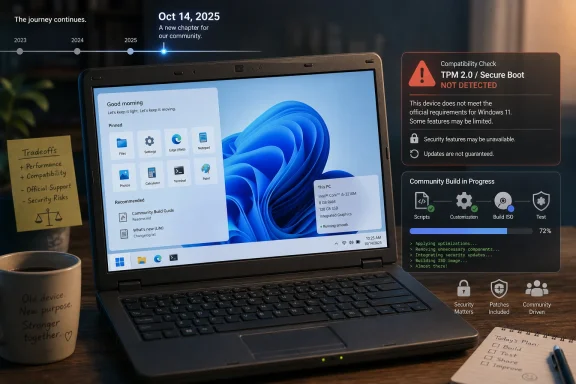
Tiny11 is an unofficial, stripped-down Windows 11 build promoted as a way to move unsupported Windows 10 PCs onto a leaner Windows 11 base after Microsoft ended Windows 10 support on October 14, 2025, but it trades official assurance for community-built flexibility. That trade is the whole story. For some aging machines, Tiny11 may be the difference between another usable year and a trip to recycling. For anyone responsible for security, compliance, or someone else’s data, it is also a reminder that the cheapest escape hatch is rarely the cleanest one.
Windows 10 did not stop booting when Microsoft’s support clock ran out. That is precisely what makes this transition messy. A familiar desktop, working printer, and still-fast-enough browser can make an unsupported operating system feel less like a risk than a reasonable refusal to buy new hardware.
Microsoft’s official answer is simple: move to Windows 11, enroll eligible systems in Extended Security Updates where available, or replace the PC. The problem is that millions of otherwise functional machines were stranded by Windows 11’s hardware floor, particularly around TPM 2.0, Secure Boot, CPU generation, and Microsoft’s broader attempt to draw a line under older platform security assumptions.
Tiny11 enters that gap with a seductive promise. It says, in effect, that the Windows 11 many users need is smaller than the Windows 11 Microsoft ships. Remove the preinstalled apps, loosen the hardware expectations, and the same old laptop that Windows 11 rejected can look viable again.
That argument lands because it contains a kernel of truth. Windows has become heavier not only because the kernel and driver model evolved, but because the default consumer experience now carries a cargo hold of services, apps, cloud hooks, and onboarding nudges. Tiny11 turns that frustration into an installer.
The WIRED framing is useful because it strips the project down to the practical question: can this rescue a Windows 10 computer that does not officially qualify for Windows 11? The answer is yes, sometimes. The better answer is that it depends on what “rescue” means.
If rescue means getting a usable Windows-like environment onto a machine that would otherwise be stuck on an unsupported Windows 10 install, Tiny11 can be compelling. If rescue means restoring the full security, update, compatibility, and accountability chain of a supported Microsoft platform, Tiny11 cannot honestly make that promise.
That distinction matters because Tiny11’s appeal is emotional as much as technical. It tells users that Microsoft’s hardware cutoff is not the final word on whether their PC has value. It also tells them, less loudly, that they are leaving the official road.
This is the part Microsoft should pay attention to. When a third-party Windows image is attractive because it removes Microsoft’s own additions, the company has a product-design problem as much as a support problem. Many users do not object to Windows 11’s core desktop model; they object to the feeling that the OS arrives preloaded with assumptions about their browser, cloud storage, Microsoft account, news feed, and attention span.
But the absence of clutter is not the same as the absence of consequences. Windows components often have dull, interlocking jobs that are invisible until something breaks. A missing media component, framework, inbox app, or servicing assumption may not matter for web browsing and document editing, but it can matter for a niche enterprise tool, an old scanner utility, a game launcher, or a future cumulative update.
That is the uncomfortable beauty of official Windows. It includes too much because it is trying to be everything to everyone. Tiny11 includes less because it is trying to be useful to a smaller, more tolerant audience.
Microsoft’s monthly updates assume a baseline. They assume certain components exist, certain policies behave as expected, and the system has not been surgically altered in ways the servicing stack cannot anticipate. Tiny11 may still receive some Windows updates in some configurations, but users should not confuse that with the predictability of a supported Windows 11 installation on approved hardware.
This is especially important in the post-Windows 10 world. The whole reason users are looking for alternatives is that unsupported Windows 10 no longer receives the normal flow of security fixes unless covered by an extension program. Replacing one uncertain security posture with another may be rational for a hobby machine. It is much harder to justify for a work laptop, a family member’s banking PC, or anything that stores sensitive data.
The issue is not that NTDEV is known to be malicious. The issue is that trust becomes personal rather than institutional. With official Windows, users trust Microsoft, OEMs, driver vendors, Windows Update, and the broader security ecosystem. With a community image, they must also trust the image builder, the download source, the build process, and their own ability to notice when something has gone wrong.
That does not make the result officially supported. It does reduce the number of strangers between the user and the operating system. A script-based build also lets technically competent users inspect what is being removed, preserve components they need, and repeat the process when a new Windows release becomes the safer baseline.
For WindowsForum readers, this distinction should be familiar. A custom ISO built in-house from known media is closer to the old world of slipstreaming service packs, injecting drivers, and preparing deployment images. A random downloadable ISO is closer to accepting an entire operating system from someone else’s USB stick.
That is not paranoia. It is the minimum standard for an era in which the operating system is also the password vault, the device enrollment anchor, the update agent, and the thing that decides whether security tools can trust the machine underneath them.
Microsoft’s hardware requirements for Windows 11 were never only about raw performance. They were about raising the minimum security baseline: TPM-backed protections, newer CPU features, virtualization-based security, and a cleaner support matrix. From Redmond’s perspective, the old fleet is expensive to secure and harder to defend.
Users see a different ledger. They see a laptop with an SSD, 16GB of RAM, and a perfectly serviceable screen being told it is obsolete because it lacks the right security module or CPU generation. They see e-waste disguised as progress. Tiny11 benefits from that resentment.
This is where the debate gets more nuanced than “Microsoft bad” or “unsupported hacks bad.” Microsoft is right that modern endpoint security needs stronger hardware roots. Users are right that usable hardware should not be casually discarded. Tiny11 is the compromise that appears when the official upgrade path does not persuade the people it leaves behind.
Those options are cleaner because they do not pretend to be supported Windows 11. They have their own update channels, security models, and communities. They are not trying to preserve compatibility with every Windows application while also bypassing the official Windows hardware gate.
But “install Linux” remains a better answer for the person giving advice than for many people receiving it. The user who depends on a Windows-only accounting package, a label printer utility, a legacy game library, or years of muscle memory may not want a philosophical migration. They want Windows to keep working.
Tiny11’s advantage is continuity. Its weakness is also continuity. It keeps users in the Windows world while placing them outside the strongest version of the Windows support system.
A business that cannot move off Windows 10 should be looking first at Microsoft’s Extended Security Updates, hardware refresh planning, application remediation, virtual desktops, or workload-specific alternatives. None of those options is painless. All of them are easier to defend in an audit than “we installed a community-trimmed Windows image because it fit.”
There may be edge cases: a kiosk, an offline test bench, a temporary non-production machine, or a controlled lab device. Even then, the case for Tiny11 depends on isolation and clear risk acceptance. The moment that machine touches identity systems, customer data, production networks, or regulated workflows, the clever workaround becomes a liability.
The home-user calculus is different. A retired laptop used for web browsing and streaming has a different risk profile from a domain-joined finance workstation. But the technical facts do not change just because the setting is less formal.
That last word matters. The highest compliment an operating system can earn in daily use is not “exciting.” It is predictable. A PC used for work, school, healthcare portals, taxes, or family administration should not depend on whether an unofficial image behaves across the next year of Windows servicing.
Still, it would be wrong to dismiss Tiny11 as merely reckless. It is also a practical response to a real market failure. People have machines that work, Microsoft has drawn a support line, and the official Windows 11 experience remains heavier than many users want.
Tiny11 does not solve that contradiction. It exposes it.
That matters because the project’s legitimacy, such as it is, rests partly on the difference between modifying an installation image and pirating software. The more responsible Tiny11 path starts with Microsoft’s official Windows 11 ISO and a valid license. The less responsible path treats a prebuilt ISO as a magic download that makes both licensing and trust someone else’s problem.
For enthusiasts, the licensing requirement may be a minor detail because many Windows 10 machines already carry a digital entitlement that can activate a corresponding Windows edition. For everyone else, it is another reminder that Tiny11 is not a consumer product with a warranty. It is a community-built method for producing a Windows variant that Microsoft did not bless.
That makes the “rescue” metaphor imperfect. Tiny11 may rescue the hardware, but it does not rescue the user from responsibility.
A clean Tiny11 build today can still become a problem later if updates fail, if a removed component becomes necessary, if a driver stack behaves oddly, or if a security feature silently depends on hardware the machine never had. Security is not only about whether the ISO contains something bad. It is about whether the system remains maintainable.
Windows 11’s official requirements were designed in part to make certain protections more consistent across the installed base. Tiny11 can bypass some of the gates, but it cannot manufacture missing hardware capabilities. A PC without the expected security foundation does not become equivalent to a supported Windows 11 machine simply because the desktop says Windows 11.
That is the trap in many upgrade hacks. They produce the appearance of modernity. The underlying platform may still be old.
The safest Tiny11 experiment is performed on a secondary drive or spare machine. It is built from official Microsoft installation media where possible. It is checked after installation for activation, Windows Update behavior, Device Manager problems, security feature status, and application compatibility before any important data moves onto it.
Users should also decide in advance what failure looks like. If Windows Update breaks, will they reinstall? If a required app fails, will they return to Windows 10 with ESU, install Linux, or retire the machine? If the PC becomes the household’s only working computer, the experiment has already expanded beyond its safest boundary.
This is the quiet divide between enthusiasts and ordinary users. Enthusiasts enjoy systems that need judgment. Ordinary users need systems that reduce the need for judgment.
A lean Windows 11 image appeals because it suggests that the essentials are still good. The desktop, Win32 compatibility, driver ecosystem, gaming support, and broad software base remain enormously valuable. What many users want is not a different operating system, but a Windows that behaves more like infrastructure and less like a sales channel.
Microsoft has moved in the opposite direction for strategic reasons. Windows is tied to Microsoft accounts, OneDrive, Edge, Copilot, Store apps, advertising surfaces, telemetry, and subscription funnels. Some of those integrations are useful. Others make users feel managed by a PC they own.
Tiny11 is the protest version of Windows 11. It is not polished enough to be the answer, but it is clear enough to be a message.
For a hobby laptop, a test bench, or a secondary PC that would otherwise become e-waste, Tiny11 can be a worthwhile experiment. For a primary machine that handles passwords, banking, client work, or business operations, the better choices are a supported Windows 11 PC, Windows 10 ESU where available, a properly maintained Linux distribution, ChromeOS Flex, or a planned hardware replacement.
The inconvenient truth is that there is no single moral answer to old hardware. Throwing away working machines has a cost. Running unsupported or semi-supported software has a cost. Paying Microsoft for extended support or buying new hardware has a cost. Tiny11 simply moves those costs around.
That is why the best advice is conditional rather than ideological. Use Tiny11 when the machine is noncritical, the user is technical, and the fallback plan is clear. Avoid it when the value of the data exceeds the value of keeping the hardware alive.
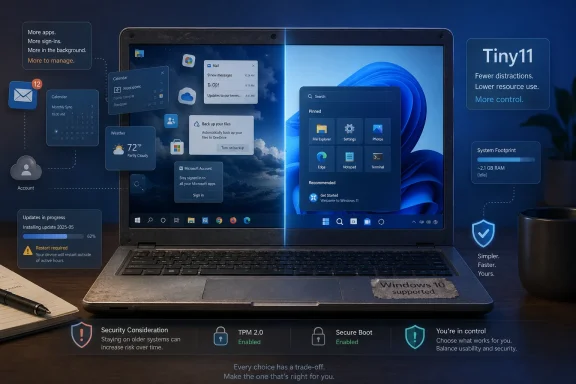 Windows 10’s Afterlife Is Now a Security Problem
Windows 10 did not stop booting when Microsoft’s support clock ran out. That is precisely what makes this transition messy. A familiar desktop, working printer, and still-fast-enough browser can make an unsupported operating system feel less like a risk than a reasonable refusal to buy new hardware.Microsoft’s official answer is simple: move to Windows 11, enroll eligible systems in Extended Security Updates where available, or replace the PC. The problem is that millions of otherwise functional machines were stranded by Windows 11’s hardware floor, particularly around TPM 2.0, Secure Boot, CPU generation, and Microsoft’s broader attempt to draw a line under older platform security assumptions.
Tiny11 enters that gap with a seductive promise. It says, in effect, that the Windows 11 many users need is smaller than the Windows 11 Microsoft ships. Remove the preinstalled apps, loosen the hardware expectations, and the same old laptop that Windows 11 rejected can look viable again.
That argument lands because it contains a kernel of truth. Windows has become heavier not only because the kernel and driver model evolved, but because the default consumer experience now carries a cargo hold of services, apps, cloud hooks, and onboarding nudges. Tiny11 turns that frustration into an installer.
Tiny11 Is Not a Product So Much as a Protest
Tiny11, associated with the NTDEV project, is best understood less as a competing operating system and more as a custom Windows image. It takes Windows 11 and removes parts of the default experience that many users either never asked for or actively uninstall after setup. In that sense, Tiny11 is not mysterious; it is the logical endpoint of years of “debloat Windows” scripts, unattended installs, and administrator-built reference images.The WIRED framing is useful because it strips the project down to the practical question: can this rescue a Windows 10 computer that does not officially qualify for Windows 11? The answer is yes, sometimes. The better answer is that it depends on what “rescue” means.
If rescue means getting a usable Windows-like environment onto a machine that would otherwise be stuck on an unsupported Windows 10 install, Tiny11 can be compelling. If rescue means restoring the full security, update, compatibility, and accountability chain of a supported Microsoft platform, Tiny11 cannot honestly make that promise.
That distinction matters because Tiny11’s appeal is emotional as much as technical. It tells users that Microsoft’s hardware cutoff is not the final word on whether their PC has value. It also tells them, less loudly, that they are leaving the official road.
The Missing Apps Are the Easy Part
The most visible part of Tiny11 is what disappears. Mail, Calendar, Weather, Alarms, Solitaire, Media Player, Microsoft Edge, OneDrive integration, and other bundled components may be absent depending on the build and method used. For a certain kind of Windows user, that list reads less like a warning than a sales pitch.This is the part Microsoft should pay attention to. When a third-party Windows image is attractive because it removes Microsoft’s own additions, the company has a product-design problem as much as a support problem. Many users do not object to Windows 11’s core desktop model; they object to the feeling that the OS arrives preloaded with assumptions about their browser, cloud storage, Microsoft account, news feed, and attention span.
But the absence of clutter is not the same as the absence of consequences. Windows components often have dull, interlocking jobs that are invisible until something breaks. A missing media component, framework, inbox app, or servicing assumption may not matter for web browsing and document editing, but it can matter for a niche enterprise tool, an old scanner utility, a game launcher, or a future cumulative update.
That is the uncomfortable beauty of official Windows. It includes too much because it is trying to be everything to everyone. Tiny11 includes less because it is trying to be useful to a smaller, more tolerant audience.
The Update Story Is Where the Romance Ends
The strongest argument against Tiny11 is not that it is unofficial. Enthusiasts have been running unofficial configurations forever. The stronger argument is that Windows security depends on a servicing pipeline, and custom images complicate that pipeline by design.Microsoft’s monthly updates assume a baseline. They assume certain components exist, certain policies behave as expected, and the system has not been surgically altered in ways the servicing stack cannot anticipate. Tiny11 may still receive some Windows updates in some configurations, but users should not confuse that with the predictability of a supported Windows 11 installation on approved hardware.
This is especially important in the post-Windows 10 world. The whole reason users are looking for alternatives is that unsupported Windows 10 no longer receives the normal flow of security fixes unless covered by an extension program. Replacing one uncertain security posture with another may be rational for a hobby machine. It is much harder to justify for a work laptop, a family member’s banking PC, or anything that stores sensitive data.
The issue is not that NTDEV is known to be malicious. The issue is that trust becomes personal rather than institutional. With official Windows, users trust Microsoft, OEMs, driver vendors, Windows Update, and the broader security ecosystem. With a community image, they must also trust the image builder, the download source, the build process, and their own ability to notice when something has gone wrong.
Building Your Own Image Is the Least Risky Version of a Risky Idea
WIRED points users toward two broad paths: downloading a ready-made Tiny11 ISO or creating one from Microsoft’s official Windows 11 ISO using the Tiny11 builder scripts. Those paths are not equivalent. For security-minded users, building from a Microsoft image is meaningfully better than downloading a prebuilt OS image from an archive mirror.That does not make the result officially supported. It does reduce the number of strangers between the user and the operating system. A script-based build also lets technically competent users inspect what is being removed, preserve components they need, and repeat the process when a new Windows release becomes the safer baseline.
For WindowsForum readers, this distinction should be familiar. A custom ISO built in-house from known media is closer to the old world of slipstreaming service packs, injecting drivers, and preparing deployment images. A random downloadable ISO is closer to accepting an entire operating system from someone else’s USB stick.
That is not paranoia. It is the minimum standard for an era in which the operating system is also the password vault, the device enrollment anchor, the update agent, and the thing that decides whether security tools can trust the machine underneath them.
Microsoft Created the Opening It Now Has to Live With
Tiny11 would not be interesting if Windows 11 ran gracefully and officially on every Windows 10 PC still in circulation. It would also not be interesting if Windows 11 felt lean, respectful, and locally controlled out of the box. The project exists in the space between Microsoft’s security argument and users’ lived experience of waste.Microsoft’s hardware requirements for Windows 11 were never only about raw performance. They were about raising the minimum security baseline: TPM-backed protections, newer CPU features, virtualization-based security, and a cleaner support matrix. From Redmond’s perspective, the old fleet is expensive to secure and harder to defend.
Users see a different ledger. They see a laptop with an SSD, 16GB of RAM, and a perfectly serviceable screen being told it is obsolete because it lacks the right security module or CPU generation. They see e-waste disguised as progress. Tiny11 benefits from that resentment.
This is where the debate gets more nuanced than “Microsoft bad” or “unsupported hacks bad.” Microsoft is right that modern endpoint security needs stronger hardware roots. Users are right that usable hardware should not be casually discarded. Tiny11 is the compromise that appears when the official upgrade path does not persuade the people it leaves behind.
Linux and ChromeOS Flex Are Cleaner Escapes, but Not Windows
The obvious alternative is to leave Windows entirely. A lightweight Linux distribution can give an old PC years of additional life, especially for browsing, email, documents, coding, media playback, and general home use. ChromeOS Flex can turn compatible hardware into a simpler cloud-first machine with less maintenance overhead.Those options are cleaner because they do not pretend to be supported Windows 11. They have their own update channels, security models, and communities. They are not trying to preserve compatibility with every Windows application while also bypassing the official Windows hardware gate.
But “install Linux” remains a better answer for the person giving advice than for many people receiving it. The user who depends on a Windows-only accounting package, a label printer utility, a legacy game library, or years of muscle memory may not want a philosophical migration. They want Windows to keep working.
Tiny11’s advantage is continuity. Its weakness is also continuity. It keeps users in the Windows world while placing them outside the strongest version of the Windows support system.
The Enterprise Answer Is Almost Always No
For managed environments, Tiny11 should be treated as a lab curiosity, not an endpoint strategy. The reasons are not hard to find. Unsupported images complicate compliance, patch assurance, vulnerability management, help desk workflows, endpoint detection, software inventory, and vendor support.A business that cannot move off Windows 10 should be looking first at Microsoft’s Extended Security Updates, hardware refresh planning, application remediation, virtual desktops, or workload-specific alternatives. None of those options is painless. All of them are easier to defend in an audit than “we installed a community-trimmed Windows image because it fit.”
There may be edge cases: a kiosk, an offline test bench, a temporary non-production machine, or a controlled lab device. Even then, the case for Tiny11 depends on isolation and clear risk acceptance. The moment that machine touches identity systems, customer data, production networks, or regulated workflows, the clever workaround becomes a liability.
The home-user calculus is different. A retired laptop used for web browsing and streaming has a different risk profile from a domain-joined finance workstation. But the technical facts do not change just because the setting is less formal.
The Real Audience Is the Skilled Home User With a Spare Machine
Tiny11 is best suited to users who know enough to rebuild the system if necessary and have little to lose if a feature is missing. That means enthusiasts, tinkerers, retro-PC owners, and people trying to keep a secondary machine alive. It is a poor fit for anyone who needs the computer to be boring.That last word matters. The highest compliment an operating system can earn in daily use is not “exciting.” It is predictable. A PC used for work, school, healthcare portals, taxes, or family administration should not depend on whether an unofficial image behaves across the next year of Windows servicing.
Still, it would be wrong to dismiss Tiny11 as merely reckless. It is also a practical response to a real market failure. People have machines that work, Microsoft has drawn a support line, and the official Windows 11 experience remains heavier than many users want.
Tiny11 does not solve that contradiction. It exposes it.
The Licensing Detail Cuts Through the Myth
One point often lost in casual discussion is that Tiny11 is not a free Windows license. Users still need a valid license to activate Windows. Stripping the installer does not strip away Microsoft’s licensing terms, and a lighter image is not a loophole for turning Windows into freeware.That matters because the project’s legitimacy, such as it is, rests partly on the difference between modifying an installation image and pirating software. The more responsible Tiny11 path starts with Microsoft’s official Windows 11 ISO and a valid license. The less responsible path treats a prebuilt ISO as a magic download that makes both licensing and trust someone else’s problem.
For enthusiasts, the licensing requirement may be a minor detail because many Windows 10 machines already carry a digital entitlement that can activate a corresponding Windows edition. For everyone else, it is another reminder that Tiny11 is not a consumer product with a warranty. It is a community-built method for producing a Windows variant that Microsoft did not bless.
That makes the “rescue” metaphor imperfect. Tiny11 may rescue the hardware, but it does not rescue the user from responsibility.
The Security Trade Is Not Just About Malware
When people warn against unofficial operating system images, the conversation often jumps straight to malware. That is a valid fear, but it is too narrow. The larger issue is integrity over time.A clean Tiny11 build today can still become a problem later if updates fail, if a removed component becomes necessary, if a driver stack behaves oddly, or if a security feature silently depends on hardware the machine never had. Security is not only about whether the ISO contains something bad. It is about whether the system remains maintainable.
Windows 11’s official requirements were designed in part to make certain protections more consistent across the installed base. Tiny11 can bypass some of the gates, but it cannot manufacture missing hardware capabilities. A PC without the expected security foundation does not become equivalent to a supported Windows 11 machine simply because the desktop says Windows 11.
That is the trap in many upgrade hacks. They produce the appearance of modernity. The underlying platform may still be old.
The Best Tiny11 Setup Is the One You Can Afford to Lose
Anyone determined to experiment should think like a sysadmin, not a desperate upgrader. Back up the old Windows 10 installation first. Save license information, installers, device drivers, browser profiles, and personal files. Assume the first install may be a rehearsal.The safest Tiny11 experiment is performed on a secondary drive or spare machine. It is built from official Microsoft installation media where possible. It is checked after installation for activation, Windows Update behavior, Device Manager problems, security feature status, and application compatibility before any important data moves onto it.
Users should also decide in advance what failure looks like. If Windows Update breaks, will they reinstall? If a required app fails, will they return to Windows 10 with ESU, install Linux, or retire the machine? If the PC becomes the household’s only working computer, the experiment has already expanded beyond its safest boundary.
This is the quiet divide between enthusiasts and ordinary users. Enthusiasts enjoy systems that need judgment. Ordinary users need systems that reduce the need for judgment.
The Tiny11 Temptation Says More About Windows Than About Hackers
The popularity of Tiny11 is not just about old hardware. It is a vote against the modern default Windows experience. Users are increasingly aware that “the operating system” and “Microsoft’s preferred bundle of services” are not the same thing.A lean Windows 11 image appeals because it suggests that the essentials are still good. The desktop, Win32 compatibility, driver ecosystem, gaming support, and broad software base remain enormously valuable. What many users want is not a different operating system, but a Windows that behaves more like infrastructure and less like a sales channel.
Microsoft has moved in the opposite direction for strategic reasons. Windows is tied to Microsoft accounts, OneDrive, Edge, Copilot, Store apps, advertising surfaces, telemetry, and subscription funnels. Some of those integrations are useful. Others make users feel managed by a PC they own.
Tiny11 is the protest version of Windows 11. It is not polished enough to be the answer, but it is clear enough to be a message.
The Rescue Plan Has to Match the Risk
The practical conclusion is not that everyone should install Tiny11, nor that nobody should. The conclusion is that Tiny11 belongs in a narrow band of scenarios where the user understands the compromise and the machine’s role is limited.For a hobby laptop, a test bench, or a secondary PC that would otherwise become e-waste, Tiny11 can be a worthwhile experiment. For a primary machine that handles passwords, banking, client work, or business operations, the better choices are a supported Windows 11 PC, Windows 10 ESU where available, a properly maintained Linux distribution, ChromeOS Flex, or a planned hardware replacement.
The inconvenient truth is that there is no single moral answer to old hardware. Throwing away working machines has a cost. Running unsupported or semi-supported software has a cost. Paying Microsoft for extended support or buying new hardware has a cost. Tiny11 simply moves those costs around.
That is why the best advice is conditional rather than ideological. Use Tiny11 when the machine is noncritical, the user is technical, and the fallback plan is clear. Avoid it when the value of the data exceeds the value of keeping the hardware alive.
The Old PC Deserves a Plan, Not a Panic Install
Before installing Tiny11, users should make a sober inventory of what the machine actually does and what would happen if it failed. That exercise will answer more questions than any benchmark or YouTube demo.- Tiny11 can make some unsupported Windows 10-era PCs feel usable under a Windows 11-style environment, but it does not make them officially supported Windows 11 systems.
- Building a Tiny11 image from Microsoft’s official Windows 11 ISO is safer than downloading a prebuilt operating system image from a third-party archive.
- A valid Windows license is still required, because Tiny11 changes the installation footprint rather than the legal status of Windows.
- Home enthusiasts with spare hardware are the natural audience, while businesses should treat Tiny11 as unsuitable for managed production endpoints.
- Linux, ChromeOS Flex, Windows 10 ESU, and hardware replacement remain cleaner options depending on the user’s applications, risk tolerance, and budget.
- The biggest risk is not only what Tiny11 removes on day one, but whether the resulting system remains secure and maintainable months later.
References
- Primary source: WIRED
Published: Mon, 25 May 2026 11:00:00 GMT
Use Tiny11 to Rescue a Computer Running Windows 10 | WIRED
If you can’t—or don’t want to—upgrade to full Windows 11, consider this lightweight version of Microsoft’s operating system that works on a wide range of computers.www.wired.com - Official source: support.microsoft.com
Windows 10 support has ended on October 14, 2025 | Microsoft Support
Windows 10 support ends on October 14, 2025. Upgrade to Windows 11 now to ensure continued security and feature updates. Learn more about the transition.support.microsoft.com - Official source: learn.microsoft.com
Windows 10 - release information | Microsoft Learn
Learn release information for Windows 10 releaseslearn.microsoft.com - Official source: microsoft.com
End of support for Windows 10, Windows 8.1, and Windows 7 | Microsoft Windows
Make a smooth transition to Windows 11 from your unsupported operating system with help from Microsoft. Enjoy the benefits of upgrading to a Windows 11 PC.www.microsoft.com - Related coverage: windowslatest.com
Microsoft publishes Windows 10 $30 ESU (Extended security updates) in the Store
Windows 10 End of Life is today, October 14, 2025, but you can increase its lifespan with the Extended Security Updates program www.windowslatest.com
- Related coverage: windowscentral.com
Windows 10 support has ended: Discover how to keep your device secure beyond October 2025 | Windows Central
Mainstream support for Windows 10 ended in October 2025. That means the OS no longer receives security updates automatically, and you must take action to ensure your devices remain secure when connected to the internet.www.windowscentral.com
- Related coverage: gaming.news
Windows 10 support ended on October 14; $30 ESU available
Windows 10 support ended Oct 14, 2025. $30 ESU runs to Oct 13, 2026, as games and drivers increasingly target Windows 11.gaming.news - Related coverage: techspot.com
Tiny 11 can shrink Windows 11 24H2 installation from 30GB to less than 4GB | TechSpot
Many users have taken to social media and online message boards to express their displeasure at having to wait for nearly two hours for the installation to...www.techspot.com - Related coverage: tiny11.net
Tiny11 » Built with Tiny11 Builder [Direct Download]
Download Tiny11, a lightweight Windows 11 build crafted with Tiny11 Builder. A fast, debloated version designed for older PCs and smooth performance.tiny11.net - Related coverage: pureinfotech.com
Tiny11 ISO updated to Windows 11 24H2 - Pureinfotech
You can now download the Windows 11 24H2 Tiny11 ISO to perform a clean installation or in-place upgrade without bloatware or unneeded features. pureinfotech.com
- Related coverage: tomshardware.com
Make a Windows 11 Image That Runs on 2GB of RAM With Tiny11 Builder | Tom's Hardware
Free tool outputs a Windows 11 image that requires just 2GB of RAM.www.tomshardware.com - Related coverage: tomsguide.com
Windows 10 End of Life: Microsoft releases final update — everything you need to know | Tom's Guide
So long, Windows 10www.tomsguide.com - Related coverage: techradar.com
Tiny11 just got tinier – Nano11 shrinks down Windows 11 to a third of its size, but there's a notable catch | TechRadar
Nano11 claims to be Windows 11 with "all the essentials, none of the fluff"www.techradar.com - Related coverage: as.com
Cómo seguir usando Windows 10 después del fin del soporte en octubre de 2025: así funciona el programa ESU de Microsoft - Meristation
Microsoft continuará ofreciendo una alternativa para los usuarios de Windows 10 tras el cese del soporte oficial. Así funciona el programa ESU de W10.as.com - Related coverage: atomicdata.com
- Related coverage: transparity.com
- Related coverage: stratodesk.com