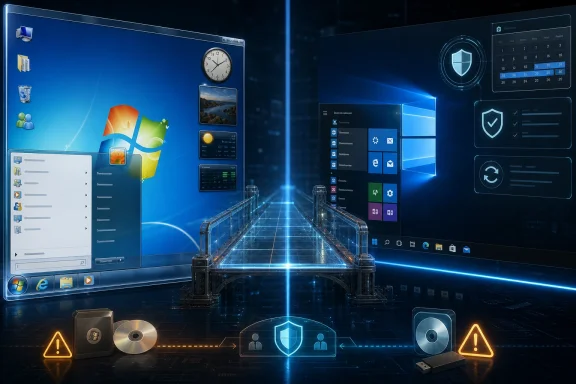
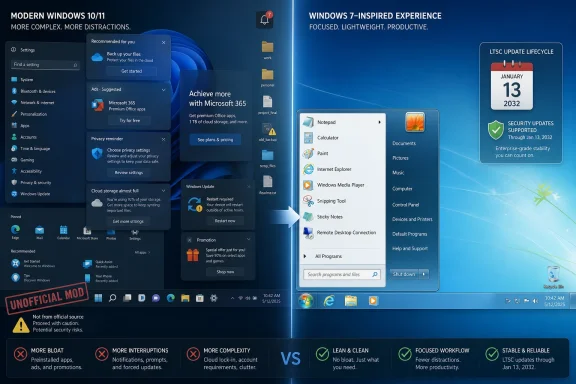
Classic 7 is a fan-made Windows modification publicized in May 2026 that reshapes Windows 10 IoT Enterprise LTSC 2021 to look and feel like Windows 7 while retaining Microsoft’s security-support runway into January 2032. That combination is why a niche desktop skin suddenly matters beyond nostalgia. It turns the post-Windows-10 era into something Microsoft would rather not advertise: a reminder that many users do not object to Windows evolving, but to Windows evolving at them. The project is less a time machine than a protest vote with an installer.
The appeal of Classic 7 is not hard to decode. Windows 7 occupies a strange place in PC memory: modern enough to feel familiar, old enough to seem unpolluted by cloud prompts, subscription nags, AI panels, telemetry anxiety, and interface churn. It was not perfect, but it had a coherence that later versions often sacrificed in the name of cross-device ambition and monetized surfaces.
That is why a Windows 7-style shell running on a supported Windows 10 base lands differently in 2026 than it would have a decade ago. This is not merely someone changing wallpaper, icons, and window borders because they like Aero glass. It is a rebuke of the assumption that the Windows desktop must keep absorbing new layers of consumer services whether the user asked for them or not.
Classic 7’s central trick is that it does not try to keep Windows 7 alive. That would be a security dead end. Instead, it wraps the visual and behavioral cues of Windows 7 around Windows 10 IoT Enterprise LTSC 2021, the long-term servicing variant aimed at fixed-purpose commercial and embedded devices.
That distinction matters. The project is not a supported Microsoft product, not a rediscovered Windows 7 edition, and not a magic way to make an old operating system safe. It is a heavily modified Windows 10 environment built to evoke the version of Windows many users still consider Microsoft’s last broadly trusted desktop.
That makes it the forbidden fruit of the Windows world. LTSC is designed for devices where stability beats novelty: industrial systems, medical equipment, kiosks, point-of-sale machines, and other environments where a surprise feature update is a liability rather than a gift. Microsoft has long discouraged using LTSC as a general-purpose desktop, but the reason enthusiasts keep circling back to it is obvious: it removes much of the noise that made mainstream Windows feel increasingly like rented space.
The LTSC model strips the operating system down to a more conservative servicing posture. It does not chase semiannual or annual feature waves in the way mainstream Windows once did. It is built to be patched, not constantly reimagined.
Classic 7 exploits that posture beautifully. The same qualities that make LTSC attractive to enterprises with fixed-function devices also make it attractive to enthusiasts who want a quieter personal computer. No Copilot-forward positioning, no consumer-content carousel, no sudden redesign dropped into the taskbar because a product team needed adoption metrics.
The irony is sharp. Microsoft created LTSC to protect business-critical systems from churn. Enthusiasts now see it as protection from Microsoft’s own consumer strategy.
That is why a convincing Windows 7 reconstruction can exist at all. A project like Classic 7 can lean on what Windows still is, not just what Microsoft’s marketing says it has become. The result is a kind of operating-system cosplay, but cosplay with a functioning kernel, current driver support, and security patches.
The nostalgia here is not only visual. Windows 7 represented an era when the Start menu felt like a user-owned index rather than a contested advertising surface. Search was less likely to route attention to the web. System settings felt less like a scavenger hunt split between eras. The desktop had seams, but those seams were comprehensible.
Windows 10 and Windows 11 did improve many things: security architecture, hardware support, virtualization, high-DPI handling, gaming technologies, and enterprise management. But Microsoft also trained users to expect that any update might rearrange furniture, add prompts, or introduce another service integration. Classic 7 thrives because it says the quiet part out loud: many people want the newer plumbing without the newer agenda.
This is where the enthusiast story always gets messy. The internet is full of ways to obtain Windows images, keys, and modified installers, but availability is not the same as legitimacy. A supported Windows base only helps if the installation is properly licensed and updateable. Otherwise, the project risks becoming a prettier version of the same unsupported gray-market behavior it claims to avoid.
That does not make Classic 7 irrelevant. It makes it a mirror. The fact that users are willing to investigate enterprise licensing, modified images, and unsupported community builds just to avoid the mainstream Windows experience should worry Microsoft more than any single customization project.
For IT professionals, the licensing issue is also the dividing line between curiosity and deployment. A sysadmin may appreciate the concept, test it in a lab, or admire the technical craftsmanship. But rolling a heavily modified Windows image into a real business environment is another matter entirely. Supportability, compliance, audit trails, endpoint management, and incident response all become harder when the base OS has been reshaped by a community project.
Classic 7 may be emotionally enterprise-friendly, but that does not make it operationally enterprise-ready.
A heavily customized Windows install can introduce its own risks. Shell replacements, patched resources, third-party system tools, removed components, altered defaults, and unofficial distribution mechanisms can all change the threat model. Even when the authors are acting in good faith, the supply-chain question remains: what exactly changed, who changed it, and how reproducibly can those changes be verified?
That question matters more in 2026 than it did in the Windows 7 era. Endpoint security today assumes a chain of trust: signed components, predictable patch behavior, known baselines, manageable configuration states, and telemetry that defenders can interpret. A nostalgic desktop that breaks those assumptions may feel calmer to the user while creating more ambiguity for the administrator.
There is also the question of patch durability. Microsoft updates Windows, not Classic 7 as an experience. If a cumulative update alters shell behavior, resource files, or assumptions the modification relies on, the project’s maintainers must keep up. The longer the support runway, the longer the maintenance obligation.
That is the paradox of a retro system built on a living OS. Its charm depends on preserving the past, but its safety depends on surviving the future.
But nostalgia alone does not explain why Windows 7 aesthetics keep returning with such force. The deeper issue is trust. Windows users have watched Microsoft insert more cloud services, more account nudges, more search redirection, more promotional surfaces, and now more AI-branded features into the operating system. Even when individual features are useful, the cumulative effect can feel like a loss of ownership.
Windows 11 sharpened that feeling. Its hardware requirements excluded many otherwise capable PCs, especially during the transition away from Windows 10. Its interface simplified some surfaces while removing or burying familiar options. Its update cadence continued the expectation that Microsoft, not the user, gets the final say on what the desktop becomes.
In that context, Classic 7 is not arguing that Windows 7 was technically superior to modern Windows. It is arguing that Windows 7 felt less presumptuous. It started from the assumption that the PC was a tool under the user’s control. Modern Windows too often starts from the assumption that the PC is an endpoint in Microsoft’s ecosystem.
That shift is the heart of the backlash. People can forgive change when they believe it serves them. They resist change when it feels like extraction.
Classic 7 arrives into that fractured landscape with a seductive promise: keep the software compatibility, keep the security patches, and recover the interface you liked. That is a powerful pitch to enthusiasts running older hardware, small shops with conservative workflows, and users who never asked for their desktop to become an AI showcase.
But the split is not only technical. It is cultural. Microsoft wants Windows to be a modern service platform, increasingly bound to cloud identity, subscriptions, AI assistance, and cross-device continuity. A visible subset of its user base wants Windows to be a stable local operating system that launches applications, manages files, and otherwise gets out of the way.
Those visions are not fully compatible. Microsoft can offer toggles, policies, and enterprise controls, but the direction of travel is unmistakable. Classic 7 matters because it shows there is still demand for a Windows experience defined by restraint.
The company could dismiss that demand as backward-looking. It would be smarter to read it as product feedback.
Classic 7 sits at the far end of that spectrum. It is not just restoring one feature. It is reconstructing an entire mood.
That mood has commercial value, even if Microsoft is reluctant to admit it. A supported, consumer-available “Windows Classic” mode would not need to freeze the kernel in amber or reject modern security. It could offer a conservative shell, local-first defaults, low-noise search, minimal bundled apps, and a promise that feature additions appear as opt-ins rather than ambushes.
Microsoft has never shown much appetite for such a product. The company’s incentives point elsewhere. Windows is a distribution channel for Microsoft 365, Edge, OneDrive, Copilot, Store apps, Game Pass, identity services, and enterprise management hooks. A quiet Windows may delight users, but a strategically noisy Windows creates more surfaces for Microsoft’s broader business.
That is why enthusiasts keep building what Microsoft will not. The projects are imperfect, sometimes legally awkward, sometimes fragile, but they reveal a market signal: a meaningful number of people would choose a calmer Windows if Microsoft offered one honestly.
LTSC exists because Microsoft already understands this in the enterprise context. Hospitals, factories, logistics systems, and public-sector agencies cannot treat every interface experiment as harmless. Training costs money. Downtime costs more. A surprise consumer feature on a fixed-purpose endpoint is not innovation; it is risk.
The same principle applies, in softer form, to ordinary desktops. Knowledge workers build habits around window management, search behavior, file dialogs, taskbar placement, control panels, and shortcuts. When those habits are disrupted for unclear benefit, the OS becomes a tax on attention.
Classic 7 is appealing because it promises to lower that tax. It tells users that the interface can stop moving while the security patches keep coming. That is exactly the bargain many administrators want from their fleets, even if they would never approve this particular implementation.
The lesson for Microsoft is not that every PC should look like 2009. It is that the company underestimates how much users value continuity, especially after years of forced adaptation.
Windows 7 also had its own annoyances. Driver problems, update failures, UAC complaints, indexing weirdness, networking frustrations, and Control Panel sprawl were all real. The reason it seems so clean now is partly because memory edits out the friction.
A good retro project should borrow the discipline of the past, not all of its assumptions. The best case for Classic 7 is not that Windows should go backward wholesale. It is that Microsoft should recover the parts of its older design philosophy that respected user intent, minimized surprise, and treated the desktop as a tool rather than a billboard.
That distinction matters. A supported OS with a calmer interface is a reasonable desire. A modified image of uncertain provenance installed because it feels emotionally safer than Windows 11 may not be a rational security decision.
Nostalgia can identify a real wound. It cannot, by itself, prescribe the treatment.
But Classic 7 exposes the weak spot in that argument. If the future feels cluttered, coercive, or less respectful of user choice, users will look for ways to preserve the past even when the past is technically inferior. Microsoft cannot win that argument with lifecycle charts alone.
The company’s challenge is not merely to make Windows safer or more capable. It must make Windows feel like it still belongs to the person sitting in front of the screen. That is harder than shipping another Settings redesign or adding another Copilot entry point.
Classic 7 also undercuts the idea that users reject modernity itself. The entire pitch depends on a modern-enough Windows 10 base receiving updates into the next decade. Users want the security and compatibility. They just do not want the baggage that Microsoft increasingly bundles with them.
That is the uncomfortable message. The backlash is not anti-progress. It is anti-presumption.
The project still deserves attention because it condenses years of Windows frustration into one screenshot-friendly artifact. It shows how much of the modern Windows debate is not about kernels, APIs, or even Start menus. It is about agency.
A PC operating system sits in the most intimate layer of daily computing. It mediates work, memory, entertainment, communication, and repair. When users feel that layer is being repurposed for someone else’s roadmap, they will seek alternatives that restore the older bargain.
Classic 7 may not be the answer. But the desire behind it is not going away.
Microsoft should pay attention to that. A company confident in its desktop strategy would not need users to choose between official modernity and unofficial calm. The future of Windows will not be decided by Classic 7, but the project points toward a demand Microsoft keeps underestimating: a supported, secure, low-noise Windows that treats familiarity as a feature rather than a failure to innovate.
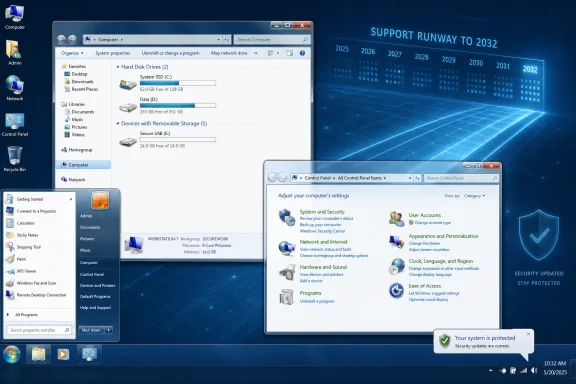 The Windows 7 Desktop Has Become a Political Statement
The appeal of Classic 7 is not hard to decode. Windows 7 occupies a strange place in PC memory: modern enough to feel familiar, old enough to seem unpolluted by cloud prompts, subscription nags, AI panels, telemetry anxiety, and interface churn. It was not perfect, but it had a coherence that later versions often sacrificed in the name of cross-device ambition and monetized surfaces.That is why a Windows 7-style shell running on a supported Windows 10 base lands differently in 2026 than it would have a decade ago. This is not merely someone changing wallpaper, icons, and window borders because they like Aero glass. It is a rebuke of the assumption that the Windows desktop must keep absorbing new layers of consumer services whether the user asked for them or not.
Classic 7’s central trick is that it does not try to keep Windows 7 alive. That would be a security dead end. Instead, it wraps the visual and behavioral cues of Windows 7 around Windows 10 IoT Enterprise LTSC 2021, the long-term servicing variant aimed at fixed-purpose commercial and embedded devices.
That distinction matters. The project is not a supported Microsoft product, not a rediscovered Windows 7 edition, and not a magic way to make an old operating system safe. It is a heavily modified Windows 10 environment built to evoke the version of Windows many users still consider Microsoft’s last broadly trusted desktop.
LTSC Is the Escape Hatch Microsoft Built for Somebody Else
The engine underneath Classic 7 is Windows 10 IoT Enterprise LTSC 2021, and that is where the story becomes more interesting than a retro theme pack. Most consumer editions of Windows 10 reached end of support on October 14, 2025, forcing home users toward Windows 11, paid Extended Security Updates, or unsupported risk. Windows 10 IoT Enterprise LTSC 2021 lives on a different lifecycle, with support stretching to January 13, 2032.That makes it the forbidden fruit of the Windows world. LTSC is designed for devices where stability beats novelty: industrial systems, medical equipment, kiosks, point-of-sale machines, and other environments where a surprise feature update is a liability rather than a gift. Microsoft has long discouraged using LTSC as a general-purpose desktop, but the reason enthusiasts keep circling back to it is obvious: it removes much of the noise that made mainstream Windows feel increasingly like rented space.
The LTSC model strips the operating system down to a more conservative servicing posture. It does not chase semiannual or annual feature waves in the way mainstream Windows once did. It is built to be patched, not constantly reimagined.
Classic 7 exploits that posture beautifully. The same qualities that make LTSC attractive to enterprises with fixed-function devices also make it attractive to enthusiasts who want a quieter personal computer. No Copilot-forward positioning, no consumer-content carousel, no sudden redesign dropped into the taskbar because a product team needed adoption metrics.
The irony is sharp. Microsoft created LTSC to protect business-critical systems from churn. Enthusiasts now see it as protection from Microsoft’s own consumer strategy.
The Reskin Works Because Windows 10 Never Fully Escaped Windows 7
Classic 7’s plausibility rests on a truth Microsoft rarely foregrounds: Windows 10 still carries an enormous amount of Windows 7-era DNA. Beneath the newer Settings app, modern shell elements, and Microsoft account plumbing, Windows remains a layered machine with decades of backward compatibility. The old Control Panel did not vanish overnight. Win32 did not stop mattering. The desktop metaphor never stopped being the real workplace for millions of people.That is why a convincing Windows 7 reconstruction can exist at all. A project like Classic 7 can lean on what Windows still is, not just what Microsoft’s marketing says it has become. The result is a kind of operating-system cosplay, but cosplay with a functioning kernel, current driver support, and security patches.
The nostalgia here is not only visual. Windows 7 represented an era when the Start menu felt like a user-owned index rather than a contested advertising surface. Search was less likely to route attention to the web. System settings felt less like a scavenger hunt split between eras. The desktop had seams, but those seams were comprehensible.
Windows 10 and Windows 11 did improve many things: security architecture, hardware support, virtualization, high-DPI handling, gaming technologies, and enterprise management. But Microsoft also trained users to expect that any update might rearrange furniture, add prompts, or introduce another service integration. Classic 7 thrives because it says the quiet part out loud: many people want the newer plumbing without the newer agenda.
The Licensing Problem Is Not a Footnote
The obvious catch is licensing. Windows 10 IoT Enterprise LTSC is not a casual download for ordinary consumers who miss translucent title bars. It is a commercial product distributed through channels intended for OEMs, enterprise customers, and embedded-device scenarios. Anyone treating Classic 7 as a simple weekend replacement for Windows 11 has to confront that reality.This is where the enthusiast story always gets messy. The internet is full of ways to obtain Windows images, keys, and modified installers, but availability is not the same as legitimacy. A supported Windows base only helps if the installation is properly licensed and updateable. Otherwise, the project risks becoming a prettier version of the same unsupported gray-market behavior it claims to avoid.
That does not make Classic 7 irrelevant. It makes it a mirror. The fact that users are willing to investigate enterprise licensing, modified images, and unsupported community builds just to avoid the mainstream Windows experience should worry Microsoft more than any single customization project.
For IT professionals, the licensing issue is also the dividing line between curiosity and deployment. A sysadmin may appreciate the concept, test it in a lab, or admire the technical craftsmanship. But rolling a heavily modified Windows image into a real business environment is another matter entirely. Supportability, compliance, audit trails, endpoint management, and incident response all become harder when the base OS has been reshaped by a community project.
Classic 7 may be emotionally enterprise-friendly, but that does not make it operationally enterprise-ready.
Security Updates Do Not Make a Mod Trustworthy
The phrase “still gets updates” is doing a lot of work in the Classic 7 story. It is accurate in the narrow sense that Windows 10 IoT Enterprise LTSC 2021 has a Microsoft support runway. But a supported base operating system does not automatically make every modification layered on top of it safe, maintainable, or wise.A heavily customized Windows install can introduce its own risks. Shell replacements, patched resources, third-party system tools, removed components, altered defaults, and unofficial distribution mechanisms can all change the threat model. Even when the authors are acting in good faith, the supply-chain question remains: what exactly changed, who changed it, and how reproducibly can those changes be verified?
That question matters more in 2026 than it did in the Windows 7 era. Endpoint security today assumes a chain of trust: signed components, predictable patch behavior, known baselines, manageable configuration states, and telemetry that defenders can interpret. A nostalgic desktop that breaks those assumptions may feel calmer to the user while creating more ambiguity for the administrator.
There is also the question of patch durability. Microsoft updates Windows, not Classic 7 as an experience. If a cumulative update alters shell behavior, resource files, or assumptions the modification relies on, the project’s maintainers must keep up. The longer the support runway, the longer the maintenance obligation.
That is the paradox of a retro system built on a living OS. Its charm depends on preserving the past, but its safety depends on surviving the future.
Microsoft’s Real Problem Is Trust, Not Rounded Corners
It is tempting to reduce the Classic 7 enthusiasm to cranky nostalgia. Some of it is exactly that. The Windows community has never lacked users who treat every new Start menu as a civilization-ending event.But nostalgia alone does not explain why Windows 7 aesthetics keep returning with such force. The deeper issue is trust. Windows users have watched Microsoft insert more cloud services, more account nudges, more search redirection, more promotional surfaces, and now more AI-branded features into the operating system. Even when individual features are useful, the cumulative effect can feel like a loss of ownership.
Windows 11 sharpened that feeling. Its hardware requirements excluded many otherwise capable PCs, especially during the transition away from Windows 10. Its interface simplified some surfaces while removing or burying familiar options. Its update cadence continued the expectation that Microsoft, not the user, gets the final say on what the desktop becomes.
In that context, Classic 7 is not arguing that Windows 7 was technically superior to modern Windows. It is arguing that Windows 7 felt less presumptuous. It started from the assumption that the PC was a tool under the user’s control. Modern Windows too often starts from the assumption that the PC is an endpoint in Microsoft’s ecosystem.
That shift is the heart of the backlash. People can forgive change when they believe it serves them. They resist change when it feels like extraction.
The Post-Windows-10 World Has Split the Audience
The end of mainstream Windows 10 support changed the emotional temperature around projects like Classic 7. Before October 2025, refusing Windows 11 could be framed as simple inertia. After that date, the choice became more consequential. Users had to decide whether to upgrade, pay for extended updates, move to a specialized Windows edition, try Linux, or accept insecurity.Classic 7 arrives into that fractured landscape with a seductive promise: keep the software compatibility, keep the security patches, and recover the interface you liked. That is a powerful pitch to enthusiasts running older hardware, small shops with conservative workflows, and users who never asked for their desktop to become an AI showcase.
But the split is not only technical. It is cultural. Microsoft wants Windows to be a modern service platform, increasingly bound to cloud identity, subscriptions, AI assistance, and cross-device continuity. A visible subset of its user base wants Windows to be a stable local operating system that launches applications, manages files, and otherwise gets out of the way.
Those visions are not fully compatible. Microsoft can offer toggles, policies, and enterprise controls, but the direction of travel is unmistakable. Classic 7 matters because it shows there is still demand for a Windows experience defined by restraint.
The company could dismiss that demand as backward-looking. It would be smarter to read it as product feedback.
Enthusiasts Are Rebuilding the Product Microsoft Won’t Sell Them
There is a recurring pattern in Windows history: when Microsoft removes or redesigns something beloved, third-party developers rebuild it. Start menu replacements flourished after Windows 8. Taskbar utilities surged with Windows 11. Debloating scripts, privacy tools, offline-account workarounds, and shell customizers now form a shadow ecosystem around the official OS.Classic 7 sits at the far end of that spectrum. It is not just restoring one feature. It is reconstructing an entire mood.
That mood has commercial value, even if Microsoft is reluctant to admit it. A supported, consumer-available “Windows Classic” mode would not need to freeze the kernel in amber or reject modern security. It could offer a conservative shell, local-first defaults, low-noise search, minimal bundled apps, and a promise that feature additions appear as opt-ins rather than ambushes.
Microsoft has never shown much appetite for such a product. The company’s incentives point elsewhere. Windows is a distribution channel for Microsoft 365, Edge, OneDrive, Copilot, Store apps, Game Pass, identity services, and enterprise management hooks. A quiet Windows may delight users, but a strategically noisy Windows creates more surfaces for Microsoft’s broader business.
That is why enthusiasts keep building what Microsoft will not. The projects are imperfect, sometimes legally awkward, sometimes fragile, but they reveal a market signal: a meaningful number of people would choose a calmer Windows if Microsoft offered one honestly.
The Enterprise Lesson Is Control Beats Novelty
For enterprise IT, Classic 7 is less a deployment candidate than a case study. It dramatizes what administrators have been saying for years: predictability matters. The best interface is often the one users do not have to think about, and the best update is the one that closes vulnerabilities without changing workflows.LTSC exists because Microsoft already understands this in the enterprise context. Hospitals, factories, logistics systems, and public-sector agencies cannot treat every interface experiment as harmless. Training costs money. Downtime costs more. A surprise consumer feature on a fixed-purpose endpoint is not innovation; it is risk.
The same principle applies, in softer form, to ordinary desktops. Knowledge workers build habits around window management, search behavior, file dialogs, taskbar placement, control panels, and shortcuts. When those habits are disrupted for unclear benefit, the OS becomes a tax on attention.
Classic 7 is appealing because it promises to lower that tax. It tells users that the interface can stop moving while the security patches keep coming. That is exactly the bargain many administrators want from their fleets, even if they would never approve this particular implementation.
The lesson for Microsoft is not that every PC should look like 2009. It is that the company underestimates how much users value continuity, especially after years of forced adaptation.
The Risk Is Romanticizing the Wrong Past
There is, however, a danger in treating Windows 7 as a lost Eden. It was a product of its time, and that time had different threats, different hardware, different application models, and different expectations. Modern Windows carries security features and platform changes that exist because the old world was not safe enough.Windows 7 also had its own annoyances. Driver problems, update failures, UAC complaints, indexing weirdness, networking frustrations, and Control Panel sprawl were all real. The reason it seems so clean now is partly because memory edits out the friction.
A good retro project should borrow the discipline of the past, not all of its assumptions. The best case for Classic 7 is not that Windows should go backward wholesale. It is that Microsoft should recover the parts of its older design philosophy that respected user intent, minimized surprise, and treated the desktop as a tool rather than a billboard.
That distinction matters. A supported OS with a calmer interface is a reasonable desire. A modified image of uncertain provenance installed because it feels emotionally safer than Windows 11 may not be a rational security decision.
Nostalgia can identify a real wound. It cannot, by itself, prescribe the treatment.
The Windows 7 Costume Exposes the Windows 11 Argument
Microsoft’s case for Windows 11 has always rested on forward motion: stronger security baselines, newer hardware assumptions, refined design, better integration, and now AI-era capabilities. Some of that case is legitimate. TPM requirements, virtualization-based security, modern driver models, and platform hardening are not marketing fluff.But Classic 7 exposes the weak spot in that argument. If the future feels cluttered, coercive, or less respectful of user choice, users will look for ways to preserve the past even when the past is technically inferior. Microsoft cannot win that argument with lifecycle charts alone.
The company’s challenge is not merely to make Windows safer or more capable. It must make Windows feel like it still belongs to the person sitting in front of the screen. That is harder than shipping another Settings redesign or adding another Copilot entry point.
Classic 7 also undercuts the idea that users reject modernity itself. The entire pitch depends on a modern-enough Windows 10 base receiving updates into the next decade. Users want the security and compatibility. They just do not want the baggage that Microsoft increasingly bundles with them.
That is the uncomfortable message. The backlash is not anti-progress. It is anti-presumption.
The Practical Reality Behind the Pretty Glass
For anyone tempted by Classic 7, the sober reading is simple: admire it, test it carefully, and understand what problem you are actually trying to solve. If the problem is Windows 11’s interface, there are less drastic customization tools. If the problem is Windows 10 end of support, proper ESU enrollment, a supported LTSC license, or a migration plan may be cleaner answers. If the problem is Microsoft’s entire product direction, a theme will not fix that.The project still deserves attention because it condenses years of Windows frustration into one screenshot-friendly artifact. It shows how much of the modern Windows debate is not about kernels, APIs, or even Start menus. It is about agency.
A PC operating system sits in the most intimate layer of daily computing. It mediates work, memory, entertainment, communication, and repair. When users feel that layer is being repurposed for someone else’s roadmap, they will seek alternatives that restore the older bargain.
Classic 7 may not be the answer. But the desire behind it is not going away.
The 2032 Patch Window Is Not a Consumer Strategy
The concrete facts are both promising and limiting:- Classic 7 is not Windows 7; it is a Windows 10 IoT Enterprise LTSC 2021 modification designed to recreate the Windows 7 experience.
- Windows 10 IoT Enterprise LTSC 2021 has a Microsoft support lifecycle that extends to January 13, 2032.
- The edition underneath Classic 7 is intended for specialized commercial and embedded scenarios, not ordinary retail Windows users.
- A supported Microsoft base does not automatically validate every modification, distribution method, or system component layered on top of it.
- The project’s popularity says less about Aero nostalgia than about user frustration with Windows bloat, interface churn, and Microsoft’s increasingly service-driven desktop strategy.
Microsoft should pay attention to that. A company confident in its desktop strategy would not need users to choose between official modernity and unofficial calm. The future of Windows will not be decided by Classic 7, but the project points toward a demand Microsoft keeps underestimating: a supported, secure, low-noise Windows that treats familiarity as a feature rather than a failure to innovate.
References
- Primary source: Hackaday
Published: Fri, 22 May 2026 02:00:00 GMT
Get That Windows 7 Feel In An OS That Still Gets Updates | Hackaday
Do you want to go back to an era when Windows was… simpler? Back when things worked, before the AI and the bloat took over your hard drive and RAM space in equal measure? You might like to gi…hackaday.com
- Official source: learn.microsoft.com
Windows 10 IoT Enterprise - Microsoft Lifecycle | Microsoft Learn
Windows 10 IoT Enterprise follows the Modern Lifecycle Policy.learn.microsoft.com - Related coverage: techradar.com
What is Windows 10 IoT Enterprise LTSC 2021 and why does it expire in 2032 and not in 2025? | TechRadar
Most versions of Windows 10 have passed their support deadline – but why does this one expire in 2032?www.techradar.com - Official source: techcommunity.microsoft.com
Windows 10 IoT Enterprise will still be available past January 2023 | Microsoft Community Hub
  Both Windows 10 IoT Enterprise and Windows 10 IoT Enterprise LTSC will still be available past January 2023 techcommunity.microsoft.com
- Related coverage: tomshardware.com
Windows 10 update incorrectly tells some users they've reached end-of-life, despite having extended support — Microsoft confirms message sent to Enterprise, Pro, and Education users in error | Tom's Hardware
Windows 10 is not completely dead, yet.www.tomshardware.com - Related coverage: pureinfotech.com
Windows 10 support has ended – LTSC 2021 and IoT LTSC 2021 still supported - Pureinfotech
If you’re seeing Your version has reached end of support" on Windows 10 LTSC 2021, don’t panic. Microsoft still supports it until 2027 (and IoT until 2032). pureinfotech.com
- Related coverage: windowsforum.com
Windows 10 IoT Enterprise LTSC 2021: Support Through 2032 Explained | Windows Forum
Windows 10 did not secretly keep the entire world on life support until 2032 — but one very specific, specialist edition of the operating system does have a...windowsforum.com - Related coverage: 1023jack.com
Classic 7 is a Windows 10 LTSC mod to look 1:1 to Windows 7 - 1023 Jack
A new mod called Classic 7 recreates Windows 10 LTSC 2021 to look and feel exactly like Windows 7, including Aero Glass and gadgets.1023jack.com - Related coverage: computerworld.com
Windows 11 LTSC explained: The OS when you need stability above all – Computerworld
Formerly known as the Long-Term Servicing Branch (LTSB), Windows' Long-Term Servicing Channel (LTSC) is designed for mission-critical, highly regulated, or restricted environments, allowing companies to maintain a stable, feature-locked OS for years. www.computerworld.com
- Related coverage: laptopmag.com
This version of Windows 10 is supported until 2032 | Laptop Mag
No Copilot, no ads, no bloat, no AI — and seven extra years of support. This official Windows 10 edition sounds too good to be true, but there's a reason most haven't heard of it.www.laptopmag.com - Related coverage: windowscentral.com
Windows 10 is dead, Microsoft confirms | Windows Central
Microsoft has confirmed that support for Windows 10 has now come to an end. It has released one final mainstream OS update, but millions of users are still running the now abandoned OS.www.windowscentral.com - Related coverage: techbloat.com
Windows 10 Enterprise LTSC 2021 - TechBloat
Windows 10 Enterprise LTSC 2021: Stability for Businesses. www.techbloat.com
- Related coverage: ricelake.com