

Microsoft’s Configuration Manager is shifting from a semi‑annual feature cadence to a predictable, once‑a‑year major release schedule — a move Microsoft says is intended to prioritize security, stability and long‑term support for on‑premises estates while concentrating all future device‑management innovation inside Microsoft Intune.
Configuration Manager (ConfigMgr, historically SCCM) has been the on‑premises backbone of Windows endpoint management for large enterprises for decades. It handles OS deployment, application distribution, patch orchestration and deep, granular controls that many regulated or offline environments still rely on. For years Microsoft updated ConfigMgr multiple times per year; in recent cycles that frequency fell to two releases annually. The product team now says that beginning with the 2609 release family, ConfigMgr will move to an annual major baseline — a formalization of a direction the company has been signalling for some time. This decision is tied to a broader strategic posture: Intune and cloud‑native services are the primary vehicle for new device‑management features and faster innovation, while ConfigMgr will be treated as the enduring on‑premises workhorse focused on reliability rather than rapid feature churn. Microsoft’s messaging — echoed across community reporting and industry press — frames the change as a predictable, lower‑churn model for IT operations.
Microsoft’s official release notes and the Configuration Manager lifecycle pages remain the single source of truth for exact release dates and support end‑dates. Treat community‑reported month/version anchors as useful planning signals but confirm and schedule only after Microsoft publishes the formal documentation. Conclusion: the product direction is clear — Configuration Manager will be a stability‑first, long‑term‑support on‑prem solution while Intune is the growth engine for device management. Administrators who accept that trade‑off and execute a measured co‑management and testing program will extract the most benefit from the transition; those who delay planning risk higher migration costs and operational stress when the new cadence takes full effect.
Source: Petri IT Knowledgebase Microsoft Configuration Manager Moves to Yearly Releases
 Background
Configuration Manager (ConfigMgr, historically SCCM) has been the on‑premises backbone of Windows endpoint management for large enterprises for decades. It handles OS deployment, application distribution, patch orchestration and deep, granular controls that many regulated or offline environments still rely on. For years Microsoft updated ConfigMgr multiple times per year; in recent cycles that frequency fell to two releases annually. The product team now says that beginning with the 2609 release family, ConfigMgr will move to an annual major baseline — a formalization of a direction the company has been signalling for some time. This decision is tied to a broader strategic posture: Intune and cloud‑native services are the primary vehicle for new device‑management features and faster innovation, while ConfigMgr will be treated as the enduring on‑premises workhorse focused on reliability rather than rapid feature churn. Microsoft’s messaging — echoed across community reporting and industry press — frames the change as a predictable, lower‑churn model for IT operations. What Microsoft announced (and what’s firmly established)
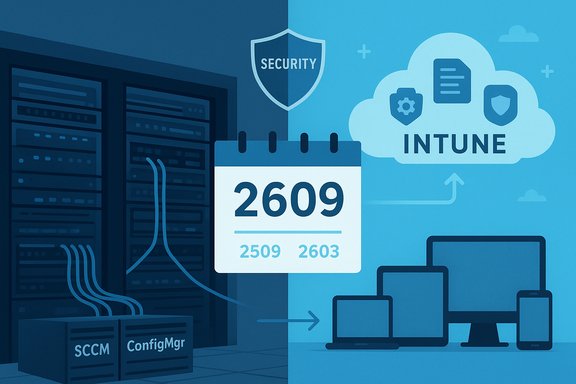
- Starting point: Microsoft and community reports indicate the new annual cadence begins with the 2609 release family, planned for Fall 2026. Interim releases (reported as 2509 and 2603) are positioned as stability/security‑focused updates ahead of the first annual baseline. Treat the specific month/version mapping as reported scheduling until Microsoft’s formal release notes appear.
- Hotfix policy: routine rollups and micro‑releases will be restricted; hotfixes and rollups will be issued only for critical security or functionality issues. Non‑critical bug fixes are more likely to wait for the next annual baseline.
- Support window: the established 18‑month support window for a ConfigMgr current‑branch release remains the operational baseline — you can typically skip upgrades for some time, but you must map estate planning to that window to avoid running unsupported baselines. This support pattern has been referenced repeatedly in Microsoft guidance and community analyses.
- Strategic signpost: Microsoft explicitly positions Intune as “where all new innovation happens” — meaning new features, cloud integrations and modern device‑management capabilities will appear first (or only) in Intune and related cloud services. ConfigMgr will be maintained with a renewed focus on security, stability and long‑term support for on‑premises usage.
Timeline and technical details Microsoft signalled (reported)
The near‑term scheduling that has appeared in product‑team communications and press summaries includes:- 2509 — December 2025: quality and stability release with ARM64 improvements and other hardening work.
- 2603 — March 2026: security‑focused release aligned with Microsoft’s Secure Future / security initiatives.
- 2609 — September 2026: first official annual major baseline under the new cadence.
- 2709 — September 2027: next annual baseline (details TBD).
Why Microsoft is making the change
Three interlocking reasons drive this shift:- Cloud‑first product investment: by concentrating innovation in Intune and cloud services, Microsoft can reallocate engineering capacity away from frequent on‑prem feature drops toward cloud‑native capabilities. That aligns with Microsoft’s wider cloud strategy.
- Operational predictability: many enterprises prefer fewer, larger, thoroughly validated releases because they simplify validation windows, compliance testing and change control. An annual baseline matches typical enterprise validation cadences and reduces churn.
- Alignment with Windows servicing: syncing ConfigMgr baselines with Windows’ H2 security/stability rhythm reduces platform‑management fragmentation, easing coordination for OS feature rollouts and driver validation.
Immediate operational implications for IT teams
The cadence change is simple in concept but has real operational consequences.Release and support planning
- Map every ConfigMgr instance to the 18‑month support window and plan test rings accordingly. Missing an annual release in this model can create longer calendar gaps between supported baselines, increasing risk of running unsupported code.
- Expect hotfixes to be rare. Organizations must plan whether they accept longer waits for non‑critical bug fixes or adopt workarounds, vendor patches, or selective cloud migration for faster symptom remediation.
Co‑management and migration pressure
- For many organizations, co‑management (running ConfigMgr alongside Intune for specific workloads) becomes the realistic medium‑term strategy. Use ConfigMgr for deep on‑prem scenarios (OS deployment, imaging, specialized drivers) and Intune for cloud‑native policy, conditional access and faster innovation.
- Build a prioritized feature‑gap matrix: list your top ConfigMgr‑only capabilities and map where Intune currently matches, where partners can fill gaps, and where you need workarounds. That gap analysis informs whether to accelerate Intune migration or shore up on‑prem tooling.
Arm64 and platform support
- If your environment includes Arm64 endpoints (laptops or other devices), plan to validate the 2509‑class improvements and driver compatibility. Arm64 support and software‑metering changes are explicitly mentioned in the near‑term roadmap signals. Test imaging, emulation scenarios and third‑party agents thoroughly.
The WSUS angle: deprecation, push to cloud, and the reprieve
Microsoft’s broader servicing changes include the deprecation of parts of WSUS (Windows Server Update Services) and guidance to shift toward cloud update management (Windows Autopatch, Azure Update Manager, Intune). Microsoft listed WSUS as “no longer actively developed” and encouraged customers to adopt cloud channels for driver and update distribution. That announcement created pressure on organizations that rely on WSUS for offline environments and tight driver control. Microsoft had planned to remove WSUS driver synchronization on a calendar date in 2025, prompting broad industry warnings; after customer feedback Microsoft postponed the immediate removal and revised the timeline, effectively delaying the hard cutover for driver sync while still marking WSUS as deprecated. This reprieve matters for disconnected or air‑gapped estates that cannot immediately adopt cloud update services. Operational takeaway: WSUS deprecation increases the urgency to evaluate cloud update paths, but organizations with valid offline constraints have received temporary breathing room; do not treat the reprieve as permanent — plan migration timelines and test isolated update flows now.Strengths of the annual cadence
- Predictability: one major baseline a year simplifies change calendars, regulatory audits and driver validation cycles. That helps large estates coordinate hardware refreshes and compliance windows.
- Quality investment: engineering effort consolidated into deeper testing reduces regression risk and can lower the chance of production‑breaking issues.
- Clear strategic direction: Microsoft’s statement that Intune is the innovation hub gives customers a clear signal where to invest for new capabilities, integrations (Zero Trust, Autopatch, cloud telemetry) and ongoing feature growth.
Risks, trade‑offs and the admin community’s concerns
- Longer waits for non‑critical fixes: with hotfixes reserved for critical issues, organizations that depend on frequent bug fixes may face longer remediation windows. Consider escalation policies and vendor SLAs for critical third‑party blockers.
- Feature parity gaps: Intune still lacks some of ConfigMgr’s deep on‑prem capabilities (detailed imaging, some OS deployment flavors, very granular local control). Expect to pay migration costs (in automation, license changes, or third‑party tooling) to regain operational parity. Community reactions stress skepticism about Intune’s readiness for every ConfigMgr use case.
- Higher stakes per release: an annual baseline means a failed upgrade or unaddressed regression has larger consequences. Robust rollback plans and ringed validation pipelines become essential.
- Dependency and vendor readiness: confirm that endpoint security agents, imaging solutions and vendor drivers are certified for the new annual baseline cadence; vendors must be part of the test plan early.
A practical 180‑day action plan for IT leaders
1. Immediate (0–30 days)- Inventory and tag: identify ConfigMgr roles, site hierarchies, and devices by criticality; log which workloads depend exclusively on ConfigMgr features.
- Validate support windows: map each site to its 18‑month support end date and flag any potential unsupported gaps.
- Start a co‑management pilot: move non‑critical workloads (inventory, compliance telemetry) to Intune while keeping imaging and OS deployment in ConfigMgr. Use the pilot to identify concrete parity gaps.
- Test ARM64: if you have Arm64 devices, validate drivers, CHPE implications and imaging in the 2509 preview path.
- Formalize ringed testing and rollback procedures: lab → pilot → broad pilot → production. Document uninstall/rollback steps and rehearse restores.
- Negotiate vendor commitments: require drivers and agent compatibility sign‑offs timed to your expected baseline adoption.
- Define an internal hotfix policy: what qualifies as “absolutely necessary” and what escalation rules trigger emergency engineering or partner engagement.
- Monitor Microsoft release channels and lifecycle pages frequently; do not treat press‑reported dates as official until the product team publishes release notes.
Vendor, partner and tooling considerations
- Third‑party patching and driver tools can bridge gaps while you evaluate cloud migration. Many enterprises will use a hybrid of ConfigMgr, Intune and third‑party vendors to maintain necessary controls during transition.
- For disconnected or regulatory‑restricted environments, retain WSUS and on‑prem tooling where required — but actively test a cloud‑detach plan and seek vendor support for offline update paths given Microsoft’s deprecation posture. Microsoft has delayed removal of WSUS driver sync after customer feedback; this delay is temporary and not a reversal of the overall cloud direction. Plan accordingly.
How to talk to leadership about this change — simple messaging
- “Configuration Manager will remain supported and secure, but major baselines will arrive annually starting with 2609; Intune is where Microsoft will invest new features.”
- “We should run a rapid gap analysis and start a co‑management pilot so we can quantify migration costs and timelines.”
- “Don’t assume press‑reported dates are final — we’ll track Microsoft’s official lifecycle and release notes for definitive scheduling.”
Final assessment — measured evolution, not an end
Microsoft’s move to an annual Configuration Manager cadence is a deliberate reprioritization: preserve and harden what many enterprises need on‑premises while channeling innovation into Intune and cloud services. For organizations that value predictability and stability, the annual baseline reduces upgrade churn and concentrates validation effort into a single, more thoroughly tested release. At the same time, the change raises legitimate operational questions: feature parity in Intune, longer waits for non‑critical fixes in ConfigMgr, and the migration lift for complex estates. The WSUS deprecation and the company’s cloud emphasis increase the impetus to evaluate hybrid designs (co‑management, Autopatch, Azure Update Manager) while preserving on‑prem capabilities where necessary. This is a transition that favors organizations that prepare now: inventory dependencies, pilot Intune where possible, tighten monthly patch hygiene, and formalize rollback and vendor validation procedures. With the right planning, the annual cadence can reduce operational friction; without it, a missed release or an unsupported baseline could create unnecessary disruption.Microsoft’s official release notes and the Configuration Manager lifecycle pages remain the single source of truth for exact release dates and support end‑dates. Treat community‑reported month/version anchors as useful planning signals but confirm and schedule only after Microsoft publishes the formal documentation. Conclusion: the product direction is clear — Configuration Manager will be a stability‑first, long‑term‑support on‑prem solution while Intune is the growth engine for device management. Administrators who accept that trade‑off and execute a measured co‑management and testing program will extract the most benefit from the transition; those who delay planning risk higher migration costs and operational stress when the new cadence takes full effect.
Source: Petri IT Knowledgebase Microsoft Configuration Manager Moves to Yearly Releases
