

Microsoft has begun previewing Copilot Actions to Windows Insiders — an experimental agentic capability that runs inside a contained Agent Workspace, allowing Copilot to perform multi‑step tasks on your PC (sorting photos, extracting tables from PDFs, batch file conversions and more) while promising visibility, auditable agent identities, and scoped permissions.
Microsoft’s recent updates have steadily transformed Copilot from a chat box into a system‑level assistant for Windows. The company groups the new wave of features under three interlocking pillars: Copilot Voice (wake‑word and conversational voice sessions), Copilot Vision (session‑bound screen analysis), and Copilot Actions (agentic automations that can operate on apps and files). The rollout is being staged through the Windows Insider program and the Copilot app distributed via the Microsoft Store. Copilot Actions is explicitly experimental and gated for early testing. Microsoft and early coverage emphasize opt‑in defaults, staged feature flags, and device‑level controls so the company can gather telemetry and feedback before wider availability. The Windows Experience/Windows Insider team has published guidance on enabling and testing Copilot features for Insiders, and Microsoft’s security materials outline the containment strategy being used for agentic workflows.
Key claimed capabilities in the current Insider preview include:
Strengths of Microsoft’s approach:
For home users, the promise is tangible: let Copilot handle tedious file management or batch edits while you continue to work. For IT and security teams, the recommendation is cautious pragmatism: pilot widely useful, low‑risk scenarios; keep the feature disabled by policy for sensitive groups; require transparent logging and human approval for sensitive actions; and insist on verifiable telemetry and governance artifacts from Microsoft before broad deployment. Note: some secondary reports reference specific Copilot package numbers and regional exclusions; those individual build claims were not clearly corroborated in Microsoft’s official release notes at the time of review. Confirm the exact Copilot package on your system (Copilot Settings → About) and check the Windows Insider Blog and Copilot release notes before rolling out or depending on a single package number.
Source: Windows Report Copilot Actions Starts Rolling Out to Windows Insiders
 Background / Overview
Microsoft’s recent updates have steadily transformed Copilot from a chat box into a system‑level assistant for Windows. The company groups the new wave of features under three interlocking pillars: Copilot Voice (wake‑word and conversational voice sessions), Copilot Vision (session‑bound screen analysis), and Copilot Actions (agentic automations that can operate on apps and files). The rollout is being staged through the Windows Insider program and the Copilot app distributed via the Microsoft Store. Copilot Actions is explicitly experimental and gated for early testing. Microsoft and early coverage emphasize opt‑in defaults, staged feature flags, and device‑level controls so the company can gather telemetry and feedback before wider availability. The Windows Experience/Windows Insider team has published guidance on enabling and testing Copilot features for Insiders, and Microsoft’s security materials outline the containment strategy being used for agentic workflows. What Copilot Actions actually is
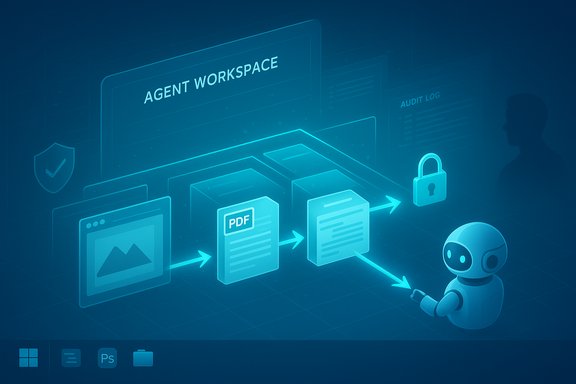
At its core, Copilot Actions is an agent runtime integrated with Copilot on Windows that translates a natural‑language instruction into a sequence of UI interactions and file operations. Instead of telling you how to do something, the agent attempts to do it for you — opening apps, clicking menu items, typing, scrolling, and manipulating local files — inside an isolated desktop instance called the Agent Workspace.Key claimed capabilities in the current Insider preview include:
- Batch‑processing and organizing images (resize, deduplicate, group by date).
- Extracting tables and structured data from PDFs and compiling results (for example, into Excel).
- Converting files or transforming formats (image formats, document exports).
- Assembling documents and drafting emails that include generated outputs.
- Chaining multi‑step workflows that traverse multiple apps and files.
Technical architecture: Agent Workspace, accounts, and permissions
Microsoft’s preview materials and complementary reporting describe several platform building blocks designed to limit risk while enabling agentic behavior:- Agent Workspace (runtime isolation): a separate desktop session provisioned temporarily for the agent so its activity is visible and bounded. The workspace is intended to serve as a containment boundary for UI‑level actions.
- Agent accounts (identity separation): agents run under dedicated, low‑privilege Windows accounts that are non‑interactive. Making agents first‑class principals in the OS enables standard access control lists (ACLs), auditing, and revocation.
- Scoped file access and permissioning: agents start with access to known user folders (Documents, Desktop, Downloads, Pictures) and must request explicit authorization for anything beyond that. Sensitive steps are expected to require additional confirmation.
- Signed agents and platform trust: Microsoft requires agent binaries to be signed and tied to platform controls to make revocation and enterprise governance feasible. This approach is part of the company’s strategy to enable enterprise policy and manage risk for third‑party agents over time.
How it looks and how to get started (Insider flow)
The Insider preview experience for Copilot Actions is intentionally staged and opt‑in. The general flow described in Microsoft and community posts is:- Join the Windows Insider Program and ensure you’re in a channel that receives Copilot Labs/Copilot app updates.
- Update the Copilot app from the Microsoft Store to an Insider build that includes the Actions capability (availability is staged server‑side).
- Enable the preview toggle in Settings: Settings > System > AI components > Agent tools > Experimental agentic features. This step provisions agent runtime components (agent accounts and Agent Workspace) and is off by default.
- In the Copilot composer, choose Take Action (or select “Attach file/folder” via the + button), write a natural‑language instruction (for example, “Organize my vacation photos by date, remove duplicates, resize for web and produce a summary document”) and execute. Copilot then provisions an Agent Workspace and starts the task; you can watch, pause, or take over.
Practical examples and limitations observed in the preview
Early examples Microsoft and reviewers have showcased include:- Sorting and deduplicating photos stored in Pictures or Downloads.
- Extracting table data from PDFs and inserting it into Excel.
- Batch‑resizing or converting image formats and then assembling a Word or PowerPoint summary.
- Finding specific files, extracting relevant content, and drafting an email with attachments.
Verification and what is (and isn’t) confirmed
What is confirmed by primary Microsoft channels:- Copilot updates and experimental Copilot features are being rolled out to Windows Insiders via the Microsoft Store.
- Agent Workspace and agent accounts are part of Microsoft’s containment and governance plan for agentic features. Microsoft has published security‑focused content describing the Agent Workspace concept.
- Copilot Actions is experimental and opt‑in behind settings and feature gates.
- The precise Copilot package number cited in some early coverage (for example, a specific build like “version 1.25112.74”) is not consistently present in Microsoft’s official release notes and was not found in the Windows Insider blog posts examined during verification efforts. Treat single‑build claims as provisional unless corroborated by Microsoft release notes or the Microsoft Store entry for your device. This specific package number could be part of a staged/rollout build or a reporter’s observation and therefore should be cross‑checked on your device.
- Regional availability caveats (for example, exclusions limited to the EEA) sometimes appear in local reporting but are not uniformly documented in Microsoft posts; confirm availability in your region from the Copilot app’s Store entry or Microsoft’s regional notices. If you rely on a specific availability constraint for compliance, verify it through the official Copilot release notes or the Windows Insider Blog before enabling the feature organization‑wide. Flagging this as unverifiable without a clear Microsoft notice is prudent.
Security, privacy, and governance analysis
Bringing agents that can manipulate apps and files to the desktop is a major platform change. Microsoft’s containment strategy addresses many obvious risks, but real‑world usage introduces new threat models and governance needs.Strengths of Microsoft’s approach:
- Runtime isolation and auditability — Agent accounts and a visible Agent Workspace give defenders a conventional place to monitor and control agent activity using existing OS controls and audit logs. This design turns agents into recognizable principals rather than ephemeral background code.
- Opt‑in defaults and explicit permission flows — Agents are off by default, start with limited access to known folders, and require explicit authorization to broaden scope. These measures reduce accidental exposure in initial testing.
- Signing and revocation — Requiring signed agent binaries tied to a platform trust model enables revocation and enterprise policy control, which is essential for enterprise governance.
- UI fragility and unintended actions. Agents that click and type based on reasoning about screen content can misinterpret dynamic elements, leading to destructive or privacy‑breaching behavior (e.g., clicking a misleading dialog, sending an email to the wrong recipient). Microsoft mitigations (confirmation prompts, visibility) reduce risk but do not eliminate it.
- Audit fidelity and forensic usefulness. Visibility into an Agent Workspace helps, but organizations must validate that logs are complete, tamper‑resistant, and integrated with existing SIEM/EDR tooling for meaningful incident response. The existence of agent accounts helps, but auditors will want cryptographic attestations and accessible provenance for agent actions.
- Data flows and training telemetry promises. Microsoft’s public statements about what telemetry is collected and whether agent interactions are used for model improvements are policy claims that require third‑party verification (audits, transparency reports) for organizations with compliance obligations. Treat training/data retention claims as promises until verifiable attestation is available.
- Supply‑chain and third‑party agents. If Microsoft opens the platform to third‑party agents, enterprises must manage signing, publisher trust, and the potential for malicious or poorly engineered agents. This raises classic App Store governance questions but in a higher‑risk context because agents act on local files and accounts.
Enterprise controls and rollout recommendations
For IT and security leaders, Copilot Actions introduces both opportunity and complexity. The following is a practical checklist to guide pilots and phased adoption:- Start with a small pilot group in low‑risk departments (communications, marketing, support) rather than privileged business units (finance, HR).
- Disable Experimental agentic features by policy for high‑risk groups and require documented approvals for enabling it. Use MDM/Group Policy or Intune to enforce the setting where required.
- Ensure centralized logging of agent runs and integrate these logs with SIEM/EDR for monitoring and anomaly detection. Request details from Microsoft on log formats and retention.
- Require agents to be signed from approved publishers and maintain revocation processes (certificate revocation lists or platform‑level controls) as part of change control.
- Define human‑in‑the‑loop checkpoints for sensitive tasks (financial transfers, data exfiltration, PII handling) and require multi‑factor approvals before agents can proceed.
- Conduct threat modeling and red‑team exercises focused on agent interactions with critical applications (webmail, CRM, HR portals) to surface edge case behaviors.
- Validate telemetry and privacy promises with concrete attestations or contractual terms before deploying broadly in regulated environments.
Usability, reliability, and the elephant in the room: hallucinations and UI complexity
Agents that act compound two reliability problems: the model’s reasoning quality (which can hallucinate or misunderstand instructions) and the brittle nature of UI automation. Even with a contained workspace, the combination can produce surprising outcomes.- Model hallucinations can result in agents performing unnecessary or incorrect steps (e.g., inventing a file name that doesn’t exist and then creating or sending the wrong content). This risk makes watching and being able to take over an active agent essential during pilots.
- Complex or nonstandard applications (custom enterprise apps, obfuscated web UIs, heavily localized controls) can confuse UI‑grounded agents. Early documentation acknowledges that Copilot Actions may struggle with such interfaces and is intentionally experimental because of these limitations.
Hardware, Copilot+ tier, and on‑device vs cloud processing
Not all Copilot capabilities are purely software‑gated. Microsoft has formalized a Copilot+ hardware tier for richer local experiences, tied to Neural Processing Unit (NPU) performance (commonly cited thresholds such as 40+ TOPS in Microsoft messaging). Systems without an NPU will rely more on cloud processing and may see higher latency or restricted features for on‑device tasks. For Copilot Actions, most behaviors can run via the cloud or with hybrid processing, but local NPU‑accelerated models improve latency and privacy for some on‑device reasoning tasks. Validate hardware entitlements if on‑device processing or offline scenarios are important for your deployment.Step‑by‑step: enable Copilot Actions (Insider quick guide)
- Enroll the target device in the Windows Insider program and choose a channel that receives Copilot Labs updates.
- Update the Copilot app from the Microsoft Store (Insider builds are staged; you may need to wait for the server‑side flag to enable Actions).
- Open Settings → System → AI components → Agent tools → Experimental agentic features and follow the prompts to provision the agent account and workspace (requires admin consent).
- Launch Copilot, open the composer, choose Take Action, optionally attach files/folders, enter a natural‑language instruction, and start the task. Monitor the Agent Workspace and be ready to pause or take over.
Strengths, weaknesses, and the longer‑term outlook
Strengths:- The Agent Workspace model is a pragmatic engineering response to a thorny problem: enabling agentic automation while preserving user visibility and auditable identity separation. This greatly reduces several easy attack vectors compared with giving agents access to the signed‑in user session.
- Productivity wins are straightforward for repetitive, well‑scoped tasks (photo processing, format conversions, data extraction) — scenarios where UI automation and content understanding are complementary.
- The approach shifts trust from being purely human‑driven to being a shared human–AI–platform trust model. That requires new governance, testing, and operational controls for enterprises.
- Unless Microsoft publishes independently verifiable attestations about telemetry and model‑training practices, privacy‑sensitive organizations should treat training/data usage claims as aspirational rather than fully proven.
Conclusion
Copilot Actions marks a bold step in Windows’ evolution — moving Copilot from a conversational helper to an assistant that can act on a user’s behalf inside a controlled runtime. Microsoft’s Agent Workspace, agent accounts, and permissioning approach are thoughtful technical defenses that make the experiment plausible, but the model also introduces new operational and security trade‑offs that demand rigorous pilot testing, policy controls, and independent validation.For home users, the promise is tangible: let Copilot handle tedious file management or batch edits while you continue to work. For IT and security teams, the recommendation is cautious pragmatism: pilot widely useful, low‑risk scenarios; keep the feature disabled by policy for sensitive groups; require transparent logging and human approval for sensitive actions; and insist on verifiable telemetry and governance artifacts from Microsoft before broad deployment. Note: some secondary reports reference specific Copilot package numbers and regional exclusions; those individual build claims were not clearly corroborated in Microsoft’s official release notes at the time of review. Confirm the exact Copilot package on your system (Copilot Settings → About) and check the Windows Insider Blog and Copilot release notes before rolling out or depending on a single package number.
Source: Windows Report Copilot Actions Starts Rolling Out to Windows Insiders
