

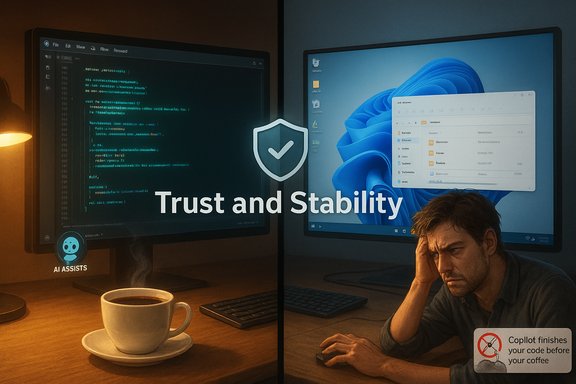
Microsoft's attempt at a breezy marketing line—“Copilot finishing your code before you finish your coffee”—has become a flashpoint, with developers mocking the claim, pointing to real-world bugs in Windows 11 (including a sluggish File Explorer) and arguing Microsoft should prioritize stability and choice over aggressive AI-first messaging.
Microsoft has been rapidly folding AI into Windows, GitHub, and its developer tooling under the Copilot brand and related initiatives. The company is positioning Copilot as an accelerant for developer productivity, and executives have openly discussed a large — and growing — role for AI in code generation. That framing collided with social media when an official Microsoft post on X (formerly Twitter) used the “finish before your coffee” line; replies from professional developers quickly turned it into a larger conversation about quality, trust, and the health of Windows as a developer platform. At the same time, the Windows engineering story has been messy for many users: reports of UI regressions, slow File Explorer behaviors, and controversial Copilot demos that misdirect users have amplified skepticism. A recent Copilot promotional video was widely criticized for showing the assistant recommending the wrong settings path and even suggesting an already-selected option — an ad that Microsoft later deleted amid the outcry. This article unpacks what happened, weighs the technical reality of Copilot-style code generation against developer expectations, examines the Windows 11 stability complaints (with a focus on File Explorer), and lays out practical recommendations Microsoft should follow to repair trust and make AI integration sustainable.
Developers responded not because they categorically reject tooling that speeds work, but because the marketing appeared to celebrate speed without acknowledging the real costs of AI-generated suggestions: review time, debugging, security vetting, and maintenance overhead. The resulting chorus of “No thanks, I’ll do it myself” responses reflects a deeper trust gap, not mere contrarianism.
Microsoft’s path forward is clear: fix the fundamentals visibly and consistently, make AI genuinely optional and transparent, harden engineering guardrails for AI‑authored code, and rebuild community trust through measurable commitments. Done well, Copilot and agentic features can be a genuine productivity boon. Done poorly, they accelerate churn, migration away from Windows for development work, and a long, expensive recovery of developer confidence.
The technology is not the problem; the priorities and the execution are.
Source: Windows Latest Microsoft says Copilot codes faster than you drink coffee, devs say fix Windows 11 first, like slow File Explorer
 Background / Overview
Microsoft has been rapidly folding AI into Windows, GitHub, and its developer tooling under the Copilot brand and related initiatives. The company is positioning Copilot as an accelerant for developer productivity, and executives have openly discussed a large — and growing — role for AI in code generation. That framing collided with social media when an official Microsoft post on X (formerly Twitter) used the “finish before your coffee” line; replies from professional developers quickly turned it into a larger conversation about quality, trust, and the health of Windows as a developer platform. At the same time, the Windows engineering story has been messy for many users: reports of UI regressions, slow File Explorer behaviors, and controversial Copilot demos that misdirect users have amplified skepticism. A recent Copilot promotional video was widely criticized for showing the assistant recommending the wrong settings path and even suggesting an already-selected option — an ad that Microsoft later deleted amid the outcry. This article unpacks what happened, weighs the technical reality of Copilot-style code generation against developer expectations, examines the Windows 11 stability complaints (with a focus on File Explorer), and lays out practical recommendations Microsoft should follow to repair trust and make AI integration sustainable.Why the tweet landed so poorly
Marketing tone versus developer reality
The line about finishing code “before you finish your coffee” is the kind of quick, snackable copy marketers use to promote speed and convenience. With most consumer products that works fine. For an OS vendor whose users include large numbers of professional developers and IT admins, the same tone can feel dismissive.Developers responded not because they categorically reject tooling that speeds work, but because the marketing appeared to celebrate speed without acknowledging the real costs of AI-generated suggestions: review time, debugging, security vetting, and maintenance overhead. The resulting chorus of “No thanks, I’ll do it myself” responses reflects a deeper trust gap, not mere contrarianism.
A pattern of tone‑deaf moments
This instance didn’t happen in isolation. Over the past months Microsoft has faced other public missteps — including the “agentic OS” messaging from Windows leadership and Copilot demos that didn’t function as advertised — which together make the social reaction less surprising and more cumulative. When users see an ad showing Copilot misguiding a settings change, or leaders talking about Windows “acting” for users, it feeds a narrative that Microsoft is prioritizing flashy AI narratives over core polish.What developers are actually saying
Key themes from the responses
- Skepticism about quality: Developers emphasize that AI suggestions often require more time to correct than writing a concise, correct snippet themselves. Hallucinations (confidently wrong outputs) are a recurring complaint.
- Demand for choice and opt‑in: Many want Copilot as an optional productivity tool, not as an omnipresent OS feature that sees into their files and workflows.
- Focus on stability: Long‑standing Windows issues — slow File Explorer behaviors, regressions after updates, UI inconsistencies — make professionals question whether Microsoft should fix the fundamentals first.
- Career and platform migration concerns: For some, the sentiment has reached a point where they consider moving development to alternatives (Linux, macOS) if Windows becomes less reliable or more intrusive.
How real is the “AI writes our code” worry?
Nadella’s numbers and what they mean
Microsoft CEO Satya Nadella publicly said that “maybe 20%, 30%” of the code in some Microsoft repos was written with software assistance, a remark he made during a conversation at a public AI event. Multiple reputable outlets reported the comment; it’s a company‑level indication of internal adoption rather than a precise, audited metric for every product. The statement is significant — it signals extensive use of AI in development workflows — but it requires nuance. “Written by AI” ranges from autocomplete and scaffolding to entire files suggested by models and later reviewed by humans.The technical reality
- Where AI works best: Generative models excel at boilerplate, unit tests, documentation, and repetitive UI code. They are less reliable at designing architecture, ensuring cross-cutting correctness, or security-critical C++ systems. Nadella himself noted AI’s unevenness across languages and domains.
- Human review remains essential: AI outputs typically enter a review pipeline — CI tests, security scans, code reviews — before shipping. The quality and coverage of those guardrails determine whether AI speeds delivery or merely shifts the work to a later stage.
- Organizational risk if unchecked: If an org reduces review rigor in the name of speed, defects and vulnerabilities will increase. The risk is not AI per se, but how organizations integrate AI into development lifecycles.
Windows 11: File Explorer slowness and the optics of broken fundamentals
What users are reporting
Multiple Windows 11 users and Insider testers have reported that File Explorer exhibits sluggishness around title‑bar buttons (close/minimize/maximize), delayed rendering of panes and icons, slow context menus with cloud files (OneDrive), and occasional crashes when using tabs or context menus. Microsoft acknowledged a “slow to close” bug and has pushed targeted fixes through Insider channels, but users say regressions persist elsewhere in Explorer’s behavior.Why this matters beyond annoyance
File Explorer is a daily workhorse — it’s core interaction glue for many workflows. Even small delays add up across a day and affect perceived productivity. For power users and enterprise admins, repeated regressions erode confidence in updates and in the OS as a stable platform for business-critical workloads. The developer backlash over Copilot’s marketing is amplified by the sense that Microsoft is layering experimental AI features on top of a system still suffering fundamental usability issues.What Microsoft has done so far
- Acknowledged the specific title‑bar slow‑close bug and rolled fixes in Insider builds.
- Released updates with a broader set of File Explorer fixes in certain builds, while noting known issues remain.
The deleted Copilot ad: a concrete example of the problem
A recent Copilot demo video, posted by Microsoft in partnership with a tech influencer, showed the assistant guiding users to change text size but doing so incorrectly — recommending the wrong settings path and offering a redundant scaling selection. The clip spread quickly online; after coverage and community notes flagged the mistake, Microsoft removed the ad. This sequence reinforced the meme that Copilot can be confidently wrong in simple tasks, undermining claims of “faster” or “better” code generation or assistance. That is an important lesson: high-quality demos must prove reliability in mundane, everyday scenarios before claiming transformational benefits.Risks and second‑order effects
1. Developer trust erosion
The most immediate risk is loss of trust among developers and IT decision-makers. If they feel Microsoft prioritizes flashy AI over platform reliability, they may:- Delay Windows upgrades in enterprise environments.
- Shift development ecosystems (IDEs, CI, container platforms) to non‑Windows platforms.
- Resist Copilot or related paid services.
2. Security and maintainability
Without disciplined review, AI-generated code can introduce subtle logic errors, inefficient patterns, and security weaknesses. At scale, those issues accumulate and become costly to trace and remediate.3. Reputational and commercial costs
Marketing claims that oversell capabilities are one thing; visible demos that fail and user reports of regressions on the OS create negative headlines that affect perception among customers, partners, and regulators.What Microsoft should do now — concrete roadmap
Microsoft’s roadmap must contain technical, product, and messaging actions. Below is a prioritized, actionable list that balances rapid response with long‑term governance.- Re‑prioritize platform stability publicly and measurably.
- Publish a short, transparent roadmap addressing the top user pain points (File Explorer, UX regressions, update reliability) with expected timelines and measurable milestones.
- Tie a portion of Windows engineering KPIs to stability and regression reduction, not solely feature velocity.
- Make AI features explicitly opt‑in and modular.
- Ensure Copilot Agents and taskbar assistants are opt‑in by default for consumer and enterprise installs.
- Offer clear settings to disable telemetry and local model training; document data flows.
- Strengthen AI output governance in engineering workflows.
- Mandate code‑review guardrails and automated security scanning for all AI‑suggested code before merge.
- Produce an internal whitepaper on acceptable use of AI for different code classes (e.g., UI scaffolding vs. kernel-level code).
- Improve demo quality and marketing alignment.
- Institute a technical review process for user-facing demos and ads: verify logic path, UX fidelity, and failure modes before release.
- Use customer‑facing demos to show reliability on everyday tasks, not contrived “wow” scenarios.
- Double down on developer tooling quality.
- Improve Copilot UX in IDEs to make provenance and confidence explicit (show accept rate, test coverage, rationale for changes).
- Offer clear “explainability” views for generated code: what sources were used, what tests were run, and which security checks passed.
- Engage the developer community transparently.
- Host public post‑mortems for high‑profile missteps and show corrective action.
- Fund community programs that allow power users to opt into experimental AI tools while preserving a stable general channel.
- Audit and publish metrics about AI adoption and quality.
- Publish aggregate, anonymized metrics around AI suggestion acceptance, bug rates for AI vs. human code, and security incidents tied to generated code. Transparency builds credibility.
Short‑term mitigation steps for users and IT teams
- If you rely on Windows for development, consider using virtualization or containerized development environments to isolate CI from potential OS regressions.
- Add an extra CI gate: require additional static analysis and fuzzing for any large changes generated with AI assistance.
- For enterprise deployments, delay non‑critical feature updates until Microsoft publicly confirms fixes for known Explorer/UI regressions.
- Use third‑party file managers (temporarily) if Explorer regressions materially impact productivity; reputable alternatives exist and can serve as stopgaps.
The upside: AI can still be transformational — if done right
This controversy does not invalidate Copilot or AI assistance. When integrated with rigorous review, testing, and transparent controls, AI can:- Reduce repetitive work (scaffolding, documentation, tests).
- Accelerate prototyping and exploratory tasks.
- Improve developer ergonomics for pair‑programming style workflows.
Conclusion
The “Copilot finishes your code before your coffee” moment exposed a fragile fault line: Microsoft’s AI messaging collided with developer concerns about quality, and its broader OS stability issues — notably File Explorer sluggishness and visible Copilot demo failures — made that collision louder. Headlines and deleted ads are symptoms; the real issue is an erosion of trust built from a pattern of tone‑deaf marketing plus real product rough edges.Microsoft’s path forward is clear: fix the fundamentals visibly and consistently, make AI genuinely optional and transparent, harden engineering guardrails for AI‑authored code, and rebuild community trust through measurable commitments. Done well, Copilot and agentic features can be a genuine productivity boon. Done poorly, they accelerate churn, migration away from Windows for development work, and a long, expensive recovery of developer confidence.
The technology is not the problem; the priorities and the execution are.
Source: Windows Latest Microsoft says Copilot codes faster than you drink coffee, devs say fix Windows 11 first, like slow File Explorer
