• Thread Author
Microsoft’s new Feedback Hub is a bigger deal than a simple app refresh. It is a signal that the company is trying to rebuild trust with Windows 11 users after years of complaints about missing controls, awkward defaults, and features that seemed to arrive before the basics were finished. The timing matters: in 2026, Microsoft is not just polishing an app, it is trying to prove that feedback can actually shape the operating system again. And that is why this update deserves closer scrutiny than a normal Insider build feature.

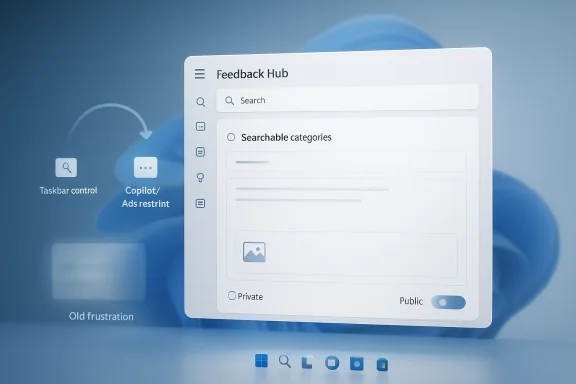
Futuristic “Feedback Hub” interface displayed on a blue holographic desktop background.Overview​

For a long stretch, Windows 11 users have felt like they were shouting into the void. Microsoft would ask for feedback, Insiders would submit it, and then the same long-running complaints would keep resurfacing in forums, social media, and support channels. The new Feedback Hub is Microsoft’s attempt to fix that relationship at the front door, not just in the back-end engineering process.
The redesigned app is meant to be faster, simpler, and more approachable. Microsoft says it now uses a single unified submission template, search-backed categories, a modernized form, a more direct navigation structure, a new compliment type, private-or-public submission controls, a focused quick-feedback surface, and improved screenshot capture tools. Those changes sound modest on paper, but together they point to a broader product strategy: make feedback easier to file, easier to classify, and easier to act on.
That matters because Windows 11 has entered a very sensitive phase. Microsoft has spent the past year trying to convince users that it is listening again, especially after widespread criticism around the Taskbar, AI integration, ads, and general interface clutter. The company has also been quietly testing more user-friendly changes in Insider channels, including the long-awaited possibility of moving the Taskbar. In other words, Feedback Hub is not just a support tool anymore; it is a symbol of whether Microsoft intends to keep making good on its promises.
The irony is hard to miss. Microsoft spent years turning Windows into a more opinionated platform, then turned around and asked users for structured feedback on that same experience. Now it appears to be making the feedback pipeline itself less frustrating. That may sound like housekeeping, but in the context of Windows 11, housekeeping is policy.

Background​

Windows has always had a complicated relationship with user feedback. On one hand, Microsoft has long relied on Insider programs, telemetry, and forum input to shape releases. On the other hand, many of the most persistent user requests have historically been met with delay, redesign, or refusal. The current wave of Windows 11 frustration is rooted in that tension.
When Windows 11 launched, it introduced a cleaner visual language but also stripped out a number of controls users had taken for granted. The centered Taskbar, the new context menus, the reduction in Taskbar flexibility, and the heavier push toward Microsoft services all signaled a more curated desktop experience. For many consumers, that tradeoff was acceptable. For power users and enterprise admins, it often felt like a loss of agency.
Microsoft later acknowledged some of the friction. It spoke openly about reducing “pain points,” improving the product based on feedback, and smoothing rough edges in future updates. But rhetoric is cheap in software. The real test is whether Microsoft restores the capabilities people actually asked for, especially the ones that were removed rather than improved.
The Taskbar issue is the clearest example. Users have been asking since Windows 11’s debut for the ability to move the Taskbar to the side or top of the screen, just as they could in prior versions. That request became a kind of shorthand for the larger Windows 11 complaint: if the OS is supposed to be more modern, why does it feel less flexible? Microsoft’s willingness to revisit that decision is therefore bigger than the Taskbar itself. It is a test case for whether the company is prepared to reverse course when enough users say a change went too far.

Why Feedback Hub matters now​

The upgraded Feedback Hub arrives at a moment when Microsoft needs better signal from its user base, not just more signal. If a feedback channel is clunky, people stop filing high-quality reports and start venting elsewhere. That weakens the data Microsoft gets and makes the whole system less useful.
A stronger feedback tool can change that dynamic in practical ways. Better screenshots, quicker submission, and more obvious category search can reduce friction for users who are willing to report bugs but not willing to wrestle with the interface to do it. That is not glamorous, but it is exactly the sort of operational improvement that can affect product quality over time.
  • Faster submission means fewer abandoned reports.
  • Better category search should reduce misfiled issues.
  • A compliment path may help identify what is actually working.
  • Private feedback can encourage more candid reporting.
  • Better screenshot tooling can improve reproducibility.
In theory, these are the kinds of improvements that make feedback more actionable. In practice, they only matter if Microsoft’s internal triage and release process is equally responsive.

What Microsoft Changed​

Microsoft’s description of the new Feedback Hub suggests a broad rethink rather than a simple skin change. The app now uses a unified template for submission, which should remove some of the confusion about how to file different kinds of issues. Category search is also a useful addition because users often know what is broken before they know where Microsoft wants them to file it.
The navigation changes are equally important. My Feedback now sits directly in the navigation pane, while Community feedback replaces the older All feedback label. That may seem cosmetic, but naming matters in software. When a tool feels more direct, users are more likely to use it; when it feels like a maze, they stop caring.
Microsoft has also added a new compliment feedback type. That is a smart move, because feedback systems can become complaint factories if they only reward negative reports. A compliment path helps Microsoft identify features that people appreciate enough to mention, and it gives the company a more balanced view of product sentiment.

The new submission model​

The biggest structural change is the shift to a more unified feedback flow. Instead of forcing users through a more fragmented process, Microsoft is now pushing a simpler template and modernized form. That should help casual Insiders, not just hardcore testers, contribute meaningful reports.
There is also a strategic motive here. If Microsoft lowers the friction for filing feedback, it can gather more consistent data across a larger audience. That gives the company a better chance of spotting patterns, especially when issues are subtle, intermittent, or tied to particular hardware configurations.
  • One template should reduce user confusion.
  • Searchable categories can improve routing.
  • A modernized form can support faster iteration.
  • Unified flow should make future changes easier.
  • Cleaner structure may improve report quality.
The key question is whether simpler submission produces better feedback or merely more feedback. Microsoft needs both, but quality will matter most.

Why the Taskbar Still Looms Large​

Even though this Feedback Hub update is not itself the Taskbar fix, the two stories are clearly connected. Microsoft’s willingness to re-open the Taskbar conversation shows that it is no longer pretending the issue is marginal. Users have wanted more control over the desktop layout since Windows 11 first shipped, and the company seems to understand that this request is symbolic as much as functional.
A movable Taskbar would be seen as an act of respect. It would not transform Windows 11 into a different product, but it would demonstrate that Microsoft can reverse a design decision when enough people reject it. That matters in a world where users increasingly compare Windows against more flexible, less intrusive alternatives.
The broader lesson is that interface control is not a niche demand. It affects productivity, ergonomics, accessibility, and workflow habits. For some users, a bottom Taskbar is fine. For others, side placement is essential, especially on wide displays or multi-monitor setups. When Microsoft removes that choice, it is not just eliminating a preference; it is breaking a long-standing mental model.

A design concession with strategic value​

If Microsoft restores Taskbar placement, it will be doing more than appeasing enthusiasts. It will be signaling that Windows 11 is still a configurable desktop, not just a service shell with narrow defaults. That would have real marketing value because it directly answers one of the loudest criticisms of the platform.
There is also a competitive dimension. macOS has long been opinionated, but it also delivers consistency. Windows, by contrast, has historically won loyalty by being adaptable. If Microsoft wants Windows 11 to feel like the natural home for power users, it has to protect some of that adaptability.
  • Restoring Taskbar placement would improve goodwill.
  • It would validate years of user complaints.
  • It would strengthen Windows 11’s flexibility story.
  • It would help Microsoft sell “listening” as more than a slogan.
  • It could reduce frustration among advanced users and IT pros.
The danger is that one good move can be undone by a dozen small annoyances. Microsoft knows that, which is why the feedback system itself is now part of the story.

Copilot, Ads, and the Trust Problem​

The Feedback Hub redesign lands amid ongoing criticism that Windows 11 is becoming too aggressive about pushing Microsoft’s own services. The Copilot experience, in particular, has become a flashpoint. Users have complained about the AI assistant’s prominence, the way Microsoft embeds it into the system, and the occasional sense that the OS is being turned into a vehicle for product promotion.
Microsoft has also reportedly pulled back on some ideas, including plans to bring Copilot into notifications. That is notable because it suggests the company is capable of listening when a feature crosses a line before release. But users are increasingly asking for consistency, not isolated reversals. If one AI integration is reworked while another arrives anyway, the trust issue remains.
Ads and bloat are part of the same conversation. Windows 11 users do not just object to new features; they object to features that feel imposed, monetized, or difficult to disable. When a platform adds friction in the name of engagement, it often creates a sense that the operating system is serving Microsoft first and the user second.

Why trust is fragile​

Trust in a desktop OS is easy to damage and hard to rebuild. Users tolerate change when they believe the change improves their workflow. They resist it when they suspect the change is driven by corporate goals rather than customer need.
That is why the Feedback Hub matters beyond bug reporting. It is part of Microsoft’s trust architecture. If users believe feedback leads to visible action, they will keep participating. If they believe it is theater, they will disengage.
  • Copilot criticism has made users more skeptical.
  • Ad-like behaviors amplify that skepticism.
  • Quiet reversals help, but only if they are consistent.
  • Feedback tools must feel meaningfully connected to outcomes.
  • Transparency matters as much as feature quality.
In that sense, Microsoft is not just redesigning an app. It is trying to repair the emotional contract around Windows itself.

Insider Culture and Real-World Listening​

One reason this update feels more credible than past statements is that it arrives alongside signs of more direct engagement. Reports from Insider events suggest Microsoft leaders have been speaking with users in person and showing off features that once seemed off-limits. That includes the Taskbar placement discussion, which now appears to be moving from rumor to reality.
Microsoft’s Insider strategy has always been more than a testing pipeline. It is also a reputation-management tool. If people feel that the company is genuinely present, responding, and iterating, they are more likely to forgive unfinished builds and temporary rough edges. That can buy Microsoft time to refine features before they reach the wider audience.
But that only works if the company maintains a clear difference between preview and production. Insiders are willing to test unstable features because they expect experimentation. Mainstream users are much less tolerant. The challenge for Microsoft is to avoid letting the rough-and-ready spirit of Insider feedback bleed into the finished product.

The meetup effect​

Face-to-face events can create a powerful sense of momentum. They let users see that Microsoft employees are not abstract corporate spokespeople but actual product teams hearing real complaints. That matters because many Windows frustrations are emotional as much as technical.
A demo of a movable Taskbar, for example, does not just show a feature. It shows that a once-rejected request is now plausible. That can have a bigger effect on sentiment than a release note ever will.
  • Direct conversations can rebuild goodwill.
  • Live demos make change feel tangible.
  • Insider events can surface unfiltered priorities.
  • Public reversals carry symbolic weight.
  • User communities respond to visible listening.
Of course, all of this can backfire if the final product does not match the promise. Hope is not a shipping vehicle.

Enterprise and Consumer Impact​

For consumers, the improved Feedback Hub mostly means less friction and a more believable promise that Windows 11 will improve. Casual users do not want to study Microsoft’s internal issue routing. They want the OS to be easier to use, easier to explain, and less annoying day to day. A cleaner feedback experience helps only indirectly, but that indirect effect can still matter if it leads to faster product fixes.
For enterprises, the stakes are different. IT departments care about reproducibility, documentation, and predictable change management. A better feedback pipeline can help Microsoft isolate defects in specific hardware environments or workflows, especially when a complaint is tied to a screenshot, a policy state, or a version-specific regression. That said, enterprise customers ultimately judge Microsoft on stability and control, not community engagement.
The most interesting part is that both groups benefit from the same underlying thing: fewer arbitrary surprises. Consumers want features that make sense. Enterprises want behavior they can plan around. If Microsoft actually responds to feedback on the Taskbar, AI prompts, and interface clutter, it helps both audiences at once.

Different expectations, same frustration​

Consumers often talk about annoyance. Enterprises talk about risk. But the source of the problem is often the same: a platform that changes in ways users did not ask for and cannot easily undo.
That is why the return of a more usable Feedback Hub could matter more than its appearance suggests. Better reports from consumers help identify pain points earlier. Better reports from enterprise testers help Microsoft prioritize fixes before broad deployment.
  • Consumers need convenience and familiarity.
  • Enterprises need stability and predictable controls.
  • Both want fewer intrusive changes.
  • Both benefit from clearer reporting paths.
  • Both lose patience when feedback appears ignored.
If Microsoft can serve both groups better, Windows 11 becomes easier to recommend and easier to administer.

Competitive Implications​

Microsoft’s current strategy has obvious competitive implications. A more flexible Windows 11 helps defend the platform against the broader argument that modern computing is becoming too locked down. That argument does not come only from Apple comparisons; it also comes from users frustrated by cloud-first assumptions, subscription pressure, and AI features being layered onto workflows without enough choice.
The Taskbar issue is especially revealing because it is about control. Windows has always been strongest when it feels like a toolbox. When it starts to feel like a product demo, people notice. Competitors do not need to offer the exact same desktop model to benefit from Microsoft’s missteps; they only need to present themselves as less intrusive.
There is also a loyalty angle. Power users often shape opinion far beyond their own numbers. They write guides, influence purchasing decisions, and act as informal advisors for families, small businesses, and employers. If Microsoft wins back some of that audience by listening, it strengthens the Windows brand far beyond the Insider circle.

What rivals learn from this moment​

The key lesson for competitors is simple: users reward platforms that respect their workflow. Microsoft appears to be rediscovering that principle, and the market will notice if it keeps going.
  • Flexibility can be a differentiator.
  • User trust compounds over time.
  • Small concessions can have big brand value.
  • Ignoring enthusiasts can harm broader perception.
  • Better feedback systems can improve roadmap quality.
This is not just a Windows story. It is a lesson in how operating systems stay relevant when users have more choices than ever.

Strengths and Opportunities​

The upgraded Feedback Hub gives Microsoft a real chance to improve the quality of input it receives, while also showing users that the company is serious about course correction. If executed well, it can become a quiet but important pillar of Windows 11’s recovery story.
  • Simpler reporting reduces friction and may increase useful submissions.
  • Category search should help users route issues correctly.
  • Compliment feedback broadens the picture beyond complaints.
  • Private feedback can encourage more candid reporting.
  • Improved screenshots make bug reports easier to verify.
  • Focused quick feedback supports in-the-moment reporting.
  • Taskbar flexibility would reinforce the message that Microsoft is listening.
The best opportunity here is not the app itself. It is the possibility that Microsoft starts using user feedback as a more visible product lever, especially for the changes people have been asking for since launch.

Risks and Concerns​

The biggest risk is that Microsoft improves the front end of feedback without improving the back end of responsiveness. A prettier submission flow means very little if users still feel their reports disappear into a queue. That would make the new hub look like a trust exercise without follow-through.
  • Perception gap could widen if visible changes are slow.
  • AI skepticism may swamp goodwill if Windows keeps pushing unwanted Copilot features.
  • Feature fatigue remains a problem if Microsoft adds too much at once.
  • Power users may be cynical if only surface-level changes land.
  • Enterprise admins may value stability more than cosmetic progress.
  • Overpromising could make eventual delays more damaging.
  • Fragmentation across Insider channels may confuse expectations.
There is also a subtle reputational risk: if Microsoft keeps framing basic flexibility as a major concession, users may conclude that Windows 11 took away too much in the first place. That is a hard narrative to unwind once it takes hold.

Looking Ahead​

The next phase will tell us whether this is a genuine pivot or just a well-timed refresh. If Microsoft follows the improved Feedback Hub with visible product wins — especially around Taskbar control, AI restraint, and interface cleanup — then this will look like the start of a more user-responsive Windows era. If not, it will be remembered as another polished wrapper around an unchanged process.
The company does appear to understand the stakes. Windows 11 does not need to become radically different to regain goodwill. It needs to become more trustworthy, more configurable, and less eager to surprise users who just want a dependable desktop.
  • Watch whether the movable Taskbar reaches broader Insider testing.
  • Watch whether Copilot integration continues to be refined or pulled back.
  • Watch whether Feedback Hub usage increases among Insiders.
  • Watch whether Microsoft makes more visible follow-through on top user requests.
  • Watch whether the company keeps reducing UI clutter and friction.
If Microsoft stays disciplined, the feedback loop could become one of Windows 11’s strongest assets. If it drifts back toward prioritizing corporate messaging over user control, the same old complaints will return, only now with a nicer app in the middle of them.
Microsoft finally seems to grasp that listening is not just about collecting complaints. It is about proving that the operating system can still evolve in ways that make users feel heard. For Windows 11, that may be the most important update of all.

Source: Windows Central https://www.windowscentral.com/micr...back-hub-but-will-it-actually-fix-windows-11/
 

Microsoft is finally signaling that it has heard the long-running Windows Update backlash, and the tone is notably different from the company’s usual “trust us, this is for your own good” posture. In a new internal memo cited by PCWorld, Windows chief Pavan Davuluri is framing performance, reliability, and craft as the core priorities for Windows going forward, with update behavior at the center of that reset. The result could be one of the most consequential usability shifts in years: more control for users, fewer surprise restarts, and a Windows Update flow that feels less like a gamble and more like a managed service.
What makes this especially interesting is that Microsoft is not abandoning security discipline to win back goodwill. Instead, it is trying to reconcile two things Windows users have often seen as mutually exclusive: stronger patching and less disruption. That is a hard balance to strike, but if Microsoft can pull it off, the company may finally turn one of Windows’ most hated routines into something closer to an invisible utility than a daily nuisance.

A digital visualization related to the article topic.Background​

For years, Windows Update has occupied a strange place in the operating system’s reputation. It is essential, security-critical, and generally non-negotiable, yet it has also been one of the most persistent sources of user frustration. People do not merely dislike updates because they take time; they dislike them because the timing is unpredictable, the messaging is often confusing, and the consequences of a bad update can be highly visible and deeply annoying.
A lot of the resentment dates back to the Windows 10 era, when Microsoft pushed aggressively toward a “Windows as a service” model. That model made sense from a security and maintenance standpoint, but it also meant users were living in a system that changed frequently and, in some cases, unexpectedly. Windows 11 refined the cadence, but the underlying complaint never vanished: users still felt they were being forced to babysit their PCs through reboot prompts, downloads, driver bundles, and feature changes that often arrived without much clarity.
Microsoft has already spent years trying to improve the mechanics behind the scenes. The company moved toward cumulative monthly servicing, meaning each update includes prior fixes rather than requiring users to install a long chain of older patches. It also shifted newer Windows releases toward shared servicing branches, which reduces the complexity of maintaining parallel code lines. Those changes helped the engineering side a great deal, but they did not eliminate the user’s lived experience of Windows Update as a moving target. (techcommunity.microsoft.com)
The recent PCWorld report suggests Microsoft now sees that user experience problem as a strategic issue rather than a minor annoyance. That matters because Windows is no longer competing only on features. It is competing on feel, predictability, and the sense that the OS respects the person using it. If users dread opening Windows Update, that is not a cosmetic issue; it is a trust issue.

Why Windows Update Became a Flashpoint​

The core complaint is simple: Windows Update has historically taken too much control away from the user. Even when the individual update itself is harmless, the process around it can feel intrusive. Reboots appear at bad times, warnings are unclear, and patching often comes bundled with other changes that users did not ask for.
The problem is not just inconvenience. For many users, an unexpected update can interrupt work, delay travel, cause compatibility headaches, or create the perception that the computer is acting against them rather than serving them. That perception has been reinforced by years of anecdotes involving half-finished installs, surprise restarts, and updates that seemed to arrive precisely when they were least welcome.

The emotional cost of a bad reboot​

A reboot after hours of work is not merely a technical event; it is a trust-breaking moment. Even if Microsoft’s update engine is statistically better than it was a decade ago, memory is sticky, and bad experiences are remembered vividly. One failed patch can outweigh ten successful ones in the mind of a frustrated user.
This is why the “update and shut down” bug became such a meme. Microsoft eventually fixed it, but the fact that it persisted for so long made it a symbol of the broader problem: the company had built a sophisticated servicing system, yet users still felt like the basics were not quite under control.
Key frustrations have tended to cluster around a few recurring themes:
  • Unexpected restart timing
  • Unclear patch contents
  • Slow or opaque installation progress
  • Driver updates mixed with OS updates
  • Feature changes arriving without obvious user choice
  • Recovery steps that feel too complex for ordinary users
That combination creates a sense of uncertainty, and uncertainty is poison for trust.

The security-versus-control tension​

Microsoft is not wrong to push updates aggressively. In fact, the company’s own documentation makes clear that deadlines, grace periods, and automatic restarts are designed to keep devices current and reduce exposure windows. In enterprise settings especially, the logic is obvious: security fixes need to land, and they need to land promptly. (learn.microsoft.com)
But consumer users do not think in those terms first. They think in terms of What is this doing now?, Why is this happening tonight?, and Can I just finish what I’m doing? That is why Windows Update has become such a recurring flashpoint: Microsoft is optimizing for compliance, while users are optimizing for convenience.

What Microsoft Is Trying to Change​

The new direction, as described in the PCWorld coverage, is about giving users more meaningful control while also simplifying the update workflow. The headline ideas are easy to understand: more scheduling flexibility, the ability to pause updates for longer, and fewer surprise interactions during setup or idle periods. In other words, Microsoft appears to be aiming for a Windows Update experience that is less bossy and more negotiated.
This is a notable shift in tone. Instead of treating the user as a passive endpoint, Microsoft seems to be acknowledging that patching is a relationship. Users need to know what is happening, when it will happen, and how to delay it without falling out of compliance with essential security practices.

Monthly reboot cadence and clearer pacing​

One of the most interesting parts of the reported overhaul is the idea of a single monthly reboot system. If Microsoft can truly compress update churn into a more predictable cadence, that would be a major win for both consumers and IT teams. Predictability matters as much as raw speed when the thing in question is a restart.
This also aligns with the broader servicing model Microsoft has already built. Windows already receives monthly cumulative updates and periodic feature releases, so a more transparent reboot rhythm would not be a radical rearchitecture. It would be a user-experience redesign layered on top of an existing servicing system. (techcommunity.microsoft.com)

More control, less interruption​

According to the PCWorld summary, Microsoft is also considering options such as pausing updates indefinitely and downloading updates without immediately installing them. If that holds up in practice, it would be a dramatic concession to long-standing user complaints. It would also reduce the familiar feeling that Windows is always one step away from forcing your hand.
There is, however, an important caveat: more control does not have to mean less security. The real test will be whether Microsoft can design these controls so that cautious users can delay disruption without accidentally leaving themselves exposed for long stretches.
In practical terms, the most important changes would likely be:
  • Better restart scheduling
  • Clearer update status messaging
  • Fewer surprise installs during setup
  • Longer or more flexible pause options
  • Optional download-now, install-later behavior
  • More visible recovery safeguards
If Microsoft delivers these in a clean interface, the company could materially improve how Windows feels day to day.

The Setup Experience Matters More Than It Looks​

A lot of Windows Update frustration begins not during ordinary use, but during setup and first boot. New PCs often arrive with a pile of updates waiting in the wings, and users are forced through a sequence that feels more like administrative housekeeping than product onboarding. That is especially painful on devices meant to be used immediately for work or school.
The reported ability to skip immediate patching during setup is therefore more important than it might sound. It is not just a convenience toggle. It is a signal that Microsoft recognizes how much first impressions matter. If a new PC spends its first hour downloading patches and rebooting, the user’s emotional relationship with that machine starts badly.

First-run friction is a product problem​

A setup flow that forces updates too early can make a new device feel slower, more complicated, and more fragile than it should. That is a terrible outcome for a platform trying to look modern and polished. The irony is that Microsoft has spent years trying to make Windows feel more streamlined, yet the patching process has often done the opposite.
This is where the distinction between consumer experience and enterprise process becomes important. Enterprises can schedule imaging, deployment, and maintenance windows. Consumers mostly cannot. What feels like routine servicing in an IT department can feel like a roadblock at home.

Why deferred installation helps​

The most useful part of deferred installation is psychological as much as technical. When the user decides when the update happens, the process stops feeling adversarial. Even if the device still needs to patch later that night, the difference in perceived control is huge.
It also gives Microsoft room to separate onboarding from maintenance. That is a smart design principle. A device should first feel usable, then become current. Mixing the two can make both tasks worse.
Potential benefits include:
  • Faster “time to first use”
  • Less setup fatigue
  • Reduced risk of interrupted onboarding
  • Fewer early support complaints
  • Better perception of PC quality
That does not mean patch deferral is risk-free, but it does mean the user begins with a cleaner experience.

Security Still Has to Win in the End​

Any serious discussion of Windows Update has to acknowledge the obvious: patching is not optional in the long run. Security updates protect against active threats, close vulnerabilities, and reduce the attack surface across the enormous Windows ecosystem. Microsoft’s own update policy guidance makes clear that deadlines and restart enforcement exist precisely because unattended devices create real risk. (learn.microsoft.com)
So if Microsoft loosens the feel of update enforcement, it must compensate with stronger guardrails elsewhere. That is where the company’s promise of built-in recovery and clearer progress indicators becomes important. Users are more willing to accept automation when they believe they can recover quickly from problems.

Recovery is part of the promise​

A good update system is not one that never fails. That is unrealistic. A good update system is one that fails safely. If Windows can roll back gracefully, communicate status plainly, and reduce the chance of a bricked or unstable install, users will tolerate a lot more automation.
This matters for enterprises too. IT departments care less about whether users like updates and more about whether failed updates become support incidents. Improved recovery reduces tickets, downtime, and the need for manual intervention.
The ideal model looks something like this:
  • Patch windows are predictable.
  • Users get clear timing and status.
  • Critical fixes still land within a bounded window.
  • Failures roll back with minimal drama.
  • Devices remain usable throughout the process.
That is the kind of policy architecture Microsoft should have been aiming for all along.

Security messaging needs to improve​

There is also a communications problem. Microsoft often explains update behavior in a way that is technically sound but emotionally tone-deaf. Users do not want a lecture on servicing branches when their laptop has just rebooted during a presentation. They want reassurance that the machine is stable and that the update was worth the interruption.
If Microsoft wants these changes to land, it should explain them in human terms:
  • What is being updated
  • Why it matters
  • How long it will take
  • Whether the user can defer it
  • What happens if something goes wrong
That sort of clarity is not cosmetic. It is how trust is rebuilt.

Enterprise Implications Are Huge​

For businesses, Windows Update is not a convenience feature. It is a fleet-management problem. Any change that affects restart timing, update deadlines, or device recovery has direct implications for help desks, security teams, and desktop engineering groups.
Microsoft has already laid out a fairly sophisticated enterprise update framework through policies like deadlines, grace periods, and active hours. Those tools are meant to balance user disruption with compliance. The new consumer-facing changes may not replace that framework, but they could bring the spirit of it closer to the everyday experience of managed devices. (learn.microsoft.com)

Why IT admins may welcome this​

Enterprise admins generally do not want random behavior. They want consistency, visibility, and the ability to set policy. If Microsoft’s simplification of update behavior reduces chaos without undermining management controls, that is a clear win.
A cleaner update model can help with:
  • Deployment planning
  • Change management
  • Patch compliance
  • Help desk volume
  • After-hours maintenance scheduling
  • User communication
In other words, the less mysterious Windows Update is, the easier it is to operate at scale.

But policy flexibility cuts both ways​

At the same time, giving end users more freedom can complicate organizational enforcement if the line between consumer and managed device is not clear enough. Enterprises may need stronger policy segregation so that user-friendly controls do not undermine centrally mandated patching schedules.
That tension is not new, but it will become more visible if Microsoft presents the same update logic across more device types. The company will need to ensure that consumer delight does not become enterprise drift.
Important enterprise takeaways:
  • Predictability matters more than novelty
  • Recovery tools reduce downtime
  • Policy boundaries must remain strong
  • Clear reporting is as valuable as control
  • Updates that fail gracefully are easier to adopt
Microsoft’s challenge is not simply to make updates nicer. It is to make them nicer without making them weaker.

The Competitive Context Is Changing​

Microsoft is not making these changes in a vacuum. PC users have more operating system choices than they did in the heyday of Windows dominance, and even within Windows there is growing sensitivity to how much the OS tries to steer the experience. If Windows feels chaotic, users notice; if it feels smooth, they also notice.
That matters because Windows 11 has been trying to sell itself as a more modern, coherent platform. Yet one of the oldest complaints about Windows remains stubbornly relevant: it can still feel like a machine that interrupts you in the name of helping you. If Microsoft wants to project confidence, it has to make the system feel calmer.

Windows 11’s image problem​

Microsoft has spent a lot of time trying to refresh Windows 11’s visual identity and feature story. But visual polish does not matter much if the basic maintenance flow still inspires dread. Users remember the last bad update more vividly than the newest rounded corners.
This is why the update overhaul is strategically smart. It targets a pain point that cuts across consumer, prosumer, and business audiences. Very few Windows complaints are as universal as “I wish it would stop rebooting at the worst possible time.”

Rivals benefit when Windows feels clumsy​

Even without naming alternatives, it is clear that any friction in Windows creates an opportunity for competitors to pitch stability, simplicity, or better control. That does not mean users will abandon Windows in large numbers, but it does mean Microsoft cannot afford to treat update dissatisfaction as background noise.
If the operating system is supposed to be the world’s default work platform, it has to earn that status continuously. Reliability is not a side feature; it is the brand.

The Bigger Engineering Story Behind the Change​

The update changes are part of a wider engineering philosophy shift. Microsoft is increasingly leaning on shared servicing, enablement packages, and more modular update delivery to reduce the burden of big upgrades. That technical direction is important because it makes the experience of monthly patching less disruptive in theory, even if users do not see the plumbing.
The company’s servicing documentation shows how monthly cumulative updates and feature updates are being layered in a more modular fashion, with some newer features dormant until enabled later. That architecture helps explain why Microsoft can talk about simplification without necessarily rebuilding Windows from scratch. (techcommunity.microsoft.com)

Smaller updates, fewer shocks​

The more Windows can separate major OS replacements from routine servicing, the better. Users do not mind small updates nearly as much as large ones. A quick reboot is tolerable; a full operating system swap is not.
This is one reason Microsoft’s progress on servicing matters so much. It is not just an internal engineering achievement. It is the foundation for a future where updates are less dramatic, less disruptive, and more manageable.

Why reliability is now a product feature​

Reliability used to be treated as an invisible virtue. You noticed it when it was absent, but not always when it was present. That is changing. Today, reliability is part of the product pitch. A stable update process is a selling point because users are tired of being surprised.
Microsoft seems to understand that this is no longer a niche complaint. It is part of the broader Windows identity problem. If the company can make updates feel routine, it will have done more for the platform than many flashy features ever could.

Strengths and Opportunities​

Microsoft’s reported shift has real upside because it addresses one of the most emotionally charged parts of Windows ownership without giving up the company’s security mission. If the execution is careful, the payoff could be broad: happier consumers, fewer enterprise headaches, and a better public perception of Windows as a mature platform.
  • Reduced user frustration through more predictable update timing.
  • Better first-run experience on new PCs and freshly reset devices.
  • Stronger trust when users can see clearer progress and recovery behavior.
  • Improved enterprise planning thanks to more consistent servicing behavior.
  • Less support churn caused by surprise restarts and failed installs.
  • More competitive positioning for Windows 11 as a polished desktop platform.
  • Better alignment between Microsoft’s security goals and user expectations.

Risks and Concerns​

The obvious risk is that Microsoft could make updates feel friendlier without actually making them safer or easier to manage. If users are given more freedom but not enough guidance, some will defer too long, ignore important patches, or misunderstand the consequences of pausing updates. The company also has to avoid creating a two-tier experience where consumer devices are permissive but managed devices become harder to control.
  • Longer deferrals could widen security exposure if users pause too aggressively.
  • Policy complexity may increase if consumer and enterprise behaviors diverge too much.
  • Confusing UI changes could create new support problems.
  • Recovery promises may fall short if rollback remains inconsistent.
  • Driver/update bundling could still trigger compatibility issues.
  • Too much flexibility might weaken Microsoft’s ability to enforce critical security timelines.

Looking Ahead​

The most important question now is not whether Microsoft can add a few more buttons to Windows Update. It is whether the company can make the update experience feel trustworthy again. That will depend on execution detail, not marketing language. If the controls are clear, the timing is sensible, and recovery works when needed, this could become one of the most appreciated Windows changes in years.
The next few months should reveal whether Microsoft is serious about turning update management into a calmer, more user-centered process. The best-case scenario is a Windows that patches itself quietly, tells you what it is doing, and gets out of the way unless you need to intervene. That is not a glamorous product story, but for millions of users, it would be a very meaningful one.
  • Watch for UI changes in Windows Update settings that expose more scheduling and deferment controls.
  • Monitor setup behavior on new Windows 11 devices to see whether patching can truly be postponed.
  • Check enterprise policy tools for signs that Microsoft is preserving admin-level control.
  • Look for update cadence changes that support a more predictable reboot rhythm.
  • Pay attention to recovery behavior in early builds and release notes.
  • See whether Microsoft narrows the gap between consumer convenience and security enforcement.
If Microsoft gets this right, it will not just be fixing Windows Update. It will be fixing one of the most enduring emotional liabilities in the Windows ecosystem. And that, perhaps more than any new AI feature or cosmetic refresh, is the kind of change that can make users feel the platform is finally listening.

Source: PCWorld Microsoft tells Windows Update to chill after years of complaints
 

Last edited:
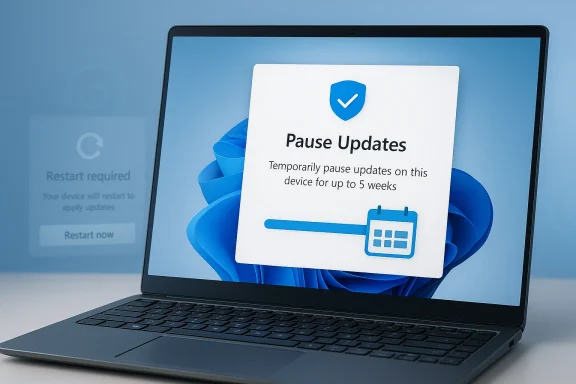
Microsoft is moving toward a more flexible Windows Update experience, but the headline claim that Windows 11 will let you postpone updates “forever” needs careful framing. Microsoft’s current support guidance still says you can pause updates only temporarily, and that once the pause limit is reached, you must install the latest updates before pausing again. In other words, the practical change appears to be a major increase in user control, not the abolition of Windows Update policy altogether. ars, Windows users have lived with a familiar tradeoff: Microsoft can push important security and quality fixes, but the timing can feel intrusive, unpredictable, and sometimes badly matched to real-world work. The company has long defended this model on security grounds, arguing that modern PCs need regular servicing to stay safe and stable. Microsoft’s own support pages still echo that position, saying Windows 11 automatically downloads and installs updates and that users can only pause them for a limited time.
That is why this latest change matters. It signals that Microsoft is finally acknowledging that update control is not just a technical servicing issue; it is a trust issue. In the Windows community, forced restarts, unwanted feature drops, and update timing friction have become part of the platform’s brand identity, and not in a flattering way. The fact that Microsoft is now reportedly exploring a way dates for much longer reflects how central that complaint has become.
The timing is also revealing. Microsoft has spent much of the last two years pushing Windows 11 as an AI-first platform, layering Copilot branding and related features throughout the operating system. But at the same time, it has had to keep repairing basic user confidence around setup, servicing, and update behavior. That tension between vision and reliability is the real story here.
In practical terms, the new direction may be less about a magical “skip forever” button and more about a new policy posture: give users, especially enthusiasts and some business admins, much more room to decide when a version advances. If Microsoft really does move in that direction, it would be one of the clearest signs yet that the company is shifting from a paternalistic update model to a more consent-driven one. That is a big philosophical change for Windows.

A digital visualization related to the article topic.Background​

Windows Update has always been a balancing act between safety and autonomy. In the older Windows era, updates could be postponed, ignored, or hidden with relative ease, but that freedom also created a fragmented installed base with machines stuck on vulnerable builds for years. Microsoft tightened the model in Windows 10 and Windows 11, pushing regular cumulative servicing and limiting how long ordinary users could stall updates.
That tightening solved one class of problems while creating another. Users gained more baseline security, but they also lost a sense of control over when and how their systems changed. For home users, that meant surprise reboots at awkward times. For enterprise teams, it meant more complex rollout planning, more testing, and a constant need to work around feature and quality updates that arrived on Microsoft’s schedule. The more Windows became a managed service, the more people treated its update behavior as a daily annoyance.
The last few Windows 11 cycles have amplified that tension. Microsoft has been heavily promoting the platform as a modern, intelligent desktop, but many of the headlines have centered on patch regressions, odd setup restrictions, and AI features arriving before users felt basic workflows were polished. In parallel, Microsoft has continued to push quality fixes through preview and release channels, which shows an active servicing pipeline but does not automatically translate into a feeling of user agency.
One reason this update-control story lands with such force is that it cuts across both consumer and enterprise worlds. Consumers want fewer disruptions and fewer forced changes. IT admins want predictable rollout windows, and they often want to hold a version steady until validation is complete. So when Microsoft moves on update postponement, it is not just serving hobbyists who dislike surprise restarts; it is responding to a broad structural demand for governed change.
Microsoft’s own support materials still set the baseline expectation: you can pause, but only temporarily. That is the old model the company appears to be loosening. If Windows 11 begins to let users postpone updates for a much longer period, that would likely be a response to the accumulated pressure of the entire servicing era, not a sudden one-off decisoft.com]

Why This Matters Now​

The most important thing about this change is not the mechanics; it is the message. Microsoft is effectively admitting that update control is part of product quality, not just a back-end maintenance detail. When users complain that Windows feels pushy, they are not merely objecting to a restart prompt — they are telling Microsoft that the platform has stopped feeling like a tool they own.
That matters because Windows 11 has already faced criticism for being overly managed and overly opinionated. The platform has been trying to sell a future of integrated AI, modernized UI, and cloud-connected workflows, but many users still judge it by a simpler standard: does it stay out of the way? Longer postponement options would directly address one of the most persistent reasons people resist adopting new Windows versions quickly.
For Microsoft, the upside is obvious. A more flexible update model can reduce resentment, improve perception, and make Windows 11 feel less coercive. It can also help the company convince hesitant users and IT departments that it respects operational reality. In a market where trust is a competitive asset, less friction new features.

The trust problem behind the policy​

Windows Update is one of those platform systems that most people notice only when it fails or interrupts them. That makes it disproportionately influential. If a user has one bad experience with an untimely restart or a buggy patch, the emotional memory can last far longer than the technical issue itself. Microsoft understands that, which is why this potential policy shift is really about restoring confidence.
A longer postponement window is not the same as abandoning security discipline. It is a recognition that timing is part of security usability. If users feel forced, they are more likely to hunt for workarounds, delay restarts indefinitely, or lose patience with the platform altogether. If Microsoft gives them a more graceful path, it may actually improve compliance because users will be less inclined to resist.
  • Users want control over when updates land.
  • IT admins want predictable validation windows.
  • Microsoft wants better security compliance.
  • The old temporary pause model frustrated all three groups.
  • A longer deferral system could reduce user backlash.
  • The challenge is preserving patch adoption without coercion.

How Windows Update Has Worked Until Now​

Under the current public guidance, Windows 11 allows users to pause updates temporarily, but there is a ceiling. Microsoft’s support documentation is explicit that after the pause limit is reached, users must install the latest updates before pausing again. That design keeps devices from drifting too far behind the security baseline and prevents indefinite avoidance.
The same guidance also reinforces Microsoft’s broader philosophy: updates are automatic by default, and restarts are managed with tools like active hours and scheduled restart prompts. This is a compromise architecture, not an opt-out architecture. It gives users some scheduling power while preserving Microsoft’s control over the servicing cadence. ([support.misupport.microsoft.com/en-us/windows/windows-update-faq-8a903416-6f45-0718-f5c7-375e92dddeb2)
In practice, that model has been good enough for many mainstream users. But it is especially unpopular among power users, small businesses, and larger organizations that already maintain their own validation and deployment processes. Those groups often need to hold a build steady until software compatibility, device readiness, and business timing line up. A rigid pause limit can feel arbitrary in those environments.

Why the temporary pause model is limited​

The temporary pause model assumes that Microsoft should always be the final authority on update timing. That assumption works only if the operating system behaves predictably enough for users to trust it. When a platform regularly surprises people, the policy begins to feel less like protection and more like a constraint.
There is also a psychological issue. A teen, or thirty-five days feels like a countdown clock. It tells users that their preference is temporary and subordinate. A more open-ended deferment system, by contrast, would feel like genuine consent. That difference sounds subtle, but it can matter a great deal in how people evaluate the entire product.
  • Current Windows 11 pauses are temporary.
  • Microsoft still requires eventual installation.
  • Restart scheduling exists, but within Microsoft’s framework.
  • Power users often want longer version holds.
  • Enterprises often need policy-based control.
  • The new approach would be a structural, not cosmetic, change.

Consumer Impact​

For consumers, the most obvious benefit is simple peace and quiet. Fewer forced update interruptions mean fewer moments when a laptop restarts at dinner, during travel, or right before a presentation. That is not a glamorous feature, but it is a real quality-of-life improvement, and it speakde of operating-system design.
It could also help users who have been burned by a previous buggy patch. Many consumers are not trying to avoid updates forever; they just want the freedom to wait until a reported issue is resolved. If Windows 11 gives them a longer postponement runway, they may feel less compelled to turn off automation elsewhere or delay restarts in unsafe ways.
Still, consumer benefits come with caveats. Most people do not track patch notes, know which vulnerabilities matter most, or understand when deferring updates becomes risky. That means a more permissive model must be paired with clearer warnings and more visible security messaging. Otherwise, freedom can quickly become neglect.

The everyday experience​

A better update policy can make Windows feel calmer. People tend to remember the moments when technology interrupts their day more than the many hours it works silently in the background. If Microsoft can reduce those interruptions, it improves perception in a way that feature checklists never fully capture.
At the same time, more control also raises responsibility. Home users who postpone updates indefinitely may unknowingly expose themselves to known vulnerabilities or compatibility issues. The ideal system would therefore make long deferrals possible, but not invisible; users should understand the tradeoff they are making. That is where design matters as much as policy.
  • Less surprise disruption.
  • More control over personal schedules.
  • Better tolerance for buggy patch windows.
  • Greater temptation to delay security fixes.
  • A stronger need for clear warnings.
  • Potentially less frustration with Windows 11 overall.

Enterprise and IT Admin Implications​

For enterprise customers, this is potentially more significant than for consumers. IT teams already manage rollout rings, validation groups, and maintenance windows, so a more flexible postponement model maps naturally to how businesses actually operate. The idea is not to avoid updates forever; it is to decide when an update is safe to trust.
Microsoft has also been signaling, in other areas, that it understands the value of more measured deployment. The broader Windows servicing model now includes preview channels, release channels, and more granular delivery options. That does not make enterprise admin life easy, but it does show that Microsoft is willing to vary timing and scope. A longer deferral policy would fit into that broader trend.
This may also reduce some of the pressure around change-management cycles. In many organizations, the hardest part of Windows servicing is not the patch itself but the coordination around it: validating line-of-business apps, watching for regressions, and scheduling disruption around business calendars. More user- and admin-controlled postponement would allow those processes to breathe.

Policy versus discipline​

There is a danger here, though, in assuming that more flexibility is automatically better for businesses. Enterprise security teams still need a predictable patch baseline, and some classes of vulnerabilities cannot safely be delayed for long. A deferment tool is only useful if it is backed by good governance and reporting.
That is why the best version of this change would likely be layered, not absolute. Individual users may get more control, while managed fleets retain policy enforcement through enterprise tooling. In other words, Microsoft can widen the window without removing the frame. That would preserve the company’s security story while softening the user-experience cost.
  • Better fits existing rollout rings.
  • Improves app compatibility validation.
  • Reduces interruption during business-critical periods.
  • Helps admins manage trust with end users.
  • Must still preserve mandatory security controls.
  • Likely works best with policy-based enterprise tools.

The AI Strategy Connection​

This update story does not exist in isolation. Microsoft’s Windows narrative over the past two years has been dominated by AI branding, Copilot integration, and an effort to position PCs as intelligent assistants rather than passive devices. But that strategy has repeatedly run into the more boring, more important question of whether Windows feels dependable.
That is why a move toward update postponement is strategically interesting. It suggests Microsoft is learning that users will not embrace AI overlays if the OS still feels intrusive at the system level. You cannot convincingly sell an “intelligent” desktop if the first thing it does is restart unexpectedly or push features people did not ask for. Trust in the platform has to come before trust in the assistant.
In that sense, update control may be a proxy battle over the future of Windows itself. The more Microsoft pushes Windows as a managed cloud-style service, the more users ask for escape hatches. The coo prove that it can be both modern and respectful. That is much harder than simply shipping another AI button.

Copilot, control, and user consent​

The pattern across recent Windows coverage is revealing. Microsoft has been promoting AI-centric features, but it has also faced pushback on defaults, setup flow, and surprise behavior. Those critiques are not really about any single feature; they are about the feeling that Windows is becoming less user-directed.
If update postponement becomes more generous, Microsoft may be trying to offset that perception. It is a way of saying: yes, Windows will keep evolving, but you will have more say over the pace. That is a subtle but important shift from feature evangelism to permission-based evolution.
  • AI ambition needs a stable foundation.
  • Users resist systems that feel overmanaged.
  • Update control is part of perceived consent.
  • Flexibility can soften backlash against Copilot-style changes.
  • A better update story improves the whole Windows narrative.

Competitive Implications​

If Microsoft makes Windows 11 feel less coercive, that could strengthen its position against competing desktop platforms. Apple, for example, has a very different reputation around update timing: macOS users often accept a more curated experience because the platform is tightly integrated and less fragmented. Windows has always had to be more flexible, but it has not always been as elegant about it.
A better postponement model could also matter for Linux migrations at the margins. One reason some technically savvy users flirt with alternative desktops is not just privacy or performance, but the desire for more control. Microsoft does not need to eliminate that appeal entirely; it just needs to reduce the number of people who feel pushed away by policy friction.
The wider market effect may be even more subtle. If Microsoft demonstrates that user consent and update control can coexist with strong servicing, other platform vendors may feel pressure to make their own maintenance systems less intrusive. In that way, the change could influence expectations well beyond Windows itself. That would be a notable shift in desktop norms.

Windows versus alternatives​

Windows has long won on compatibility and breadth, not on serenity. The company’s challenge is to keep that compatibility advantage while reducing the sense that the platform is forever changing under users’ feet. If it succeeds, the relative appeal of macOS and Linux as “controlled environments” could weaken a little. If it fails, critics will say Microsoft only learned to be polite after years of being pushy.
The interesting strategic twist is that user control can itself become a differentiator. In a mature PC market, stability and respect for workflow can matter more than flashy new features. Microsoft may be trying to compete not just on capabilities, but on behavior. That is a more sophisticated, and more durable, way to win trust.
  • Better control can reduce platform resentment.
  • Competitors win when Windows feels disruptive.
  • User consent may become a desktop selling point.
  • Compatibility remains Microsoft’s biggest moat.
  • A calmer update experience strengthens retention.

Strengths and Opportunities​

The biggest strength in this change is that it directly addresses a complaint users have been making for years, and it does so at the most visible point of friction: update timing. Microsoft has an opportunity to improve satisfaction without needing to redesign the entire OS. If executed well, the new policy could make Windows 11 feel more mature, less pushy, and more aligned with real work patterns. It could also help the company rebuild goodwill after a period in which too many Windows stories have centered on friction rather than refinement.
  • More user trust through explicit control.
  • Less frustration from surprise restarts.
  • Better alignment with business rollout practice.
  • A chance to reduce negative sentiment around Windows 11.
  • Lower temptation for users to seek unsafe workarounds.
  • Improved perception of Microsoft as responsive.
  • Potentially stronger adoption of Windows 11 among cautious users.

Risks and Concerns​

The obvious risk is security drift. If users can delay updates for too long without strong safeguards, some will do exactly that, and the ecosystem will carry more unpatched devices for longer. There is also the risk that Microsoft creates confusion by making the policy sound more permissive than it really is, which would only add to user frustration if the fine print still imposes hard limits. Finally, a more flexible system could fragment the installed base if Microsoft does not pair it with stronger communication and enforcement where it matters most.
  • Delayed security patch adoption.
  • More devices running outdated builds.
  • Confusion over what “indefinite” really means.
  • Possible inconsistency across editions and channels.
  • Greater support burden if users misunderstand tradeoffs.
  • Risk of undermining Microsoft’s security messaging.
  • Potential fragmentation if policy control is unevenly implemented.

Looking Ahead​

The next question is whether Microsoft’s reported change becomes a true user-facing feature or simply a narrower servicing adjustment inside specific Windows channels. If it reaches the mainstream, the company will need to explain clearly how far users can postpone, what conditions eventually force installation, and whether enterprise policy can override personal preference. The success of the initiative will depend less on the presence of a button than on the clarity of the rules behind it.
It will also be worth watching whether Microsoft links this change to other quality-of-life improvements in Windows 11. The company has already shown it is willing to tweak setup, service delivery, and preview-channel behavior when enough pressure builds. If update postponement is part of a broader “less intrusive Windows” reset, it could mark the start of a more user-respectful phase for the platform. That would be good news for Microsoft’s long-term relationship with both enthusiasts and businesses.
  • Whether the feature reaches all Windows 11 users or only specific channels.
  • Whether Microsoft sets a true time limit or a policy-based exception path.
  • Whether enterprise admins get separate controls.
  • Whether clearer restart and active-hours tools accompany the change.
  • Whether Microsoft frames the move as security-friendly flexibility rather than rollback.
Windows 11’s update story has always been about more than patches. It is about how much power Microsoft believes a platform vendor should retain over the daily rhythm of someone else’s computer. If this change lands the way users hope, it could mark a subtle but important recalibration: Windows will still be managed, still be secure, and still be Microsoft’s platform — but it may finally feel a little more like it belongs to the person sitting in front of it.

Source: Windows Central Windows 11 will soon let you postpone updates indefinitely in major change
 

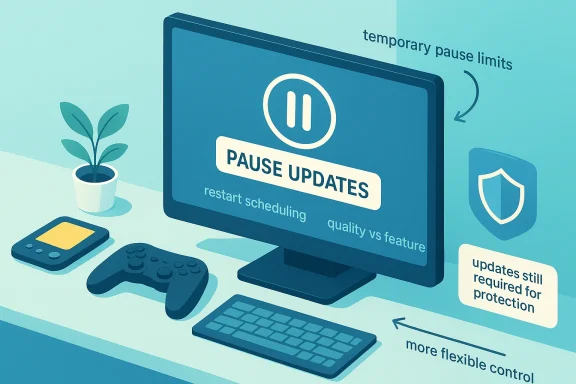
Microsoft appears to be moving toward a more flexible Windows Update experience, but the headline claim that users will be able to pause updates “indefinitely” needs careful framing. Current Microsoft guidance still says Windows 11 users can pause updates only temporarily, and after the pause limit is reached they must install the latest updates before pausing again. That means the practical shift, if Microsoft implements it as described, would be a major loosening of interruption controls rather than a literal end to update enforcement.

Illustration shows a computer paused for “pause updates,” with protection and flexible control icons.Overview​

For years, Windows updates have been one of the most polarizing parts of the PC experience. Microsoft’s push toward automatic updating made a lot of sense from a security standpoint, but it also created a long-running credibility problem whenever updates interrupted work, triggered unexpected reboots, or landed with regressions that affected stability. The current moment matters because Windows is no longer just a desktop operating system; it is a sprawling platform that spans gaming handhelds, ARM laptops, enterprise fleets, and a growing set of AI-enabled features that users do not always want front and center.
The controversy dates back to the Windows 10 era, when Microsoft made automatic updating more aggressive in the name of security and consistency. Microsoft later softened the experience by extending pause controls and adding active hours, but the underlying philosophy remained the same: updates would happen, and user control would be limited. Even the support documentation today still reflects that position, stating plainly that you cannot stop updates entirely and can only pause them temporarily.
What has changed is the tone. Recent Microsoft messaging has emphasized control, quality, and transparency much more than in previous cycles. That is not an accident. Microsoft has been under pressure from consumer complaints, IT administrators, gamers, and device makers who all want different things from Windows servicing, and the company’s own recent preview builds show that it is working on many of the pain points users associate with updates: setup delays, restart friction, performance regressions, and stability issues.
The immediate spark for this discussion is the reported promise from Windows chief Pavan Davuluri that users will eventually be able to pause updates “for as long as you need” and reboot or shut down without being forced to install them. Microsoft has not, at least in the official support pages available today, replaced the old pause model with a true indefinite pause feature. But the direction is clear: Microsoft is trying to make Windows feel less like a system that happens to users and more like one that responds to them.

Background​

Windows Update has always been a balancing act between security and autonomy. In the early Windows 10 period, Microsoft leaned hard into the idea that automatic updates were the safest default, because too many users skipped patches and left their machines exposed. That approach solved one problem while creating another: suddenly the operating system could decide to restart at the worst possible time, which made Windows feel more intrusive than protective.
Microsoft recognized the backlash and started introducing more control points. By 2019, it had extended pause options to all Windows 10 editions for up to 35 days and added smarter active hours to reduce disruptive restarts. Those changes were not cosmetic. They reflected a broader admission that security updates are only effective if people do not resent the delivery system so much that they disable or delay it in practice.
But the Windows update conversation never stayed simple for long. As Microsoft layered on more features, it also exposed new failure modes. A buggy update could affect File Explorer performance, cause blue screens, break drivers, or create setup delays that made a fresh machine feel like it was trapped in a recovery loop. In 2025 and 2026 preview builds, Microsoft kept promising fixes for responsiveness, install reliability, and Windows setup stability, which suggests the company knows that servicing itself has become part of the product experience.
The other important backdrop is Windows 11’s evolving identity. It is now deeply tied to Copilot, ARM, game-handheld hardware, Microsoft account sign-in flows, and a steady rhythm of feature delivery through Insider channels. That makes update control more politically charged than before. A consumer may dislike a forced reboot, while an enterprise IT team worries about fleet-wide compatibility, and a gamer simply wants a machine that wakes up fast and does not stutter after an update. Microsoft is trying to satisfy all three constituencies at once, and that is why the update debate keeps returning.

Why pause controls matter now​

Pause controls are not just about convenience. They are a signal about who owns the machine. When Microsoft limits pause windows too tightly, users feel that the OS is prioritizing Microsoft’s schedule over their own. When it relaxes the rules, it is implicitly saying that trust, not compulsion, is the better long-term strategy.
  • Users want time to test updates on critical systems.
  • Gamers want to avoid mid-session interruptions.
  • IT teams need staging windows and rollback confidence.
  • Creators and professionals need predictable downtime.
  • Consumers want the option to wait until a convenient weekend.

What Microsoft is signaling​

The strongest reading of the new messaging is that Microsoft wants Windows Update to become less coercive without becoming optional in the security sense. The company’s current support documentation still says updates cannot be stopped entirely, but Microsoft’s public promises point toward more granular choice and fewer forced restarts. That distinction matters because it preserves the security model while easing the emotional friction users associate with patches.
This is also consistent with the way Microsoft has been talking about recent Windows improvements. In preview builds, it has highlighted better reliability for setup, improved responsiveness in Settings and File Explorer, and more dependable install flows. These are the kind of improvements that do not generate flashy headlines, but they directly address why users dread updates in the first place: not because they hate security, but because they fear collateral damage.

A softer servicing philosophy​

If Microsoft follows through, the company may be moving toward a service model closer to enterprise change management than traditional consumer push. That would mean giving people clearer choices, more predictable windows, and better explanation of what each update does. In practice, that is a much more mature posture than the old “we know best” mentality.
  • More explicit restart controls.
  • Fewer surprise prompts during active use.
  • Better separation between quality updates and feature experiments.
  • Clearer signals for optional vs recommended installs.
  • Less pressure to accept every change immediately.
The challenge is that any loosening of control raises the risk of patch avoidance. Microsoft knows this, which is why it has continued to emphasize that updates are tied to security and system health. The company is not abandoning mandatory updates; it is trying to make mandatory updates less antagonistic.

User pain points Microsoft is trying to fix​

The complaints have been remarkably consistent for a decade. Users dislike forced restarts, dislike update-induced delays during setup, and dislike the feeling that an OS update can change unrelated parts of the interface or inject features they never requested. That broader frustration is why even small improvements, such as better restart scheduling or clearer pause controls, matter more than they might seem at first glance.
Microsoft also appears to have learned that update pain compounds when it affects new hardware categories. Handheld PCs and compact laptops have made the setup process more visible, because a long out-of-box experience feels especially bad when you are unboxing a device you want to use immediately. Microsoft’s recent promise to let users skip updates during device setup is an acknowledgment that first impressions matter, especially on premium hardware.

Setup, restart, and launch friction​

There is a growing link between Windows Update policy and product perception. If setup takes too long, people blame Windows. If File Explorer feels sluggish after a patch, people blame Windows. If a restart lands in the middle of work, people blame Windows. That is a branding problem as much as a technical one, and Microsoft is clearly trying to reduce it.
  • Skipping updates during setup shortens time to desktop.
  • Fewer pages and reboots simplify first-run experiences.
  • Better wake reliability reduces the sense of instability.
  • Improved driver handling helps hardware feel dependable.
  • Faster app launches make updates feel less disruptive afterward.
The important nuance is that these improvements do not eliminate the need for servicing discipline. They simply make the cost of compliance lower. That is often the difference between a policy that users tolerate and one they fight.

Consumer impact​

For consumers, the biggest win would be psychological. If Microsoft truly allows much longer pauses and more flexible reboot timing, Windows would stop feeling like a system that can hijack an afternoon. That alone could reduce the instinct to delay updates until they become a crisis.
Consumers, however, are also the group most likely to misunderstand the risks. An indefinite pause sounds attractive, but it can create a false sense of safety if users leave a device unpatched for too long. That is especially relevant now that support for Windows 10 ended on October 14, 2025, which means Microsoft is already pushing users toward Windows 11 and a more modern servicing model.

Convenience versus exposure​

The consumer value proposition is straightforward: fewer interruptions, more control, and less anxiety about a bad time to reboot. But the tradeoff is equally straightforward: the longer you defer updates, the more you expose yourself to known vulnerabilities and compatibility gaps. Microsoft will need to make that tradeoff visible without making the experience feel like a threat.
  • Safer timing for work-from-home users.
  • Better behavior for students during class hours.
  • Less disruption for family PCs used by multiple people.
  • More autonomy for technically confident users.
  • Higher risk if pause controls are misunderstood.
The ideal consumer outcome is not “never update.” It is “update on my schedule, not in the middle of mine.” That is a much more defensible target.

Enterprise implications​

In the enterprise, the story is more complicated and more interesting. Corporate IT has long had better tools than consumers for scheduling, deferring, and controlling updates, including Group Policy, MDM, and Windows Update for Business. Microsoft’s current documentation already frames update control in enterprise terms, with pause, deferral, and deadline policies available through management systems rather than a simple consumer toggle.
That means any consumer-facing loosening of update rules probably matters less for managed fleets than for unmanaged PCs. Still, enterprises should care because Microsoft’s public update philosophy often influences the defaults that eventually flow into business environments. If Windows becomes more permissive by default, IT teams may need to compensate with stronger policy enforcement, especially in mixed fleets that include contractors, BYOD devices, or nonstandard endpoints.

Fleet management and policy alignment​

The enterprise question is not whether updates can be paused, but who gets to decide, and for how long. Microsoft’s own update policy materials show a strong preference for managed, deadline-based compliance in business settings, which is exactly what large organizations need. If consumer defaults become looser, IT admins will likely lean even harder on management layers to ensure consistency.
  • Managed devices will still need policy enforcement.
  • Security teams will want logging and compliance visibility.
  • Feature updates may be staged more deliberately.
  • Deadline policies will remain central in business fleets.
  • Hotpatching and restart reduction will grow in importance.
There is also a subtle strategic angle here. Microsoft wants to reduce update anxiety without weakening the credibility of Windows as a secure enterprise platform. That is a difficult line to walk, but it is essential if it wants to keep Windows from being seen as either too rigid for consumers or too soft for businesses.

Gaming and handheld devices​

Gaming handheld PCs are one of the clearest examples of why Microsoft’s update approach needs to evolve. These devices are often used in short sessions, in sleep-heavy workflows, and in environments where a surprise reboot is especially irritating. A handheld that forces a multi-stage update during initial setup feels less like a game machine and more like a firmware lab.
Microsoft has been paying attention. Recent Insider builds have added gamepad-friendly setup elements, including PIN sign-in support and better use of controller input during initial configuration. That sounds small, but it speaks to a larger truth: when Windows expands into device categories that are not classic keyboards-and-mice PCs, servicing friction becomes more visible and more costly.

Why handhelds change the stakes​

Handhelds compress every bad decision into a more frustrating experience. Long updates eat into battery life, setup reboots feel endless, and a bad patch can affect wake behavior, controller support, or game launch reliability. Microsoft’s performance and stability promises therefore matter not just for desktop polish but for hardware adoption in new categories.
  • Gamepad PIN entry removes an awkward setup barrier.
  • Skipping updates shortens first boot on new devices.
  • Reliability improvements help sleep and wake workflows.
  • Better drivers matter more on compact hardware stacks.
  • Faster restarts reduce the cost of patching between sessions.
For gamers, the ideal Windows update experience is invisible most of the time and respectful when it is not. Microsoft’s current direction suggests it is trying to get there, even if the implementation is still uneven.

Setup and out-of-box experience​

Setup is where user goodwill is made or broken. If the device takes an hour to reach the desktop, users do not think about patch quality or security architecture; they think about lost time. Microsoft has begun addressing this by talking about the ability to skip updates during device setup and by reducing pages and reboots in the out-of-box experience.
That is a smart move because the setup flow is one of the few moments when a user is fully attentive to the platform’s promises. If Windows can deliver a faster, cleaner start, it creates a better baseline for everything that comes later. If it fails, the user starts the relationship irritated and skeptical.

The first-hour problem​

The first hour with a new PC is especially sensitive because it combines anticipation, technical uncertainty, and visible progress bars. Microsoft’s recent acknowledgment that it wants “fewer pages and reboots” is effectively a confession that the current process has been too heavy. The company is not just trimming minutes; it is trying to repair trust at the moment it is easiest to lose.
  • Faster setup improves customer satisfaction.
  • Fewer interruptions reduce support calls.
  • Better first-run flows help OEMs sell premium devices.
  • Easier PIN creation improves accessibility on handhelds.
  • Skippable updates reduce the feeling of being trapped.
This is where the update story and the product story merge. Users do not separate Windows Update from Windows itself. Every reboot, every extra prompt, and every delayed desktop login becomes part of their judgment of the platform as a whole.

Competitive pressure and market positioning​

Microsoft is also responding to competitive pressure, even if indirectly. Apple has built a reputation for relatively polished update flows, while ChromeOS and mobile platforms often make updating feel almost invisible. Windows, by contrast, has historically traded polish for flexibility. The risk now is that Windows users, especially consumers and small businesses, start to see Microsoft’s servicing model as uniquely burdensome.
By giving users more control, Microsoft can narrow that perception gap. At the same time, it must avoid making Windows look less secure or less enterprise-ready than its rivals. That is why the company’s messaging keeps pairing comfort features with performance, reliability, and security language. Microsoft wants to win on empathy without losing the authority of a managed platform.

The platform trust equation​

The real competition is not just between operating systems. It is between update philosophies. A platform that updates often but respectfully can build trust; a platform that updates aggressively but clumsily loses trust even if its intentions are good. Microsoft seems to understand that Windows has reached a point where user patience is now a strategic resource.
  • Better update control can reduce platform resentment.
  • Faster setup helps Windows compete on first impressions.
  • Reliability gains matter in side-by-side device comparisons.
  • Fewer unexpected restarts improve perceived quality.
  • A calmer servicing model can support premium branding.
If Microsoft gets this right, it will not merely be fixing a nuisance. It will be repositioning Windows as a more humane computing platform.

Strengths and Opportunities​

Microsoft’s evolving Windows Update strategy has real strengths, especially if the company executes cleanly and resists the temptation to replace one form of friction with another. The upside is not just fewer complaints, but a more credible promise that Windows can be both secure and respectful of user time. That is a valuable message at a moment when Windows is trying to support everything from traditional desktops to gaming handhelds and AI-driven PCs.
  • Greater user control over when updates install could reduce frustration.
  • Less disruptive restarts would improve day-to-day productivity.
  • Faster setup could make new PCs feel dramatically better.
  • Better stability messaging may rebuild trust after buggy releases.
  • Improved reliability benefits consumers, gamers, and businesses alike.
  • More flexible pause behavior can align Windows with real-world work patterns.
  • Cleaner onboarding strengthens OEM and retail device experiences.
The opportunity is bigger than convenience. If Microsoft turns update management into a strength, it can use Windows servicing as a competitive differentiator rather than a recurring liability. That would be a meaningful shift in how the platform is perceived.

Risks and Concerns​

The biggest risk is obvious: if Microsoft makes pausing too easy or too open-ended, some users will defer updates far longer than is safe. That could increase exposure to security threats, driver incompatibilities, and app support issues, especially on consumer PCs that do not have IT oversight. Microsoft’s own support pages still warn that updates cannot be stopped entirely, and that warning exists for a reason.
  • Security drift if users pause updates for too long.
  • Compatibility problems if apps and drivers move ahead faster than the OS.
  • Mixed messaging between consumer promises and support documentation.
  • Implementation delays if the feature takes too long to arrive.
  • False expectations if “indefinitely” is interpreted literally.
  • Enterprise confusion if public messaging sounds broader than the policy reality.
  • Reputation risk if Microsoft overpromises and underdelivers.
There is also a strategic concern. Microsoft has a long history of announcing user-friendly intentions and then layering in dark patterns, defaults, or promotions that undermine them. If users think the company is still pushing Edge, Copilot buttons, or account nudges while touting update freedom, the trust gains could evaporate quickly. The tone matters as much as the code.

What to Watch Next​

The next few Windows releases will show whether this is a genuine philosophy shift or just a public-relations adjustment. The most important evidence will be in the default settings, the wording of the Windows Update UI, and whether Microsoft continues reducing setup friction in both Insider and retail builds. Watch closely for changes that make the pause experience more flexible without creating loopholes that weaken security.
Microsoft will also need to prove that it can improve performance and reliability at the same time it loosens control. That is the hard part. Users will not care that they can pause updates longer if the underlying builds still feel unstable or if the setup flow still makes them wait through unnecessary reboots. The update story and the quality story rise and fall together.

Key signals to monitor​

  • Whether Windows Update gains a truly open-ended pause option.
  • Whether the UI clearly distinguishes security, quality, and feature updates.
  • Whether setup flows shrink meaningfully on new PCs and handhelds.
  • Whether Microsoft reduces forced restarts during active use.
  • Whether future preview builds keep emphasizing reliability fixes.
  • Whether enterprise policies remain more strict than consumer defaults.
  • Whether Microsoft avoids adding new unwanted prompts or promotional clutter.
The broader signal will be whether Microsoft is willing to trust users more. If it is, Windows could become a lot easier to live with without losing the protective benefits of automatic servicing. If not, then the company risks repeating the old cycle of promising control while preserving the same underlying tension.
Microsoft’s shift, if it truly lands, would not mean the end of updates so much as the end of update resentment as a defining Windows feature. That is a much more realistic goal, and perhaps a much more important one. A modern PC platform should still protect users aggressively, but it should do so with enough respect that people stop bracing for the next reboot.

Source: gnnhd.tv Microsoft is ending the Windows Update nightmare — and letting you pause them indefinitely
 

Microsoft’s Copilot has moved decisively from a drafting assistant to an active workplace agent, and the new Copilot Cowork concept marks the clearest sign yet that Microsoft wants AI to do real work rather than merely suggest it. The most relevant file results describe Copilot Cowork as a permissioned, long-running assistant that can plan, execute, and return finished work across Microsoft 365, with Anthropic involved in the underlying capability and Agent 365 positioned as the governance layer around it . That framing matters because it shifts the story from “AI inside Office” to “AI as a coworker,” with major implications for productivity, control, licensing, and enterprise trust .

Illustration of a secure agent dashboard with permissions, logs, and linked icons for files and systems.Background​

Microsoft’s Copilot strategy began with a simple promise: bring generative AI into the tools millions of people already use every day. The earliest Copilot experiences were centered on drafting, summarizing, and reformatting inside Word, Excel, Outlook, PowerPoint, and Teams, making the feature feel like an intelligent layer on top of Microsoft 365 rather than a separate product. That approach helped Microsoft normalize the idea of workplace AI without forcing users to learn a new interface, and it also gave the company a natural monetization path through enterprise licensing .
Over time, however, Microsoft’s ambitions became more aggressive. What started as a productivity aide gradually evolved into an orchestration platform that could do more than produce text on demand. The file results repeatedly describe a transition from “chat-first assistance” to “doing teammate” behavior, where the system is expected to handle multi-step workflows, coordinate across apps, and return finished outputs rather than suggestions . That is a meaningful shift, because it implies that AI is no longer just embedded in the user experience; it is becoming a participant in the workflow itself.
The Copilot Cowork idea sits at the center of that transition. In the materials returned from the forum files, Copilot Cowork is described as being developed in close collaboration with Anthropic and designed for tasks such as scheduling, spreadsheet building, report generation, and research using permissioned access to email, calendar, and files . In other words, Microsoft is no longer pitching Copilot as a helpful side panel. It is pitching an AI system that can take responsibility for a task, not just assist with it.
That evolution mirrors a broader industry move toward agentic AI. Across the market, vendors are trying to shift from prompt-and-response tools to systems that can plan, act, and recover from intermediate steps. Microsoft’s advantage is distribution: it already owns the workplace stack, so even a modest improvement in agent reliability can have outsized value if it lands inside Outlook, Teams, Excel, and SharePoint. The competitive risk, though, is equally obvious: if the agent makes a mistake, the damage happens inside the same trusted stack that employees use for sensitive work.

Why the “coworker” framing matters​

The term coworker is not marketing fluff. It changes the implied relationship between the human and the machine. A chatbot answers; a coworker contributes to a shared outcome. That distinction matters for accountability, because it encourages users to delegate, not just query.
It also changes the user’s mental model of reliability. A coworker is expected to persist, remember context, and complete a task over time. That expectation is much harder to satisfy than generating a good one-off draft.
The file snippets show Microsoft leaning into this language on purpose, describing Copilot Cowork as a system that “plans, executes and returns finished work” across Microsoft 365 . That phrasing is more ambitious than the classic productivity assistant model and suggests Microsoft wants to redefine what enterprise software can automate.

Overview​

The biggest thing to understand about Copilot Cowork is that it is not a standalone novelty product. It appears to be part of a broader enterprise restructuring around agentic work, governance, and model diversity. The file results reference a new Agent 365 control plane, a premium Microsoft 365 E7 bundle, and a deeper embrace of Anthropic’s Claude technology as part of the Copilot stack . That suggests Microsoft is building the infrastructure needed to manage AI workers at scale, not just shipping a flashy feature.
The governance angle is especially important. In enterprise environments, an AI agent is only useful if it can be monitored, constrained, audited, and revoked. A tool that can access calendars, files, emails, and documents may save time, but it also creates new security, compliance, and legal exposure. Microsoft appears to be acknowledging this by pairing the new agent behavior with an administrative control layer rather than treating it as a consumer-style add-on .
The inclusion of Anthropic is another major strategic signal. It indicates that Microsoft is willing to diversify its model stack rather than relying exclusively on one AI provider. That is significant because it reduces technical concentration risk and gives Microsoft more leverage in negotiations, but it also complicates product positioning. A multi-model platform is harder to explain, harder to support, and potentially harder to secure than a single-model experience.
There is also a commercial story underneath the technical one. The file results repeatedly mention a higher-tier enterprise bundle and a more explicit monetization of agent capabilities . That is consistent with Microsoft’s broader pattern: release a capability into the productivity stack, then package the most valuable version for organizations willing to pay for governance, scale, and advanced automation.

The new Microsoft logic​

The old Microsoft logic was “put AI in the app.” The new logic is “put AI in the workflow, then put governance around the AI.” That is a much more mature enterprise strategy.
It also explains why Copilot Cowork is being discussed alongside Agent 365. One is the worker; the other is the supervisor. The combination is what makes the overall proposition viable.

The enterprise versus consumer split​

This story is primarily about the enterprise market, not the consumer side. Consumer AI is still about convenience, creativity, and speed. Enterprise AI is about repeatability, policy, and auditability.
That difference matters because the best enterprise product is often not the most impressive demo. It is the product that can survive procurement, compliance, and information-security review.

What Copilot Cowork Actually Does​

Based on the file evidence, Copilot Cowork is designed to take natural-language instructions and convert them into multi-step work across Microsoft 365. The examples referenced in the threads include scheduling, spreadsheet construction, report generation, and research tasks, all performed with permissioned access to files, email, and calendar data . That means the system is not just generating content; it is acting on the organization’s data and tools.
This is a substantial change from the first generation of Copilot features. A draft generator is useful, but it still leaves the human to move from output to action. An agentic coworker compresses that gap by handling the intermediate steps, which is where much of office work actually happens. In practice, that could mean fewer repetitive tasks and faster handoffs, but it also means fewer opportunities for humans to catch mistakes before they propagate.
The long-running nature of the agent is also important. A prompt-based assistant responds in the moment; a long-running agent can keep working across time, states, and app boundaries. That makes it much more useful for complex work, but it also raises the stakes of failure. A small misunderstanding at the beginning of a task can snowball into an incorrect calendar series, a wrong spreadsheet assumption, or a misrouted set of documents.

Permissions and execution​

Copilot Cowork’s permission model appears to be central to its design. The system is described as operating inside a permissioned enterprise environment, which is exactly the right framing for something that can touch sensitive work data .
That permissioning is both a feature and a constraint. It makes the product safer and more acceptable to IT teams, but it also means the user experience will never be as frictionless as a consumer chatbot. In enterprise AI, friction is often the price of trust.

A practical example​

Imagine a project manager asking Copilot Cowork to prepare a weekly status review. The agent could scan recent email updates, pull meeting notes, identify action items, update a spreadsheet, and draft a summary slide deck. That is the kind of end-to-end task Microsoft seems to be targeting.
The value is obvious. The risk is also obvious: if the agent misreads context or over-collects data, it can produce a polished but incorrect deliverable. In workplace software, polished errors are often more dangerous than obvious ones.

Why Anthropic Matters​

Microsoft’s collaboration with Anthropic is one of the most strategically interesting parts of the Copilot Cowork story. The file results repeatedly tie the new capability to Anthropic technology, implying that Microsoft is borrowing not just models but also agent design patterns from a company that has been especially prominent in long-context reasoning and controlled AI behavior . That matters because agentic systems live or die on reasoning quality, tool use, and error recovery.
The partnership also signals a broader shift away from monoculture in enterprise AI. For a long time, the market assumed the dominant productivity vendor would simply bundle its own model and call it a day. Microsoft is taking a more pragmatic route by incorporating outside model strengths where they fit best. That can improve product quality, but it also reflects the reality that model competition is now a core enterprise differentiator.
There is a commercial dimension as well. By bringing Anthropic into the Copilot ecosystem, Microsoft can position itself as a platform rather than a single-model shop. That helps it respond to enterprise concerns about lock-in. It also helps Microsoft compete with Google and other vendors that are racing to make AI feel native to productivity suites.

Model diversity as a strategy​

Model diversity is not just about performance. It is a risk-management strategy. Different models may perform differently on reasoning, instruction following, coding, summarization, or tool use.
For enterprises, that flexibility can be attractive because it allows IT leaders to align use cases with the most appropriate AI behavior. For Microsoft, it creates a more defensible platform story.

The hidden complexity​

The downside is operational complexity. Multi-model systems are harder to benchmark, harder to explain, and harder to govern. Enterprises do not just want access to “the best model”; they want consistency, policy controls, and predictable outcomes.
That is why the presence of Agent 365 in the file results is so important. Microsoft seems to understand that model diversity without control would be a liability rather than an advantage .

Agent 365 and the Governance Problem​

Every major AI agent story eventually runs into the same issue: who controls the controller? Microsoft’s answer appears to be Agent 365, which the file snippets describe as a governance or control plane for agents . That is exactly the kind of infrastructure enterprises need if they are going to allow autonomous or semi-autonomous AI into the workplace.
The control-plane concept is especially important in a Microsoft 365 world because so much company knowledge already lives in Microsoft services. If agents can access email, documents, chats, and calendars, then governance cannot be an afterthought. It has to be built into the product architecture from the start. Otherwise, the system becomes a security headache with a nicer interface.
This is also where Microsoft’s long-term platform advantage becomes clear. A company that controls identity, endpoint management, collaboration, storage, and admin tools can integrate AI governance much more naturally than a point-solution vendor. That does not guarantee success, but it does make Microsoft structurally well-positioned for enterprise agent deployment.

Governance priorities​

Any credible agent-control layer has to solve a few basic problems:
  • Authentication: proving the agent is acting on behalf of the right person.
  • Authorization: limiting what the agent can access and change.
  • Auditability: preserving a record of what the agent did and why.
  • Revocation: allowing admins to shut the agent down quickly.
  • Policy enforcement: making sure the agent respects company rules.
Those are not cosmetic features. They are the difference between enterprise adoption and enterprise rejection.

Why governance beats novelty​

A flashy demo gets attention, but governance gets budgets approved. Microsoft seems to be betting that enterprises will pay for a safer, more manageable AI layer even if the pure consumer experience is less dramatic than the marketing suggests.
That is a smart bet. In the workplace, control is the product.

Licensing, Packaging, and Enterprise Economics​

The file results suggest Microsoft is not just shipping a capability; it is rethinking how it sells AI. References to a higher-tier Microsoft 365 E7 bundle indicate that Copilot Cowork may be part of a premium enterprise commercial package rather than a universally available add-on . That follows a familiar enterprise software pattern: bundle the most valuable features into the top tier and use AI to justify the price increase.
This has clear implications for buyers. Organizations that already depend on Microsoft 365 may see the new bundle as an incremental expansion of an existing investment. Others may see it as a forced upsell, especially if they need only a subset of the new AI capabilities. Either way, Microsoft is trying to attach AI value to the broader workplace stack, not to a standalone AI SKU.
The economics also work in Microsoft’s favor because AI agents can be framed as labor-saving tools. If a product can plausibly save employees hours per week, a premium price becomes easier to defend. The challenge, of course, is proving that the efficiency gains are real, repeatable, and large enough to offset licensing costs and governance overhead.

Enterprise buying behavior​

Enterprise buyers tend to ask three questions before adopting new AI tools:
  • What does it do that we cannot already do?
  • Can we govern it safely?
  • Does it integrate with what we already own?
Copilot Cowork appears designed to answer all three in Microsoft’s favor.

Consumer versus enterprise value​

Consumer AI buyers care about delight, speed, and novelty. Enterprise buyers care about scale, security, and compliance. Microsoft’s packaging strategy appears to recognize that distinction and monetize the enterprise side more aggressively.
That makes sense. The enterprise market is where AI turns from feature into infrastructure.

Productivity Gains and Real Workflow Value​

The strongest case for Copilot Cowork is that it could eliminate the awkward handoff between “draft” and “done.” Most office work is not about producing raw text. It is about collecting inputs, synthesizing them, routing them to the right people, and following up until the job is complete. That is exactly the space where an agentic coworker can add value.
If Copilot Cowork really can orchestrate tasks across Outlook, Teams, Word, Excel, PowerPoint, and files, then it has a chance to shave meaningful time off repetitive work. The same is true for calendar coordination, status reporting, and routine research. Even modest gains in these areas can compound across large organizations.
The more interesting point is strategic rather than tactical. Microsoft is trying to make Copilot indispensable not because it writes better paragraphs, but because it understands the organizational graph. The more context the assistant has, the more likely it is to become the default interface for work.

Where the value is likely highest​

Copilot Cowork is most compelling in workflows that are:
  • repetitive
  • cross-application
  • document-heavy
  • coordination-intensive
  • easy to verify after the fact
That makes it especially attractive for operations, project management, executive support, and internal communications.

Why speed alone is not enough​

Speed is valuable, but only if quality remains high. Enterprises do not want a faster version of chaos.
The real benchmark is not whether the agent can finish a task quickly. It is whether it can finish the right task, in the right way, with enough reliability that people trust it on Monday morning, not just in a product demo.

Risks and Concerns​

The same features that make Copilot Cowork attractive also make it risky. Any system that can access calendars, files, and email can also expose sensitive information if permissions are misconfigured or if the agent behaves unexpectedly. The file results strongly imply Microsoft is aware of this, which is why governance and a control plane are being positioned alongside the new capability .
There is also the perennial problem of AI correctness. A system can produce a polished deliverable that is still wrong, incomplete, or subtly misleading. In a workplace context, that kind of error is dangerous because it can look credible enough to be forwarded, approved, or presented without sufficient review.
A further concern is organizational dependency. The more tasks Copilot Cowork can do, the more companies may start designing processes around it. That can accelerate productivity, but it can also create lock-in and reduce resilience. If the service changes, degrades, or becomes more expensive, the workflow impact could be substantial.

Key risks to watch​

  • Over-permissioning of access to sensitive files and communications.
  • Hallucinated actions that produce confident but incorrect outputs.
  • Audit gaps if organizations cannot fully trace agent behavior.
  • Vendor lock-in as workflows become tied to Microsoft’s AI stack.
  • Cost creep if premium AI features get bundled into higher-priced licenses.
  • Shadow adoption if employees use agents outside approved governance.
  • Cultural resistance from teams that do not trust autonomous tools.

The human factor​

The biggest operational risk may not be technical. It may be psychological. If employees trust the agent too much, verification declines. If they trust it too little, adoption stalls.
The right balance is hard to achieve, and most organizations will probably get it wrong at first.

Competitive Implications​

Copilot Cowork raises the stakes for the entire productivity-software market. For Microsoft, the move is about deepening its moat: if AI agents become a central part of office work, then Microsoft can own not just the app layer but the action layer as well. That would be a powerful extension of its dominance in enterprise productivity .
For rivals, the challenge is severe. Google has its own AI productivity ambitions, but Microsoft’s advantage lies in the installed base, the admin stack, and the existing enterprise trust relationship. Smaller vendors will struggle to match that combination unless they offer something radically better in a narrower niche. In that sense, Copilot Cowork is less a product launch than a statement of market intent.
The move also changes the competitive conversation around AI agents. The question is no longer whether enterprise software should have agents. It is which platform can safely host them, supervise them, and monetize them at scale. Microsoft is attempting to set the reference architecture before competitors can establish an alternative.

Platform power​

Microsoft’s core advantage is platform power. It owns identity, collaboration, storage, and the application surface.
That means it can make agent behavior feel native rather than bolted on. If successful, that native feel becomes a moat.

Ecosystem consequences​

The ecosystem impact could be significant. Independent automation tools may face pressure if Microsoft can package similar value inside the licensing stack customers already pay for. At the same time, Microsoft could stimulate a new wave of third-party tooling around policy, observability, and agent workflows.
That is the paradox of platform expansion: it can crowd out some partners while creating new categories for others.

What This Means for IT Leaders​

For IT leaders, the Copilot Cowork story should be read less as a gadget announcement and more as an architectural shift. Microsoft appears to be redefining what it means to deploy AI in the workplace: not just enabling users to ask better questions, but allowing software to perform work under controlled conditions . That demands a different governance posture, a different training plan, and a different set of metrics.
Organizations evaluating the feature should resist the temptation to judge it only by demo polish. The real evaluation criteria are permissions, traceability, failure modes, and administrative boundaries. If those are weak, the product may create more risk than value. If they are strong, it could become one of the most consequential productivity upgrades in years.
The best implementation strategy will likely be selective rather than universal. Start with narrow workflows, high-verifiability tasks, and teams that already understand process discipline. Measure outcomes carefully before expanding access.

Implementation checklist​

  • Define approved use cases before enabling the agent.
  • Audit existing Microsoft 365 permissions and data sprawl.
  • Establish logging and review requirements for agent actions.
  • Train users to verify outputs, not merely accept them.
  • Limit access to the minimum data required for each task.
That kind of discipline will matter more than any marketing promise.

Strengths and Opportunities​

Microsoft’s move has several obvious strengths, and they line up well with the realities of enterprise software. The most important advantage is that Copilot Cowork builds on a platform customers already know, which lowers friction and boosts adoption potential. Just as important, the combination of agent behavior and governance makes the product more credible to security teams than a freewheeling consumer AI tool.
The opportunity is not just efficiency. It is workflow redesign. If Microsoft can turn recurring office chores into managed agent tasks, it could create a new productivity baseline that competitors will struggle to match.
  • Deep Microsoft 365 integration across existing work surfaces.
  • Permissioned execution instead of unbounded autonomy.
  • Agent governance through Agent 365 or an equivalent control layer.
  • Model diversity that reduces single-provider dependence.
  • Enterprise monetization through premium bundling.
  • Workflow automation for repetitive cross-app tasks.
  • Stronger platform lock-in for customers already standardized on Microsoft.

Risks and Concerns​

The risks are not theoretical, and they go beyond ordinary product teething problems. Any agent that can act across documents, mail, and calendars becomes a meaningful attack surface. In addition, AI-generated mistakes can spread faster when the system is authorized to complete work instead of merely suggesting it.
A second risk is organizational overconfidence. When an interface feels polished and authoritative, people tend to assume the underlying output is sound. That is especially dangerous in business settings where errors are expensive but not always immediately visible.
  • Security exposure from broad permissions or misconfiguration.
  • Incorrect actions that look trustworthy but are wrong.
  • Compliance complexity in regulated industries.
  • Cost escalation if the premium tier becomes the new default.
  • Dependence on Microsoft’s roadmap and product decisions.
  • Potential user mistrust if early failures are visible.
  • Shadow AI use outside approved enterprise controls.

Looking Ahead​

The next phase will probably be defined less by the launch itself and more by how Microsoft operationalizes it. If the company can demonstrate that Copilot Cowork is reliable, auditable, and useful in real enterprise workflows, it could become one of the most influential AI product transitions in the Microsoft 365 era. If not, it risks becoming another impressive demo that businesses cautiously pilot but never fully trust.
The most interesting watchpoint is whether this model expands from a premium capability into a broader workplace norm. Microsoft has a history of using enterprise adoption, licensing tiers, and governance scaffolding to turn experimental features into standard infrastructure. If that pattern repeats here, agentic work may quickly become part of the default office software expectation.
  • How widely Copilot Cowork is rolled out beyond early enterprise channels.
  • Whether Agent 365 becomes a true governance standard or a niche admin feature.
  • How enterprises price the productivity gains against the licensing cost.
  • Whether users trust agents enough to delegate real work.
  • How competitors respond with their own agentic productivity stacks.
The broader significance is clear: Microsoft is not merely adding AI to Office. It is trying to redefine the office itself around supervised, permissioned digital coworkers. That is a bold bet, and if the execution holds, it could reshape the economics of knowledge work far beyond the boundaries of Microsoft 365.

Source: Fathom Journal Fathom - For a deeper understanding of Israel, the region, and global antisemitism
 

Back
Top