

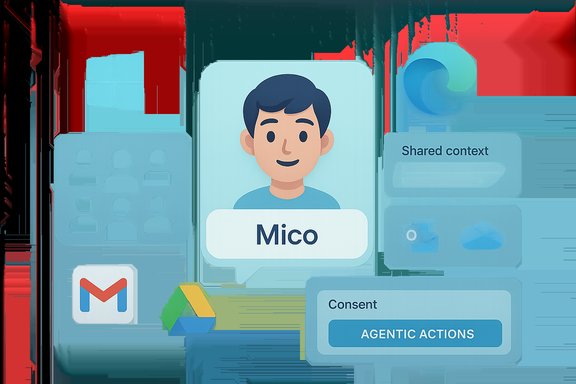
Microsoft’s latest Copilot update redraws the boundaries of what a personal assistant on Windows and the web can do: it adds multi-person collaboration, deeper cross‑platform connectors (including Gmail and Google Drive), persistent memory and personalization, permissioned agentic actions in Microsoft Edge, and a playful — but carefully designed — avatar called Mico to make voice and study sessions feel more natural.
Background / Overview
Microsoft has been steadily repositioning Copilot from a single‑user answer engine into a cross‑product, persistent assistant embedded across Windows, Edge and Microsoft 365. The October rollout — presented as a Fall release and staged initially for U.S. consumer users and Windows Insiders — bundles functionality that was previously scattered across previews into a coherent product push emphasizing collaboration, continuity, and action. At a high level, the new release combines three strategic moves:- Make Copilot social: enable shared sessions and shared context with Groups.
- Make Copilot persistent: build a visible, user‑controlled long‑term memory and personalization layer.
- Make Copilot action‑capable: allow permissioned, auditable agentic Actions inside Edge to bridge discovery and execution.
What shipped: feature snapshot
Copilot Groups — shared AI sessions
- What it is: A shared Copilot session that multiple people can join via a link. Copilot will synthesize participant inputs, summarize threads, tally votes, propose options and split tasks. Microsoft’s public materials and hands‑on previews report support for up to 32 participants in a Group session, making this a lightweight, consumer‑focused collaboration surface for families, study groups and informal teams.
- Why it matters: Groups transforms Copilot’s interaction model from one‑to‑one to many‑to‑one, enabling the assistant to be the single shared context for a group instead of forcing people to paste or export conversation histories into documents.
- Caveats and risks: Shared sessions multiply moderation, privacy and governance surface area — who owns group content, how long is it retained, and which policies apply when non‑tenant participants join are open operational questions Microsoft needs to address for enterprise adoption. Early previews flag these risks and encourage conservative deployment for sensitive scenarios.
Connectors — Gmail, Google Drive, Outlook and more
- What it is: Opt‑in connectors let users link personal cloud services so Copilot can search and synthesize across those stores. In the initial preview the supported connectors include Microsoft OneDrive and Outlook (mail, calendar, contacts) and consumer Google services — Gmail, Google Drive, Google Calendar and Google Contacts. Authorization uses standard OAuth consent flows and is disabled by default.
- Practical result: Mixed‑ecosystem users can ask a single natural‑language query (for example, “Find the slides I shared with Alex last month”) and receive a unified answer that draws from both Microsoft and Google stores without switching apps.
- Governance note: Admins and compliance teams should evaluate connector enablement policies and logging before enabling in organization contexts.
Edge: tab reasoning, Journeys (storylines) and agentic Actions
- Tab reasoning: With a user’s explicit permission, Copilot can read and reason across open tabs in Microsoft Edge to summarize pages, compare options (such as hotels or product listings), and present consolidated recommendations.
- Journeys / storylines: Past searches and browsing research can be converted into Journeys or “storylines” so users can revisit earlier research paths and pick up where they left off.
- Agentic Actions: When permitted, Copilot can perform multi‑step tasks in the browser — for example, filling forms or progressing a hotel booking via partner integrations (Booking.com, Expedia and others cited in Microsoft materials). These flows are designed to be visible and permissioned: Copilot will ask for consent and surface indicators when it is reading or acting on a page.
- Risks: Agentic features create new threat vectors (unauthorized transactions, credential misuse, or incorrect automated actions). Microsoft’s design emphasizes consent dialogs and visible indicators, but organizations should treat agentic Actions as high‑risk until controls and audit trails are fully vetted.
Long‑term memory and personalization
- Permanent memory: Copilot now supports a user‑managed long‑term memory that stores preferences, recurring goals, project context, and other details that users explicitly ask it to remember. Memory can be viewed, edited or deleted via UI controls. Microsoft positions this as essential for a true “companion” experience.
- Use cases: Remembering recurring to‑dos, personal preferences, or project constraints means Copilot can deliver continuity across sessions and proactively suggest relevant next steps.
- Privacy and compliance: The persistence of memory raises retention, exportability, and eDiscovery concerns; piloting with conservative retention policies and clear data governance is recommended. Early documentation suggests tenant controls for enterprise contexts and local UI controls for consumers.
Mico — an optional, expressive avatar
- What it is: Mico is a deliberately non‑human, animated avatar that provides visual cues (expressions and color changes) during voice and study flows to make interactions feel less disembodied. The avatar is optional and configurable; Microsoft explicitly avoided photorealism to reduce emotional over‑attachment.
- UX intent: Provide nonverbal feedback during long voice sessions (listening, thinking, confirming) and anchor learning flows without recreating a human presence.
- Easter‑egg and Clippy legacy: Preview builds included a small “wink” easter‑egg that momentarily morphs Mico into a Clippy‑like form, but Microsoft frames this as a playful nod rather than a formal Clippy revival. The avatar remains optional and can be turned off.
Health grounding, “Real Talk” and Learn Live
- Health grounding: Microsoft says Copilot’s health answers will be grounded in vetted sources and will offer clinician‑finding flows that prioritize credible publishers. This is an explicit attempt to reduce hallucinations in sensitive domains.
- Real Talk: An opt‑in conversational style designed to push back and make reasoning explicit instead of reflexively agreeing with the user.
- Learn Live: A voice‑enabled, Socratic tutoring mode that scaffolds study sessions with questions, interactive whiteboards and practice artifacts.
Verification of key claims
To ensure accuracy, the most load‑bearing claims in Microsoft’s announcement were cross‑checked across independent outlets and Microsoft’s own materials:- Groups supports up to 32 participants — this cap is repeatedly reported in news coverage and in preview documentation; multiple independent outlets cite the 32‑person limit. That said, preview builds have shown slight variations and Microsoft’s server‑gated rollout could change limits in later builds, so treat the “32” figure as the current published cap rather than an immutable technical limit.
- Connectors include Gmail, Google Drive, Google Calendar, Outlook and OneDrive — verified in Microsoft preview notes and independent coverage; connectors are opt‑in and use standard OAuth consent flows. Enterprise administrators should validate which connectors are permitted in tenant policies.
- Edge Actions can perform multi‑step tasks like bookings — Microsoft materials and The Verge/other outlets describe agentic Actions and partner integrations for travel and reservations. These features require explicit user permission before Copilot acts.
- Mico avatar and Real Talk mode — widely reported in previews and Microsoft messaging; the avatar is optional and privacy‑sized to avoid over‑anthropomorphization.
- Rollout timing — Microsoft states the update is live in the United States first, with plans to expand to the UK, Canada and additional markets in the coming weeks. This phased, server‑gated rollout is consistent across reports.
Deep dive: practical mechanics and admin considerations
How connectors and memory appear to work
Microsoft’s preview notes and hands‑on reporting indicate a familiar architecture:- OAuth 2.0 consent flows for third‑party connectors, with per‑service scope controls.
- Copilot queries are then run against permitted indexes (Microsoft Graph for Outlook/OneDrive; Google APIs for Gmail/Drive/Calendar), with results surfaced in the Copilot conversation window.
- Memory artifacts appear to be surfaced in a visible UI allowing users to view, edit or delete items; in enterprise scenarios memory artifacts may be stored within Microsoft service boundaries to support compliance (for example, hidden folders or mailbox artifacts that respect tenant eDiscovery and retention policies).
Agentic Actions: guardrails you should expect
- Permission prompts: Copilot will ask for explicit consent before it reads or acts on open pages.
- Visible indicators: UI signals show when Copilot is viewing or acting on content.
- Confirm-and-execute flows: Suggested actions should require user confirmation before finalizing transactions — but edge cases exist where multi‑step, credentialed actions could be sensitive and need additional enterprise policy controls.
- Define which connectors are allowed and who can opt in.
- Control memory enablement for tenant accounts.
- Audit and log agentic Actions and enable alerts for high‑risk operations.
- Communicate clear user guidance for shared Group sessions regarding retention and appropriate content.
Strengths: what Microsoft did well
- Integration breadth: Tying connectors to both Microsoft and consumer Google services addresses a real productivity pain point for users who live in mixed ecosystems. The unified retrieval model is a pragmatic win that reduces context switching.
- UX focus on consent: Microsoft’s repeated emphasis on opt‑in toggles, visible consent dialogs and memory controls signals an understanding of the trust trade‑offs that come with persistent personalization and agentic actions.
- Practical deliverables: Native document export (chat → .docx/.pptx/.xlsx/.pdf) shortens the path from idea to shareable artifact — a concrete productivity improvement for many workflows.
- Pragmatic avatar design: Mico’s abstract, non‑photoreal look and opt‑outability balance the need for conversational cues with avoidance of undue emotional connection.
Risks and unanswered questions
- Privacy and retention of memory: Long‑term memory is powerful but inherently risky. The default retention policy, visibility into what is stored, and administrative controls for enterprise tenants need clearer, documented guarantees before broad organizational rollouts. Early materials note tenant controls, but details remain operationally significant.
- Shared Group governance: Link‑based invites for up to 32 participants are useful but create uncertainty about jurisdiction, ownership and retention when guests from outside an organization participate. A stronger defaults model and audit trail for shared sessions is necessary.
- Agentic action safety: Even with consent, automated multi‑step interactions on the web increase the surface for errors or abuse (mistaken bookings, bad form submissions, or credential misuse). Enterprises should treat these flows conservatively and require logging and reversal mechanisms.
- Model provenance and hallucinations: Grounding health information to vetted publishers is a necessary step, but ensuring consistent provenance across all connectors and agentic actions is challenging and will require continuous monitoring. Microsoft’s announcement tightens sourcing for health queries, but operational effectiveness will come down to implementation and partner selection.
- Feature parity and variability: Many claims are tied to preview builds and server‑gated rollouts; availability, caps, and subtle behaviors may change as the production rollout progresses. Treat early numbers (participant caps, export thresholds) as current published values, not static guarantees.
How to approach Copilot adoption — practical guidance
- Pilot conservatively
- Start with small user groups and non‑sensitive scenarios (planning, study groups) to validate UX and logging.
- Lock down connectors
- For enterprise tenants, restrict third‑party connectors and only enable them where risk assessments permit.
- Control memory
- Require explicit opt‑in for long‑term memory and set retention policies aligned with compliance needs.
- Monitor agentic actions
- Enable detailed logging for any Copilot Actions, and create reversal/incident workflows for erroneous automated transactions.
- Train users
- Publish simple guidelines explaining what Copilot can and cannot do, how Groups work, and the meaning of permission dialogs.
Product and market implications
Microsoft’s release is not just a feature update — it’s a position statement. By leaning into persistence (memory), social collaboration (Groups), cross‑account connectors (Google + Outlook) and agentic browsing Actions, Microsoft is aiming to make Copilot the default assistant surface on Windows and Edge rather than ceding that ground to new AI browsers or third‑party agents.For users, the integration offers clear productivity gains. For enterprises, it forces a reckoning: Copilot’s richer surface area will require updates to policy, auditing, and identity flows. In the market, the move escalates competition: rivals will need to match not only model quality but product‑level integrations that meaningfully reduce friction between discovery and execution.
Critical verdict
Microsoft’s Copilot Fall release is a bold, cohesive step toward making AI assistants both more useful and more central to daily workflows. The features align with real user pain points — context switching, brainstorming with others, turning ideas into documents, and carrying project context over time. The product design shows a sensible emphasis on explicit consent and opt‑in controls.That said, the update raises important governance and safety challenges that cannot be solved by UI cues alone. Long‑term memory, shared group contexts and agentic web actions are powerful features that demand robust administrative controls, transparent retention policies, and rigorous logging to make them safe and trustworthy for enterprise use. Microsoft’s staged, U.S.‑first rollout gives it room to iterate; organizations should use that breathing space to pilot carefully and build guardrails before broader deployment.
Bottom line
The Copilot Fall release stitches together collaboration, personalization, and action in ways that materially change what a PC assistant can be. For consumers, the promise is convenience: fewer app switches, shared planning with friends and family, and a Copilot that remembers context and can take care of routine chores. For IT and legal teams, it’s a call to action: plan governance, vet connectors, and build monitoring before rolling Copilot features into production environments.Microsoft has set a clear direction: the assistant that lives across Windows, Edge and cloud will not only answer questions but will remember, coordinate and act — provided users and organizations accept the tradeoffs and Microsoft delivers robust, transparent controls during the global rollout.
Conclusion
This Fall release is the most comprehensive reshaping of Copilot’s consumer experience to date — and by making the assistant social, persistent and agentic, Microsoft has raised both the potential benefits and the governance stakes. Early adopters will get tangible productivity gains, but widespread, safe adoption will hinge on clear operational policies, conservative connector enablement, and careful monitoring of agentic Actions. The coming weeks of staged rollout and preview feedback will be decisive in turning this ambitious set of features into a reliable everyday companion on Windows and the web.
Source: The Hindu Microsoft introduces new Copilot features such as collaboration, Google integration
