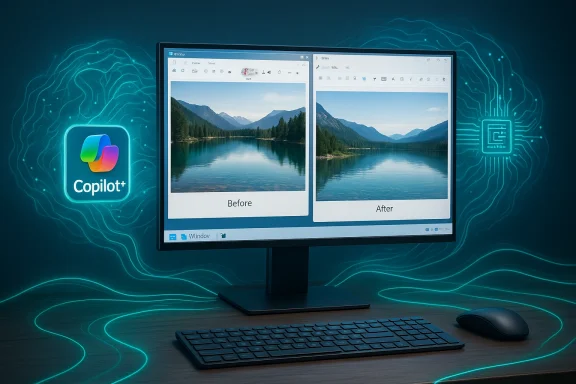
Microsoft says Copilot+ PCs are receiving a targeted update to the Image Transform AI component — a behind‑the‑scenes module that powers generative fill, object removal, and background reconstruction in Photos, Paint, and other integrated experiences. The update, listed in the headline material as Image Transform version 1.2601.1268.0 and associated with KB5077533, is described as an improvements release for Windows 11, versions 24H2 and 25H2, and is delivered automatically via Windows Update to eligible Copilot+ systems. At the same time, the exact KB number and the specific build metadata for this release could not be located in Microsoft's public KB index as of January 29, 2026; however, the update's scope and behavior match Microsoft's established pattern for recent Image Transform AI component updates that Microsoft has been shipping to Copilot+ PCs throughout 2024–2026.
Windows 11 has been evolving away from monolithic, infrequent feature updates toward a model of modular AI components — small, independently updated packages that run on Copilot+ PCs and use on‑device neural acceleration. Among these modules, Image Transform is the component responsible for the “erase object / generative fill” family of features: remove a foreground subject or an unwanted object and fill the resulting hole with a plausible, computer‑generated background that matches surrounding pixels.
Microsoft publishes short KB articles for each AI component release; those KBs typically state the component version, the Windows SKUs/versions it applies to, the prerequisite of having the latest cumulative OS update, and that the package will be delivered automatically through Windows Update. Recent months have seen several Image Transform releases — each incrementing the component version (e.g., 1.2505.x, 1.2507.x, 1.2511.x) — and each follows the same distribution and prerequisite pattern.
What’s new in this particular update (version 1.2601.1268.0 / KB5077533), per the text supplied to the community, is described as “improvements to the Image Transform AI component” on Windows 11, versions 24H2 and 25H2. Those improvements are not expanded into a line‑by‑line changelog in the public KB synopsis; that’s normal for Microsoft’s AI component KBs, which prioritize high‑level descriptions rather than detailed engineering notes.
However, a few security concerns remain:
For IT pros and environments with strict change controls, treat this release as an iterative update that requires the usual safeguards:
For everyday users the update is low‑risk and improves photo editing quality. For IT professionals, the update requires the usual validation and rollout controls because Microsoft’s public KB summaries do not expose granular technical detail. Lastly, because the KB entry number could not be located in Microsoft’s public KB search at the time of verification, administrators and curious users should check Update history on target devices to confirm the exact component version and KB metadata before taking action.
Source: Microsoft Support KB5077533: Image Transform AI component update (version 1.2601.1268.0) - Microsoft Support
 Background
Windows 11 has been evolving away from monolithic, infrequent feature updates toward a model of modular AI components — small, independently updated packages that run on Copilot+ PCs and use on‑device neural acceleration. Among these modules, Image Transform is the component responsible for the “erase object / generative fill” family of features: remove a foreground subject or an unwanted object and fill the resulting hole with a plausible, computer‑generated background that matches surrounding pixels.Microsoft publishes short KB articles for each AI component release; those KBs typically state the component version, the Windows SKUs/versions it applies to, the prerequisite of having the latest cumulative OS update, and that the package will be delivered automatically through Windows Update. Recent months have seen several Image Transform releases — each incrementing the component version (e.g., 1.2505.x, 1.2507.x, 1.2511.x) — and each follows the same distribution and prerequisite pattern.
What’s new in this particular update (version 1.2601.1268.0 / KB5077533), per the text supplied to the community, is described as “improvements to the Image Transform AI component” on Windows 11, versions 24H2 and 25H2. Those improvements are not expanded into a line‑by‑line changelog in the public KB synopsis; that’s normal for Microsoft’s AI component KBs, which prioritize high‑level descriptions rather than detailed engineering notes.
What Image Transform actually does (quick technical overview)
Image Transform is an on‑device generative image editing module. In practical terms:- It powers object removal, background fill, and related generative editing features inside Windows apps such as Microsoft Photos and Paint.
- The component uses local neural network inference on Copilot+ hardware — devices that include an NPU (neural processing unit) capable of handling high‑throughput tensor operations.
- Processing is performed locally rather than in the cloud by default, which reduces latency and can improve privacy posture because image pixels need not leave the device.
- Updates to the component ship as discrete packages — Microsoft calls them AI component updates — and these are tied to Windows Update delivery. The OS must meet a cumulative update prerequisite before these AI packages install.
What the KB text says (and what Microsoft typically includes)
According to the KB text supplied, the update notes include the following points:- The article “applies to Copilot+ PCs only.”
- The Image Transform AI component “can be used to erase a foreground and object and fill in the space with a generated background.”
- The update “includes improvements to the Image Transform AI component for Windows 11, version 24H2 and Windows 11, version 25H2.”
- “You must have the latest cumulative update for Windows 11, version 24H2 or Windows 11, version 25H2 installed.”
- “This update will be downloaded and installed automatically from Windows Update.”
- The KB instructs users to check Settings > Windows Update > Update history to confirm the presence of the update; after installation the Update history should list the Image Transform version and the KB ID.
Confirming installation: how to check if the Image Transform update is on your PC
If you want to confirm whether a Copilot+ PC received this Image Transform package, follow these straightforward steps:- Open Settings.
- Go to Windows Update.
- Click Update history.
- Look for an entry such as “Image Transform version 1.2601.1268.0 (KB5077533)” or a similar month/year line that denotes Image Transform and the version number.
- Make sure the PC is a Copilot+ device (contains the required NPU hardware and is shipped/registered as a Copilot+ PC).
- Confirm that Windows is updated to the latest cumulative update for your Windows 11 version (24H2 or 25H2). The AI component packages normally refuse to install unless the OS prerequisite is satisfied.
- Ensure Windows Update is allowed to download and install updates (automatic downloads or manual check for updates).
- For enterprise and IT environments, confirm that Windows Update for Business or WSUS configurations are not blocking or deferring AI component updates.
Why this update matters: benefits and immediate impact
This kind of Image Transform update provides value across three practical axes:- User experience: Cleaner object removal and more natural fills mean that Photos and Paint produce fewer visual artifacts. The generative fill will better match lighting, texture, and perspective, improving photos with quick edits.
- Performance and latency: On Copilot+ hardware, optimized inference stacks and updated runtime can reduce latency for real‑time editing and preview.
- Privacy and local processing: Because Image Transform is an on‑device component on Copilot+ PCs, image processing can happen locally without sending pixels to a cloud service, which can be attractive for privacy‑sensitive users.
Enterprise and IT perspective: rollout, prerequisites, and controls
For IT pros managing fleets, there are several important operational considerations:- Scope and prerequisites: The Image Transform AI packages target Copilot+ PCs on Windows 11 versions 24H2 and 25H2. They require the latest cumulative OS update. In other words, you cannot install the AI component on an out‑of‑date base OS image.
- Delivery channel: AI components are distributed via Windows Update. In managed environments, this behavior interacts with Windows Update for Business, WSUS, or Microsoft Endpoint Configuration Manager. Ensure your update policies allow these component packages to flow.
- Controlled feature rollout: Microsoft has used controlled and staggered rollouts for new AI features; not all devices receive component updates simultaneously. Expect phased delivery.
- Testing and validation: Because Microsoft’s KBs do not publish full changelogs, IT teams should validate component behavior in a test ring before broad deployment. Pay special attention to compatibility with imaging tools, custom shell extensions, or third‑party photo utilities that might interact with Photos or Paint.
- Rollback: Microsoft does not typically provide a separate uninstall for individual AI components via the Settings UI. If an Image Transform release causes issues, remediation may require OS rollback, uninstalling the cumulative OS update that allowed the component, or using system restore tools. This can complicate mitigation, so test first.
Risks, limitations, and what Microsoft doesn’t publish
While the update is routine, there are nontrivial caveats to be aware of:- Lack of detailed changelog: Microsoft’s short KB pages do not list the exact fixes, model changes, or dataset tuning that produced the “improvements” label. That makes it difficult to audit precisely what changed between versions.
- Potential for regressions: Historically, some Windows updates have caused regressions unrelated to the named component (for example, previous patch months introduced issues that affected Copilot or RDP). While those examples were not Image Transform releases, any update that touches OS components has a small chance of producing unexpected side effects.
- Transparency of model behavior: Generative fill systems can produce plausible, but incorrect, results. Microsoft does not publish per‑model bias audits or failure modes for the Image Transform engine in these short KBs. For sensitive or forensic uses of imagery, on‑device generative editing should be treated as an enhancement tool, not as infallible restoration.
- Security and attack surface: Any code that performs complex image model inference increases the attack surface of a device. Microsoft does not typically announce model‑level CVEs in the component KB pages; security teams should monitor cumulative update advisories and Windows security guidance for related fixes.
- KB verification absence: The specific KB identifier provided (KB5077533) and the version string 1.2601.1268.0 could not be found in the Microsoft KB index at the time of verification (January 29, 2026). The overall behavior described — targeted Image Transform updates for Copilot+ PCs — is consistent with Microsoft’s prior releases and Microsoft’s AI components release history, but the KB number may be newly published and not reflected in aggregated search indexes, or it may be mis‑typed. Treat the KB identifier as provisionally accurate until you can confirm it directly on the Microsoft Support site or in your device’s Update history.
Practical troubleshooting: I installed the update and something looks wrong
If you observe visual glitches, crashes, or unexpected behavior after the Image Transform package installs, use this troubleshooting checklist:- Confirm the installed component version in Update history. If the entry is present, note the exact version string.
- Reboot the device. Some component updates require a restart to fully initialize new drivers and runtimes.
- Reproduce the issue in a clean user profile. That helps rule out per‑profile configuration or corrupt user state.
- Temporarily disable hardware‑accelerated features: if the device has driver or NPU firmware conflicts, temporarily disable acceleration in the app (if available) to see whether the issue is hardware inference–related.
- Check Event Viewer for faulting modules (look for AppError or Windows Error Reporting entries).
- If you manage the device via enterprise tools, verify that any OS or driver updates installed alongside the Image Transform package did not introduce incompatibility (for example, GPU driver updates).
- If the problem persists and you need immediate mitigation:
- Attempt system restore to a point before the update.
- Roll back the latest cumulative OS update, if allowed in your environment.
- If neither is feasible, gather logs and open a support ticket with Microsoft for assisted remediation.
Security and privacy analysis
On the positive side, because Image Transform on Copilot+ PCs runs locally, the update preserves an important privacy feature: user images do not need to leave the device for generative filling. That limits exposure of sensitive media to cloud processing and reduces the surface for data exfiltration.However, a few security concerns remain:
- Model provenance and content safety: Microsoft does not publish the training data composition or safety audit for Image Transform in the KB entries. Users and administrators relying on the component for professional image restoration or legal/forensic analysis should not assume content fidelity.
- Component update vectors: Because AI components are delivered through Windows Update, they inherit Windows Update’s delivery strengths and weaknesses. If an attacker were able to tamper with the update path in a given environment, malicious component updates could be installed; this is a general Windows security concern, not unique to Image Transform, but worth noting for high-security contexts.
- CVE publication lag: Security fixes affecting AI weights or inference logic might not be explicitly called out in the short KBs. Security teams should monitor Microsoft’s security advisories and cumulative update release notes for related CVEs or mitigations.
How to prepare: recommended checklist for Windows users and IT admins
- For end users:
- Make sure your Copilot+ PC is running the latest cumulative Windows 11 update for your version (24H2 or 25H2).
- Let Windows Update install AI component packages automatically or manually check for updates.
- If you depend on Image Transform for important work, back up originals before heavy editing.
- For IT administrators:
- Validate the update in a test ring before widespread deployment.
- Confirm your update management policies do not block AI component packages.
- Document rollback procedures in case a component update triggers unintended changes.
- Monitor Windows Update release notes and Microsoft release‑health dashboards for any follow‑up advisories.
- Consider user training: AI edit results are probabilistic; users should verify generated fills.
Why Microsoft ships these updates separately
Modular AI components let Microsoft iterate faster on model improvements and runtime optimizations without waiting for full OS feature updates. That offers two benefits:- Faster improvements: Fixes and refinements to generative algorithms can be shipped quarterly or monthly rather than waiting for a major OS release.
- Smaller, focused packages: Component updates are smaller in scope and can be delivered independently of unrelated OS changes.
Final judgement: Should you install KB5077533 / Image Transform 1.2601.1268.0?
For most Copilot+ PC owners the answer is yes: allow Windows Update to install the component and enjoy improved generative fill and cleaner object removals in Photos and Paint. The package is small, installs automatically, and improves user experience without cloud privacy tradeoffs.For IT pros and environments with strict change controls, treat this release as an iterative update that requires the usual safeguards:
- Validate in a test ring.
- Ensure prerequisites are met (latest cumulative update).
- Confirm rollback paths.
- Monitor for any downstream effects on imaging, media workflows, or driver compatibility.
Conclusion
Image Transform updates are a quiet but meaningful part of Microsoft’s broader push to bring local, on‑device AI to Windows. Version 1.2601.1268.0 (as described under KB5077533) promises continued improvement to generative fill and object removal on Copilot+ PCs running Windows 11 versions 24H2 and 25H2. The package follows Microsoft’s established pattern: delivered via Windows Update, conditional on the latest cumulative OS update, and primarily aimed at improving the on‑device editing experience in Photos and Paint.For everyday users the update is low‑risk and improves photo editing quality. For IT professionals, the update requires the usual validation and rollout controls because Microsoft’s public KB summaries do not expose granular technical detail. Lastly, because the KB entry number could not be located in Microsoft’s public KB search at the time of verification, administrators and curious users should check Update history on target devices to confirm the exact component version and KB metadata before taking action.
Source: Microsoft Support KB5077533: Image Transform AI component update (version 1.2601.1268.0) - Microsoft Support