

Microsoft announced on May 13, 2026, that Copilot in the Edge browser can now analyze information across all open tabs on desktop and mobile, while adding study tools, AI-generated podcasts, writing assistance, browsing-history context, long-term memory, and a redesigned Copilot-centered new tab page. The headline feature sounds simple: Edge can now treat your tab mess as a single working surface. The bigger story is that Microsoft is turning the browser from a window onto the web into a memory-bearing assistant that watches, summarizes, compares, and sometimes acts. For Windows users and IT admins, that changes the privacy, productivity, and governance conversation around Edge more than any sidebar button ever did.
For the last few years, Microsoft has treated Copilot as something that could be attached to almost anything: Windows, Office, Bing, Teams, GitHub, and Edge. The result has often felt like branding before architecture, with the same name pasted onto very different products. This Edge update is different because the browser itself is becoming the context engine.
The practical promise is obvious. If you are researching laptops, comparing government guidance, reading multiple incident writeups, or juggling documentation across several tabs, Copilot can now reason across the whole active browser session rather than one page at a time. That is the kind of feature browser users can understand immediately, because it maps to the way people already work: badly organized, tab-heavy, interrupted, and constantly switching between reading and deciding.
But it also means Edge is no longer merely rendering web pages and offering a chatbot beside them. It is packaging the session as data. Open tabs, browsing history, past conversations, page content, writing fields, and mobile screen sharing are being folded into a single AI surface that can answer questions and generate artifacts from what it sees.
That is why Microsoft’s language around permission and control matters. The company says users can decide which features remain active, and some features have market or account limitations. Still, the direction of travel is clear: the browser is becoming the place where Microsoft wants consumer Copilot to understand what you are doing, not merely what you ask.
Copilot Mode previously functioned as an opt-in AI-forward version of Edge, with tab context and agent-like features presented as a distinct mode. Microsoft is now folding those ideas back into the default Edge experience through features such as multi-tab comparison, redesigned new tabs, Journeys, Browse with Copilot, and contextual writing help. The company is not abandoning the concept; it is normalizing it.
That is a familiar Microsoft pattern. Features that begin as previews, sidebars, labs, or “modes” eventually migrate into the product chrome if telemetry and strategy both point in the same direction. Edge’s old pitch was that it was a fast Chromium browser with Microsoft services integrated. The new pitch is that Edge is the browser where Copilot can follow the user’s intent across pages, sessions, and devices.
The branding shift also matters for enterprise perception. “Mode” implies a temporary state. “Copilot in Edge” implies infrastructure. For admins managing browser defaults, compliance settings, data loss risks, and user training, the distinction is not semantic. It changes the mental model from “users may enable an AI experiment” to “AI assistance is part of how this browser works.”
Imagine opening five vendor advisories, two CVE entries, a forum thread, a Microsoft Learn page, and a release note, then asking for the differences that matter to a Windows 11 fleet. The assistant could produce a first-pass synthesis faster than a human could copy and paste links into a separate chatbot. That does not eliminate verification, but it may reduce the time spent gathering and rearranging raw material.
This is where Edge has a structural advantage over standalone AI tools. A chatbot in a separate tab depends on what the user feeds it. A browser-integrated assistant can understand the user’s immediate workspace, provided the user permits it. That makes the interaction feel less like search and more like asking a colleague to look over your shoulder.
The downside is the same as the advantage. Your open tabs are not always clean project folders. They may include banking, medical portals, admin consoles, HR systems, internal dashboards, half-written posts, or private communications. A browser AI that can see across tabs demands better habits from users who have spent decades treating tabs as informal memory, not as a permission boundary.
Browsing history personalization is a particularly important line. Microsoft says users can allow Copilot to use browsing history for more relevant answers, such as resuming shopping or research from days earlier. That sounds helpful, especially for real-world workflows that unfold over multiple sessions. It also turns history from a private archive into active model context.
Long-term memory on desktop and mobile raises the stakes further. Memory is one of the most powerful features in modern AI assistants because it reduces repetition and makes the system feel tailored. It is also one of the hardest features for users to reason about. People understand saving a document. They are less comfortable with an assistant remembering preferences, projects, patterns, and prior discussions unless the controls are obvious and reliable.
For WindowsForum readers, the right posture is neither panic nor blind trust. The technology is moving toward richer context because richer context makes AI more useful. The responsible question is whether the controls are discoverable, auditable, reversible, and manageable at scale. If the answer differs between a home PC, a student laptop, and a managed enterprise endpoint, Microsoft needs to make those differences painfully clear.
Microsoft is limiting that capability more tightly than some of the general Copilot features. It is available on Edge desktop for Microsoft 365 Premium subscribers in the United States, with usage limits and rollout constraints. That cautious availability is a tell. Agentic browsing is where convenience collides most directly with risk.
The risks are not theoretical. Web pages can contain misleading instructions, hostile prompts, or hidden content designed to manipulate AI systems. An assistant that can read, click, type, and navigate is exposed to a broader attack surface than a traditional summarizer. Microsoft acknowledges that these systems can misinterpret instructions and recommends that users monitor activity closely.
That is the right warning, but it also undercuts the dream of fully delegated browsing. If the user must supervise every meaningful step, the assistant is less an autonomous agent than a semi-automated intern. That may still be useful. It may save time on routine workflows, but it is not the same as handing the web to an AI and walking away.
For IT pros, Browse with Copilot belongs in the same risk category as browser extensions, password managers, autofill, and remote assistance tools. It may be legitimate and valuable, but it touches identity, session state, cookies, and page permissions. Any organization that lets it run unmanaged should be prepared to explain why.
The AI podcast feature points in the same direction. Copilot can turn open tabs into audio, letting users listen to a synthesized discussion or summary of the material. Google’s NotebookLM helped popularize this format with Audio Overviews, and Microsoft is now bringing a similar idea closer to the browser itself.
This is a smart move because the browser has become the default research environment for everyone from students to incident responders. Most people do not have a clean pipeline from reading to notes to recall. They accumulate tabs, skim badly, save too much, and forget half of it. AI-generated quizzes and podcasts are Microsoft’s way of turning that mess into something more structured.
The danger is that structure can create false confidence. A quiz generated from a web page may test what the model extracted, not what the source actually proves. A podcast-style summary may sound more coherent than the material deserves. For serious learning or professional research, these features are best treated as compression tools, not as authorities.
This is not just about search share, though search is certainly part of it. The classic browser model gives users an address bar, a search engine, bookmarks, and history. Microsoft’s new model tries to collapse those into a single intent box: ask a question, search the web, open a site, resume a project, compare tabs, generate a podcast, or start studying.
Journeys fits neatly into that strategy. It groups browsing history into topic cards so users can return to prior projects without reconstructing them manually. That is a genuinely useful idea, especially for people who research in bursts. It also makes Edge more proactive about interpreting what your browsing history means.
The new tab page is therefore becoming less like a blank sheet and more like a dashboard of inferred intent. That may help users who live in research loops. It may annoy users who want the browser to stay out of the way. Microsoft’s challenge is to make the AI-enhanced version feel like a tool rather than a takeover.
On phones, users often struggle to copy content between apps, describe what they are seeing, or explain a confusing interface. Screen sharing lowers that friction. Instead of typing a detailed prompt, a user can show the assistant the screen and ask for guidance.
But mobile screen context is sensitive in a different way than browser tabs. A phone screen may contain notifications, one-time codes, private messages, health data, location clues, work apps, or financial information. Even if the feature is permissioned, users may not always understand what they are exposing in the moment.
This is where Microsoft’s consumer and enterprise stories may diverge sharply. A home user may find screen sharing delightful. A security team may see a new channel for accidental disclosure. If Edge mobile is used in bring-your-own-device environments, organizations will need to think carefully about policy, app protection, and user education.
This matters because writing surfaces are everywhere: forums, email clients, support portals, web forms, CMS editors, social platforms, ticketing systems, and documentation tools. A browser-level writing assistant does not need each site to integrate AI. Edge can bring assistance to the field where text is being entered.
For WindowsForum’s audience, the obvious question is whether this helps or clutters. Some users will appreciate quick rewrites and tone adjustment. Others will see another blue dot, another suggestion bubble, another Microsoft nudge in a product already criticized for upsells and service prompts.
There is also a trust issue around professional voice. AI writing tools are useful for clarity, but they can flatten language, introduce inaccuracies, or make support responses sound polished while being technically wrong. In technical communities, correctness beats fluency. A beautifully rewritten mistake is still a mistake, and sometimes a more dangerous one.
This update shows Microsoft betting that the browser can become the best place for AI because the browser already holds the context. Chrome has scale, Safari has platform loyalty, Firefox has its privacy-minded constituency, and smaller browsers compete on focus or ideology. Edge is increasingly competing on integrated assistance.
That is a plausible strategy. A browser that can compare tabs, summarize sessions, resume projects, write in fields, generate audio briefings, and act on pages offers more than raw rendering speed. If the features work well, they could make Edge feel genuinely differentiated.
The problem is that Microsoft’s AI integration history has trained some users to be skeptical. Windows users have seen Copilot buttons, Bing prompts, Edge recommendations, Microsoft account nudges, and changing defaults. Even useful features can be received badly if they arrive as one more attempt to steer behavior. The product challenge is technical; the adoption challenge is emotional.
The second concern is user consent. A permission prompt may satisfy consumer expectations, but enterprise security depends on policy. Users are not always equipped to decide whether an AI assistant should see internal tabs, use browsing history, or remember prior conversations involving work topics.
The third concern is auditability. If an assistant summarizes tabs and a user acts on the result, where is that interaction logged? If Browse with Copilot clicks through a workflow, what evidence exists of the steps taken? If a generated answer is wrong, can the organization reconstruct the source context that produced it?
These questions do not mean enterprises should block every AI browser feature. They do mean Microsoft needs to provide clear administrative controls, documentation, and separation between consumer Copilot behavior and business-managed environments. The more Copilot becomes part of Edge itself, the less acceptable it is for controls to feel scattered or ambiguous.
That usefulness is exactly why the privacy debate is difficult. Weak features are easy to reject. Useful features create tradeoffs. People will grant access if the payoff is immediate, and they will often do so before reading the implications closely.
Microsoft’s best argument is that the browser is already the place where this context exists. If AI assistance is going to help with web work, integrating it into Edge is more natural than forcing users to copy page text into a separate app. The counterargument is that centralizing all of this context in an AI layer changes the risk profile of ordinary browsing.
Both arguments can be true. Edge may become more productive and more sensitive at the same time. The mature response is not to pretend one side cancels the other, but to demand controls that match the power of the feature.
That starts to resemble an orchestration layer. The browser knows what you are reading, where you have been, what you are trying to resume, and what you might want to do next. Copilot becomes the interface that interprets that state.
For Microsoft, this is strategically elegant. Windows remains the desktop foundation, Microsoft 365 remains the productivity suite, and Edge becomes the AI-aware membrane between local work, cloud services, and the open web. Copilot ties the stack together.
For users, the question is whether that stack feels empowering or enclosing. The best version of this future gives people a browser that reduces cognitive load without taking away agency. The worst version turns every web session into another Microsoft-mediated funnel with too many prompts, too much inference, and not enough restraint.
Source: Mezha Microsoft updates Copilot in Edge - AI can now analyse all open tabs
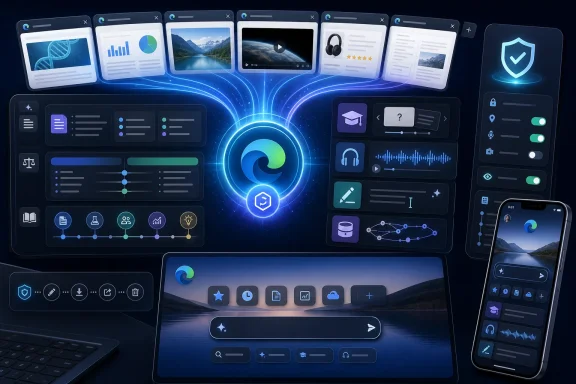 Edge Is No Longer Just Hosting Copilot
For the last few years, Microsoft has treated Copilot as something that could be attached to almost anything: Windows, Office, Bing, Teams, GitHub, and Edge. The result has often felt like branding before architecture, with the same name pasted onto very different products. This Edge update is different because the browser itself is becoming the context engine.The practical promise is obvious. If you are researching laptops, comparing government guidance, reading multiple incident writeups, or juggling documentation across several tabs, Copilot can now reason across the whole active browser session rather than one page at a time. That is the kind of feature browser users can understand immediately, because it maps to the way people already work: badly organized, tab-heavy, interrupted, and constantly switching between reading and deciding.
But it also means Edge is no longer merely rendering web pages and offering a chatbot beside them. It is packaging the session as data. Open tabs, browsing history, past conversations, page content, writing fields, and mobile screen sharing are being folded into a single AI surface that can answer questions and generate artifacts from what it sees.
That is why Microsoft’s language around permission and control matters. The company says users can decide which features remain active, and some features have market or account limitations. Still, the direction of travel is clear: the browser is becoming the place where Microsoft wants consumer Copilot to understand what you are doing, not merely what you ask.
The Death of Copilot Mode Is Really a Merger
Microsoft is retiring the separate Copilot Mode branding and moving its capabilities into the broader Copilot in Edge experience. On paper, that simplifies the product. In practice, it removes a boundary that helped users understand when they were entering an experimental AI browsing environment.Copilot Mode previously functioned as an opt-in AI-forward version of Edge, with tab context and agent-like features presented as a distinct mode. Microsoft is now folding those ideas back into the default Edge experience through features such as multi-tab comparison, redesigned new tabs, Journeys, Browse with Copilot, and contextual writing help. The company is not abandoning the concept; it is normalizing it.
That is a familiar Microsoft pattern. Features that begin as previews, sidebars, labs, or “modes” eventually migrate into the product chrome if telemetry and strategy both point in the same direction. Edge’s old pitch was that it was a fast Chromium browser with Microsoft services integrated. The new pitch is that Edge is the browser where Copilot can follow the user’s intent across pages, sessions, and devices.
The branding shift also matters for enterprise perception. “Mode” implies a temporary state. “Copilot in Edge” implies infrastructure. For admins managing browser defaults, compliance settings, data loss risks, and user training, the distinction is not semantic. It changes the mental model from “users may enable an AI experiment” to “AI assistance is part of how this browser works.”
Multi-Tab AI Turns Tab Hoarding Into a Feature
The most immediately useful new capability is Copilot’s ability to analyze all open tabs. Microsoft’s examples are consumer-friendly: compare products, summarize articles, answer questions based on page content, surface key details. The same mechanism, however, could be valuable for IT work.Imagine opening five vendor advisories, two CVE entries, a forum thread, a Microsoft Learn page, and a release note, then asking for the differences that matter to a Windows 11 fleet. The assistant could produce a first-pass synthesis faster than a human could copy and paste links into a separate chatbot. That does not eliminate verification, but it may reduce the time spent gathering and rearranging raw material.
This is where Edge has a structural advantage over standalone AI tools. A chatbot in a separate tab depends on what the user feeds it. A browser-integrated assistant can understand the user’s immediate workspace, provided the user permits it. That makes the interaction feel less like search and more like asking a colleague to look over your shoulder.
The downside is the same as the advantage. Your open tabs are not always clean project folders. They may include banking, medical portals, admin consoles, HR systems, internal dashboards, half-written posts, or private communications. A browser AI that can see across tabs demands better habits from users who have spent decades treating tabs as informal memory, not as a permission boundary.
Microsoft’s Productivity Pitch Has a Privacy Shadow
Microsoft is emphasizing user choice, feature toggles, and permissions. That is necessary, but it does not make the privacy tradeoff disappear. The new Copilot in Edge experience is useful precisely because it can draw from sensitive context: the page you are reading, the tabs you forgot you opened, the history trail behind your research, and the conversations you had before.Browsing history personalization is a particularly important line. Microsoft says users can allow Copilot to use browsing history for more relevant answers, such as resuming shopping or research from days earlier. That sounds helpful, especially for real-world workflows that unfold over multiple sessions. It also turns history from a private archive into active model context.
Long-term memory on desktop and mobile raises the stakes further. Memory is one of the most powerful features in modern AI assistants because it reduces repetition and makes the system feel tailored. It is also one of the hardest features for users to reason about. People understand saving a document. They are less comfortable with an assistant remembering preferences, projects, patterns, and prior discussions unless the controls are obvious and reliable.
For WindowsForum readers, the right posture is neither panic nor blind trust. The technology is moving toward richer context because richer context makes AI more useful. The responsible question is whether the controls are discoverable, auditable, reversible, and manageable at scale. If the answer differs between a home PC, a student laptop, and a managed enterprise endpoint, Microsoft needs to make those differences painfully clear.
Browse with Copilot Is the Agentic Edge Microsoft Still Wants
Browse with Copilot is the renamed form of Copilot Actions in Edge, and it is more ambitious than summarizing tabs. It allows Copilot to interact with web pages by selecting, typing, navigating, and completing steps in the browser while the user can watch and interrupt. This is the agentic layer: not just “tell me what this page says,” but “do something with this page.”Microsoft is limiting that capability more tightly than some of the general Copilot features. It is available on Edge desktop for Microsoft 365 Premium subscribers in the United States, with usage limits and rollout constraints. That cautious availability is a tell. Agentic browsing is where convenience collides most directly with risk.
The risks are not theoretical. Web pages can contain misleading instructions, hostile prompts, or hidden content designed to manipulate AI systems. An assistant that can read, click, type, and navigate is exposed to a broader attack surface than a traditional summarizer. Microsoft acknowledges that these systems can misinterpret instructions and recommends that users monitor activity closely.
That is the right warning, but it also undercuts the dream of fully delegated browsing. If the user must supervise every meaningful step, the assistant is less an autonomous agent than a semi-automated intern. That may still be useful. It may save time on routine workflows, but it is not the same as handing the web to an AI and walking away.
For IT pros, Browse with Copilot belongs in the same risk category as browser extensions, password managers, autofill, and remote assistance tools. It may be legitimate and valuable, but it touches identity, session state, cookies, and page permissions. Any organization that lets it run unmanaged should be prepared to explain why.
Study Mode and Podcasts Show Microsoft Chasing NotebookLM’s Best Trick
The new Study and Learn mode is Microsoft’s attempt to make Edge more useful for students, researchers, and anyone trying to digest dense material. Users can ask Copilot to turn an open page into guided study sessions, quizzes, flashcards, and related learning prompts. It is the kind of feature that feels minor until you remember how much web browsing is actually improvised learning.The AI podcast feature points in the same direction. Copilot can turn open tabs into audio, letting users listen to a synthesized discussion or summary of the material. Google’s NotebookLM helped popularize this format with Audio Overviews, and Microsoft is now bringing a similar idea closer to the browser itself.
This is a smart move because the browser has become the default research environment for everyone from students to incident responders. Most people do not have a clean pipeline from reading to notes to recall. They accumulate tabs, skim badly, save too much, and forget half of it. AI-generated quizzes and podcasts are Microsoft’s way of turning that mess into something more structured.
The danger is that structure can create false confidence. A quiz generated from a web page may test what the model extracted, not what the source actually proves. A podcast-style summary may sound more coherent than the material deserves. For serious learning or professional research, these features are best treated as compression tools, not as authorities.
The New Tab Page Becomes Microsoft’s Command Line for the Web
The redesigned Edge new tab page brings chat, search, and navigation into one surface. That may sound like a cosmetic update, but the new tab page is among the most valuable real estate in any browser. It is where habits form. Microsoft wants the first action in a new tab to be a Copilot action.This is not just about search share, though search is certainly part of it. The classic browser model gives users an address bar, a search engine, bookmarks, and history. Microsoft’s new model tries to collapse those into a single intent box: ask a question, search the web, open a site, resume a project, compare tabs, generate a podcast, or start studying.
Journeys fits neatly into that strategy. It groups browsing history into topic cards so users can return to prior projects without reconstructing them manually. That is a genuinely useful idea, especially for people who research in bursts. It also makes Edge more proactive about interpreting what your browsing history means.
The new tab page is therefore becoming less like a blank sheet and more like a dashboard of inferred intent. That may help users who live in research loops. It may annoy users who want the browser to stay out of the way. Microsoft’s challenge is to make the AI-enhanced version feel like a tool rather than a takeover.
Mobile Screen Sharing Makes Copilot a Second Pair of Eyes
Edge mobile is also getting screen sharing with Copilot, allowing users to show the assistant what is on their screen and ask questions about it. That feature moves Copilot beyond text and page context into something closer to live visual assistance. For consumer support, shopping, travel, education, and accessibility scenarios, the appeal is easy to see.On phones, users often struggle to copy content between apps, describe what they are seeing, or explain a confusing interface. Screen sharing lowers that friction. Instead of typing a detailed prompt, a user can show the assistant the screen and ask for guidance.
But mobile screen context is sensitive in a different way than browser tabs. A phone screen may contain notifications, one-time codes, private messages, health data, location clues, work apps, or financial information. Even if the feature is permissioned, users may not always understand what they are exposing in the moment.
This is where Microsoft’s consumer and enterprise stories may diverge sharply. A home user may find screen sharing delightful. A security team may see a new channel for accidental disclosure. If Edge mobile is used in bring-your-own-device environments, organizations will need to think carefully about policy, app protection, and user education.
The Writing Assistant Is Small, Persistent, and Politically Important
The AI writing assistant may be the least dramatic feature in the announcement, but it could become one of the most frequently encountered. Microsoft says it will appear when users type on web pages, offering help with drafts, rewrites, clarity, and tone. In other words, Copilot is moving from a place you visit to a thing that shows up while you work.This matters because writing surfaces are everywhere: forums, email clients, support portals, web forms, CMS editors, social platforms, ticketing systems, and documentation tools. A browser-level writing assistant does not need each site to integrate AI. Edge can bring assistance to the field where text is being entered.
For WindowsForum’s audience, the obvious question is whether this helps or clutters. Some users will appreciate quick rewrites and tone adjustment. Others will see another blue dot, another suggestion bubble, another Microsoft nudge in a product already criticized for upsells and service prompts.
There is also a trust issue around professional voice. AI writing tools are useful for clarity, but they can flatten language, introduce inaccuracies, or make support responses sound polished while being technically wrong. In technical communities, correctness beats fluency. A beautifully rewritten mistake is still a mistake, and sometimes a more dangerous one.
Edge’s AI Strategy Is Also a Browser-War Strategy
Microsoft’s Edge problem has always been distribution versus desire. Windows can place Edge in front of hundreds of millions of users, but it cannot make those users love it. Chromium compatibility solved the old technical objections. AI is Microsoft’s latest attempt to create a reason to choose Edge rather than merely tolerate it.This update shows Microsoft betting that the browser can become the best place for AI because the browser already holds the context. Chrome has scale, Safari has platform loyalty, Firefox has its privacy-minded constituency, and smaller browsers compete on focus or ideology. Edge is increasingly competing on integrated assistance.
That is a plausible strategy. A browser that can compare tabs, summarize sessions, resume projects, write in fields, generate audio briefings, and act on pages offers more than raw rendering speed. If the features work well, they could make Edge feel genuinely differentiated.
The problem is that Microsoft’s AI integration history has trained some users to be skeptical. Windows users have seen Copilot buttons, Bing prompts, Edge recommendations, Microsoft account nudges, and changing defaults. Even useful features can be received badly if they arrive as one more attempt to steer behavior. The product challenge is technical; the adoption challenge is emotional.
The Admin View Starts With Defaults, Data, and Disablement
For managed environments, the first concern is not whether multi-tab Copilot is clever. It is whether administrators can understand and control what data flows where. Browser context can include confidential documents, internal systems, customer data, privileged dashboards, and regulated information.The second concern is user consent. A permission prompt may satisfy consumer expectations, but enterprise security depends on policy. Users are not always equipped to decide whether an AI assistant should see internal tabs, use browsing history, or remember prior conversations involving work topics.
The third concern is auditability. If an assistant summarizes tabs and a user acts on the result, where is that interaction logged? If Browse with Copilot clicks through a workflow, what evidence exists of the steps taken? If a generated answer is wrong, can the organization reconstruct the source context that produced it?
These questions do not mean enterprises should block every AI browser feature. They do mean Microsoft needs to provide clear administrative controls, documentation, and separation between consumer Copilot behavior and business-managed environments. The more Copilot becomes part of Edge itself, the less acceptable it is for controls to feel scattered or ambiguous.
The Feature Set Is Useful Enough to Be Hard to Ignore
The uncomfortable truth for skeptics is that several of these features are genuinely useful. Multi-tab comparison addresses a real pain point. Study mode and podcasts meet real learning needs. Journeys could make browsing history less useless. Writing assistance can save time. Mobile screen sharing could help users solve problems they struggle to describe.That usefulness is exactly why the privacy debate is difficult. Weak features are easy to reject. Useful features create tradeoffs. People will grant access if the payoff is immediate, and they will often do so before reading the implications closely.
Microsoft’s best argument is that the browser is already the place where this context exists. If AI assistance is going to help with web work, integrating it into Edge is more natural than forcing users to copy page text into a separate app. The counterargument is that centralizing all of this context in an AI layer changes the risk profile of ordinary browsing.
Both arguments can be true. Edge may become more productive and more sensitive at the same time. The mature response is not to pretend one side cancels the other, but to demand controls that match the power of the feature.
The Edge Update Makes the Browser Feel Like an Operating System Layer
Browsers have been application platforms for a long time, but AI pushes them closer to operating system territory. Edge is no longer just running web apps. It is observing workflows across sites, remembering history, generating media, helping compose text, organizing activity, and potentially acting inside pages.That starts to resemble an orchestration layer. The browser knows what you are reading, where you have been, what you are trying to resume, and what you might want to do next. Copilot becomes the interface that interprets that state.
For Microsoft, this is strategically elegant. Windows remains the desktop foundation, Microsoft 365 remains the productivity suite, and Edge becomes the AI-aware membrane between local work, cloud services, and the open web. Copilot ties the stack together.
For users, the question is whether that stack feels empowering or enclosing. The best version of this future gives people a browser that reduces cognitive load without taking away agency. The worst version turns every web session into another Microsoft-mediated funnel with too many prompts, too much inference, and not enough restraint.
The Copilot Browser Era Arrives With Strings Attached
Microsoft’s Edge update is not one feature but a bundle of signals about where browsing is headed. The browser is becoming contextual, conversational, and memory-aware, while Microsoft tries to reassure users that the experience remains optional and controllable.- Copilot in Edge can now analyze all open tabs, making multi-page research and product comparison the centerpiece of the update.
- Microsoft is retiring Copilot Mode as a separate concept and folding those capabilities into the broader Edge experience.
- Study and Learn mode, Copilot quizzes, and AI-generated podcasts push Edge into the territory of learning and research tools, not just web navigation.
- Browsing-history access and long-term memory make Copilot more personalized, but they also make permission design and data controls much more important.
- Browse with Copilot brings agentic page interaction to Edge desktop for eligible Microsoft 365 Premium subscribers in the United States, with Microsoft itself warning that users should supervise the feature.
- The redesigned new tab page and Journeys show that Microsoft wants Copilot to become the starting point for search, navigation, and resumed work.
Source: Mezha Microsoft updates Copilot in Edge - AI can now analyse all open tabs
