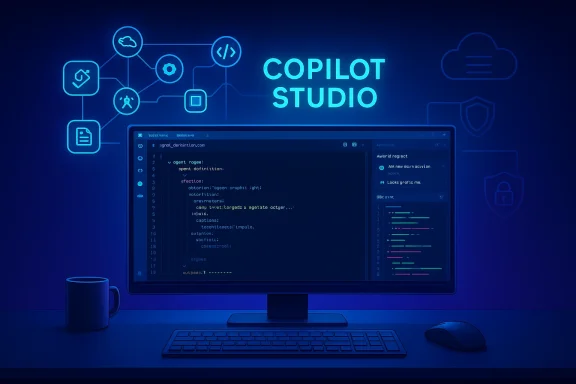
Microsoft has moved a major piece of its agent‑engineering story out of the browser and into the editor: the Microsoft Copilot Studio extension for Visual Studio Code is now generally available, letting teams clone, edit, preview, version and sync full Copilot Studio agent definitions from within VS Code so agents can be treated like software — complete with Git workflows, pull requests, local validdefinition and deployment pipelines. ation and the VS Code extension pages show the same developer loop: clone an agent to a local folder, edit topics/tools/triggers with IDE assistance, preview diffs against the cloud, and apply changes back to Copilot Studio for testing and promotion.
Copilot Studio began as a browser‑based, low‑code environment for building conversational and autonomous agents that connect to tenant knowledge, call connectors and execute actions across Microsoft services. The Visual Studio Code extension changes the surface area for authoring by exposing an agent’s full definition as a structured set of files (commonly YAML) in a local workspace, complete with editor ergonomics such as syntax highlighting and IntelliSense‑style suggestions. This makes agent logic visible, in the same way infrastructure and application code already are. Microsoft’s official docs lay out the synchronization primitives — Preview, Get and Apply — and explain their safety tradeoffs: Preview inspects remote changes without touching local files, Get pulls remote updates into your workspace (with conflict resolution), and Apply pushes local updates to the cloud (but does not publish them). These operations are central to the extension’s promise of bringing SDLC discipline to agent developmentnt.
Key vendor claims and independent confirmations:
Model availability and runtime routing (the models thaiences) are broader platform decisions and have recently seen rapid change: Microsoft has been adding options like Anthropic’s Claude to Copilot experien model rollouts in the Copilot family. These runtime choices are important because they affect completion quality, reasoning behavior and privacy/hosting implications — and they are controlled separately from the VS Code extension. Administrators should separate authoring workflows (agent definitions in VS Code) from runtime model selection and hosting decisions that are enforced at the tenant and environment level.
At the same time, the same speed that delivers productivity gains also rands. Successful enterprise adoption will depend on disciplined governance: RBAC, CI gates, permission scanning and tenant‑level controls must be implemented before a wide rollout. The extension is a powerful tool, but it must be adopted with the same care applied to any system that can directly access enterprise data and services.
The path forward is clear: pilot deliberately, bake checks into CI, restrict publish rights, and monitor agents once they run in shared environments. Doing so lets organizations capture the productivity upside of “agents as code” while keeping the operational and security risks within acceptable bounds.
Conclusion
Bringing Copilot Studio into Visual Studio Code turns agent authoring into an engineering discipline that fits naturally in existing developer toolchains. The extension delivers real, verifiable capabilities — local clone/edit/preview/apply, syntax and IntelliSense support, and Git workflow integration — that make agents manageable at scale. The work that remains is not technical feature parity but operational maturity: CI checks, permission governance, and incident preparedness will determine whether organizations realize the productivity benefits safely. For teams ready to treat agents like software, the Copilot Studio VS Code extension is the missing piece that finally makes that approach practical.
Source: Microsoft Copilot Studio Extension for Visual Studio Code Is Now Generally Available | Microsoft Copilot Blog
 Background
Copilot Studio began as a browser‑based, low‑code environment for building conversational and autonomous agents that connect to tenant knowledge, call connectors and execute actions across Microsoft services. The Visual Studio Code extension changes the surface area for authoring by exposing an agent’s full definition as a structured set of files (commonly YAML) in a local workspace, complete with editor ergonomics such as syntax highlighting and IntelliSense‑style suggestions. This makes agent logic visible, in the same way infrastructure and application code already are. Microsoft’s official docs lay out the synchronization primitives — Preview, Get and Apply — and explain their safety tradeoffs: Preview inspects remote changes without touching local files, Get pulls remote updates into your workspace (with conflict resolution), and Apply pushes local updates to the cloud (but does not publish them). These operations are central to the extension’s promise of bringing SDLC discipline to agent developmentnt. What the extension actually does — a practical overview
Clone, edit, preview, apply: the loop
- Clone an agent into your local workspace using the Copilot Studio pane or the command palette. The agent is storing structured files (agent definition, topics, triggers, settings, connection references, icons).
- Edit agent components in VS Code with syntax highlighting, validation and IntelliSense‑style completions that speed up correct edits and reduce simple formatting errors.
- Preview or diff cloud vs local to see what changed and avoid overw; Get retrieves remote changes and resolves conflicts, Apply uploads local changes to the remote agent definition for testing in Copilot Studio.
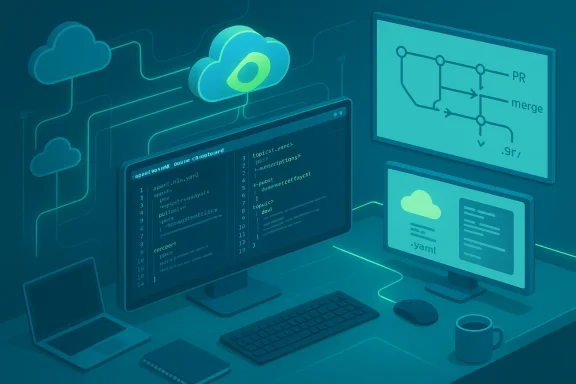
- Integrate the agent folder with Git: branch, create pull requests,d gate merges before syncing to cloud environments. The extension is explicitly designed to fit into existing GitOps and DevOps pipelines.
Developer ergonomics that matter
The extension purposefully leverages VS Code features engineers rely on: keyboard shortcuts, search, navigation, quick file switching and source‑control views. That reduces context switching and keeps the inner loop tight — especially for teams maintaining large or complex agents with many topics, tools and connectors.Why this is important: “agents as code” and enterprise readiness
From canvas to code
Treating agents as code is moren an agent’s topics, tools, triggers and settings become files in a repository, they can be:- Reviewed in PRs with human sign‑off
- Scanned in CI for risky permissions or connector scopes
- Rolled back with standard Git tooling
- Promoted through dev → staging → production pipelines
Platform integration and governance hooks
The extension is designed to interoperate with Microsoft’s broader agent ecosystem — Copilot Studio authoring, Microsoft 365 Copilot experiences, and tenant governance features (Agent 365 and admin controls). That integration is important because production agents often need tenant‑level approvals, monitoring of tool calls, and policy enforcement before they can operate at scale.Technical specifics and verified behavior
File layout and local representation
When cloned, an agent exposes files such as:- agent.mcs.yaml (main agent definition)
- topics/*.topic.yaml (conversation topics)
- settings.mcs.yml (configuration)
- connectioreferences.mcs.yml (connection references)
- icon.png and other assets
Synchronization semantics
Microsoft documents three core sync operations:- Preview — cloud to local; read‑only and safe to run frequently.
- Get — cloud to local; applies remote changes and may produce conflicts requiring manual resolution.
- Apply — local to cloud; uploads changes to the live agent but does not publish them; the extension blocks Apply if there are unseen remote changes.
Installation and platform requirements (verified)
The extension is available in the Visual Studio Code Marketplace and the Microsoft documentation lists supported platforms and helpful troubleshooting steps (authentication, marketplace visibility, version compatibility). Administrators should confirm:- Supported OS (Windows, macOS; Windows 10 1809 or later is referenced as supported)
- Visual Studio Code minimum recommended version (check marketplace listing for exact version compatibility)
- Copilot Studio licensing for users who will clone or modify agents
Key vendor claims and independent confirmations:
- The extension exposes agent definitions as local files and provides Preview/Get/Apply operations. This is documented in Microsoft’s Copilot Studio docs.
- The extension integrates with Git workflows and is intended to support standard PR, CI andMicrosoft’s documentation and marketplace listing emphasize Git integration and local development loops.
- The product is described as "generally available" and the Microsoft documentation pages were updated in mid‑January 2026, indicating GA status and a monthly marketplace release cadence. Administrators should still verify specific extension version numbers and tenant opt‑ins before production use.
- Broader platform-level claims (for example, wholesale adoption of a single “Agent Skills” standard across vendors) are nascent and should be treated as evolving expectations rather than settled facts. Community and press coverage sometimes mixes preview and GA wording; confirm the exact feature matrix against Microsoft Learn and the VS Code Marketplace listing before committing production rollouts.
Security and operational risks — what IT and security teams must plan for
The extension gives teams speed and convenience, but it also adds new failure modes if organizations treat it as a purely productivity tool without commensurate controls.Top risks
- Permission sprawl: agent definitions colors and permissions (Graph scopes, connector credentials). If those definitions are modified and synced without review, agents can gain broader access than intended.
- Consent‑abuse attack chains: adversaries can abuse legitimate consent flows to escalate privileges or exfiltrate data via agents that have too‑broad scopes.
- Supply‑chain and marketplace threats: malicious or repackaged VS Code extensions and third‑party packages remain a real vector; developers working from compromised machines can introduce backdoors into agent artifacts.
- Shadow developme can encourage branches of agent definitions to proliferate outside disciplined CI/CD flows, making it hard to audit which agent versios are not theoretical: community research and incident reports show real cases where consent flows and poor extension hygiene led to data expmust treat agent artifacts with the same security model applied to application code.
Recommended mitigations (operational controls)
- Confirm licensing and tenant access before adoption; limit who can publish or apply to production environments.
- Require PRs for any agent change, and run automated CI checks that:
- Lint and validate YAML structure
- Check for risky permissions (Graph scopes, connector definitions)
- Scan for secrets or hard‑coded credentials
- Enforce RBAC and tenant‑level policy gates (Agent 365 or equivalent governance plane) to require administrator sign‑offs for high‑impact agents.
- Maintain an allowlist for marketplace extensions and verify extension publishers; require digital sigossible.
- Execute periodic red‑team or tabletop exercises that simulate compromised agent scenarios and validate detection and response playbooks.
Adoption patterns: how teams should roll this out
A staged pilot path (recommended)
- Sandbox install: install the Copilot Studio extension in a non‑production tenant and clone a non‑sensitive agent to exercise the clone/edit/preview/apply loop.
- Build CI gates: create a small pipeline that validates agent definitions and fails merges that.
- Define ownership: assign clear owners for each agent and require explicit publish rights for production.
- Monitor behavior post‑apply: use Copilot Studio test panes and tenant logging to validate that applied changes behave as intended.
- Expand gradually: move to a controlled pilot with a few production agents, then widen the deployment once operational controls are mature.
Integration with AI assistants and model choices
Microsoft positions the extension to work with code assistants inside VS Code (for example, GitHub Copilot or other AI helpers) so developers can draft new topics, update tools and quickly fix issues in agent definitions with AI assistance before syncing changes. That reduces context switches and makes the iteration loop faster. The extension the editor — it’s about the authoring surface rather than runtime model selection.Model availability and runtime routing (the models thaiences) are broader platform decisions and have recently seen rapid change: Microsoft has been adding options like Anthropic’s Claude to Copilot experien model rollouts in the Copilot family. These runtime choices are important because they affect completion quality, reasoning behavior and privacy/hosting implications — and they are controlled separately from the VS Code extension. Administrators should separate authoring workflows (agent definitions in VS Code) from runtime model selection and hosting decisions that are enforced at the tenant and environment level.
Strengths and notable benefits
- Faster iteration for engineering teams: moving agent editing into VS Codches and uses the same editor workflows teams already rely on.
- Lifecycle parity with application code: agents can now be versioned, reviewed and promoted using already‑established SDLC practices.
- Improved auditability: file‑based agent definitions make it simpler to track who changed what and when, and tie those changes to PRs and CI runs.
- Local validation and preview: developers can catch structural errors and review cloud/local diffs before applying changes that affect live behavior.
Cautions and gaps to watch
- Documentation lag and feature parity: some community reports show preview‑era wording or slight documentation lags across Microlace listings. Confirm feature lists, supported OS/VS Code versions, and tenant opt‑in flags before broad adoption.
- Operationaagents “code” reduces certain risks but increases others (supply chain, shadow forks). Operational playbooks must evolve alongside technical adoption.
- Runtime model governance: the extension governs authoring; runtime model selection, hosting and data residency remain tenant decisions that require separate review and controls. Recent industry changes in model availability (for example, integrating external model providers) show runtime decisions can change quickly and carry separate compliance implications.
Practical DevOps teams
- Verify Copilot Studio license coverage and that developers have the necessary environment permissions.
- Pilot the extension in a sandbox tenant and exercise full clone/edit/preview/apply loops.
- Require Git branches and pull requests for any agent change; integin CI that validate agent manifest structure and permission scopes.
- Limit who can Apply changes to production environments and require multi‑party sign‑off for agents with elevated permissions.
- Add runtime model and hosting decisions to your compliance review for any production agent. Monitor for changes in model availability or provider contracts that could affect data residency or performance.
Final analysis — measured optimism
The Copilot Studio extension for Visual Studio Code is a pragmatic step toward professionalizing agent engineering: it closes the gap between low‑code authoring and pro‑code lifecycle controls, enabling teams to treat agents as auditable, versionable software artifacts. For engineering teams that already use Git, CI and code review, the extension reduces friction and accelerates safe iteration.At the same time, the same speed that delivers productivity gains also rands. Successful enterprise adoption will depend on disciplined governance: RBAC, CI gates, permission scanning and tenant‑level controls must be implemented before a wide rollout. The extension is a powerful tool, but it must be adopted with the same care applied to any system that can directly access enterprise data and services.
The path forward is clear: pilot deliberately, bake checks into CI, restrict publish rights, and monitor agents once they run in shared environments. Doing so lets organizations capture the productivity upside of “agents as code” while keeping the operational and security risks within acceptable bounds.
Conclusion
Bringing Copilot Studio into Visual Studio Code turns agent authoring into an engineering discipline that fits naturally in existing developer toolchains. The extension delivers real, verifiable capabilities — local clone/edit/preview/apply, syntax and IntelliSense support, and Git workflow integration — that make agents manageable at scale. The work that remains is not technical feature parity but operational maturity: CI checks, permission governance, and incident preparedness will determine whether organizations realize the productivity benefits safely. For teams ready to treat agents like software, the Copilot Studio VS Code extension is the missing piece that finally makes that approach practical.
Source: Microsoft Copilot Studio Extension for Visual Studio Code Is Now Generally Available | Microsoft Copilot Blog