

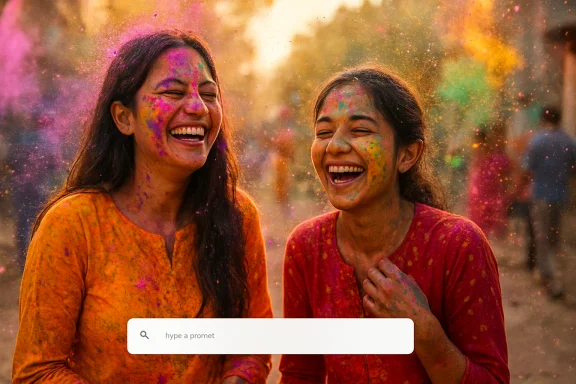
Holi has always been about colour, chaos, and connection. It is the rare festival where nobody minds a little mess, and everyone seems to wear joy on their sleeves, faces, and camera rolls. But in 2026, there is a new ritual alongside the gulal and gujiya: creating a custom Holi image that feels personal enough to send, share, and save. On Windows, that is now easy enough to do in minutes with AI tools already built into Microsoft’s ecosystem, from Copilot to Bing Image Creator and Paint. ps://www.microsoft.com/en-us/copilot-event?utm_source=openai))
Background — full context
Generative image tools have moved from novelty to utility. Microsoft’s own guidance now treats image generation as a mainstream Copilot capability, with prompts turning into new visuals or edits to uploaded images, and with generated images stored for a limited period before deletion. In practice, that means you can now ask a Windows AI tool to make a Holi greeting card, a playful family portrait, or a bright festival poster without opening a professional design suite. (microsoft.com)That shift matters because Holi is a visual festival in the fullest sense. The colours are symbolic, the greetings are social, and the images people send are often as important as the words attached to them. The forum material supplied for this piece describes exactly that transition: Holi’s tactile traditions are being mirrored by a digital ritual, where users create bespoke greetings in minutes using generative AI rathe same recycled card image again and again.
Microsoft’s Windows stack is especially well placed for this use case. Copilot can generate new images from text prompts, Microsoft Bing Image Creator offers a broader public-facing creation flow, and Paint’s Image Creator brings AI art directly into a familiar desktop app. Microsoft also says Copilot image generation is free in its consumer surfaces, while Bing Image Creator can be accessed directly at the create experience and now offers multiple model options, including Microsoft’s own MAI-Image-1. (microsoft.com)
There is also a bigger strategic backdrop. Microsoft has been steadily pushing Copilot from a chat box into a creative and productivity layer across Windows and the web. The company’s recent image-generation messaging emphasises photorealism, speed, prompt-following, and tighter integration with everyday workflows. That is exactly the kind of foundation that makes festival graphics easy: not sn, but good-enough visual polish in the time it takes to make tea. (microsoft.com)
The result is a surprisingly practical workflow for ordinary users. You do not need Photoshop mastery, a drawing tablet, or a stock-photo subscription. You need a good prompt, a sense of style, and a few minutes of experimentation. For Holi, whnd friendliness matter more than strict realism, AI image tools are a natural fit.
Why Holi and AI fit each other so well
A festival built for visual storytelling
Holi is already about transformation. White clothes become canvases, faces become expressive, and even a simple greeting can feel celebratory if the colours are right. That makes it ideal for image generation, because the festival’s visual language is broad, emotional, and forgiving.es not need to be clinically precise; it needs to feel alive.A few reasons the festival works so well with AI art:
- Bright palettes are easy to describe and instantly recognisable.
- Loose composition suits playful, spontaneous artwork.
- Universal motifs like pichkaris, gulal, dhol, and sweets give the model strong anchors.
- Greeting-card formatting works naturally as a square post, phone wallpaper, or chat sticker.
- Emotional tone matters more than technical detail, so the output can be stylised without feeling wrong.
What Windows users can use today
On Windows, the most accessible options are not hidden in specialist apps. Microsoft’s support and product pages show that image generation is available through Copilot, Bing Image Creator, and Image Creator in Paint, with some features tied to Microsoft accounts and specific subscription or device requirements depending on the surface. That is helpful because users can choose the workflow that matches their comfort level. (support.microsoft.com)In practical terms, that means:
- Copilot on Windows for fast, conversational prompt creation.
- Bing Image Creator for direct image generation and model choice.
- Paint for quick, local editing-style workflows.
- Copilot app and web surfaces when you want to iterate or save variations.
Getting started on Windows
Step 1: Pick the right tool for the job
The fastest path is usually Copilot. Microsoft says you can simply ask Copilot to generate an image from a prompt, and it can also help you edit uploaded images. If you are already using Windows and want a conversation-style experience, that is the easiest entry point. (microsoft.com)If you prefer more control over the creation environment, Bing Image Creator is the more explicit image-making surface. Microsoft now positions it as a free, model-based tool with support for newer in-house image models and familiar prompt workflows. (microsoft.com)
If you want to work inside a traditional desktop app, Paint’s Image Creator is the most approachable option. Microsoft’s support documentation says it can generate AI art directly in Paint, though access may depend on account, subscription, and device requirements. (support.microsoft.com)
Step 2: Write a prompt that names the festival clearly
AI image tools tend to work better when the prompt is concrete. For Holi, do not just ask for “a colourful festival image.” Say what you want to see. Microsoft’s own prompting guidance for image creation encourages users to describe the subject and style, and the forum material around Holi greetings shows that simple, specific prompts are the most useful in practice. (microsoft.com)Try prompts like:
- “A cheerful Holi greeting card with vibrant pink, yellow, and blue powder clouds.”
- “A joyful Indian family celebrating Holi in a sunlit courtyard, festive and photorealistic.”
- “A modern Holi poster with decorative typography, paint splashes, and marigold accents.”
- “A cute illustrated Holi scene for social media, bright, friendly, and colorful.”
- “A festive Holi wallpaper with dhol, pichkari, gulal, and flying colours in the background.”
- Subject
- Mood
- Colour palette
- Style
- Camern
- Output format
Step 3: Add style words that match the audience
Not every Holi image should look the same. A family greeting and a social-media poster need different tones. The forum content around AI Holi greetings highlights how users are turning one holiday into several content styles: cards for family, visuals for friends, and polished images for sharing. That means the prompt should change with the audience.Consider these style directions:
- Photorealistic for family portraits or realistic social posts.
- Illustrated for cheerful, lightweight cards.
- Minimalist for clean greetings with space for text.
- Festive and ornate for poster-like outputs.
- Playful cartoon for younger audiences or casual chats.
Step 4: Generate, review, refine
One of the advantages of Microsoft’s tools is speed. The company repeatedly highlights quick generation and practical output, and that is ideal for festival content where users often want several options before choosing the best one. The right workflow is usually: generate, inspect, refine, repeat. (microsoft.com)What to check in each result:
- Are the colours festive enough?
- Does the image feel joyful rather than cluttered?
- Are the faces and hands rendered cleanly?
- If text is included, is it readable?
- Does the composition leave room for a caption or name?
Creative prompt recipes for Holi
Family greeting cards
For family messages, warmth usually works better than spectacle. A cosy scene with relatives, soft sunlight, and restrained colour often feels more personal than a high-energy crowd shot.Try prompts such as:
- “A warm Holi family greeting card, smiling parents and children surrounded by pink and yellow gulaal, elegant and heartfelt.”
- “An Indian grandmother and grandson celebrating Holi with gentle colour splashes, soft light, and a beautiful festive background.”
- “A traditional Holi family scene with marigolds, sweets, and subtle pastel powder clouds, designed as a greeting card.”
- Add names if you want the image to feel bespoke.
- Request empty space for a message.
- Use softer palettes for elders or formal greetings.
- Ask for portrait orientation if you plan to share via chat.
Friends and social media posts
For friends, the tone can be louder, faster, and more playful. The best images often feel energetic enough for Instagram Stories, WhatsA casual DMs.Prompt ideas:
- “A high-energy Holi party with friends throwing vibrant colour powder, dynamic motion, and festive confetti.”
- “A bold Holi social media graphic with bright paint splashes, modern typography, and a youthful vibe.”
- “A joyful group of friends dancing during Holi, colourful and fun, with cinematic lighting.”
Business greetings and community notices
Businesses need Holi graphics that feel festive without becoming chaotic. A business greeting should still carry the holiday mood, but it must leave room for brand identity, logos, or simple text overlays.Useful prompts include:
- “A professional Holi banner with elegant colour splashes, minimal background clutter, and space for company text.”
- “A polished Holi greeting for a corporate email header, modern and vibrant but clean.”
- “A festive Holi poster with decorative patterns, premium styling, and room for a headline.”
- Clean negative space
- Muted background geometry
- Balanced colours
- No unreadable text
- Landscape format for banners
Wallpapers and lock screens
Windows users may also want a Holi wallpaper rather than a greeting card. That changes the prompt quite a bit, because the image needs to look good behind icons and widgets.Good wallpaper prompts:
- “A minimalist Holi wallpaper with sweeping color clouds and a dark background for desktop icons.”
- “A vivid Holi celebration wallpaper with space in the center for a clock and shortcuts.”
- “A dreamy Holi-themed Windows wallpaper with pink, orange, and teal powder trails across the edges.”
- Avoid busy faces near the center
- Leave darker or cleaner areas for icon readability
- Ask for ultra-wide composition if needed
- Use high contrast sparingly
Making the image look polished
Composition matters more than you think
The easiest way to make an AI Holi image feel premium is to control the layout. A strong composition can hide minor flaws and make the image feel intentional. That matters because image generators are improving, but they still benefit from user direction. Microsoft’s own image tools emphasise practical, usable visuals, which means composition is not optional; it is part of the prompt. (microsoft.com)Consider asking for:
- Centered subject
- Symmetrical framing
- Rule-of-thirds composition
- Wide-angle festival scene
- Clean background for text placement
Colour control keeps the image from becoming muddy
Holi is colourful by definition, but too many colours can become visually noisy. The trick is to choose a palette and repeat it. Instead of asking for “every colour,” specify a family of tones.For example:
- Pink, yellow, and turquoise
- Saffron, red, and gold
- Pastel rainbow with soft highlights
- **Deep blue b ul palette strategies:
- Two or three main colours
- One accent colour
- A neutral background
- A consistent lighting style
Text inside the image: use it carefully
Microsoft has been positioning better text rendering as a major advantage in its image models, but even with improvements, image-generated typography remains a common weak point across the industry. That means the safest approach is often to create the image first and add the text later in a separate step, especially for greetings that need perfect spelling. (microsoft.com)Best practice:
- Generate a text-free image
- Add the greeting in Paint, Canva, or another editor
- Keep the message short
- Use a strong, readable font
- Match text colour to the palette
Privacy, safety, and practical limits
Know what Microsoft says about image use
Microsoft’s support pages make it clear that Copilot image generation and related features come with usage policies, account expectations, and content controls. The company also says uploaded images should be original or properly licensed, and that it uses controls to prevent harmful or inappropriate outputs. (support.microsoft.com)That means users should be careful about:
- Using copyrighted photos without rights
- Uploading other people’s images without consent
- Expecting unrestricted image editing
- Assuming generated images are stored forever
Be realistic about account and device requirements
Not every Windows AI image path is identical. Some features are free, some may require sign-in, and some are tied to Copilot+ PCs or Microsoft 365 subscriptions. Paint’s Image Creator, for example, is documented as available to Microsoft 365 Personal and Family subscribers, as well as Copilot Pro subscribers, with AI credits involved. Microsoft also notes that Copilot Search or Bing Search users may be prompted to sign in before generating images. (microsoft.com)That is not a deal-breaker, but it does mean the “minutes” part of the promise depends on the surface you use. If you already have a Microsoft account and use Windows regularly, the friction is low. If not, expect a little setup time first.
The human eye still matters
AI can accelerate creativity, but it cannot fully replace judgment. Festival images are social objects; people notice whether a greeting feels thoughtful, sloppy, or culturally tone-deaf. A Holi image should look festive, respectful, and appropriate to the audience.Before sending, ask:
- Does this image fit the recipient?
- Is the tone warm and celebratory?
- Are there awkward hands or faces?
- Does the image need text cleanup?
- Would a simpler version work better?
Why Microsoft’s approach is useful for ordinary people
Familiar tools lower the barrier
The most compelling thing about this workflow is not raw model quality; it is familiarity. Users do not need to learn a new creative ecosystem from scratch. They can stay inside Windows, Copilot, Paint, and Bing — tools many already use every day. Microsoft’s strategy is clearly to fold AI into existing habits rather than asking users to build new ones from zero. (microsoft.com)That makes Holi image creation accessible to:
- Students
- Parents
- Small businesses
- Community groups
- Office workers
- Casual users who just want a nice greeting
Speed turns creativity into a habit
Microsoft’s Copilot messaging repeatedly stresses convenience and speed, and that is a major reason AI greeting cards are spreading. When making an image is fast, people are more likely to customise it for each recipient. That transforms greetings from mass-forwarded clutter into small gestures of care. (microsoft.com)This is the subtle behavioural change worth watching:
- More personalisation
- More frequent use
- Less reliance on generic templates
- More willingness to experiment
- Better emotional resonance
Strengths and Opportunities-based AI image workflow has several clear strengths for Holi use cases. First, it is simple: Copilot and Bing Image Creator reduce the process to a few prompts and a few revisions. Second, it is fast: Microsoft continues to emphasise rapid generation and easy iteration. Third, it is integrated: the tools live in the same environment many Windows users already trust. (microsoft.com)
The opportunity is even bigger than festival greetings. A good Holi workflow can become a template for every seasonal and social use case that follows. Once users learn how to create one custom card, they can make:- Birthday greetings
- Wedding invitations
- Event banners
- Classroom visuals
- Workplace celebration posts
- Desktop wallpapers
- Family group-chat images
Risks and Concerns
The biggest risk is overconfidence. AI image generation can make people feel like every idea will work on the first try, but that is not true. Hands can still look odd, typography can still fail, and prompts can still drift into generic festival scenes. Microsoft’s own documentation also shows that access and retention rules matter, so users should not treat the tool like an infinitely private scrapbook. (microsoft.com)Other concerns include:
- Cultural flattening if the output becomes too generic.
- Copyright and consent issues if users upload the wrong source images.
- Privacy concerns around account-linked creation.
- Text rendering errors in greetings that rely on captions.
- Subscription confusion when different Windows surfaces offer different access rules.
What to Watch Nextge ecosystem is evolving quickly, and that matters for holiday creativity on Windows. The company has added new model choices to Bing Image Creator, promoted in-house image models, and continued to make Copilot more central to creation across devices. If that pace continues, the Holi workflow in 2027 may look even smoother than it does today. (microsoft.com)
What to watch:- Better typography inside generated visuals
- Faster rendering in Copilot and Paint
- More control over style and composition
- Broader access across Windows devices
- Smarter editing of uploaded images
- More festival-ready templates and prompts
Holi has always been about making the world more vivid for a day. AI tools on Windows simply extend that instinct into the digital realm, giving ordinary users a faster way to make something joyful, personal, and worth sharing. If you want to stand out this year, the smartest move is not forwarding another recycled card. It is making your own, with the same colours that make the festival unforgettable.
Source: timesnownews.com Happy Holi 2026: How To Create Stunning AI Images Using ChatGPT, Gemini And Grok In Minutes
Last edited:
