

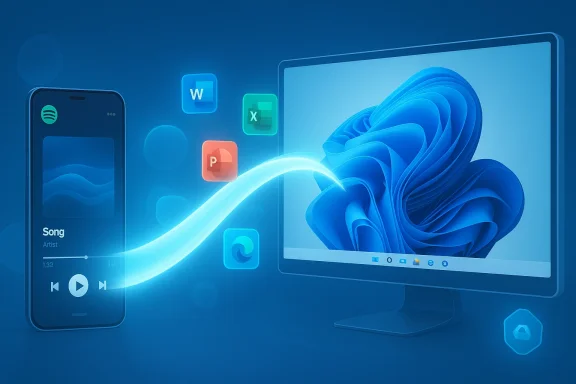
Microsoft’s Windows 11 just took a clear step toward the kind of cross‑device continuity Apple users have long enjoyed: the operating system’s Cross‑Device Resume feature has been expanded in Release Preview builds to let select Android activities — notably Spotify playback, Microsoft Office documents, and web browsing sessions — be picked up on a PC with a single click from the taskbar. (blogs.windows.com)
Microsoft first introduced the Resume capability as a limited continuity tool tied to OneDrive and a small set of scenarios, but the company has systematically broadened the concept into a platform feature that tries to bridge Android phones and Windows 11 PCs without running the Android app locally on the desktop. The recent Insider Release Preview notes (Builds 26100.7701 and 26200.7701, KB5074105) explicitly call out broader support — including resuming Spotify playback, working on Word/Excel/PowerPoint files started on phone, and continuing browsing sessions — marking the first major step beyond OneDrive-only handoffs. (blogs.windows.com)
This shift is strategically important for Microsoft. With the Windows Subsystem for Android (WSA) and the Amazon Appstore for Windows being sunsetted, Microsoft has been nudged toward continuity experiences that link devices rather than attempting to run Android apps inside Windows. Cross‑Device Resume is a lighter, developer‑friendly route: it relies on background telemetry and context handoffs rather than a full virtualized Android runtime. That pivot is already visible in how Microsoft describes the feature and in how it’s rolled out via Insider channels.
Under the hood, the feature depends on two things in practice:
If Microsoft can broaden vendor participation, harden privacy controls, and encourage major third‑party apps to ship resume hooks, Cross‑Device Resume could become a practical, widely used continuity layer. Right now, it’s a promising, pragmatic start — useful for early adopters and a useful bridge for Microsoft as it shifts strategy away from running Android locally toward connecting devices more intelligently. (blogs.windows.com)
In short: the feature works where it’s enabled, it’s simple to use when the stars align (same account, Link to Windows enabled, supported OEM), and it’s a strategic move by Microsoft to deliver continuity without resurrecting the full Android runtime on Windows. Whether it becomes a core part of everyday Windows workflows depends on how quickly Microsoft and app developers can broaden support and how effectively the company addresses the security and enterprise governance questions that this kind of cross‑device capability inevitably raises. (blogs.windows.com)
Source: filmogaz.com Windows 11 Enables Android App Resumption for Spotify, Web Browsing
 Background: where this feature came from and why it matters
Microsoft first introduced the Resume capability as a limited continuity tool tied to OneDrive and a small set of scenarios, but the company has systematically broadened the concept into a platform feature that tries to bridge Android phones and Windows 11 PCs without running the Android app locally on the desktop. The recent Insider Release Preview notes (Builds 26100.7701 and 26200.7701, KB5074105) explicitly call out broader support — including resuming Spotify playback, working on Word/Excel/PowerPoint files started on phone, and continuing browsing sessions — marking the first major step beyond OneDrive-only handoffs. (blogs.windows.com)This shift is strategically important for Microsoft. With the Windows Subsystem for Android (WSA) and the Amazon Appstore for Windows being sunsetted, Microsoft has been nudged toward continuity experiences that link devices rather than attempting to run Android apps inside Windows. Cross‑Device Resume is a lighter, developer‑friendly route: it relies on background telemetry and context handoffs rather than a full virtualized Android runtime. That pivot is already visible in how Microsoft describes the feature and in how it’s rolled out via Insider channels.
What’s included in the latest Release Preview update
The Release Preview update (Windows 11 builds 26100.7701 and 26200.7701) expands Cross‑Device Resume beyond the initial OneDrive scope. The headline items called out by Microsoft are:- Resume Spotify playback on PC from an Android phone session. (blogs.windows.com)
- Continue working on Word, Excel, and PowerPoint files that were opened in the Microsoft Copilot app on supported phones; files open in the native Office app on PC when available, otherwise they open in the browser. (blogs.windows.com)
- Continue Edge browsing sessions and specific vendor browser sessions (notably Vivo Browser to the PC’s default browser). (blogs.windows.com)
- OEM scope for Copilot-file resume currently includes HONOR, OPPO, Samsung, Vivo, and Xiaomi devices. Offline files saved locally on the phone are not supported — only cloud/online documents can be handed off. (blogs.windows.com)
How Cross‑Device Resume works (in plain terms)
At the user interaction level, Cross‑Device Resume behaves like this: when you’re doing something in a supported app on your linked Android phone, Windows may display a small alert or phone‑badged icon on the taskbar. Clicking that alert opens the corresponding app or document on your Windows PC and attempts to resume the exact activity or playback position you left on the phone. If the corresponding desktop app isn’t installed — Spotify is the canonical example — Windows will offer a one‑click install from the Microsoft Store and then prompt you to sign in. (blogs.windows.com)Under the hood, the feature depends on two things in practice:
- The phone must be linked to the PC with the Link to Windows app (or Phone Link) and must permit background activity so the phone can notify Windows when an activity is resume‑ready.
- App developers need to expose “app context” via the Continuity/Resume API surface (Microsoft’s Continuity SDK) so the phone can tell Windows what to re‑open and where to resume. This avoids running the Android app inside Windows and instead feeds the context to a native or web handler on the PC.
Step‑by‑step: enable and test Cross‑Device Resume today (Insider preview)
If you’re in the Release Preview channel and want to try the expanded Resume capability, the checklist below is drawn from Microsoft’s official guidance and Insider notes.- Ensure your PC is running the Release Preview build that includes the update (Build 26100.7701 or 26200.7701, KB5074105). (blogs.windows.com)
- On your PC go to Settings > Bluetooth & devices > Mobile devices and turn on Allow this PC to access your mobile devices. Add and pair your Android phone if you haven’t already.
- Install and run the Link to Windows app on your Android phone and allow it to run in the background. Grant any requested permissions for background activity and notifications.
- Use the supported app on your phone (e.g., play a track in Spotify or open an online Word document in the Copilot app). Watch for a “Resume” alert on the taskbar when you switch to your PC and click it to resume. If the desktop app isn’t installed, follow the one‑click install flow and sign in to the same account on both devices. (blogs.windows.com)
Strengths: what Microsoft gets right with this expansion
- Low‑friction continuity without full virtualization. Cross‑Device Resume avoids WSA’s heavy approach by transferring context instead of running the Android runtime on the PC. That lowers resource costs and simplifies developer integration for use cases where full app parity isn’t necessary. It’s a pragmatic architectural choice.
- Tight integration with Microsoft Office and Copilot. Making it trivial to continue an online Word, Excel, or PowerPoint session from phone to PC fits naturally with Microsoft 365 work patterns and could speed mobile‑to‑desktop handoffs for real productivity tasks. Because files open in native Office apps when present, the experience is more likely to be seamless for Microsoft 365 subscribers. (blogs.windows.com)
- Streamlined onboarding for users. The one‑click install for missing desktop apps (e.g., Spotify) is user friendly and reduces friction compared with manually finding and installing software. That’s especially helpful for non‑technical users. (blogs.windows.com)
- Vendor cooperation extends reach. By working with major OEMs such as Samsung, Xiaomi, HONOR, OPPO, and Vivo for Copilot file handoff and for Vivo Browser integration, Microsoft gains entry points into widely deployed Android skins where it would otherwise be a very fragmented market. (blogs.windows.com)
Risks and limitations you should know about
- Fragmentation and inconsistent vendor support. Because the feature today is selectively supported by certain OEMs and by applications that choose to implement Continuity hooks, your mileage will vary widely by manufacturer, phone model, OS skin, and app. Google Pixel phones and a range of other devices are conspicuously absent from some vendor lists, and offline/local phone files are explicitly not supported. That means Cross‑Device Resume is not — at least not yet — a universal continuity layer for Android. (blogs.windows.com)
- Dependency on Link to Windows and background permissions. Resume relies on the phone app running and maintaining background connectivity; aggressive battery managers or privacy‑oriented ROMs can break the chain. Users who deny the necessary background permissions will not see reliable resume prompts. This is a practical support headache for help desks.
- Account parity and sign‑in pain. For apps that require authentication — Spotify is the canonical example — you must be signed into the same account on phone and PC. That’s intuitive, but it is also a common point of user confusion that will generate support tickets. Microsoft’s solution of prompting for one‑click installs helps, but it doesn’t remove the need to manage sign‑in.
- Security and privacy surface increases. Any feature that transfers app context across devices increases the attack surface: an attacker who can spoof resume tokens or intercept handoff notifications could attempt to trigger unwanted app installs or open sensitive documents on a paired PC. Microsoft’s documentation shows ability to opt‑out at app or device level (Settings > Apps > Resume), but enterprises and privacy‑concerned users will want explicit controls and logs to audit which handoffs occur. This is a real‑world risk the notes do not fully quantify.
- Not a replacement for full Android‑on‑PC experiences. Cross‑Device Resume is contextual by design; it’s not a path to running all Android apps on Windows with feature parity. For use cases that require full local execution, WSA’s deprecation leaves a capability gap that Microsoft has not attempted to fill with this feature alone. Users who expected a full Play Store experience on Windows will find this limited by comparison.
Enterprise and privacy implications: what IT teams need to evaluate
Enterprises should treat Cross‑Device Resume as a potential convenience paired with new policy considerations. IT administrators will want to evaluate:- Policy controls and opt‑out mechanisms. Microsoft provides toggles at the OS level to disable Resume entirely or per app via Settings > Apps > Resume. Enterprises should verify these settings are controllable by group policy or endpoint management tools before broadly enabling the feature.
- Data residency and document flow. Because Copilot/Office handoffs open cloud documents on the PC (or in the browser), IT must confirm that sensitive documents don’t inadvertently surface on unmanaged PCs when an employee uses their phone in a public place. The fact that offline phone files are not supported is helpful, but online document access still needs governance. (blogs.windows.com)
- Authentication and SSO alignment. The same‑account requirement calls for consistent SSO strategies across mobile and desktop for corporate apps. IT teams should test the experience with their identity providers to ensure token lifetimes and conditional access policies don’t break handoffs.
- Auditability. Enterprises should request or demand device and resume logs from Microsoft (or enforce logging locally) to track resume events for compliance and forensics. The current public documentation does not describe enterprise‑grade logging for Cross‑Device Resume in detail. This is a gap IT should flag to Microsoft. (blogs.windows.com)
Developer angle: what app makers should do
For third‑party developers, Cross‑Device Resume is an invitation, not a requirement. The feature will be meaningful if more apps expose resumeable context; Microsoft’s Continuity SDK and related documentation show how to register context and respond to a resume request on Windows. Developers building apps that exist on both Android and Windows should:- Add explicit resume context to the Android app so it can hand off position/state to Windows.
- Ensure account and session management is seamless across platforms, and use single sign‑on flows where possible.
- Think about privacy and allow users to control resumeable contexts per app. Provide clear UI to let users opt out of cross‑device handoff.
How this compares with Apple’s Handoff — similar, but different constraints
Apple’s Handoff works within a tightly controlled ecosystem (same vendor hardware and OS designs), which gives it a consistent API surface and predictable connectivity. Microsoft is attempting something functionally similar but across a highly fragmented Android ecosystem. The result is a solution that is conceptually like Handoff — a visual cue and a quick resume — but practically constrained by OEM cooperation, app developer adoption, account parity, and Android background execution rules. Observers and reviewers have repeatedly likened Cross‑Device Resume to Apple’s Handoff while noting that parity and polish remain a work in progress.What’s missing and what to watch next
- No public GA date: Microsoft’s Release Preview notes describe a gradual rollout but do not provide a firm general availability date; claims of a “public launch in the coming weeks” in some press pieces are optimistic and not explicitly confirmed by Microsoft’s blog. Treat timeline promises as provisional until Microsoft announces GA. (blogs.windows.com)
- Wider OEM and device coverage: Expect Microsoft to expand the OEM list, but also expect continued gaps — Pixel phones and other popular models are not guaranteed coverage. Keep an eye on updates to the Continuity SDK and OEM adoption.
- Security hardening and enterprise controls: Microsoft will need to publish more detailed enterprise‑grade controls and logging to reassure corporate customers who are wary of cross‑device document movement. (blogs.windows.com)
- Developer uptake: The real tipping point will be meaningful adoption by major apps beyond Spotify and Office. If app makers integrate resume hooks, the feature becomes broadly valuable; otherwise, it risks remaining a limited convenience.
Practical recommendations for Windows users today
- If you value continuity and are comfortable running Insider preview builds, enroll in Release Preview and test the feature with the supported apps and phones. Follow the Microsoft checklist for pairing and background permissions. (blogs.windows.com)
- For privacy‑minded users, verify Settings > Apps > Resume to control per‑app handoffs, and consider leaving the capability off for apps that handle sensitive content.
- Enterprises should pilot the feature with a small user group and validate SSO, conditional access, and data leakage controls before broader deployment. Ask vendors for logging and policy hooks if you intend to enable it widely. (blogs.windows.com)
- Developers should prioritize consistent account flows and offer clear user controls around resumeable state. If your app spans Android and Windows, evaluate the Continuity SDK sooner rather than later.
Bottom line
Cross‑Device Resume is a meaningful step toward a practical cross‑device story for Windows 11 in a post‑WSA world. By focusing on context handoff rather than full Android emulation, Microsoft has built a lighter, faster route to the kinds of handoffs users want — playback position, document editing state, or a tab in a browser. The Release Preview expansion to Spotify, Office files, and browsing shows that the idea can work in real scenarios, but the execution will be judged on three fronts: developer adoption, OEM cooperation, and enterprise controls.If Microsoft can broaden vendor participation, harden privacy controls, and encourage major third‑party apps to ship resume hooks, Cross‑Device Resume could become a practical, widely used continuity layer. Right now, it’s a promising, pragmatic start — useful for early adopters and a useful bridge for Microsoft as it shifts strategy away from running Android locally toward connecting devices more intelligently. (blogs.windows.com)
In short: the feature works where it’s enabled, it’s simple to use when the stars align (same account, Link to Windows enabled, supported OEM), and it’s a strategic move by Microsoft to deliver continuity without resurrecting the full Android runtime on Windows. Whether it becomes a core part of everyday Windows workflows depends on how quickly Microsoft and app developers can broaden support and how effectively the company addresses the security and enterprise governance questions that this kind of cross‑device capability inevitably raises. (blogs.windows.com)
Source: filmogaz.com Windows 11 Enables Android App Resumption for Spotify, Web Browsing
