

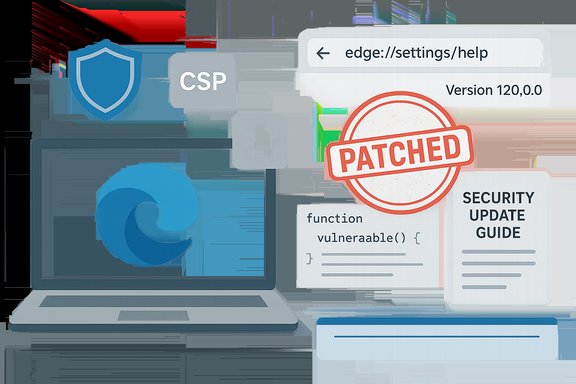
Chromium’s CVE‑2025‑12445 — described as a policy bypass in Extensions — appears in Microsoft’s Security Update Guide because Microsoft Edge (Chromium‑based) consumes Chromium open‑source code; the Security Update Guide entry is Microsoft’s downstream signal that the patched Chromium change has been ingested into an Edge build and that Edge users can confirm remediation by checking their local Edge version.
Chromium is the upstream, open‑source engine that powers a broad portion of the modern browser ecosystem, including Google Chrome and Microsoft Edge (Chromium‑based). When a security vulnerability is discovered and assigned a CVE against Chromium, the fix is implemented upstream and shipped in Chrome builds. Downstream vendors — Microsoft among them — must ingest that upstream change, run product‑level integration and testing, and then ship a new vendor build (Microsoft Edge) that contains the fix.
Microsoft’s Security Update Guide (SUG) therefore lists Chromium‑assigned CVEs that affect Microsoft products to declare when Microsoft’s downstream product (Edge) is no longer vulnerable. This is an operational, not an attribution, statement: listing a Chromium CVE in SUG means Microsoft has tracked the upstream issue and is reporting the downstream remediation status for Edge customers.
The practical implication: a Chrome stable update that fixes a Chromium CVE does not automatically mean Edge is patched at the same moment. Administrators and users should consult the SUG entry for the CVE and their browser’s About/version page to confirm the exact downstream Edge build that includes the ingestion.
A policy bypass in Extensions indicates a logic or validation failure in the extensions subsystem that can let an attacker circumvent these protections under certain conditions. Typical outcomes include:
Treat SUG entries as the authoritative downstream signal for Edge, verify your local build string against the SUG/release‑note mapping, patch promptly, and maintain strong extension and inventory hygiene — especially for embedded Chromium runtimes — to close the window of exposure.
Source: MSRC Security Update Guide - Microsoft Security Response Center
 Background / Overview
Chromium is the upstream, open‑source engine that powers a broad portion of the modern browser ecosystem, including Google Chrome and Microsoft Edge (Chromium‑based). When a security vulnerability is discovered and assigned a CVE against Chromium, the fix is implemented upstream and shipped in Chrome builds. Downstream vendors — Microsoft among them — must ingest that upstream change, run product‑level integration and testing, and then ship a new vendor build (Microsoft Edge) that contains the fix.Microsoft’s Security Update Guide (SUG) therefore lists Chromium‑assigned CVEs that affect Microsoft products to declare when Microsoft’s downstream product (Edge) is no longer vulnerable. This is an operational, not an attribution, statement: listing a Chromium CVE in SUG means Microsoft has tracked the upstream issue and is reporting the downstream remediation status for Edge customers.
The practical implication: a Chrome stable update that fixes a Chromium CVE does not automatically mean Edge is patched at the same moment. Administrators and users should consult the SUG entry for the CVE and their browser’s About/version page to confirm the exact downstream Edge build that includes the ingestion.
What “Policy bypass in Extensions” actually means
The attack surface: Extensions and policy enforcement
Browser extensions are powerful and intentionally privileged. They can inject scripts, access page DOMs, read and store extension data, and interact with browser APIs that normal web pages cannot. To limit risk, browsers enforce a set of policies and controls — including Content Security Policy (CSP) for pages and extensions, origin checks, and extension manifest permissions.A policy bypass in Extensions indicates a logic or validation failure in the extensions subsystem that can let an attacker circumvent these protections under certain conditions. Typical outcomes include:
- Injection or execution of remote scripts despite CSP restrictions.
- Unauthorized use of extension APIs or elevated privileges.
- Escalation from a benign web page visit to a more powerful compromise if a high‑privilege extension is present.
Why attackers target extension paths
Extensions often combine broad privileges and persistent access. A single privileged extension — if abused — can amplify the impact of a policy bypass far beyond what a regular web page compromise would achieve. That makes policy enforcement in the extensions pipeline a high‑value target for attackers and a priority for upstream and downstream vendors to fix promptly.Why the CVE appears in Microsoft’s Security Update Guide
- Microsoft tracks upstream Chromium CVEs that affect code shipped inside Edge so that Edge administrators and enterprises have a single authoritative place (SUG) to confirm remediation status and the exact Edge build that contains the fix. This avoids operational confusion about whether Edge is protected immediately after a Chrome release.
- The SUG entry signals that Microsoft has completed ingestion, testing, and downstream release of the patched code. The presence of the CVE in SUG is a downstream status statement — not an indication Microsoft wrote the original bug.
- For enterprises that rely on vendor-specific remediation records for compliance, the SUG entry is the practical trigger for patch workflows and audit evidence. It allows admins to document when Edge builds reached a patched state and which builds should be treated as the remediation baseline.
How to see your browser version (desktop and mobile) — exact steps
Confirming the exact browser build installed on a device is the most reliable way to tell whether a given Edge or Chrome installation includes a Chromium fix.Microsoft Edge (desktop — Windows / macOS / Linux)
- Open Microsoft Edge.
- Type edge://settings/help in the address bar and press Enter — this opens the About page and automatically checks for updates.
- Alternatively, type edge://version to view the full version string and associated Chromium revision.
- The About page will show a product version such as 1xx.x.xxxx.xx; note the full string, then compare it to the SUG entry or Edge release notes to confirm ingestion.
Google Chrome (desktop — Windows / macOS / Linux)
- Open Google Chrome.
- Type chrome://settings/help to check for updates and view the Chrome version.
- Or use chrome://version to see the full installed build string (e.g., 140.0.7339.xxx).
- If Chrome is patched but you rely on Edge, do not assume immediate parity; verify Edge’s SUG/Edge release notes for the corresponding ingestion build.
Mobile (Edge / Chrome on Android / iOS)
- Open the app → Settings → About (or view the app’s page in Google Play / App Store) to see the version.
- Mobile browsers usually follow vendor app‑store update cycles; verify the installed app version against vendor advisories or the SUG entry for mobile if applicable.
How to use that version number to confirm whether CVE‑2025‑12445 is fixed
- Get the installed browser version string from the About or version page (edge://version, chrome://version).
- Check Microsoft’s Security Update Guide entry for CVE‑2025‑12445 to see the fixed in Edge build or the SUG statement that Edge is no longer vulnerable. The SUG entry is the downstream authority for Edge ingestion status.
- If an exact fixed build is not present in SUG, check Microsoft Edge release notes for the release that “incorporates the latest Security Updates of the Chromium project.” Edge release notes map Edge builds to the Chromium security updates they include.
- If the installed Edge version is the same as — or newer than — the Edge build listed in SUG/release notes, the browser is remediated per Microsoft’s downstream statement. If not, update Edge and relaunch.
Practical guidance for home users and administrators
Immediate steps for home and business users
- Update your browser now using the About page (edge://settings/help or chrome://settings/help) and restart to apply changes. The About page both reports the version and triggers update checks.
- Remove or disable untrusted or unnecessary extensions; extension hygiene reduces the blast radius of policy bypass bugs.
- Use Enhanced Safe Browsing (or similar built‑in protections) to add an additional layer of defense while you wait for patches.
Enterprise / Managed environments — prioritized checklist
- Inventory: query endpoints for Chrome/Edge and embedded Chromium (Electron/CEF/Kiosk) versions; treat embedded Chromium runtimes as separate patch objects.
- Prioritize: high‑risk groups first — admins, remote‑access endpoints, helpdesk machines, and public kiosks.
- Patch: use SCCM/MECM/Intune (or your chosen MDM) to schedule and push Edge updates that include the Chromium ingestion. Validate by checking reported version strings after deployment.
- Temporary mitigations: if immediate patching is impossible, enforce extension allowlists, restrict extension installation policies, and apply web‑filtering for high‑risk endpoints until updates are rolled out. These are compensating controls, not replacements for patching.
- Monitor: watch browser telemetry, web proxy logs, and EDR signals for abnormal renderer activity, unexpected remote script loads, or unusual extension network behavior that could indicate attempted exploitation.
Critical analysis: strengths, trade‑offs, and risks in Microsoft’s approach
Strengths
- Operational clarity for enterprises: The SUG entry provides an authoritative downstream statement that Edge has ingested the upstream fix — this is essential for compliance, reporting, and automated patch workflows.
- Single place to check Edge status: Administrators do not have to infer Edge safety from Chrome release notes; SUG explicitly documents Edge’s remediation stance.
- Encourages inventory discipline: SUG entries remind organizations to examine embedded Chromium runtimes (Electron, kiosks), which are commonly overlooked.
Risks and limitations
- Timing mismatch confusion: Chrome (upstream) and Edge (downstream) update cadences differ. Users who see Chrome patched first may incorrectly assume Edge is patched immediately; reliance solely on Chrome release notes can create a false sense of security. Microsoft’s SUG mitigates this, but the risk persists if users do not consult SUG or Edge release notes.
- Embedded Chromium lag: Many third‑party apps bundle a pinned Chromium engine that may never auto‑update; these embedded instances remain vulnerable until vendors ship patched runtime bundles or apps are rebuilt. These are often the hardest to remediate.
- Limited technical detail at disclosure time: Chromium and downstream vendors sometimes withhold exploit mechanics until patches are widely deployed; this reduces immediate exploit publication but also limits the actionable telemetry defenders can use early in a disclosure. Treat “no public exploit details” as not proof of safety.
Unverifiable or time‑sensitive claims (flagged)
- Exact mapping of CVE‑to‑Chromium micro‑build and the precise Edge build that ingests it are time‑sensitive facts that must be confirmed on the SUG entry and Edge release notes at the time of verification. Any single shared number reported in third‑party summaries should be cross‑checked against Microsoft’s SUG or Chrome release notes to avoid errors.
Recommended detection and monitoring guidance
- Watch for unexpected remote script loads from pages that should be blocked by CSP; CSP bypass attempts often surface as anomalous cross‑origin script fetches in web proxy logs. Correlate proxy logs with browser telemetry to locate suspicious page sequences.
- Monitor for renderer or GPU process crashes and unusual child process creation stemming from browser processes; sudden spikes can indicate attempted exploitation of browser engine flaws.
- Tune EDR to look for abnormal file writes or network exfiltration originating from browser processes or extension storage directories. If a suspected compromise is found, rotate tokens/credentials and perform forensic sweeps of extension storage.
Longer view: defending the Chromium‑based ecosystem
Chromium vulnerabilities cascade widely because many browsers and applications reuse the same upstream code. That shared fate creates both advantages (a single upstream fix protects many downstream products) and operational complexity (each downstream vendor must ingest, test, and ship the fix). The best defense posture combines rapid patching, disciplined inventory, extension hygiene, and compensating network controls.- Enforce allowlist policies for extensions and restrict high‑privilege installs where possible.
- Keep golden images, VDI templates, and appliance images updated with the patched browser build to avoid frozen images reintroducing vulnerable binaries into the estate.
- For embedded Chromium consumers (Electron/CEF), require vendors to provide updated runtime bundles and track the ingestion of patched Chromium revisions as part of vendor SLAs.
Actionable checklist (copy‑ready)
- Open Edge → edge://settings/help → confirm your Edge version string. If an update is available, apply and relaunch.
- Compare your Edge version to the Microsoft Security Update Guide entry for CVE‑2025‑12445 and the Edge release notes to confirm ingestion.
- Remove or disable untrusted extensions and enforce extension allowlists in managed environments.
- Inventory embedded Chromium instances (Electron, kiosks) and schedule vendor updates.
- Monitor browser telemetry and proxy logs for anomalous remote script loads and renderer crashes.
Conclusion
Microsoft lists CVE‑2025‑12445 in the Security Update Guide because Edge ships Chromium code; the SUG entry tells Edge users and administrators when Microsoft has ingested and shipped the upstream Chromium fix and therefore when Edge builds are no longer vulnerable. The single most reliable, device‑level confirmation of remediation is the browser’s own About/version page (edge://settings/help or edge://version) combined with the SUG or Edge release notes to map which Edge build contains the ingestion.Treat SUG entries as the authoritative downstream signal for Edge, verify your local build string against the SUG/release‑note mapping, patch promptly, and maintain strong extension and inventory hygiene — especially for embedded Chromium runtimes — to close the window of exposure.
Source: MSRC Security Update Guide - Microsoft Security Response Center
