

Microsoft’s advisory for CVE-2025-62562 — an Outlook remote code execution (RCE) vulnerability — is unambiguous: if your systems are offered multiple security updates for this issue, you must install every update that applies to the Office/Outlook binaries in your estate. Microsoft states that customers should apply all updates offered for the installed software, and that when multiple updates apply they may be installed in any order. This guidance reflects the way Office and Outlook are shipped across multiple packaging models and servicing channels, and it has direct operational consequences for patch managers, SOC teams, and system administrators responsible for maintaining enterprise posture.
Outlook RCE advisories are a recurring high-priority class of Microsoft security bulletins because attackers can deliver a crafted email or attachment to widely distributed clients. CVE-2025-62562 has been catalogued as a use-after-free / memory-corruption issue in Outlook’s document or message-parsing code that can lead to arbitrary code execution in the security context of the Outlook process. Public vulnerability aggregators assigned a high severity score to the issue (a commonly reported CVSSv3.1 of 7.8), and Microsoft published update guidance mapping the CVE to multiple KBs and packages for different Office install types. Short summary of the threat model:
CVE‑2025‑62562 is another reminder that modern patch management is about more than clicking “Install updates.” It requires an accurate inventory of software packaging models, a precise mapping of CVEs to KBs, validation of prerequisites, staged rollouts, and active monitoring — and when a vendor explicitly says “install all updates that apply,” that instruction should be treated as both tactical direction and an operational imperative.
End of article.
Source: MSRC Security Update Guide - Microsoft Security Response Center
 Background
Outlook RCE advisories are a recurring high-priority class of Microsoft security bulletins because attackers can deliver a crafted email or attachment to widely distributed clients. CVE-2025-62562 has been catalogued as a use-after-free / memory-corruption issue in Outlook’s document or message-parsing code that can lead to arbitrary code execution in the security context of the Outlook process. Public vulnerability aggregators assigned a high severity score to the issue (a commonly reported CVSSv3.1 of 7.8), and Microsoft published update guidance mapping the CVE to multiple KBs and packages for different Office install types. Short summary of the threat model:- Attack delivery: crafted email or attachment (phishing-style delivery).
- Trigger: opening the message/attachment or automatic preview rendering (preview panes can expose the vulnerable parser without explicit user action).
- Impact: arbitrary code execution under the Outlook process account, enabling follow-on persistence, data theft, or lateral movement depending on privileges and environment protections.
What Microsoft says (and what it means)
Microsoft’s guidance is straightforward: install all applicable updates listed for the CVE. The vendor explicitly confirms customers should apply every security update offered for the installed software, and if multiple updates apply they can be installed in any order. This eliminates ambiguity for administrators who might otherwise try to install a single “representative” patch and assume the CVE is remediated across all Office/Outlook variants in their estate. Why Microsoft provides multiple packages- Packaging diversity: Office installs differ by update channel and packaging model (Click‑to‑Run vs MSI vs LTSC vs platform).
- Architecture differences: x86, x64, ARM builds each receive their own packages.
- Channel timing and bundling: monthly channel vs semi‑annual vs LTSC can have different KB identifiers that nonetheless address the same underlying vulnerability.
- Server vs client binaries: some environments (Exchange servers, document-processing services) may host parsing codepaths that require separate updates.
Technical verification and cross-checks
Key claims and their verification:- The CVE is an Outlook RCE caused by memory corruption (use‑after‑free class). This is consistent across vendor and tracker entries describing the bug class.
- Aggregators published a high CVSS and Microsoft listed the CVE in the Update Guide with multiple KB mappings. Independent tracker summaries mirror Microsoft’s classification and urgency.
- Microsoft’s explicit guidance to install all offered updates for the software is authoritative; vendors’ security update guides are the definitive mapping between CVEs and deployable KBs. Administrators should always rely on the vendor’s update guide to decide which packages to deploy.
- The Microsoft Update Guide UI is dynamic and served via JavaScript; automated scrapers sometimes fail to capture SKU‑level mappings. Administrators should use the Update Catalog and in‑product build numbers to verify installation success. This practical note is repeatedly called out in post‑patch operational guidance.
- Public technical exploit write‑ups may lag vendor patches. Early absence of a public proof‑of‑concept is not evidence of safety — exploitation often follows public patch release. Treat the vendor’s patch availability as the trigger for rapid deployment.
Practical patching guidance: an administrator’s checklist
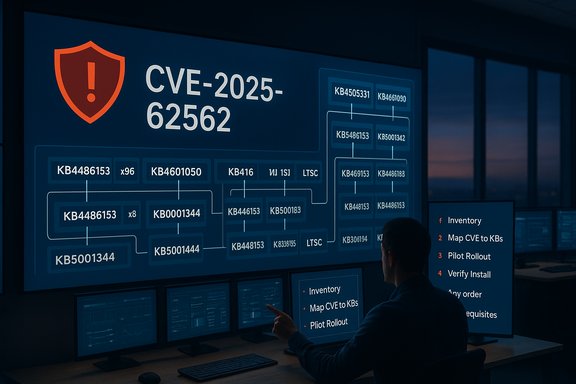
Applying Microsoft’s “install all applicable updates” guidance correctly requires disciplined inventory, mapping, testing, and verification. The following playbook is intended for immediate operational use.- Inventory and identify affected installs
- Query your estate to determine Office/Outlook install types: Click‑to‑Run vs MSI, channel (Current/Monthly, Semi‑Annual, LTSC), and platform (x86/x64/ARM). Tools: SCCM/MECM, Intune, Microsoft 365 admin center, in‑app About pages.
- Record the build number for each endpoint to accurately map to KB numbers.
- Map CVE → KBs → packages
- Use the Microsoft Security Update Guide and the Microsoft Update Catalog to extract the list of KBs and package identifiers that apply to CVE‑2025‑62562.
- Expect multiple KBs for a single CVE — one per install model and architecture.
- Plan the rollout
- Stage updates in a pilot/test ring covering representative configurations before broad deployment.
- Prioritize high‑risk systems first: mail servers, document‑processing servers, and high-value user workstations. Server‑side parsers that perform previews automatically are especially urgent.
- Pre‑install checks and prerequisites
- Confirm necessary servicing stack updates (SSU) and prerequisites are present; while Microsoft’s guidance states multiple updates can be installed “in any order,” SSU or preconditions for some packages may still be required on older builds. Validate preconditions in the KB release notes.
- Deploy via managed channels
- Use WSUS, SCCM/ConfigMgr, Intune, or your enterprise patch management tool to push the exact KBs identified.
- Where automatic updates are enabled for Microsoft 365 Apps, verify channel and rollout timing; Click‑to‑Run updates may flow differently than MSI packages.
- Verify
- Validate installation by checking build numbers and KB presence centrally. Run compliance queries and generate patch coverage reports; escalate non‑compliant systems for manual remediation.
- Post‑deploy monitoring
- Monitor EDR telemetry for unexpected process behavior and crashes in Outlook or related processes, and tune detection rules for patterns consistent with document-parser exploitation (child process creation, abnormal network calls post‑open).
Deployment nuances: can updates really be installed in any order?
Microsoft’s plain‑language guidance — that multiple updates can be installed in any order — is intended to relieve administrators from ordering concerns when multiple packages apply across heterogeneous installs. In practice, however, two operational caveats matter:- Servicing stack and prerequisite updates: certain older systems require servicing stack updates (SSUs) or prerequisites before a particular LCU (Latest Cumulative Update) or Office package will install correctly. If a KB or package lists an SSU prerequisite, that SSU should be installed first on systems that lack it. Although this is an environment‑specific dependency rather than a CVE‑specific ordering rule, it means “any order” does not relieve teams from confirming prerequisites where they exist.
- Channel and packaging differences: Click‑to‑Run packages and MSI packages behave differently under management tooling. Deploy the package that corresponds to the specific install model; installing an MSI KB on a Click‑to‑Run client is not applicable. Microsoft’s guidance to install all updates applies to “all updates offered for the software installed on their systems” — that still requires matching package to install model, not blind installation.
Short‑term mitigations while you patch
If immediate patching of every endpoint is impossible, apply compensating controls to reduce exposure until full remediation is complete:- Disable Outlook and File Explorer Preview Panes for at‑risk users to prevent automatic rendering of malicious content. Previewing often triggers the vulnerable parser without explicit user action.
- Enforce Protected View for files that originate from the Internet zone and restrict editing for externally sourced documents.
- Apply Attack Surface Reduction (ASR) rules to block Office apps from creating child processes, preventing many typical follow‑on stages of an exploit chain.
- Harden mail gateways and file upload processors: sandbox attachments, quarantine high‑risk file types, and ensure server‑side document processors are patched and isolated where feasible. Server‑side parsing/extraction increases the blast radius because it can be triggered by unauthenticated uploads.
Detection and incident response tips
Assume the worst but validate quickly. If you suspect exploitation, follow a sound incident response flow:- Isolate affected endpoints to halt lateral movement.
- Preserve volatile evidence (memory dumps, process trees, EDR traces).
- Hunt for indicators correlated to document parsing: unexplained Outlook crashes, Office processes spawning PowerShell or CMD shortly after opening a message, or new network connections occurring immediately after file opens.
- Search mail gateways and collaboration logs for the malicious document provenance and any distribution path to other users.
- Use sandboxed analysis for any suspicious attachments rather than executing PoC code on production systems.
Risks, tradeoffs, and critical analysis
Strengths of Microsoft’s approach- Clarity: the vendor explicitly instructs customers to apply all updates that apply to their installed software, reducing ambiguity.
- Coverage: issuing multiple packages per CVE ensures each supported SKU and packaging model receives a targeted fix.
- Operational guidance: Microsoft’s Update Guide and the Update Catalog enable exact mapping of CVEs to KBs, which supports enterprise patch orchestration.
- Complexity: the multi‑package model increases operational burden on patch managers who must inventory, map, and deploy specific KBs rather than relying on a single patch identifier.
- Prerequisite fragility: older systems may require SSUs and prerequisite updates that complicate automated pipelines; failing to validate prerequisites can cause install failures or partial remediation.
- Server‑side exposure: environments that perform server‑side rendering or automated parsing (mail gateways, Office Online Server, SharePoint processors, CMSs) may be exploitable without client action, requiring prioritized server patching — an easily overlooked factor in client‑first patch plans.
- Dependency on dynamic vendor UIs: the Microsoft Update Guide’s dynamic UI can be difficult for automated scraping and verification; manual validation or the Update Catalog is often necessary for precise KB→build confirmation.
- Speed vs. correctness: pushing “all available” updates quickly is correct from a security standpoint, but careless mass deployment without prerequisite checks can cause failures. Use a staged rollout with immediate priority windows for the highest‑risk endpoints.
- Automation vs. manual validation: automation is necessary for scale, but include verification gates to confirm that expected build numbers and KBs are present after deployment.
- Temporary mitigations vs. permanent remediation: compensating controls buy time but must be treated as stopgaps until every applicable KB has been installed and verified.
Final recommendations — operational priorities
- Treat CVE‑2025‑62562 as high priority: patch machines that parse or preview email/document content within 24–72 hours depending on asset criticality. Servers that automatically process uploads or previews should be first.
- Install every update that applies to the specific Office/Outlook install model on each endpoint; do not assume a single “Windows Update” entry covers all Office packages. Use the Microsoft Security Update Guide and Update Catalog to map KBs precisely.
- Confirm and, if necessary, install servicing stack updates (SSU) or prerequisites before deploying some packages on older builds. Validate installation success using build numbers and centralized reporting.
- Apply short‑term mitigations (disable previews, enforce Protected View, enforce ASR rules) while rolling out patches broadly, and monitor EDR telemetry closely for exploitation indicators.
- After deployment, run hunts for suspicious Office process behavior and archive forensic artifacts to accelerate any needed investigations. Update detection playbooks with observed IoCs and communicate remediation status to stakeholders.
CVE‑2025‑62562 is another reminder that modern patch management is about more than clicking “Install updates.” It requires an accurate inventory of software packaging models, a precise mapping of CVEs to KBs, validation of prerequisites, staged rollouts, and active monitoring — and when a vendor explicitly says “install all updates that apply,” that instruction should be treated as both tactical direction and an operational imperative.
End of article.
Source: MSRC Security Update Guide - Microsoft Security Response Center
