

Google Chrome before version 150.0.7871.47 contains CVE-2026-13894, a medium-severity Chromium Network flaw disclosed on June 30, 2026, that lets an attacker in a privileged network position bypass navigation restrictions using a crafted HTML page. The bug is not the loudest item in Chrome 150’s unusually large security drop, but it is exactly the kind of browser weakness enterprise defenders tend to underestimate. As described by Chrome’s CVE entry, NVD change history, and Google’s Stable Channel advisory, the issue sits at the intersection of network control, browser policy, and user navigation — a place where “medium” can still mean operationally meaningful. For Windows admins, the practical answer is simple: move Chrome and Chromium-based browsers past the affected build, then verify that management policy did what it claimed to do.
CVE-2026-13894 is easy to summarize and harder to dismiss. The flaw is described as “insufficient policy enforcement in Network,” and the exploit condition requires a privileged network position plus user interaction with a crafted HTML page. CISA’s ADP scoring gives it a CVSS 3.1 base score of 6.5, with no confidentiality impact, high integrity impact, and no availability impact.
That combination tells a more specific story than the severity label alone. This is not a drive-by memory corruption bug where an arbitrary website immediately becomes a code execution trampoline. It is a navigation-restriction bypass: an attacker who can influence the network path may be able to make Chrome go somewhere policy says it should not.
The phrase privileged network position is doing a lot of work here. It can mean a malicious or compromised gateway, hostile Wi-Fi infrastructure, an attacker on-path inside a corporate network, or some other position where traffic flow and web navigation can be influenced. That prerequisite lowers the average consumer risk, but it does not make the bug academic for managed environments.
The Chrome team’s June 30 Stable Channel update fixed the vulnerability in Chrome 150.0.7871.47 for Windows and Mac, with related 150.0.7871.x builds across supported platforms. Malwarebytes noted the broader release carried 382 security fixes, while other security trackers and vendor advisories repeated the affected-version boundary at Chrome versions before 150.0.7871.47. CVE-2026-13894 is one tile in that mosaic, not the whole mural.
That is why this CVE deserves attention despite its medium rating. A flaw that lets an attacker bypass navigation restrictions is not merely a user-interface problem. It can undermine assumptions built into web filtering, kiosk sessions, enterprise allowlists, captive portals, identity flows, and segmented application access.
The weakness category assigned by CISA-ADP, CWE-602, is also telling. CWE-602 refers to client-side enforcement of server-side security. In plain English, it is a reminder that security decisions enforced only by the client are fragile when the client can be confused, coerced, or bypassed.
Chrome is not simply a document viewer anymore. It is the authentication surface, application shell, password manager, policy endpoint, cloud desktop doorway, and sometimes the only user-facing application on a machine. When the browser’s Network component fails to enforce navigation policy consistently, the blast radius is shaped less by the bug’s label and more by how much organizational trust has been placed in browser behavior.
A compromised router, a poisoned proxy configuration, a rogue access point, a malicious VPN endpoint, a misused TLS inspection appliance, or a compromised internal host performing traffic manipulation can all create conditions that resemble privileged network access. The exact exploit mechanics for CVE-2026-13894 are not public in full — Chromium issue details remain permission-restricted — but the published description is enough to understand the defensive posture.
The attacker still needs user interaction. CISA’s vector includes UI:R, meaning a user must do something, such as visit or interact with a crafted page. That is why the bug lands in medium territory rather than the upper tier of browser emergencies.
But user interaction is not a rare condition on the web. Phishing exists because users click things. Browser-based enterprise apps exist because users spend their day inside tabs. A crafted HTML page is a low-friction lure, particularly in environments where employees trust internal links, shared dashboards, documentation portals, or help-desk instructions.
The technical impact in CISA’s SSVC entry is listed as partial, and exploitation was marked as none at the time of the July 1 update. That is reassuring, but it should not be overread. “No known exploitation” is not the same as “not exploitable,” and Chrome’s habit of restricting bug details until users are patched means defenders often operate with partial visibility by design.
For admins, a 382-fix release creates a practical dilemma. The bigger the patch, the greater the pressure to deploy quickly. The bigger the patch, the greater the fear that something will break in line-of-business web apps, extensions, media playback, or hardened kiosk workflows.
That tension is already visible in the ordinary churn around Chrome releases. Some users have reported extension and media-player regressions after the Chrome 150 update, though those reports should be treated as anecdotal unless corroborated by vendor advisories or reproducible bug reports. Still, the pattern is familiar: browser updates are urgent enough to deploy fast and central enough to disrupt work when something goes wrong.
This is where Chrome’s rapid release model becomes both a security advantage and an operational tax. Google can fix hundreds of issues in a single channel update, and most consumers will receive it automatically. Enterprises, however, often route updates through rings, test groups, and change windows — precisely the machinery attackers hope will create lag.
The right lesson is not “patch blindly.” It is that browser patch pipelines need to be treated like endpoint security infrastructure, not desktop hygiene. If Chrome is your enterprise runtime, Chrome updates are production application updates.
Probably not in the sense administrators care about. The vulnerable product is Google Chrome before 150.0.7871.47. The operating-system CPEs appear to represent platforms on which that Chrome product runs, not separate vulnerable OS components.
This is a recurring annoyance in vulnerability databases. CPE modeling often struggles with cross-platform applications because the vulnerable artifact is not Windows, Linux, or macOS itself; it is an application distributed across those operating systems. When NVD expresses applicability as Chrome plus OS platform entries, it can make the record look as though the operating systems are themselves affected software.
They are not, based on the public CVE description. The bug is in Chrome’s Network component. Windows does not become vulnerable because the Windows CPE appears in the applicability tree; a Windows endpoint becomes exposed if it runs an affected Chrome build.
There is also a wrinkle in the original CVE “affected” JSON reproduced in the NVD history: it lists version 150.0.7871.47 with lessThan 150.0.7871.47 and status affected. That is almost certainly a schema awkwardness rather than a statement that 150.0.7871.47 is vulnerable. The natural-language description and vendor advisory boundary are the operative reading: versions prior to 150.0.7871.47 are affected, and 150.0.7871.47 or later is the fix line for the relevant desktop branch.
Microsoft Edge, Brave, Vivaldi, Opera, and other Chromium-based browsers do not automatically share every Chrome CVE in the same way on the same day. Vendors may carry patches differently, ship on different schedules, disable features, or apply fixes under their own advisories. But for enterprise hygiene, “we do not use Chrome” is not enough of an answer if the fleet runs Chromium under another brand.
This is especially true on Windows, where Edge is both a browser and a platform dependency for parts of the Microsoft ecosystem. Edge’s update channel, extended stable options, WebView2 runtime, and enterprise policy posture can all affect exposure windows for Chromium-class issues. A Chrome CVE may not map one-to-one to Edge’s public advisory language, but it should still trigger a check of Chromium-based browser versions across the estate.
The uncomfortable reality is that many organizations have more browsers than they think. Chrome may be installed for compatibility, Edge may be the default, WebView2 may be embedded in business apps, and a third-party Chromium browser may exist in pockets of developer, marketing, or executive machines. Vulnerability management tools often inventory “browser” as a category, but operational ownership is split across desktop engineering, security, application teams, and sometimes nobody.
CVE-2026-13894 is not the biggest Chrome bug of the year. It is, however, a useful reminder that browser exposure is not a single executable with a single patch state. On Windows fleets, Chromium is an ecosystem.
That matters because organizations increasingly use the browser as a control point. Secure web gateways, cloud access security brokers, enterprise browser management, DNS filtering, and identity-aware proxies all assume that navigation decisions can be made, enforced, and audited with reasonable consistency. CVE-2026-13894 lands directly in that trust chain.
The bug also shows why defense-in-depth cannot stop at the browser. If a blocked navigation can be bypassed, server-side authorization still needs to hold. Sensitive apps should not rely on client navigation constraints as proof that a user cannot reach something. Internal services should assume that URLs leak, redirects can be manipulated, and policy enforcement can fail.
That is the practical meaning of CWE-602 here. Client-side enforcement is useful, but it is not a substitute for server-side authorization, origin validation, session controls, and network segmentation. Browser policy should reduce attack surface, not become the only wall.
For administrators, the healthiest response is to treat CVE-2026-13894 as a checkup on assumptions. If a navigation restriction bypass would create a serious incident in your environment, the problem is bigger than this CVE. The vulnerability is the trigger; the architectural dependency is the story.
CISA’s CVSS vector helps explain the middle rating. Attack complexity is low, privileges are not required, and the attack is network-adjacent in the broad CVSS sense, but user interaction is required and the published impact is integrity rather than confidentiality or availability. That is a classic medium score: exploitable enough to matter, constrained enough not to panic.
The problem is that CVSS does not know your network. It does not know whether your users browse from hotel networks, whether your enterprise Wi-Fi has legacy segmentation, whether your TLS inspection stack is brittle, whether your kiosks depend on allowlisted navigation, or whether your help-desk workflows regularly send users to internal HTML pages. Local context can move a medium vulnerability up or down the real-world priority list.
This is where SSVC thinking is more useful than raw CVSS. CISA’s SSVC entry says exploitation was not observed, the issue was not automatable, and the technical impact was partial. That suggests measured urgency rather than emergency response. But measured urgency still means patching on an accelerated browser cadence, not waiting for a monthly desktop maintenance cycle.
The browser is too exposed, too central, and too frequently targeted to be treated like ordinary productivity software. If a Chrome update includes hundreds of security fixes and one of them touches policy enforcement in Network, the burden of proof should be on delaying, not deploying.
For managed Windows environments, the work is not clicking the update button. It is proving that the update landed everywhere it needed to land. Chrome’s version reporting, endpoint management telemetry, vulnerability scanner data, and software inventory should converge on builds at or beyond 150.0.7871.47 for affected channels.
Admins should pay special attention to the machines that usually escape first-wave patch compliance: shared workstations, kiosks, VDI images, lab systems, conference-room PCs, developer boxes, privileged admin workstations, and devices pinned to old browser versions for application compatibility. Those are also the systems where navigation policy often matters most.
The second verification step is policy behavior. If your organization depends on Chrome navigation restrictions, test the policy after patching. Confirm that allowlists, blocklists, managed URL policies, safe browsing controls, proxy settings, and enterprise connectors still behave as expected. A fixed browser version is necessary; a working policy state is the actual goal.
The final step is looking sideways. Check Edge and other Chromium browsers. Check WebView2 runtime where it matters. Check third-party application bundles that may package Chromium components. CVE-2026-13894’s public record names Chrome, but modern Windows environments rarely have a single browser-shaped attack surface.
That creates a cultural mismatch. Desktop teams like predictable deployment windows. Security teams like rapid remediation. Application owners like stability. Users like not being interrupted. Browser vendors, meanwhile, push updates because unpatched browsers are exposed to the entire web.
Chrome 150’s huge security payload makes the mismatch harder to ignore. If a single stable-channel release can carry hundreds of fixes, including critical bugs elsewhere in the update and medium policy-enforcement issues like CVE-2026-13894, then browser patch management cannot be a passive background service. It needs rings, telemetry, rollback planning, and exception governance.
There is an irony here. Browsers became easier to update than operating systems, and that ease encouraged organizations to treat them as self-maintaining. But at enterprise scale, self-updating software still needs supervision. Otherwise, update success becomes an assumption rather than a measured fact.
The best organizations will not respond to CVE-2026-13894 by writing a special policy for one medium CVE. They will use it to tighten the browser update machine: faster pilot rings, clearer emergency thresholds, better extension testing, and more reliable inventory of Chromium-based components.
That ambiguity is where patch gaps live. Vulnerability management is only as good as product identification. If inventory cannot distinguish Chrome stable from Chrome extended stable, Edge stable from Edge WebView2, or an installed browser from a bundled runtime, then CVE remediation becomes a guessing game.
The right model is layered. Track the browser application. Track the update channel. Track the underlying Chromium milestone where possible. Track embedded runtimes. Track policy state. And, for high-risk environments, track whether navigation restrictions are being enforced by the browser, the network, the application, or all three.
This may sound excessive for a medium CVE, but the cost of not doing it appears every time a browser zero-day arrives. Organizations that already know where Chromium lives can respond in hours. Organizations that discover their browser footprint during an incident respond in meetings.
CVE-2026-13894 is therefore a useful inventory test. If you cannot answer which Windows endpoints are still below Chrome 150.0.7871.47, which Chromium-based browsers are present, and which business processes depend on browser navigation policy, you do not have a CVE problem. You have a visibility problem.
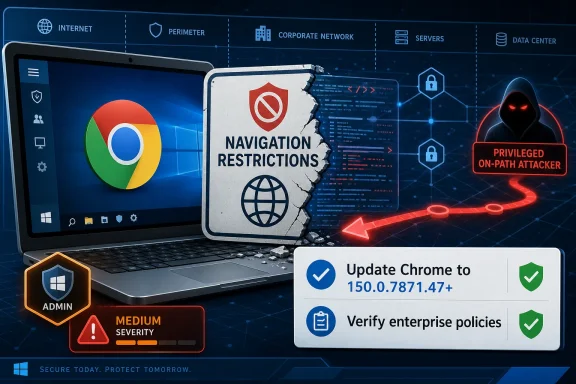 A Medium Chrome Bug With Enterprise-Shaped Edges
CVE-2026-13894 is easy to summarize and harder to dismiss. The flaw is described as “insufficient policy enforcement in Network,” and the exploit condition requires a privileged network position plus user interaction with a crafted HTML page. CISA’s ADP scoring gives it a CVSS 3.1 base score of 6.5, with no confidentiality impact, high integrity impact, and no availability impact.That combination tells a more specific story than the severity label alone. This is not a drive-by memory corruption bug where an arbitrary website immediately becomes a code execution trampoline. It is a navigation-restriction bypass: an attacker who can influence the network path may be able to make Chrome go somewhere policy says it should not.
The phrase privileged network position is doing a lot of work here. It can mean a malicious or compromised gateway, hostile Wi-Fi infrastructure, an attacker on-path inside a corporate network, or some other position where traffic flow and web navigation can be influenced. That prerequisite lowers the average consumer risk, but it does not make the bug academic for managed environments.
The Chrome team’s June 30 Stable Channel update fixed the vulnerability in Chrome 150.0.7871.47 for Windows and Mac, with related 150.0.7871.x builds across supported platforms. Malwarebytes noted the broader release carried 382 security fixes, while other security trackers and vendor advisories repeated the affected-version boundary at Chrome versions before 150.0.7871.47. CVE-2026-13894 is one tile in that mosaic, not the whole mural.
Navigation Policy Is a Security Boundary Whether Vendors Say It Loudly or Not
Browser navigation controls are often treated as administrative convenience rather than security infrastructure. In a home setting, that might be fair: a blocked domain list or safe-browsing redirect feels like a guardrail. In an enterprise, school, hospital, or government network, navigation policy can become a boundary between a user and a phishing site, a sensitive internal app and the public web, or a managed endpoint and a hostile origin.That is why this CVE deserves attention despite its medium rating. A flaw that lets an attacker bypass navigation restrictions is not merely a user-interface problem. It can undermine assumptions built into web filtering, kiosk sessions, enterprise allowlists, captive portals, identity flows, and segmented application access.
The weakness category assigned by CISA-ADP, CWE-602, is also telling. CWE-602 refers to client-side enforcement of server-side security. In plain English, it is a reminder that security decisions enforced only by the client are fragile when the client can be confused, coerced, or bypassed.
Chrome is not simply a document viewer anymore. It is the authentication surface, application shell, password manager, policy endpoint, cloud desktop doorway, and sometimes the only user-facing application on a machine. When the browser’s Network component fails to enforce navigation policy consistently, the blast radius is shaped less by the bug’s label and more by how much organizational trust has been placed in browser behavior.
The Attacker Model Is Narrow, But Not Exotic
Security teams sometimes hear “privileged network position” and mentally file the issue under “nation-state or airport Wi-Fi.” That is too narrow. On-path positions appear inside organizations more often than policy diagrams admit.A compromised router, a poisoned proxy configuration, a rogue access point, a malicious VPN endpoint, a misused TLS inspection appliance, or a compromised internal host performing traffic manipulation can all create conditions that resemble privileged network access. The exact exploit mechanics for CVE-2026-13894 are not public in full — Chromium issue details remain permission-restricted — but the published description is enough to understand the defensive posture.
The attacker still needs user interaction. CISA’s vector includes UI:R, meaning a user must do something, such as visit or interact with a crafted page. That is why the bug lands in medium territory rather than the upper tier of browser emergencies.
But user interaction is not a rare condition on the web. Phishing exists because users click things. Browser-based enterprise apps exist because users spend their day inside tabs. A crafted HTML page is a low-friction lure, particularly in environments where employees trust internal links, shared dashboards, documentation portals, or help-desk instructions.
The technical impact in CISA’s SSVC entry is listed as partial, and exploitation was marked as none at the time of the July 1 update. That is reassuring, but it should not be overread. “No known exploitation” is not the same as “not exploitable,” and Chrome’s habit of restricting bug details until users are patched means defenders often operate with partial visibility by design.
Chrome 150’s Patch Volume Is the Background Noise That Matters
CVE-2026-13894 arrived as part of a much larger Chrome 150 security release. Malwarebytes described the June 30 update as a “whopper,” citing 382 security fixes and pointing out that Chrome’s stable channel moved to 150.0.7871.46/.47 for Windows and Mac, 150.0.7871.46 for Linux, and 150.0.7871.63 for Android. That context matters because patch prioritization rarely happens one CVE at a time.For admins, a 382-fix release creates a practical dilemma. The bigger the patch, the greater the pressure to deploy quickly. The bigger the patch, the greater the fear that something will break in line-of-business web apps, extensions, media playback, or hardened kiosk workflows.
That tension is already visible in the ordinary churn around Chrome releases. Some users have reported extension and media-player regressions after the Chrome 150 update, though those reports should be treated as anecdotal unless corroborated by vendor advisories or reproducible bug reports. Still, the pattern is familiar: browser updates are urgent enough to deploy fast and central enough to disrupt work when something goes wrong.
This is where Chrome’s rapid release model becomes both a security advantage and an operational tax. Google can fix hundreds of issues in a single channel update, and most consumers will receive it automatically. Enterprises, however, often route updates through rings, test groups, and change windows — precisely the machinery attackers hope will create lag.
The right lesson is not “patch blindly.” It is that browser patch pipelines need to be treated like endpoint security infrastructure, not desktop hygiene. If Chrome is your enterprise runtime, Chrome updates are production application updates.
The NVD CPE Entry Looks Odd Because Browser Vulnerability Metadata Often Is
The user-submitted NVD change history for CVE-2026-13894 includes a CPE configuration that may look strange at first glance: a vulnerable Google Chrome application entry paired with operating-system CPEs for Windows, Linux, and macOS. That raises a reasonable question: are we missing a CPE?Probably not in the sense administrators care about. The vulnerable product is Google Chrome before 150.0.7871.47. The operating-system CPEs appear to represent platforms on which that Chrome product runs, not separate vulnerable OS components.
This is a recurring annoyance in vulnerability databases. CPE modeling often struggles with cross-platform applications because the vulnerable artifact is not Windows, Linux, or macOS itself; it is an application distributed across those operating systems. When NVD expresses applicability as Chrome plus OS platform entries, it can make the record look as though the operating systems are themselves affected software.
They are not, based on the public CVE description. The bug is in Chrome’s Network component. Windows does not become vulnerable because the Windows CPE appears in the applicability tree; a Windows endpoint becomes exposed if it runs an affected Chrome build.
There is also a wrinkle in the original CVE “affected” JSON reproduced in the NVD history: it lists version 150.0.7871.47 with lessThan 150.0.7871.47 and status affected. That is almost certainly a schema awkwardness rather than a statement that 150.0.7871.47 is vulnerable. The natural-language description and vendor advisory boundary are the operative reading: versions prior to 150.0.7871.47 are affected, and 150.0.7871.47 or later is the fix line for the relevant desktop branch.
Windows Admins Should Think Beyond Google Chrome
For WindowsForum readers, the obvious question is whether this is “just Chrome” or a broader Chromium concern. The CVE is sourced to Chrome and fixed in Google Chrome, but the component named in the description is Chromium’s Network area. That means the conceptual risk is relevant to Chromium-derived browsers even when the exact affected-version accounting depends on each vendor’s branch, patch intake, and release timing.Microsoft Edge, Brave, Vivaldi, Opera, and other Chromium-based browsers do not automatically share every Chrome CVE in the same way on the same day. Vendors may carry patches differently, ship on different schedules, disable features, or apply fixes under their own advisories. But for enterprise hygiene, “we do not use Chrome” is not enough of an answer if the fleet runs Chromium under another brand.
This is especially true on Windows, where Edge is both a browser and a platform dependency for parts of the Microsoft ecosystem. Edge’s update channel, extended stable options, WebView2 runtime, and enterprise policy posture can all affect exposure windows for Chromium-class issues. A Chrome CVE may not map one-to-one to Edge’s public advisory language, but it should still trigger a check of Chromium-based browser versions across the estate.
The uncomfortable reality is that many organizations have more browsers than they think. Chrome may be installed for compatibility, Edge may be the default, WebView2 may be embedded in business apps, and a third-party Chromium browser may exist in pockets of developer, marketing, or executive machines. Vulnerability management tools often inventory “browser” as a category, but operational ownership is split across desktop engineering, security, application teams, and sometimes nobody.
CVE-2026-13894 is not the biggest Chrome bug of the year. It is, however, a useful reminder that browser exposure is not a single executable with a single patch state. On Windows fleets, Chromium is an ecosystem.
The Real Risk Is Policy Drift, Not Just One Crafted Page
A navigation restriction bypass sounds narrow until you map it onto real enterprise policy. Consider a managed browser configured to prevent access to personal webmail, block unsanctioned file-sharing domains, force traffic through approved identity flows, restrict browsing in a kiosk session, or keep users away from untrusted destinations during sensitive workflows. If a network-positioned attacker can bypass those restrictions, the damage is not measured in code execution; it is measured in policy betrayal.That matters because organizations increasingly use the browser as a control point. Secure web gateways, cloud access security brokers, enterprise browser management, DNS filtering, and identity-aware proxies all assume that navigation decisions can be made, enforced, and audited with reasonable consistency. CVE-2026-13894 lands directly in that trust chain.
The bug also shows why defense-in-depth cannot stop at the browser. If a blocked navigation can be bypassed, server-side authorization still needs to hold. Sensitive apps should not rely on client navigation constraints as proof that a user cannot reach something. Internal services should assume that URLs leak, redirects can be manipulated, and policy enforcement can fail.
That is the practical meaning of CWE-602 here. Client-side enforcement is useful, but it is not a substitute for server-side authorization, origin validation, session controls, and network segmentation. Browser policy should reduce attack surface, not become the only wall.
For administrators, the healthiest response is to treat CVE-2026-13894 as a checkup on assumptions. If a navigation restriction bypass would create a serious incident in your environment, the problem is bigger than this CVE. The vulnerability is the trigger; the architectural dependency is the story.
Why “Medium” Still Belongs in the Patch Queue
Security severity labels are useful triage tools, but they are blunt instruments. A medium browser bug in a consumer context may be background noise. A medium browser bug in a managed enterprise environment with privileged network attackers in scope can deserve fast action.CISA’s CVSS vector helps explain the middle rating. Attack complexity is low, privileges are not required, and the attack is network-adjacent in the broad CVSS sense, but user interaction is required and the published impact is integrity rather than confidentiality or availability. That is a classic medium score: exploitable enough to matter, constrained enough not to panic.
The problem is that CVSS does not know your network. It does not know whether your users browse from hotel networks, whether your enterprise Wi-Fi has legacy segmentation, whether your TLS inspection stack is brittle, whether your kiosks depend on allowlisted navigation, or whether your help-desk workflows regularly send users to internal HTML pages. Local context can move a medium vulnerability up or down the real-world priority list.
This is where SSVC thinking is more useful than raw CVSS. CISA’s SSVC entry says exploitation was not observed, the issue was not automatable, and the technical impact was partial. That suggests measured urgency rather than emergency response. But measured urgency still means patching on an accelerated browser cadence, not waiting for a monthly desktop maintenance cycle.
The browser is too exposed, too central, and too frequently targeted to be treated like ordinary productivity software. If a Chrome update includes hundreds of security fixes and one of them touches policy enforcement in Network, the burden of proof should be on delaying, not deploying.
The Patch Is Straightforward; Verification Is the Work
For unmanaged users, the fix is boring in the best possible way: update Chrome. Chrome’s built-in updater should eventually move systems forward, but users who leave browsers open for days can lag behind. Visiting the browser’s About page forces an update check and usually requires a restart to finish installation.For managed Windows environments, the work is not clicking the update button. It is proving that the update landed everywhere it needed to land. Chrome’s version reporting, endpoint management telemetry, vulnerability scanner data, and software inventory should converge on builds at or beyond 150.0.7871.47 for affected channels.
Admins should pay special attention to the machines that usually escape first-wave patch compliance: shared workstations, kiosks, VDI images, lab systems, conference-room PCs, developer boxes, privileged admin workstations, and devices pinned to old browser versions for application compatibility. Those are also the systems where navigation policy often matters most.
The second verification step is policy behavior. If your organization depends on Chrome navigation restrictions, test the policy after patching. Confirm that allowlists, blocklists, managed URL policies, safe browsing controls, proxy settings, and enterprise connectors still behave as expected. A fixed browser version is necessary; a working policy state is the actual goal.
The final step is looking sideways. Check Edge and other Chromium browsers. Check WebView2 runtime where it matters. Check third-party application bundles that may package Chromium components. CVE-2026-13894’s public record names Chrome, but modern Windows environments rarely have a single browser-shaped attack surface.
The Browser Has Become the New Patch Tuesday
Microsoft spent decades teaching Windows admins to think in Patch Tuesday cycles. Browser security has broken that rhythm. Chrome, Edge, and other Chromium-derived browsers move fast because the web threat model moves fast, and because bugs in browser engines are among the most valuable vulnerabilities attackers can find.That creates a cultural mismatch. Desktop teams like predictable deployment windows. Security teams like rapid remediation. Application owners like stability. Users like not being interrupted. Browser vendors, meanwhile, push updates because unpatched browsers are exposed to the entire web.
Chrome 150’s huge security payload makes the mismatch harder to ignore. If a single stable-channel release can carry hundreds of fixes, including critical bugs elsewhere in the update and medium policy-enforcement issues like CVE-2026-13894, then browser patch management cannot be a passive background service. It needs rings, telemetry, rollback planning, and exception governance.
There is an irony here. Browsers became easier to update than operating systems, and that ease encouraged organizations to treat them as self-maintaining. But at enterprise scale, self-updating software still needs supervision. Otherwise, update success becomes an assumption rather than a measured fact.
The best organizations will not respond to CVE-2026-13894 by writing a special policy for one medium CVE. They will use it to tighten the browser update machine: faster pilot rings, clearer emergency thresholds, better extension testing, and more reliable inventory of Chromium-based components.
Chrome’s CPE Trail Points to a Bigger Inventory Problem
The apparent CPE oddity in NVD’s record is more than a database footnote. It mirrors the confusion many organizations have about what they actually run. A vulnerability record may say Chrome on Windows, Linux, and macOS; a scanner may flag “Google Chrome”; an asset owner may say users default to Edge; a developer may quietly depend on an embedded Chromium runtime.That ambiguity is where patch gaps live. Vulnerability management is only as good as product identification. If inventory cannot distinguish Chrome stable from Chrome extended stable, Edge stable from Edge WebView2, or an installed browser from a bundled runtime, then CVE remediation becomes a guessing game.
The right model is layered. Track the browser application. Track the update channel. Track the underlying Chromium milestone where possible. Track embedded runtimes. Track policy state. And, for high-risk environments, track whether navigation restrictions are being enforced by the browser, the network, the application, or all three.
This may sound excessive for a medium CVE, but the cost of not doing it appears every time a browser zero-day arrives. Organizations that already know where Chromium lives can respond in hours. Organizations that discover their browser footprint during an incident respond in meetings.
CVE-2026-13894 is therefore a useful inventory test. If you cannot answer which Windows endpoints are still below Chrome 150.0.7871.47, which Chromium-based browsers are present, and which business processes depend on browser navigation policy, you do not have a CVE problem. You have a visibility problem.
The Chrome 150 Fix Should Push Admins Past Checkbox Patching
The immediate action is narrow, but the lesson is broader: CVE-2026-13894 is a policy-enforcement flaw in a browser component that many organizations implicitly trust. Treating it as a checkbox patch misses the opportunity to harden the surrounding assumptions.- Chrome versions before 150.0.7871.47 are the affected line for CVE-2026-13894, and systems should be moved to the fixed build or later.
- The vulnerability requires a privileged network position and user interaction, which lowers mass-exploitation risk but keeps enterprise and hostile-network scenarios relevant.
- The NVD CPE listing should be read as Chrome applicability across Windows, Linux, and macOS, not as evidence that those operating systems themselves contain the vulnerable code.
- CISA-ADP scored the issue as CVSS 6.5 medium, with high integrity impact and no known exploitation at the time of its July 1 analysis.
- Windows administrators should check all Chromium-based browsers and relevant runtimes, not only Google Chrome.
- Organizations that rely on browser navigation restrictions should verify policy behavior after updating, because version compliance and security control effectiveness are not the same thing.
References
- Primary source: NVD / Chromium
Published: 2026-07-03T07:00:16-07:00
NVD - CVE-2026-13894
 nvd.nist.gov
- Security advisory: MSRC
Published: 2026-07-03T07:00:16-07:00
Original feed URL
Security Update Guide - Microsoft Security Response Center
 msrc.microsoft.com
- Related coverage: cvefeed.io
CVE-2026-13894 - Google Chrome: Network Policy Bypass
Insufficient policy enforcement in Network in Google Chrome prior to 150.0.7871.47 allowed an attacker in a privileged network position to bypass navigation restrictions via a crafted HTML page. (Chromium security severity: Medium)cvefeed.io
