

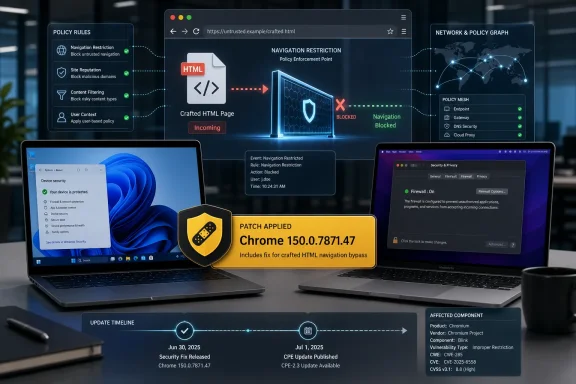
Google fixed CVE-2026-14054 in Chrome 150.0.7871.47 for Windows and Mac on June 30, 2026, closing a low-severity Chromium Network flaw that allowed a remote attacker to bypass navigation restrictions with a crafted HTML page. The National Vulnerability Database published the entry the same day and added Chrome CPE coverage on July 1. The bug is not the kind of browser vulnerability that should make admins drop everything, but it is exactly the kind that explains why “low” severity in Chrome rarely means “ignore.” The real story is less about one navigation bypass than about how modern browser security now depends on a dense mesh of client-side rules that enterprises increasingly treat as policy infrastructure.
CVE-2026-14054 arrived as part of Google’s June 30 Stable Channel update for desktop, the Chrome 150 release that moved Windows and macOS systems to 150.0.7871.46/.47 and Linux to 150.0.7871.46. Google’s Chrome Releases blog listed the vulnerability as a low-severity “insufficient policy enforcement” issue in Network, reported by Google on April 12, 2026. NVD’s record, sourced from Chrome, says vulnerable versions are those before 150.0.7871.47.
That version detail matters for Windows administrators because Chrome’s release notation can look odd: Windows and Mac received 150.0.7871.46/.47, while the NVD affected-software entry uses “up to, excluding 150.0.7871.47.” In plain English, Windows machines should be considered remediated when Chrome reports 150.0.7871.47 or later. Anything earlier belongs in the update queue.
The flaw’s description is concise, almost aggressively so: insufficient policy enforcement in Network allowed a remote attacker to bypass navigation restrictions via a crafted HTML page. There is no public exploit write-up from Google, and the linked Chromium issue requires permission, which is normal while a patch is still rolling out. That leaves defenders with the CVE language, the component name, and the scoring data — just enough to make a practical decision, not enough to reverse-engineer the bug.
CISA’s ADP enrichment assigned CVE-2026-14054 a CVSS 3.1 score of 4.3, with network attack vector, low complexity, no privileges required, user interaction required, unchanged scope, no confidentiality impact, low integrity impact, and no availability impact. Chromium’s own severity is lower than that: Low. The gap is not a contradiction so much as a reminder that CVSS and browser-vendor severity systems answer different questions.
That is why a navigation restriction bypass deserves more attention than its Low label suggests. A bypass does not necessarily mean code execution, credential theft, sandbox escape, or data exfiltration. It can mean that a page persuaded the browser to go somewhere the browser’s own rules were supposed to prevent, or that a defensive assumption made by Chrome, a web app, or a management policy did not hold.
The CVE’s CWE mapping is CWE-602: client-side enforcement of server-side security. That classification is useful because it identifies the larger design smell. When security relies on the client correctly enforcing a rule, the server or surrounding control plane must assume that enforcement can fail, especially when the client is a browser parsing hostile input from arbitrary origins.
In consumer browsing, a navigation bypass might be a nuisance or a phishing enabler. In managed environments, it can intersect with web filtering, single sign-on flows, captive portals, enterprise allowlists, app isolation rules, or data-loss controls that assume the browser will obey certain navigation constraints. The vulnerability’s documented impact is limited, but the class of bug lives in a part of the browser where policy and user trust meet.
For browser bugs, however, “crafted HTML page” is not much of a barrier. Email links, compromised sites, malvertising chains, collaboration tools, help-desk tickets, and poisoned search results all remain realistic delivery paths. The mitigating factor is impact: CISA’s enrichment says no confidentiality loss, no availability impact, and only low integrity impact.
That profile places CVE-2026-14054 in the large middle ground of browser vulnerabilities. It is not a drop-everything zero-day. It is not a theoretical library issue buried behind a command-line flag. It is a remotely reachable flaw in a mainstream browser component, fixed in a stable release that also carried a very large security payload.
The correct operational response is therefore boring, which in security is usually good news. Update Chrome through the normal managed channel, verify fleet compliance, and do not build emergency messaging around this CVE alone unless an organization has a specific dependency on Chrome navigation restrictions for a high-value workflow.
In this case, NVD’s change history says NIST added a CPE configuration on July 1, 2026: Google Chrome versions up to, excluding 150.0.7871.47. That means the obvious Chrome CPE appears to have been added after initial publication. For scanners that ingested the CVE immediately on June 30, there may have been a short window where enrichment lagged behind the CVE record.
That does not mean defenders should wait for NVD to finish enrichment before acting. Chrome’s own advisory is the source of truth for the release and the fixed build. The vendor knows what it shipped before NVD or third-party vulnerability databases finish translating that fact into machine-readable matching logic.
The broader lesson is that CPEs are helpful but brittle. Chrome’s multi-platform versioning, rapid release cadence, extended stable channels, Chromium-based derivatives, and enterprise update controls all complicate neat “product X before version Y” matching. If an organization’s browser patch compliance depends solely on NVD CPE timing, it is already behind the pace at which browser risk moves.
For CVE-2026-14054, the public facts are especially thin. We know the component, the class of failure, the affected versions, the fixed version, the required user interaction, and the limited impact metrics. We do not know the precise navigation policy involved, the specific web platform feature implicated, or whether the bypass is likely to matter outside narrow cases.
That opacity creates a temptation to over-read the CVE name. “Network” sounds foundational; “navigation restrictions” sounds policy-sensitive; “crafted HTML page” sounds trivially weaponizable. All of that is true in a broad sense, but it does not prove that this bug pierces enterprise web filters, bypasses site isolation, defeats admin allowlists, or affects any particular security product.
Good patch management avoids both extremes. It does not dismiss a Chrome Network policy flaw because Chromium called it Low. It also does not inflate a low-integrity navigation bypass into a breach scenario without evidence. The advisory tells defenders enough to update, not enough to panic.
That volume changes how defenders should interpret CVE-2026-14054. A single low-severity navigation bypass may not justify an out-of-band maintenance window by itself. But when it ships inside a release that also patches more severe memory-safety and input-validation issues, the update becomes harder to defer.
This is where browser risk differs from many server products. A server vulnerability often maps to a known exposed service, a known configuration, or a known business owner. Chrome runs everywhere, ingests hostile content by design, and updates on a cadence that treats the browser as a continuously repaired runtime rather than a periodically serviced application.
For Windows fleets, the practical question is not whether CVE-2026-14054 alone is terrifying. It is whether endpoints are reliably moving from vulnerable Chrome builds to fixed builds quickly enough that low, medium, and high browser bugs do not accumulate into a stale attack surface. Chrome 150 is another reminder that browser patch latency is now a measurable enterprise risk.
On unmanaged Windows PCs, Chrome’s built-in updater should handle the fix automatically. Users can force the check through Chrome’s About page, then relaunch the browser. The relaunch is the part users skip, and it is often the difference between “update downloaded” and “update actually running.”
On managed Windows fleets, administrators should verify the installed Chrome version rather than assume update policy did its job. Chrome Browser Cloud Management, Google Update policies, endpoint-management inventory, EDR software inventory, and vulnerability scanners should all converge on the same answer: Chrome should be at 150.0.7871.47 or later on Windows systems receiving the stable build.
The more subtle issue is application compatibility. Large Chrome jumps can affect extensions, enterprise web apps, media behavior, and deprecated platform features. That is the reason some organizations stage browser updates. But a staged rollout is not the same as indefinite delay, and a release carrying hundreds of security fixes should force a short leash on exceptions.
CVE-2026-14054’s metrics make the limited risk clear. The attacker needs the victim to load malicious content. The bug does not expose confidential data according to the available scoring. It does not crash the browser or produce availability impact. The integrity effect is low.
But low integrity impact in a browser can still matter. Navigation is part of how users understand trust, how applications maintain state, and how organizations try to contain browsing activity. A rule that can be bypassed may be a small crack, but browsers are made of many small rules stacked together.
That is especially true for enterprises that rely on client-side controls to enforce policy. If a server assumes the browser will always block or constrain a navigation, CWE-602 is the warning label: client-side enforcement is not a substitute for server-side validation. The browser can help enforce policy, but it should not be the only place the policy exists.
CISA’s SSVC data is arguably more operationally meaningful. It records exploitation as “none,” automatable as “no,” and technical impact as “partial.” That does not guarantee the bug will never be exploited, and it does not prove no proof-of-concept exists privately. It does tell defenders that, as of CISA’s July 1 enrichment, this was not being treated like an actively exploited or easily automatable emergency.
That distinction matters in a week crowded with Chrome CVEs. If a security team has to prioritize among hundreds of browser fixes, CVE-2026-14054 belongs below actively exploited memory-corruption flaws, sandbox escapes, or high-severity bugs with broader impact. But it belongs inside the same update motion because Chrome does not offer defenders a clean way to patch only the scary bugs.
The browser patch is the unit of remediation. You take the whole stable update, not a curated subset of CVEs. In that sense, individual severity is useful for understanding risk, while the release version is what actually drives action.
This distinction matters because Windows users often run Edge, Brave, Vivaldi, Opera, Arc, or other Chromium-derived browsers alongside or instead of Chrome. Those products inherit large portions of Chromium, but they ship on their own schedules, carry their own patches, and may or may not include the same vulnerable code path in the same way. Defenders should check each vendor’s advisory rather than blindly mapping a Chrome CPE onto every Chromium application.
Microsoft Edge administrators in particular should watch Microsoft’s release notes and enterprise update channels. Edge is Chromium-based, but its version numbers and servicing cadence differ from Chrome’s. A Google Chrome CVE is a prompt to verify Edge status, not proof that Edge is either exposed or fixed.
For vulnerability-management teams, this is where asset inventory quality becomes decisive. If the scanner only says “Chromium present,” that is not enough. The relevant questions are which browser, which channel, which version, which update policy, and which installed profile actually launches in user workflows.
If an application’s security model depends on the browser preventing a navigation, that application should be revisited. The server should validate authorization, state transitions, redirect targets, tokens, origins, and sensitive workflow boundaries independently of what the client attempted to enforce. Browser restrictions can reduce risk and improve user safety, but they should not be treated as the final authority for business logic.
This is not a criticism of Chrome so much as a design rule for the web. Modern browser vendors have built impressive layers of defense, from site isolation to permission prompts to mixed-content handling to increasingly granular enterprise controls. Yet each layer has edge cases, and CVE-2026-14054 is another small example of how policy enforcement can misfire at the boundary between HTML and navigation.
For developers, the lesson is to assume clients are inconsistent. For admins, the lesson is to avoid mistaking browser policy for complete control. For users, the lesson is the old one: keep the browser current, because the web’s security contract is patched continuously.
The cleanest remediation evidence is the running browser version, not merely the package cached on disk. Administrators should inventory active versions after forced relaunch deadlines, not just after update deployment. Help desks should be ready for the usual edge cases: users who keep dozens of tabs open for weeks, machines that sleep instead of rebooting, and line-of-business systems pinned to old browser behavior.
For organizations using Chrome Enterprise policies, this is also a moment to review update pinning. Version pinning can be justified for short compatibility windows, but it becomes dangerous when it quietly survives its original purpose. A pinned browser is not a stable platform; it is an accumulating vulnerability bucket.
The best browser update programs are boring, visible, and enforced. They give app owners a brief testing window, communicate relaunch deadlines clearly, and then move the fleet. CVE-2026-14054 does not change that model; it validates it.
That timing gap is not unusual in vulnerability data pipelines. CVE publication, vendor advisory publication, NVD enrichment, CISA enrichment, scanner plugin creation, customer scan execution, and dashboard reporting all happen on different clocks. The most mature organizations understand that and monitor vendor security channels directly for high-volume software like browsers.
The awkward affected-version syntax in the original CVE record — showing version 150.0.7871.47 with “lessThan 150.0.7871.47” — is another reminder that machine-readable vulnerability data can be semantically clumsy. Humans understand “prior to 150.0.7871.47.” Tools need clean version comparison, correct product identifiers, and platform-aware logic.
For Windows admins, the actionable check remains straightforward: if Chrome is below 150.0.7871.47, update. If a scanner is not flagging that state after NVD’s July 1 CPE addition, the scanner’s feed, matching logic, or Chrome inventory source deserves attention.
The facts are simple enough to act on:
 A Low-Severity Chrome Bug Still Lands in a High-Velocity Patch Train
CVE-2026-14054 arrived as part of Google’s June 30 Stable Channel update for desktop, the Chrome 150 release that moved Windows and macOS systems to 150.0.7871.46/.47 and Linux to 150.0.7871.46. Google’s Chrome Releases blog listed the vulnerability as a low-severity “insufficient policy enforcement” issue in Network, reported by Google on April 12, 2026. NVD’s record, sourced from Chrome, says vulnerable versions are those before 150.0.7871.47.That version detail matters for Windows administrators because Chrome’s release notation can look odd: Windows and Mac received 150.0.7871.46/.47, while the NVD affected-software entry uses “up to, excluding 150.0.7871.47.” In plain English, Windows machines should be considered remediated when Chrome reports 150.0.7871.47 or later. Anything earlier belongs in the update queue.
The flaw’s description is concise, almost aggressively so: insufficient policy enforcement in Network allowed a remote attacker to bypass navigation restrictions via a crafted HTML page. There is no public exploit write-up from Google, and the linked Chromium issue requires permission, which is normal while a patch is still rolling out. That leaves defenders with the CVE language, the component name, and the scoring data — just enough to make a practical decision, not enough to reverse-engineer the bug.
CISA’s ADP enrichment assigned CVE-2026-14054 a CVSS 3.1 score of 4.3, with network attack vector, low complexity, no privileges required, user interaction required, unchanged scope, no confidentiality impact, low integrity impact, and no availability impact. Chromium’s own severity is lower than that: Low. The gap is not a contradiction so much as a reminder that CVSS and browser-vendor severity systems answer different questions.
Navigation Restrictions Are Security Boundaries Until They Aren’t
A browser is no longer just a document viewer. It is a policy engine, an identity surface, a payments surface, a device-access broker, a password manager front end, a WebRTC client, a file handler, and, in enterprise environments, a managed application platform. The “Network” component sits close to the plumbing that decides what web content may request, navigate to, redirect through, or embed.That is why a navigation restriction bypass deserves more attention than its Low label suggests. A bypass does not necessarily mean code execution, credential theft, sandbox escape, or data exfiltration. It can mean that a page persuaded the browser to go somewhere the browser’s own rules were supposed to prevent, or that a defensive assumption made by Chrome, a web app, or a management policy did not hold.
The CVE’s CWE mapping is CWE-602: client-side enforcement of server-side security. That classification is useful because it identifies the larger design smell. When security relies on the client correctly enforcing a rule, the server or surrounding control plane must assume that enforcement can fail, especially when the client is a browser parsing hostile input from arbitrary origins.
In consumer browsing, a navigation bypass might be a nuisance or a phishing enabler. In managed environments, it can intersect with web filtering, single sign-on flows, captive portals, enterprise allowlists, app isolation rules, or data-loss controls that assume the browser will obey certain navigation constraints. The vulnerability’s documented impact is limited, but the class of bug lives in a part of the browser where policy and user trust meet.
The HTML Requirement Keeps This in the Real World
The exploit precondition is not exotic. The attacker needs a crafted HTML page and a user who interacts by visiting or otherwise loading it. That is why CISA’s vector includes UI:R rather than a fully automatic, no-click path.For browser bugs, however, “crafted HTML page” is not much of a barrier. Email links, compromised sites, malvertising chains, collaboration tools, help-desk tickets, and poisoned search results all remain realistic delivery paths. The mitigating factor is impact: CISA’s enrichment says no confidentiality loss, no availability impact, and only low integrity impact.
That profile places CVE-2026-14054 in the large middle ground of browser vulnerabilities. It is not a drop-everything zero-day. It is not a theoretical library issue buried behind a command-line flag. It is a remotely reachable flaw in a mainstream browser component, fixed in a stable release that also carried a very large security payload.
The correct operational response is therefore boring, which in security is usually good news. Update Chrome through the normal managed channel, verify fleet compliance, and do not build emergency messaging around this CVE alone unless an organization has a specific dependency on Chrome navigation restrictions for a high-value workflow.
The CPE Confusion Is a Symptom of a Bigger Vulnerability-Management Problem
The user-facing NVD question — “Are we missing a CPE here?” — is more than a database housekeeping note. For vulnerability scanners, asset inventories, SBOM pipelines, and patch dashboards, CPE data is the connective tissue between a CVE and the software actually installed on endpoints. If that tissue is missing or delayed, the vulnerability may exist in the database without cleanly mapping to affected assets.In this case, NVD’s change history says NIST added a CPE configuration on July 1, 2026: Google Chrome versions up to, excluding 150.0.7871.47. That means the obvious Chrome CPE appears to have been added after initial publication. For scanners that ingested the CVE immediately on June 30, there may have been a short window where enrichment lagged behind the CVE record.
That does not mean defenders should wait for NVD to finish enrichment before acting. Chrome’s own advisory is the source of truth for the release and the fixed build. The vendor knows what it shipped before NVD or third-party vulnerability databases finish translating that fact into machine-readable matching logic.
The broader lesson is that CPEs are helpful but brittle. Chrome’s multi-platform versioning, rapid release cadence, extended stable channels, Chromium-based derivatives, and enterprise update controls all complicate neat “product X before version Y” matching. If an organization’s browser patch compliance depends solely on NVD CPE timing, it is already behind the pace at which browser risk moves.
Google’s Sparse Advisory Is Both Responsible and Frustrating
Google’s Chrome Releases blog follows a familiar pattern: list the CVEs, identify severity and component, credit reporters where appropriate, and keep many bug links restricted until most users are updated. The June 30 post explicitly repeats Google’s standard warning that access to bug details and links may remain restricted while fixes roll out. That is responsible disclosure in practice, but it leaves IT teams operating with deliberately incomplete information.For CVE-2026-14054, the public facts are especially thin. We know the component, the class of failure, the affected versions, the fixed version, the required user interaction, and the limited impact metrics. We do not know the precise navigation policy involved, the specific web platform feature implicated, or whether the bypass is likely to matter outside narrow cases.
That opacity creates a temptation to over-read the CVE name. “Network” sounds foundational; “navigation restrictions” sounds policy-sensitive; “crafted HTML page” sounds trivially weaponizable. All of that is true in a broad sense, but it does not prove that this bug pierces enterprise web filters, bypasses site isolation, defeats admin allowlists, or affects any particular security product.
Good patch management avoids both extremes. It does not dismiss a Chrome Network policy flaw because Chromium called it Low. It also does not inflate a low-integrity navigation bypass into a breach scenario without evidence. The advisory tells defenders enough to update, not enough to panic.
Chrome 150’s Volume Makes Individual CVEs Harder to Read
The June 30 Chrome 150 desktop update was not a one-CVE event. Google said the release included hundreds of security fixes, with the Chrome Releases listing stretching across critical, high, medium, and low issues in components ranging from V8 and ANGLE to WebRTC, DevTools, Network, GPU, WebNN, Extensions, and UI surfaces. Malwarebytes and other security outlets highlighted the unusually large size of the update shortly after publication.That volume changes how defenders should interpret CVE-2026-14054. A single low-severity navigation bypass may not justify an out-of-band maintenance window by itself. But when it ships inside a release that also patches more severe memory-safety and input-validation issues, the update becomes harder to defer.
This is where browser risk differs from many server products. A server vulnerability often maps to a known exposed service, a known configuration, or a known business owner. Chrome runs everywhere, ingests hostile content by design, and updates on a cadence that treats the browser as a continuously repaired runtime rather than a periodically serviced application.
For Windows fleets, the practical question is not whether CVE-2026-14054 alone is terrifying. It is whether endpoints are reliably moving from vulnerable Chrome builds to fixed builds quickly enough that low, medium, and high browser bugs do not accumulate into a stale attack surface. Chrome 150 is another reminder that browser patch latency is now a measurable enterprise risk.
The Windows Angle Is Patch Assurance, Not Platform Panic
There is no indication that CVE-2026-14054 is Windows-specific. Google’s advisory covers desktop Chrome across Windows, macOS, and Linux, while NVD’s vulnerable CPE entry is product-level rather than OS-specific. The reason WindowsForum readers should care is simply that Windows remains where many Chrome enterprise deployments live, and where browser update failures often hide behind management tooling.On unmanaged Windows PCs, Chrome’s built-in updater should handle the fix automatically. Users can force the check through Chrome’s About page, then relaunch the browser. The relaunch is the part users skip, and it is often the difference between “update downloaded” and “update actually running.”
On managed Windows fleets, administrators should verify the installed Chrome version rather than assume update policy did its job. Chrome Browser Cloud Management, Google Update policies, endpoint-management inventory, EDR software inventory, and vulnerability scanners should all converge on the same answer: Chrome should be at 150.0.7871.47 or later on Windows systems receiving the stable build.
The more subtle issue is application compatibility. Large Chrome jumps can affect extensions, enterprise web apps, media behavior, and deprecated platform features. That is the reason some organizations stage browser updates. But a staged rollout is not the same as indefinite delay, and a release carrying hundreds of security fixes should force a short leash on exceptions.
“Low” Does Not Mean “Safe to Accumulate”
Security teams often treat severity labels as scheduling shorthand. Critical means emergency. High means near-term. Medium means planned. Low means backlog. That system breaks down when low-severity browser bugs accumulate across thousands of endpoints and multiple stable releases.CVE-2026-14054’s metrics make the limited risk clear. The attacker needs the victim to load malicious content. The bug does not expose confidential data according to the available scoring. It does not crash the browser or produce availability impact. The integrity effect is low.
But low integrity impact in a browser can still matter. Navigation is part of how users understand trust, how applications maintain state, and how organizations try to contain browsing activity. A rule that can be bypassed may be a small crack, but browsers are made of many small rules stacked together.
That is especially true for enterprises that rely on client-side controls to enforce policy. If a server assumes the browser will always block or constrain a navigation, CWE-602 is the warning label: client-side enforcement is not a substitute for server-side validation. The browser can help enforce policy, but it should not be the only place the policy exists.
CISA’s Enrichment Gives Defenders a Better Triage Signal Than the CVE Text Alone
The CISA-ADP data is useful because it adds structure to Google’s sparse description. The CVSS vector says the attack is network-accessible, low-complexity, requires no privileges, and requires user interaction. It also says the scope does not change and the impact is limited to integrity.CISA’s SSVC data is arguably more operationally meaningful. It records exploitation as “none,” automatable as “no,” and technical impact as “partial.” That does not guarantee the bug will never be exploited, and it does not prove no proof-of-concept exists privately. It does tell defenders that, as of CISA’s July 1 enrichment, this was not being treated like an actively exploited or easily automatable emergency.
That distinction matters in a week crowded with Chrome CVEs. If a security team has to prioritize among hundreds of browser fixes, CVE-2026-14054 belongs below actively exploited memory-corruption flaws, sandbox escapes, or high-severity bugs with broader impact. But it belongs inside the same update motion because Chrome does not offer defenders a clean way to patch only the scary bugs.
The browser patch is the unit of remediation. You take the whole stable update, not a curated subset of CVEs. In that sense, individual severity is useful for understanding risk, while the release version is what actually drives action.
Chromium-Based Browsers Should Not Be Assumed Safe by Brand Name
The CVE names Google Chrome, and the NVD affected product is Google Chrome. That does not automatically mean every Chromium-based browser is vulnerable, nor does it mean they are unaffected. It means the public record is specifically about Chrome prior to 150.0.7871.47.This distinction matters because Windows users often run Edge, Brave, Vivaldi, Opera, Arc, or other Chromium-derived browsers alongside or instead of Chrome. Those products inherit large portions of Chromium, but they ship on their own schedules, carry their own patches, and may or may not include the same vulnerable code path in the same way. Defenders should check each vendor’s advisory rather than blindly mapping a Chrome CPE onto every Chromium application.
Microsoft Edge administrators in particular should watch Microsoft’s release notes and enterprise update channels. Edge is Chromium-based, but its version numbers and servicing cadence differ from Chrome’s. A Google Chrome CVE is a prompt to verify Edge status, not proof that Edge is either exposed or fixed.
For vulnerability-management teams, this is where asset inventory quality becomes decisive. If the scanner only says “Chromium present,” that is not enough. The relevant questions are which browser, which channel, which version, which update policy, and which installed profile actually launches in user workflows.
The Server Still Owns the Security Decision
CWE-602 is the most revealing part of the CVE record because it points beyond Chrome. Client-side enforcement failures are not rare accidents; they are a known architectural hazard. Browsers are powerful clients, but they are still clients controlled by users and exposed to attacker-supplied content.If an application’s security model depends on the browser preventing a navigation, that application should be revisited. The server should validate authorization, state transitions, redirect targets, tokens, origins, and sensitive workflow boundaries independently of what the client attempted to enforce. Browser restrictions can reduce risk and improve user safety, but they should not be treated as the final authority for business logic.
This is not a criticism of Chrome so much as a design rule for the web. Modern browser vendors have built impressive layers of defense, from site isolation to permission prompts to mixed-content handling to increasingly granular enterprise controls. Yet each layer has edge cases, and CVE-2026-14054 is another small example of how policy enforcement can misfire at the boundary between HTML and navigation.
For developers, the lesson is to assume clients are inconsistent. For admins, the lesson is to avoid mistaking browser policy for complete control. For users, the lesson is the old one: keep the browser current, because the web’s security contract is patched continuously.
The Patch Workflow Is the Real Exposure Window
The vulnerable period began before Chrome 150.0.7871.47 and ended only when users actually relaunched into the fixed build. That second clause is the one enterprises routinely underestimate. Chrome can download updates silently, but running processes, long-lived sessions, kiosk modes, virtual desktops, and user reluctance can all stretch exposure.The cleanest remediation evidence is the running browser version, not merely the package cached on disk. Administrators should inventory active versions after forced relaunch deadlines, not just after update deployment. Help desks should be ready for the usual edge cases: users who keep dozens of tabs open for weeks, machines that sleep instead of rebooting, and line-of-business systems pinned to old browser behavior.
For organizations using Chrome Enterprise policies, this is also a moment to review update pinning. Version pinning can be justified for short compatibility windows, but it becomes dangerous when it quietly survives its original purpose. A pinned browser is not a stable platform; it is an accumulating vulnerability bucket.
The best browser update programs are boring, visible, and enforced. They give app owners a brief testing window, communicate relaunch deadlines clearly, and then move the fleet. CVE-2026-14054 does not change that model; it validates it.
The CPE Answer Is Yes, But the Better Question Is Whether Your Tools Noticed
Based on NVD’s own change history, the Chrome CPE was added on July 1, 2026, after the CVE was received from Chrome on June 30. So if the question is whether a CPE is missing now, the answer appears to be no for Google Chrome: NVD lists the affected configuration as Chrome versions before 150.0.7871.47. If the question is whether there was a timing gap, the answer appears to be yes.That timing gap is not unusual in vulnerability data pipelines. CVE publication, vendor advisory publication, NVD enrichment, CISA enrichment, scanner plugin creation, customer scan execution, and dashboard reporting all happen on different clocks. The most mature organizations understand that and monitor vendor security channels directly for high-volume software like browsers.
The awkward affected-version syntax in the original CVE record — showing version 150.0.7871.47 with “lessThan 150.0.7871.47” — is another reminder that machine-readable vulnerability data can be semantically clumsy. Humans understand “prior to 150.0.7871.47.” Tools need clean version comparison, correct product identifiers, and platform-aware logic.
For Windows admins, the actionable check remains straightforward: if Chrome is below 150.0.7871.47, update. If a scanner is not flagging that state after NVD’s July 1 CPE addition, the scanner’s feed, matching logic, or Chrome inventory source deserves attention.
The Useful Reading of CVE-2026-14054 Is Smaller and Sharper Than the Headline
This CVE should not be sold as a catastrophic Chrome break. It should not be ignored as a harmless Low. Its value is as a small, concrete case study in how browser security, vulnerability databases, and enterprise patch operations now interact.The facts are simple enough to act on:
- Google fixed CVE-2026-14054 in Chrome 150.0.7871.47 for Windows and Mac, released through the Stable Channel update announced on June 30, 2026.
- The flaw affected Chrome versions prior to 150.0.7871.47 and involved insufficient policy enforcement in the Network component.
- Exploitation required a crafted HTML page and user interaction, with CISA scoring the impact as limited to low integrity impact.
- NVD’s change history shows the Chrome CPE configuration was added on July 1, so early automated matching may have lagged behind publication.
- The right remediation is to verify Chrome is actually running 150.0.7871.47 or later, not merely that an update was offered or downloaded.
References
- Primary source: NVD / Chromium
Published: 2026-07-03T07:00:38-07:00
NVD - CVE-2026-14054
 nvd.nist.gov
- Security advisory: MSRC
Published: 2026-07-03T07:00:38-07:00
Original feed URL
Security Update Guide - Microsoft Security Response Center
 msrc.microsoft.com
- Related coverage: cvefeed.io
CVE-2026-14054 - Google Chrome: Insufficient Policy Enforcement Navigation Bypass
Insufficient policy enforcement in Network in Google Chrome prior to 150.0.7871.47 allowed a remote attacker to bypass navigation restrictions via a crafted HTML page. (Chromium security severity: Low)cvefeed.io - Related coverage: labs.cloudsecurityalliance.org
NVD Enrichment Triage: Enterprise Vulnerability Programs Must Adapt
PDF documentlabs.cloudsecurityalliance.org
- Official source: nvlpubs.nist.gov
Technical Specification for the Security Content Automation Protocol (SCAP): SCAP Version 1.4
The Security Content Automation Protocol (SCAP) is a suite of specifications that standardize the format and nomenclature by which software flaw and security configuration information is communicated, both to machines and humans. This publication, along with its annex (NIST Special Publication...nvlpubs.nist.gov
