

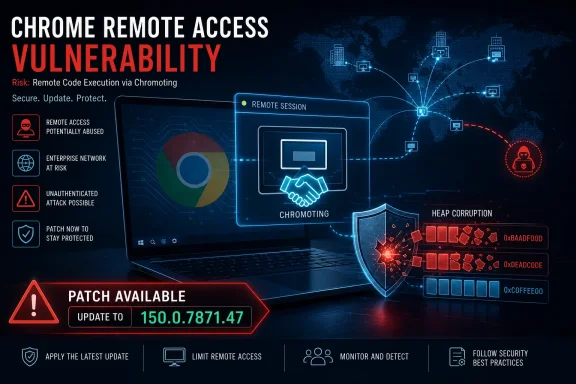
Google published CVE-2026-14084 on June 30, 2026, for an insufficient-input-validation flaw in Chrome’s Chromoting component before version 150.0.7871.47, where malicious network traffic could potentially trigger heap corruption in the browser. The entry looks modest at first because Chromium labels the bug “Low,” but the surrounding metadata tells a more uncomfortable story. CISA’s ADP scoring gives it a CVSS 3.1 base score of 8.8, while NVD had not yet supplied its own score as of the July 1 modification record. For Windows users and administrators, the right conclusion is not panic; it is that Chrome’s remote-access plumbing deserves the same patch urgency as the browser’s more famous rendering-engine bugs.
The tension in CVE-2026-14084 begins with a mismatch. Google’s Chromium security severity is Low, yet the CISA ADP vector describes a network-reachable, low-complexity issue requiring no privileges and only user interaction, with high impact to confidentiality, integrity, and availability. That is the sort of vector administrators have been trained to treat as urgent, even when exploit details remain scarce.
The flaw lives in Chromoting, the technology family behind Chrome Remote Desktop and related remote-access plumbing. That matters because this is not a generic web page parsing problem in the main browser surface. It is a bug in code that exists specifically to broker remote interaction, networking, identity, and control.
NVD’s entry says the weakness is CWE-20, improper input validation. That sounds bland until it intersects with heap corruption, the old and still dangerous class of memory corruption where a program’s dynamic memory can be forced into an unsafe state. In browser security, heap corruption is rarely a footnote; it is often the terrain where crashes become code execution attempts, especially when chained with other bugs.
The responsible reading is narrow but firm. There is no public indication in the supplied NVD record that CVE-2026-14084 is being exploited in the wild, and CISA’s SSVC data lists exploitation as “none.” But “not exploited” is not the same thing as “not exploitable,” and the browser update that fixes it is already available.
That broader context changes how the patch should be prioritized. If a shop is debating whether to move immediately to Chrome 150.0.7871.47 only because this one vulnerability is marked Low by Chromium, it is asking the wrong question. The release is a security train carrying many fixes, and the Chromoting issue is one more reason not to linger on the prior branch.
Chrome’s versioning also creates a predictable problem for inventory teams. The vulnerable boundary in the CVE is “prior to 150.0.7871.47,” while Google’s desktop release notes show slightly different build endings by platform. Windows administrators should therefore check actual installed Chrome versions rather than relying on a broad “Chrome 150” label in asset tools.
This is especially true in mixed estates where Chrome coexists with Microsoft Edge, Brave, Vivaldi, Electron apps, embedded Chromium components, and managed remote-access tooling. CVE records often start life with Google Chrome CPEs before downstream vendors publish their own advisories, and the absence of a CPE for another Chromium-based product is not proof that the code path is absent. It is a signal to verify vendor guidance, not to assume immunity.
That separation is increasingly artificial. Chrome Remote Desktop and related Chromoting code sit at the intersection of browser identity, network traversal, remote session negotiation, and host control. A vulnerability there is not automatically catastrophic, but it is qualitatively different from a cosmetic UI spoofing flaw or a crash in an obscure media parser.
The phrase “malicious network traffic” in the NVD description is doing a lot of work. It suggests the trigger is not merely a user visiting a crafted web page, though the CISA vector still includes user interaction. In practical terms, defenders should think about circumstances in which a vulnerable Chrome installation or Chromoting host is reachable through expected remote-access workflows, not just whether users browse dangerous sites.
That does not mean every Chrome user is running an exposed remote desktop service. Many are not. But enterprise risk is rarely about the median user; it is about the forgotten exception. The exception is the helpdesk machine with Chrome Remote Desktop enabled for emergency access, the developer workstation with experimental remoting tools, the small business endpoint where a remote-support workaround became permanent, or the unmanaged BYOD laptop that still has enterprise SSO tokens.
This split is not necessarily evidence that somebody is wrong. Vendor severity often accounts for internal exploitability assumptions, sandbox boundaries, feature exposure, mitigations, and the availability of preconditions not fully reflected in a generic CVSS vector. CVSS, meanwhile, is deliberately abstract: it describes potential technical impact under defined assumptions, not the probability that a specific enterprise will be compromised tomorrow morning.
The problem is that patching systems, dashboards, and executive reports tend to flatten that nuance. A “Low” vendor tag may bury the issue below the fold, while an 8.8 score may trigger emergency handling. In a mature program, neither label should be consumed alone.
For CVE-2026-14084, the more useful risk statement is this: a memory-corruption flaw in a remote-access-related Chrome component was fixed in Chrome 150.0.7871.47; public metadata does not show active exploitation; the issue may require user interaction; and the potential impact, if successfully exploited, is high enough that managed environments should verify deployment promptly.
That sentence will not fit cleanly in a dashboard cell. It is still better than pretending that “Low” or “8.8” tells the whole story.
Chromium is a shared code base, not a single finished product. Google Chrome is the reference consumer most CVEs name first, but the relevant code may appear in other browsers or products depending on how vendors build, disable, patch, or fork a component. Remote desktop features complicate that further because a downstream browser may include Chromium code without exposing the exact same user-facing feature set.
For WindowsForum readers, the obvious neighboring product is Microsoft Edge. Microsoft’s Edge release infrastructure is its own channel with its own version numbers and release notes, even though Edge is Chromium-based. Microsoft’s Update Catalog showed Edge Stable and Extended Stable version 150.0.4078.48 updates dated July 2, 2026, which illustrates the lag and translation layer between Chromium releases and Edge builds.
That does not prove Edge is affected by CVE-2026-14084, and it would be sloppy to say it does without a Microsoft advisory naming the CVE. It does prove the operational point: administrators cannot stop at “Chrome patched.” They need to check each Chromium-based browser and embedded runtime through its vendor’s update channel, not through wishful equivalence.
The same caution applies to vulnerability scanners. A scanner that keys only on Google Chrome CPEs may miss downstream exposure; a scanner that broadly maps every Chromium CVE to every Chromium-based product may create false positives. The answer is not to ignore the scanner but to reconcile it against vendor release notes, installed build numbers, and whether the affected component is actually present and reachable.
A remote session itself is interactive by design. Users approve connections, authenticate, accept prompts, run helper tools, or leave sessions available for support staff. Administrators create policies that reduce friction precisely because remote support needs to work when a user is confused, absent, or under pressure.
That makes the social engineering layer more plausible. An attacker does not necessarily need to deliver an exploit in a vacuum; they may try to lure a user into initiating or accepting a remote-support workflow, joining a session, installing a helper, or interacting with a malicious endpoint. The technical vulnerability is only one piece of that chain.
This is why “not automatable,” another CISA SSVC field in the NVD record, should be read carefully. Non-automatable exploitation lowers worm-like risk, but it does not eliminate targeted risk. Many real intrusions are not automated at the moment of compromise; they are scripted around human behavior.
The practical upshot is that patching should be paired with policy review. If Chrome Remote Desktop or similar functionality is not sanctioned in an environment, administrators should not merely update it; they should restrict it. If it is sanctioned, they should confirm who can use it, which hosts are enrolled, and how sessions are audited.
Chrome Remote Desktop is especially attractive in small and midsize environments because it is easy to deploy and works across networks without the ceremony of traditional remote access. That ease is also the risk. Tools adopted for convenience often sit outside formal change management, especially when they solve a real support problem before IT has a cleaner answer.
The CVE-2026-14084 record does not say that Chrome Remote Desktop is unsafe to use. It says a vulnerable version of Chrome had insufficient validation in Chromoting, and that malformed network traffic could potentially exploit heap corruption. The lesson is not “ban everything”; it is “inventory the tools that can touch your desktops from afar.”
For managed Windows fleets, that means looking beyond installed-app lists. Chrome may be updated, but Chrome Remote Desktop host components, policy settings, extensions, and user-level configuration can tell a different story. A laptop can look compliant at the browser version layer while still retaining remote-access allowances that violate policy.
It also means not letting browser update deferrals sprawl indefinitely. Enterprise admins have legitimate reasons to stage Chrome updates, particularly after large releases that can affect extensions, web apps, or media playback. But staging is not the same as drifting. A security release that fixes memory corruption in remote-access code should move through rings quickly, with rollback criteria defined rather than assumed.
Browsers have become operating systems in miniature. They manage identities, secrets, storage, GPU acceleration, sandboxed code execution, extensions, payments, passkeys, media stacks, and remote services. The old idea that a browser patch is a lightweight desktop maintenance event no longer matches the blast radius of the software.
This is particularly true on Windows, where Chrome and Edge may both exist on endpoints and where line-of-business applications often certify against specific browser versions. A Chrome update can fix a dangerous vulnerability and simultaneously break a fragile workflow. That tension is why some organizations delay updates, and it is also why attackers love browsers.
The answer is not blind auto-update absolutism. In regulated or brittle environments, automatic updates can create outages. The answer is an update governance model that treats browsers as critical infrastructure: rapid test rings, telemetry from representative web apps, extension compatibility monitoring, and a clear authority to accelerate when security metadata warrants it.
CVE-2026-14084 is a useful case study because it is not an obvious headline-grabber. It is precisely the kind of vulnerability that can be lost between labels: Low in one place, High in another, remote-access-related but not known exploited, patched but not necessarily visible in every downstream product. Mature governance exists for this gray zone.
For defenders, the lack of technical detail should not become an excuse to wait. Exploit developers do not need a full public write-up to begin diffing patches, comparing builds, and probing changed code paths. Once a fixed version is public, the race shifts from disclosure to reverse engineering.
The phrase “potentially exploit heap corruption” is intentionally cautious. It does not guarantee reliable remote code execution. Heap corruption bugs vary widely: some are denial-of-service crashes, some are difficult primitives boxed in by mitigations, and some become powerful when paired with information leaks or sandbox escapes.
That uncertainty cuts both ways. It would be irresponsible to hype CVE-2026-14084 as a confirmed remote-code-execution campaign. It would also be irresponsible to dismiss it because the vendor severity says Low. Browser memory corruption in a network-facing component earns attention even when the exploit story is incomplete.
Microsoft’s public release schedule and release notes show Edge operating on its own cadence, with Stable and Extended Stable channels aimed at different management needs. The Microsoft Update Catalog listing for Edge 150.0.4078.48 on July 2, 2026, is a reminder that Chromium fixes do not land in every derivative at the exact same moment or with the exact same version string.
That timing gap matters for vulnerability management. A scanner may flag Chrome immediately and Edge later. A security team may know Google fixed an issue before Microsoft’s documentation catches up. A desktop team may deploy Edge updates through Windows-native tooling while Chrome updates through Google’s updater or a third-party patch platform.
The right process is boring but effective. Track Chrome through Google’s release notes, track Edge through Microsoft’s release notes and update channels, and do not assume that fixing one automatically fixes the other. Where a CVE names only Chrome, document the vendor basis for any exception rather than relying on a blanket Chromium rule.
This also applies to other Chromium browsers. Brave, Vivaldi, Opera, Arc, and enterprise-embedded Chromium runtimes can inherit relevant fixes at different speeds. Some ship quickly; others lag; some disable features; some carry their own patches. The shared engine is a security advantage only when the patch supply chain actually closes the loop.
For administrators, the work is broader. Verify Chrome versions at scale, confirm restart completion, and inspect remote-access policy. If your organization allows Chrome Remote Desktop, review whether that allowance is intentional, documented, and limited to appropriate users and devices.
Managed Chrome policies can help reduce unwanted exposure, but policy without inventory is theater. IT needs to know where remote-access extensions or host components are installed, which accounts can initiate sessions, and whether logs are collected centrally. The goal is not to treat every remote-support session as malicious; it is to make legitimate remote support distinguishable from shadow IT.
Security teams should also watch for opportunistic exploitation attempts that borrow the CVE name. Even when a vulnerability is not exploited in the wild, attackers use fresh CVEs in phishing, fake update pages, SEO spam, and support scams. A Chrome remote-access bug is tailor-made for social engineering: “Your browser remote support component is vulnerable; click here to update.”
The correct update path is through the browser’s own update mechanism or managed enterprise deployment tooling. Any email, chat message, or pop-up offering a standalone “CVE-2026-14084 patch” should be treated with suspicion unless it comes through established IT channels.
Chrome 150.0.7871.47 is the fixed Windows target named in the NVD record for CVE-2026-14084. If an organization is still on a prior Chrome 150 build or a Chrome 149 build after the July 1 NVD modifications, the question should be why. Compatibility testing is a reason; inertia is not.
The best browser patch programs use rings measured in hours and days, not weeks and quarters. A pilot group gets the release quickly, high-risk users follow after basic validation, and broad deployment proceeds once telemetry shows no show-stopping issue. Exceptions are explicit, time-limited, and visible to security leadership.
Remote-access-related bugs should also influence ring order. Devices used by helpdesk staff, administrators, executives, developers, and remote workers should not be the last to receive fixes. They are often the endpoints with the most valuable credentials and the most plausible remote-session exposure.
There is a subtle cultural shift here. Browser updates used to be treated as user-experience maintenance, with security as one benefit among many. They now belong in the same urgency tier as endpoint agents, VPN clients, and collaboration tools. If a product mediates identity, code execution, and remote interaction, it is infrastructure.
The concrete actions are uncomplicated, but they require discipline.
 A Low-Severity Chrome Bug Walks Into a High-Risk Enterprise
The tension in CVE-2026-14084 begins with a mismatch. Google’s Chromium security severity is Low, yet the CISA ADP vector describes a network-reachable, low-complexity issue requiring no privileges and only user interaction, with high impact to confidentiality, integrity, and availability. That is the sort of vector administrators have been trained to treat as urgent, even when exploit details remain scarce.The flaw lives in Chromoting, the technology family behind Chrome Remote Desktop and related remote-access plumbing. That matters because this is not a generic web page parsing problem in the main browser surface. It is a bug in code that exists specifically to broker remote interaction, networking, identity, and control.
NVD’s entry says the weakness is CWE-20, improper input validation. That sounds bland until it intersects with heap corruption, the old and still dangerous class of memory corruption where a program’s dynamic memory can be forced into an unsafe state. In browser security, heap corruption is rarely a footnote; it is often the terrain where crashes become code execution attempts, especially when chained with other bugs.
The responsible reading is narrow but firm. There is no public indication in the supplied NVD record that CVE-2026-14084 is being exploited in the wild, and CISA’s SSVC data lists exploitation as “none.” But “not exploited” is not the same thing as “not exploitable,” and the browser update that fixes it is already available.
Chrome 150 Was Not Just Another Feature Rollout
Google’s Chrome Releases blog announced the desktop Stable Channel update on June 30, 2026, moving Windows and macOS to Chrome 150.0.7871.46/.47 and Linux to 150.0.7871.46, with the usual gradual rollout language. Malwarebytes, reviewing the same update, described it as a large security release with hundreds of fixes, putting CVE-2026-14084 in a much broader patch wave rather than an isolated one-off.That broader context changes how the patch should be prioritized. If a shop is debating whether to move immediately to Chrome 150.0.7871.47 only because this one vulnerability is marked Low by Chromium, it is asking the wrong question. The release is a security train carrying many fixes, and the Chromoting issue is one more reason not to linger on the prior branch.
Chrome’s versioning also creates a predictable problem for inventory teams. The vulnerable boundary in the CVE is “prior to 150.0.7871.47,” while Google’s desktop release notes show slightly different build endings by platform. Windows administrators should therefore check actual installed Chrome versions rather than relying on a broad “Chrome 150” label in asset tools.
This is especially true in mixed estates where Chrome coexists with Microsoft Edge, Brave, Vivaldi, Electron apps, embedded Chromium components, and managed remote-access tooling. CVE records often start life with Google Chrome CPEs before downstream vendors publish their own advisories, and the absence of a CPE for another Chromium-based product is not proof that the code path is absent. It is a signal to verify vendor guidance, not to assume immunity.
Chromoting Turns Browser Risk Into Remote-Control Risk
Chromoting is easy to overlook because it is not part of the normal mental model of “browser attack surface.” Users think of Chrome as tabs, extensions, profiles, cookies, and web pages. Administrators think of policy templates, update rings, and sign-in controls. Remote desktop functionality sits somewhere else in the imagination, closer to VPNs and support tools than to browser chrome.That separation is increasingly artificial. Chrome Remote Desktop and related Chromoting code sit at the intersection of browser identity, network traversal, remote session negotiation, and host control. A vulnerability there is not automatically catastrophic, but it is qualitatively different from a cosmetic UI spoofing flaw or a crash in an obscure media parser.
The phrase “malicious network traffic” in the NVD description is doing a lot of work. It suggests the trigger is not merely a user visiting a crafted web page, though the CISA vector still includes user interaction. In practical terms, defenders should think about circumstances in which a vulnerable Chrome installation or Chromoting host is reachable through expected remote-access workflows, not just whether users browse dangerous sites.
That does not mean every Chrome user is running an exposed remote desktop service. Many are not. But enterprise risk is rarely about the median user; it is about the forgotten exception. The exception is the helpdesk machine with Chrome Remote Desktop enabled for emergency access, the developer workstation with experimental remoting tools, the small business endpoint where a remote-support workaround became permanent, or the unmanaged BYOD laptop that still has enterprise SSO tokens.
The Severity Split Is a Warning About Scoring, Not a Contradiction
Security teams often want one number. CVE-2026-14084 refuses to give them a clean one. Chromium says Low, CISA ADP says 8.8 High, and NVD had not yet provided its own base score in the record supplied by July 1.This split is not necessarily evidence that somebody is wrong. Vendor severity often accounts for internal exploitability assumptions, sandbox boundaries, feature exposure, mitigations, and the availability of preconditions not fully reflected in a generic CVSS vector. CVSS, meanwhile, is deliberately abstract: it describes potential technical impact under defined assumptions, not the probability that a specific enterprise will be compromised tomorrow morning.
The problem is that patching systems, dashboards, and executive reports tend to flatten that nuance. A “Low” vendor tag may bury the issue below the fold, while an 8.8 score may trigger emergency handling. In a mature program, neither label should be consumed alone.
For CVE-2026-14084, the more useful risk statement is this: a memory-corruption flaw in a remote-access-related Chrome component was fixed in Chrome 150.0.7871.47; public metadata does not show active exploitation; the issue may require user interaction; and the potential impact, if successfully exploited, is high enough that managed environments should verify deployment promptly.
That sentence will not fit cleanly in a dashboard cell. It is still better than pretending that “Low” or “8.8” tells the whole story.
The CPE Question Is Really an Inventory Question
The NVD change history shows that NIST added a Google Chrome CPE configuration for versions up to, but excluding, 150.0.7871.47. The page also displays the familiar “Are we missing a CPE here?” prompt. That prompt is easy to read as an administrative aside, but for Chromium vulnerabilities it points at a recurring operational headache.Chromium is a shared code base, not a single finished product. Google Chrome is the reference consumer most CVEs name first, but the relevant code may appear in other browsers or products depending on how vendors build, disable, patch, or fork a component. Remote desktop features complicate that further because a downstream browser may include Chromium code without exposing the exact same user-facing feature set.
For WindowsForum readers, the obvious neighboring product is Microsoft Edge. Microsoft’s Edge release infrastructure is its own channel with its own version numbers and release notes, even though Edge is Chromium-based. Microsoft’s Update Catalog showed Edge Stable and Extended Stable version 150.0.4078.48 updates dated July 2, 2026, which illustrates the lag and translation layer between Chromium releases and Edge builds.
That does not prove Edge is affected by CVE-2026-14084, and it would be sloppy to say it does without a Microsoft advisory naming the CVE. It does prove the operational point: administrators cannot stop at “Chrome patched.” They need to check each Chromium-based browser and embedded runtime through its vendor’s update channel, not through wishful equivalence.
The same caution applies to vulnerability scanners. A scanner that keys only on Google Chrome CPEs may miss downstream exposure; a scanner that broadly maps every Chromium CVE to every Chromium-based product may create false positives. The answer is not to ignore the scanner but to reconcile it against vendor release notes, installed build numbers, and whether the affected component is actually present and reachable.
Remote Access Is Where “User Interaction” Gets Weird
The CISA vector includes UI:R, meaning user interaction is required. In many browser CVEs, that phrase carries a reassuring implication: the victim must click a link, open a page, or perform some deliberate action. With remote-access components, user interaction can be harder to reason about.A remote session itself is interactive by design. Users approve connections, authenticate, accept prompts, run helper tools, or leave sessions available for support staff. Administrators create policies that reduce friction precisely because remote support needs to work when a user is confused, absent, or under pressure.
That makes the social engineering layer more plausible. An attacker does not necessarily need to deliver an exploit in a vacuum; they may try to lure a user into initiating or accepting a remote-support workflow, joining a session, installing a helper, or interacting with a malicious endpoint. The technical vulnerability is only one piece of that chain.
This is why “not automatable,” another CISA SSVC field in the NVD record, should be read carefully. Non-automatable exploitation lowers worm-like risk, but it does not eliminate targeted risk. Many real intrusions are not automated at the moment of compromise; they are scripted around human behavior.
The practical upshot is that patching should be paired with policy review. If Chrome Remote Desktop or similar functionality is not sanctioned in an environment, administrators should not merely update it; they should restrict it. If it is sanctioned, they should confirm who can use it, which hosts are enrolled, and how sessions are audited.
Windows Shops Should Treat Browser Remoting Like Any Other Admin Tool
Windows administrators have spent years hardening RDP, VPN concentrators, privileged access workstations, and remote monitoring agents. Browser-based remoting deserves to be in that same mental bucket. It may arrive through a consumer-friendly UI, but its security consequences are enterprise-grade.Chrome Remote Desktop is especially attractive in small and midsize environments because it is easy to deploy and works across networks without the ceremony of traditional remote access. That ease is also the risk. Tools adopted for convenience often sit outside formal change management, especially when they solve a real support problem before IT has a cleaner answer.
The CVE-2026-14084 record does not say that Chrome Remote Desktop is unsafe to use. It says a vulnerable version of Chrome had insufficient validation in Chromoting, and that malformed network traffic could potentially exploit heap corruption. The lesson is not “ban everything”; it is “inventory the tools that can touch your desktops from afar.”
For managed Windows fleets, that means looking beyond installed-app lists. Chrome may be updated, but Chrome Remote Desktop host components, policy settings, extensions, and user-level configuration can tell a different story. A laptop can look compliant at the browser version layer while still retaining remote-access allowances that violate policy.
It also means not letting browser update deferrals sprawl indefinitely. Enterprise admins have legitimate reasons to stage Chrome updates, particularly after large releases that can affect extensions, web apps, or media playback. But staging is not the same as drifting. A security release that fixes memory corruption in remote-access code should move through rings quickly, with rollback criteria defined rather than assumed.
The Browser Patch Burden Is Becoming a Governance Problem
Chrome’s June 30 update landed amid a steady drumbeat of large browser security releases. Malwarebytes noted hundreds of fixes in the Chrome 150 update, and earlier June reporting from outlets such as TechRadar covered another Chrome security release for an actively exploited zero-day in version 149. For IT teams, the pattern is not surprising, but the volume is increasingly hard to operationalize.Browsers have become operating systems in miniature. They manage identities, secrets, storage, GPU acceleration, sandboxed code execution, extensions, payments, passkeys, media stacks, and remote services. The old idea that a browser patch is a lightweight desktop maintenance event no longer matches the blast radius of the software.
This is particularly true on Windows, where Chrome and Edge may both exist on endpoints and where line-of-business applications often certify against specific browser versions. A Chrome update can fix a dangerous vulnerability and simultaneously break a fragile workflow. That tension is why some organizations delay updates, and it is also why attackers love browsers.
The answer is not blind auto-update absolutism. In regulated or brittle environments, automatic updates can create outages. The answer is an update governance model that treats browsers as critical infrastructure: rapid test rings, telemetry from representative web apps, extension compatibility monitoring, and a clear authority to accelerate when security metadata warrants it.
CVE-2026-14084 is a useful case study because it is not an obvious headline-grabber. It is precisely the kind of vulnerability that can be lost between labels: Low in one place, High in another, remote-access-related but not known exploited, patched but not necessarily visible in every downstream product. Mature governance exists for this gray zone.
The Public Bug Details Are Thin by Design
The Chromium issue tracker reference attached to the CVE is marked with restricted access. That is normal for Chrome security bugs shortly after disclosure. Google routinely limits bug details until enough users have received the fix, and that restraint is part of the defensive ecosystem rather than a failure of transparency.For defenders, the lack of technical detail should not become an excuse to wait. Exploit developers do not need a full public write-up to begin diffing patches, comparing builds, and probing changed code paths. Once a fixed version is public, the race shifts from disclosure to reverse engineering.
The phrase “potentially exploit heap corruption” is intentionally cautious. It does not guarantee reliable remote code execution. Heap corruption bugs vary widely: some are denial-of-service crashes, some are difficult primitives boxed in by mitigations, and some become powerful when paired with information leaks or sandbox escapes.
That uncertainty cuts both ways. It would be irresponsible to hype CVE-2026-14084 as a confirmed remote-code-execution campaign. It would also be irresponsible to dismiss it because the vendor severity says Low. Browser memory corruption in a network-facing component earns attention even when the exploit story is incomplete.
The Edge Angle Is About Timing, Not Brand Loyalty
Windows users often ask whether a Chrome CVE affects Microsoft Edge. The honest answer is usually unsatisfying: maybe, depending on the component, the build, Microsoft’s patch integration, and whether Microsoft publishes a matching advisory. Edge is Chromium-based, but it is not Chrome with a blue icon.Microsoft’s public release schedule and release notes show Edge operating on its own cadence, with Stable and Extended Stable channels aimed at different management needs. The Microsoft Update Catalog listing for Edge 150.0.4078.48 on July 2, 2026, is a reminder that Chromium fixes do not land in every derivative at the exact same moment or with the exact same version string.
That timing gap matters for vulnerability management. A scanner may flag Chrome immediately and Edge later. A security team may know Google fixed an issue before Microsoft’s documentation catches up. A desktop team may deploy Edge updates through Windows-native tooling while Chrome updates through Google’s updater or a third-party patch platform.
The right process is boring but effective. Track Chrome through Google’s release notes, track Edge through Microsoft’s release notes and update channels, and do not assume that fixing one automatically fixes the other. Where a CVE names only Chrome, document the vendor basis for any exception rather than relying on a blanket Chromium rule.
This also applies to other Chromium browsers. Brave, Vivaldi, Opera, Arc, and enterprise-embedded Chromium runtimes can inherit relevant fixes at different speeds. Some ship quickly; others lag; some disable features; some carry their own patches. The shared engine is a security advantage only when the patch supply chain actually closes the loop.
Practical Risk Lives in the Space Between Browser and Remote Support
For consumers, the guidance is straightforward: update Chrome and restart the browser. Chrome’s built-in updater can download patches silently, but the fix typically does not fully apply until the browser restarts. That small operational detail is still one of the most common reasons patched browsers remain effectively vulnerable.For administrators, the work is broader. Verify Chrome versions at scale, confirm restart completion, and inspect remote-access policy. If your organization allows Chrome Remote Desktop, review whether that allowance is intentional, documented, and limited to appropriate users and devices.
Managed Chrome policies can help reduce unwanted exposure, but policy without inventory is theater. IT needs to know where remote-access extensions or host components are installed, which accounts can initiate sessions, and whether logs are collected centrally. The goal is not to treat every remote-support session as malicious; it is to make legitimate remote support distinguishable from shadow IT.
Security teams should also watch for opportunistic exploitation attempts that borrow the CVE name. Even when a vulnerability is not exploited in the wild, attackers use fresh CVEs in phishing, fake update pages, SEO spam, and support scams. A Chrome remote-access bug is tailor-made for social engineering: “Your browser remote support component is vulnerable; click here to update.”
The correct update path is through the browser’s own update mechanism or managed enterprise deployment tooling. Any email, chat message, or pop-up offering a standalone “CVE-2026-14084 patch” should be treated with suspicion unless it comes through established IT channels.
Patch Rings Need to Move Faster Than the Exploit Differs
The gap between a public patch and public exploit understanding has narrowed. Attackers can compare vulnerable and fixed builds, identify changed functions, and develop proof-of-concept crashes faster than many enterprises can complete a two-week validation cycle. That does not mean every Chrome CVE becomes weaponized, but it changes the economics of delay.Chrome 150.0.7871.47 is the fixed Windows target named in the NVD record for CVE-2026-14084. If an organization is still on a prior Chrome 150 build or a Chrome 149 build after the July 1 NVD modifications, the question should be why. Compatibility testing is a reason; inertia is not.
The best browser patch programs use rings measured in hours and days, not weeks and quarters. A pilot group gets the release quickly, high-risk users follow after basic validation, and broad deployment proceeds once telemetry shows no show-stopping issue. Exceptions are explicit, time-limited, and visible to security leadership.
Remote-access-related bugs should also influence ring order. Devices used by helpdesk staff, administrators, executives, developers, and remote workers should not be the last to receive fixes. They are often the endpoints with the most valuable credentials and the most plausible remote-session exposure.
There is a subtle cultural shift here. Browser updates used to be treated as user-experience maintenance, with security as one benefit among many. They now belong in the same urgency tier as endpoint agents, VPN clients, and collaboration tools. If a product mediates identity, code execution, and remote interaction, it is infrastructure.
The Signal Hidden in This Chrome CVE
CVE-2026-14084 is not the loudest Chrome vulnerability of the year, and that is precisely why it is useful. It exposes the parts of vulnerability management that do not fit a clean headline: conflicting severity labels, incomplete downstream product mapping, restricted bug details, and patch urgency without confirmed exploitation.The concrete actions are uncomplicated, but they require discipline.
- Chrome on Windows and macOS should be updated to 150.0.7871.47 or later, and administrators should confirm that users have restarted the browser after the update lands.
- Vulnerability teams should treat the Chromium “Low” label and CISA’s 8.8 CVSS score as different lenses on the same issue, not as a reason to cherry-pick the more convenient number.
- Organizations that permit Chrome Remote Desktop or related Chromoting functionality should review whether the feature is sanctioned, scoped, logged, and still needed.
- Edge and other Chromium-based browsers should be checked through their own vendor release channels rather than assumed safe or vulnerable solely because Chrome is named.
- Scanner findings tied to CPE mappings should be reconciled with installed build numbers, vendor advisories, and actual component exposure.
- Helpdesk and remote-support workflows should warn users against fake browser security prompts and unofficial “CVE patch” downloads.
References
- Primary source: NVD / Chromium
Published: 2026-07-03T07:00:10-07:00
NVD - CVE-2026-14084
 nvd.nist.gov
- Security advisory: MSRC
Published: 2026-07-03T07:00:10-07:00
Original feed URL
Security Update Guide - Microsoft Security Response Center
 msrc.microsoft.com
- Related coverage: cvefeed.io
CVE-2026-14084 - Google Chrome Heap Corruption Vulnerability
Insufficient validation of untrusted input in Chromoting in Google Chrome prior to 150.0.7871.47 allowed a remote attacker to potentially exploit heap corruption via malicious network traffic. (Chromium security severity: Low)cvefeed.io
