

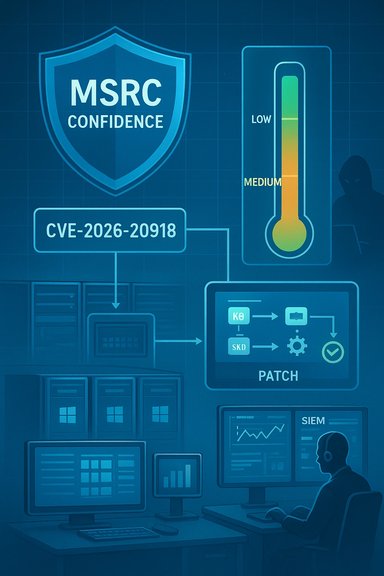
Headline: CVE‑2026‑20918 — How Microsoft’s “confidence” metric changes the way defenders should treat a Windows Management Services elevation‑of‑privilege
Subheadline: When an MSRC entry exists but technical details are sparse, the vendor’s confidence signal is the most important operational guide — here’s how to read it, what it means for Windows Management Services (WMS) / management‑plane hosts, and an evidence‑first playbook for detection, mitigation and communications. (Updated as of January 13, 2026.
Opening summary
Microsoft’s Security Update Guide (MSRC) lists CVE‑2026‑20918 as an elevation‑of‑privilege affecting Windows Management Services. Crucially, MSRC entries include a short “confidence” or “exploitability” signal that describes how certain Microsoft is that the vulnerability exists and how credible the public technical details are. That signal — not the CVE string alone — should drive your immediate operational choices: whether to prioritize emergency patching, broaden hunting across the estate, or focus first on targeted containment and telemetry. The MSRC confidence guidance and the operational playbooks used across recent Windows advisories form the basis of the recommendations below.
1) What the MSRC “confidence / exploitability” metric means (plain language)
- Purpose: The metric is a shorthand for the vendor’s judgment about two things: (1) the probability the flaw is real (existence), and (2) how accurate/useful the technical details Microsoft or others have published are. In practice it helps defenders choose between immediate, broad remediation and measured preparation.
- Levels (practical interpretation used by operations teams):
- Low / uncorroborated: A report or third‑party claim exists but lacks vendor confirmation or independent technical corroboration. Act: monitor and gather context; do not trigger high‑impact cross‑estate changes solely on this signal.
- Medium / corroborated: Multiple researchers/vendors have reported or reproduced parts of the issue; details may be partial or tentative. Act: treat the vulnerability as actionable — raise the priority of lab testing and targeted hardening for critical hosts.
- High / confirmed: Vendor acknowledgement, patches or advisories exist. Act: urgent remediation (patch mapping → test → deploy) and aggressive hunting for post‑patch indicators.
- CVE identifiers are useful labels, but they do not always reflect the maturity or quality of the technical record. A CVE can be issued early, mapped later to vendor KBs, or appear in third‑party feeds with inconsistent metadata. MSRC’s confidence metric distills the vendor’s triage state and is therefore a more actionable trigger for patching and detection prioritization.
- Practical consequence: In many recent Windows advisories the presence of a vendor KB and a “high confidence” rating preceded wide‑scale exploitation because researchers and defenders could reverse patches and create PoCs; conversely, low confidence entries frequently remained theoretical for days or weeks. Treat the MSRC confidence as your escalation switch: it tells you how aggressively to convert intelligence into action.
- Canonical record: Microsoft has a Security Update Guide entry for CVE‑2026‑20918 in the MSRC catalog; that entry is the authoritative mapping for affected builds and KB numbers and is the single source you must consult before automated patch runs. Because MSRC pages render additional detail client‑side, the brief vendor summary may look terse in scraped or preview contexts — do not rely on scraped aggregator summaries alone.
- Public technical detail (as of January 13, 2026): available public materials and community trackers show minimal low‑level exploit detail for this specific CVE. There is no widely‑published, trusted PoC tied to CVE‑2026‑20918 in the material we can corroborate right now; therefore, any prescriptive statements about a precise exploitation pattern or guaranteed kernel primitive would be speculation. Use vendor KBs and official patch diffs (when published) to validate root cause before concluding on exact mechanics.
- Operational implication: treat CVE‑2026‑20918 as a legitimate, high‑priority operational item to triage now (inventory, test, patch mapping and targeted mitigation), but do not assume an immediate mass‑exploitation scenario unless MSRC marks the confidence as high or external telemetry shows exploitation.
- Management services often run on jump hosts, bastions and servers that already contain high‑trust credentials, tokens or are used as orchestrators for the enterprise. A local elevation on such hosts immediately increases blast radius because it can: (a) enable credential harvesting, (b) allow persistent deployment of malicious management extensions, and (c) access cloud resources via machine identities. That cross‑plane amplification is the primary reason to accelerate triage for any management‑plane EoP.
- Real examples from recent months show that chains beginning with a small local privilege foothold plus a WMS/RDS/agent EoP result in lateral movement and tenant‑level impacts — precisely the path adversaries favour. That pattern is why defenders focus on fast inventory and mapping to KBs for management services.
- “Vendor‑confirmed + KB available”: highest urgency. Test KB in a pilot ring and schedule forceful deployment; hunt for signs of pre‑patch exploitation.
- “Multiple independent researcher write‑ups, PoC published”: treat as actively weaponizable. Expedite patching and run IOCs / behavioural hunts across the fleet.
- “Single researcher claim or community rumor”: increase monitoring, instrument EDR/SIEM for likely behaviours and gather more data; avoid wide disruptive changes until corroboration arrives.
- “Vendor entry exists but minimal detail (MSRC confidence low/medium)”: map CVE → KB carefully; in parallel, apply compensating controls (segmentation, local ACL tightening, additional telemetry).
Given the broad classes of EoP seen in recent management‑plane advisories, assume an attacker with a local foothold might chain the following primitives:
- Local code execution or script execution as a standard user → exploit WMS EoP → obtain SYSTEM → read local credential stores, LSASS, or machine‑assigned tokens → call cloud APIs or deploy malicious agent extensions.
- TOCTOU or insecure extension/update paths: attackers replace or modify artifacts that privileged components later load (e.g., unsigned extension binaries, writable updater directories), producing DLL hijacks or signed‑artifact substitution. This pattern has been seen in management and update flows.
- Information‑disclosure staging: if the WMS bug leaks memory or tokens rather than executing code, an attacker can accelerate ASLR defeats or craft subsequent exploit chains — information leaks are valuable enabling primitives even when they are not full RCEs.
A. Immediate triage (0–8 hours)
- Do not rush to mass changes based on a CVE string alone. Instead, open the authoritative MSRC entry for CVE‑2026‑20918 and record the exact KB(s) and affected SKUs for your Windows builds. The MSRC mapping is the canonical source.
- Inventory: identify hosts running Windows Management Services, Windows Admin Center, Remote Desktop/management roles, bastion/jump hosts and VDI pools. Prioritize assets that host credentials, tokens, machine identities, or are internet‑facing.
- If MSRC shows “high” confidence or a KB is published, move to emergency patch testing (below). If confidence is “medium” or “low,” increase monitoring and hardening instead while you validate.
- Retrieve the vendor KB referenced by MSRC and test it in a representative lab image for your most critical SKUs. Confirm servicing stack / SSU prerequisites and reboot requirements.
- Pilot: deploy to a small set of high‑value hosts; verify management workflows and log collection. If no regressions, roll out using your normal staging → pilot → broad deployment channels (WSUS/SCCM/Intune).
- Restrict local write access to directories used by management/extension update mechanisms.
- Reduce local interactive logon rights for users on management hosts.
- Isolate jump hosts and management hosts behind network segmentation and allow admin access only from hardened bastions.
- Add or tune detections for:
- Unexpected service crashes, restarts or faulting module names for WMS components.
- Child processes of privileged management services spawning command shells or the creation of new services/scheduled tasks by non‑administrator accounts.
- Local access to log directories or extension directories by non‑privileged accounts.
- Useful signals (examples you can translate into EDR/SIEM rules):
- Process creation where ParentImage is a known WMS or management service and ChildImage is cmd.exe, powershell.exe, rundll32.exe or wscript.exe.
- Process token duplication or calls to DuplicateToken* and CreateProcessAsUser by non‑admin processes.
- Unexpected file writes into extension/update directories followed by a privileged process load.
- For IT Ops / Patch Owners: “MSRC lists CVE‑2026‑20918 for Windows Management Services. We are mapping the CVE to vendor KBs now; until we confirm the KB and test it, we will (a) inventory affected hosts, (b) apply temporary ACL and segmentation mitigations on jump/management hosts, and (c) ramp up EDR hunts for installation‑ and service‑load anomalies.”
- For Leadership / Risk Owners: include the MSRC confidence level and your chosen posture (Monitor & Harden vs. Urgent Patch), with clear timelines (e.g., “if MSRC confidence = high or KB published, patch within 48 hours”). Provide potential business impacts of immediate patching (reboots, service disruption).
- For Incident Response: “If we detect pre‑patch exploitation indicators (service creation, credential theft telemetry), escalate to IR and preserve forensic evidence (memory images, event logs, impacted binaries).”
- Validate patch presence across your estate (reports from WSUS/SCCM/Intune) and confirm the patch installed on each build listed in the MSRC KB. Do not rely on CVE strings in third‑party feeds for completeness.
- Run retrospective hunts for the indicators described above covering a lookback window of at least 30 days (longer for high‑value hosts). If you find suspicious artifacts, preserve them and coordinate with IR — many weaponization attempts occur shortly after an advisory is public.
- Step 1: Open MSRC Security Update Guide for CVE‑2026‑20918 and record:
- MSRC confidence/exploitability rating (low/medium/high).
- Mapped KB article(s) and affected SKUs/builds.
- Step 2: Inventory hosts that run Windows Management Services and management jump hosts.
- Step 3: If KB available: test KB in lab (SSU prerequisites, reboot effects), pilot, then deploy.
- Step 4: If KB not yet available or MSRC says low confidence: restrict write access to updater/extension paths; enforce least privilege; isolate hosts.
- Step 5: Deploy EDR rule set to capture:
- Privileged service spawning child shells.
- Unexpected writes to extension/update directories plus immediate privileged loads.
- Token duplication and CreateProcessAsUser activity.
- Step 6: Pre‑/post‑patch hunting: scan for service crashes, unexpected new services, suspicious scheduled tasks, and LSASS memory access patterns on high‑value hosts.
- Step 7: Communications: notify patch owners, IR, and exec risk; record decisions and timelines.
- MSRC’s confidence metric was specifically designed to reduce the operational confusion created by CVE fragmentation and terse vendor entries — use it. In many recent incidents, teams that followed the MSRC confidence guidance (map CVE→KB→test→deploy) avoided misapplied patches and reduced disruption.
- Treat the MSRC entry as the source of record for mapping fixes to your SKUs; do not rely on third‑party aggregator copies for patch‑automation until you confirm KB mappings. The MSRC pages sometimes render additional, useful KB tables client‑side, so an interactive check (or direct KB lookup in the Microsoft Update Catalog) is often necessary to get the full remediation details.
- Pull together a one‑page operational checklist tailored to your environment (WSUS/Intune/SCCM) with the exact commands and detection rules you should deploy to EDR and SIEM.
- Build a short hunt notebook with Sigma / Sysmon / KQL rules you can paste into your EDR and SIEM (example detections for unexpected privileged service child processes, token duplication, and suspicious extension directory writes).
Tell me which you prefer and what patch management tooling you use (WSUS, SCCM, Intune, other) and I’ll produce the actionable artifacts next.
- Microsoft Security Update Guide: vendor entries and confidence metric explanations; note that MSRC is the canonical CVE→KB mapping and sometimes renders additional detail client‑side.
- Internal operational analyses and advisory summaries explaining the meaning and operational use of MSRC’s confidence metric and its role in prioritizing remediation and hunting.
- Technical and operational playbooks derived from recent Windows management‑plane advisories and real‑world patching incidents that demonstrate how to triage EoP in management services.
Source: MSRC Security Update Guide - Microsoft Security Response Center
