

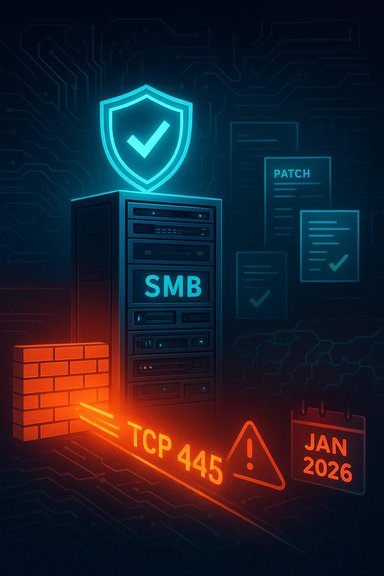
Microsoft’s January 2026 security roll‑up includes CVE‑2026‑20927, a Server Message Block (SMB) Server vulnerability Microsoft classifies as a denial‑of‑service (DoS) issue; administrators should assume this flaw is actionable and prioritize patching, network isolation, and targeted mitigations until systems are confirmed updated.
SMB is the protocol Windows systems use for file and printer sharing, remote administration, and a range of Windows-native services. Because SMB runs widely across desktops, file servers, appliances, and cloud instances, vulnerabilities in the SMB stack frequently carry outsized operational risk. Past SMB flaws have ranged from remote denial‑of‑service to elevation of privilege and remote code execution, and they remain a common and high‑value target for attackers. Microsoft’s Security Update Guide lists CVE‑2026‑20927 as a vulnerability affecting the SMB Server component; public listings and patch notes released alongside the January 2026 updates show this CVE as part of that month’s bulletin set. Community trackers and vendor patch summaries that aggregated January 2026 CVEs include CVE‑2026‑20927 under the SMB Server entries, reinforcing the inclusion in Microsoft’s patch stream. Administrators should therefore treat the vulnerability as part of the January 2026 remediation lifecycle and prioritize remediation in accordance with internal change windows and exposure.
Treat the absence of a public PoC as temporary; historically, once a Microsoft SMB flaw is published it only takes a short time before proof‑of‑concepts and scanning activity appear in the wild. Defenders who move quickly to patch, harden, and monitor will reduce both operational risk and the window of opportunity for attackers.
If you manage Windows servers or mixed OS file‑sharing environments, act now: inventory SMB‑exposed hosts, confirm your January 2026 patches are installed (and the required reboots completed), and apply network controls for SMB while you validate patches and vendor backports for appliances. These actions materially reduce your attack surface and the chance of disruptive service outages.
Source: MSRC Security Update Guide - Microsoft Security Response Center
 Background
SMB is the protocol Windows systems use for file and printer sharing, remote administration, and a range of Windows-native services. Because SMB runs widely across desktops, file servers, appliances, and cloud instances, vulnerabilities in the SMB stack frequently carry outsized operational risk. Past SMB flaws have ranged from remote denial‑of‑service to elevation of privilege and remote code execution, and they remain a common and high‑value target for attackers. Microsoft’s Security Update Guide lists CVE‑2026‑20927 as a vulnerability affecting the SMB Server component; public listings and patch notes released alongside the January 2026 updates show this CVE as part of that month’s bulletin set. Community trackers and vendor patch summaries that aggregated January 2026 CVEs include CVE‑2026‑20927 under the SMB Server entries, reinforcing the inclusion in Microsoft’s patch stream. Administrators should therefore treat the vulnerability as part of the January 2026 remediation lifecycle and prioritize remediation in accordance with internal change windows and exposure. What we know right now (summary of public facts)
- The vulnerability is tracked as CVE‑2026‑20927 and is associated with the Windows SMB Server component. Microsoft’s official update guide lists the CVE entry.
- Microsoft’s January 2026 collection of fixes includes multiple SMB‑related CVEs; CVE‑2026‑20927 appears in vendor and community aggregated lists for that release.
- Public disclosure to date frames the issue as a denial‑of‑service (availability) problem rather than remote code execution (RCE). That characterization changes the immediate exploit calculus (attacker seeks service disruption rather than data theft or code execution), but it does not make the issue innocuous—SMB DoS at scale can produce cascading outages.
Why this matters: operational and security consequences
SMB is a pervasive protocol in Windows ecosystems. A denial‑of‑service vulnerability in SMB Server can produce a range of operational harms:- Immediate availability loss for file shares, DFS namespaces and any services relying on SMB file I/O. That can cascade into halted business workflows or interruptions of scheduled tasks.
- Disruption of backup and replication processes that rely on SMB shares, increasing the risk of data‑integrity incidents if outages occur during heavy I/O.
- Amplification in multi‑tenant or cloud environments where a single vulnerable file‑server VM or appliance is shared across workloads. Attackers or misbehaving processes can produce host instability affecting many tenants.
- Operational overhead from emergency patching, reboots, and forensic triage in the event of exploitation attempts.
The technical picture — what’s plausible (and what isn’t)
Because detailed proof‑of‑concepts for CVE‑2026‑20927 have not been widely published, the safest analytic approach is to map the vulnerability into known SMB failure classes and explain the realistic attack primitives and remediation patterns.SMB DoS failure modes (observed historically)
- Malformed packet parsing that causes an exception or crash in the SMB server parser (unvalidated lengths, integer overflows, or invalid state transitions). These are classic and have appeared in SMB advisories before.
- Resource exhaustion through repeated requests that consume kernel or service memory (leaks) or file handle tables, producing a slow service degradation rather than a single crash. Such memory‑management defects often manifest over time during sustained operations.
- Race conditions and lifetime mismatches in kernel or driver code paths (especially where asynchronous crypto, I/O, or completion callbacks are involved). Kernel‑level races can lead to use‑after‑free or panics and are high severity when they occur in privileged code paths.
What the public record indicates about CVE‑2026‑20927
- Public vendor pages classify CVE‑2026‑20927 as a DoS issue affecting SMB Server; that aligns with the common failure modes above and with Microsoft’s own triage categorization in the January 2026 update materials. No authoritative vendor statement has, as of this writing, published a detailed technical breakdown that includes exact root‑cause code paths. Administrators should therefore proceed on the assumption that the patch is defensive and necessary, but that the exploit surface and exact attack-likelihood depend on topology and exposure.
Affected systems and exposure assessment
Microsoft’s monthly security rollouts typically map CVEs to specific KBs and OS builds. Community aggregations of the January 2026 bulletin set list many Windows server and client components corrected that month, including several separate SMB Server CVEs bundled into the updates; CVE‑2026‑20927 appears in that list. Administrators must therefore:- Inventory Windows servers and endpoints for January 2026 patch status and the presence of SMB Server roles or file‑sharing features. Use your enterprise patch management console (WSUS, SCCM/ConfigMgr, Intune, or equivalent) to query installed KBs and OS build versions.
- Prioritize hosts that publish SMB services (file servers, domain controllers that host file shares, NAS gateways running Windows Server, and Windows‑based network appliances). These hosts create the highest exposure for a network‑accessible SMB DoS.
Detection, hunting, and short‑term controls
Until patched, the immediate objective is to reduce exposure and increase detection fidelity.Short‑term mitigations (apply immediately where practical)
- Block or limit SMB ports at your network edge and host firewalls: TCP 445 (SMB over TCP) and, where present, TCP 139/UDP 137/138 (NetBIOS/legacy). On Windows hosts that do not serve SMB shares, create a blocking inbound rule for TCP 445. Microsoft provides explicit guidance for blocking SMB traffic to reduce lateral movement and reduce attack surface.
- Disable legacy SMBv1 across your estate if it is present. SMBv1 has been deprecated for years and is a common source of vulnerability and compatibility issues; Microsoft documents steps to detect and disable SMBv1 safely.
- Segment file server networks: restrict which clients and management systems may reach SMB services; enforce least‑privilege network paths and segregate backup/replication traffic where possible.
Detection and logging
- Monitor Windows Event Logs for SMB‑server errors and abrupt service terminations; track unexplained restarts of SMB‑related services (LanmanServer) or system crashes that coincide with unusual SMB traffic spikes.
- Deploy network IDS/IPS rules tuned to detect malformed SMB streams and anomalous connection patterns to SMB endpoints; treat sustained malformed‑request storms as immediate indicators for host isolation. Historical incident reports around other SMB flaws show scanning and test‑exploit patterns that can be detected at perimeter and internal IDS sensors.
- Instrument your patch management and asset inventory to produce a prioritized list of SMB‑exposed servers and appliances that cannot be quickly patched (long‑tail vendor images, appliances with embedded Windows components, or third‑party NAS devices).
Patching and validation checklist (recommended sequence)
- Identify affected hosts: use patch‑management tools to list machines missing the January 2026 cumulative/security updates.
- Prioritize public‑facing SMB servers, domain controllers, and storage gateways for immediate patching.
- Apply Microsoft’s January 2026 security updates for your OS SKU and reboot hosts as required to complete the installation. Microsoft’s cumulative updates for January reference multiple CVEs and generally require restart.
- Where patching is delayed, restrict access via host firewall rules or network ACLs so only trusted management subnets and backup servers can reach SMB endpoints.
- After patching, validate: confirm updated KBs are installed, monitor for the disappearance of SMB crash signatures, and run representative workloads to ensure stability. If possible, pilot the update in a test cluster before wide deployment.
How to prioritize: risk matrix for CVE‑2026‑20927
- High priority: servers that are Internet‑reachable, border file servers, and systems that host customer data or cluster storage backends. These systems can cause the largest operational and business impact if disrupted.
- Medium priority: internal file servers and branch office servers that serve many users but are protected by perimeter controls; prioritize these after externally reachable systems.
- Lower priority: desktop endpoints that do not act as SMB servers; however, where desktops expose shared folders or act as backup targets, treat them as higher risk.
What defenders should watch for in the medium term
- Public technical write‑ups and proof‑of‑concept code. Historically, once an SMB flaw is published, PoCs and exploit scripts may appear quickly; defenders should watch reputable technical blogs, vendor advisories, and detection signature updates from major security vendors. If PoC artifacts are published, escalate patching and detection efforts immediately.
- Signs of coordinated scanning or exploit attempts against SMB endpoints. Incident responders commonly observe repeated malformed SMB requests, unexpected large numbers of session attempts, or scripted connection patterns consistent with automated scanning.
- Vendor attestations and KB mappings. Microsoft publishes per‑KB notes and security update guide entries that map CVEs to specific KB articles and OS builds; use those mappings to confirm which patches you need for each SKU. If vendor mapping is unclear, escalate to the vendor (for appliance images) and isolate the device until a backport is available.
Why immediate patching is still the best defense
Even when a CVE is categorized as DoS rather than RCE, there are four practical reasons to prioritize patching promptly:- DoS vulnerabilities in privileged components (like SMB Server) can cause kernel panics, host instability, and require manual recovery—this creates operational toil and risk to business continuity.
- Attackers often chain multiple vulnerabilities. A DoS condition may be used as a diversion or to degrade logging and monitoring during more sophisticated intrusions.
- The presence of a published patch reduces attacker landing zones and buys time for defenders; conversely, unpatched systems represent obvious, exploitable targets for opportunistic actors.
- Long‑tail systems and appliances often lag in updates; unpatched devices frequently become the Achilles’ heel in otherwise well‑patched environments. Vendor coordination and inventory are essential.
Strengths and limits of the public information (confidence analysis)
- Strength: Microsoft has listed CVE‑2026‑20927 in its security update materials, which is the authoritative signal that the vulnerability exists and that fixes have been released for supported SKUs. That vendor acknowledgement raises confidence that remediation is the correct operational step.
- Strength: Multiple independent community trackers and forum aggregations show CVE‑2026‑20927 appearing in the January 2026 bulletin collections, which corroborates Microsoft’s listing and the timing of the patch cycle.
- Limit: Public technical detail (packet‑level mechanics, stack traces, or PoC) for CVE‑2026‑20927 is scarce in open research at the time of writing. That limits defenders’ ability to create tailored detection logic beyond generic SMB anomaly detection and logging. Where detailed exploit mechanics are absent, treat any claims of RCE or full weaponization as unverified.
- Limit: Community posts and aggregated lists are helpful for operational prioritization but do not substitute for per‑SKU KB mapping; always validate the exact KB that maps to CVE‑2026‑20927 for your OS/build before deploying updates in production.
Recommended operational playbook (concise)
- Patch: Apply the January 2026 updates that include the SMB Server fixes and reboot hosts as required. Confirm KB installation.
- Harden: Disable SMBv1 across the estate and enforce SMB signing/encryption policies where supported. Use Microsoft’s guidance for safe SMBv1 removal.
- Network control: Block TCP 445 at the perimeter for systems that do not need SMB exposure, and implement host firewall rules for additional containment.
- Monitor and detect: Tune IDS/IPS to look for malformed SMB streams and add log‑based alerts for SMB service errors and abnormal restart activity.
- Inventory and vendor coordination: Identify appliances and vendor images that bundle Windows components; confirm vendor backports or update timelines and isolate devices when vendors cannot provide timely fixes.
Final assessment and recommendations
CVE‑2026‑20927 is a real and vendor‑acknowledged SMB Server denial‑of‑service vulnerability included in Microsoft’s January 2026 update set. While public technical specifics remain limited today, the practical defensive posture is clear and immediate: prioritize patching, reduce SMB exposure through firewall rules and segmentation, disable legacy SMBv1, and increase detection coverage for anomalous SMB traffic.Treat the absence of a public PoC as temporary; historically, once a Microsoft SMB flaw is published it only takes a short time before proof‑of‑concepts and scanning activity appear in the wild. Defenders who move quickly to patch, harden, and monitor will reduce both operational risk and the window of opportunity for attackers.
If you manage Windows servers or mixed OS file‑sharing environments, act now: inventory SMB‑exposed hosts, confirm your January 2026 patches are installed (and the required reboots completed), and apply network controls for SMB while you validate patches and vendor backports for appliances. These actions materially reduce your attack surface and the chance of disruptive service outages.
Source: MSRC Security Update Guide - Microsoft Security Response Center
