

Microsoft’s Security Update Guide lists CVE-2026-20951 as a remote code execution (RCE) vulnerability affecting Microsoft SharePoint Server, but public technical details are sparse; defenders should treat the identifier as an urgent patch-and-hunt signal, cross-check vendor KB mappings, and apply layered mitigations immediately while planning a full forensic review where internet‑exposed SharePoint instances exist.
SharePoint Server has long been a high‑value target for attackers because on‑premises deployments expose large volumes of business content, configuration artifacts, and service accounts to the IIS worker process. Recent high‑profile incidents in 2024–2025 established a recurring attack pattern: unsafe deserialization or viewstate abuse combined with layout‑endpoint write primitives that lead to ASPX web shells and persistent code execution. That pattern produced widely observed compromises and prompted emergency vendor guidance, coordinated response by national CERTs, and practical mitigations that remain relevant today. The CVE identifier CVE-2026-20951 appears in Microsoft’s Security Update Guide entry for this vulnerability, which confirms Microsoft is tracking the issue; however, the vendor’s public page is intentionally terse and does not disclose full exploit mechanics in order to limit attacker guidance. Where public detail is missing, defenders must rely on vendor KB mappings, official mitigation guidance, and established operational playbooks derived from prior SharePoint RCE incidents.
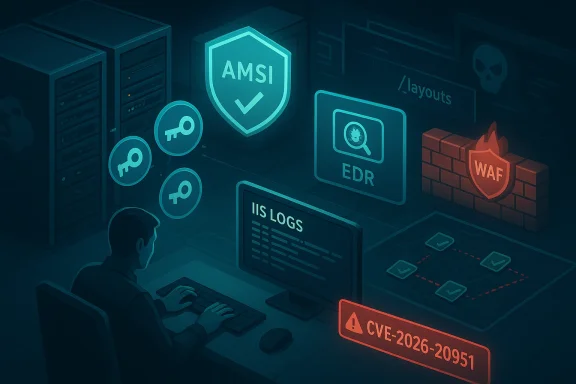
Wherever MSRC or CISA guidance exists, follow it as authoritative and cross‑check CVE → KB mappings before claiming systems are patched. If you manage internet‑facing SharePoint farms, treat them as high priority: patch now, hunt now, and assume compromise if you were public during the vulnerability window. The operational playbook that repeatedly reduces risk is the same one proven during prior SharePoint incidents — rapid patching, farm‑wide key rotation, EDR/AMSI hardening, and rigorous forensic hunting.
Source: MSRC Security Update Guide - Microsoft Security Response Center
 Background / Overview
SharePoint Server has long been a high‑value target for attackers because on‑premises deployments expose large volumes of business content, configuration artifacts, and service accounts to the IIS worker process. Recent high‑profile incidents in 2024–2025 established a recurring attack pattern: unsafe deserialization or viewstate abuse combined with layout‑endpoint write primitives that lead to ASPX web shells and persistent code execution. That pattern produced widely observed compromises and prompted emergency vendor guidance, coordinated response by national CERTs, and practical mitigations that remain relevant today. The CVE identifier CVE-2026-20951 appears in Microsoft’s Security Update Guide entry for this vulnerability, which confirms Microsoft is tracking the issue; however, the vendor’s public page is intentionally terse and does not disclose full exploit mechanics in order to limit attacker guidance. Where public detail is missing, defenders must rely on vendor KB mappings, official mitigation guidance, and established operational playbooks derived from prior SharePoint RCE incidents. What “confidence” means for CVE‑level disclosures
When assessing any CVE — and particularly SharePoint RCEs — it helps to treat confidence as a three‑tier continuum:- Published identifier, low public detail: the CVE exists but vendor/research technical detail is minimal. Awareness is raised, but attacker capability does not necessarily increase.
- Corroborated by independent research: researchers publish analysis that points to likely root causes or exploit primitives; confidence grows because both attackers and defenders can reconstruct probable paths.
- Vendor‑acknowledged with updates/patches: the highest confidence level. Microsoft or another vendor publishes an advisory and patches, enabling defenders to map CVE → KB and prioritize remediation.
Technical anatomy (what defenders should assume)
Microsoft’s public CVE entry for CVE‑2026‑20951 confirms a SharePoint Server RCE classification but offers limited details on the precise exploit primitive. Because the advisory is terse, the prudent defender assumes the issue fits into one of SharePoint’s historically exploited classes and prepares accordingly:- Unsafe deserialization or ViewState abuse: SharePoint historically processes serialized ASP.NET objects and ViewState tokens. If an attacker can cause the server to deserialize attacker‑controlled payloads, arbitrary object construction can execute code under the w3wp.exe identity. Previous incidents show attackers exploit these primitives to drop web shells.
- Layout endpoint file‑write primitives: POSTs targeting _layouts/ endpoints have been abused to create ASPX web shells inside TEMPLATE\LAYOUTS. Web shells provide persistence, file access and an avenue to exfiltrate machineKey material.
- MachineKey theft and forged tokens: Once a web shell is present, attackers frequently extract ASP.NET machineKey values (ValidationKey and DecryptionKey) and craft legitimately signed __VIEWSTATE payloads to re‑trigger execution or maintain stealthy persistence across some mitigations. Rotating machineKey farm‑wide is routinely recommended.
Real‑world impact scenarios
When a SharePoint on‑premises RCE is weaponized, the operational consequences are predictable and severe:- Data access and exfiltration: SharePoint repositories often contain legal, HR, and financial documents; RCE can let attackers read libraries, configuration files (web.config), and any credential material the application can access.
- Credential and key theft: MachineKey and service‑account secrets can be stolen and reused to forge tokens or move laterally.
- Persistence and supply‑chain amplification: Web shells and malicious updates can persist and be used to stage ransomware or other long‑term campaigns. Observed campaigns in 2025 and 2024 used web shells to deploy ransomware families and custom backdoors.
- High remediation cost: Farms that were internet‑facing and left unpatched frequently required full rebuilds and credential rotations; simple patching without hunting often proved insufficient.
Detection: high‑value telemetry and IoCs
Practical detection should focus on three telemetry families: web access logs, file system changes inside served directories, and EDR process behaviors. High‑priority indicators of compromise (IoCs) encountered in prior campaigns and still relevant now include:- Unusual POST requests to layout endpoints, e.g., requests that target /_layouts/ or ToolPane.aspx and result in 201/200 responses for unexpected content.
- New or recently modified .aspx files in TEMPLATE\LAYOUTS or other served directories — common web shell names include variants like spinstall0.aspx.
- IIS worker process (w3wp.exe) spawning cmd.exe, powershell.exe, or rundll32.exe associated with web requests. Correlate process trees in EDR and check command line parameters.
- Sudden outbound connections from SharePoint hosts to attacker‑controlled infrastructure following anomalous web requests.
- Evidence of machineKey access or unexpected changes in machineKey values, or web.config alterations referring to unknown modules.
Immediate mitigation and remediation (prioritized actions)
Apply the following in order. The list is optimized for speed and impact: patching is necessary but insufficient if the farm is already compromised, so combine remediation with active hunting.- Inventory and exposure mapping — locate every SharePoint host (Subscription Edition, 2019, 2016) and mark internet‑facing endpoints. Use firewall, CDN or WAF logs and DNS records to identify externally reachable nodes.
- Apply vendor security updates — consult Microsoft’s Security Update Guide and apply the exact KB(s) mapped to CVE‑2026‑20951 for each SKU and language pack. Do not assume cumulative coverage; confirm KB numbers. Validate installation via Central Admin and the farm’s patch status.
- Isolate internet‑exposed servers — if you cannot patch immediately, place public servers behind a VPN or restrict inbound access to known management IPs; consider taking public endpoints offline while you patch and hunt.
- Rotate ASP.NET machineKey farm‑wide — after patching, rotate machineKey values (ValidationKey and DecryptionKey) across the farm and restart IIS on every node to invalidate stolen keys. Use the SharePoint cmdlets Set‑SPMachineKey or the Central Administration machineKey rotation job. Restart IIS only after verifying web.config and applicationHost.config for malicious modules.
- Enable AMSI and endpoint protection — configure Antimalware Scan Interface (AMSI) integration and ensure Defender/EDR is running and up to date on all SharePoint servers to disrupt exploitation and post‑exploit tooling. If AMSI cannot be enabled quickly, isolate the host.
- WAF rules and request blocking — deploy tuned WAF rules to block suspicious layout endpoint POST patterns and known exploit request signatures until all hosts are patched.
- Hunt for web shells and conduct forensic triage — assume compromise for servers that were internet‑facing during the vulnerable window. Look for spinstall0.aspx and similar artifacts, scheduled tasks, anomalous DLLs, and evidence of credential harvesting. If found, perform containment, credential resets, and consider full rebuilds from known‑good images.
Step‑by‑step for administrators (practical checklist)
- Map every SharePoint server and record SKU + patch level.
- Confirm exact KB mapping for CVE‑2026‑20951 in Microsoft’s Security Update Guide and download matching security updates for your SKU.
- Apply patches in a staged manner: test node → application node → production node, following your usual change control but prioritizing internet‑facing nodes.
- Rotate machineKey values farm‑wide using Set‑SPMachineKey or the Central Admin job; run the Machine Key Rotation Job if supported by your version. Restart IIS on each node and validate application functionality.
- Run full file‑system and registry scans; search for known webshell names and for changes in applicationHost.config/web.config. Use EDR for process and network hunts.
- Reset secrets for service accounts and any exposed credentials; enforce immediate credential rotation for accounts used by SharePoint and any integrated automation.
- If evidence of compromise exists, isolate, preserve volatile evidence (memory, IIS logs), and prepare for rebuilds of affected nodes; involve incident response and legal/compliance teams as necessary.
Verifying patch installation and integrity (practical notes)
- Central Administration “Manage Patch Status” and Programs & Features on each server remain the most reliable places to verify installed update packages. (Relying solely on (Get‑SPFarm).BuildVersion can be misleading because not every patch updates that number. Confirm KB entries for the server in Windows Update history and Central Admin before assuming full coverage.
- After patching and key rotation, perform behavioral validation: ensure normal user workflows work, run automated tests for page rendering and search, and re‑validate backup and restore operations. Maintain a “rollback” plan but prioritize secure containment over rapid rollback if evidence of compromise exists.
Critical analysis: vendor response, strengths and potential gaps
Strengths- Coordinated advisories and tactical guidance: Microsoft’s Security Update Guide and subsequent customer guidance offer immediate KB mappings and practical mitigation steps (patch, rotate machineKey, enable AMSI). National responders such as CISA supplemented these with detection playbooks — a useful, consistent operational message. These joint actions materially reduce exploitation windows when applied.
- Actionable mitigations: The repeated emphasis on machineKey rotation, AMSI configuration, and EDR‑based hunting is pragmatic and directly targets the core attacker primitives (signed ViewState abuse, web‑shell persistence). Automation of machineKey rotation in newer builds reduces operational friction for defenders.
- Minimal public technical detail: Microsoft’s terse CVE page is deliberate but leaves defenders dependent on vendor KBs and third‑party telemetry. That reduces defenders’ ability to craft bespoke detections or to confirm whether in‑the‑wild exploit code targets a specific farm variation. Where a CVE is published with little technical context, defending teams must apply conservative, high‑confidence mitigations while accepting some operational disruption.
- CVE mapping confusion: Historically, multiple CVE identifiers, patch bypasses, and transient advisory updates have created mis‑mappings between CVE and KB numbers. Mis‑mapping can lead to false assurance that a server is patched when it is not. The authoritative action is always to validate KB numbers against Microsoft’s Security Update Guide and Central Admin patch status.
- Detection limits for sophisticated payloads: Attackers deploying signed payloads or custom native payloads (.dll) can evade naive file‑hash-based detection. EDR and manual configuration inspection (applicationHost.config/web.config) are essential; a simple patch without deep hunting can leave latent persistence intact.
- There are public claims and forum posts that attribute specific exploit strings, IP lists or webshell names to a particular CVE; while many of those artifacts reappear across campaigns, individual artifacts should be treated as TTP‑observations rather than fixed signatures tied to CVE‑2026‑20951 unless validated by Microsoft or CISA. Where the MSRC entry lacks detail, do not rely solely on community‑provided exploit recipes.
Long‑term defensive posture and lessons learned
- Reduce internet exposure: Where possible, avoid direct internet exposure of on‑premises SharePoint. Use conditional access, VPN fronting, or reverse‑proxy gateways with strong authentication and WAF protections for any externally reachable management or content authoring endpoints.
- Least privilege for service accounts: Remove unnecessary file‑system write permissions from IIS process accounts; run services with the least privileges required to function. Hardening these privileges reduces the blast radius of any successful RCE.
- Continuous integrity monitoring: Implement continuous monitoring of served directories, applicationHost.config and web.config, and use file integrity monitoring to detect unauthorized .aspx/.dll writes. These controls detect persistence artifacts faster than periodic scans.
- Maintain an incident‑ready playbook: The SharePoint RCE incidents of 2024–2025 hardened incident response practices: patch+rotate+hunt is now a standard recipe. Maintain a tested runbook that includes immediate isolation, machineKey rotation, memory capture, and credential resets.
Conclusion
CVE‑2026‑20951 is a vendor‑tracked SharePoint Server RCE entry that raises immediate operational urgency, but the public advisory is intentionally limited in technical detail. The correct defensive posture is straightforward and uncompromising: map and inventory every SharePoint host, apply Microsoft’s specific KB updates mapped to the CVE, rotate machineKey values across the farm, enable AMSI and enterprise antimalware, and conduct an aggressive hunt for web shells and related persistence.Wherever MSRC or CISA guidance exists, follow it as authoritative and cross‑check CVE → KB mappings before claiming systems are patched. If you manage internet‑facing SharePoint farms, treat them as high priority: patch now, hunt now, and assume compromise if you were public during the vulnerability window. The operational playbook that repeatedly reduces risk is the same one proven during prior SharePoint incidents — rapid patching, farm‑wide key rotation, EDR/AMSI hardening, and rigorous forensic hunting.
Source: MSRC Security Update Guide - Microsoft Security Response Center
