

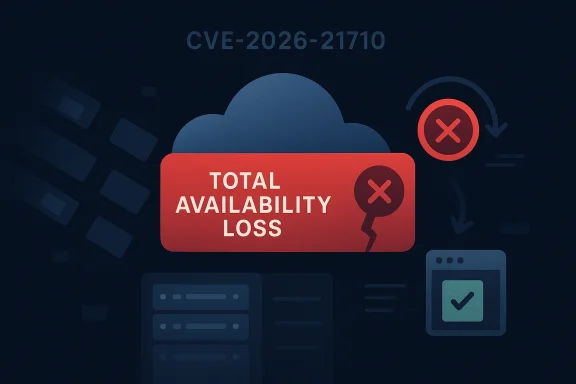
Microsoft’s CVE-2026-21710 entry is a textbook availability issue: the vulnerability description says an attacker can cause a total loss of availability in the impacted component, either by sustaining the attack or by triggering a condition that persists after the attack stops. That phrasing matters because it places the flaw in the category of bugs that are operationally disruptive even when they do not expose data or enable code execution. In practice, this kind of weakness can be just as painful as a compromise, especially for services that sit on a critical path.
What makes CVE-2026-21710 notable is not just the severity language, but the way Microsoft frames the impact. The description explicitly notes that even if the attacker cannot fully deny service in one shot, the vulnerability still qualifies when the loss of availability produces a direct, serious consequence to the affected component. That is a strong signal that the issue can be exploited to meaningfully interrupt service, not merely degrade performance in a minor way.
Because the Microsoft Security Response Center page was the only source provided in the prompt, there is still some uncertainty about the exact product family, exploitability conditions, and whether the issue is network-reachable, local, or user-assisted. Still, the availability wording is clear enough to support a practical conclusion: organizations should treat this as a patch-priority DoS vulnerability until Microsoft’s full advisory and fix guidance are reviewed.
Availability bugs are often underrated because they do not sound as dramatic as remote code execution or credential theft. Yet in enterprise environments, a reliable denial-of-service condition can be devastating, especially when it affects identity services, storage, database layers, virtualization hosts, or core client components. A disruption that takes down a mission-critical service can stop business processes just as effectively as a breach, and sometimes more cleanly.
Microsoft’s wording here is especially broad. The vendor is describing both sustained denial — where the attacker keeps sending traffic or triggering the flaw — and persistent denial — where the service remains broken even after the attack ends. That distinction is important because persistent faults are often harder to mitigate with rate limiting or temporary blocking alone.
The description also hints at a class of vulnerability that may be subtle in implementation but serious in consequence. Microsoft includes the possibility that an attacker can cause only partial availability loss, provided the impact on the component is still direct and severe. In other words, the bar for exploitation impact is not “complete crash only”; it is “material service denial that matters operationally.”
This framing is consistent with how modern vendors classify reliability bugs that affect infrastructure software. A flaw that repeatedly hangs a service, exhausts a worker pool, wedges a parser, or prevents new sessions from being accepted can have outsized effect even if the underlying bug looks small in code review. That is why denial-of-service advisories deserve the same administrative attention as more famous memory-corruption headlines.
The Microsoft wording also covers a scenario where the attacker can only deny some availability, but the result is still severe enough to count. That often applies to services that cannot process new requests while existing sessions keep running, or components that remain partially functional but are operationally broken. For administrators, that distinction is not academic; it determines whether the incident is a nuisance or a production outage.
This is why Microsoft’s exact language is worth reading carefully. It suggests the vulnerability is serious enough that even non-total service loss can still be a direct operational problem. In practical terms, that is a warning that the vulnerable component may sit close to a core dependency chain.
A denial-of-service flaw in a client-side component may look less severe on paper, but it can still be enterprise-breaking if the component is required for authentication flows, management sessions, or application startup. The important question is not “Can it crash?” but “What depends on it?”
That distinction matters for Windows 10, Windows 11, and Windows Server estates alike. A persistent denial could require intervention from IT, not just a restart by the user. In managed environments, that becomes a helpdesk burden and can generate a cascade of tickets.
If the vulnerable component is part of a server role, fleet-wide scheduling should account for maintenance windows, rollback plans, and load balancing. If it is part of an endpoint component, the concern shifts to scale: one bad trigger may not be catastrophic, but repeated exposure across thousands of machines can be.
A sensible approach is to patch a pilot ring first, watch for service regressions, then accelerate deployment. That is not hesitation; it is controlled risk management. The point is to reduce outage risk while closing a much bigger one.
Because Microsoft’s definition includes persistent denial after the attack ends, this could also indicate a corruption of state or configuration that survives until the component restarts or is repaired. That makes the issue more operationally significant than a transient blip. Persistent failures are the ones that burn time in incident response and shift teams into troubleshooting mode.
This also means security teams should not assume that “low complexity” equals “low pain.” A simple exploit often spreads faster than an advanced one, precisely because it is easier to automate. In that sense, a clean DoS can be more disruptive than a complicated exploit that only a few actors can use.
This is why administrators should map the vulnerable product to business services, not just patch levels. A workstation issue in one department may be manageable, while a server-side issue in a shared cluster could affect an entire business unit. Context is everything.
Even if the trigger requires local access, malware can often leverage it after initial compromise. That means a local DoS can still become a serious enterprise issue in environments where endpoint infection is already a concern. The difference between “local” and “network” is important, but it is not a free pass.
If the flaw affects a component used by virtualization, remote desktop, or network services, the interruption may feel larger in a lab than on a single desktop. A server that cannot be reached remotely can be much harder to fix when it is in a basement rack or behind consumer hardware. Practical access is part of resilience.
Updating promptly also reduces the risk that the vulnerable path will be chained with another issue. Even a local DoS can become a stepping stone in a broader attack if malware uses it to knock out protections or impair recovery tools. For a consumer, a forced reboot is annoying; for an attacker, it can be strategic.
Endpoint and server telemetry should be correlated with network activity where relevant. If the issue is remotely triggerable, logs can help distinguish legitimate user traffic from malicious requests. In the best case, defenders can spot the trigger pattern before the service fully degrades.
There is also an opportunity for defenders to use this case as a reminder that DoS bugs deserve structured treatment. Too often, teams reserve their fastest response path for RCE and privilege escalation, even though availability losses can create direct business harm. A disciplined response to CVE-2026-21710 can improve patch governance more broadly.
Another concern is that the advisory details are limited in the prompt, which leaves defenders with less context than they need for precise scoping. Without product names, affected versions, and attack prerequisites, some organizations may delay action or apply the wrong controls. That uncertainty is itself a risk because it can slow remediation.
It will also be important to see whether Microsoft assigns this issue a broader pattern label through the Security Update Guide or release notes. If the flaw maps to a common component family, defenders may need to look beyond one product line and inspect multiple Windows surfaces. In practice, the most dangerous availability bugs are often the ones that show up in more than one place.
Source: MSRC Security Update Guide - Microsoft Security Response Center
What makes CVE-2026-21710 notable is not just the severity language, but the way Microsoft frames the impact. The description explicitly notes that even if the attacker cannot fully deny service in one shot, the vulnerability still qualifies when the loss of availability produces a direct, serious consequence to the affected component. That is a strong signal that the issue can be exploited to meaningfully interrupt service, not merely degrade performance in a minor way.
Because the Microsoft Security Response Center page was the only source provided in the prompt, there is still some uncertainty about the exact product family, exploitability conditions, and whether the issue is network-reachable, local, or user-assisted. Still, the availability wording is clear enough to support a practical conclusion: organizations should treat this as a patch-priority DoS vulnerability until Microsoft’s full advisory and fix guidance are reviewed.
 Overview
Availability bugs are often underrated because they do not sound as dramatic as remote code execution or credential theft. Yet in enterprise environments, a reliable denial-of-service condition can be devastating, especially when it affects identity services, storage, database layers, virtualization hosts, or core client components. A disruption that takes down a mission-critical service can stop business processes just as effectively as a breach, and sometimes more cleanly.Microsoft’s wording here is especially broad. The vendor is describing both sustained denial — where the attacker keeps sending traffic or triggering the flaw — and persistent denial — where the service remains broken even after the attack ends. That distinction is important because persistent faults are often harder to mitigate with rate limiting or temporary blocking alone.
The description also hints at a class of vulnerability that may be subtle in implementation but serious in consequence. Microsoft includes the possibility that an attacker can cause only partial availability loss, provided the impact on the component is still direct and severe. In other words, the bar for exploitation impact is not “complete crash only”; it is “material service denial that matters operationally.”
This framing is consistent with how modern vendors classify reliability bugs that affect infrastructure software. A flaw that repeatedly hangs a service, exhausts a worker pool, wedges a parser, or prevents new sessions from being accepted can have outsized effect even if the underlying bug looks small in code review. That is why denial-of-service advisories deserve the same administrative attention as more famous memory-corruption headlines.
What Microsoft’s Description Actually Means
The key phrase in the advisory is “total loss of availability.” In security terms, that means the attacker can block access to the impacted resource or component in a way that renders it unusable. The note further says this loss may be sustained while the attack continues or persistent afterward, which suggests the vulnerability may trigger a state that does not automatically clear.Sustained versus persistent failure
A sustained DoS usually means the service recovers when the malicious traffic stops. That kind of bug might be mitigated with WAF rules, throttling, service restarts, or network controls. A persistent failure is more serious because it can survive beyond the attack window and force an operator to repair, roll back, or reboot the affected component.The Microsoft wording also covers a scenario where the attacker can only deny some availability, but the result is still severe enough to count. That often applies to services that cannot process new requests while existing sessions keep running, or components that remain partially functional but are operationally broken. For administrators, that distinction is not academic; it determines whether the incident is a nuisance or a production outage.
Why severity language matters
Security teams often triage based on CVSS vector, product exposure, and exploit complexity. But the availability impact text helps decide business urgency. A bug that causes a temporary hiccup in a test tool is very different from a flaw that can shut down a server role, a gateway, or an endpoint component used across an enterprise fleet.This is why Microsoft’s exact language is worth reading carefully. It suggests the vulnerability is serious enough that even non-total service loss can still be a direct operational problem. In practical terms, that is a warning that the vulnerable component may sit close to a core dependency chain.
- Total availability loss indicates a complete block or collapse of service.
- Persistent availability loss means the issue can outlive the attack itself.
- Partial but serious denial can still justify urgent remediation.
- Operational blast radius matters more than the label “DoS” alone.
Why Availability Bugs Hit Hard in Windows Environments
Windows environments are full of shared components, services, and agent-driven dependencies. That means a failure in one layer can ripple outward to authentication, file access, management tooling, or application delivery. Even when the vulnerable component is not a domain controller or core server role, it can still sit on a path that users and administrators depend on every day.Enterprise impact is often outsized
Enterprises rarely run one service in isolation. They run monitoring, endpoint protection, remote management, backup agents, log collectors, and directory-integrated applications. If CVE-2026-21710 affects any of those shared building blocks, the resulting outage could interrupt many systems at once. That is why Microsoft’s broad availability wording should be taken seriously.A denial-of-service flaw in a client-side component may look less severe on paper, but it can still be enterprise-breaking if the component is required for authentication flows, management sessions, or application startup. The important question is not “Can it crash?” but “What depends on it?”
Consumer impact can still be disruptive
Consumers tend to think of DoS as “the app freezes.” In reality, it can mean a device cannot update, connect, sync, or launch a dependent feature. If the affected component lives in a platform service or security boundary, a consumer may experience repeated app failures, login loops, or inability to access a resource even after rebooting.That distinction matters for Windows 10, Windows 11, and Windows Server estates alike. A persistent denial could require intervention from IT, not just a restart by the user. In managed environments, that becomes a helpdesk burden and can generate a cascade of tickets.
What to look for operationally
Administrators should think in terms of service symptoms rather than just CVE labels. Typical indicators of an availability issue include repeated crashes, hung processes, failed session creation, and watchdog-triggered restarts. If the flaw affects an agent or broker, logs may show retries or timeouts rather than clean fault codes.- Repeated service restarts
- Application hangs under normal use
- New sessions or connections failing
- Timeouts in management consoles
- Watchdog or health-check failures
Patch Management Implications
Microsoft CVEs that center on availability often get lower attention than privilege escalation or remote code execution, but that can be a mistake. A DoS issue may be exploitable by a wider range of attackers than a local EoP bug, especially if the vulnerable path is reachable over the network. Even when exploitation requires authentication, insiders and compromised accounts can turn the issue into a high-impact outage.Why patch timing matters
Patch timing is critical because DoS flaws are easy to weaponize once the triggering condition is known. Attackers do not need advanced post-exploitation infrastructure to cause a disruption; they only need a reliable crash, hang, or resource exhaustion path. That makes early patching and staged rollout especially important for exposed services.If the vulnerable component is part of a server role, fleet-wide scheduling should account for maintenance windows, rollback plans, and load balancing. If it is part of an endpoint component, the concern shifts to scale: one bad trigger may not be catastrophic, but repeated exposure across thousands of machines can be.
Validate before wide deployment
Even when a fix is urgent, enterprises should test the update in a representative environment. Availability bugs sometimes have adjacent behaviors that are not obvious in the bulletin: compatibility issues, changed timing, or altered failover behavior. That is especially true for Windows components that interact with security software or network filters.A sensible approach is to patch a pilot ring first, watch for service regressions, then accelerate deployment. That is not hesitation; it is controlled risk management. The point is to reduce outage risk while closing a much bigger one.
Prioritization logic
If the affected component is internet-facing, customer-facing, or used for remote administration, it belongs near the top of the patch queue. If the bug is local only, it still deserves attention, but operational urgency may depend on whether hostile insiders, malware, or low-privilege users can reach it. Microsoft’s availability wording suggests the problem is serious enough to warrant careful triage regardless.- Prioritize internet-facing deployments
- Test in a pilot group before broad rollout
- Prepare rollback and restart procedures
- Monitor for crash loops after patching
- Coordinate with application owners before maintenance
What the Advisory Style Suggests About the Bug Class
Microsoft’s description reads like a vulnerability that may involve a logic flaw, parser weakness, or state-management issue rather than classic memory corruption alone. Availability problems often come from malformed inputs, boundary conditions, or resource exhaustion scenarios that are less glamorous but extremely effective. A service that fails to recover properly after a crafted request can become unavailable without any code execution at all.Common patterns behind DoS bugs
Availability bugs frequently arise from infinite loops, unbounded recursion, excessive allocation, or poor cleanup after an error path. They can also stem from deadlocks, lock contention, and stale state that blocks progress. Sometimes a single malformed packet or request is enough to poison the component’s internal state.Because Microsoft’s definition includes persistent denial after the attack ends, this could also indicate a corruption of state or configuration that survives until the component restarts or is repaired. That makes the issue more operationally significant than a transient blip. Persistent failures are the ones that burn time in incident response and shift teams into troubleshooting mode.
Why these flaws evade simple mitigations
Not all DoS weaknesses can be blocked by rate limiting, especially if the trigger is a valid-looking request or a low-volume sequence. If the bug is reachable through a signed-in management channel or a trusted component, perimeter controls may not help. That is why patching is usually the only reliable answer.This also means security teams should not assume that “low complexity” equals “low pain.” A simple exploit often spreads faster than an advanced one, precisely because it is easier to automate. In that sense, a clean DoS can be more disruptive than a complicated exploit that only a few actors can use.
Signals to watch for
If Microsoft later publishes telemetry, defenders should expect symptoms such as recurring service termination, sustained CPU spikes, memory exhaustion, or blocked worker threads. They may also see errors in event logs that point to unhandled exceptions or health-check failures. If the issue is network-triggered, packet captures and request logs could be useful in reproducing the crash path.- Unhandled exceptions
- Worker thread starvation
- High memory pressure
- Service watchdog restarts
- Reproducible hangs on crafted input
Enterprise Exposure and Risk Modeling
For most organizations, the real question is not whether CVE-2026-21710 is “bad,” but how bad it is in their own environment. That depends on the role of the affected component, the permissions needed to trigger the flaw, and whether the system is reachable from untrusted networks. A DoS on a low-value workstation component is an annoyance; a DoS on a shared backend is a business interruption.Shared services magnify the damage
Enterprise platforms are designed for efficiency, which means they often centralize control. That centralization creates single points of failure if a shared component becomes unavailable. If the vulnerable component is part of a remote management stack, identity flow, or service broker, the impact can cascade across many dependent systems.This is why administrators should map the vulnerable product to business services, not just patch levels. A workstation issue in one department may be manageable, while a server-side issue in a shared cluster could affect an entire business unit. Context is everything.
Permission boundaries matter
If the vulnerability requires authentication, security teams need to ask which identities can reach the trigger condition. Is it any authenticated user, only admins, or a service account? If the flaw can be exercised by a low-privilege user, the risk of abuse is much higher because insiders and compromised endpoints become viable launch points.Even if the trigger requires local access, malware can often leverage it after initial compromise. That means a local DoS can still become a serious enterprise issue in environments where endpoint infection is already a concern. The difference between “local” and “network” is important, but it is not a free pass.
What to document internally
Security and operations teams should record the exact product version, role, exposure path, and recovery procedure. That will make it much easier to decide whether patching can be accelerated, deferred, or bundled with other maintenance. It also helps when leadership asks why this “availability bug” is taking priority over other updates.- Product and version inventory
- Exposure path and reachability
- Required privilege level
- Recovery and restart steps
- Business owner for the component
Consumer Exposure and Home Lab Considerations
Consumer impact is often harder to measure, but it can still be real. If CVE-2026-21710 touches a component used by Windows 11 or a Microsoft service that ships broadly, a home user may see repeated failures, performance degradation, or a feature that simply stops working. For hobbyists and home lab operators, the concern is often continuity rather than confidentiality.Home labs may be at higher risk
Home labs frequently run preview builds, mixed-version environments, or experimental configurations. That can increase the chance that a vulnerable component is exposed in unexpected ways. In those environments, an availability bug can break automation, test VMs, or remote administration tools that are relied on for convenience.If the flaw affects a component used by virtualization, remote desktop, or network services, the interruption may feel larger in a lab than on a single desktop. A server that cannot be reached remotely can be much harder to fix when it is in a basement rack or behind consumer hardware. Practical access is part of resilience.
Why consumers should still patch quickly
Many consumers delay updates because they fear regressions or reboot interruptions. That is understandable, but availability CVEs are the kind of bugs where delay can turn into frustration later. If the exploit is simple and publicly described, a device may become unstable at the worst possible moment.Updating promptly also reduces the risk that the vulnerable path will be chained with another issue. Even a local DoS can become a stepping stone in a broader attack if malware uses it to knock out protections or impair recovery tools. For a consumer, a forced reboot is annoying; for an attacker, it can be strategic.
Best practices for individual users
- Install the latest cumulative update
- Keep automatic updates enabled
- Reboot after patching if prompted
- Watch for repeated crashes after updates
- Restore from a known-good backup if needed
Security Operations Response
A mature response to a DoS CVE should combine patching, monitoring, and recovery planning. The goal is not just to remove the flaw, but to reduce the time it takes to detect an exploit attempt and restore service if something goes wrong. Availability problems demand operational discipline.Monitoring and detection
Security teams should watch for abnormal service terminations, health-check failures, and repeated errors tied to the impacted component. If Microsoft later provides indicators or event IDs, those should be added to SIEM content and alerting rules. Even without exact signatures, anomaly detection can still help spot crash loops or load spikes.Endpoint and server telemetry should be correlated with network activity where relevant. If the issue is remotely triggerable, logs can help distinguish legitimate user traffic from malicious requests. In the best case, defenders can spot the trigger pattern before the service fully degrades.
Incident response priorities
If the component fails repeatedly, responders should first stabilize the service, then preserve logs and memory artifacts if practical. After that, they should confirm whether the issue is patch-related, exploit-related, or a side effect of something else. The difference matters because a crash loop can be caused by both malicious inputs and incompatible software.Recovery planning
Recovery should not rely on guesswork. Teams should have a known sequence for isolating the host, stopping the service, applying the fix, and validating that dependent systems come back cleanly. If the vulnerability is persistent, a reboot may not be enough; configuration repair or a fresh patch cycle may be needed.- Alert on repeated service crashes
- Correlate logs across endpoint and network layers
- Preserve crash dumps when possible
- Validate patch effectiveness after deployment
- Document a rollback path in case of regressions
Strengths and Opportunities
The main strength of Microsoft’s handling here is that the advisory language clearly communicates the severity of an availability loss without forcing readers to infer the impact. That makes it easier for administrators to prioritize the issue correctly. It also gives organizations a strong basis for internal escalation, because the description already frames the bug as a serious denial-of-service risk.There is also an opportunity for defenders to use this case as a reminder that DoS bugs deserve structured treatment. Too often, teams reserve their fastest response path for RCE and privilege escalation, even though availability losses can create direct business harm. A disciplined response to CVE-2026-21710 can improve patch governance more broadly.
- Clear vendor language reduces ambiguity
- Availability risk is easy to explain to management
- Patch prioritization can be aligned to business impact
- Monitoring programs can be tuned for crash-loop detection
- Recovery playbooks can be tested and improved
- The issue reinforces the value of pilot-ring deployment
- Operational resilience can be strengthened alongside security
Risks and Concerns
The biggest concern is that availability bugs are frequently underestimated until they are actively abused. A flaw that looks like “just a crash” can still take out a shared service or keep critical components from accepting new requests. If Microsoft’s issue is reachable in a common deployment scenario, the operational impact could be larger than many teams expect.Another concern is that the advisory details are limited in the prompt, which leaves defenders with less context than they need for precise scoping. Without product names, affected versions, and attack prerequisites, some organizations may delay action or apply the wrong controls. That uncertainty is itself a risk because it can slow remediation.
- Underestimating the business impact of service denial
- Delayed patching due to incomplete context
- Crash loops affecting shared dependencies
- Partial outages disrupting new connections or sessions
- Persistent failures requiring manual recovery
- Overreliance on perimeter controls that may not help
- Poor inventory leading to missed exposure
Looking Ahead
The next thing to watch is Microsoft’s fuller advisory details, including affected products, attack surface, and whether the issue is local, remote, or authenticated. Those details will determine whether the vulnerability belongs in the top patch tier or in a scheduled maintenance window. They will also clarify whether any mitigations are possible before patching.It will also be important to see whether Microsoft assigns this issue a broader pattern label through the Security Update Guide or release notes. If the flaw maps to a common component family, defenders may need to look beyond one product line and inspect multiple Windows surfaces. In practice, the most dangerous availability bugs are often the ones that show up in more than one place.
Watch for these follow-up signals
- Full affected product list
- Attack vector and privilege requirements
- CVSS base score and temporal severity
- Any workaround or mitigation guidance
- Evidence of exploitation in the wild
Source: MSRC Security Update Guide - Microsoft Security Response Center
Last edited:
