

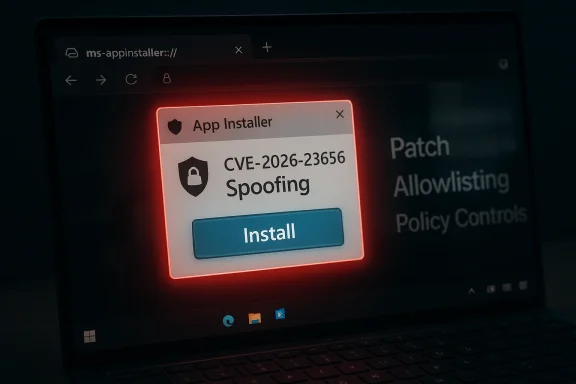
Microsoft’s security tracking has catalogued CVE-2026-23656 as a Windows App Installer spoofing vulnerability that can allow an unauthenticated actor to present spoofed installer UI or metadata by exploiting insufficient verification of data authenticity in the App Installer component, and Microsoft has mapped the issue in its Security Update Guide as an important (spoofing) finding that organizations should remediate promptly.
Windows App Installer (the component that handles AppX/MSIX and .appinstaller workflows and the associated ms-appinstaller protocol handler) has been a recurring target of attacker interest because it integrates with browser and OS install flows and can present one-click install UI that bypasses some browser download warnings. Microsoft and others have repeatedly warned that threat actors can weaponize the ms-appinstaller URI/protocol and related installer metadata to socially engineer users into installing malicious packages. This operational history is important context for understanding both the risk and realistic exploit scenarios for CVE-2026-23656.
The public catalog entries and vendor trackers describe CVE-2026-23656 concisely: insufficient verification of data authenticity in Windows App Installer allows an unauthorized attacker to perform spoofing over a network. That classification places the weakness in the spoofing threat class (ability to present false UI or metadata that the user or other components may treat as legitimate), and several third‑party aggregators echo the vendor entry and list the item as a recently recorded security issue.
Microsoft’s wider App Installer guidance and prior mitigations inform mitigation choices today: after earlier incidents and abuse campaigns, Microsoft has modified defaults for the ms-appinstaller handler and has provided guidance on updating the App Installer client and discouraging untrusted installer sources. Administrators should treat CVE-2026-23656 in that operational lineage: the vulnerability is not an isolated design oddity, but part of a continuing attacker playbook that favors deceptive install flows.
This CVE is a timely reminder that even seemingly small UX-facing conveniences — a one-click install dialog or an OS-managed protocol handler — can become a powerful attack surface when validation and origin checks are incomplete. The fastest path to reducing risk is a blend of timely patching and conservative operational controls that make social‑engineering lures harder to execute successfully.
Source: MSRC Security Update Guide - Microsoft Security Response Center
 Background / Overview
Windows App Installer (the component that handles AppX/MSIX and .appinstaller workflows and the associated ms-appinstaller protocol handler) has been a recurring target of attacker interest because it integrates with browser and OS install flows and can present one-click install UI that bypasses some browser download warnings. Microsoft and others have repeatedly warned that threat actors can weaponize the ms-appinstaller URI/protocol and related installer metadata to socially engineer users into installing malicious packages. This operational history is important context for understanding both the risk and realistic exploit scenarios for CVE-2026-23656.The public catalog entries and vendor trackers describe CVE-2026-23656 concisely: insufficient verification of data authenticity in Windows App Installer allows an unauthorized attacker to perform spoofing over a network. That classification places the weakness in the spoofing threat class (ability to present false UI or metadata that the user or other components may treat as legitimate), and several third‑party aggregators echo the vendor entry and list the item as a recently recorded security issue.
Microsoft’s wider App Installer guidance and prior mitigations inform mitigation choices today: after earlier incidents and abuse campaigns, Microsoft has modified defaults for the ms-appinstaller handler and has provided guidance on updating the App Installer client and discouraging untrusted installer sources. Administrators should treat CVE-2026-23656 in that operational lineage: the vulnerability is not an isolated design oddity, but part of a continuing attacker playbook that favors deceptive install flows.
What the public record actually confirms
- The vulnerability designation CVE-2026-23656 is publicly recorded in the vendor security registry and in multiple CVE aggregators as a Windows App Installer spoofing issue.
- The reported root cause is insufficient verification of data authenticity in App Installer, meaning the component accepts or displays installer-related data without adequate checks that it actually originated from the claimed source.
- The reported attack vector is over the network — an attacker can induce the system (by delivering specially-crafted installer links or hosting malicious installer metadata) to show spoofed content to users or to other components that trust the App Installer presentation.
Why App Installer flaws matter (technical and operational context)
Windows App Installer is an OS-managed installation surface that performs a mix of network retrieval, metadata parsing, and user-facing install UI. Because it can be invoked from web pages via the ms-appinstaller protocol or by double-clicking .appinstaller metadata files, a flaw in how it validates remote metadata, signatures, or embedded fields can be weaponized in realistic social‑engineering flows.- App Installer presents an install dialog which users are trained to trust if the UI appears native and consistent with system prompts. Attackers exploiting spoofing flaws attempt to make malicious packages appear legitimate, bypassing browser warnings or SmartScreen protections that are oriented at classical executable downloads.
- Historically, Microsoft has already mitigated related threats by changing defaults for the ms-appinstaller protocol and by pushing updates to the App Installer client; the recurrence of App Installer CVEs highlights that the attack surface combines multiple moving parts — protocol handlers, installer metadata parsers, and the UI layer — all of which must be validated to achieve end-to-end security.
Technical detail — what’s known and what remains opaque
Public entries for CVE-2026-23656 are intentionally terse: they identify the failure class (insufficient verification of data authenticity) and the effect (spoofing over network), but they do not disclose the precise parsing bug, the code path, or exploit proof-of-concept artifacts. That combination means:- Confirmed: the vulnerability exists and Microsoft has catalogued it; the issue is classified as spoofing and mapped into the vendor security guide.
- Likely but unconfirmed publicly: the bug is a logic/validation weakness in how App Installer reads remote metadata or trust markers (for example, failing to validate a signed manifest, or wrongly trusting an origin header). Until Microsoft publishes an advisory with more detail or a researcher releases a write-up, defenders must assume the root cause enables crafted metadata to be rendered as legitimate.
- Unknown: whether in-the-wild exploitation has already been observed. No authoritative public indicator (as of the catalog entries) anntion specific to CVE‑2026‑23656, though the App Installer vector has been abused by financially motivated actors previously, which raises the bar for immediate concern. ([microsoft.com](Financially motivated threat actors misusing App Installer | Microsoft Security Blog the vendor-level record is concise, defenders must treat CVE-2026-23656 conservatively: assume exploitability in social-engineering flows and prioritize timely patching, configuration hardening, and detection coverage.
The "confidence" metric and how to interpret it
Microsoft’s Security Update Guide uses metadata fields (including a vendor “confidence” indicator) to communicate how certain the vendor is about the vulnerability’s existence and the fidelity of the technical details. The confidence metric matters operationally:- High confidence typically means Microsoft has directly verified the issue (internal triage, reproduced an exploit scenario, or the vendor authored the fix). High‑confidence entries should be treated as definite and immediate remediation targets.
- Lower confidence can indicate that the record is preliminary: Microsoft may have received reports, or third‑party reporters may have flagged an issue where the root cause is still being investigated. Such entries still warrant tracking, but the operational response can be staged as more detail emerges.
Impact assessment — who and what is affected
- Affected component: Windows App Installer and the App Installer client stacks that handle .appinstaller or ms-appinstaller flows on Windows desktop systems. Administrators should assume both Windows client and server environments where the App Installer remains installed and enabled could be impacted.
- Practical impact: Spoofing means an attacker can present false or misleading installer UI and metadata to trick users into installing a malicious package. Once the user installs and runs a malicious app, further compromise (credential theft, persistence, lateral movement, or ransomware) is possible depending on the payload. Because App Installer installations often run with user context, initial compromise steps may not immediately escalate privileges, but subsequent payloads can attempt privilege escalation or persistence.
- Enterprise risk vectors: targeted phishing, poisoned search results or ad placements leading to malicious appinstaller links, malicious website redirects, and compromised distribution pages for software where the installer metadata has been tampered with. Organizations with broad user populations (enterprise, education, government) are particularly at risk because social engineering scales rapidly.
Mitigations and immediate steps for defenders
Apply a layered approach: patch, configure, detect, and educate.- Patch and update
- Install the Microsoft update(s) that Microsoft maps to CVE‑2026‑23656 as soon as they are available through your canonical update channels (Windows Update, WSUS, SCCM, or your patch management system).
- If an App Installer update is published separately (for example via the Microsoft Store or as an AppX/MSIX update), apply the vendor-recommended update to the App Installer client. Many third-party trackers and patch summaries explicitly recommend updating the App Installer client.
- Temporary configuration hardening
- Disable or restrict the ms-appinstaller protocol handler where feasible in environments that do not require it. This reduces the attack surface by preventing browser or email-sourced ms-appinstaller links from invoking native install UI.
- Apply application control / allowlisting policies to prevent untrusted packages from being installed silently or without administrative oversight. Use Microsoft Defender Application Control (or your enterprise allowlisting controls) to limit which installable packages are permitted.
- Network and browsing controls
- Block or closely monitor known malicious landing pages and domains associated with appinstaller abuse. Integrate threat intelligence feeds into proxy content filtering and DNS-blocking solutions.
- Enforce strict browser download policies that warn users when an ms-appinstaller link is encountered and require administrative approval before proceeding.
- Detection and telemetry
- Create or tune endpoint detection rules to flag unusual App Installer invocations, unexpected .appx/.msix installs from non-standard origins, or rapid follow-on process chains (for example, App Installer launching payloads that establish persistence or contact C2 infrastructure).
- Instrument EDR and SIEM: log creation events, process parent-child relationships, and network destinations associated with install-time retrieval. Maintain signatures or behavioral detections for the kinds of payloads historically delivered via ms-appinstaller exploits.
- User education
- Reinforce that legitimate vendor installers are distributed through verified channels (official vendor sites, trusted app stores) and that users should not click unexpected “Install” prompts from search results, third-party pages, or unsolicited emails.
- Train helpdesk workflows so that users who encounter install prompts can escalate for verification rather than proceeding under uncertainty.
Detection recipes and hunting patterns (practical)
Security teams should hunt for behavior patterns that indicate App Installer abuse or suspicious install flows:- Look for unexpected parent-child relationships where browser processes or unknown processes spawn App Installer binaries or ms-appinstaller invocations.
- Monitor for network requests to unusual domains retrieving .appinstaller or installer manifest files, then cross-check the manifest origin against the asserted vendor fields inside the manifest.
- Alert on installation events where signed metadata is missing or the publisher field in installer metadata does not match known vendor signing certificates.
- Post‑installation, track common persistence and reconnaissance patterns (scheduled tasks, new services, PowerShell execution, or outbound connections to uncommon cloud storage endpoints).
How exploitability and attacker value are judged
When triaging a spoofing vulnerability like CVE-2026-23656, defenders and risk managers should consider:- Exploit complexity: Spoofing requires user interaction, which increases the exploit complexity compared with fully remote code execution vulnerabilities that require no user action. That said, attackers often rely on social engineering to achieve the required interaction, which is highly effective at scale.
- Privilege requirements: App Installer installs typically execute in user context, so an attacker’s initial foothold may be limited to user-level privileges. However, attackers can chain the foothold to other vulnerabilities (for example, known elevation-of-privilege issues) or use credential theft and lateral movement to escalate impact.
- Availability of exploit artifacts: Public proof-of-concept exploit code significantly raises the likelihood of widespread exploitation. As of the vendor entries for CVE‑2026‑23656, public PoC details are not disclosed; however, past App Installer‑oriented campaigns demonstrate that attackers will adapt quickly to any usable weakness.
Cross-referencing and verification
To ensure the public statements and mitigation advice are anchored in multiple authorities, this analysis cross-checked:- Microsoft’s vendor entries and the Security Update Guide mapping for the CVE listing (as surfaced by multiple CVE aggregators that reference the MSRC update guide).
- Independent third‑party summaries and the Zero Day Initiative’s monthly review that lists CVE-2026-23656 with its classification and severity context.
- Microsoft’s prior App Installer advisories and security blog posts that explain the ms-appinstaller misuse patterns and vendor mitigations introduced after earlier abuses. Those historical advisories are the operational baseline for today’s mitigation recommendations.
- Community and forum discussions that reflect practitioner impact and patching experiences for related App Installer issues and other App Installer CVEs recorded over the past years. Those community reports help temperament expectations about compatibility and rollout challenges when App Installer hardening is deployed at scale.
Practical rollout guidance for enterprise patching teams
- Inventory: Identify all endpoints that have App Installer enabled. Query for App Installer client versions, the presence of the ms-appinstaller protocol handler, and any group policies that permit user-initiated installs. 2–3 sentence rationale: inventorying reduces blast radius and helps target mitigation controls.
- Prioritize: Treat internet-facing and user-heavy endpoints (sales, customer service, education labs) as highest priority for patching and temporary policy hardening. These populations are most exposed to ad-based or search-poisoned lures.
- Test: Validate App Installer updates in a controlled set of pilot devices first. Confirm that legitimate vendor workflows still function and that your allowlisting or block policies do not interfere with approved software distribution channels.
- Communicate: Coordinate with helpdesk and user-education teams. Provide a short script for users who encounter unexpected install prompts, and advertise an official channel for reporting suspicious install requests.
- Monitor: After rollout, watch for increases in blocked or flagged ms-appinstaller events, and tune telemetry to reduce false positives while preserving coverage for novel abuse indicators.
Notable strengths and remaining risks
Strengths:- Microsoft’s vendor tracking and the rapid mapping of CVE‑2026‑23656 into the Security Update Guide indicate timely vendor triage and an operational update path for customers. That expediency improves the defender’s ability to close the window of exposure.
- The App Installer attack vector is well understood in the security community; documented mitigation patterns (disable protocol handler, block malicious domains, tighten allowlisting) are proven and practical to implement.
- Public technical detail is limited; without a public vendor advisory describing exactly which validation checks failed, third-party defenders cannot create targeted mitigation plugins or signature-based detections that specifically account for the bug. This gap increases reliance on timely vendor patches and broad blocking controls.
- Social engineering remains a potent amplifier. Even fully patched systems can be tricked when users willingly install software from deceptive sources. Thus, technical fixes alone are insufficient without user awareness and policy enforcement.
What to tell executives and risk owners (brief summary)
- CVE‑2026‑23656 is a confirmed spoofing vulnerability in Windows App Installer that enables malicious actors to present spoofed installer UI or metadata to users via network-delivered installer artifacts. The vendor has cataloged the issue and independent trackers list it as an “Important” spoofing vulnerability; remediation steps are primarily vendor updates and configuration hardening.
- Business impact is concentrated on user-facing endpoints where employees download or install software. While initial compromise via App Installer is typically user‑driven, the attacker can leverage such footholds into more serious outcomes (data theft, ransomware) if follow-on controls are weak.
- Immediate ask: prioritize applying vendor updates for App Installer and enforce controls that restrict ms-appinstaller handler use until the environment is patched and validated.
Conclusion
CVE‑2026‑23656 is a real and actionable security issue: it sits at the intersection of protocol handling, metadata validation, and user-facing install UI — all areas attackers find attractive because of the potential to trick users into enabling their own compromise. The public record confirms the vulnerability’s existence and high-level effect, and while fine-grained exploit mechanics remain undisclosed, defenders have concrete and effective workstreams: deploy vendor updates, restrict the ms-appinstaller handler where feasible, apply application allowlisting, and tune detection for anomalous install-time behavior.This CVE is a timely reminder that even seemingly small UX-facing conveniences — a one-click install dialog or an OS-managed protocol handler — can become a powerful attack surface when validation and origin checks are incomplete. The fastest path to reducing risk is a blend of timely patching and conservative operational controls that make social‑engineering lures harder to execute successfully.
Source: MSRC Security Update Guide - Microsoft Security Response Center
