

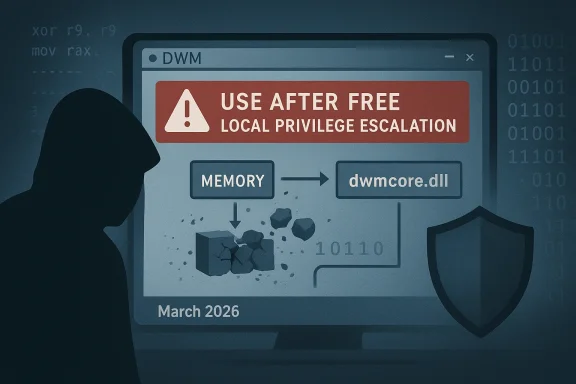
Microsoft’s vulnerability catalog now lists CVE-2026-25189, a confirmed use‑after‑free defect in the Windows Desktop Window Manager (DWM) Core Library that permits an authorized local user to escalate privileges on affected systems. The vendor‑level metadata assigns a High impact profile (CVSS v3.1 base score 7.8) and the public entries map the CVE to Microsoft’s Update Guide as the canonical remediation reference.
The Desktop Window Manager (DWM) is Windows’ compositing and rendering host: it manages window composition, GPU‑accelerated effects, and a privileged process context that has historically been a high‑value target for local privilege escalation (LPE) attacks. Memory‑safety defects in DWM’s core library (dwmcore.dll) repeatedly surface in Microsoft’s advisories because code running in user sessions interacts directly with UI objects that the DWM will parse or act upon. Past DWM defects have followed the same basic pattern—insufficient validation or incorrect object lifetime handling that lets a lower‑privileged actor influence DWM’s memory and trigger privileged actions.
Microsoft’s vulnerability metadata also includes a confidence (or report confidence) signal that expresses how certain the vendor is that the vulnerability exists and how credible the technical details are. Operators should treat that signal as a triage lever: higher confidence means the vendor has stronger evidence and defenders should accelerate mapping to KBs and mitigations.
The Windows DWM remains a core system component with outsized importance — defending it requires a mix of fast patching, thoughtful application control, and relentless telemetry collection. Do those three things, and you materially reduce the threat CVE‑2026‑25189 represents to your environment.
Source: MSRC Security Update Guide - Microsoft Security Response Center
 Background / Overview
The Desktop Window Manager (DWM) is Windows’ compositing and rendering host: it manages window composition, GPU‑accelerated effects, and a privileged process context that has historically been a high‑value target for local privilege escalation (LPE) attacks. Memory‑safety defects in DWM’s core library (dwmcore.dll) repeatedly surface in Microsoft’s advisories because code running in user sessions interacts directly with UI objects that the DWM will parse or act upon. Past DWM defects have followed the same basic pattern—insufficient validation or incorrect object lifetime handling that lets a lower‑privileged actor influence DWM’s memory and trigger privileged actions.Microsoft’s vulnerability metadata also includes a confidence (or report confidence) signal that expresses how certain the vendor is that the vulnerability exists and how credible the technical details are. Operators should treat that signal as a triage lever: higher confidence means the vendor has stronger evidence and defenders should accelerate mapping to KBs and mitigations.
What the record for CVE‑2026‑25189 tells us
- Vulnerability class: Use‑after‑free (memory corruption) inside the DWM Core Library.
- Impact: Local elevation of privilege (EoP) — an authorized local user can escalate to higher privileges if exploitation succeeds.
- Severity: CVSS v3.1 base score 7.8 (High) with an Attack Vector of Local, Attack Complexity Low, Privileges Required Low, and no user interaction required according to the published vector.
- Publication / vendor mapping: Published to public trackers on March 10, 2026, and linked from Microsoft’s Security Update Guide. Administrators should consult the Update Guide to match this CVE to the specific KB and cumulative update for their build.
Technical deep dive: how a use‑after‑free in DWM can become SYSTEM
1) Use‑after‑free — the mechanics in plain language
A use‑after‑free occurs when software frees (releases) a memory object but later continues to use the same memory reference as if the object still exists. Because freed memory can be reallocated for other data, attackers can exploit the timing and content of allocations to control what the privileged process reads or executes. In a DWM context this usually involves:- Forcing DWM to free an object (or mis-handle its lifetime).
- Reallocating the freed memory with attacker‑controlled content (heap grooming).
- Causing DWM to dereference the stale pointer and act upon attacker‑supplied data in a privileged context.
2) Typical exploitation flow against DWM
- Local code or user triggers a sequence that manipulates window objects or DWM‑facing APIs.
- The DWM Core Library mishandles an object lifetime or input value, freeing memory prematurely.
- The attacker performs heap grooming to place controlled data at the freed address.
- DWM executes logic that uses the stale pointer, causing privileged behavior under attacker control.
- The attacker escalates to SYSTEM or otherwise elevates privileges for persistence and lateral movement.
3) Why DWM vulnerabilities are attractive
- DWM runs with elevated privileges relative to normal user processes.
- It handles objects and messages originating from untrusted processes (UI, shell integrations, previews).
- A successful exploit does not require remote network access; it only needs a local authenticated foothold, which can be gained via phishing, malicious installers, or existing malware. This makes DWM defects particularly useful as privilege escalation primitives inside compromised endpoints.
What we can — and cannot — confirm right now
- Confirmed: Microsoft’s Update Guide lists CVE‑2026‑25189 as a use‑after‑free vulnerability in the DWM Core Library with a High impact score, and public vulnerability aggregators echo the vendor record and severity. Administrators should treat the entry as authoritative for patch mapping.
- Unverified / not publicly available: At the time of publication there is no broadly distributed, vendor‑approved public proof‑of‑concept exploit included in Microsoft’s advisory or in the mainstream vendor mirrors we surveyed. That does not mean a PoC does not exist in closed circles, but there is no reliable public PoC or active‑exploitation report tied explicitly to CVE‑2026‑25189 in the major incident trackers we reviewed. Defenders should assume the vulnerability is exploitable in the hands of a skilled attacker until told otherwise.
- Historical context: Similar DWM vulnerabilities in 2024–2025 were weaponized quickly once publishable details surfaced; those incidents show DWM memory bugs can and have been turned into working exploit chains. That historical precedent increases operational urgency.
Immediate, prioritized actions for administrators (what to do in the next 24–72 hours)
- Verify exposure and mapping
- Immediately consult Microsoft’s Security Update Guide entry for CVE‑2026‑25189 and map it to the KB and cumulative update for each Windows build in your estate. The vendor entry is the authoritative mapping for which updates include the fix.
- Patch prioritization (apply updates fast)
- If the vendor’s mapped update applies to your systems, schedule a high‑priority roll‑out of the cumulative/security update. For large enterprises, prioritize endpoints that are:
- Internet‑facing logon hosts and administrator consoles.
- Systems with local accounts used by service or automation tooling.
- High‑value desktops running developer tools or remote‑access clients.
- Short‑term compensating controls
- Enforce least privilege: remove local admin rights where possible to reduce the value of a local EoP.
- Block or restrict execution of unsigned, untrusted binaries through application control policies (AppLocker / Windows Defender Application Control).
- Tighten attack surface: disable unnecessary preview handlers, shell extensions, and untrusted third‑party UI integration components that may interact with DWM.
- Detection and monitoring
- Hunt for new local privilege escalations and anomalous process trees: look for non‑system processes that spawn services or attempt registry/system hive writes soon after user logon.
- Monitor EDR telemetry for anomalous calls to DWM or injection attempts into dwm.exe/dwmcore.dll.
- Audit privileged process creation events (Windows Event IDs for process creation, token elevation, and driver loads) and correlate with local login events.
- Incident response readiness
- Prepare triage playbooks to isolate endpoints where exploitation is suspected. Preservation steps should include collecting memory images, EDR artifacts, and Windows event logs for forensic review.
Detection guidance: practical signals to hunt
- Process injection into dwm.exe: Any new or anomalous DLLs loaded into dwm.exe should be treated as suspicious. Monitor module load events and suspicious load paths.
- Rapid token modification or privilege changes immediately after user logon: EoP chains often attempt to impersonate or duplicate tokens. Look for NtDuplicateToken / CreateProcessAsUser anomalies in telemetry.
- Heap grooming patterns: While lower fidelity in EDR, unusual sequences of memory‑related API calls from local processes interacting with UI components can be flagged for review.
- Unexpected file system writes by DWM or unexpected service registration events originating from user processes.
Risk assessment: real‑world impact scenarios
- Short scenario — single desktop compromise: A user opened a malicious or mis‑signed local binary (phishing, trojanized installer). The attacker uses that foothold plus CVE‑2026‑25189 to escalate to SYSTEM and persists by installing scheduled tasks or services. This converts a localized incident into a full host compromise.
- Enterprise scenario — lateral movement: Once SYSTEM is achieved on a workstation, attackers can harvest credentials, move laterally to servers, and access privileged tooling (patch servers, identity management), turning an EoP into domain‑scale compromise.
- Limited scenarios: If an organization uses strict local privilege separation, application control, and minimal local admin accounts, exploitation becomes harder. The vulnerability remains a significant risk, but mitigations materially raise the bar.
Long‑term mitigation and defensive hardening
- Embrace application control: WDAC or AppLocker policies that allow only approved binaries to run sharply reduce the chance a local exploit can be staged.
- Reduce local admin assignments: Enforce just‑in‑time and just‑enough‑administration to deprive attackers of easy privilege pivot points.
- Isolate high‑risk workloads: Developer workstations, contractor laptops, and signing environments should be segmented and tightly monitored.
- Vulnerability management cadence: Map MSRC entries to KBs and maintain an automated pipeline to apply Microsoft’s security updates within a defined SLA based on the CVE’s severity and confidence signal. Microsoft’s vendor metadata (including confidence) should be integrated into your ticketing/prioritization routines.
What defenders should tell leadership right now
- Fact: CVE‑2026‑25189 is a vendor‑recorded, High‑severity DWM use‑after‑free that enables local privilege escalation and was published on March 10, 2026. The vendor’s update guide entry is the authoritative mapping for fixes.
- Urgency: Treat patch deployment as high priority for endpoints in your critical cohorts (admins, jump boxes, remote access nodes). If you cannot patch immediately, apply compensating controls (application control, removal of local admin rights) to reduce the attack surface.
- Detection: Expect to invest time in EDR rule tuning and hunting playbooks for anomalous interactions with dwm.exe or token‑duplication behaviors. Collect and preserve evidence on any suspected compromise for forensic analysis.
What to watch for in the next 72–120 hours
- Vendor updates and KB mapping: Microsoft’s Update Guide will publish specific KB numbers that include the fix; map those to your WSUS/SCCM or update channels immediately and test in a controlled window before mass deployment.
- Public exploit indicators: If a public proof‑of‑concept or exploit code appears, expect accelerated attempts to weaponize this CVE; security teams should be prepared to raise detection and containment posture. Historically, DWM defects attracted quick weaponization once PoCs were public.
- Threat intelligence: Keep an eye on CISA and national CERT advisories that list actively exploited vulnerabilities and KEV entries; these channels will update if incident responders observe in‑the‑wild exploitation tied to this CVE.
Concluding analysis: strengths, risks, and the strategic ta89 is another reminder that complex, privileged userland components like the DWM Core Library are high‑value attack surfaces. The public record, as mirrored by major vulnerability trackers, paints a clear technical frame: a use‑after‑free memory corruption that yields local elevation of privilege and a CVSS v3.1 score consistent with High severity. That combination demands prompt operational response: patch, harden, hunt.
Notable strengths in the current posture:- Microsoft documents the CVE and uses its Update Guide as an authoritative Fix‑to‑KB mapping tool, which gives defenders a clear remediation pathway.
- Historical awareness and published analyses of earlier DWM vulnerabilities provide a playbook for defenders to build detection and mitigation strategies quickly.
- Local attack vector means that an initial foothold (from phishing, malicious installers, or in‑office devices) remains a potent precursor to system compromise.
- If organizations delay patching or rely solely on network protections, the vulnerability’s local escalation capability can still be chained into broader compromises.
- Public visibility: When a PoC is released, weaponization tends to follow rapidly; detection rules and mitigations must be in place before that happens.
The Windows DWM remains a core system component with outsized importance — defending it requires a mix of fast patching, thoughtful application control, and relentless telemetry collection. Do those three things, and you materially reduce the threat CVE‑2026‑25189 represents to your environment.
Source: MSRC Security Update Guide - Microsoft Security Response Center
