

 Overview
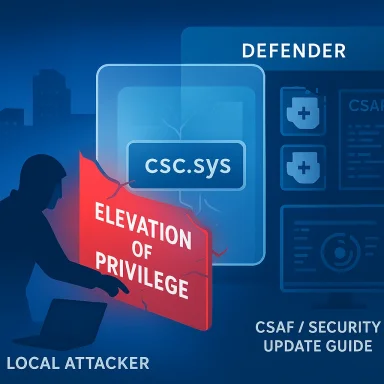
Microsoft’s CVE-2026-26176 is a Windows Client Side Caching driver vulnerability in csc.sys that can let a local attacker elevate privileges. In practical terms, that puts it in the same broad class as many of the most operationally relevant Windows security bugs: it does not require a remote foothold, but it can become extremely valuable once an attacker is already inside a machine or a low-privilege account has been compromised. Microsoft’s advisory identifies it as an elevation-of-privilege issue, and third-party security feeds currently describe it as a heap-based buffer overflow in the CSC driver, though that technical characterization should be treated as provisional until Microsoft’s own page is fully accessible in a machine-readable form.The reason this CVE matters is not just that it exists, but that it affects a kernel-mode component tied to Windows’ offline file and caching behavior. Bugs in kernel drivers tend to carry outsized impact because they sit close to the trust boundary between user mode and the operating system core. Once a local attacker can move from a standard account to elevated privileges, the path to persistence, credential theft, defense evasion, and lateral movement becomes much shorter.
At the same time, this advisory arrives in an era when Microsoft is steadily pushing more transparency through the Security Update Guide, machine-readable CSAF data, and related disclosure channels. That means defenders have better tooling than they used to, but it also means attackers can triage exposed systems faster when patching lags. Microsoft’s own messaging on CVE publishing emphasizes that the company now treats vulnerability disclosure as a high-volume, structured data problem, not just a static bulletin problem.
Background
Windows has a long history of privilege-escalation vulnerabilities living in kernel components and drivers. That is partly because the kernel and its drivers mediate memory access, object permissions, and security boundaries, and partly because they must interact with a wide variety of user-mode inputs. When a driver mishandles length checks, object lifetimes, or buffer boundaries, the result can be a local escape hatch from ordinary user restrictions into system-level power.The Client Side Caching subsystem, historically associated with offline files and cached network content, is one of those background Windows features that many users never think about until it breaks. But security issues in “quiet” OS subsystems often deserve close attention because they can be present on a vast number of endpoints, including managed laptops, remote-worker systems, and domain-joined business devices. If a vulnerability lands in a component that is broadly deployed but lightly scrutinized, it can become a reliable local escalation primitive for attackers.
Microsoft has, over time, leaned into more granular vulnerability disclosure through the MSRC portal. The company has also made a point of publishing advisories in machine-consumable forms such as CSAF, while keeping traditional CVE pages and update guides in place for human readers. That matters because defenders increasingly automate patch intake, and a vulnerability like CVE-2026-26176 is exactly the sort of issue that benefits from asset inventory, patch orchestration, and exposure tracking at scale.
Why local elevation still matters
It is tempting to dismiss a local EOP bug as “less serious” than a remote code execution flaw, but that logic misses how modern intrusions unfold. Many real-world compromises begin with phishing, credential abuse, a browser exploit, or a weak service account; local privilege escalation is the step that turns an intrusion into a full system compromise. In enterprise environments, that single jump can expose cached credentials, tokens, security tools, and adjacent administrative paths.A driver bug can also be more difficult to defend against than a user-mode application bug because kernel-mode trust is foundational. Once a malicious actor can execute code with higher integrity, they often gain access to places where defensive products have fewer guardrails and where detection becomes noisier only after the fact. That is why EOP bugs are often treated as force multipliers rather than isolated flaws.
- Local escalation can turn a low-value foothold into a domain-relevant compromise.
- Kernel drivers often sit beyond the reach of ordinary application sandboxing.
- Endpoint hardening is less effective when the attacker gains system-level rights.
- Attack chains often rely on a small, reliable EOP to finish the job.
- Detection is usually easier before escalation than after it.
What Microsoft Has Said
Microsoft’s advisory page for CVE-2026-26176 identifies the issue as a Windows Client Side Caching driver elevation-of-privilege vulnerability. The advisory itself is the authoritative source for the existence of the CVE, but the page is currently rendered through Microsoft’s JavaScript-driven Security Update Guide, which limits direct extraction in some automated environments. Third-party security indexing services currently summarize the flaw as a local heap-based buffer overflow in csc.sys, but that extra technical detail is not yet something defenders should treat as fully settled without corroboration from Microsoft or a trusted researcher write-up.That distinction matters. A CVE label tells you there is a vulnerability, but it does not always tell you how the bug works, whether exploitability is straightforward, or whether a weaponized proof of concept already exists. In the case of CVE-2026-26176, the public signals suggest Microsoft believes the issue is real and actionable, yet the exact mechanics remain more opaque than one would prefer for precise threat modeling.
The wider MSRC ecosystem gives a useful clue about how Microsoft wants customers to consume this kind of information. Microsoft has been steadily adding more structured vulnerability data through CVRF and CSAF, which is meant to help enterprise tooling ingest and track CVEs more reliably. For defenders, that suggests the best operating model is not to wait for exploit write-ups, but to patch by class, component, and exposure level as soon as an advisory lands.
Why the technical detail level matters
The practical value of a CVE is often determined by how much of the root cause becomes public. A vague advisory might be enough to justify patching, but not enough to estimate exploit complexity or likely attacker tradecraft. A more specific disclosure, such as a heap overflow in a kernel driver, raises concern because it hints at memory corruption, which is traditionally fertile ground for reliable local exploitation.Still, the presence of a heap overflow claim in a third-party feed should be interpreted carefully. Such feeds are useful for speed, but they are not the final authority, and they can sometimes overstate what is known versus what is inferred. In security reporting, precision matters more than speed once the initial alert has passed.
The Driver and Its Attack Surface
csc.sys is part of Windows’ Client Side Caching behavior, which ties into offline file access and synchronized content handling. Components like this often process inputs originating from network shares, local cache state, file metadata, and synchronization events, all of which create a large surface for boundary mistakes. A driver in this position needs to be robust not just against malformed requests, but against malformed assumptions about state transitions.That is the kind of environment where memory corruption bugs can hide for years. If a path is rarely used, heavily automated, or only appears under specific enterprise conditions, it may not attract sustained attention from researchers until a production defect becomes visible. Once a bug is surfaced, however, a driver location immediately becomes valuable to both defenders and attackers because it can shape whether the flaw is reachable from ordinary users, low-privilege service accounts, or only privileged contexts.
The key question is not whether the driver exists in Windows, but whether a typical enterprise endpoint has enough of the CSC feature set exposed for the vulnerability to matter operationally. That answer may vary by configuration, policy, and workload. In other words, attack surface is not universal in practice, even when the binary ships broadly.
Potential reachability factors
Some local vulnerabilities are everywhere because the code path is always live. Others require a feature to be enabled, a device to be domain-joined, or a particular workflow to be triggered. For defenders, that means exposure should be judged by endpoint role, not just by Windows version.- Endpoint policy may influence whether the CSC path is commonly exercised.
- Remote workers and cached-file workflows may be more relevant than kiosk systems.
- Enterprise file-sharing patterns can indirectly expand reachability.
- Attackers may prefer systems where offline caching features are active.
- The same CVE can be more or less urgent depending on use case.
Enterprise Impact
For enterprises, a local EOP in a Windows driver is often more dangerous than the CVSS label alone suggests. Attackers who land on a workstation through phishing or stolen credentials may use the bug to jump to elevated rights, disable protections, dump secrets, or pivot into administrative tools. That is especially concerning on laptops with access to corporate VPNs, cloud consoles, and identity systems.Managed environments also face a race condition: patching speed versus attacker dwell time. If the vulnerability becomes part of a public exploit chain, defenders may have only a short window to verify deployment of the relevant cumulative update across fleets. Because the affected component is a driver, standard application-level controls may not fully mitigate the issue, which makes timely operating system servicing the primary control.
Enterprise defenders should also expect this kind of CVE to become part of post-compromise playbooks. Even if there is no immediate exploitation campaign, the issue may still be folded into commodity offensive tooling later. That is why patching local escalation bugs early is often cheaper than responding to them after they are weaponized.
Operational implications
The real enterprise cost is not just the vulnerability itself, but the administrative work it forces. Inventory, remediation, validation, exception handling, and communication all take time, and those tasks become harder when the flaw affects a kernel component. In large environments, one unpatched tier can become the beachhead for an attacker to move laterally.- Prioritize laptops and workstations with interactive user access.
- Validate patch deployment through endpoint management telemetry.
- Watch for suspicious privilege changes on systems exposed to the bug.
- Review local admin assignment practices.
- Reassess offline-file or caching-related policy where appropriate.
Consumer Impact
For consumers, the issue is more indirect but still important. A local privilege escalation flaw on a personal device may not look dramatic until the machine is already compromised by malware, a malicious download, or a browser-based foothold. At that point, the attacker’s ability to move from user rights to full control can accelerate the spread of ransomware, credential theft, and persistence.Home users sometimes assume that local bugs are only a business problem because they think attackers need corporate networks to care. In reality, consumer endpoints are frequent targets because they often mix personal browsing, messaging, password storage, and work access on the same machine. A successful EOP on that kind of device can have consequences far beyond the original infection.
Consumers also tend to delay rebooting after updates, which can widen the window between patch release and actual protection. If the flaw is eventually used in the wild, the difference between “installed” and “fully active after restart” can matter a great deal. So, the patch itself is necessary, but not always sufficient unless it is actually completed.
What home users should focus on
The best defense here is routine hygiene rather than specialized tuning. That may sound unexciting, but it is exactly what blocks many privilege-escalation chains before they become serious.- Keep Windows Update fully current.
- Reboot after security updates so driver fixes actually take effect.
- Use a standard account for daily work when possible.
- Avoid running untrusted downloads or scripts.
- Maintain Microsoft Defender or another reputable endpoint security product.
Historical Pattern of Windows Driver Flaws
Windows driver bugs have long been a recurring source of privilege escalation. Microsoft has spent years hardening subsystems and releasing mitigations, but kernel-mode code remains a high-value target because it can influence memory, access tokens, and system objects. The broader pattern is familiar: a bug is discovered in a deeply trusted component, Microsoft patches it, and then attackers eventually study the same class of flaw for comparable opportunities.That does not mean every driver vulnerability is easy to exploit, but it does mean they deserve disciplined attention. Historically, even bugs that begin as “local only” can become strategically important when chained with browser exploits, sandbox escapes, or living-off-the-land techniques. Once an exploit author identifies a repeatable path to kernel elevation, the impact can spread across versions and editions faster than many organizations expect.
Microsoft’s own security communications have often emphasized defense in depth for exactly this reason. Kernel weaknesses may be patched quickly, but the lesson for defenders is persistent: assume local escalation is a normal step in modern intrusion chains, not an edge case.
Why past driver bugs still matter now
Old patch cycles are useful because they show how attackers behave once a category is proven valuable. The same story repeats across Windows history: initial vulnerability disclosure, patch release, then exploitation attempts that target laggards. That is especially true when the flaw sits in a broadly deployed component.- Kernel driver bugs can be chained with many other initial-access methods.
- Attackers often wait for patch gaps rather than inventing new exploits.
- Local bugs remain relevant even when remote attacks dominate headlines.
- Defensive visibility often drops after privilege escalation.
- Historical patterns are often the best predictor of attacker behavior.
Patch and Mitigation Strategy
The primary response to CVE-2026-26176 is straightforward: install the relevant Microsoft security update as soon as it is available for the affected Windows release. Because this is a kernel-driver issue, compensating controls are limited compared with application-level bugs. Security teams should therefore treat patch deployment as the main line of defense rather than relying on configuration workarounds.If organizations use staged rollout, this CVE belongs in the earliest tier of validation, especially on endpoints that have direct user interaction and access to sensitive internal services. It is also a good candidate for rapid fleet-wide confirmation through device management tools, because the business risk of delay is disproportionately high for local EOP flaws. Waiting for external exploit confirmation is not a sound strategy when the vulnerable component is already publicly named.
Defenders should also verify whether their vulnerability management tools ingest Microsoft’s structured update data correctly. Microsoft’s move toward CSAF and machine-readable security guidance is useful only if organizations actually consume it in inventory, patch, and reporting workflows. In practice, the fastest teams will be those that can map a CVE to affected assets in hours rather than days.
Response checklist
A compact response plan is usually more effective than a sprawling one. In the first 24 to 48 hours, teams should focus on confirming exposure, scheduling patches, and watching for suspicious local privilege changes.- Confirm whether your Windows endpoint baseline includes the affected build.
- Deploy the Microsoft security update through normal patch channels.
- Restart endpoints where required so the driver fix becomes active.
- Monitor for privilege escalation telemetry and abnormal admin actions.
- Reassess exposed systems that handle sensitive credentials or file shares.
Strengths and Opportunities
Microsoft’s handling of CVE publication, combined with better data formats, gives defenders a stronger foundation than they had a few years ago. When used well, this can shorten the gap between disclosure and remediation, especially in large enterprises that automate patch intake. It also helps security teams build repeatable workflows instead of scrambling every Patch Tuesday.- Structured advisory data improves machine processing.
- Clear CVE assignment helps teams prioritize by severity and exposure.
- Kernel-driver focus encourages faster response on high-impact bugs.
- Enterprise patch tooling can reduce manual validation time.
- Better disclosure hygiene improves operational planning.
- Transparent advisories make threat tracking easier across vendors.
- Rapid cumulative updates let organizations service many fixes at once.
Risks and Concerns
The biggest concern is that local privilege escalation bugs are often underestimated until they are chained into broader attacks. Because CVE-2026-26176 sits in a driver, the gap between “patched on paper” and “fully safe in the field” may depend on reboot discipline, device management quality, and the speed of rollout. There is also a real possibility that additional exploit details will emerge later, raising urgency beyond the initial advisory state.- Delayed patching leaves a reliable escalation path open.
- Driver exploits may bypass assumptions about application sandboxing.
- Incomplete rebooting can delay effective mitigation.
- Enterprise exceptions may create long-lived exposure pockets.
- Public exploit detail could increase attacker interest quickly.
- Telemetry blind spots may hide post-escalation activity.
- Overreliance on severity ratings can cause dangerous complacency.
Looking Ahead
The next thing to watch is whether Microsoft expands the advisory with more technical detail or whether a researcher or vendor corroborates the currently reported buffer-overflow characterization. That will help clarify exploitability, reachability, and likely attacker tradecraft. It will also tell defenders whether they should treat the issue as a routine kernel patch or as a candidate for active exploitation monitoring.The second issue is operational: how quickly organizations can absorb the update. In 2026, the real differentiator is not whether a patch exists, but how quickly it is identified, tested, and deployed. The companies that already ingest Microsoft’s structured security data, maintain robust endpoint inventories, and treat local EOP bugs as urgent will be the ones least likely to feel the impact of this disclosure.
- Confirm patch availability for every Windows build in scope.
- Validate whether CSC-related workflows are active on your fleet.
- Check for any exploit indicators if you suspect compromise.
- Track whether third-party security research confirms the heap-overflow claim.
- Monitor subsequent MSRC updates for changes in severity or impact.
Source: MSRC Security Update Guide - Microsoft Security Response Center
Last edited:
