

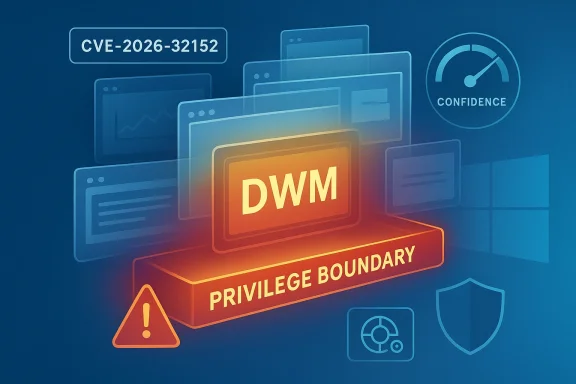
Microsoft’s CVE-2026-32152 entry is a reminder that not all high-priority Windows vulnerabilities arrive with dramatic exploit details. When Microsoft labels a flaw as a Desktop Window Manager Elevation of Privilege Vulnerability and adds its confidence-oriented guidance, the message to defenders is straightforward: this is a local privilege boundary issue in a core Windows graphics component, and the risk is meaningful even if the public technical story is thin. In practice, that places the advisory in the same operational category as past Windows EoP issues where the presence of a reliable vendor-tracked bug matters more than a polished exploit chain.
The Desktop Window Manager is one of those Windows components that most users never think about, yet nearly every graphical session depends on it. DWM is responsible for compositing windows, managing visual effects, and coordinating how applications present on screen, which means it sits close to the user experience and close to the graphics stack. That proximity makes it a valuable target for attackers who want to turn a low-privileged foothold into something much more powerful.
Elevation-of-privilege bugs in Windows have long followed a familiar pattern. An attacker first obtains some level of execution on the target system, often through phishing, a malicious document, a browser foothold, or lateral movement from another compromised system. From there, the attacker looks for a kernel, driver, or privileged user-mode weakness that can break out of the sandbox and climb to higher rights.
Microsoft’s own historical handling of Windows privilege-escalation flaws shows why defenders treat these issues as urgent even when they are not remotely exploitable. Older advisories routinely emphasized that an attacker would need valid logon credentials or local execution before abusing the defect, but that still left a serious threat for enterprise environments where credential theft and endpoint compromise are common. The practical question is rarely whether the machine is already touched; it is whether the attacker can turn “access” into “control.”
That is where Microsoft’s confidence metric matters. According to Microsoft’s taxonomy, the metric exists to describe how certain the company is that the vulnerability truly exists and how credible the known technical details are. In other words, it helps defenders separate a speculative report from a vendor-confirmed issue that has enough technical grounding to justify immediate triage.
This matters because modern patch management is not only about severity labels. It is about the interplay between exploitability, certainty, and component criticality. A bug in a high-value subsystem like DWM can be more operationally important than a louder but less credible issue elsewhere, especially when attackers already have a foothold.
Microsoft has spent years making vulnerability descriptions more structured and more actionable for defenders. The company’s Security Update Guide and related MSRC documentation increasingly distinguish between the fact that a bug exists, the confidence in the report, and the specifics of the remediation. That evolution is useful because it helps security teams make risk decisions before exploit kits and public writeups fill in the technical blanks.
This is especially relevant for Windows EoP bugs because their danger often appears indirect. An attacker who already controls a standard user account or has code execution through a different vulnerability may not need immediate remote code execution from DWM itself. A reliable EoP can become the bridge from initial access to system-level persistence, tampering, credential theft, or deployment of additional payloads.
The broader lesson is that Windows privilege escalation remains one of the most attractive post-compromise routes for attackers. Even when an exploit is local rather than remote, its value is enormous because it turns partial compromise into total compromise. That makes the confidence level on a CVE more than a metadata detail; it becomes a signal about how real and how imminent the risk may be.
A weakness in DWM also has strategic value for an attacker. If the vulnerability permits a local user to cross a privilege boundary, it may be used after an initial foothold has already been established through phishing, malicious downloads, or exploitation of another application. That makes the bug part of the broader post-exploitation toolkit rather than a standalone attack.
For defenders, the key issue is exposure management. You cannot meaningfully reduce the DWM attack surface without affecting the normal Windows desktop experience, so patching becomes the primary control. That is why Microsoft’s confidence signal and the component’s central role together make this sort of advisory urgent.
In a world where advisories are often parsed by automation as well as humans, confidence is operationally useful. Security teams can use it to decide whether a CVE belongs on the emergency patch list, the next maintenance window, or the watchlist. The higher the confidence, the less reasonable it becomes to defer action.
That does not mean the confidence label tells the whole story. It does not replace severity, exploitability, or environmental context. But it does provide an important clue about how much faith defenders should place in the advisory when public technical writeups remain sparse.
The practical value of a local EoP has only increased as defenders have improved application controls and endpoint monitoring. Attackers increasingly rely on chained techniques rather than a single monster exploit. A reliable Windows EoP can slot neatly into that chain and make the rest of the operation far easier.
This is also why EoP bugs are often prized in post-compromise ransomware campaigns. The actor may already have a foothold through stolen credentials or remote access abuse, but without elevation the damage is limited. With elevation, the attacker can begin to shape the environment rather than merely occupy it.
Enterprises also need to consider scale. A single DWM-related EoP may affect a vast number of Windows clients because desktop composition is ubiquitous. If the patch causes compatibility issues, rollback plans and pilot rings become important, but that should not be mistaken for a reason to ignore the update.
The bigger enterprise question is where this vulnerability sits in the patch queue relative to other Windows issues. The answer is usually near the top, because attackers who gain a standard user session often immediately look for privilege escalation paths. Delaying this patch can leave a clear escalation route open for anyone who compromises a single machine.
The risk to consumers is highest when malware already has a foothold. Once an infostealer, trojan, or shady utility lands on the system, an EoP can help it outgrow the permissions it was initially granted. That means the difference between “annoying malware” and “full system compromise” may hinge on whether the patch is installed.
Consumers also tend to underestimate local privilege escalation because the attack does not look like a traditional remote hack. But the practical result is identical: more control for the attacker. For that reason, Windows users should treat security updates for core OS components as essential maintenance, not optional hygiene.
Triage teams should think about CVE-2026-32152 in relation to the systems that matter most. Workstations used by administrators, jump hosts, engineering endpoints, and shared systems deserve especially quick attention because local privilege escalation on those machines can cascade much farther than on a casual home PC. The same logic applies to VDI environments and any Windows estate where a foothold can be amplified quickly.
The best practice is still a staged rollout, but a staged rollout should not become a slow rollout. Microsoft’s confidence framing suggests defenders are not dealing with a vague rumor; they are dealing with a real flaw that merits action. That is the key operational lesson.
The second thing to watch is whether the update causes any practical desktop regressions. That is always the tradeoff with graphics-adjacent fixes: they can be highly important and still require careful validation. Even so, patch risk is usually lower than compromise risk when the bug is in a core Windows privilege boundary.
Source: MSRC Security Update Guide - Microsoft Security Response Center
 Background
The Desktop Window Manager is one of those Windows components that most users never think about, yet nearly every graphical session depends on it. DWM is responsible for compositing windows, managing visual effects, and coordinating how applications present on screen, which means it sits close to the user experience and close to the graphics stack. That proximity makes it a valuable target for attackers who want to turn a low-privileged foothold into something much more powerful.Elevation-of-privilege bugs in Windows have long followed a familiar pattern. An attacker first obtains some level of execution on the target system, often through phishing, a malicious document, a browser foothold, or lateral movement from another compromised system. From there, the attacker looks for a kernel, driver, or privileged user-mode weakness that can break out of the sandbox and climb to higher rights.
Microsoft’s own historical handling of Windows privilege-escalation flaws shows why defenders treat these issues as urgent even when they are not remotely exploitable. Older advisories routinely emphasized that an attacker would need valid logon credentials or local execution before abusing the defect, but that still left a serious threat for enterprise environments where credential theft and endpoint compromise are common. The practical question is rarely whether the machine is already touched; it is whether the attacker can turn “access” into “control.”
That is where Microsoft’s confidence metric matters. According to Microsoft’s taxonomy, the metric exists to describe how certain the company is that the vulnerability truly exists and how credible the known technical details are. In other words, it helps defenders separate a speculative report from a vendor-confirmed issue that has enough technical grounding to justify immediate triage.
This matters because modern patch management is not only about severity labels. It is about the interplay between exploitability, certainty, and component criticality. A bug in a high-value subsystem like DWM can be more operationally important than a louder but less credible issue elsewhere, especially when attackers already have a foothold.
Why DWM matters in the Windows attack surface
DWM is not the sort of component that administrators can casually disable. It is deeply woven into the Windows desktop experience, and that makes it a persistent part of the default attack surface on client systems. If a privilege flaw lives here, the exposure is broad by design.- DWM runs in a privileged architectural position relative to ordinary applications.
- It is exercised continuously in graphical sessions, increasing reachability.
- It sits in a part of the platform attackers often target after initial compromise.
- It can be relevant across both consumer and enterprise Windows deployments.
Why confidence changes the patching calculus
Microsoft’s confidence indicator is not just an academic label. It tells defenders how much weight to place on the advisory when technical disclosure is incomplete. If Microsoft signals high confidence, security teams can treat the issue as real without waiting for a public proof of concept.- High confidence supports accelerated patching decisions.
- Lower-confidence issues may require more validation before emergency change windows.
- The metric helps prioritize scarce patching resources.
- It is especially useful when multiple EoP advisories land in the same release cycle.
Overview
CVE-2026-32152 fits into a broad and very familiar Windows security pattern: a local elevation-of-privilege flaw in a core subsystem, cataloged by Microsoft before detailed public exploit mechanics are widely available. The component name alone is enough to raise eyebrows because Desktop Window Manager is a central part of the interactive Windows session, and core components are often exactly where attackers search for privilege boundaries they can abuse.Microsoft has spent years making vulnerability descriptions more structured and more actionable for defenders. The company’s Security Update Guide and related MSRC documentation increasingly distinguish between the fact that a bug exists, the confidence in the report, and the specifics of the remediation. That evolution is useful because it helps security teams make risk decisions before exploit kits and public writeups fill in the technical blanks.
This is especially relevant for Windows EoP bugs because their danger often appears indirect. An attacker who already controls a standard user account or has code execution through a different vulnerability may not need immediate remote code execution from DWM itself. A reliable EoP can become the bridge from initial access to system-level persistence, tampering, credential theft, or deployment of additional payloads.
The broader lesson is that Windows privilege escalation remains one of the most attractive post-compromise routes for attackers. Even when an exploit is local rather than remote, its value is enormous because it turns partial compromise into total compromise. That makes the confidence level on a CVE more than a metadata detail; it becomes a signal about how real and how imminent the risk may be.
The importance of vendor acknowledgement
A vendor-acknowledged vulnerability carries more weight than rumor. Microsoft’s publication of a CVE typically means the issue has crossed from research hypothesis into tracked security work, even if the underlying root cause remains intentionally sparse. That distinction matters for defenders deciding whether to wait, test, or push updates immediately.How this compares with earlier Windows EoP patterns
Windows privilege-escalation bugs have often involved memory handling errors, access-control mistakes, or logic flaws in subsystems that ordinary users can reach. The exact code path may differ, but the operational consequence is the same: a low-privileged attacker gains a stepping stone to higher control. CVE-2026-32152 should be viewed in that tradition rather than as a one-off curiosity.Desktop Window Manager as an attack target
DWM is attractive to attackers because it sits in the middle of both usability and privilege. It handles visual composition for the desktop, which means it is constantly active on client systems and tightly connected to other Windows internals. Any flaw here can have outsized consequences because the component is both common and privileged.A weakness in DWM also has strategic value for an attacker. If the vulnerability permits a local user to cross a privilege boundary, it may be used after an initial foothold has already been established through phishing, malicious downloads, or exploitation of another application. That makes the bug part of the broader post-exploitation toolkit rather than a standalone attack.
For defenders, the key issue is exposure management. You cannot meaningfully reduce the DWM attack surface without affecting the normal Windows desktop experience, so patching becomes the primary control. That is why Microsoft’s confidence signal and the component’s central role together make this sort of advisory urgent.
Where DWM sits in the stack
DWM is part of the graphical infrastructure that connects applications, the shell, and the rendering pipeline. It is not merely cosmetic. Because it sits so close to user interaction, it often becomes a high-value target when attackers seek privilege escalation in a well-defined Windows session.- It is active on most interactive Windows systems.
- It is tied to window rendering and session composition.
- It is difficult to “turn off” in practical enterprise use.
- It becomes a natural target after local foothold acquisition.
Why local EoP can be worse than it looks
A local flaw may sound less severe than a remote one, but that is often misleading. Once attackers are inside a network, local privilege escalation can be the difference between a contained event and a full domain compromise. A single machine-level EoP can unlock credential access, lateral movement, and persistence mechanisms.Microsoft’s confidence metric
The central detail in this advisory is not just the CVE name; it is the confidence signal Microsoft attaches to it. That metric exists to communicate how certain Microsoft is that the bug exists and how credible the technical details are. It helps distinguish confirmed security work from tentative research leads that have not yet been fully validated.In a world where advisories are often parsed by automation as well as humans, confidence is operationally useful. Security teams can use it to decide whether a CVE belongs on the emergency patch list, the next maintenance window, or the watchlist. The higher the confidence, the less reasonable it becomes to defer action.
That does not mean the confidence label tells the whole story. It does not replace severity, exploitability, or environmental context. But it does provide an important clue about how much faith defenders should place in the advisory when public technical writeups remain sparse.
What the metric signals to defenders
Microsoft’s confidence framing is valuable because it answers a question that severity alone does not: how sure is the vendor that this is a real flaw? When that answer is strong, the vulnerability deserves immediate attention even if attackers have not yet published tooling.- It helps rank uncertain reports versus confirmed issues.
- It reduces dependence on external rumor cycles.
- It supports faster patch prioritization.
- It gives SOC and vulnerability teams a triage signal beyond CVSS.
Why confidence matters during Patch Tuesday
Patch Tuesday often delivers a crowded mix of flaws across multiple products and components. In that environment, teams have to decide what to test first. Confidence becomes one more filter for deciding which updates are most likely to prevent real-world compromise rather than merely satisfy compliance checkboxes.How attackers benefit from privilege escalation
Privilege escalation is the bridge between an initial compromise and meaningful control. If an attacker can execute code as a regular user and then exploit a DWM bug to elevate, the attacker can reach broader parts of the system, harvest secrets, disable protections, or install persistence mechanisms. That is why EoP bugs are often chained into more serious attacks.The practical value of a local EoP has only increased as defenders have improved application controls and endpoint monitoring. Attackers increasingly rely on chained techniques rather than a single monster exploit. A reliable Windows EoP can slot neatly into that chain and make the rest of the operation far easier.
This is also why EoP bugs are often prized in post-compromise ransomware campaigns. The actor may already have a foothold through stolen credentials or remote access abuse, but without elevation the damage is limited. With elevation, the attacker can begin to shape the environment rather than merely occupy it.
Typical attack sequence
A common real-world path looks like this:- The attacker gets code execution or a usable user session.
- The attacker identifies a vulnerable Windows component.
- The attacker runs the exploit locally to increase privileges.
- The attacker disables protections or steals credentials.
- The attacker expands laterally or deploys payloads at scale.
Why the desktop subsystem is especially sensitive
The desktop subsystem is deeply integrated with user sessions, tokens, and system services. Any privilege boundary issue here can have outsized effects because the attacker is operating inside a component that is already trusted by the OS. That trust is precisely what makes such flaws attractive.Enterprise impact
For enterprise defenders, CVE-2026-32152 should be viewed as a post-breach accelerator. It is unlikely to be the first point of entry in a well-run enterprise attack, but it could easily be the step that turns a minor compromise into a major incident. That is enough to justify urgent attention from patch managers and endpoint teams.Enterprises also need to consider scale. A single DWM-related EoP may affect a vast number of Windows clients because desktop composition is ubiquitous. If the patch causes compatibility issues, rollback plans and pilot rings become important, but that should not be mistaken for a reason to ignore the update.
The bigger enterprise question is where this vulnerability sits in the patch queue relative to other Windows issues. The answer is usually near the top, because attackers who gain a standard user session often immediately look for privilege escalation paths. Delaying this patch can leave a clear escalation route open for anyone who compromises a single machine.
Why managed environments must care first
Managed environments are especially attractive to attackers because they concentrate valuable data, credentials, and admin workflows. A local EoP in DWM can be the key to moving from a compromised workstation into privileged infrastructure. That makes the advisory relevant not only to endpoint teams but also to identity, SOC, and incident response groups.Patch coordination considerations
Enterprise patching is never only about installation. It is about validation, change windows, and ensuring that business-critical desktops continue to function. Still, core Windows privilege-escalation fixes usually deserve rapid staged deployment rather than extended deferral, especially when Microsoft signals high confidence.- Prioritize affected endpoint rings.
- Validate with pilot groups first.
- Watch for graphics or session-related regressions.
- Coordinate with identity and threat-hunting teams.
- Treat the issue as a likely post-exploitation enabler.
Consumer impact
Consumer systems are less likely to be managed by formal security operations, which can make a local privilege escalation more dangerous in practice. Home users often rely on default settings, delayed patching, or third-party security tools that do not prevent local exploitation. A vulnerability like CVE-2026-32152 therefore matters not just to enterprise defenders but to everyday Windows users as well.The risk to consumers is highest when malware already has a foothold. Once an infostealer, trojan, or shady utility lands on the system, an EoP can help it outgrow the permissions it was initially granted. That means the difference between “annoying malware” and “full system compromise” may hinge on whether the patch is installed.
Consumers also tend to underestimate local privilege escalation because the attack does not look like a traditional remote hack. But the practical result is identical: more control for the attacker. For that reason, Windows users should treat security updates for core OS components as essential maintenance, not optional hygiene.
Why home users should not dismiss local flaws
Local bugs are often chained into larger attacks against individuals. Once malware is present, it does not need to “break in” again; it just needs a better ladder. That is why a Desktop Window Manager EoP matters on a family PC just as much as on a corporate laptop.Update behavior is the real control
Most consumer risk reduction still comes down to timely updating. If the vendor has issued a fix, the safest approach is to install it promptly rather than wait for visible exploitation in the wild. By the time exploitation is public, the quiet phase of compromise may already be over.Patch prioritization and triage
A vulnerability like this belongs high on the list because it combines three uncomfortable qualities: a privileged target, a local escalation path, and a vendor signal that the issue is credible. That combination is exactly what defenders want to see before attackers start publishing proof-of-concept code. It means the window for safe procrastination is small.Triage teams should think about CVE-2026-32152 in relation to the systems that matter most. Workstations used by administrators, jump hosts, engineering endpoints, and shared systems deserve especially quick attention because local privilege escalation on those machines can cascade much farther than on a casual home PC. The same logic applies to VDI environments and any Windows estate where a foothold can be amplified quickly.
The best practice is still a staged rollout, but a staged rollout should not become a slow rollout. Microsoft’s confidence framing suggests defenders are not dealing with a vague rumor; they are dealing with a real flaw that merits action. That is the key operational lesson.
A practical prioritization model
Security teams can triage the patch using a simple sequence:- Identify whether the CVE affects your Windows builds.
- Confirm whether the affected systems are user-facing or privileged.
- Test the update in a small pilot ring.
- Deploy to high-value endpoints first.
- Monitor for incident signals or regression reports.
What to watch in testing
Because DWM is tied to the desktop experience, testing should look beyond “does the machine boot.” Teams should check session stability, rendering behavior, multi-monitor use, remote desktop scenarios, and any custom overlay or graphics software. If regressions appear, the correct response is controlled remediation, not abandoning patching entirely.Strengths and Opportunities
The main strength of Microsoft’s handling here is that it gives defenders a useful confidence signal even when technical detail is limited. That improves decision-making at the exact point where uncertainty usually slows response. It also reflects a broader trend toward more actionable vulnerability metadata, which helps both enterprise and consumer defenders.- The confidence metric helps teams judge certainty, not just severity.
- The advisory is tied to a core Windows component, which means it is operationally relevant.
- It supports faster patch triage when multiple CVEs compete for attention.
- It gives security teams a better basis for risk-based deployment.
- It reinforces the importance of local privilege escalation as a serious post-compromise threat.
- It aligns with established Microsoft patterns of documenting Windows EoP issues.
- It encourages defenders to treat sparse public detail as a reason to accelerate patching, not delay it.
Risks and Concerns
The biggest concern is that a well-placed local flaw in DWM could become a reliable stepping stone for attackers who already have code execution on a machine. In a modern attack chain, that is often enough to transform a low-level intrusion into an incident with serious consequences. The risk is amplified when organizations assume local bugs are low priority and postpone deployment.- Attackers may chain it after initial compromise.
- The advisory’s sparse technical detail can tempt teams to defer action.
- Desktop-related regressions may slow enterprise deployment.
- Consumers may ignore it if no exploit headlines appear.
- Privilege escalation on admin workstations can have outsized blast radius.
- The confidence label could be misunderstood as a substitute for severity.
- Delayed patching leaves a broad Windows attack surface open longer than necessary.
Looking Ahead
What matters next is how Microsoft and the broader security community fill in the technical picture. If exploit research appears, defenders will want to know whether the issue is reachable through common user interactions, whether exploitation is reliable, and whether it can be chained with other Windows bugs. Until then, the most responsible posture is to treat the advisory as real, urgent, and worth immediate patch planning.The second thing to watch is whether the update causes any practical desktop regressions. That is always the tradeoff with graphics-adjacent fixes: they can be highly important and still require careful validation. Even so, patch risk is usually lower than compromise risk when the bug is in a core Windows privilege boundary.
Key items to monitor
- Microsoft follow-up documentation or revision notes.
- Third-party analysis of the DWM code path.
- Reports of exploitation in the wild.
- Patch compatibility issues on multi-monitor or remote desktop setups.
- Any changes to Microsoft’s confidence or severity framing.
Source: MSRC Security Update Guide - Microsoft Security Response Center
Last edited:
