
CVE-2026-32183 landed with the sort of terse Microsoft wording that security teams know all too well: a Windows Snipping Tool Remote Code Execution vulnerability with an Important rating and a CVSS score of 7.8 in third-party Patch Tuesday coverage. Microsoft’s own Security Update Guide entry exists, but the public description is spare, which means defenders are being asked to act before the full technical story is widely understood. That is not unusual for modern Windows flaws, but it does matter: the less detail Microsoft publishes, the more organizations must lean on patch discipline rather than exploit analysis.
The important thing about CVE-2026-32183 is not just that it affects Snipping Tool, but that it affects one of Windows’ most familiar, low-friction utilities. Snipping Tool has evolved from a simple screenshot app into a richer capture and annotation surface, and that evolution has expanded its attack surface in ways that are easy to underestimate. Security teams tend to focus on browsers, document readers, and scripting engines; utility apps often seem benign until they become a delivery point for code execution.
This vulnerability appears in the April 2026 Patch Tuesday cycle, a release that by multiple industry trackers was unusually large and operationally significant. Public coverage described Microsoft as shipping fixes for well over 160 vulnerabilities that day, with multiple zero-days and a broad mix of Windows, Office, and platform updates. In that kind of month, even a non-zero-day RCE in a built-in app can get buried in the headline count, yet it still deserves attention because any remote code execution issue can become a foothold in a real-world intrusion chain.
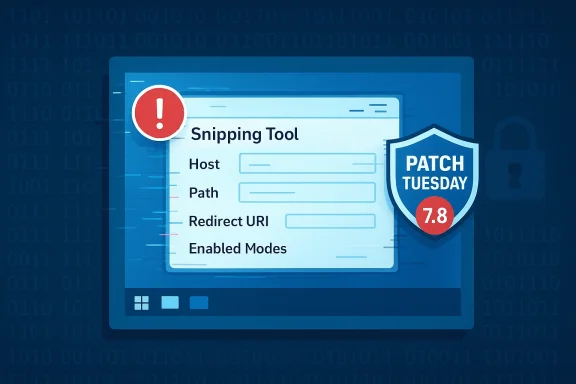
What makes this case especially interesting is that Snipping Tool is not just a passive image viewer. Microsoft’s current documentation for the app includes protocol-driven capture flows, redirect behavior, and integration points that permit other applications to launch or receive data from Snipping Tool. That kind of interoperability is useful for productivity, but it also means the app now participates in a web of parameters, callbacks, and file-handling logic that can be abused if validation is weak or trust boundaries are fuzzy. Microsoft’s documentation even warns that Snipping Tool does not validate the redirect URI, placing the burden on the calling app to secure that path.
There is also a broader historical lesson here. Microsoft has already had to patch serious Snipping Tool-related issues before, most notably the 2023 privacy flaw often associated with the “aCropalypse” family of screenshot bugs. That earlier incident was an information disclosure problem rather than code execution, but it reinforced the same point: screenshot utilities are no longer simple utilities. They are file processors, protocol endpoints, and image-editing workflows all rolled into one, which makes them security-relevant in a way many users would never assume.
Industry write-ups published on Patch Tuesday filled in some of the missing context. Rapid7 listed CVE-2026-32183 as a Snipping Tool RCE with Exploitation Less Likely and a 7.8 score, while BleepingComputer characterized it as an Important issue in Microsoft’s April 2026 batch of 167 flaws. Those independent summaries align on the key facts: it is a real RCE, it is not currently framed as an actively exploited zero-day, and it is important enough to warrant prompt patching.
A utility like Snipping Tool also handles rich content from multiple sources. Screenshots, edited images, clipboard data, temporary files, saved captures, and URI-triggered workflows all create opportunities for parser bugs, path confusion, or memory handling errors. Each additional feature might look harmless in isolation, but together they can produce the sort of complexity that turns a “simple app” into an attack surface with many moving parts.
The point is that modern utility apps are often more like mini-platforms than single-purpose tools. Once they accept externally influenced content and participate in inter-process or protocol-based workflows, they inherit the risk profile of much larger applications. That is a quiet but important shift in Windows security.
That earlier case matters because it demonstrated that screenshot tools are sensitive by design. Users often treat them as low-risk accessories, yet they routinely touch sensitive content: passwords, internal dashboards, customer records, medical information, and admin consoles. A flaw in such a tool can therefore have outsized consequences even if it does not look glamorous to attackers.
The lesson for enterprises is simple: if you are already disciplined about patching browsers and Office, you should be equally disciplined about “small” Windows apps that quietly sit in the productivity stack. Attackers have long understood that weak links often hide in plain sight.
The practical implication is that patch prioritization should not rely solely on whether exploit code is public. Microsoft and third-party trackers both indicate the issue is important even if exploitation is “less likely.” That still leaves plenty of room for opportunistic weaponization, especially if the bug is reachable through a file, URI, or content-rendering path that employees regularly encounter.
The biggest enterprise mistake would be to file this away as “just a consumer utility bug.” In a managed environment, many user actions become repeatable attack paths. If the app is broadly installed, a flaw in it is broadly relevant.
That said, the consumer risk model is different from enterprise risk. Home systems are less likely to have uniform management, but they are also less likely to be targeted with precision against a specific utility app unless the bug is easy to weaponize. So the best consumer advice remains the same: update Windows promptly and avoid postponing cumulative updates for cosmetic reasons.
Microsoft’s broader move to integrate Snipping Tool more tightly into Windows also matters here. When a simple app becomes a default feature set, users rarely think to harden or replace it. That makes patch cadence especially important, because there may be no obvious third-party alternative behavior to fall back on.
That pattern should not surprise anyone. As Windows has accumulated features, app-layer complexity has followed. The security burden is increasingly distributed across core OS features, productivity apps, capture tools, and integrated web-like experiences. The result is a platform that is more capable, but also more fragmented from a security perspective. That is the tradeoff of modern Windows.
Still, some reasonable inferences are worth making. Because Snipping Tool now handles protocol launches, user-selectable capture modes, and file workflows, any exploitable weakness is likely to be in input handling or content processing rather than in a purely local UI interaction. That does not mean the exploit is remote in the sense of “no user involvement,” but it does suggest attackers may be able to reach the flaw through malicious content rather than direct system access. This is an inference based on the app’s documented behavior, not an official Microsoft disclosure.
The more important takeaway is that Microsoft patched it quickly enough to make the issue actionable for customers even without a full technical whitepaper. That is the operational value of a security update guide: it lets defenders move before the research community has reconstructed the exploit chain.
Expect defenders to pay closer attention to screenshot utilities, clipboard-adjacent features, and protocol-based app launches over the coming months. Even if the exact bug class behind CVE-2026-32183 never becomes public, the security lesson will remain the same: familiar apps are not inherently low-risk just because they feel ordinary. Ordinary software is often where extraordinary mistakes hide.
Source: MSRC Security Update Guide - Microsoft Security Response Center
 Overview
The important thing about CVE-2026-32183 is not just that it affects Snipping Tool, but that it affects one of Windows’ most familiar, low-friction utilities. Snipping Tool has evolved from a simple screenshot app into a richer capture and annotation surface, and that evolution has expanded its attack surface in ways that are easy to underestimate. Security teams tend to focus on browsers, document readers, and scripting engines; utility apps often seem benign until they become a delivery point for code execution.This vulnerability appears in the April 2026 Patch Tuesday cycle, a release that by multiple industry trackers was unusually large and operationally significant. Public coverage described Microsoft as shipping fixes for well over 160 vulnerabilities that day, with multiple zero-days and a broad mix of Windows, Office, and platform updates. In that kind of month, even a non-zero-day RCE in a built-in app can get buried in the headline count, yet it still deserves attention because any remote code execution issue can become a foothold in a real-world intrusion chain.
What makes this case especially interesting is that Snipping Tool is not just a passive image viewer. Microsoft’s current documentation for the app includes protocol-driven capture flows, redirect behavior, and integration points that permit other applications to launch or receive data from Snipping Tool. That kind of interoperability is useful for productivity, but it also means the app now participates in a web of parameters, callbacks, and file-handling logic that can be abused if validation is weak or trust boundaries are fuzzy. Microsoft’s documentation even warns that Snipping Tool does not validate the redirect URI, placing the burden on the calling app to secure that path.
There is also a broader historical lesson here. Microsoft has already had to patch serious Snipping Tool-related issues before, most notably the 2023 privacy flaw often associated with the “aCropalypse” family of screenshot bugs. That earlier incident was an information disclosure problem rather than code execution, but it reinforced the same point: screenshot utilities are no longer simple utilities. They are file processors, protocol endpoints, and image-editing workflows all rolled into one, which makes them security-relevant in a way many users would never assume.
What Microsoft Has Actually Signaled
Microsoft’s Security Update Guide entry is the authoritative reference point, but the public-facing signal is intentionally narrow. The advisory title alone states Windows Snipping Tool Remote Code Execution Vulnerability, which tells us the impact class but not the exact trigger, exploitability vector, or preconditions. That is typical for MSRC when it wants to warn customers without overexposing technical details.Industry write-ups published on Patch Tuesday filled in some of the missing context. Rapid7 listed CVE-2026-32183 as a Snipping Tool RCE with Exploitation Less Likely and a 7.8 score, while BleepingComputer characterized it as an Important issue in Microsoft’s April 2026 batch of 167 flaws. Those independent summaries align on the key facts: it is a real RCE, it is not currently framed as an actively exploited zero-day, and it is important enough to warrant prompt patching.
Why the rating matters
Microsoft’s Important severity is not the same as Critical, but in practice the operational difference can be modest for widespread desktop software. A remote code execution flaw in a default Windows component can still become a wormable or phishing-assisted foothold if the trigger is reachable through everyday user behavior. The severity label is therefore best read as a starting point, not a comfort blanket.- Important still means urgent for enterprise patching.
- A 7.8 CVSS score usually implies meaningful remote impact.
- “Exploitation Less Likely” is not the same as “not exploitable.”
- Built-in apps can become high-leverage attack surfaces when widely deployed.
- The lack of public detail should increase caution, not reduce it.
The disclosure style is the clue
If you read between the lines, the publicity around CVE-2026-32183 suggests Microsoft believes the issue is real and remediable, but not one it wants to over-describe. That usually means one of three things: the bug is straightforward enough that the description itself would help attackers, the exploit path is still being studied, or the product team wants to avoid creating a recipe for weaponization. That restraint is often a sign of seriousness.Why Snipping Tool Is a Bigger Target Than It Looks
Snipping Tool sits in an awkward but important place in the Windows ecosystem. It is not a core kernel component, but it is also far from disposable. Millions of users rely on it for screenshots, quick edits, OCR-adjacent workflows, recordings, and sharing, especially now that Windows has folded more capture capability into the app. That popularity alone makes it a tempting target.A utility like Snipping Tool also handles rich content from multiple sources. Screenshots, edited images, clipboard data, temporary files, saved captures, and URI-triggered workflows all create opportunities for parser bugs, path confusion, or memory handling errors. Each additional feature might look harmless in isolation, but together they can produce the sort of complexity that turns a “simple app” into an attack surface with many moving parts.
The modern Snipping Tool attack surface
Microsoft’s documentation shows that the app now interacts through a structured launch flow with parameters such as host, path, enabledModes, auto-save, and redirect-uri. That means Snipping Tool is no longer merely drawing pixels on the screen. It is participating in stateful workflows and trusted callbacks that can create confusion if inputs are malformed or assumptions are wrong.- Capture flows involve multiple parameters.
- Redirect handling introduces trust-boundary decisions.
- Auto-save can create file-handling edge cases.
- Mode selection increases code paths.
- Cross-app launch behavior broadens exposure.
The point is that modern utility apps are often more like mini-platforms than single-purpose tools. Once they accept externally influenced content and participate in inter-process or protocol-based workflows, they inherit the risk profile of much larger applications. That is a quiet but important shift in Windows security.
Historical Context: This Is Not the First Screenshot-Tool Wake-Up Call
The Windows ecosystem has already seen how a screenshot tool can become a security story. The 2023 Snipping Tool / Snip & Sketch privacy issue exposed the risk of residual image data being retained after editing. That bug was not an RCE, but it was memorable because it involved a core user expectation: if you crop or redact something, the hidden data should stay hidden. When that expectation failed, the app’s credibility took a hit.That earlier case matters because it demonstrated that screenshot tools are sensitive by design. Users often treat them as low-risk accessories, yet they routinely touch sensitive content: passwords, internal dashboards, customer records, medical information, and admin consoles. A flaw in such a tool can therefore have outsized consequences even if it does not look glamorous to attackers.
From privacy bug to code execution risk
The move from information disclosure to remote code execution is not a linear progression, but it is a familiar pattern in software maturity. Once a utility app gains richer functionality, attackers look for whatever expanded surface is easiest to manipulate. The more sophisticated the app, the more likely it is to contain edge cases in input validation, content rendering, or callback handling.- Screenshot utilities process confidential material.
- Editing features increase parsing complexity.
- File save/reopen flows create persistence opportunities.
- Protocol handlers often introduce trust assumptions.
- UX polish can hide security debt.
The lesson for enterprises is simple: if you are already disciplined about patching browsers and Office, you should be equally disciplined about “small” Windows apps that quietly sit in the productivity stack. Attackers have long understood that weak links often hide in plain sight.
Enterprise Impact: Why Admins Should Treat This as a Real Patch Priority
For enterprise defenders, CVE-2026-32183 is best viewed as a standard but non-negotiable patching event. It is not the kind of flaw that demands panic in the absence of exploit reporting, but it is absolutely the kind of issue that can become relevant during phishing, help-desk abuse, or lateral movement. If users are likely to open screenshots, launch Snipping Tool through workflows, or interact with shared content, the app is part of the enterprise attack surface.The practical implication is that patch prioritization should not rely solely on whether exploit code is public. Microsoft and third-party trackers both indicate the issue is important even if exploitation is “less likely.” That still leaves plenty of room for opportunistic weaponization, especially if the bug is reachable through a file, URI, or content-rendering path that employees regularly encounter.
Defensive posture for IT teams
Security operations teams should align this fix with their broader April 2026 patch cycle, not treat it as a standalone edge case. The April release was large and operationally busy, and in those windows patch fatigue is real. That makes clear internal prioritization more important, not less.- Validate whether Snipping Tool is present and used on managed endpoints.
- Apply the April 2026 cumulative and app-level updates as soon as practical.
- Watch for unusual Snipping Tool launches in EDR telemetry.
- Review application control rules around screenshot and capture utilities.
- Include the CVE in vulnerability management reporting and SLA tracking.
The biggest enterprise mistake would be to file this away as “just a consumer utility bug.” In a managed environment, many user actions become repeatable attack paths. If the app is broadly installed, a flaw in it is broadly relevant.
Consumer Impact: The Risk Is Lower Noise, Not Lower Stakes
For home users, a Snipping Tool RCE sounds abstract until you remember how screenshot tools are actually used. People share images in chat apps, open screenshots from email, annotate captures from the web, and use the tool to work around exactly the kinds of file and image workflows attackers like to abuse. If the vulnerability is triggered through a crafted file or interaction, everyday behavior could be enough.That said, the consumer risk model is different from enterprise risk. Home systems are less likely to have uniform management, but they are also less likely to be targeted with precision against a specific utility app unless the bug is easy to weaponize. So the best consumer advice remains the same: update Windows promptly and avoid postponing cumulative updates for cosmetic reasons.
What ordinary users should care about
- Screenshot files can be social-engineering bait.
- Malicious content often hides in mundane formats.
- Built-in apps are not automatically safe.
- Delaying updates expands the exposure window.
- A patched utility is a safer default than a “wait and see” strategy.
Microsoft’s broader move to integrate Snipping Tool more tightly into Windows also matters here. When a simple app becomes a default feature set, users rarely think to harden or replace it. That makes patch cadence especially important, because there may be no obvious third-party alternative behavior to fall back on.
How This Fits Into the April 2026 Patch Tuesday Picture
CVE-2026-32183 is one item in a very crowded April 2026 release. Public summaries described the month as one of Microsoft’s largest Patch Tuesdays in recent memory, with numerous critical issues, multiple zero-days, and a wide spread of product families affected. In that context, a single Snipping Tool vulnerability may not dominate the conversation, but it still reflects a pattern: Microsoft continues to discover meaningful flaws in everyday Windows tooling, not just in glamorous server-side components.That pattern should not surprise anyone. As Windows has accumulated features, app-layer complexity has followed. The security burden is increasingly distributed across core OS features, productivity apps, capture tools, and integrated web-like experiences. The result is a platform that is more capable, but also more fragmented from a security perspective. That is the tradeoff of modern Windows.
Patch Tuesday as operational triage
Patch Tuesday now functions less like a single event and more like a prioritization exercise. Administrators must sort active exploitation from likely exploitation, critical from important, and widely exposed from niche. CVE-2026-32183 lands in the category that sits below emergency zero-day status but well above routine housekeeping.- It is not the loudest issue in the cycle.
- It is still a genuine code execution concern.
- It belongs on the same remediation calendar as other Windows fixes.
- Its small public description should not reduce urgency.
- Its presence in a major patch wave suggests real engineering attention.
Technical Interpretation: What We Can Infer, and What We Cannot
We do not yet have the kind of deep technical write-up that would let us classify the root cause with confidence. The public advisory title tells us the outcome — remote code execution — but not the primitive. It does not say whether the flaw is memory corruption, deserialization, path traversal, unsafe command invocation, or something else entirely. So any deeper speculation should be treated as inference, not fact.Still, some reasonable inferences are worth making. Because Snipping Tool now handles protocol launches, user-selectable capture modes, and file workflows, any exploitable weakness is likely to be in input handling or content processing rather than in a purely local UI interaction. That does not mean the exploit is remote in the sense of “no user involvement,” but it does suggest attackers may be able to reach the flaw through malicious content rather than direct system access. This is an inference based on the app’s documented behavior, not an official Microsoft disclosure.
Likely classes of bug
If defenders are trying to think ahead, the usual suspects are the right mental model.- Memory corruption in image or metadata parsing.
- Unsafe file handling around temporary or saved captures.
- Protocol abuse in launch or redirect workflows.
- Type confusion in mode or token processing.
- Boundary errors between UI code and capture backend logic.
The more important takeaway is that Microsoft patched it quickly enough to make the issue actionable for customers even without a full technical whitepaper. That is the operational value of a security update guide: it lets defenders move before the research community has reconstructed the exploit chain.
Strengths and Opportunities
The good news is that CVE-2026-32183 is patchable, visible in standard Microsoft channels, and likely manageable with conventional enterprise hygiene. It also offers a useful reminder to inventory “utility” software more seriously, because the weakest apps on a platform are often the ones users touch every day without thinking about them.- Patch availability gives defenders a direct remediation path.
- Microsoft disclosure makes the issue trackable in normal workflows.
- No public zero-day narrative lowers immediate outbreak pressure.
- Security tooling can monitor Snipping Tool usage and anomalies.
- Asset inventory can be improved by treating built-in apps as real attack surface.
- User awareness can be refreshed around malicious screenshots and files.
- Enterprise hardening can use this as a justification for tighter app control.
Risks and Concerns
The main concern is that the public description is thin, which makes it harder to assess exploitability, attack path, and exposure conditions. That uncertainty can lead organizations to underestimate the issue, especially when it is competing with more dramatic zero-day headlines from the same Patch Tuesday.- Sparse technical detail makes risk triage harder.
- Widespread installation means large exposure if the flaw is easy to trigger.
- User-driven workflows could make social engineering effective.
- Built-in trust may reduce skepticism around screenshot files and prompts.
- Delayed patching can leave long-lived endpoints vulnerable.
- Complex app behavior increases the odds of overlooked edge cases.
- Feature growth can keep expanding the future attack surface.
Looking Ahead
The next question is whether CVE-2026-32183 is a one-off issue or another sign that Windows’ capture and annotation stack is maturing faster than its security comfort zone. If Microsoft continues to add more workflow depth to Snipping Tool, more integrations, and more automation, then more code paths will need to be guarded with the same discipline applied to browsers and document handlers. That is where the long-term risk lives.Expect defenders to pay closer attention to screenshot utilities, clipboard-adjacent features, and protocol-based app launches over the coming months. Even if the exact bug class behind CVE-2026-32183 never becomes public, the security lesson will remain the same: familiar apps are not inherently low-risk just because they feel ordinary. Ordinary software is often where extraordinary mistakes hide.
- Watch for Microsoft to publish more technical clarification, if any.
- Monitor whether security researchers identify a likely exploit primitive.
- Track whether related Snipping Tool fixes appear in subsequent updates.
- Audit enterprise telemetry for unusual Snipping Tool invocation patterns.
- Review policy for file-based and protocol-based app launches.
Source: MSRC Security Update Guide - Microsoft Security Response Center
Last edited:
