

Microsoft’s Security Update Guide records CVE-2026-33119 as a spoofing vulnerability in Microsoft Edge (Chromium-based) for Android, and the wording strongly suggests a conventional browser trust/UI issue rather than a memory-corruption flaw. On its face, that places the bug in a category that often matters more to phishing and credential theft than to raw code execution. The confidence metric you quoted is Microsoft’s way of signaling how certain it is that the vulnerability exists and how credible the technical details are, which in turn helps defenders judge both urgency and attacker knowledge.
Microsoft has spent the last several years making its browser security disclosures more structured and more transparent. The company now uses the Security Update Guide as the canonical place to publish vulnerability summaries, severity, and CVSS-related context, while also adding supporting mechanisms like security advisories and machine-readable CSAF data to reduce ambiguity for customers. That matters here because CVE-2026-33119 is not just a label; it is part of a broader disclosure system designed to help administrators decide whether a reported issue is a confirmed exploit path, a validated weakness, or a still-emerging technical claim.
Microsoft has also been explicit that the Security Update Guide now serves as a centralized disclosure surface for CVEs and related advisory material, especially for conditions that may not require a separate traditional security bulletin. In practice, that makes Edge Android spoofing entries a familiar pattern: Microsoft publishes them to show when the downstream Edge build has inherited the relevant fix or mitigation. For enterprise defenders, that means the presence of a CVE in the guide is itself an operational signal, not merely an academic reference.
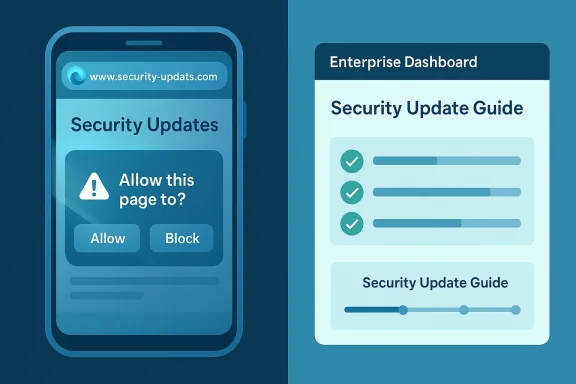
The spoofing category deserves special attention because browser spoofing bugs exploit human trust more than code paths. They can mislead users about what they are seeing in the address bar, the page identity, permissions prompts, or other security UI elements. That makes them especially relevant on mobile, where cramped layouts, gesture-driven navigation, and rapid task switching can blur the line between a legitimate site and a convincing imitation. In other words, spoofing is often the sort of flaw that turns a good security stack into an expensive illusion.
Microsoft has a long history of surfacing Android Edge spoofing issues in the Security Update Guide. The existence of prior Edge-for-Android spoofing records shows that this is not a one-off category, but part of an ongoing maintenance burden for Chromium-based mobile browsers. That history makes CVE-2026-33119 more believable as a class of issue even before any deeper technical root cause is public.
For a spoofing issue, confidence also shapes the defender’s response timeline. A highly credible issue with a confirmed fix usually means the safest answer is immediate patching. A lower-confidence issue may still merit attention, but it may not justify emergency response unless the affected browser is already in a high-risk environment.
For Microsoft, surfacing the issue in Edge for Android is also a reminder that downstream products inherit upstream browser risk. Even when Microsoft is not the original author of the bug, it still has to track the fix status, map the affected version, and tell customers when a secure build is available. That downstream transparency is one of the more useful aspects of the Security Update Guide.
The practical implication for readers is straightforward: spoofing bugs are frequently underestimated. They may not deliver the dramatic payoff of remote code execution, but they can enable convincing credential theft, fraudulent session capture, malicious permission prompts, or fake-update abuse. In a mobile-first environment, that can be enough to compromise accounts and user trust at scale.
In practical terms, this means a CVE listed in Microsoft’s guide can function as a tracking marker for patch status. The entry tells administrators that a browser weakness exists, that Microsoft recognizes it, and that users should treat the associated fixed build as the remediation target. For mobile fleets, that can be the difference between staying ahead of phishing campaigns and reacting after user compromise.
In Android browsers, spoofing often benefits from smaller screen sizes and less visual redundancy. Users are more likely to miss subtle URL changes, hidden indicators, or prompt modifications. A successful spoofing bug can therefore be more dangerous than a technical severity label suggests.
Android also introduces application-level complexity that desktop browsers do not always face in the same way. A browser may be launched from an email link, a messaging app, a QR scan, or an in-app browser handoff. Every transition is a chance for a malicious page to appear more legitimate than it is, especially if the security UI does not clearly anchor the user’s attention. This is exactly why UI spoofing remains an evergreen browser issue.
That is why lower-severity browser issues can still be high-urgency in the field. Operational security teams sometimes focus too narrowly on critical RCE bugs, but spoofing is often the layer that actually gets users to surrender secrets. In that sense, the severity label can understate the real-world value of the flaw to attackers.
For organizations, the most important point is that Edge for Android may serve as a corporate access channel, not just a personal browser. That means spoofing can become an enterprise identity issue, not just a consumer browser issue. The impact can reach email, VPN, SaaS, and internal portals if users trust the wrong screen.
For defenders, confidence affects both urgency and work planning. If the issue is highly credible, patch validation should move quickly and communication should be clearer. If the evidence is more limited, security teams may need to watch for follow-up advisory updates, exploit reports, or revised fix guidance. The metric helps separate signal from rumor.
In that sense, the confidence metric is an urgency multiplier. It is not just about whether the bug exists; it is about how much security teams should trust the published summary when making patch decisions.
The same caution also benefits defenders. A vague description may be enough to justify patching, but a more precise one helps teams recognize likely phishing patterns, suspicious traffic, or user reports that match the vulnerability class. The better the description, the better the defense.
That historical pattern should temper any assumption that spoofing is somehow less serious because it is familiar. Repetition usually means the attack surface is stable enough for flaws to reappear as browser interfaces evolve. The more browsers refine mobile UI, the more opportunities there are for subtle trust mismatches.
That complexity is exactly why spoofing bugs continue to matter. The browser must be right not only in code, but in the user’s perception of code. That is a much harder security problem than many people realize.
This is where organizational security posture becomes decisive. Passkeys, hardware-backed MFA, and conditional access can reduce the damage even if a spoofing page succeeds. Spoofing is dangerous precisely because it targets the weakest layer: human judgment.
That distinction matters because mobile devices are often the first or only device users reach for when responding to security prompts. If the spoofed page is mobile-optimized and the browser UI is unclear, the user may never realize a deception occurred until after the account is already exposed. That is why mobile browser spoofing can be so efficient for adversaries.
A spoofing bug can also amplify social engineering. Once a malicious page looks believable, attackers can ask for password resets, one-time codes, or recovery email confirmations. Those flows are especially vulnerable to visual deception because users already expect them to look routine.
Enterprise teams should also think about policy enforcement. Conditional access rules, device trust signals, and phishing-resistant MFA all help, but they assume the browser presents honest information. A spoofing bug weakens that assumption.
For IT teams, the response should be simple: confirm version status, ensure the latest Edge Android build is installed, and watch for any Microsoft follow-up that clarifies the affected versions or fix availability. If the confidence level is high, treat the issue as a real exposure, not a hypothetical one. Waiting for exploit chatter is usually a losing strategy.
In mobile environments, user feedback is often the first clue. If users report that a page “looked real” but behaved strangely, take that seriously. Spoofing thrives in ambiguity.
The next few weeks will likely determine whether CVE-2026-33119 stays a routine patch note or becomes a case study in mobile phishing defense. Watch for any Microsoft revision to the entry, any fix-version clarification, and any evidence that attackers are attempting to weaponize browser UI deception. Security teams should also watch for related spoofing advisories in Chromium itself, since Edge often inherits that security rhythm through upstream updates.
Source: MSRC Security Update Guide - Microsoft Security Response Center
 Background
Microsoft has spent the last several years making its browser security disclosures more structured and more transparent. The company now uses the Security Update Guide as the canonical place to publish vulnerability summaries, severity, and CVSS-related context, while also adding supporting mechanisms like security advisories and machine-readable CSAF data to reduce ambiguity for customers. That matters here because CVE-2026-33119 is not just a label; it is part of a broader disclosure system designed to help administrators decide whether a reported issue is a confirmed exploit path, a validated weakness, or a still-emerging technical claim.Microsoft has also been explicit that the Security Update Guide now serves as a centralized disclosure surface for CVEs and related advisory material, especially for conditions that may not require a separate traditional security bulletin. In practice, that makes Edge Android spoofing entries a familiar pattern: Microsoft publishes them to show when the downstream Edge build has inherited the relevant fix or mitigation. For enterprise defenders, that means the presence of a CVE in the guide is itself an operational signal, not merely an academic reference.
The spoofing category deserves special attention because browser spoofing bugs exploit human trust more than code paths. They can mislead users about what they are seeing in the address bar, the page identity, permissions prompts, or other security UI elements. That makes them especially relevant on mobile, where cramped layouts, gesture-driven navigation, and rapid task switching can blur the line between a legitimate site and a convincing imitation. In other words, spoofing is often the sort of flaw that turns a good security stack into an expensive illusion.
Microsoft has a long history of surfacing Android Edge spoofing issues in the Security Update Guide. The existence of prior Edge-for-Android spoofing records shows that this is not a one-off category, but part of an ongoing maintenance burden for Chromium-based mobile browsers. That history makes CVE-2026-33119 more believable as a class of issue even before any deeper technical root cause is public.
Why the confidence metric matters
The metric described in your prompt is essentially a confidence signal for defenders. It indicates whether Microsoft believes the vulnerability is definitely real, partially corroborated, or still somewhat speculative. That distinction is important because attackers can often exploit public technical details more effectively when the root cause, trigger conditions, or impacted versions are clearly documented.For a spoofing issue, confidence also shapes the defender’s response timeline. A highly credible issue with a confirmed fix usually means the safest answer is immediate patching. A lower-confidence issue may still merit attention, but it may not justify emergency response unless the affected browser is already in a high-risk environment.
Overview
At a strategic level, CVE-2026-33119 appears to reinforce three facts about modern browser security. First, Chromium-based browsers remain a shared-risk ecosystem, where one bug class can affect multiple products. Second, spoofing vulnerabilities continue to be operationally useful to attackers because they target perception, not just software behavior. Third, Android browser security is still a narrow interface between app logic, web content, and the operating system, which means the trust boundary can be surprisingly fragile.For Microsoft, surfacing the issue in Edge for Android is also a reminder that downstream products inherit upstream browser risk. Even when Microsoft is not the original author of the bug, it still has to track the fix status, map the affected version, and tell customers when a secure build is available. That downstream transparency is one of the more useful aspects of the Security Update Guide.
The practical implication for readers is straightforward: spoofing bugs are frequently underestimated. They may not deliver the dramatic payoff of remote code execution, but they can enable convincing credential theft, fraudulent session capture, malicious permission prompts, or fake-update abuse. In a mobile-first environment, that can be enough to compromise accounts and user trust at scale.
The Chromium inheritance model
Microsoft Edge is built on Chromium, so fixes for browser-engine issues frequently arrive as upstream Chromium patches that Microsoft then incorporates into Edge releases. That architecture is efficient, but it also means Edge inherits not just the strengths of Chromium’s rapid patch cycle, but also its exposure to browser-wide flaws. Microsoft’s documentation model is built around making that inheritance visible to administrators.In practical terms, this means a CVE listed in Microsoft’s guide can function as a tracking marker for patch status. The entry tells administrators that a browser weakness exists, that Microsoft recognizes it, and that users should treat the associated fixed build as the remediation target. For mobile fleets, that can be the difference between staying ahead of phishing campaigns and reacting after user compromise.
What spoofing usually looks like
Spoofing in a browser context can mean a lot of things, but the common thread is deception. The attacker tries to make a fake site, fake prompt, or fake browser UI look authentic enough that the victim takes a harmful action. That action might be entering credentials, approving a permission, or trusting a fraudulent connection page.In Android browsers, spoofing often benefits from smaller screen sizes and less visual redundancy. Users are more likely to miss subtle URL changes, hidden indicators, or prompt modifications. A successful spoofing bug can therefore be more dangerous than a technical severity label suggests.
Why Android Changes the Risk Profile
Mobile browsers live in a very different threat environment from desktop browsers. The browser is still a browser, but the user interaction model is more compressed, more transient, and more dependent on touch gestures and app switching. That makes it easier for attackers to exploit confusion if the browser’s UI can be manipulated. Spoofing is therefore not a cosmetic problem; it is a trust-calibration problem.Android also introduces application-level complexity that desktop browsers do not always face in the same way. A browser may be launched from an email link, a messaging app, a QR scan, or an in-app browser handoff. Every transition is a chance for a malicious page to appear more legitimate than it is, especially if the security UI does not clearly anchor the user’s attention. This is exactly why UI spoofing remains an evergreen browser issue.
Mobile phishing economics
From an attacker’s perspective, Android spoofing bugs are attractive because they can be monetized quickly. Phishing kits, credential theft pages, and fake login prompts are cheaper to deploy than fully weaponized memory exploits. If a browser flaw can make those pages look more credible, the return on investment improves immediately.That is why lower-severity browser issues can still be high-urgency in the field. Operational security teams sometimes focus too narrowly on critical RCE bugs, but spoofing is often the layer that actually gets users to surrender secrets. In that sense, the severity label can understate the real-world value of the flaw to attackers.
Enterprise mobile management
Enterprise Android fleets have their own twist on the problem. Managed devices, MDM policies, and conditional access controls help, but they do not eliminate user interaction risk. A spoofed site can still solicit credentials, trick MFA enrollment, or imitate a support portal.For organizations, the most important point is that Edge for Android may serve as a corporate access channel, not just a personal browser. That means spoofing can become an enterprise identity issue, not just a consumer browser issue. The impact can reach email, VPN, SaaS, and internal portals if users trust the wrong screen.
Reading Microsoft’s Confidence Language
Microsoft’s confidence metric is important because it gives readers a way to interpret what kind of information exists behind the CVE. A high-confidence entry usually means Microsoft believes the vulnerability exists, understands the general conditions, and has enough evidence to recommend action. A lower-confidence entry may still reflect a real weakness, but with fewer corroborated technical details or less certainty about exploitation mechanics. That concept is central to how Microsoft frames vulnerabilities in the updated guide.For defenders, confidence affects both urgency and work planning. If the issue is highly credible, patch validation should move quickly and communication should be clearer. If the evidence is more limited, security teams may need to watch for follow-up advisory updates, exploit reports, or revised fix guidance. The metric helps separate signal from rumor.
What high confidence usually implies
A high-confidence vulnerability entry usually suggests that the vendor has enough internal or external evidence to treat the issue as real. That may come from reproduction, researcher submission, or strong corroboration by adjacent technical analysis. It does not always mean the attacker model is fully documented, but it does mean the vendor is not treating the issue as speculative.In that sense, the confidence metric is an urgency multiplier. It is not just about whether the bug exists; it is about how much security teams should trust the published summary when making patch decisions.
Why attackers care about public detail quality
Attackers benefit when public vulnerability descriptions are precise enough to aid weaponization. Even if they do not get a full exploit recipe, details about affected code paths, user interaction requirements, or UI behavior can narrow the search space. That is one reason vendor language tends to be conservative when a bug is newly disclosed.The same caution also benefits defenders. A vague description may be enough to justify patching, but a more precise one helps teams recognize likely phishing patterns, suspicious traffic, or user reports that match the vulnerability class. The better the description, the better the defense.
Historical Pattern in Edge Spoofing
Edge-for-Android spoofing issues are not new, and that historical continuity matters. Microsoft has previously published Android spoofing vulnerabilities for Edge, which shows a recurring category of trust/UI weakness in the mobile browser stack. The recurrence also suggests that spoofing is a persistent browser problem rather than a solved one.That historical pattern should temper any assumption that spoofing is somehow less serious because it is familiar. Repetition usually means the attack surface is stable enough for flaws to reappear as browser interfaces evolve. The more browsers refine mobile UI, the more opportunities there are for subtle trust mismatches.
A familiar but evolving attack surface
Modern browsers have improved far beyond the early days of pop-up scams and fake toolbar attacks. Yet every improvement in UI sophistication also creates new edge cases. Security indicators, permission prompts, and navigation cues must all remain consistent across gesture states, display modes, and platform conventions.That complexity is exactly why spoofing bugs continue to matter. The browser must be right not only in code, but in the user’s perception of code. That is a much harder security problem than many people realize.
Why repeated spoofing CVEs matter to defenders
For administrators, repeated spoofing CVEs suggest that browser hardening cannot rely on a one-time policy decision. It needs a steady update cadence, user education, and ideally strong phishing-resistant identity controls. If users are going to click through a fake page, the browser alone is not enough to save them.This is where organizational security posture becomes decisive. Passkeys, hardware-backed MFA, and conditional access can reduce the damage even if a spoofing page succeeds. Spoofing is dangerous precisely because it targets the weakest layer: human judgment.
Enterprise Versus Consumer Impact
Consumers and enterprises experience spoofing differently, even though the underlying browser flaw is the same. For consumers, the danger is often account theft, fake banking pages, or misleading login screens. For enterprises, the consequences extend to managed identity systems, internal portals, help-desk workflows, and SaaS access.That distinction matters because mobile devices are often the first or only device users reach for when responding to security prompts. If the spoofed page is mobile-optimized and the browser UI is unclear, the user may never realize a deception occurred until after the account is already exposed. That is why mobile browser spoofing can be so efficient for adversaries.
Consumer exposure
A consumer usually has less contextual security tooling. They may not have a password manager warning, enterprise login policy, or device compliance overlay to help spot a fake page. That makes browser UI integrity disproportionately important on personal devices.A spoofing bug can also amplify social engineering. Once a malicious page looks believable, attackers can ask for password resets, one-time codes, or recovery email confirmations. Those flows are especially vulnerable to visual deception because users already expect them to look routine.
Enterprise exposure
In enterprises, spoofing can become a launchpad for broader compromise. If an employee enters credentials into a convincing fake page on Edge for Android, the attacker may obtain access to email, collaboration tools, VPN gateways, or cloud dashboards. That makes the issue relevant to identity governance, not just endpoint security.Enterprise teams should also think about policy enforcement. Conditional access rules, device trust signals, and phishing-resistant MFA all help, but they assume the browser presents honest information. A spoofing bug weakens that assumption.
What the Fix Likely Means Operationally
Microsoft has not always disclosed detailed root causes for spoofing CVEs at the moment of publication, and that is normal. The immediate operational question for defenders is not how the bug works in source-code terms, but whether the fixed Edge build is deployed everywhere it needs to be. That is the kind of practical answer the Security Update Guide is designed to support.For IT teams, the response should be simple: confirm version status, ensure the latest Edge Android build is installed, and watch for any Microsoft follow-up that clarifies the affected versions or fix availability. If the confidence level is high, treat the issue as a real exposure, not a hypothetical one. Waiting for exploit chatter is usually a losing strategy.
A practical patch workflow
- Identify all Android devices running Microsoft Edge.
- Verify whether they are enrolled in managed patching or app-update controls.
- Confirm the installed Edge version against Microsoft’s fixed release guidance.
- Push updates or force app-store refreshes where policy allows.
- Monitor identity logs for unusual sign-ins that could indicate prior spoofing abuse.
What to watch in the field
If the bug is actively abused, defenders may see signs that are indirect rather than obvious. Those can include unusual login failures, support tickets about browser oddities, or phishing reports that mention confusing page presentation. Security teams should not expect a crash dump or obvious malware artifact.In mobile environments, user feedback is often the first clue. If users report that a page “looked real” but behaved strangely, take that seriously. Spoofing thrives in ambiguity.
Strengths and Opportunities
Microsoft’s handling of CVE-2026-33119 highlights several strengths in the current disclosure model. The most important is that the Security Update Guide gives defenders a single place to track browser vulnerabilities, confidence language, and remediation state. It also reinforces the value of downstream transparency in a Chromium-based ecosystem.- Clear downstream visibility for Edge Android users.
- Confidence-based triage helps security teams prioritize.
- Mobile spoofing awareness raises attention to phishing risk.
- Integration with Microsoft’s broader update ecosystem simplifies response.
- Enterprise patch workflows can align with existing app-control processes.
- Identity protection opportunity: spoofing CVEs encourage stronger MFA and passkeys.
- User education leverage: this is a strong example of why visual trust cues matter.
Risks and Concerns
The biggest concern with spoofing vulnerabilities is not that they are dramatic, but that they are quietly effective. A bug that merely misleads the user can still lead to account takeover, data theft, or follow-on compromise. And because spoofing is often judged “medium” at first glance, organizations sometimes respond too slowly.- Phishing success rates may rise if the UI can be convincingly imitated.
- Mobile users have less screen real estate to spot deception.
- Enterprise identity systems are exposed if credentials are captured.
- Confidence in browser cues can erode even after patching if users stop trusting the interface.
- Low-severity bias may cause delayed remediation.
- Upstream/downstream dependency complexity can slow verification across fleets.
- Attackers can combine spoofing with social engineering for outsized effect.
Looking Ahead
The key question now is not whether spoofing remains relevant, but how Microsoft and the broader Chromium ecosystem continue to harden the mobile browser experience. If the confidence metric is high, the issue should be treated as a confirmed, actionable browser trust flaw. If further technical detail emerges, it may also reveal whether this is part of a broader class of Android UI misrepresentation bugs or an isolated browser-specific defect.The next few weeks will likely determine whether CVE-2026-33119 stays a routine patch note or becomes a case study in mobile phishing defense. Watch for any Microsoft revision to the entry, any fix-version clarification, and any evidence that attackers are attempting to weaponize browser UI deception. Security teams should also watch for related spoofing advisories in Chromium itself, since Edge often inherits that security rhythm through upstream updates.
- Confirm the latest Edge Android version on managed devices.
- Track any MSRC updates or revisions to the CVE entry.
- Review identity logs for suspicious sign-ins after patch rollout.
- Strengthen phishing-resistant MFA for high-value accounts.
- Reinforce user training around lookalike pages and browser UI cues.
Source: MSRC Security Update Guide - Microsoft Security Response Center
