

Customers affected by CVE-2026-40367, a Microsoft Word remote code execution vulnerability addressed in Microsoft’s May 12, 2026 security updates, should install every update package offered for the affected Office or Word software on each system, and Microsoft says applicable packages can be installed in any order. That answer sounds mundane, but it is the real center of gravity in this advisory. The risk is not merely that Word has another dangerous document-handling bug; it is that Office servicing has become fragmented enough that “the patch” may not be a single thing. For administrators, the safe interpretation is simple: if Microsoft Update, Click-to-Run, WSUS, Intune, Configuration Manager, or another patching tool says more than one Office update applies, the job is not finished until all of them land.
Security advisories often hide their most useful guidance in the part users skim past. In this case, Microsoft’s explicit answer to whether customers need all listed update packages is not a bureaucratic nicety. It is a warning against a common enterprise shortcut: treating multiple entries in a security table as duplicates rather than as separate pieces of coverage.
That distinction matters because Office is not serviced like a single monolithic application in every environment. Microsoft 365 Apps, volume-licensed Office, perpetual Office releases, language packs, compatibility components, shared Office libraries, and server-side Office integrations can all complicate what “Word is patched” means. A machine can be current in one channel and still need another package for a different installed component.
The wording also undercuts a familiar patch-management instinct. Admins often look for the newest build, the highest KB number, or the update that appears to match the visible application version and assume it supersedes everything else. Microsoft’s guidance says not to play that guessing game for this vulnerability. If more than one update applies to the installed software, apply them all.
This is especially relevant for organizations that still have mixed Office estates. A user may have Microsoft 365 Apps on one device, Office LTSC on another, and older supported components installed for line-of-business compatibility. The vulnerability may wear the same CVE number across the estate, but the remediation path can vary by product family, architecture, and servicing model.
Remote code execution in Word does not necessarily mean a wormable network service listening on the open internet. In Office advisories, remote often describes the attacker’s position, not a magical ability to compromise a machine without any local document handling. The attacker can be remote, the lure can arrive by email or chat, and the vulnerable parsing or rendering happens on the victim’s device.
That nuance is not comforting. It is exactly why Office bugs have had such a long operational life. Attackers do not need to breach a firewall if they can convince a user, a preview pane, or an automated document workflow to feed a crafted file into a vulnerable parser.
For defenders, the right mental model is not “Word is dangerous only if users open suspicious attachments.” The better model is “Word is part of the enterprise content ingestion pipeline.” Anything that processes Office documents — desktops, virtual desktops, email clients, preview handlers, document management systems, and sometimes server-side conversion tools — deserves attention when a Word RCE lands.
Outlook preview, Explorer preview, search indexing, document conversion, and data-loss-prevention workflows all exist to make files useful before users consciously decide to trust them. That convenience creates more opportunities for a malformed document to be parsed. Even when a specific CVE does not have a publicly confirmed preview-pane exploit path, administrators have learned not to treat Office preview surfaces as harmless.
Microsoft’s broader Office guidance in recent years has repeatedly pushed the ecosystem away from the old macro-centric threat model. Blocking internet macros by default helped, but it did not retire malicious documents as an attack class. Memory corruption, type confusion, parser bugs, OLE abuse, template injection, and chained security-feature bypasses are all ways to make a document dangerous without relying on a user clicking “Enable Content.”
That is why the fix guidance matters more than the exploit theatrics. A Word RCE is not just a desktop application bug. It is a bug in a file format interpreter that sits inside communication, collaboration, and business-process systems.
Office patching is deceptively visible on a single PC and maddeningly complex at scale. A user can open Word, check the account page, and see a current-looking build. An admin looking across thousands of endpoints needs to know which update channel each device uses, whether the device successfully checked in, whether the patch installed, whether a reboot or app restart is pending, and whether any legacy Office components remain outside the main servicing path.
The “any order” part of Microsoft’s answer is useful, but it should not be overread. It means admins do not need to sequence the applicable packages like a firmware update chain. It does not mean partial application is good enough, and it does not mean one package necessarily replaces another in every software inventory combination.
This is where vulnerability management tools can mislead as easily as they help. Scanner logic often relies on version detection, registry evidence, MSI product codes, Click-to-Run metadata, or installed-file checks. If those checks disagree, teams can end up with false comfort or noisy false positives. For a Word RCE, the remediation standard should be higher than “the dashboard mostly turned green.”
The problem is that many enthusiast and small-business systems are not truly default anymore. Users pause updates, disable Click-to-Run services, run old perpetual Office builds, keep abandoned Office components for compatibility, or rely on third-party “debloat” scripts that treat update services as expendable clutter. Those choices can turn a routine Office patch into a lingering exposure.
The other consumer wrinkle is document trust. Word files still arrive through personal email, cloud drives, Discord, Teams, WhatsApp, Slack, and web downloads. The old advice to avoid suspicious attachments remains useful but insufficient. If a vulnerability can be triggered during parsing, the difference between “opened,” “previewed,” and “handled by another app” may not be obvious to the person at the keyboard.
That is why patching beats caution here. User awareness is a layer, not a mitigation strategy. The durable fix for a document parser vulnerability is to update the parser.
This matters for prioritization. Some organizations still triage patches by server exposure first, then workstation patches later. That hierarchy makes sense for internet-facing appliances and domain controllers, but it can undervalue Office bugs. A workstation compromise through a malicious document can become credential theft, mailbox access, VPN abuse, cloud token theft, and lateral movement.
For high-risk organizations, the correct response is not simply to install the patch and move on. It is to ask which users process untrusted documents most often. Legal, finance, recruiting, procurement, journalism, customer support, sales, public-sector intake desks, and executive assistants all sit closer to hostile document flows than many technical teams realize.
Those groups should be in the fast lane for Office security updates. The same is true for virtual desktop pools and shared workstations, where one vulnerable gold image can recreate the exposure every time a session is provisioned.
Office vulnerabilities are particularly attractive after patch release because attackers can compare updated and unupdated code. Patch diffing is not magic, but it is a mature discipline. Once a fix exists, the bug’s shape may become easier for skilled researchers and criminals to infer.
This is one of the odd asymmetries of modern patching. The advisory is meant to reduce risk, but it also tells the world where to look. Organizations that wait for proof-of-concept code before acting are often waiting for the point at which the defensive window has already narrowed.
There is also a social-engineering advantage to Office bugs. Attackers do not need to scan the internet for a vulnerable Word port. They need to send plausible documents to plausible targets. That makes exploitation campaigns harder to measure from the outside and easier to dismiss until someone’s EDR lights up.
CVE-2026-40367 lands in that reality. A security updates table with multiple entries is not an aesthetic problem; it reflects the different ways vulnerable code can be present. Some updates may target different versions, architectures, channels, or Office families. Some systems may be offered one update, while others may be offered several.
Administrators should resist the temptation to normalize this away in a spreadsheet. The right question is not “Which line in the table looks like our Office?” The right question is “What does each endpoint actually have installed, and what does Microsoft say applies to that installed software?”
That requires inventory discipline. Without reliable software inventory, Office patching becomes a ritual. With reliable inventory, Microsoft’s guidance becomes actionable: apply every applicable update, verify installation, then hunt exceptions.
In Microsoft 365 Apps environments, administrators should pay attention to update channels such as Current Channel, Monthly Enterprise Channel, and Semi-Annual Enterprise Channel. Different channels can receive fixes on different schedules and expose different operational tradeoffs. Security updates normally flow through supported channels, but the timing and reporting experience can vary enough to confuse teams that expect a single universal build number.
For MSI-based or perpetual Office deployments, the work may look more traditional: KB compliance, WSUS approvals, Configuration Manager deployments, installation logs, and scanner validation. These environments are often older, more customized, and more likely to contain forgotten components. They deserve extra scrutiny, not less.
Reboots and application restarts also matter. Office updates frequently need running applications to close before patched binaries are fully in use. A device can show that an update is installed while Word, Outlook, or a related process remains open with old code loaded. In tightly managed environments, that argues for user communication and restart enforcement rather than silent hope.
But none of them should be treated as a replacement for the CVE fix. Mitigations are conditional. They depend on policy scope, user group, file origin metadata, email routing, cloud storage behavior, exception lists, and the creativity of attackers. Patches change the vulnerable code path.
Attack Surface Reduction rules deserve special mention because they can materially limit the blast radius of Office exploitation. Rules that block Office from creating child processes, injecting into other processes, or creating executable content can disrupt common payload chains. They do not prove the parser bug is harmless, but they can make exploitation less useful.
The same is true of least privilege. If exploitation runs in the context of the current user, then users with local administrator rights give attackers a better starting position. Removing unnecessary admin rights remains one of the least glamorous and most durable ways to make Office exploitation less catastrophic.
There is also a governance trap here. Security teams sometimes assume that because email is filtered in the cloud and files live in SharePoint or OneDrive, document-borne threats are mostly a mail-security problem. That misses the way files move after initial delivery. A document can enter through a partner portal, a ticketing system, a customer upload form, a USB device, or a personal cloud share.
Endpoint detection and response tools help, but they often observe the post-exploitation behavior rather than the parsing flaw itself. If Word spawns PowerShell, drops an executable, reaches for a suspicious domain, or touches credential stores, the EDR may catch the chain. A clean patch prevents the chain from starting.
That is the strategic point. Cloud controls, endpoint controls, and user training are all important, but a vulnerable Office parser remains a local liability wherever desktop Office is installed.
Those machines are where “install all applicable updates” becomes a governance problem. They may not check in reliably. They may be excluded from update rings. They may run Office only occasionally, which makes their risk less visible. They may also process exactly the sort of external documents that attackers like to weaponize.
For CVE-2026-40367, exception handling should be explicit. If a device cannot receive the update immediately, someone should own the risk, document the reason, apply compensating controls, and set a deadline. “Deferred” should not become the polite word for “forgotten.”
This is also a good moment to retire unsupported Office builds where they still exist. Unsupported software turns every new Office CVE into a reminder that the patch pipeline ends before the vulnerability pipeline does. If the software cannot receive security updates, it should not be handling untrusted documents.
This reflects the broader direction of Microsoft servicing. Windows, Office, Edge, Teams, .NET, Visual Studio, Azure tooling, and server products all have distinct servicing channels and lifecycles. The old dream of one monthly patch bundle that clearly covers everything on a machine has been replaced by a more distributed model.
That model is not inherently worse. It allows faster fixes, channel-specific deployment, and cloud-connected update experiences. But it does demand better asset awareness. Organizations that know what they run can patch with precision. Organizations that do not know what they run are left hoping that automatic updates reached everything important.
CVE-2026-40367 is therefore less a one-off Word story than a recurring audit question. When Microsoft publishes multiple packages for affected software, can your organization tell which assets need which packages, deploy them, and prove completion?
Source: MSRC Security Update Guide - Microsoft Security Response Center
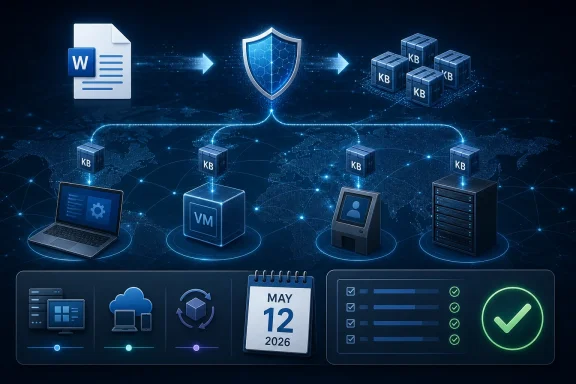 Microsoft’s Small Footnote Is the Operational Story
Security advisories often hide their most useful guidance in the part users skim past. In this case, Microsoft’s explicit answer to whether customers need all listed update packages is not a bureaucratic nicety. It is a warning against a common enterprise shortcut: treating multiple entries in a security table as duplicates rather than as separate pieces of coverage.That distinction matters because Office is not serviced like a single monolithic application in every environment. Microsoft 365 Apps, volume-licensed Office, perpetual Office releases, language packs, compatibility components, shared Office libraries, and server-side Office integrations can all complicate what “Word is patched” means. A machine can be current in one channel and still need another package for a different installed component.
The wording also undercuts a familiar patch-management instinct. Admins often look for the newest build, the highest KB number, or the update that appears to match the visible application version and assume it supersedes everything else. Microsoft’s guidance says not to play that guessing game for this vulnerability. If more than one update applies to the installed software, apply them all.
This is especially relevant for organizations that still have mixed Office estates. A user may have Microsoft 365 Apps on one device, Office LTSC on another, and older supported components installed for line-of-business compatibility. The vulnerability may wear the same CVE number across the estate, but the remediation path can vary by product family, architecture, and servicing model.
Word Remains the Document Handler Attackers Actually Want
Microsoft Word vulnerabilities retain their importance because Word remains both ubiquitous and trusted. It is the application people use for contracts, invoices, HR paperwork, procurement forms, legal drafts, grant applications, resumes, and internal memos. That makes Word a natural target for attackers who want a victim to process hostile content without making the attack look exotic.Remote code execution in Word does not necessarily mean a wormable network service listening on the open internet. In Office advisories, remote often describes the attacker’s position, not a magical ability to compromise a machine without any local document handling. The attacker can be remote, the lure can arrive by email or chat, and the vulnerable parsing or rendering happens on the victim’s device.
That nuance is not comforting. It is exactly why Office bugs have had such a long operational life. Attackers do not need to breach a firewall if they can convince a user, a preview pane, or an automated document workflow to feed a crafted file into a vulnerable parser.
For defenders, the right mental model is not “Word is dangerous only if users open suspicious attachments.” The better model is “Word is part of the enterprise content ingestion pipeline.” Anything that processes Office documents — desktops, virtual desktops, email clients, preview handlers, document management systems, and sometimes server-side conversion tools — deserves attention when a Word RCE lands.
The Preview Pane Problem Keeps Shrinking the Distance to Execution
One reason Word vulnerabilities punch above their apparent complexity is the role of preview and rendering surfaces. Users think of document opening as an intentional act: double-click the attachment, enable editing, maybe enable macros. Modern document workflows are much blurrier than that.Outlook preview, Explorer preview, search indexing, document conversion, and data-loss-prevention workflows all exist to make files useful before users consciously decide to trust them. That convenience creates more opportunities for a malformed document to be parsed. Even when a specific CVE does not have a publicly confirmed preview-pane exploit path, administrators have learned not to treat Office preview surfaces as harmless.
Microsoft’s broader Office guidance in recent years has repeatedly pushed the ecosystem away from the old macro-centric threat model. Blocking internet macros by default helped, but it did not retire malicious documents as an attack class. Memory corruption, type confusion, parser bugs, OLE abuse, template injection, and chained security-feature bypasses are all ways to make a document dangerous without relying on a user clicking “Enable Content.”
That is why the fix guidance matters more than the exploit theatrics. A Word RCE is not just a desktop application bug. It is a bug in a file format interpreter that sits inside communication, collaboration, and business-process systems.
“Install All Applicable Updates” Is a Patch-Management Test
The practical challenge with CVE-2026-40367 is not understanding that remote code execution is bad. Every competent admin knows that. The hard part is proving that every applicable Office component across the fleet actually received its corresponding fix.Office patching is deceptively visible on a single PC and maddeningly complex at scale. A user can open Word, check the account page, and see a current-looking build. An admin looking across thousands of endpoints needs to know which update channel each device uses, whether the device successfully checked in, whether the patch installed, whether a reboot or app restart is pending, and whether any legacy Office components remain outside the main servicing path.
The “any order” part of Microsoft’s answer is useful, but it should not be overread. It means admins do not need to sequence the applicable packages like a firmware update chain. It does not mean partial application is good enough, and it does not mean one package necessarily replaces another in every software inventory combination.
This is where vulnerability management tools can mislead as easily as they help. Scanner logic often relies on version detection, registry evidence, MSI product codes, Click-to-Run metadata, or installed-file checks. If those checks disagree, teams can end up with false comfort or noisy false positives. For a Word RCE, the remediation standard should be higher than “the dashboard mostly turned green.”
Consumer PCs Will Mostly Be Saved by Defaults, If They Are Left Alone
For home users and small offices, the advice is less dramatic: let Office update, let Windows Update do its work, and do not interrupt the process because the same CVE appears beside multiple packages. Microsoft’s consumer servicing machinery is designed to collapse most of this complexity into automatic updates.The problem is that many enthusiast and small-business systems are not truly default anymore. Users pause updates, disable Click-to-Run services, run old perpetual Office builds, keep abandoned Office components for compatibility, or rely on third-party “debloat” scripts that treat update services as expendable clutter. Those choices can turn a routine Office patch into a lingering exposure.
The other consumer wrinkle is document trust. Word files still arrive through personal email, cloud drives, Discord, Teams, WhatsApp, Slack, and web downloads. The old advice to avoid suspicious attachments remains useful but insufficient. If a vulnerability can be triggered during parsing, the difference between “opened,” “previewed,” and “handled by another app” may not be obvious to the person at the keyboard.
That is why patching beats caution here. User awareness is a layer, not a mitigation strategy. The durable fix for a document parser vulnerability is to update the parser.
Enterprise IT Should Treat Office as Part of the Attack Surface, Not Productivity Plumbing
Office is often managed as productivity software until a CVE reminds everyone that it is also code-execution infrastructure. Word, Excel, PowerPoint, Outlook, and their shared components parse untrusted content constantly. That makes them closer to browsers and PDF readers than to ordinary business applications.This matters for prioritization. Some organizations still triage patches by server exposure first, then workstation patches later. That hierarchy makes sense for internet-facing appliances and domain controllers, but it can undervalue Office bugs. A workstation compromise through a malicious document can become credential theft, mailbox access, VPN abuse, cloud token theft, and lateral movement.
For high-risk organizations, the correct response is not simply to install the patch and move on. It is to ask which users process untrusted documents most often. Legal, finance, recruiting, procurement, journalism, customer support, sales, public-sector intake desks, and executive assistants all sit closer to hostile document flows than many technical teams realize.
Those groups should be in the fast lane for Office security updates. The same is true for virtual desktop pools and shared workstations, where one vulnerable gold image can recreate the exposure every time a session is provisioned.
The Absence of a Known Zero-Day Does Not Make This Optional
The May 2026 Patch Tuesday cycle was described by some reporting as having no Microsoft zero-days, even while carrying a large number of fixes across the product stack. That is good news, but it is not an argument for delay. The gap between advisory publication and exploit development has narrowed enough that “not exploited yet” is a temporary condition, not a comfort blanket.Office vulnerabilities are particularly attractive after patch release because attackers can compare updated and unupdated code. Patch diffing is not magic, but it is a mature discipline. Once a fix exists, the bug’s shape may become easier for skilled researchers and criminals to infer.
This is one of the odd asymmetries of modern patching. The advisory is meant to reduce risk, but it also tells the world where to look. Organizations that wait for proof-of-concept code before acting are often waiting for the point at which the defensive window has already narrowed.
There is also a social-engineering advantage to Office bugs. Attackers do not need to scan the internet for a vulnerable Word port. They need to send plausible documents to plausible targets. That makes exploitation campaigns harder to measure from the outside and easier to dismiss until someone’s EDR lights up.
The Installed Base Is Messier Than Microsoft’s Product Names Suggest
Microsoft’s product branding implies a neat world: Microsoft 365 Apps over here, Office LTSC over there, older supported suites in clearly labeled boxes. Real networks are less tidy. Migrations leave behind components. Add-ins pin old dependencies. Project and Visio editions coexist with subscription Office. Language packs linger. Remote Desktop Session Hosts run builds no one has touched in months.CVE-2026-40367 lands in that reality. A security updates table with multiple entries is not an aesthetic problem; it reflects the different ways vulnerable code can be present. Some updates may target different versions, architectures, channels, or Office families. Some systems may be offered one update, while others may be offered several.
Administrators should resist the temptation to normalize this away in a spreadsheet. The right question is not “Which line in the table looks like our Office?” The right question is “What does each endpoint actually have installed, and what does Microsoft say applies to that installed software?”
That requires inventory discipline. Without reliable software inventory, Office patching becomes a ritual. With reliable inventory, Microsoft’s guidance becomes actionable: apply every applicable update, verify installation, then hunt exceptions.
Verification Is Where Patch Tuesday Succeeds or Fails
The actual installation of Office updates is only half the work. The more important half is verification. That means confirming the build, confirming the update channel, confirming the install state, and confirming that endpoints which were offline during the deployment window eventually caught up.In Microsoft 365 Apps environments, administrators should pay attention to update channels such as Current Channel, Monthly Enterprise Channel, and Semi-Annual Enterprise Channel. Different channels can receive fixes on different schedules and expose different operational tradeoffs. Security updates normally flow through supported channels, but the timing and reporting experience can vary enough to confuse teams that expect a single universal build number.
For MSI-based or perpetual Office deployments, the work may look more traditional: KB compliance, WSUS approvals, Configuration Manager deployments, installation logs, and scanner validation. These environments are often older, more customized, and more likely to contain forgotten components. They deserve extra scrutiny, not less.
Reboots and application restarts also matter. Office updates frequently need running applications to close before patched binaries are fully in use. A device can show that an update is installed while Word, Outlook, or a related process remains open with old code loaded. In tightly managed environments, that argues for user communication and restart enforcement rather than silent hope.
Mitigation Is a Seatbelt, Not a Substitute for the Repair
There are sensible hardening steps that reduce exposure to malicious documents. Protected View, Attack Surface Reduction rules, mail filtering, attachment detonation, disabling unnecessary preview handlers, blocking files from untrusted locations, and restricting child-process creation from Office applications can all help. In a mature environment, those controls should already exist.But none of them should be treated as a replacement for the CVE fix. Mitigations are conditional. They depend on policy scope, user group, file origin metadata, email routing, cloud storage behavior, exception lists, and the creativity of attackers. Patches change the vulnerable code path.
Attack Surface Reduction rules deserve special mention because they can materially limit the blast radius of Office exploitation. Rules that block Office from creating child processes, injecting into other processes, or creating executable content can disrupt common payload chains. They do not prove the parser bug is harmless, but they can make exploitation less useful.
The same is true of least privilege. If exploitation runs in the context of the current user, then users with local administrator rights give attackers a better starting position. Removing unnecessary admin rights remains one of the least glamorous and most durable ways to make Office exploitation less catastrophic.
The Cloud Does Not Magically Erase Endpoint Risk
Microsoft 365 has moved much of the document lifecycle into the cloud, but Word vulnerabilities still matter on endpoints. Users sync files locally, open attachments locally, preview content locally, and run desktop Office because it remains more capable than browser-only workflows in many organizations. The cloud changed the path documents take; it did not eliminate local parsing.There is also a governance trap here. Security teams sometimes assume that because email is filtered in the cloud and files live in SharePoint or OneDrive, document-borne threats are mostly a mail-security problem. That misses the way files move after initial delivery. A document can enter through a partner portal, a ticketing system, a customer upload form, a USB device, or a personal cloud share.
Endpoint detection and response tools help, but they often observe the post-exploitation behavior rather than the parsing flaw itself. If Word spawns PowerShell, drops an executable, reaches for a suspicious domain, or touches credential stores, the EDR may catch the chain. A clean patch prevents the chain from starting.
That is the strategic point. Cloud controls, endpoint controls, and user training are all important, but a vulnerable Office parser remains a local liability wherever desktop Office is installed.
The Real Risk Is the Machine Everyone Forgot
The most vulnerable system in an organization is rarely the laptop receiving daily updates on a modern management stack. It is the conference-room PC, the lab workstation, the shared kiosk, the contractor VM, the old Remote Desktop host, the finance machine pinned to an ancient add-in, or the executive assistant’s device that cannot reboot during business hours.Those machines are where “install all applicable updates” becomes a governance problem. They may not check in reliably. They may be excluded from update rings. They may run Office only occasionally, which makes their risk less visible. They may also process exactly the sort of external documents that attackers like to weaponize.
For CVE-2026-40367, exception handling should be explicit. If a device cannot receive the update immediately, someone should own the risk, document the reason, apply compensating controls, and set a deadline. “Deferred” should not become the polite word for “forgotten.”
This is also a good moment to retire unsupported Office builds where they still exist. Unsupported software turns every new Office CVE into a reminder that the patch pipeline ends before the vulnerability pipeline does. If the software cannot receive security updates, it should not be handling untrusted documents.
Microsoft’s Advisory Language Reflects a Bigger Servicing Reality
The most interesting thing about Microsoft’s answer is its bluntness. Yes, install all updates. Any order is fine. That is a compact way of saying the security boundary is the installed software, not the administrator’s preferred interpretation of the table.This reflects the broader direction of Microsoft servicing. Windows, Office, Edge, Teams, .NET, Visual Studio, Azure tooling, and server products all have distinct servicing channels and lifecycles. The old dream of one monthly patch bundle that clearly covers everything on a machine has been replaced by a more distributed model.
That model is not inherently worse. It allows faster fixes, channel-specific deployment, and cloud-connected update experiences. But it does demand better asset awareness. Organizations that know what they run can patch with precision. Organizations that do not know what they run are left hoping that automatic updates reached everything important.
CVE-2026-40367 is therefore less a one-off Word story than a recurring audit question. When Microsoft publishes multiple packages for affected software, can your organization tell which assets need which packages, deploy them, and prove completion?
The Word Patch That Tests the Patch Process
The immediate action is straightforward, but the lesson is broader. CVE-2026-40367 should push teams to validate not only Office patch status but the assumptions behind Office patching.- Customers should install every update package offered for the affected Word or Office software present on their systems.
- If multiple updates apply to the same system, Microsoft says they can be installed in any order.
- Administrators should verify successful installation rather than assuming one visible Office build number proves full remediation.
- Systems that process external documents, including recruiting, finance, legal, support, and procurement endpoints, should be prioritized.
- Mitigations such as Protected View, mail filtering, ASR rules, and least privilege reduce exposure but do not replace the security update.
- Unsupported or unmanaged Office installations should be treated as unresolved risk, not as edge cases outside the patch cycle.
Source: MSRC Security Update Guide - Microsoft Security Response Center
