

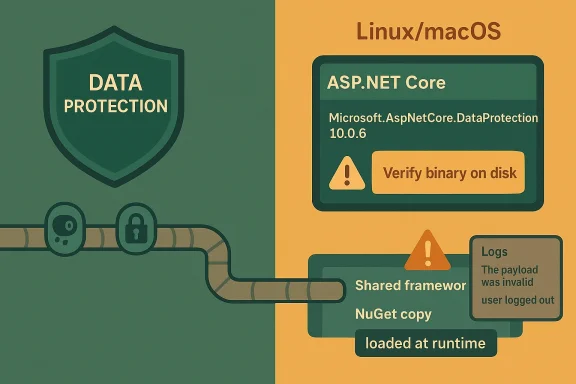
This advisory arriv familiar.NET reality: the same product can be consumed in two different ways, and that distinction can decide whether a machine is exposed or not. Microsoft’s.NET packaging model still splits responsibilities between NuGet packages and the shared framework, and the runtime chooses which copy to load based on deployment style and installed versions. That is why a project file alone is not enough; the on-disk binary and the runtime binding decision matter just as much as the resolved package version. Microsoft’s own.NET release notes for March 2026 show how tightly package servicing and runtime servicing are now coordinated across 10.0.x releases.
The key operational detail here is that the defect is not universal across all platforms or all deployment modes. The advisory says Windows deployments are not affected in the default configuration because Windows uses CNG-based encryptors, while Linux and macOS deployments can load the defective code path if they use the affected NuGet package at runtime. It also says 8.0.x and 9.0.x are not affected, which strongly suggests the bug was introduced during 10.0 development and never backported.
Microsoft’s a smaller but important edge case: systems running older target frameworks such as net462 or netstandard2.0 with Microsoft.AspNetCore.DataProtection 10.0.0 through 10.0.6** are affected on all operating systems. That matters because a lot of enterprise codebases still carry long-lived compatibility targets, and those apps can pick up modern packages even when their host framework is old. In practice, that creates a mixed estate where the same vulnerability may hit one app on Linux, skip another on Windows, and still land in older compatibility projects everywhere.
What Microsoft Says Is A’s most important sentence is the one many defenders will want to re-read: you are affected only when all three conditions are true. First, the application uses Microsoft.AspNetCore.DataProtection 10.0.6 directly or indirectly. Second, the NuGet version actually loads at runtime rather than the shared framework copy. Third, the application runs on a non-Windows operating system. That combination sharply narrows the practical exposure, but it also means many teams will need to verify runtime behavior rather than rely on package-management assumptions.
The runtime-load question
This is the part that teams. A package reference in a .csproj file does not automatically mean the app is using that binary in production, because a framework-dependent deployment can end up loading a newer shared framework version instead. Microsoft explicitly says that if the installed ASP.NET Core shared framework version is greater than or equal to the package reference version, the shared framework binary is loaded and the NuGet binary is never used. That is a good outcome here, but it is also exactly why static inventory alone can be misleading.
The practical implication is simple: package presence is not the same thre. On Linux hosts in particular, self-contained deployments and bundled application directories can carry their own copy of the framework assemblies, which means the vulnerable code may be present even when the host machine itself has a newer framework installed elsewhere. That makes this a vulnerability that demands both repository review and artifact review.
Deployment model matters more than usual
Framework-dependent deployments are the safer bete more likely to pick up the shared framework copy if the host is current. Self-contained deployments, by contrast, are effectively frozen at publish time, so a bad package version can travel with the application until the next rebuild and redeploy. That is a classic supply-chain security tradeoff: portability buys independence, but it also preserves defects.
- Check whether production is framework-dependent or self-contained.
- Verify the installed shared framework version on the host.
- Compare the host framework version with the package reference version.
- Confirm which assembly is bound at runtime, not just in source control.
- Treat Linux and macOS estates as the first priority for validation.
Why the Bug Stands Out
The advisory’s user-facing symptom is unusually concrete for a cryptographic library issue: Microsoft says the clearest sign is users being logged out and repeated “The payload was invalid” errors after upgrading to 10.0.6. That symptom suggests a failure in Data Protection payload handling rather than a broad crash or compiler-level failure, which is exactly the sort of issue that can masquerade as a benign regression until it becomes a service-impacting authentication problem.
Operationally, this is not jusm an operations standpoint, a defect that invalidates payloads can look like a session-store failure, a key-ring mismatch, or even a distributed cache outage. That creates a dangerous ambiguity: teams may chase infrastructure, Redis, or cookie configuration when the real cause is a vulnerable or incorrect binary loaded at runtime. In a busy production environment, that can easily translate into delayed remediation and unnecessary application restarts.
There is also a broader architectural lesson here. The ds on hidden cryptographic plumbing, the more carefully versioning and deployment semantics have to be controlled. If one package version behaves differently depending on whether it comes from NuGet or the shared framework, security validation becomes a runtime concern rather than a build-time box to tick.
A symptom profile defenders can actually use
Microsoft’s guidance effectively gives defenders a detection heuristic. If an application suddenly starts forcing logouts and spamming “The payload was invalid” after a.NET 10.0.6 upgrade, that is a strong clue that the affected library is in play. That is not proof by itself, but it is useful enough to prioritize triage in environments where many services share the same authentication or session stack.
- Repeated logout loops are a strong warning siion errors are the clearest log indicator.
- The issue can present like a cryptographic regression.
- Authentication and session features are the first places to look.
- A silent failure is possible if logs are incomplete.
How to Tell Whether the Vulnerable Binary Loaded
Microsoft gives defenders three practical checks, and the order matters. Start with logs, move to the project file, and then inspect the binary on disk if needed. That sequence goes from easiest to most definitive, which is exactly what an incident responder wants when the goal is to prove exposure quickly without rebuilding the app.
1) Check the logs first
The advisory’s symptom guidance is the ation. If the application suddenly logs a wave of invalid payload errors and user logouts after a 10.0.6 update, that strongly suggests the defective path is being exercised. The reason to begin here is simple: logs show actual runtime behavior, while package manifests only show intent.
2) Inspect the project file and resolved packages
Next, look for a PackageReferencpNetCore.DataProtection 10.0.6 in the .csproj file or in a transitive dependency such as Microsoft.AspNetCore.DataProtection.StackExchangeRedis. Microsoft also notes that dotnet list package can reveal resolved package versions, which is useful for identifying whether the vulnerable package is present in the build graph even if it is not the final runtime copy.
3) Confirm the binary on disk
The most definitive check is to inspect the assembly on disk and compare itared framework binary. Microsoft points defenders to the technical details section in the advisory for file size-based distinction between the affected NuGet binary and the correct shared framework binary. That is a useful technique because it gets you away from assumptions and into artifacts you can verify on the host.
A sensible validation workflow would look like this:
- Look for logout spikes and payload-validation errors.
- Run `dotnet list he lock file.
- Identify whether the app is self-contained or framework-dependent.
- Confirm the runtime assembly source on disk.
- Compare the loaded binary’s size with the advisory guidance.
Why Linux and macOS Are the Main Exposure Zones
Microsoft is explicit that Windows deployments are not affected in the normal case because Data Protection uses CNG-based encryptors there, and those code paths do not contain the bug. That is a big deal because it means one of the largest enterprise operating-system populations is largely insulated from the default failure mode. Still, that protection is not absolute, because Windows users who opt into managed algorithms can land back in the vulnerable territory.
The exception that matters on Windows
The advisory warns that Windows customers who explicitly enabled UseCustomCryptographicAlgorithms with maalso affected. That is a classic security footnote that can turn into a major exception in hardened environments, especially in organizations that deliberately customize cryptography for compliance, interoperability, or platform-agnostic behavior. In other words, Windows is safer by default, but not magically exempt.
For Linux and macOS, the risk profile is more direct. If the app runs self-contained or ships its own packages, the NuGet assembly can be the one in use, and the vulnerabili that artifact. That means container images, slim runtime packs, and build-published tarballs all deserve scrutiny.
The enterprise takeaway
Enterprise teams should treat this as a deployment-verification problem as much as a patching problem. A host-level package update may not matter if the application bundles its own copy, and a source-code bump may not matter if production is still running an older image built before the fix. That mismatch between code and artifact is where a lot of real-world exposure hides.
- Windows default cryptography avoids the bug.
- Windows custom managed algorithms do not.
- Linux and macOS should be assumed exposed until proven otherwise.
- Containers may preserve the vulnerable assembly in the image layer.
- Build artifacts can outlive source fixes by days or weeks.
The Special Case of Older Target Frameworks
Microsoft calls out net462 and netstandard2.0 applications as a smaller but important affected group. Those projects can consume modern packages while still targeting older compatibility surfaces, which is one reason security reviews in mixed.NET estates are so difficult. A package can be current, the target framework can be old, and the runtime behavior can still be vulnerable because the loaded binary comes from the package rather than the shared framework.
Why older frameworks change the picture
Older targets often live longer in production because they power business-critical integrations, line-of-business tools, and vendor-dependent components. Those apps are also more likely to have unusual deployment coeases the odds that they will keep a self-contained or locally packaged copy of their dependencies. In practical terms, that means the vulnerable Data Protection binary can persist in legacy code even after newer apps are cleaned up.
This is also where a lot of patching programs get surprised. Teams may focus on host OS patch status, but legacy.NET applications can bypass host-level reassurance by carrying their own libraries. That is why Microsoft’s advice to inspect the actual binary on disk is so importantbetween what should happen and what did happen.
Legacy apps need a different checklist
Legacy-targeted apps deserve a more careful remediation loop than fresh.NET 10 services. You do not just update a package and move on; you validate the publish mode, rebuild, retest authentication flows, and confirm the runtime is loading the corrected assetext, patching is as much about regression control as it is about security.
- Legacy frameworks may still consume modern vulnerable packages.
- Packaging behavior can differ from newer applications.
- Self-contained builds amplify the persistence of old binaries.
- Authentication regressions can be mistaken for unrelated failures.
- Validation should include a full re-publish, not just a package at This Means for DevOps and Release Engineering
The incident reinforces a lesson the.NET ecosystem has been teaching for years: release engineering is part of security engineering. If a team cannot quickly answer whether a runtime image contains the shared framework or a NuGet copy, then it cannot quickly answer whether it is exposed to a binary-level vulnerability. That makes build provenance, artifact inventory, and deployment metadata first-class security controls.
Container and self-contained builds deserve special attention
For containerized ASP.NET Core applications, the image is often the real source of truth. Even if a host machine receives a new framework version, a container layer may still embed the vulnerable assembly. Self-contained deployments are similar: what gets published is what runs until the next build, so stale artifacts are a durable risk.
That means release teams should add a few checks to their pipeline. They should inventory the exact Data Protection package version, capture the publish mode, and preserve enough build metadata to identify whether the final image contains the NuGet assembly or a shared-framework binding. Without that evidence, an exposure question becomes a guessing game.
A stronger operational model
A mature response would combine source control, build logs, SBOM-style inventory, and runtime verification. The goal is to make the question “what loaded in production?” answerable in minutes rather than hours. That is especially important for security advisories like this one, where the vulnerable state is a rur than a simple compile-time version mismatch.
- Record whether apps are framework-dependent or self-contained.
- Keep immutable image provenance for deployed services.
- Track package versions and runtime binding separately.
- Verify new images after every security fix.
- Include runtime checks in release approval gates.
How This Fits the Broader.NET Security Pattern
There is a familiar rhythm to.NET security advisories: a package-level or framework-level fix arrives, Microsoft publishes release notes, and downstream guidance focuses on helping developers figure out whether the right assembly is actually in use. The March 2026 security updates show that pattern clearly, with coordinated fixes across 10.0.4, 9.0.14, and 8.0.25 and explicit release-note tracking in the.NET core repository.
Shared framework versus NuGet is still the central tension
The long-running tension in.NET is that shared-framework convenience and package-level precision solve different problems. Shared frameworks reduce duplication and simplify servicing, while NuGet packages give applications portability and version pinning. Security incidents like this one expose the downside of that flexibility: the wrong copy can be loaded, and once that happens, the package version in your project becomes only half the story.
That is why Microsoft’s older ASP.NET Core advisories consistently emphasized precise versioning and explicit package updates. The ecosystem has evolved, but the core lesson has not changed: developers must know where their assemblies come from, not just what versions their dependency manifests declare.
Why this matters beyond one CVE
CVE-2026-40372 is not just about one broken package. It is a reminder that platform security depends on the boundary between host servicing and app servicing, and that boundary is fragile in mixed-deployment environments. The organizations most likely to get bitten are the ones with heterogeneous fleets, older codebases, and multiple deployment styles coexisting in production.
- Package versions can be correct while runtime versions are wrong.
- Shared-framework updates do not help self-contained apps.
- Older apps can still consume modern vulnerable packages.
- Platform defaults matter, but exceptions still exist.
- The same CVE can have radically different exposure across estates.
Strengths and Opportunities
The good news is that Microsoft’s advisory gives defenders enough specificity to act, and that specificity is a strength rather than a limitation. The guidance narrows the affected surface, identifies likely symptoms, and describes multiple validation paths. That makes this one of those advisories where disciplined inventory work can pay off quickly.
- The affected set is narrow and clearly defined.
- Microsoft identifies a strong runtime symptom to hunt for.
- Framework-dependent deployments may already be safe.
- The fix path irify and update.
- Teams can use this as a catalyst for better artifact inventory.
- The advisory improves operational clarity for Linux and macOS estates.
- Legacy applications can be cleaned up with targeted rebuilds.
Risks and Concerns
The main risk is false confidence. If teams see 10.0.6 in source control or on a package report, they may assume the system is already on the fixed path, when the real exposure depends on which assembly was actually loaded. That gap between package state and runtime state is exactly where security hygiene fails in real environments.
- Self-contained deployments can preserve the vulnerable binary.
- Logs may be missing, incomplete, or rotated away too soon.
- Windows custom cryptography can reintroduce exposure.
- Legacy frameworks iomplexity.
- Authentication symptoms can be misdiagnosed as cache or session issues.
- Container images may hide outdated layers long after source is fixed.
- Teams may overtrust shared-framework assumptions.
Looking Ahead
The next phase of this story will be less about the existence of the vulnerability and more about how well organizations can prove they are not exposed. Expect security teams to focus on image provenance, host framework inventory, and runtime assembly validation, because those are the only reliable ways to settle the question. If Microsoft’s technical details section proves useful in practice, that will further reinforce the industry’s move toward artifact-level security verification.
There is also a broader trend at work. As.NET continues to evolve, the line between framework servicing and application servicing will remain a major source of both convenience and risk. Advisories like this one will keep pore rigorous build pipelines, stronger SBOM practices, and faster runtime verification. That is a good thing, because the future of secure.NET deployment will belong to teams that can answer not just what did we build? but what actually ran?
- Verify runtime binding, not just package references.
- Rebuild and republish self-contained apps after every fix.
- Audit Linux and macOS services first.
- Check for “The payload was invalid” and logout storms.
- Add binary provenance checks to release gates.
If there is one takeaway from CVE-2026-40372, it is that modern application security is no longer satisfied by a patched repository. The real question is whether the right binary loaded, on the right platform, in the right deployment mode, at the right time. In the.NET world, that distinction is often the difference between a routine update and an avoidable incident.