

The plain reading is this: Microsoft is telling customers that a real vulnerability exists, that the vendor has enough confidence to assign and publish a CVE, and that organizations should treat the issue as part of normal Office patch discipline rather than as a speculative research note. That may sound bureaucratic, but in enterprise security the difference between “rumored bug,” “publicly described behavior,” and “vendor-confirmed vulnerability” is the difference between a backlog item and a change window.
Excel Remains the Document Parser Nobody Can Ignore
Excel is not merely a spreadsheet application. It is a file parser, formula engine, automation host, collaboration surface, data connector, reporting tool, and in many organizations an unofficial database with a green icon. That makes Excel vulnerabilities unusually durable: they sit at the intersection of user trust, legacy file formats, and business-critical workflows.
Attackers understand that spreadsheets are one of the few file types employees expect to receive from strangers. Invoices, budgets, audit exports, benefits forms, shipping manifests, quote sheets, and sales forecasts all arrive as Excel files. Even security-aware users who would hesitate before opening an executable often treat a workbook as mundane paperwork.
That psychology gives Excel bugs a long runway. A remote code execution flaw gets the dramatic billing, but an information disclosure flaw can still be valuable if it reveals memory contents, document fragments, environmental details, authentication material, internal paths, or anything else that helps an attacker move from guesswork to precision.
Microsoft’s own historical bulletins have often described Office information disclosure issues in terms of memory exposure or specially crafted documents. The shape is familiar: the attacker prepares a file, the user or a preview component processes it, and the application reveals something it should not. CVE-2026-44822 belongs in that tradition unless and until Microsoft publishes narrower technical detail.
The Confidence Metric Is a Quiet Escalation
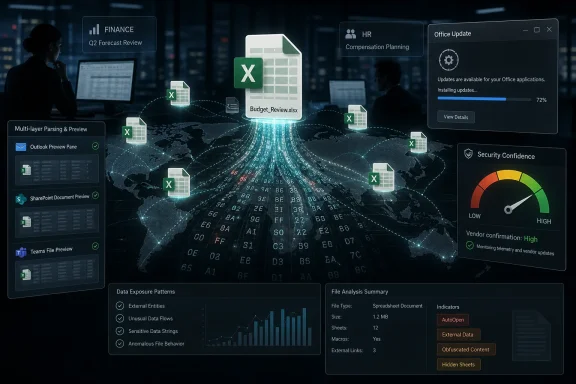
The text supplied with the advisory focuses on a metric that measures confidence in the existence of the vulnerability and the credibility of the known technical details. That is not marketing language. It is a risk-management signal.
Security teams live with incomplete information. A CVE may appear before public exploit code, before a third-party write-up, before NVD enrichment, and before security vendors agree on the practical blast radius. In that fog, confidence matters because it answers a different question from severity. Severity asks, “How bad could this be?” Confidence asks, “How sure are we that this is real and technically meaningful?”
For CVE-2026-44822, the vendor acknowledgment is the key point. A Microsoft Security Update Guide entry is not the same thing as a rumor in a GitHub issue or a proof-of-concept tweet. It means the affected technology’s steward has accepted the vulnerability into its public update machinery.
That does not automatically mean public exploitation. It does not automatically mean a weaponized exploit exists. It does mean defenders should stop debating whether the issue is imaginary and start asking where Excel is installed, how Office updates are delivered, and whether high-risk users can be patched first.
“Information Disclosure” Is the Most Misleading Phrase in the Patch Notes
The phrase information disclosure has a way of lulling people into indifference. It sounds like a privacy footnote rather than a security event. In reality, information disclosure is often the connective tissue of larger attacks.
An attacker rarely needs a single bug to do everything. Modern exploitation often chains weaknesses: one bug leaks memory layout, another bypasses a mitigation, a third executes code, and a fourth establishes persistence. A disclosure flaw can supply the missing piece that turns a brittle exploit into a reliable one.
In Office, the danger is magnified by context. Excel runs where sensitive data already lives. Workbooks may contain customer lists, payroll models, M&A scenarios, API exports, database connection strings, hidden sheets, macros, embedded objects, and links into corporate file shares. Even if the vulnerability exposes only “limited” information, limited information from the wrong process at the wrong time can be enough.
That is why administrators should resist the old severity shorthand. “Not RCE” is not the same as “not important.” The right question is whether the disclosed information could help an attacker understand the environment, target a user, defeat a mitigation, or extract data that the organization would not willingly publish.
Microsoft’s Office Security Model Is Still Fighting the Past
Microsoft has spent years hardening Office: Protected View, Mark of the Web handling, macro blocking changes, Attack Surface Reduction rules, cloud reputation checks, sandboxing improvements, and safer defaults across Microsoft 365 Apps. Those defenses matter. They have changed attacker economics.
But Excel carries a historical burden that cannot be patched away in a single release. The product must continue to open old files, support complex formulas, preserve automation compatibility, and behave predictably for finance departments that have built entire internal economies on spreadsheets. Compatibility is a security tax.
Every parser that must understand decades of file format edge cases becomes a place where memory safety, input validation, and object handling can go wrong. Every convenience feature that lets a workbook fetch, transform, embed, preview, or calculate data gives defenders another path to reason about. Excel is safer than it used to be, but it is also more connected and more deeply integrated into Microsoft 365 workflows.
CVE-2026-44822 is therefore not an isolated curiosity. It is one more reminder that Office security is no longer just about blocking malicious macros. It is about how rich documents behave inside a cloud-connected, AI-assisted, preview-heavy productivity stack.
Patch Tuesday Discipline Beats CVE Theater
The temptation with any new CVE is to turn it into a drama of rankings. Is it critical? Is there exploit code? Is it in the Known Exploited Vulnerabilities catalog? Is it trending? Those questions are useful, but they can also become an excuse to delay the boring work.
For most organizations, the correct response to a Microsoft Excel information disclosure vulnerability is not bespoke panic. It is disciplined patch management. Microsoft 365 Apps should be on a supported update channel with a predictable deployment cadence. Office LTSC and perpetual Office installations should be inventoried and patched with the same seriousness as Windows endpoints.
The highest-risk machines are not always the most obvious. Finance, HR, legal, procurement, executive assistants, sales operations, and analysts often open externally supplied spreadsheets as part of their jobs. Terminal servers and shared workstations deserve special attention because Office vulnerabilities can become multi-user risk multipliers when interactive use is allowed on systems that also hold sensitive access.
There is also a practical lesson for organizations that still treat Office as userland convenience rather than enterprise infrastructure. If you do not know which Office builds are running, which channels they follow, which users can defer updates, and which devices are outside management, you do not have an Excel vulnerability problem. You have an asset-management problem wearing an Excel vulnerability’s clothes.
The Preview Pane Is Part of the Threat Model Now
Administrators should think beyond the old “user opens attachment” model. Modern Windows and Microsoft 365 workflows include previews, indexing, cloud rendering, email attachment scanning, Teams file previews, SharePoint and OneDrive interactions, and third-party security tools that inspect documents. Each layer that parses a workbook can become relevant when the underlying flaw sits in document handling.
That does not mean CVE-2026-44822 is automatically preview-pane exploitable. Without a public technical write-up from Microsoft saying so, that would be an overclaim. It does mean defenders should stop imagining Excel risk as a single desktop event where a user double-clicks a file and everything begins there.
The safer mental model is that Excel content travels through a chain. It may be received by email, stored in OneDrive, synchronized locally, previewed in Outlook, opened in Excel, indexed by Windows Search, scanned by endpoint tools, and shared again through Teams. A vulnerability in the handling of that content is therefore not confined to the visible moment when a spreadsheet appears on screen.
For sensitive environments, that argues for layered controls: disable unnecessary preview behavior where appropriate, restrict automatic processing of untrusted Office documents, apply Attack Surface Reduction rules, and monitor unusual network and process behavior from Office applications. These measures do not replace patches, but they reduce the number of ways an attacker can turn a document bug into a business incident.
The AI Era Makes Spreadsheet Bugs Less Boring
Excel is increasingly surrounded by automation. Copilot, agents, connectors, cloud analysis, and scriptable workflows are pushing Office documents into systems that do more than display content. They interpret, summarize, transform, and act.
That shift changes how information disclosure should be evaluated. In a traditional desktop model, a leak might expose process memory or local document contents. In a more automated workflow, a malicious or malformed workbook may pass through services that have access to broader context: files, chats, prompts, linked data, identity tokens, or network destinations.
Again, CVE-2026-44822 should not be blamed for capabilities Microsoft has not attributed to it. But the class of vulnerability is arriving in a product family where the boundary between document, workflow, and assistant is becoming porous. That makes old categories feel underpowered.
The security industry has already seen how indirect prompt injection and document-borne instructions can complicate AI-assisted productivity. Even when the root bug is conventional, the surrounding environment is no longer conventional. A spreadsheet is not just a grid; it can be input to a model, a trigger for a flow, a source for a dashboard, and a bridge between internal and external data.
For Home Users, the Advice Is Simpler but Not Softer
Home users and small businesses should not need to parse CVSS sub-metrics to act sensibly. If Excel is installed, keep Office updated. If a spreadsheet arrives unexpectedly, be skeptical. If Windows or Microsoft 365 offers an update, do not postpone it indefinitely.
The biggest mistake for consumers is assuming that a bug must be “remote code execution” to matter. Information disclosure can still expose personal data, local document fragments, or clues that help a scammer personalize the next attack. In fraud, specificity is power.
Users should also remember that Excel files can be risky even when they look boring. A spreadsheet does not need flashy macros or visible warnings to be crafted maliciously. The most convincing lure is often the one that looks like ordinary paperwork.
For families and small offices, the best low-friction defense remains boring: automatic updates, supported Office versions, protected view left enabled, macros blocked by default, and a healthy suspicion of unsolicited files. The goal is not paranoia. The goal is to make the attacker work harder than the target is worth.
Enterprise IT Should Treat This as a Process Test
CVE-2026-44822 is a useful test of an organization’s vulnerability-management muscle because it is not the kind of bug that should require a war room. If the update path is healthy, the organization should be able to identify affected Office deployments, stage the relevant updates, monitor for breakage, and close the loop.
If that process is painful, the vulnerability is revealing a deeper weakness. Office is everywhere, but it is often managed less rigorously than operating systems. Some devices receive Microsoft 365 Apps updates automatically; others sit on deferred channels; still others run LTSC builds; and a few forgotten endpoints run whatever image was installed years ago.
The patch pipeline should answer several concrete questions quickly. Which Office products are affected? Which update channel contains the fix? Which users are allowed to pause or defer installation? Which unmanaged devices handle company spreadsheets? Which business units exchange Excel files with external parties every day?
Those questions are not glamorous, but they determine whether CVE advisories become contained maintenance or recurring emergencies. The organizations that handle this well will barely notice the advisory after deployment. The organizations that handle it poorly will rediscover, again, that Excel is part of their attack surface whether or not it appears in the server inventory.
The Real Signal Is Vendor Confirmation, Not Public Exploit Hype
The supplied metric text correctly emphasizes that urgency rises when a vulnerability is known to exist with certainty. That framing is especially important in a year when vulnerability intelligence is noisy, automated, and unevenly enriched. A CVE identifier alone is no longer enough to tell a defender what to do.
Microsoft’s confirmation is meaningful because it moves the issue out of speculation. But the absence of public technical detail also matters. It means defenders should not invent exploit mechanics, exaggerate impact, or assume attack paths that are not documented. Good security journalism and good security operations both require discipline at this point.
The balanced position is straightforward: CVE-2026-44822 is credible because Microsoft has published it; it deserves patching because Excel is a high-value document-processing surface; and it should be prioritized according to exposure, update availability, user role, and compensating controls. That is less exciting than exploit theater, but it is more useful.
The industry has a bad habit of treating uncertainty as either comfort or catastrophe. In reality, uncertainty is work. It means watching for Microsoft revisions, checking whether NVD and other databases add technical enrichment, monitoring for exploitation claims, and ensuring the patch actually reaches the endpoints that handle untrusted spreadsheets.
The Spreadsheet Security Habit Microsoft Keeps Forcing Us to Relearn
CVE-2026-44822 does not need a cinematic exploit chain to matter. It is another reminder that Excel files are active content in practical terms, even when they are not macros and even when the impact category sounds modest. The defensive habit is to treat spreadsheets from outside the organization as untrusted inputs, not as harmless office stationery.
For WindowsForum readers, the concrete lessons are familiar but worth repeating:
- Microsoft’s publication of CVE-2026-44822 should be treated as vendor confirmation that the Excel vulnerability is real, not as a speculative report waiting for proof.
- The “information disclosure” label should not be dismissed, because leaked memory, document data, or environmental clues can support larger attacks.
- Office patching should be tracked with the same seriousness as Windows patching, especially on systems used by finance, HR, legal, procurement, and executive staff.
- Defenders should consider every component that parses or previews Excel content, including desktop apps, email clients, cloud storage, indexing services, and collaboration tools.
- Organizations should avoid filling gaps in Microsoft’s advisory with guesses, but they should still act on the confirmed risk by deploying updates and tightening document-handling controls.
The forward-looking lesson is that Excel security is becoming less about a single application and more about the document-processing fabric around Microsoft 365. As spreadsheets feed agents, dashboards, previews, and automated workflows, even a modest information disclosure bug can sit closer to sensitive business context than its label suggests. CVE-2026-44822 should be patched as one vulnerability, but understood as part of a larger shift: the humble spreadsheet is now infrastructure, and infrastructure deserves infrastructure-grade defenses.